BlackHole1/aswap
BlackHole1/aswap has 32 GitHub stars and 4 forks. GitHot measured 0 stars in 24 hours and +3 in 7 days. Last checked 2026-11-12 07:18 UTC. Last push 2026-11-03.
Multi-account switcher for Claude Code and Claude Desktop: claude-swap (cswap) plus a maintained patch series.
Measured star growth
- in 24h
- 0
- in 7 days
- +3
- in 15 days
- Update delayed
- in 1 month
- Update delayed
Net star changes over overlapping periods, not daily totals. Missing measurements are left blank. Stars measure attention, not software quality.
README.md
Originalaswap
English | 简体中文 | 繁體中文 | 日本語 | 한국어 | Русский | Français | Español
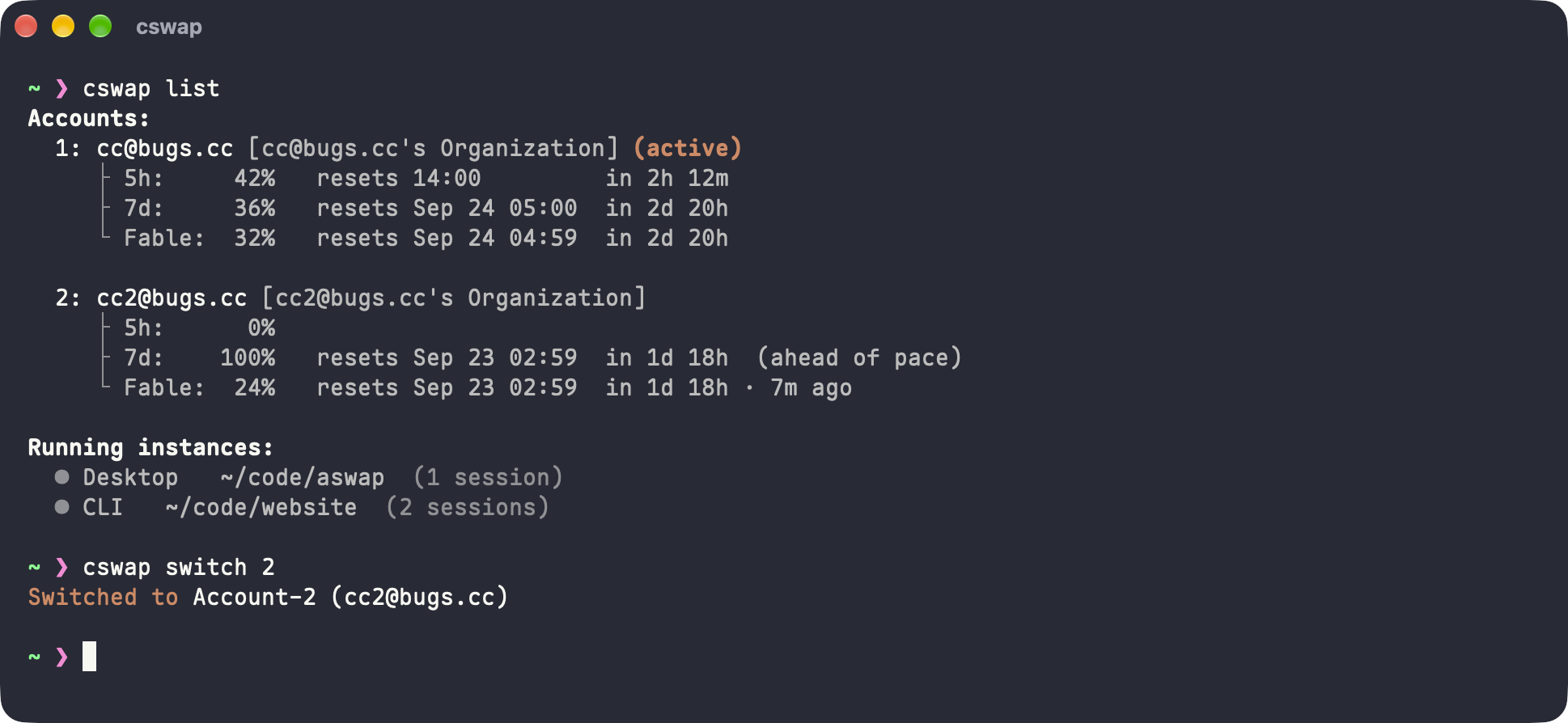
Switch between Claude Code accounts with claude-swap, plus a maintained set of fixes and features.
cswap manages several Claude accounts. It tracks each account's usage and can switch to the one with the most quota left. aswap builds cswap from unmodified upstream source and applies a small set of patches on top. All cswap commands work as before.
The name stands for account swap.
Install
uv tool install aswap  # or: pipx install aswap
aswap --version
aswap accepts every cswap command. It installs next to an upstream cswap without touching it.
To run aswap as cswap too:
aswap link    # add a cswap launcher next to aswap
aswap unlink  # remove it
aswap link only replaces a cswap launcher created by an aswap install. To replace upstream cswap, uninstall it first (uv tool uninstall claude-swap), or pass --force.
To upgrade, run aswap upgrade. It calls uv tool upgrade or pipx upgrade, depending on how aswap was installed.
What aswap adds
Refresh usage on demand
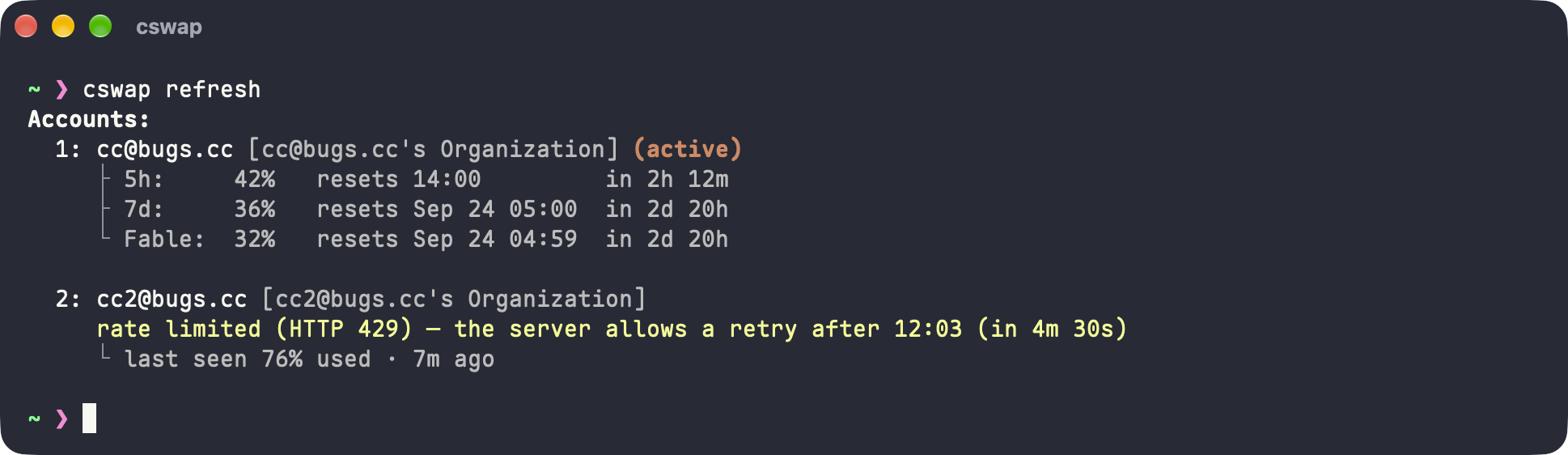
cswap refresh [account ...] fetches usage right away, one account at a time. For a rate-limited account, it shows when the server allows the next retry.
One Claude Desktop window per account
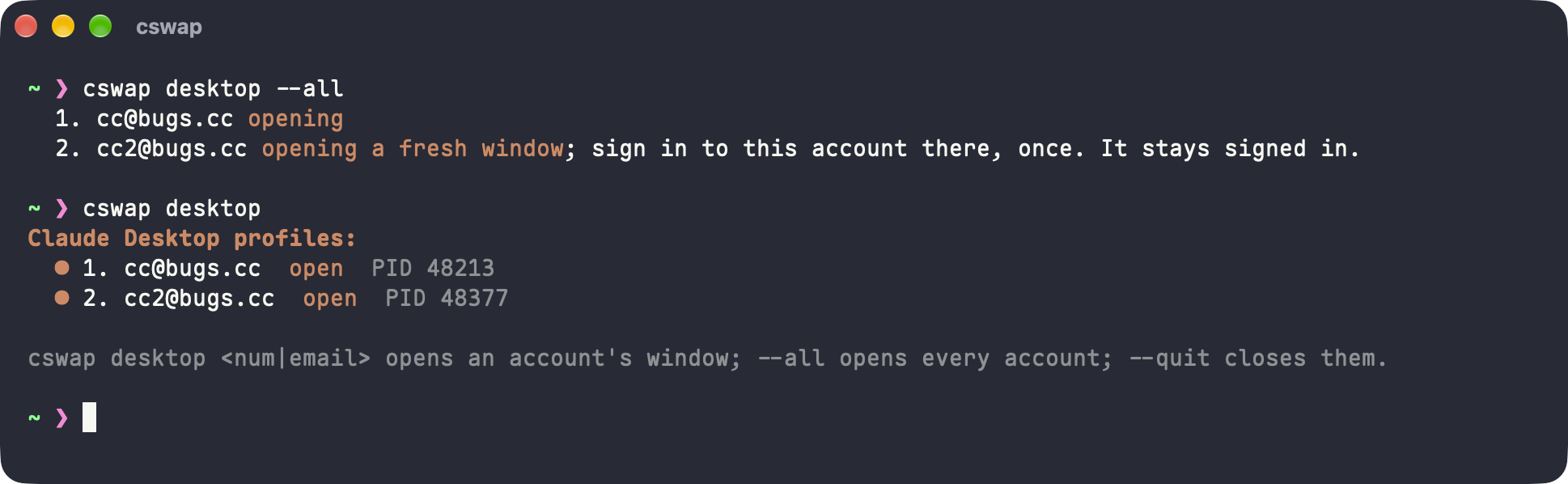
Claude Desktop holds one login at a time. cswap desktop 2 opens account 2 in its own window with its own login, and cswap desktop --all opens every account. The Code tab in each window shows the same local sessions (not on Windows). The approach follows guise.
One Chrome profile per account
Claude in Chrome uses the browser's claude.ai login, not the account picked by cswap switch (upstream #256). cswap chrome 2 opens account 2 in a separate copy of your Chrome profile. The extension there runs as account 2, and your main browser keeps its own login.
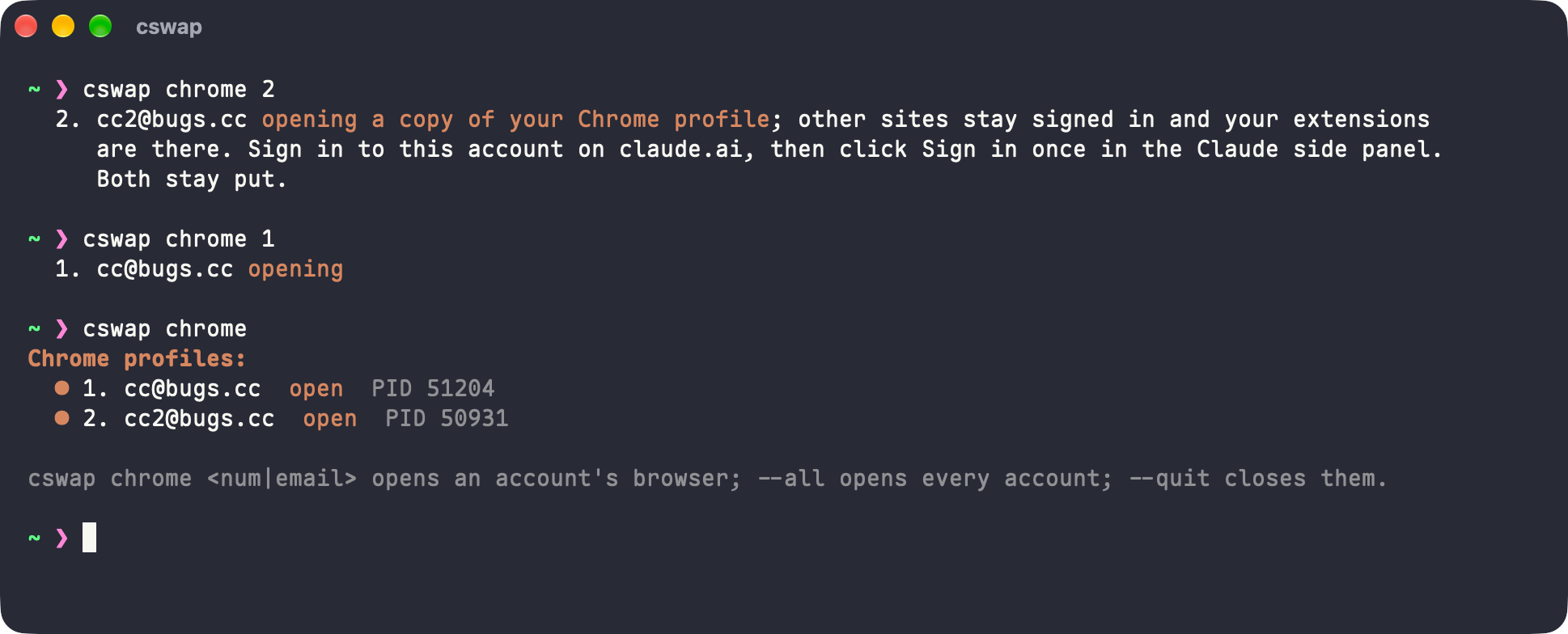
cswap chrome --sync 2copies your current Chrome profile into account 2 again. Close its window first.cswap config set chrome.followSwitch truebrings the account's browser forward oncswap switch.cswap config set chrome.appPath <path>uses another Chromium browser, such as Edge or Brave.
Shared conversation history
cswap run shares one conversation history across all accounts by default. claude --resume finds earlier conversations after you switch accounts (upstream #239). To keep history per account, run cswap config set run.shareHistory false. Not supported on Windows.
Bug fixes
- Stale account config. If
~/.claude.jsonstill names account B while the keychain holds account A's token, upstream asks to log in to A again and stops refreshing B. aswap follows the account that owns the live token. - Lost history files. When upstream merges a profile's history into
~/.claude, it deletes same-named files without comparing them. This can lose a session ormemory/MEMORY.md. aswap sets differing files aside underhistory-conflicts/. - Version and upgrade.
--version, the update check, andupgradeare hard-coded to theclaude-swappackage. aswap uses the package it was installed from.
How it is built
upstream.json pins one upstream commit. bun run setup clones that commit unchanged into cswap/. It then applies every patch in patches/ with git am, in the order listed in patches/.patches. This follows the layout Electron uses for its Chromium and Node patches. Each diff stays small and readable, and moving to a newer upstream is a rebase of the series.
| Patch | Change |
|---|---|
| Follow the live credential's owner | Fix: stale account config |
| Follow the installed distribution | Fix: version and upgrade |
| Refresh usage on demand | Feature: cswap refresh |
| Keep history files when merging | Fix: lost history files |
| Share one conversation history | Feature: shared conversation history |
| Open Claude Desktop per account | Feature: cswap desktop |
| Open Chrome per account | Feature: cswap chrome |
Each patch is a single commit, and its message explains the upstream problem. To build from source or work on patches, see CONTRIBUTING.md.
License
MIT, same as claude-swap. See LICENSE.
Explore related projects
codecrafters-io/build-your-own-x
Master programming by recreating your favorite technologies from scratch.
562,116 starspublic-apis/public-apis
A collective list of free APIs
498,504 starsmorluto/rea
Reverse engineer anything with agents, from app behavior down to native binaries.
454,984 starsopenclaw/openclaw
The AI that really does things. Any OS. Any Platform. The lobster way. 🦞
394,406 stars