
BishopFox/GitGot
BishopFox/GitGot has 1,578 GitHub stars and 214 forks. GitHot measured 0 stars in 24 hours. Last checked 2026-11-07 23:10 UTC. Last push 2024-03-07.
Semi-automated, feedback-driven tool to rapidly search through troves of public data on GitHub for sensitive secrets.
Measured star growth
- in 24h
- 0
- in 7 days
- Update delayed
- in 15 days
- Update delayed
- in 1 month
- Update delayed
Net star changes over overlapping periods, not daily totals. Missing measurements are left blank. Stars measure attention, not software quality.
README.md
Original



Description
GitGot is a semi-automated, feedback-driven tool to empower users to rapidly search through troves of public data on GitHub for sensitive secrets.
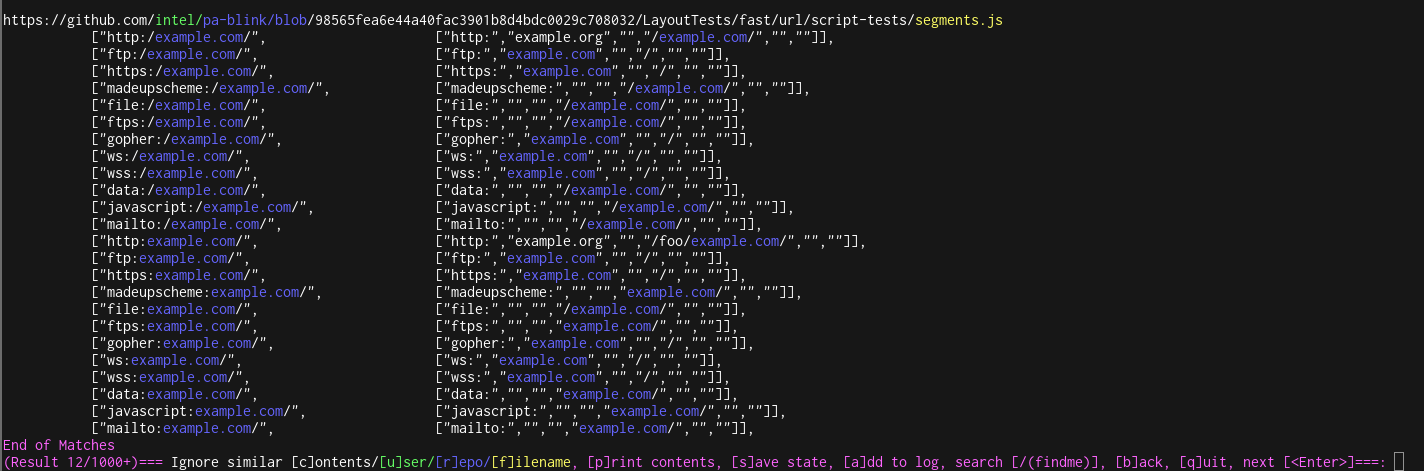
How it Works
During search sessions, users will provide feedback to GitGot about search results to ignore, and GitGot prunes the set of results. Users can blacklist files by filename, repository name, username, or a fuzzy match of the file contents.
Blacklists generated from previous sessions can be saved and reused against similar queries (e.g.,
example.com v.s. subdomain.example.com v.s. Example Org). Sessions can also be paused and resumed at any time.
Read more about the semi-automated, human-in-the-loop design here: https://bishopfox.com/blog/semi-automated-vs-automated-security-tools.
Install Instructions
Manual Instructions
[1] Install the ssdeep dependency for fuzzy hashing.
Ubuntu/Debian (or equivalent for your distro):
apt-get install python3-dev libfuzzy-dev ssdeep
or, for Mac OSX:
brew install ssdeep
For Windows or *nix distributions without the ssdeep package, please see the ssdeep installation instructions.
[2] After installing ssdeep, install the Python dependencies using pip:
pip3 install -r requirements.txt
Docker Instructions
Run gitgot-docker.sh to build the GitGot docker image (if it doesn't already exist) and execute the dockerized version of the GitGot tool.
On invocation, gitgot-docker.sh will create and mount logs and states directories from the host's current working directory. If this gitgot-docker.sh is executed from the GitGot project directory it will update the docker container with changes to gitgot.py or checks/:
./gitgot-docker.sh -q example.com
(See gitgot-docker.sh for specific docker commands)
Usage
GitHub requires a token for rate-limiting purposes. Create a GitHub API token with no permissions/no scope. This will be equivalent to public GitHub access, but it will allow access to use the GitHub Search API. Set this token at the top of gitgot.py as shown below:
ACCESS_TOKEN = "<NO-PERMISSION-GITHUB-TOKEN-HERE>"
(Alternatively, this token can be set as the GITHUB_ACCESS_TOKEN environment variable)
After adding the token, you are ready to go:
# Default RegEx list and logfile location (/logs/<query>.log) are used when no others are specified.

# Query for the string "example.com" using default GitHub search behavior (i.e., tokenization).
# This will find com.example (e.g., Java) or example.com (Website)
./gitgot.py -q example.com

# Query self-hosted GitHub instance
./gitgot.py -q example.com -u https://git.example.com

# Query for the exact string "example.com". See Query Syntax in the next section for more details.
./gitgot.py -q '"example.com"'

# Query through GitHub gists
./gitgot.py --gist -q CompanyName

# Using GitHub advanced search syntax
./gitgot.py -q "org:github cats"

# Custom RegEx List and custom log files location
./gitgot.py -q example.com -f checks/default.list -o example1.log

# Recovery from existing session
./gitgot.py -q example.com -r example.com.state

# Using an existing session (w/blacklists) for a new query
./gitgot.py -q "Example Org" -r example.com.state
Query Syntax
GitGot queries are fed directly into the GitHub code search API, so check out GitHub's documentation for more advanced query syntax.
UI Commands
- Ignore similar [c]ontent: Blacklists a fuzzy hash of the file contents to ignore future results that are similar to the selected file
- Ignore [r]epo/[u]ser/[f]ilename: Ignores future results by blacklisting selected strings
- Search [/(mykeyword)]: Provides a custom regex expression with a capture group to searches on-the-fly (e.g.,
/(secretToken)) - [a]dd to Log: Add RegEx matches to log file, including all on-the-fly search results from search command
- Next[<Enter>], [b]ack: Advances through search results, or returns to previous results
- [s]ave state: Saves the blacklists and progress in the search results from the session
- [q]uit: Quit
Explore related projects
trimstray/the-book-of-secret-knowledge
A collection of inspiring lists, manuals, cheatsheets, blogs, hacks, one-liners, cli/web tools and more.
256,802 starsHack-with-Github/Awesome-Hacking
A collection of various awesome lists for hackers, pentesters and security researchers
124,920 starsswisskyrepo/PayloadsAllTheThings
A list of useful payloads and bypass for Web Application Security and Pentest/CTF
82,475 starscaddyserver/caddy
Fast and extensible multi-platform HTTP/1-2-3 web server with automatic HTTPS
78,878 stars