
Binaryify/MyGit
Binaryify/MyGit has 62 GitHub stars and 8 forks. GitHot measured +1 stars in 24 hours and +3 in 7 days. Last checked 2026-11-18 02:22 UTC. Last push 2026-11-07.
What you can do
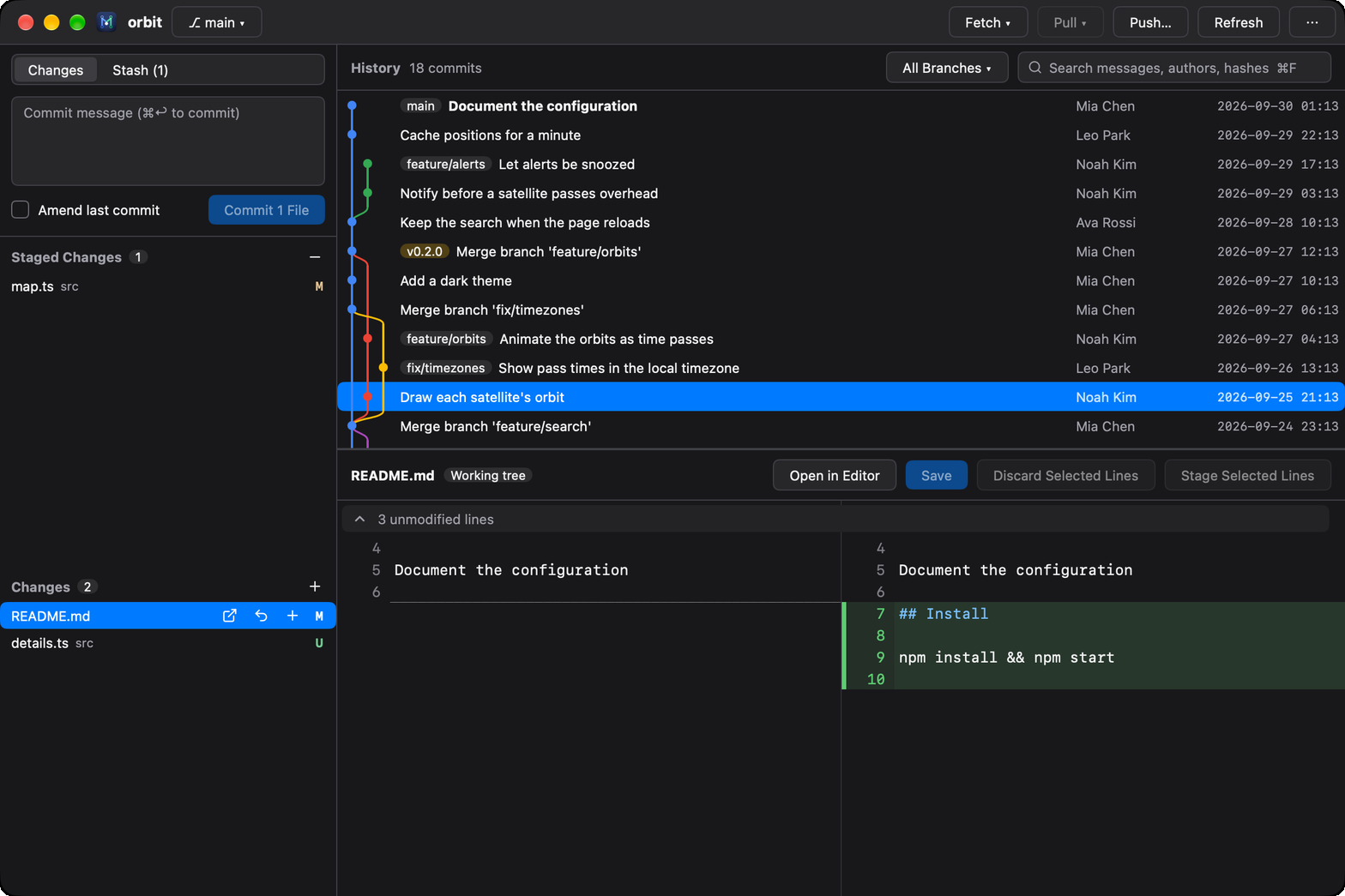
- Stage what you mean. Stage files, changes or single lines, and edit the working tree right in the diff. - Resolve conflicts side by side. Ours, the result and theirs scrolling together, as IntelliJ's: changes of one side alone already in, each conflict taken with » or « or dismissed, simple ones resolved at once.
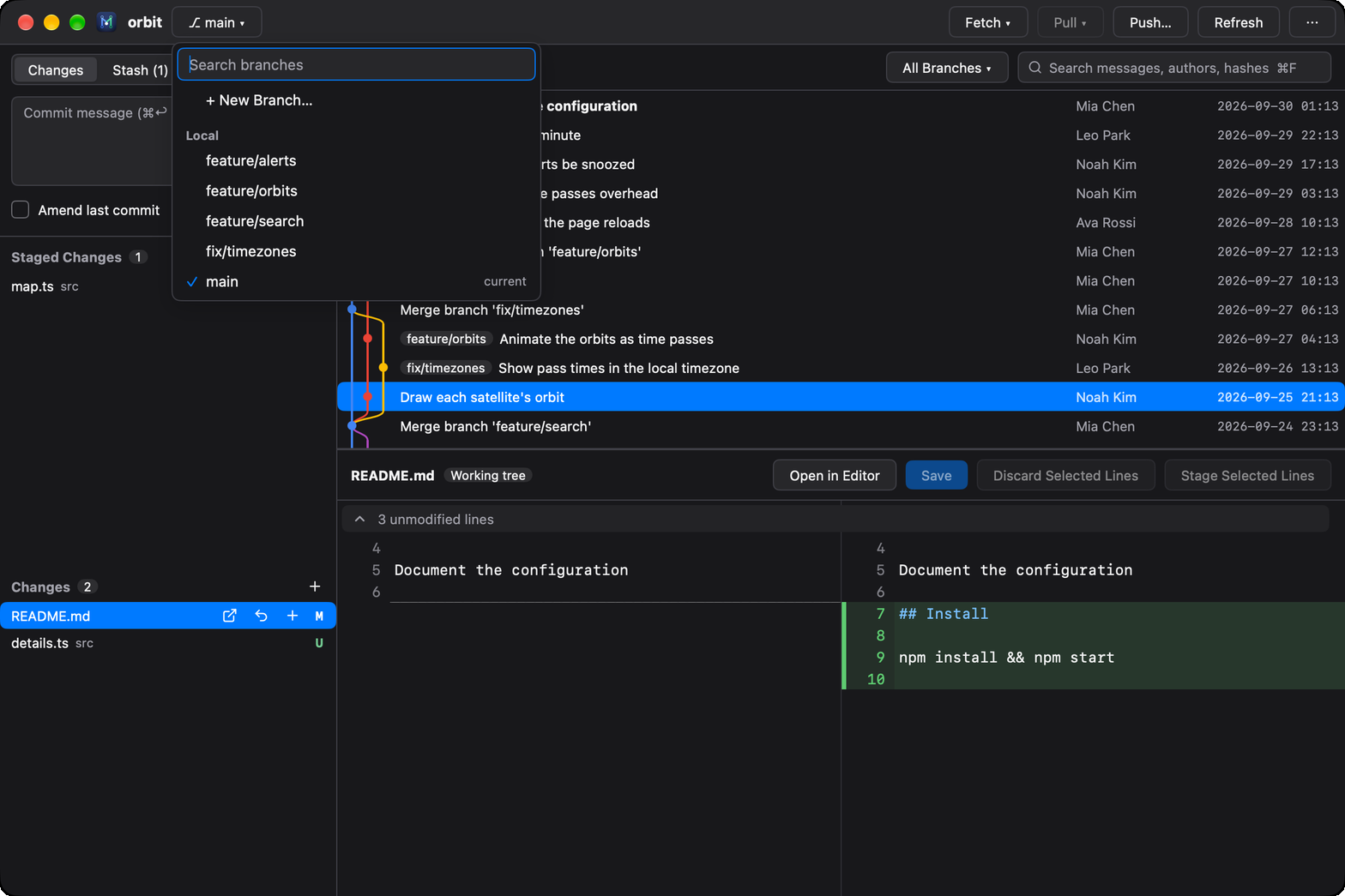
- Find any branch. Search local and remote branches, switch, merge, rebase or compare. - Open anything. Drop a folder, clone, or pick a recent repository.
- Reading changes — generated files (lockfiles, minified, linguist-generated) fold away; mark files viewed; changed pictures show before and after; comment on lines and copy the comments as Markdown for an agent or a colleague
- Staging — stage, unstage or discard files, changes or selected lines; edit and save the working tree in the diff; filter thousands of changes by path
Measured star growth
- in 24h
- +1
- in 7 days
- +3
- in 15 days
- Collecting history
- in 1 month
- Collecting history
Net star changes over overlapping periods, not daily totals. Missing measurements are left blank. Stars measure attention, not software quality.
About
Check your agent's changes, fast. A light, native git client for macOS, Windows and Linux, built with MyGo.
Developer ToolsREADME.md
Original

MyGit
A light, fast, native git client, for remote repositories too
JetBrains' commit graph and history, VS Code's way of staging, under 7 MB and open in a moment; for repositories on this computer or over SSH.
Made for coding with agents too: mygit . refreshes as the agent works, so you check its changes, stage what's right and hand the rest back.






Why MyGit
With an agent writing the code, most of your time in git goes to looking at what changed. MyGit makes that quick:
- See every change as it lands: the window refreshes while the agent works, each file side by side with syntax highlighting. Lockfiles, minified and generated files fold away, and changed pictures show before and after.
- Keep what's right: fix a line right in the diff, stage the files, changes or lines you want, and commit.
- Send back what isn't: comment on the lines to redo, copy the comments as Markdown, each with its file, lines and code, and paste them to Claude Code, Codex or a colleague.
MyGit reads the repository, not an agent's session, so it works the same with any agent, with several at once, and with your own edits.
| How you look at an agent's changes today | What MyGit does instead |
|---|---|
| The agent's own diff view | Works with every agent, and lets you stage single lines and fix the code before you commit |
| Opening an IDE | Opens in a moment, in a fraction of the memory |
git diff in a terminal |
Side by side, generated files folded, refreshed as the agent works |
Light, fast and modern
MyGit feels like the IDE you know: JetBrains' commit graph and history tools, VS Code's list of changes and way of staging, ⌘K for commands and ⌘P to go to a file, light and dark. Without the IDE: it's a single native binary drawn on the GPU by MyGo, no webview, no JVM. Memory once a repository of 20,000 commits is open, every process of the app counted (Apple M4):
| App | Memory |
|---|---|
| MyGit | 109 MB |
| A trimmed IntelliJ-based client | 750 MB |
| VS Code, no extensions | 1,000 MB |
| VS Code, 167 extensions | 1,400 MB |
| IntelliJ IDEA 2026.2 | 2,300 MB |
On the same repository, MyGit reads the whole history and lays out its graph in 0.13 s and opens a commit with a 20 MB patch (5,677 files) in 0.24 s.
MyGit reads what git prints and lets git itself make every change, so a repository behaves in MyGit exactly as it does in a terminal. The same app, with the same features, runs on macOS, Windows and Linux.
Features
 |
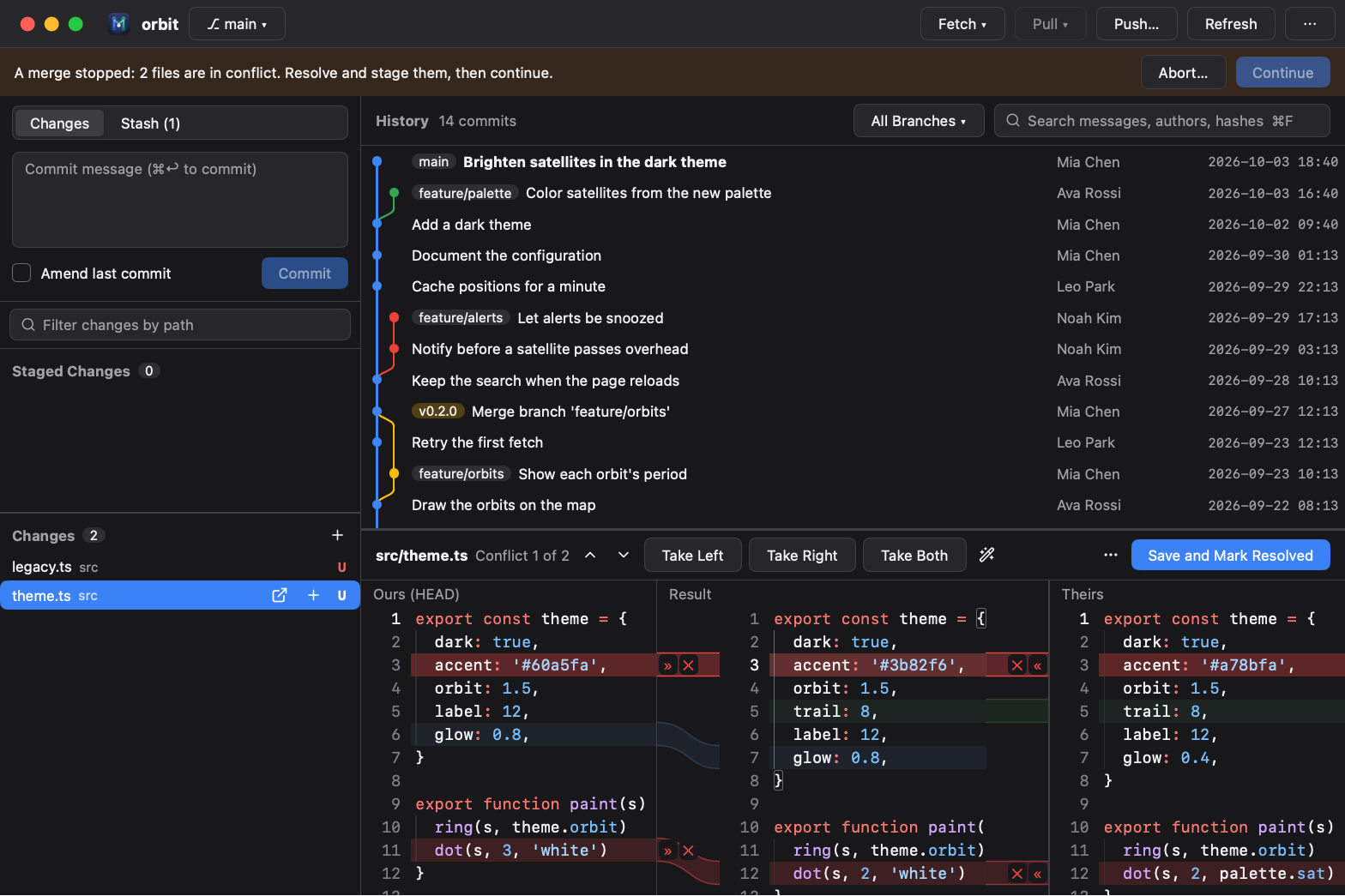 |
| Stage what you mean. Stage files, changes or single lines, and edit the working tree right in the diff. | Resolve conflicts side by side. Ours, the result and theirs scrolling together, as IntelliJ's: changes of one side alone already in, each conflict taken with » or « or dismissed, simple ones resolved at once. |
 |
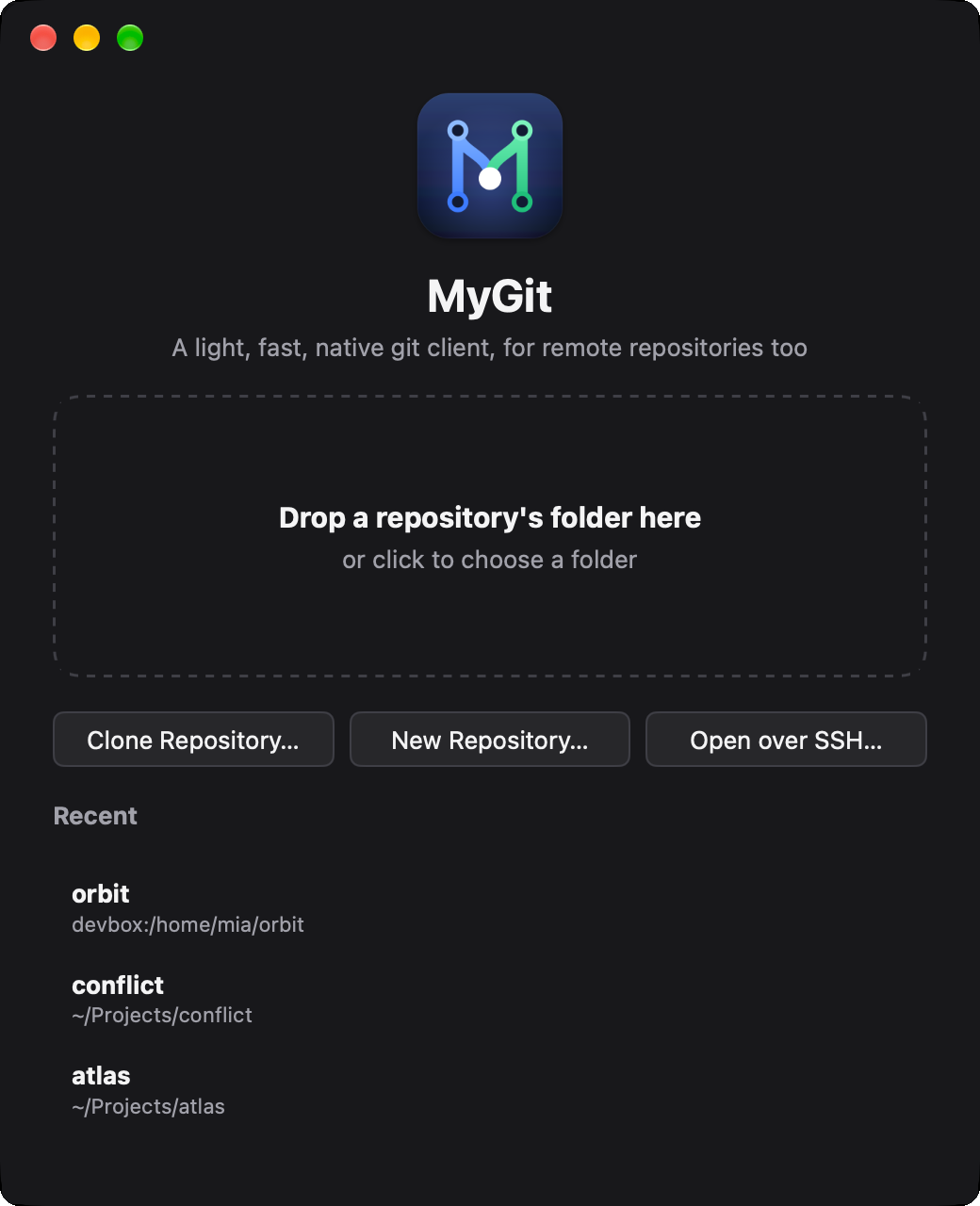 |
| Find any branch. Search local and remote branches, switch, merge, rebase or compare. | Open anything. Drop a folder, clone, or pick a recent repository. |
- Reading changes — generated files (lockfiles, minified,
linguist-generated) fold away; mark files viewed; changed pictures show before and after; comment on lines and copy the comments as Markdown for an agent or a colleague - Staging — stage, unstage or discard files, changes or selected lines; edit and save the working tree in the diff; filter thousands of changes by path
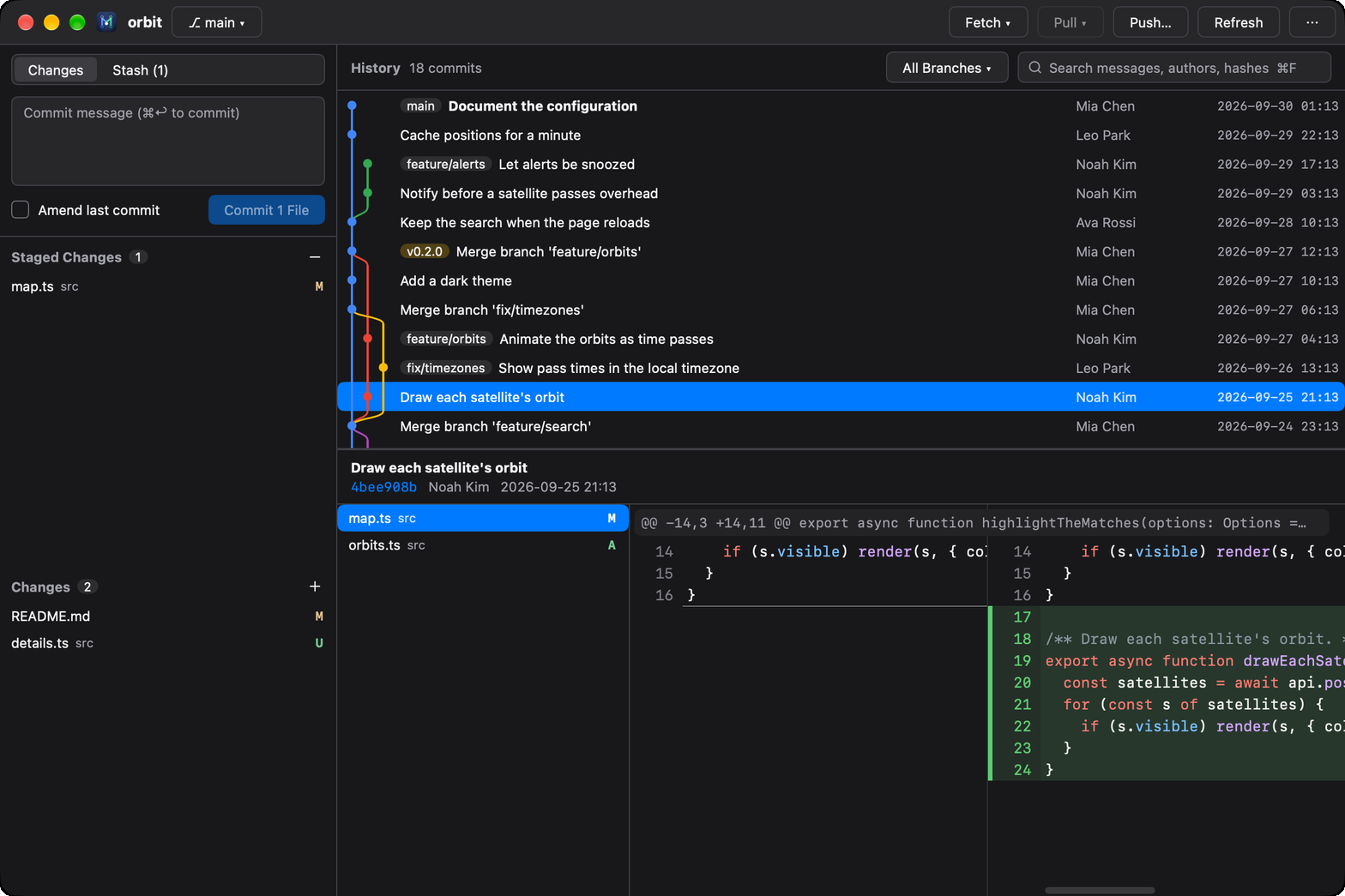
- Commits — whole messages, changed files and side-by-side diffs with syntax highlighting; a merge against any parent; compare two commits (⌘-click), a branch or the working tree
- History — every branch, tag and remote with its graph, streamed as it loads; search by message, author or hash; filter by branch or path (file history)
- History tools — branch, tag, check out, cherry-pick, revert, reset (soft / mixed / hard), edit a commit's message (F2), squash or delete commits and interactive rebase (reorder, reword, edit, squash, fixup, drop)
- Pull requests — open a GitHub pull request, read and reply to its threads under their lines, resolve them, and submit a review: comment, approve or request changes
- Conflicts — a three-pane merge view as IntelliJ's, merging from the base itself: no conflict markers, the panes aligned and scrolling together, » « ✕ by each change, and a magic wand for conflicts of different words; continue, skip or abort a merge, rebase, cherry-pick or revert
- Stash, blame and remotes — stash with untracked files, blame a file line by line, manage remotes, pull (fast-forward, rebase or merge), preview a push, force with lease
- Sign-ins — when git needs a username, token or passphrase, the window asks
- Workspaces — open a folder of repositories, as an agent's working folder over a few of them, and each shows in the sidebar with its own message, sync and changes, as VS Code's source control has them
- Over SSH — open a repository on another computer (
host:/path/to/repo, Linux, macOS or Windows) with your ssh config and keys; MyGit runs a small helper there, in~/.mygit, and needs only git on it. On Windows, the distributions of WSL open the same way, without sshd (wsl+Ubuntu:~/repo) - Everywhere — a window per repository, drag folders in,
mygit .from a terminal, custom title bars, light and dark (the system's or chosen in Settings), English and 简体中文, signed auto-updates
Install
Download the latest release:
| Platform | Download |
|---|---|
| macOS (Apple silicon) | MyGit-macos-arm64.dmg |
| Windows (x64) | Installer · zip |
| Linux (x64) | .deb, or the script below |
On Linux, this installs MyGit for you in ~/.local, without root:
curl -fsSL https://github.com/Binaryify/MyGit/releases/latest/download/install.sh | sh
MyGit isn't notarized by Apple yet. If macOS says it can't be opened, move it to Applications and run:
xattr -dr com.apple.quarantine /Applications/MyGit.app
The Windows installer isn't code-signed yet either. If Windows says it protected your PC, choose More info, then Run anyway.
MyGit needs git on the PATH, and updates itself once installed. Intel Macs aren't supported. All releases are on the releases page.
To build it from source instead, see Development.
Shortcuts
| Keys | Does |
|---|---|
| ⌘↩ / Ctrl+Enter | Commit |
| ↑ / ↓ | In an empty commit message box: bring back the recent messages |
| ⌘F / Ctrl+F | Search the history |
| ⌘R / Ctrl+R | Refresh |
| ⌘P / Ctrl+P | Go to a file of the commit or the changes |
| ⌘K / Ctrl+K | Commands |
| ⌘S / Ctrl+S | Save the file edited in the diff |
| F7 / ⇧F7 | Next / previous change in the diff; past the last, press again for the next file |
| Space | Stage or unstage the change chosen; mark a commit's file viewed |
| Delete | Discard the change chosen |
| ⌘-click | Compare two commits |
Development
git clone https://github.com/Binaryify/MyGit.git && cd MyGit   # needs Go 1.27 or later
go tool mygo dev      # run, reloading on changes
go test ./...         # the tests, the UI's included, need no window
go tool mygo build -platform darwin/arm64,windows/amd64,linux/amd64
The texts live in locales/: en.json is the source, with zh-Hans.json and zh-Hant.json its Simplified and Traditional Chinese. After changing them, run go tool mygo generate. Translations into other languages are welcome: add locales/<tag>.json.
To release, describe the version in CHANGELOG.md, whose section becomes the release notes, and push a tag such as v0.2.0: CI signs the updates with the MYGO_UPDATER_PRIVATE_KEY secret, builds the macOS disk image, the Windows installer and zip, and the Linux package, and publishes them in a release.
Over SSH: a release also builds and signs the helper for six platforms (mygit-helper-<os>-<arch>.gz), which the app downloads and checks the first time it reaches a computer of each. To try local changes, go run ./internal/tools/helpers builds them into build/helpers; start the app with MYGIT_HELPER_DIR=$PWD/build/helpers. MYGIT_E2E_HOST=<host> MYGIT_HELPER_DIR=$PWD/build/helpers go test ./internal/remote -run E2E -v tests against a real computer.
Benchmarks: MYGIT_BENCH_REPO=<repo> MYGIT_BENCH_COMMIT=<commit> go test -run '^$' -bench .