
Bassey240/vikunja-pwa
Bassey240/vikunja-pwa has 27 GitHub stars and 4 forks. GitHot measured 0 stars in 24 hours and 0 in 7 days. Last checked 2026-11-15 08:06 UTC. Last push 2026-10-28.
Measured star growth
- in 24h
- 0
- in 7 days
- 0
- in 15 days
- Collecting history
- in 1 month
- Collecting history
Net star changes over overlapping periods, not daily totals. Missing measurements are left blank. Stars measure attention, not software quality.
About
Unofficial third-party Vikunja client
ProductivityREADME.md
OriginalVikunja PWA
Unofficial third-party client for Vikunja. This project is free and independent. It is not affiliated with, endorsed by, or maintained by the official Vikunja project or its maintainers.
Vikunja PWA is a mobile-first, installable client for self-hosted Vikunja instances. It uses the real Vikunja API and data model, wrapped in a faster, touch-friendly interface with real project and task trees, a calendar, and offline editing. It runs its own small backend in front of Vikunja, which holds your login server-side, so your Vikunja token never reaches the browser.
Release 0.7.15
This release adds automatic API v2 support with compatibility for older servers, multiple-task creation, audio/video attachments, task-link previews, default due times, pending email changes, Planka imports and MCP connection settings. Supported servers also offer licensed time tracking, live updates and API-backed user administration. See the release notes for requirements and verification limits.
Features
Views
- Calendar in month, week and day. Drag a task to reschedule it, drag its edge to change how long it runs, or tap an empty day or hour slot to add one already dated to that spot. Overlapping items stay readable instead of collapsing into slivers.
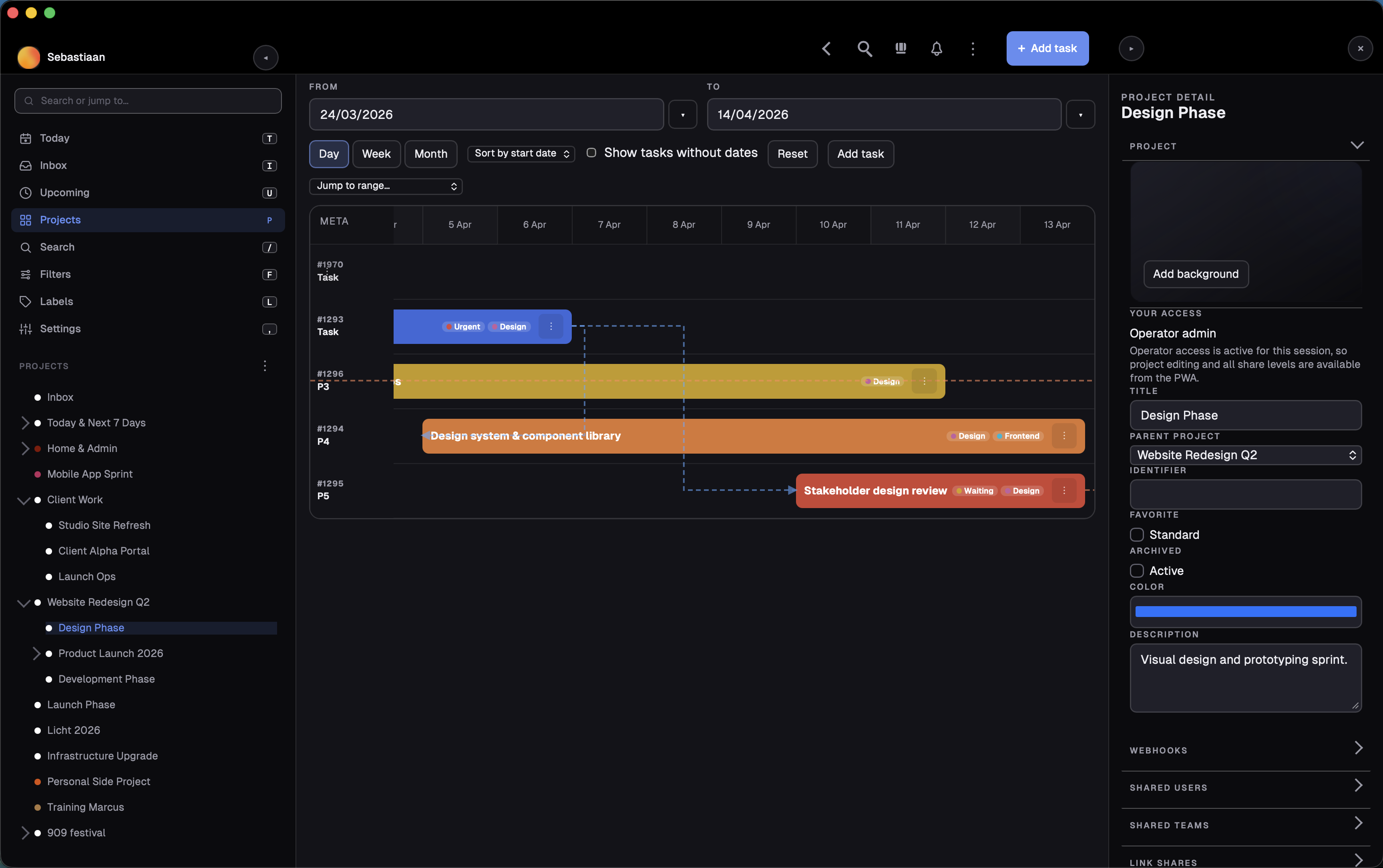
- Gantt planning with zoom presets, dependency arrows, progress and priority on the bars, assignee and label chips, and direct drag or resize scheduling.
- Kanban with full drag and drop: reorder in a column, move across columns, drop onto a card to make it a subtask, move from the task menu, and complete or reopen a task by moving it in or out of the done column.
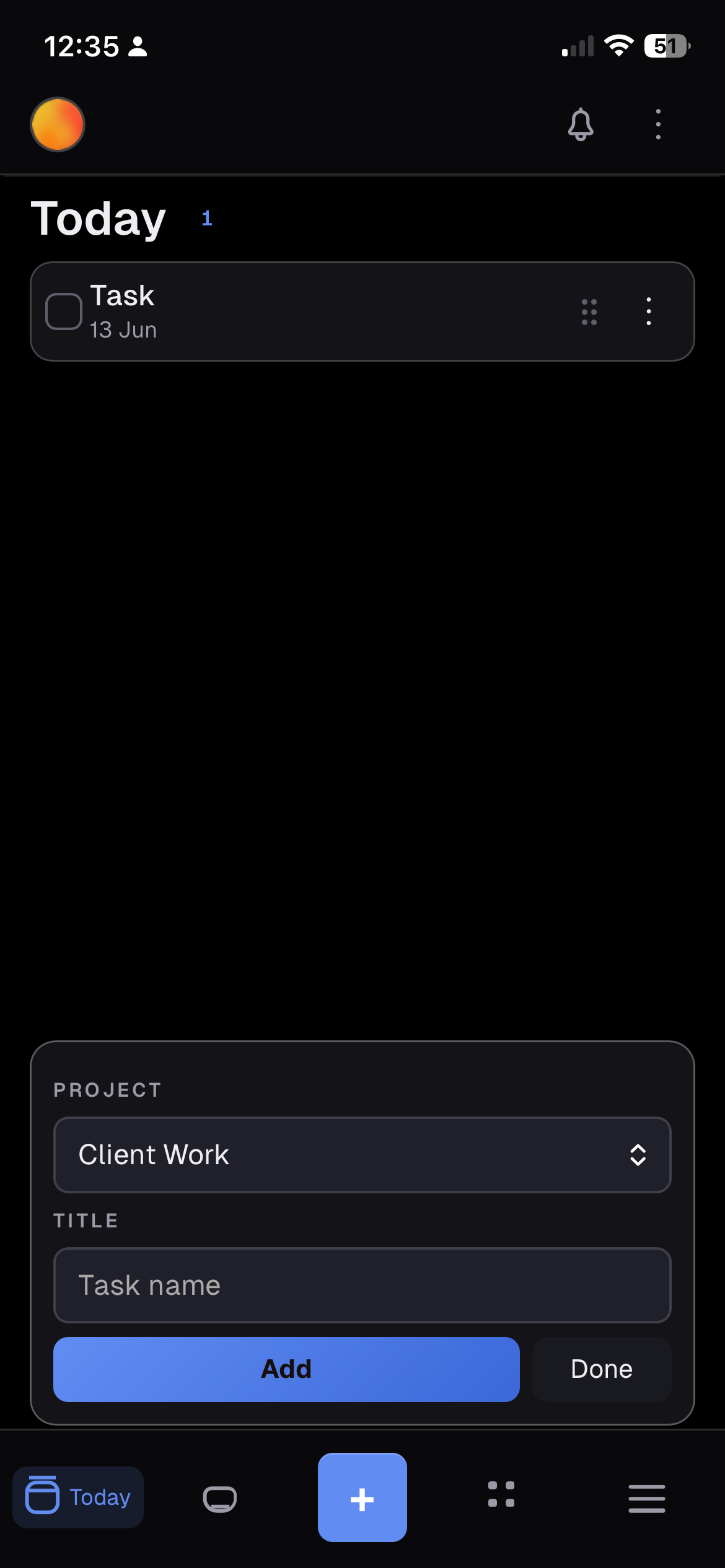
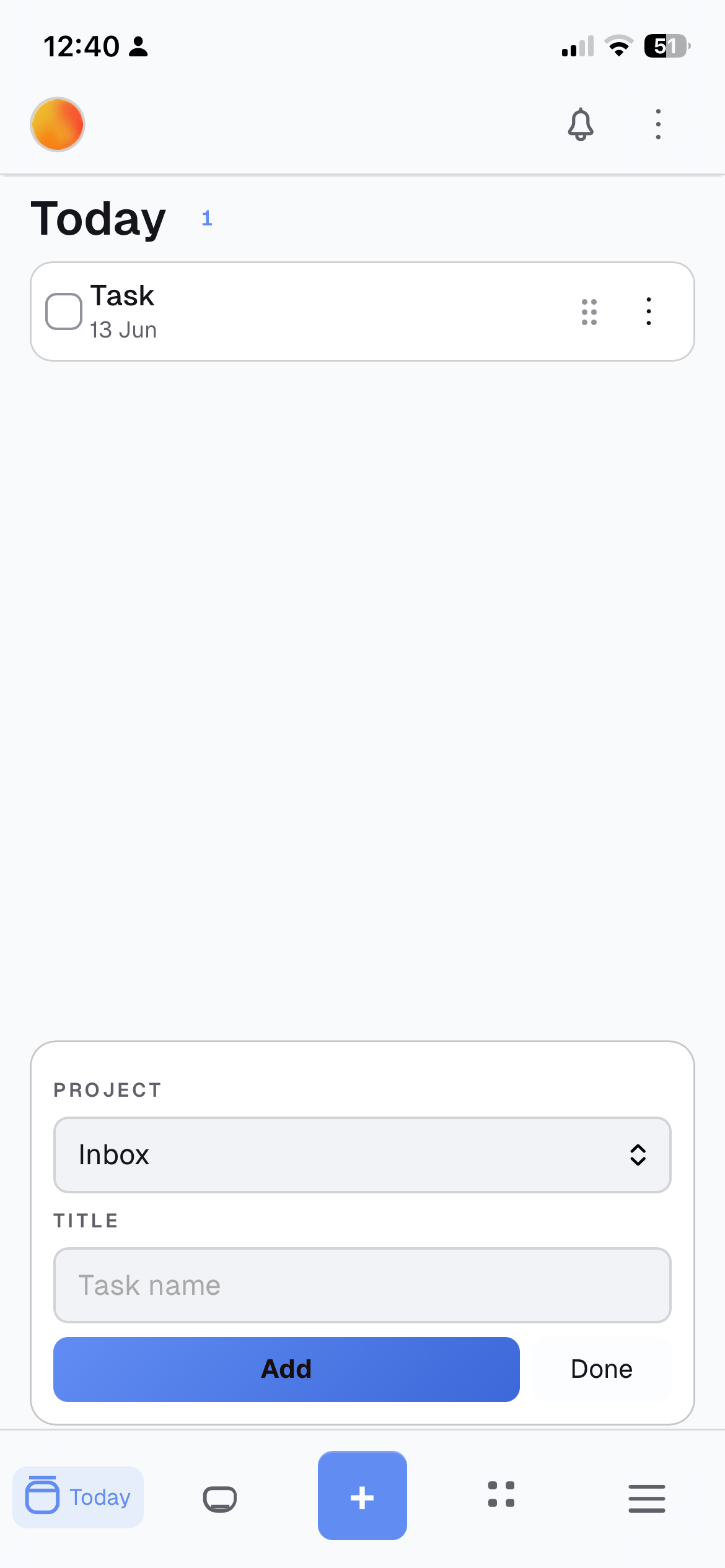
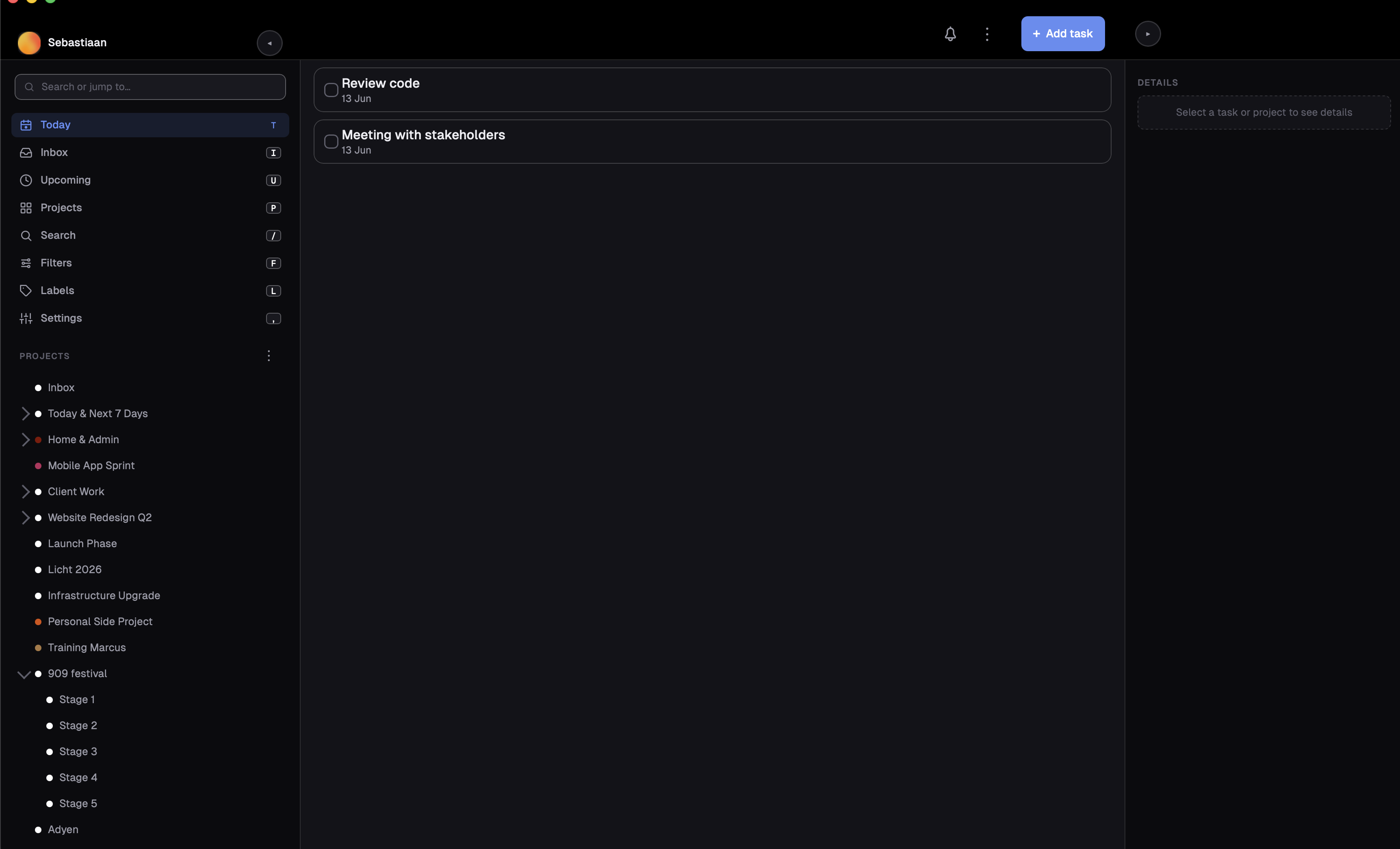
- List and table views, plus Today, Inbox and Upcoming screens.
- Saved filters built from a cross-project form (status, project, label, priority, due date, text, favourites, sort order) or written as raw clauses. They open as normal project workspaces.
- A default view per device, set separately for desktop and mobile.
Projects and tasks
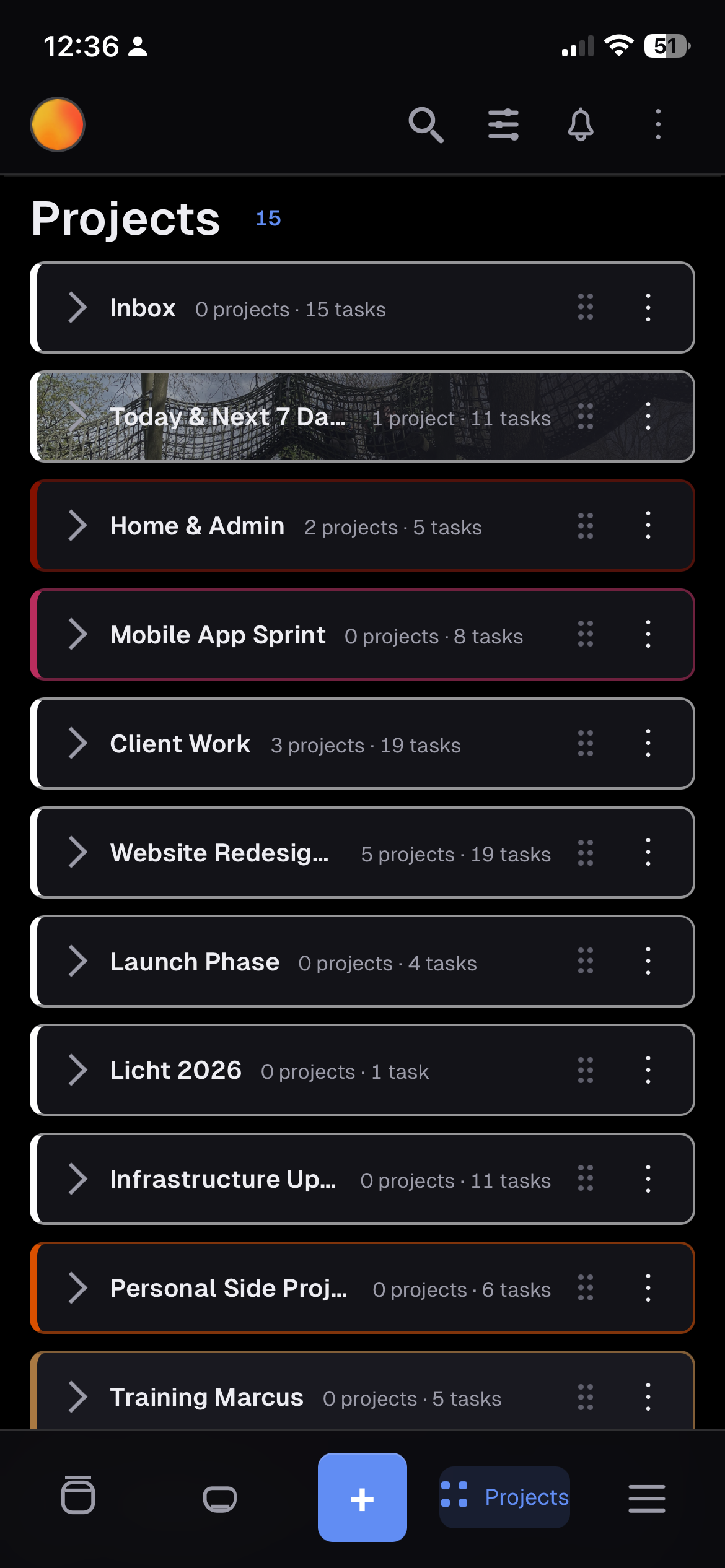
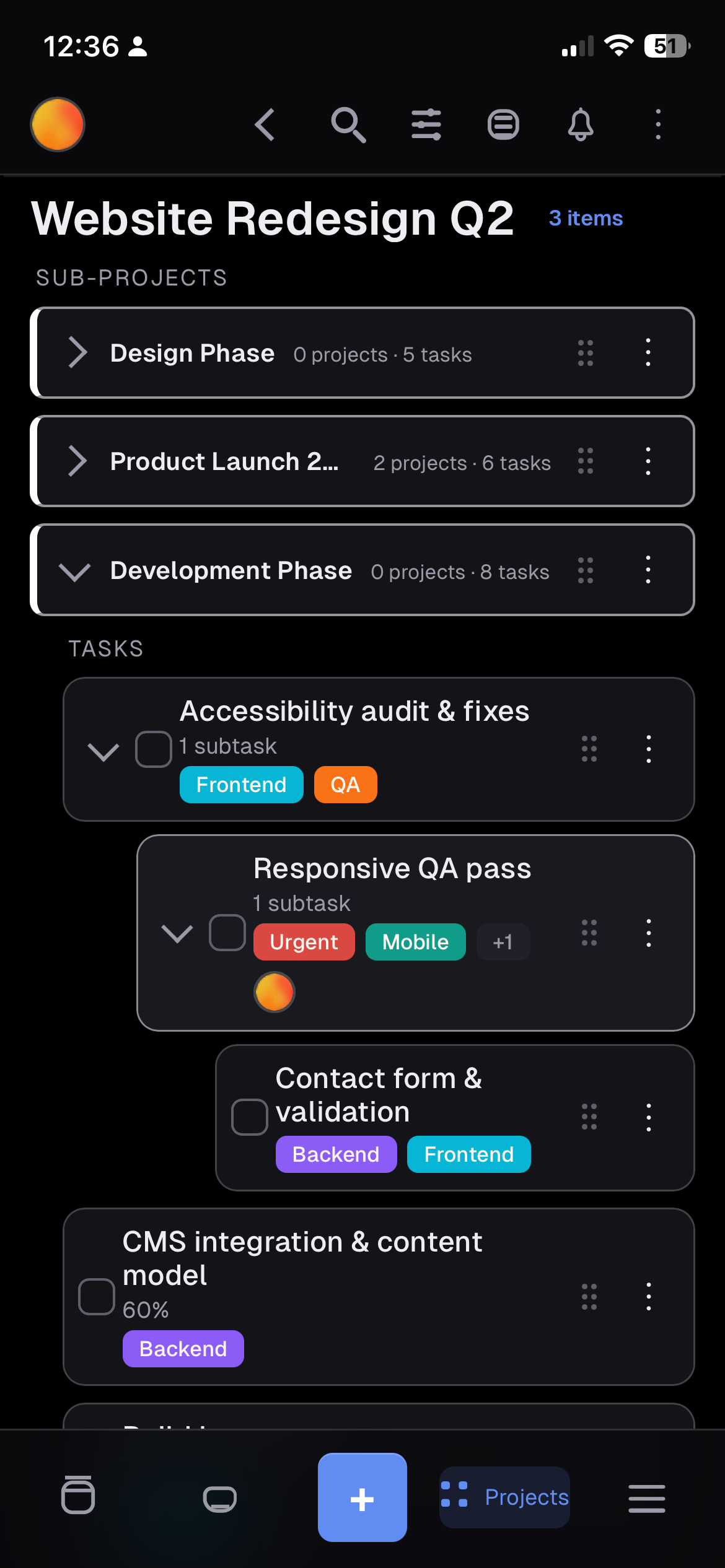
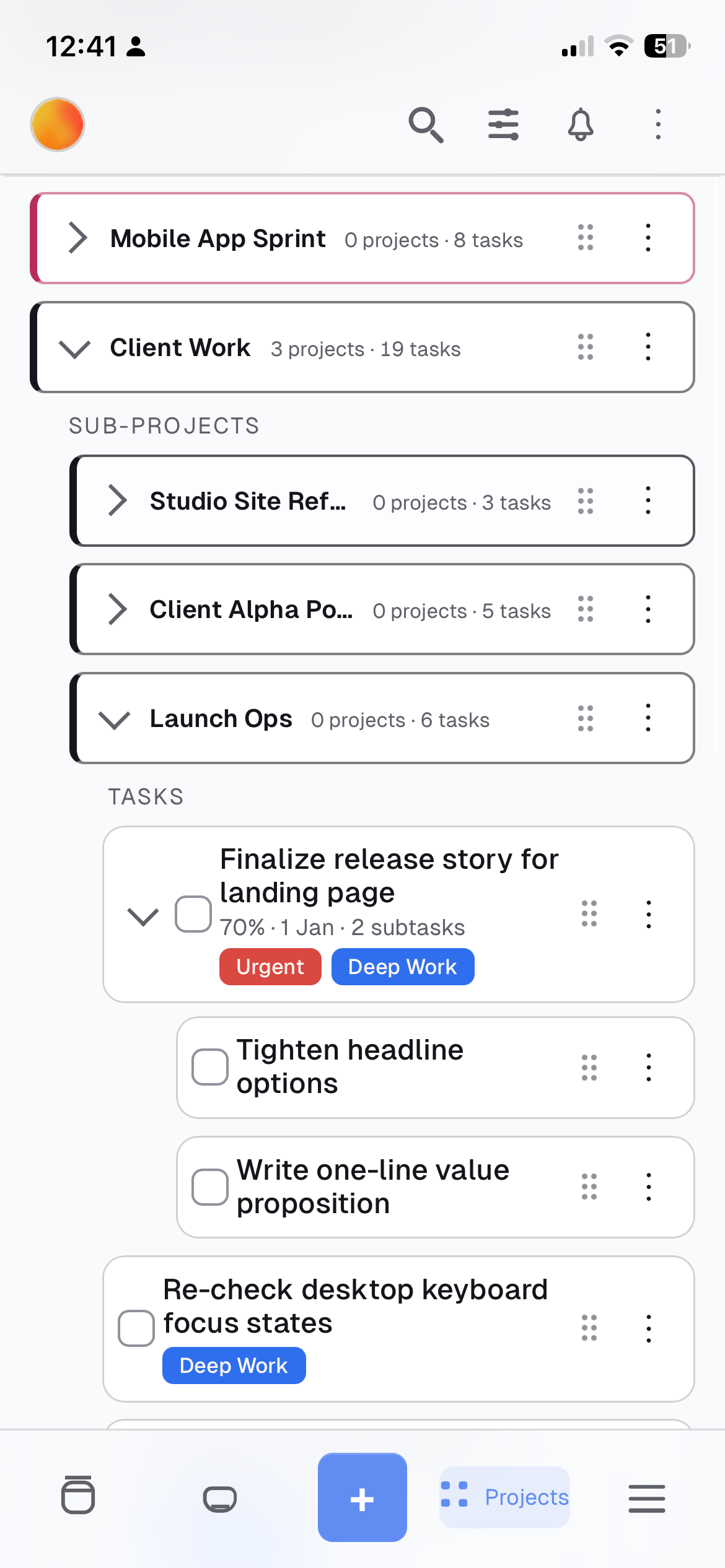
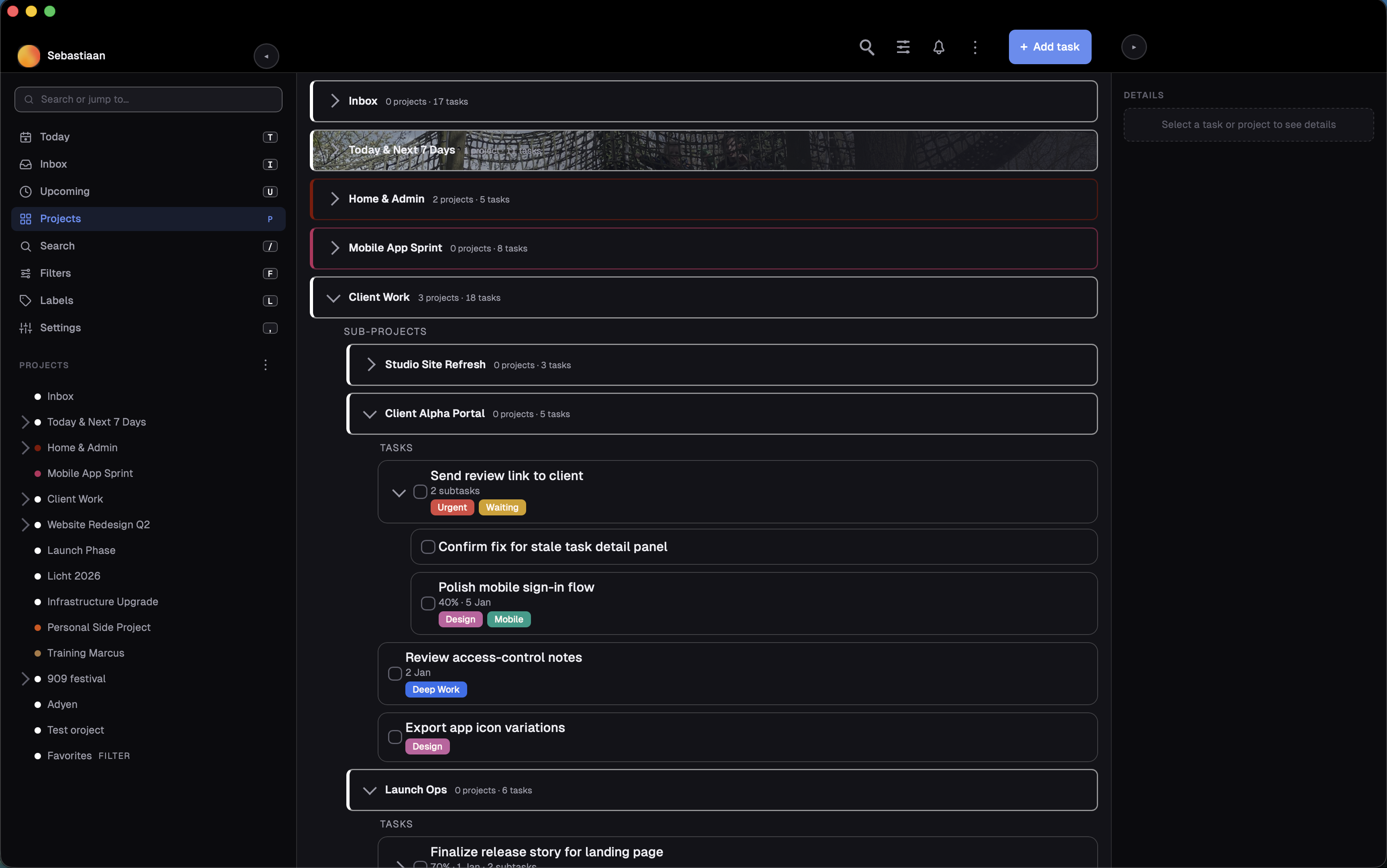
- Nested sub-projects, with task trees you expand in place.
- Quick add that stays open after Enter, with dates,
+project,*label,@assignee,!priorityand repeats highlighted as you type. - Subtasks inline, labels on the cards, favourites, priorities and due dates.
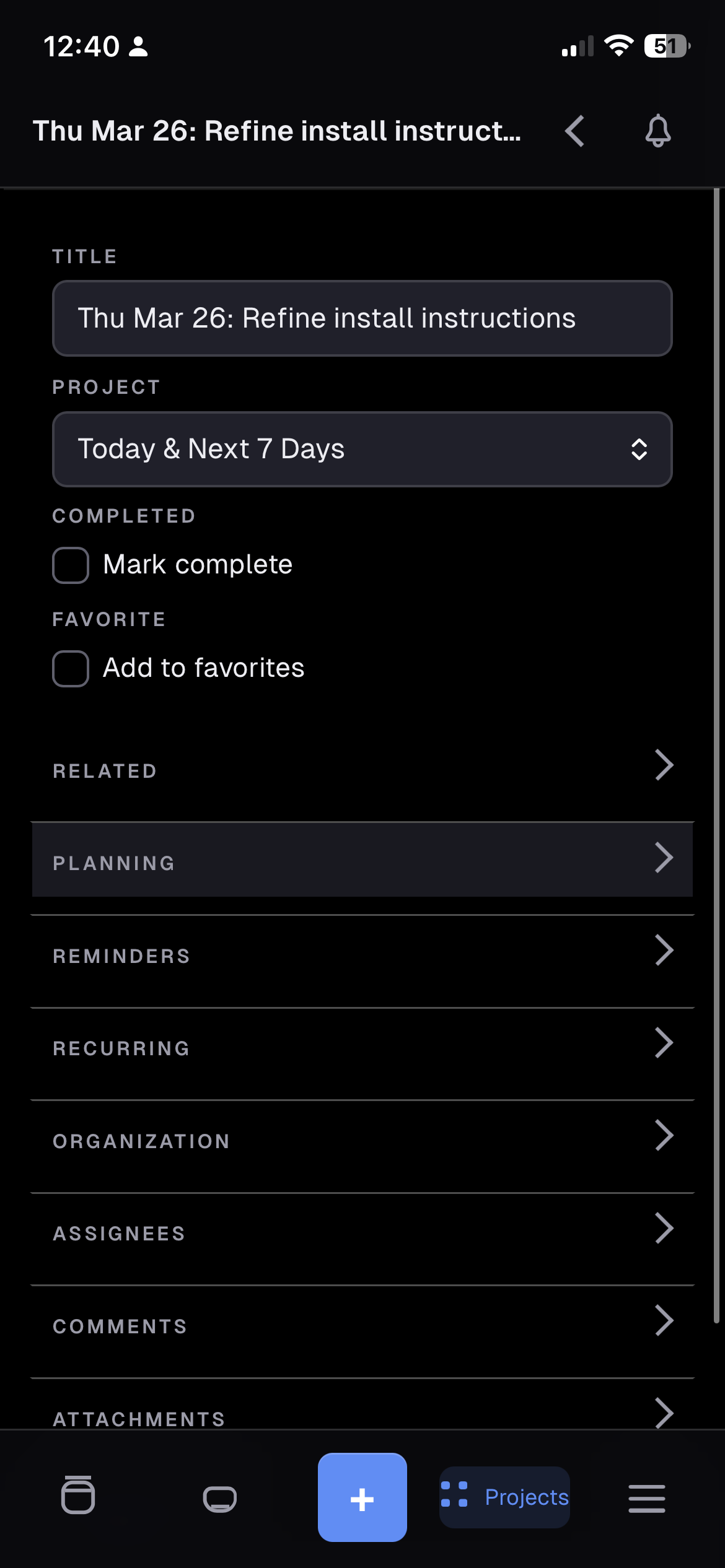
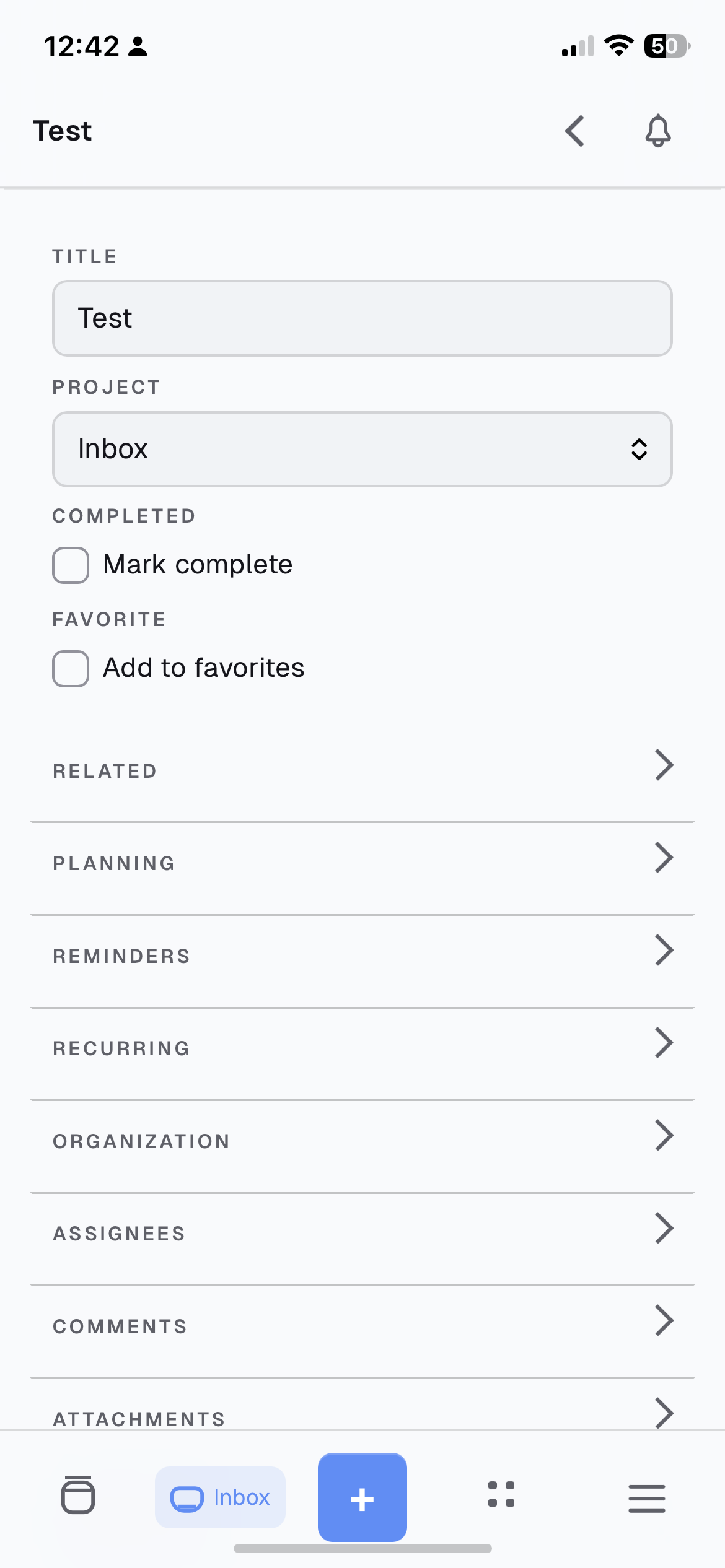
- Task detail with comments, emoji reactions, attachments, assignees and per-task subscriptions.
- Bulk edit across list and tree views.
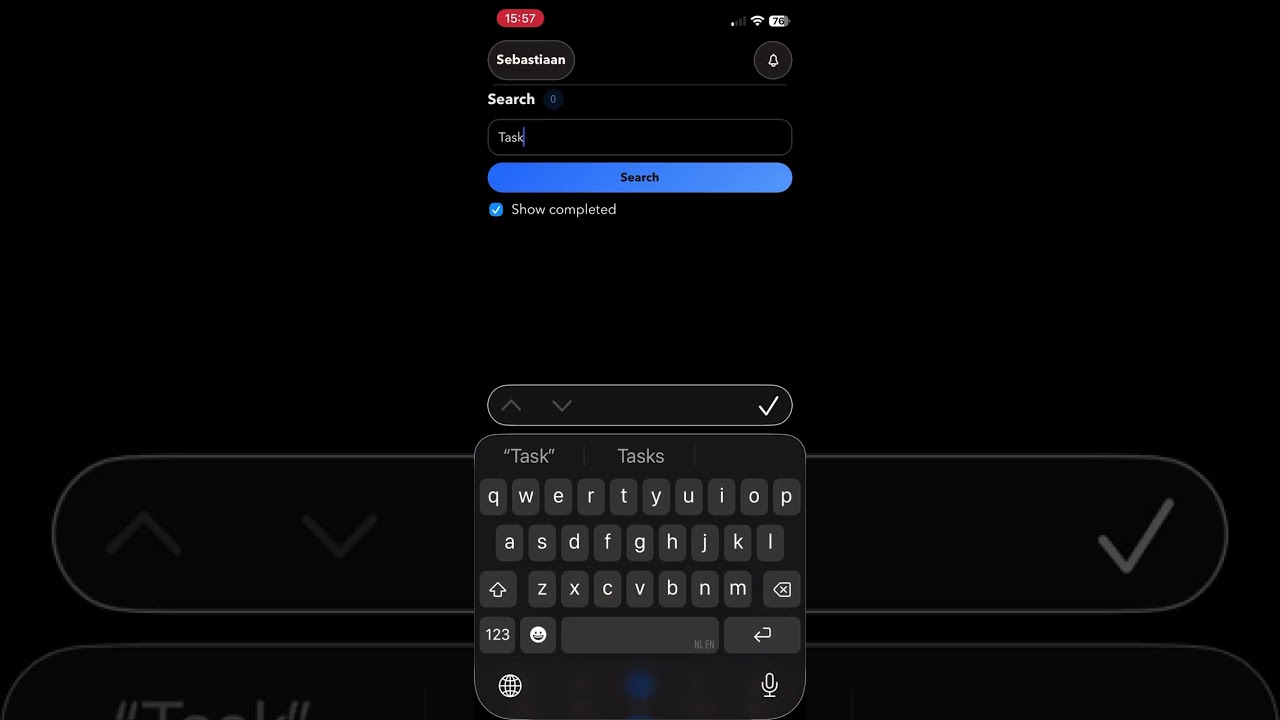
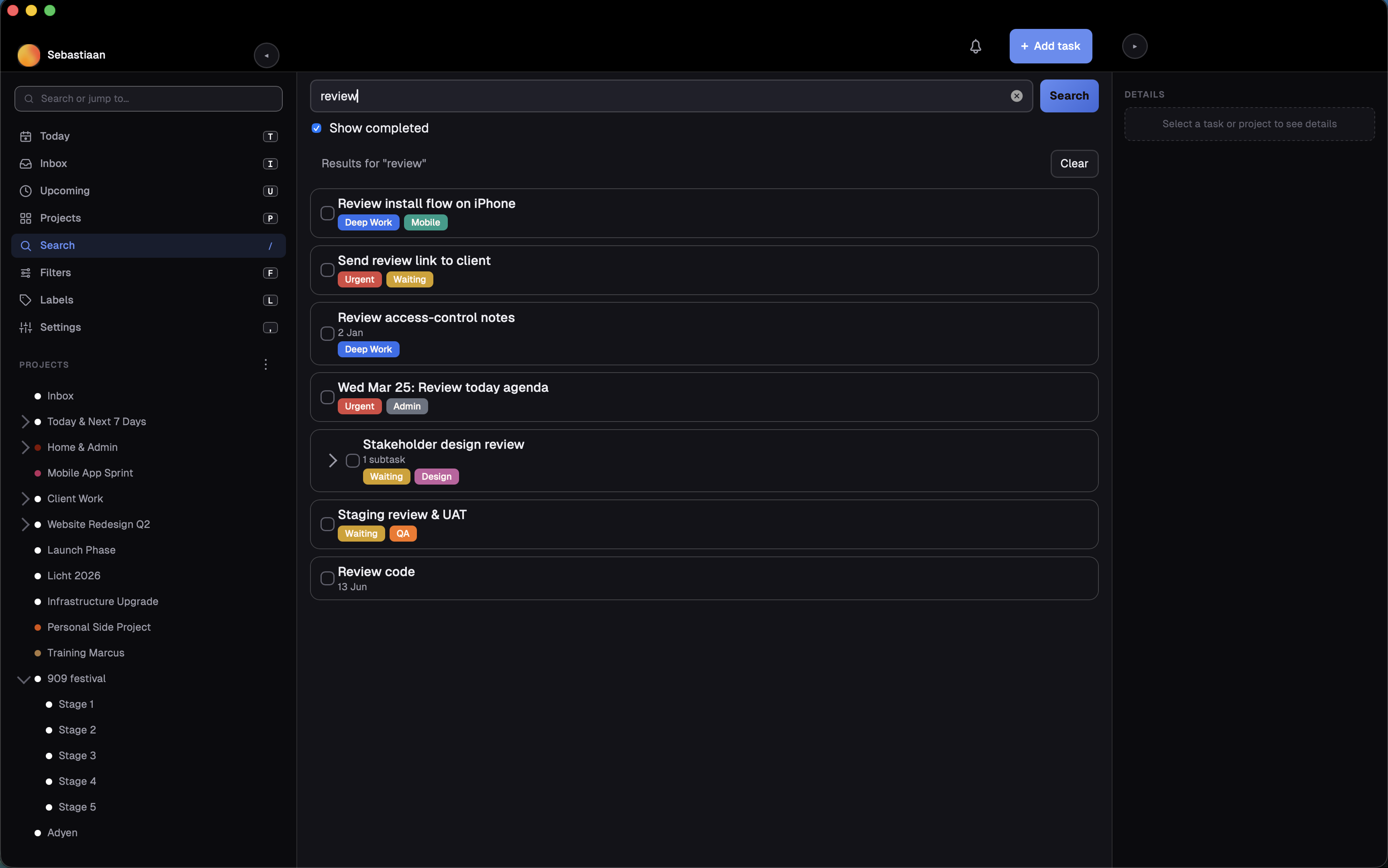
- Search across every project, from any screen.
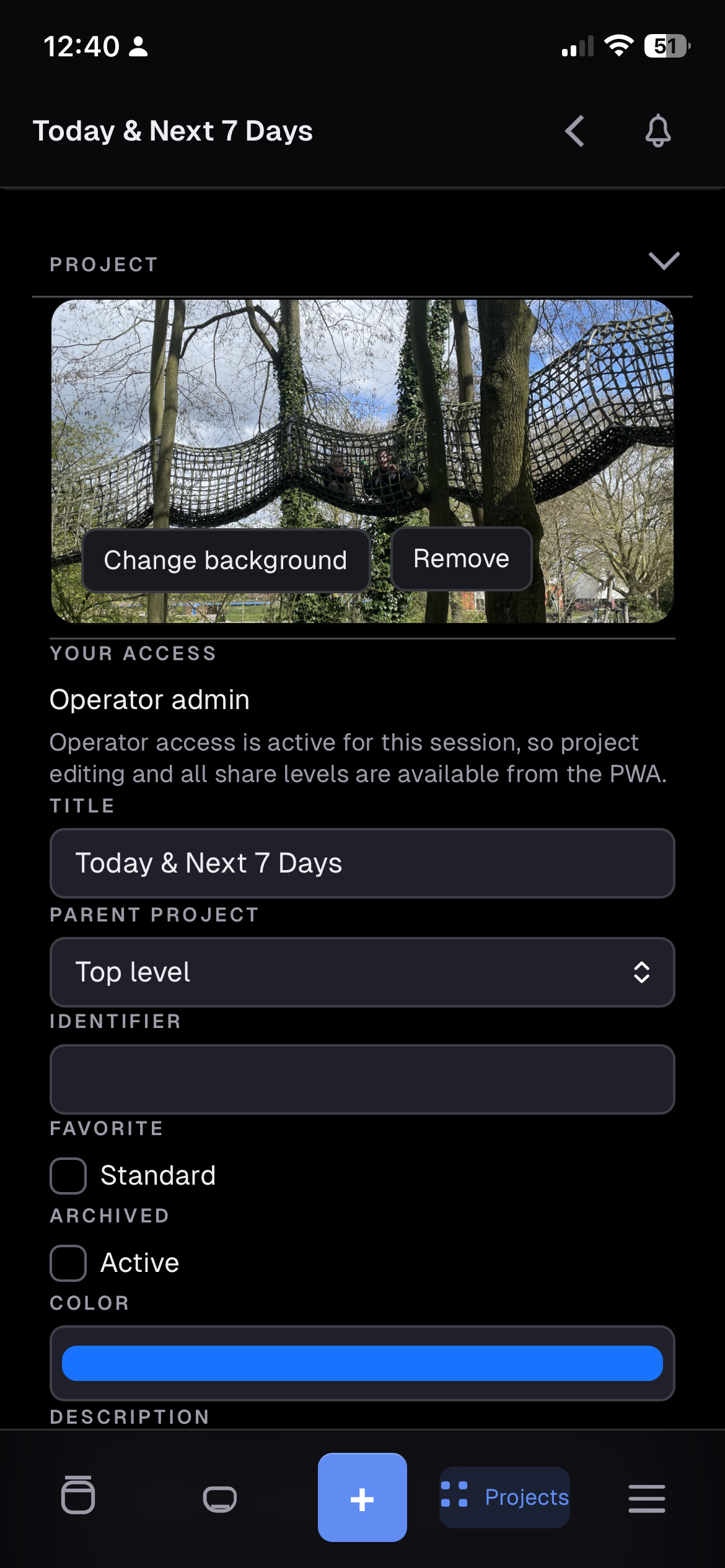
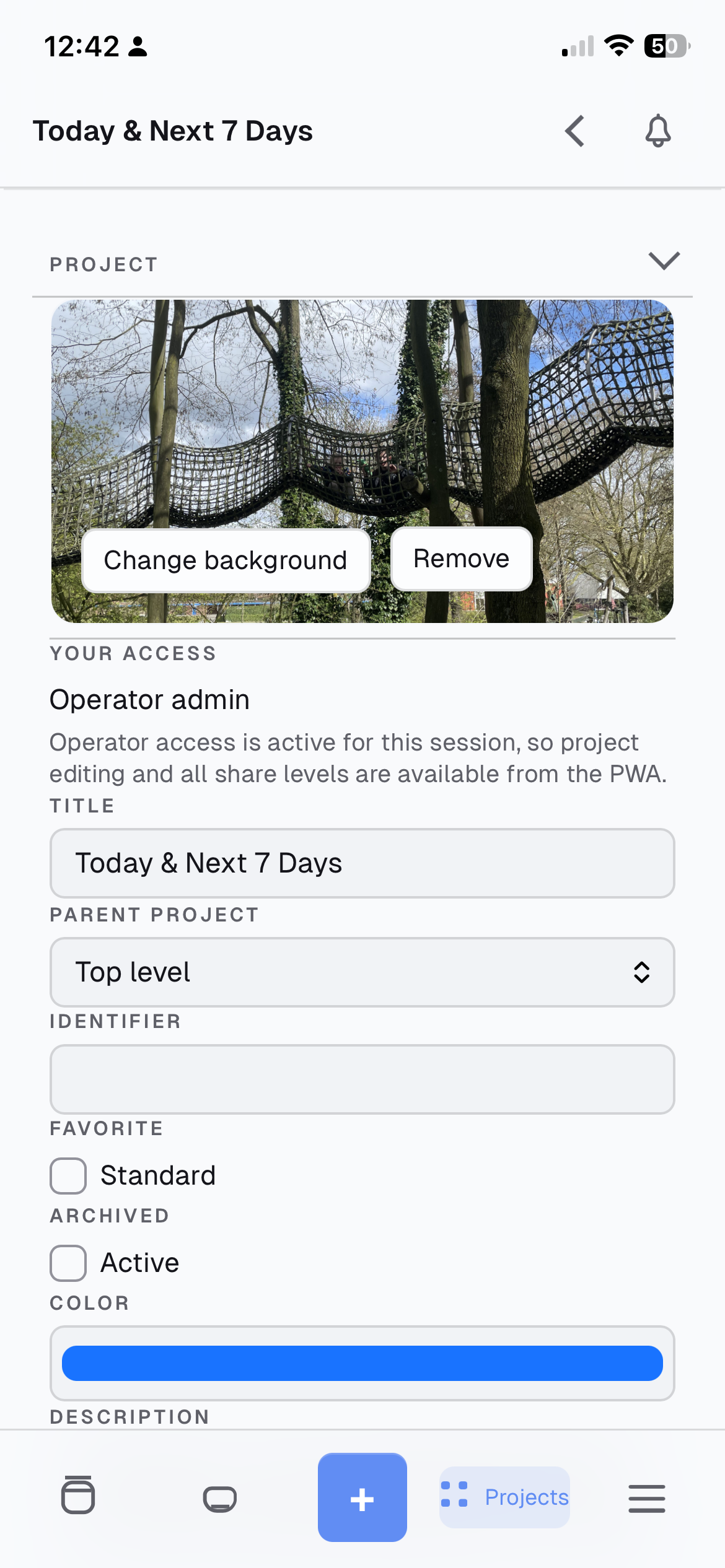
- Project backgrounds: upload your own, pick from Unsplash, or remove.
- Drag to reorder or re-parent both tasks and projects.
- Create multiple tasks at once, preview task links, and play audio/video attachments.
- Set a default due time and filter tasks due tomorrow.
- Track time with timers and manual entries when your server enables licensed time tracking.
Offline
- Install it and it opens without a connection, with your projects and tasks already there.
- Edits you make offline queue up and sync when you reconnect, and you can see what is still pending.
- Attachments, sharing changes and admin actions still need a live connection.
Sharing and collaboration
- Teams, with member and admin management.
- Share a project with users or teams as read-only, writer or admin.
- Link shares, optionally password protected, that open in their own view.
- The app shows the access the current session actually has before offering controls, so nothing dangles that you cannot use.
Account and security
- Sign in with a password (including "stay logged in"), an API token, or OpenID Connect.
- Two-factor auth, CalDAV tokens and scoped API tokens.
- See and revoke your active Vikunja sessions.
- Change your password or email, export your data, or schedule account deletion.
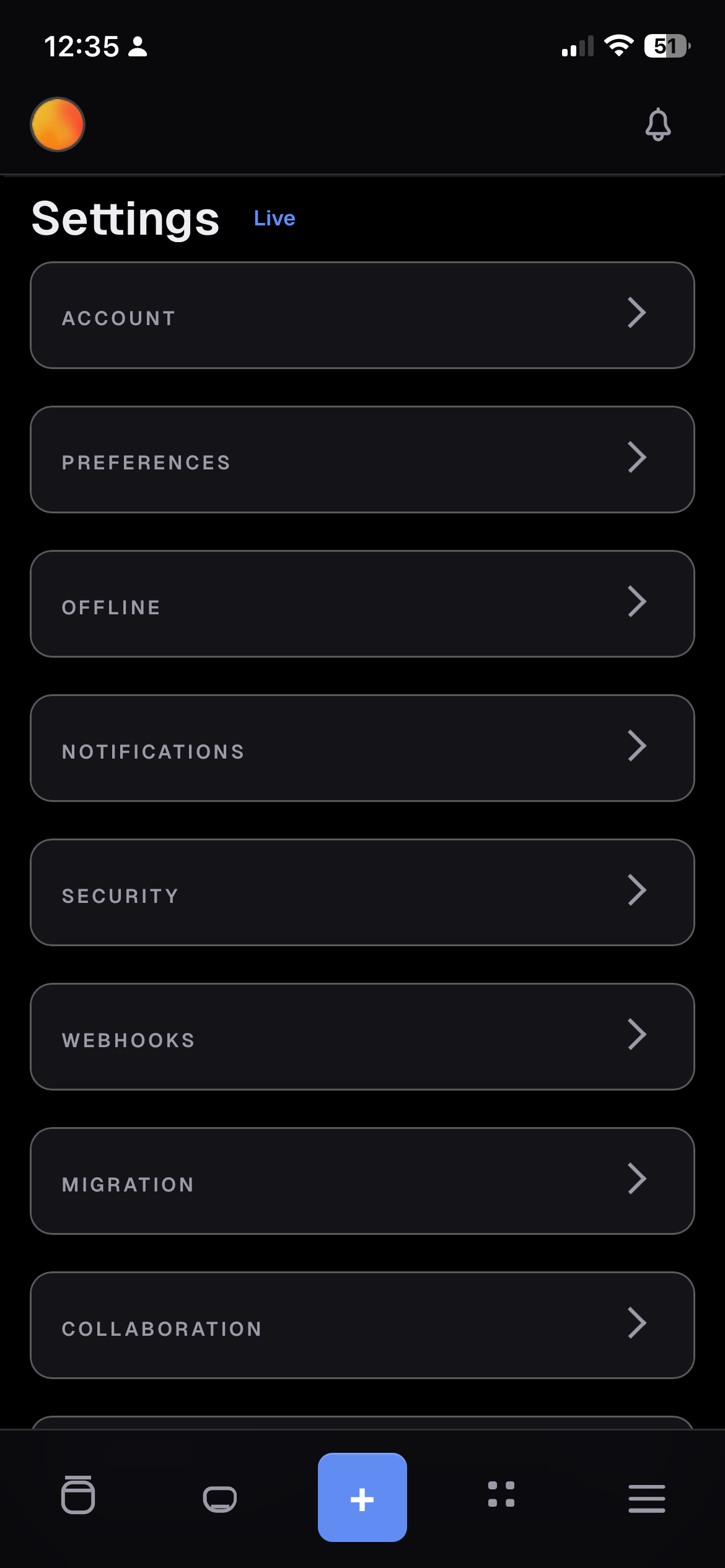
- Avatars, timezone, and notification preferences per category.
- Registration and password-reset options appear only when your server actually supports them.
Integrations
- Webhooks for a user or a project, with event selection and an optional secret.
- Migration imports from Todoist, Trello, Microsoft To Do, TickTick, WeKan, Planka, CSV and Vikunja exports, according to server support, with a guided analyse, map and preview flow for CSV.
- MCP connection settings on supported Vikunja 2.7 servers.
- Live notification and timer updates for supported sessions, plus background polling.
Administration (optional)
- Create, edit, enable, disable, reset the password for, and delete users.
- SMTP settings with delivery diagnostics.
- Configure migration providers, including the redirect URLs they need.
- Supported servers allow instance administrators to manage users through Vikunja's admin API. Host configuration, user renaming and the legacy administration path require an operator allowlist and CLI bridge. Without the bridge, the rest of the app works normally.
Release history lives in CHANGELOG.md.
Screenshots
All screenshots are from the 0.5 flat-design release.
Demo
Mobile
| Today | Projects | Project detail |
|---|---|---|
 |
 |
 |
| Task detail | Project background & access | Settings |
|---|---|---|
 |
 |
 |
Light mode
| Today | Project board | Task detail |
|---|---|---|
 |
 |
 |
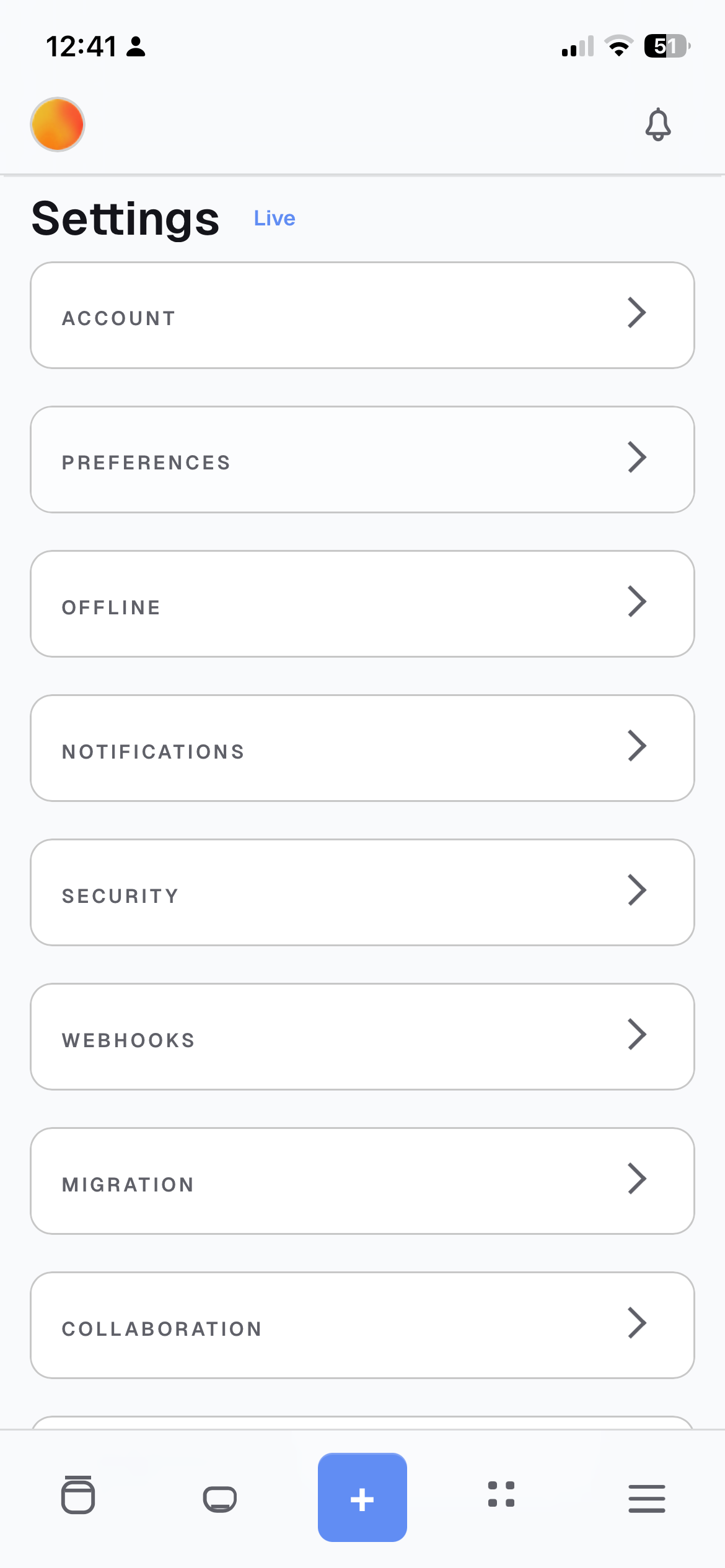
| Settings | Project background |
|---|---|
 |
 |
Desktop
| Today | Projects | Gantt + inspector |
|---|---|---|
 |
 |
 |
| Search | Settings |
|---|---|
 |
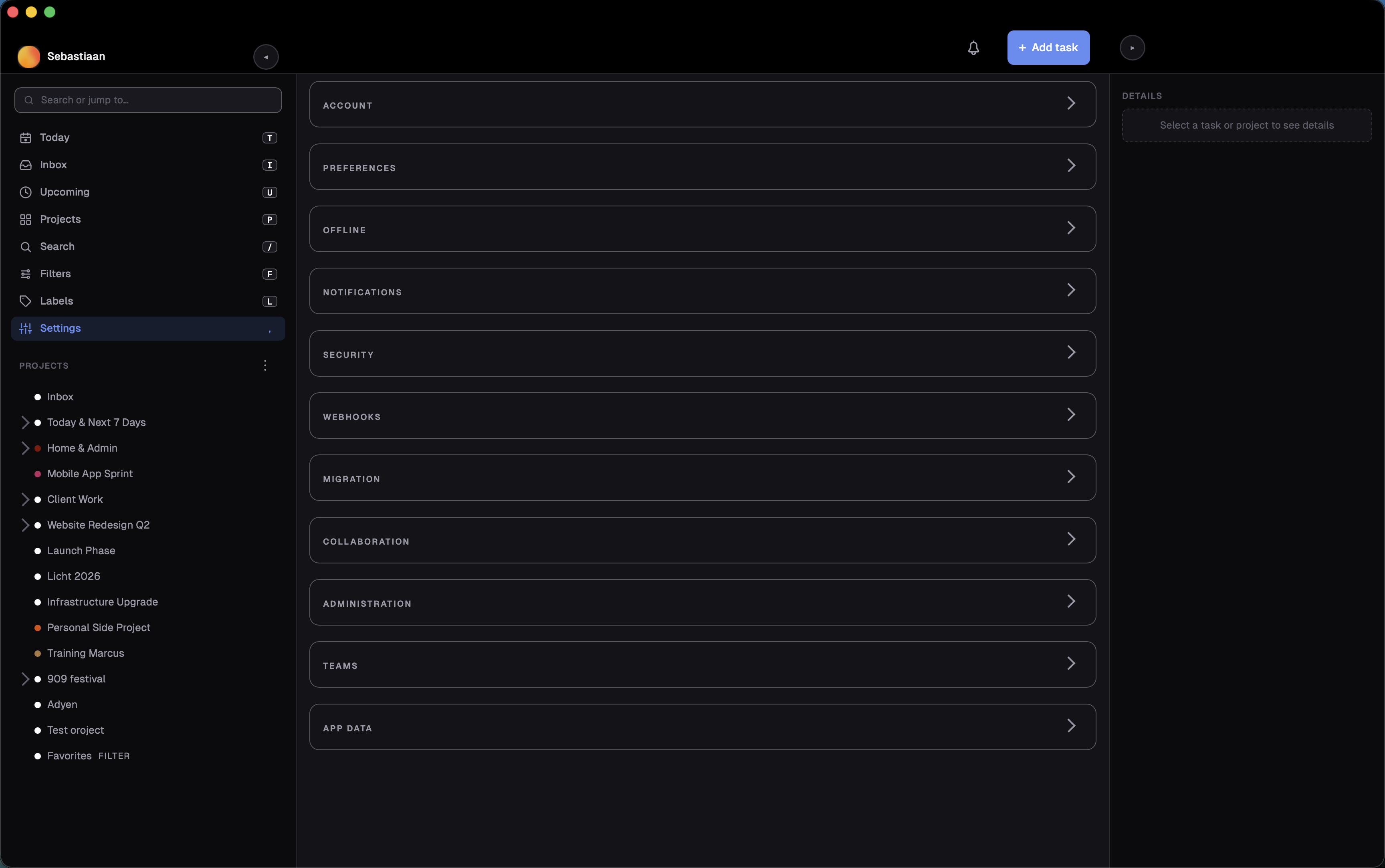 |
Prerequisites
- Node.js >= 20.19.0 (Node 22 or newer for live updates)
- npm
- Optional: Docker / Docker Compose for the included container deployment example
- A reachable Vikunja instance
- Current development and CI validation run on Node 24.x
- For iPhone/iPad PWA validation: a trusted HTTPS origin and local/dev certificates
- For local UI smoke runs: Playwright Chromium installed via
npx playwright install chromium
Quick start
- Copy
.env.exampleto.env. - Set what you need:
- optionally
VIKUNJA_DEFAULT_BASE_URL - leave
VIKUNJA_DEFAULT_BASE_URLblank if you want the server field to start empty - optionally
APP_PUBLIC_ORIGIN - optionally
APP_TRUST_PROXY=truewhen the app is behind a trusted reverse proxy that setsX-Forwarded-For - optionally
APP_SESSION_STORE_PATH - optionally
APP_SESSION_KEY_PATH - optionally
HOST - optionally
PORT
- optionally
- Optional HTTPS and bridge runtime files:
- put runtime-only certs or SSH keys in
./deploy/ - these files are intentionally ignored by git and excluded from Docker image builds
- put runtime-only certs or SSH keys in
- If you want admin user management through the Vikunja CLI bridge:
- same-host Docker deployment:
VIKUNJA_BRIDGE_MODE=docker-execVIKUNJA_CONTAINER_NAMEVIKUNJA_CLI_PATH
- development from a Mac against a VM-hosted Vikunja Docker container:
VIKUNJA_BRIDGE_MODE=ssh-docker-execVIKUNJA_SSH_DESTINATION- optionally
VIKUNJA_SSH_KEY_PATH VIKUNJA_CONTAINER_NAMEVIKUNJA_CLI_PATH
- same-host Docker deployment:
- Optional development fallback only:
VIKUNJA_BASE_URLVIKUNJA_API_TOKEN- not recommended for production
- For local development, use two terminals:
npm run dev
npm run dev:react
- Open the React app:
http://127.0.0.1:4300
For a first phone test on the same Wi-Fi/LAN, open:
http://<your-mac-ip>:4300
If you keep the default HOST=0.0.0.0, the server will listen on the local network as well.
For iPhone offline-shell and browser-notification testing, use trusted HTTPS instead:
APP_PUBLIC_ORIGIN=https://<your-mac-ip>:4300
APP_HTTPS_KEY_PATH=/app/deploy/key.pem
APP_HTTPS_CERT_PATH=/app/deploy/cert.pem
COOKIE_SECURE=true
APP_TRUST_PROXY=false
Then place those files in ./deploy/, open the HTTPS origin in Safari, and add that HTTPS app to the Home Screen.
For a production-style local run:
npm run build
npm start
Docker
The included docker-compose.yml now defaults to the simplest public path:
- plain HTTP
- no HTTPS cert requirement
- no admin bridge requirement
Minimal Docker Desktop test:
- Copy
.env.exampleto.env - Optionally set
VIKUNJA_DEFAULT_BASE_URL - Leave it blank if you want a clean public/shareable benchmark with no prefilled server URL
- Run
docker compose up --build - Open
http://localhost:4300
Optional advanced Docker features stay in the same compose file and are enabled by environment variables:
- HTTPS: set
APP_HTTPS_CERT_PATH,APP_HTTPS_KEY_PATH, andAPP_PUBLIC_ORIGIN, then place the cert files in./deploy/ - same-host admin bridge: set
VIKUNJA_BRIDGE_MODE=docker-exec - remote admin bridge: set
VIKUNJA_BRIDGE_MODE=ssh-docker-execand the SSH vars, then place the SSH key in./deploy/ - operator authorization: set
[email protected] - writable SMTP/admin config:
- for local
docker-execdeployments where this PWA also runs in Docker, setVIKUNJA_ADMIN_SOURCE_HOST_PATHto the authoritative upstream Vikunja deployment directory on the host - then point
VIKUNJA_HOST_CONFIG_PATHorVIKUNJA_COMPOSE_PATHat the mounted in-container path under/app/admin-source - set
VIKUNJA_HOST_CONFIG_PATHto a persistent Vikunja config file, or - set
VIKUNJA_COMPOSE_PATHto the authoritative upstream Vikunjadocker-compose.yml
- for local
Writable SMTP Setup
If you want the SMTP form in the PWA to be editable and to support Apply & Restart,
the PWA must be able to reach the real Vikunja deployment config source.
The PWA does not write into the running Vikunja container filesystem. It writes to one of these authoritative sources instead:
- a persistent Vikunja config file via
VIKUNJA_HOST_CONFIG_PATH - the upstream Vikunja
docker-compose.ymlviaVIKUNJA_COMPOSE_PATH
Same-host Docker example
Use this when:
- the PWA runs in Docker
- Vikunja runs in Docker on the same host
- the PWA bridge mode is
docker-exec
Add these to the PWA .env:
VIKUNJA_BRIDGE_MODE=docker-exec
VIKUNJA_CONTAINER_NAME=vikunja-vikunja-1
[email protected]
VIKUNJA_ADMIN_SOURCE_HOST_PATH=/home/admin/docker/vikunja
VIKUNJA_ADMIN_SOURCE_CONTAINER_PATH=/home/admin/docker/vikunja
VIKUNJA_COMPOSE_PATH=/home/admin/docker/vikunja/docker-compose.yml
What this does:
VIKUNJA_ADMIN_SOURCE_HOST_PATHbind-mounts the real upstream Vikunja deployment directory into the PWA containerVIKUNJA_ADMIN_SOURCE_CONTAINER_PATHmakes that directory available at the same absolute path inside the PWA containerVIKUNJA_COMPOSE_PATHpoints the PWA at that mounted in-container compose file
Using the same absolute path matters when the upstream docker-compose.yml uses relative bind mounts like ./files and ./db.
That lets Apply & Restart recreate Vikunja with the correct bind-source paths.
Do not point VIKUNJA_COMPOSE_PATH at a raw host path like /home/admin/docker/vikunja/docker-compose.yml when the PWA itself runs in Docker unless that same host directory is also mounted into the PWA container at the same absolute path.
SSH bridge example
Use this when:
- the PWA runs on a workstation or separate host
- Vikunja runs on a remote Docker host
- the PWA bridge mode is
ssh-docker-exec
Add these to the PWA .env:
VIKUNJA_BRIDGE_MODE=ssh-docker-exec
VIKUNJA_SSH_DESTINATION=admin@vikunja-host
VIKUNJA_SSH_PORT=22
VIKUNJA_SSH_KEY_PATH=/app/deploy/id_ed25519
[email protected]
VIKUNJA_COMPOSE_PATH=/home/admin/docker/vikunja/docker-compose.yml
In SSH mode, VIKUNJA_COMPOSE_PATH is a remote absolute path on the Vikunja host.
You do not need /app/admin-source in this mode.
After changing .env
Rebuild and restart the PWA container:
docker compose build --no-cache
docker compose up -d
Then verify:
curl -s http://127.0.0.1:4300/health
curl -i -s http://127.0.0.1:4300/api/admin/config/mailer
The second command should return 401 Unauthorized when not logged in, which confirms the route exists.
Troubleshooting
- SMTP form is read-only:
VIKUNJA_HOST_CONFIG_PATHandVIKUNJA_COMPOSE_PATHare both unset, or the configured path is not reachable from the PWA runtime
- Flashes
No services were found in the configured Docker Compose file:- the compose file path exists in config but the file is not actually readable from the PWA process, commonly because a Docker host path was used inside a container without a bind mount
- Save works but
Apply & Restartfails:- in same-host
docker-execmode, the upstream Vikunja directory is mounted into the PWA container at a different path than the host path, so relative bind mounts in the upstream compose file cannot be recreated correctly - set
VIKUNJA_ADMIN_SOURCE_CONTAINER_PATHto the same absolute path asVIKUNJA_ADMIN_SOURCE_HOST_PATH, and pointVIKUNJA_COMPOSE_PATHat that same absolute path
- in same-host
- User administration says only authorized operator accounts may manage users:
ADMIN_BRIDGE_ALLOWED_EMAILSis unset, or the signed-in Vikunja account email is not in that allowlist
- Bridge features are unavailable:
VIKUNJA_BRIDGE_MODE, container name, SSH destination, Docker socket access, or SSH key config is missing or unreachable
The checked-in Dockerfile now builds on Node 22, which matches the current frontend toolchain requirements and keeps container builds free of Node engine warnings.
Deployment safety note:
- keep
.envas a real file on the deployment host - do not symlink
.envto another machine or workstation path - keep runtime-only certs and SSH keys local to the deployment host under
./deploy/ - if you sync the repo to another machine, exclude
.env,deploy/*.pem, and other local runtime files from the sync
Versioning And Build Identification
Settings → App Data shows three identifiers:
- App version is the release number from
package.json(for example0.5.0). It is bumped by hand at each release cut, not per deploy. - Server build and Client build identify the exact deployed code. They are stamped automatically at build time as
YYYY-MM-DD-<git commit>(with a-dirtysuffix when built from uncommitted changes), so every deploy is distinguishable without manual bumps.
How the stamp is resolved:
- A
build-info.jsonat the repo root, written bynode scripts/generate-build-info.mjs. Deploy scripts should run this before shipping; it refuses to produce an unstamped deploy with--require-git. - Otherwise live git metadata at build/start time.
- Otherwise
unknown.
Git checkouts get correct stamps with no extra steps. Docker builds exclude .git from the build context, so run node scripts/generate-build-info.mjs before docker compose up --build if you want the image stamped; without it the build IDs show unknown.
CLI Bridge (Optional)
The Vikunja CLI bridge is optional. You only need it if you want to create,
edit, disable, or delete Vikunja users from inside this app, run testmail,
run doctor, or apply writable SMTP/admin-config changes. Core task, project,
sharing, offline, and notification flows all work without it.
- Why it exists: Vikunja does not expose instance user CRUD through its REST API, so this app uses the Vikunja CLI from the server side.
- Supported modes:
docker-execfor same-host deployments where the app server can reach the Vikunja container runtimessh-docker-execfor a local workstation or separate app host reaching a remote Docker host over SSH
- Authorization:
- set
ADMIN_BRIDGE_ALLOWED_EMAILSto the signed-in Vikunja account emails that may use bridge/admin routes - without that allowlist, the PWA treats bridge/admin features as unauthorized
- set
- SMTP/admin-config source modes:
- if
VIKUNJA_HOST_CONFIG_PATHis set, SMTP becomesfile-backedand the PWA can save config there - if
VIKUNJA_COMPOSE_PATHis set, SMTP becomescompose-envand the PWA manages the upstream Vikunja compose env for mailer settings - if both are unset, SMTP stays
read-only - in local
docker-execmode the path must be readable from the app process/container, which usually means mounting the authoritative host directory into/app/admin-source - in SSH mode the path is a remote absolute path on the Vikunja host
- if
- Trust implications:
docker-execimplies Docker/socket-level access on the host running the app serverssh-docker-execimplies SSH key-based access to the remote Docker host
- Without the bridge:
- user-management,
testmail, anddoctorstay unavailable - SMTP stays read-only unless
VIKUNJA_HOST_CONFIG_PATHorVIKUNJA_COMPOSE_PATHis configured locally - everything else in the app remains usable
- user-management,
Detailed operational, deployment, audit, and planning notes are intentionally kept outside this public repo.
How it works
- The browser never receives your Vikunja API token.
- The browser talks to a same-origin Node backend that owns the Vikunja credentials/session.
- For self-hosted Vikunja, the intended path is
Settings > Accountswith username/password login. - Password login supports Vikunja's native
Stay logged in/long_tokenremembered-session mode. - API token mode is also available. The token is submitted to the backend and kept out of browser storage.
- Account sessions are stored server-side in an encrypted local file, so ordinary backend restarts keep interactive sessions.
- To keep remembered Vikunja sessions valid across upstream restarts, the Vikunja deployment needs a fixed
service.JWTSecret/VIKUNJA_SERVICE_JWTSECRET. - User administration uses Vikunja's admin API for instance-admin accounts on supported servers, with the optional CLI bridge providing the legacy path and host-side operations. The browser never gets Docker or CLI access.
- SMTP and migration-provider configuration remain operator-gated bridge operations. Supported instance admins can grant or remove instance-admin status through Vikunja's API.
- Deployment-level SMTP/admin config is only written to an explicit host config path. The running Vikunja container filesystem is never treated as the source of truth.
- Shared project links authenticate into a dedicated public/shared shell instead of the normal signed-in app shell.
- The app can also run directly over HTTPS with local certs for secure mobile PWA testing, including iPhone installed-app notification checks.
VIKUNJA_DEFAULT_BASE_URLorVIKUNJA_BASE_URLmay be either:https://vikunja.example.comhttp://vikunja.local:3456- or the full API URL ending in
/api/v1
Browser support
The app targets modern browsers with native ES2022 support. No polyfills are shipped.
Supported baseline targets:
- Chrome 100+
- Edge 100+
- Safari 16+
- Firefox 100+
- iPhone Safari in installed HTTPS PWA mode
Not supported:
- Internet Explorer
- legacy browsers without modern ES2022, service worker, or installed-PWA support
Repo layout
.
├── src/
│   ├── components/
│   ├── hooks/
│   ├── store/
│   ├── utils/
│   ├── App.tsx
│   ├── main.tsx
│   └── styles.css
├── public/
│   ├── icons/
│   ├── manifest.webmanifest
│   └── vendor/
├── tests/
│   ├── helpers/
│   └── smoke/
├── deploy/
│   └── .gitkeep
├── server/
│   ├── admin-bridge.mjs
│   ├── config.mjs
│   ├── cookies.mjs
│   ├── http.mjs
│   ├── rate-limit.mjs
│   ├── session-store.mjs
│   ├── static.mjs
│   └── vikunja-client.mjs
├── .env.example
├── .dockerignore
├── Dockerfile
├── docker-compose.yml
├── package.json
├── README.md
└── server.mjs
server.mjs: server entrypoint and route wiring. In production it servesdist/.server/: extracted Node-side helpers for config, admin bridge execution, rate limiting, static serving, HTTP utilities, and Vikunja API access.src/: React application code, store slices, utilities, and migrated screens/components.public/: static assets copied by Vite intodist/, including icons, manifest, and the kept Sortable runtime.deploy/: optional runtime-only bind-mount directory for local certs or SSH keys. Contents are git-ignored and excluded from image builds.tests/helpers/app-under-test.mjs: unified smoke harness that buildsdist/and boots the app server against it.- Internal planning, audit, and deployment documents are intentionally kept outside the public repo.
Known constraints
- This is an independent client, not a production-grade or officially supported one.
- Vikunja supports labels on tasks, but not project labels through the API routes used here.
- Offline covers cached reopen and queued task/project edits. Attachments, sharing changes, admin config, and security-admin actions need a live connection.
- Notification setup and test alerts work on supported desktop browsers and installed HTTPS iPhone web apps, and notification preferences are stored per category. Event-driven push delivery is not built yet.
- Instance user administration requires a supported server and instance-admin account, or the optional operator-authorized CLI bridge. Host configuration and user renaming still require the bridge.
- Time tracking requires the server's licensed feature and API v2. Without it, the controls remain hidden.
- Todoist, Trello, and Microsoft To Do imports only return to this app if the redirect URL is updated in both Vikunja and the provider's developer app. Otherwise the import finishes in the stock Vikunja frontend.
Testing
Install dependencies and run the local verification suite:
npm install
npm run lint
npm run build
npm run test:unit
npm run test:smoke:api
For the browser smoke pass, install Playwright Chromium once and run:
npx playwright install chromium
npm run test:smoke:ui
The full local verification command is:
npm run ci
CI runs the same suite via GitHub Actions (.github/workflows/ci.yml).
Troubleshooting
- If the app is behind a trusted reverse proxy or Cloudflare Tunnel, set
APP_TRUST_PROXY=trueso same-origin mutation checks use the forwarded host and protocol. - If iPhone offline shell or browser notifications do not work, use a trusted HTTPS origin and add the app to the Home Screen from Safari.
- If admin user management is unavailable, verify the optional CLI bridge environment variables on the server. The rest of the app should still work without it.
- If UI smoke tests fail locally before the browser starts, run
npx playwright install chromium. - If the shell looks stale after a rebuild/deploy, use
Settings > App Data > Refresh app data.