
BaronCyrus/dsh-aha-tutor
BaronCyrus/dsh-aha-tutor has 45 GitHub stars and 6 forks. GitHot measured 0 stars in 24 hours. Last checked 2026-11-15 01:51 UTC. Last push 2026-11-09.
Measured star growth
- in 24h
- 0
- in 7 days
- Collecting history
- in 15 days
- Collecting history
- in 1 month
- Collecting history
Net star changes over overlapping periods, not daily totals. Missing measurements are left blank. Stars measure attention, not software quality.
About
开窍 · AI 私人老师:给 DeepSeek Harness 装一位私人老师,为你定制课程,在手写黑板上边写边讲。
LearningREADME.en.md
Original
Aha · AI tutor (开窍)
简体中文 · English
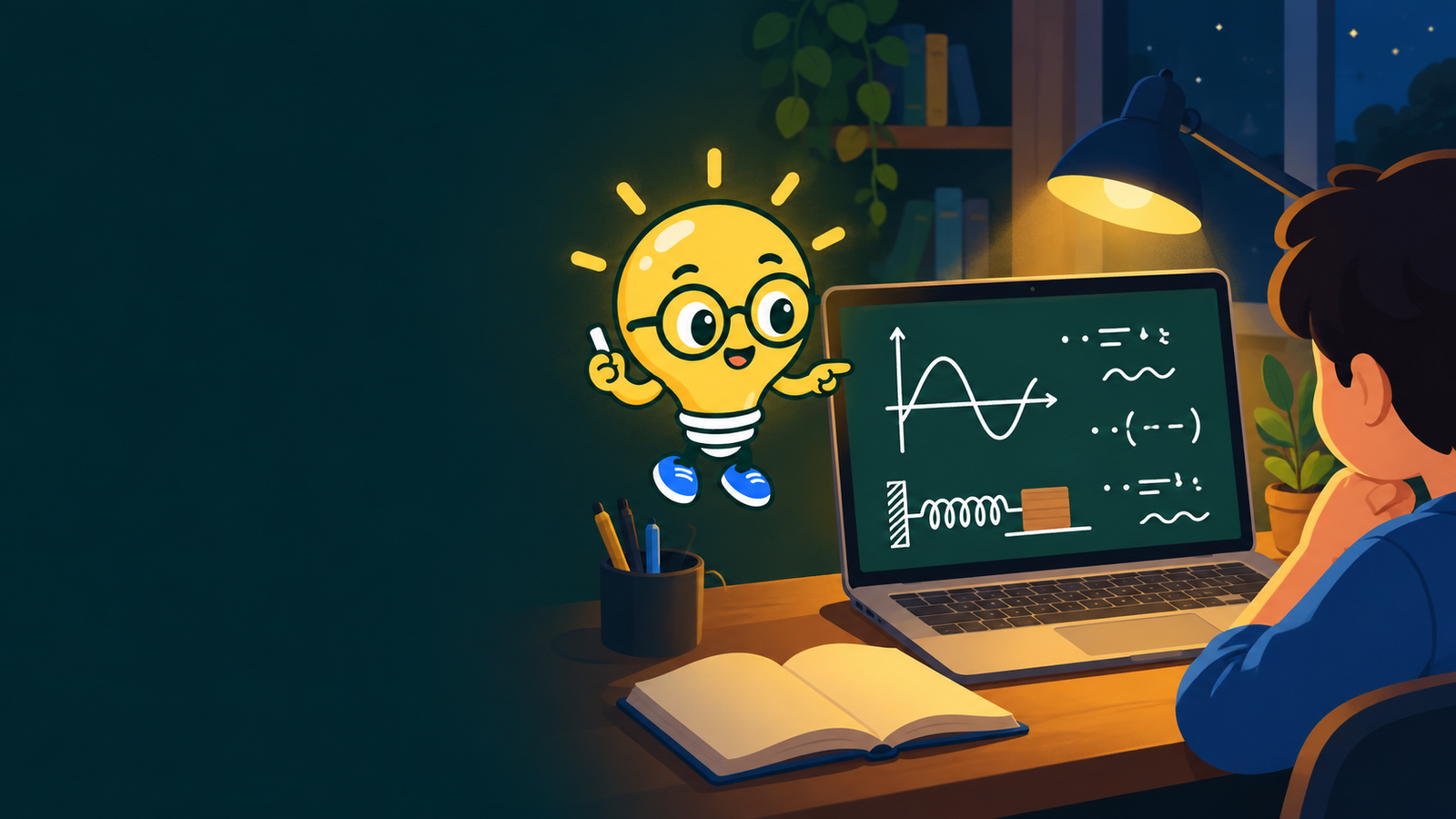
A private tutor for DeepSeek Harness: say what you want to understand, and it gets to know you, builds a course around you, and teaches it on a handwriting chalkboard while it speaks.





What it does · Install · Quick start · Voices · Privacy · FAQ · Support
What it does
| Feature | What you get |
|---|---|
| A course made for you | Say what you want to learn or drop in a textbook. The tutor can look the subject up on the web first, then asks a few multiple-choice questions about your background, goal, time and the course size you want, then writes a unit → chapter → lesson blueprint while you watch. Edit it by hand, have a lesson split or deepened, or ask for changes and review them before they apply; a running course can still grow. Confirming prepares the hands-on projects and the first unit's practice; later lectures get theirs when you reach them |
| Handwriting chalkboard lessons | Narration (voice + captions) while the board fills up in a handwriting font with points, formulas, diagrams, charts and, when it helps, a small animation; each item is written as its sentence is spoken and highlighted while it is discussed; curves given by a formula are computed point by point, with sliders for their parameters; the lesson's pages sit on one canvas you can drag and zoom while the view follows the teacher, and a side panel shows the lesson's goals and a transcript; pause, rewind and change speed any time |
| Quick checks that adapt | At key moments the lesson stops for a question and asks how sure you are. Lucky guesses, hesitation and confident mistakes count differently; a lesson with a calculation asks you to write out your working and corrects it on the board. A revisit lesson is added automatically for concepts that did not stick |
| Raise your hand, hear it again | Ask anything mid-lesson, typed or spoken (recognized on your computer by DSH's Voice input), and the tutor answers on the board, then picks up where it left off; or have a step re-explained with an analogy, a drawing, an example, more simply or in more depth. Think a step is wrong? Ask the teacher to check it: a real mistake is corrected at the board and fixed in the lesson, and a step that is right is explained |
| Ask anything, with a photo | No course needed: ask, and the tutor explains on the whiteboard. Paste or drop a screenshot or photo of the problem straight into the question, without adding it to the library, words optional; a model that sees images looks at the picture, one that only reads it for “Grading & questions” passes its text on, and when none of your models can see pictures you are told how to fix that |
| Practice, flashcards, reviews | Every lesson has practice, with figures where they help, open answers graded by the model and keyboard answering; think a question or its grading is wrong, and the teacher checks it, fixes a wrong question, grades your answers to it again (earlier ones too) and corrects your mastery; a round ends with stars, how your mastery moved and a next step. Any concept can be practised on its own: five new questions on it alone, pitched at your mastery and never repeating what you have done. Any graded question, and every question in the mistake notebook, has Explain this: the teacher starts from your answer at the board, shows where it went wrong and how to do it, and ends with a similar question to try. A question you miss goes to the course's mistake notebook, comes back from the next day, counts as resolved once you get it right on a later day, and comes first in reviews. Each unit has a quiz and a flashcard deck, as long as its concepts call for. Flashcards and concepts come back on a spaced-repetition schedule, and the study plan leaves time for them |
| Your materials become courses | PDF, Word, PowerPoint, Markdown, web links and images; a model that can see images reads scanned PDFs, documents made of pictures and photos. each material keeps its contents and the page numbers printed in it, every lesson is tied to its pages, lessons and raised hands work from the text itself, and every page number shown has been checked; long readings can be digested into structure, claims and a glossary |
| Cheat sheets, notes, quizzes | Printable cheat sheets organized by theme (columns, font size and highlighting adjustable), plus notes, flashcard decks and quizzes; decks and quizzes read the whole material part by part, size themselves by its length, and can keep to a focus |
| Explainer shorts and exports | A two-minute whiteboard explainer from a topic or a link; any lesson exports to a video with the handwriting, captions and a watermark, or its board to a PDF (one board page per page, handwriting and formulas included) or a PNG picture per page |
| Hands-on projects | Code projects get a folder with starter files and a DSH session where a coding agent helps you build; submit it back for a rubric-based review |
| Study plan and learner profile | Lessons are scheduled around your weekly time, study days and deadlines, with warnings when a deadline is at risk; a month calendar ticks what you finish, takes ticks by hand and replans the days ahead; the tutor remembers your background and weak spots, which you can view, edit or clear |
| In conversations too | A new conversation preset, "开窍 · AI 私人老师", lets the tutor explain on the whiteboard, run interactive quizzes, design a course or make a cheat sheet right from a DSH chat |
Two sample courses ship with the plugin (harmonic motion and Bayesian thinking, in Chinese) so you can try the chalkboard classroom without spending tokens.
Install
You need the DeepSeek Harness desktop app (0.2.x, from 0.2.1) with at least one working model. See the DSH instructions if you do not have it yet.
- Open Plugins in the desktop app, click Add plugin and enter
dsh-aha-tutoras the package, with the official registry as the source. Within 24 hours of a new release DSH's pnpm holds new versions back; enter an exact version such as[email protected]then. - Quit and reopen the desktop app. Refreshing the page does not load the plugin's host side.
- Open Aha · AI tutor in the left sidebar (shown as 「开窍 · AI 私人老师」 in Chinese).
Offline: download dsh-aha-tutor-<version>.tgz from GitHub Releases and enter its absolute path instead. For your own profiles, dsh plugin --profile <name> add dsh-aha-tutor@<version> works; the desktop profile is managed by the app's Plugins page only.
Quick start
- Type what you want to learn on the home page (or attach a handout) and press Start.
- Answer a few questions and choose a pace, then Design my course. Edit the blueprint or ask for changes.
- Confirm and build the course, then Continue learning.
For a single question, use "Explain a concept", "Solve with me" or "Show me visually" on the home page; no course needed.
Voices
| Option | Notes |
|---|---|
| System voice (default, free) | macOS / Windows voices, selectable in settings; you are told when no voice matches the course language |
| Cloud voice (optional) | OpenAI-compatible APIs (including SiliconFlow and others), Volcengine (Doubao), MiniMax, Azure Speech and Alibaba Cloud Token Plan. Keys live in DSH's credential store, are used host-side only and never reach the browser; synthesized audio is cached locally so replays cost nothing. Alibaba Cloud allows Token Plan only for interactive use inside AI coding and agent tools, and calls outside that scope can get the subscription suspended or the key banned; read its terms (in Chinese) before using it |
Only cloud voices can be recorded into exported videos; with a system voice the video has captions and no sound. Board animations appear in videos as a still frame.
Models
Aha uses your DSH default model. In Aha → Settings you can pick separate models for "course design & teaching" and "grading & questions". The plugin never switches to another paid model on its own and never generates in bulk in the background: the course structure is made when you confirm it, and each lesson's board when you open it (plus the next one), as is the practice for later lectures. Follow the terms of subscription-based models you use.
Privacy and data
- Courses, progress, materials, profile and plan stay on this computer under
$DSH_HOME/aha-tutor/(default~/.dsh/aha-tutor/, on WindowsC:\Users\<you>\.dsh\aha-tutor\). - Project folders live under
~/AhaTutor/projects/; files you changed are never overwritten. - Models receive only what the current task needs: your request, the course outline, relevant passages from your materials and a short learner profile.
- Web import fetches public addresses only, never localhost or private networks; every address a name resolves to is checked again when connecting.
- Model-drawn diagrams pass an allow-list sanitizer; animations run in a sandbox without network access.
See SECURITY.md.
FAQ
No sound? Open Aha → Settings → Narration and press Test. Install a system voice for your language, or use a cloud voice.
A generation failed or looks weak? Retry, or choose a stronger model for "course design & teaching".
No text from a scanned PDF? Scanned pages are read by the model you chose, which must be able to see images (marked 🖼 in Aha settings, such as DeepSeek-V4.1-Flash). The upload shows how many pages are done and can be cancelled; up to 200 pages of a file are read.
Using the tutor in a chat? Choose the "开窍 · AI 私人老师" preset when starting a session.
Development
pnpm install --frozen-lockfile
pnpm run check
Runs every test, builds the host and browser bundles and packs a tarball into .artifacts/. For local iteration, add the repository's absolute path in the DSH Plugins page (installs as link:); host changes need a DSH restart. See AGENTS.md.
License
MIT © BaronCyrus. Third-party licenses: THIRD_PARTY_NOTICES.md.
Aha Tutor (开窍) is an independent open-source project, not affiliated with DeepSeek or any other learning product.
Support the author
Aha Tutor is free and open source, and tips are entirely optional. If it helped something finally click for you, a tip keeps Qiao growing.
 |
 Alipay |