
Ayush-6/AI-Studio-Setup
Ayush-6/AI-Studio-Setup has 57 GitHub stars and 0 forks. GitHot measured 0 stars in 24 hours and 0 in 7 days. Last checked 2026-11-15 22:24 UTC. Last push 2026-11-05.
What you can do
- 🧩 Profile-based provisioning for workstations, laptops, and shared lab machines.
- 🔄 Continuous update engine with configurable cadence and quiet hours.
- 🧪 Sandbox dry-runs that preview every action before anything changes on disk.
- 🗂️ Snapshot & rollback with timestamped restore points.
Measured star growth
- in 24h
- 0
- in 7 days
- 0
- in 15 days
- Update delayed
- in 1 month
- Update delayed
Net star changes over overlapping periods, not daily totals. Missing measurements are left blank. Stars measure attention, not software quality.
About
Open Source AI Trainer Studio Setup and Auto Update Tool 2026
Machine LearningREADME.md
Original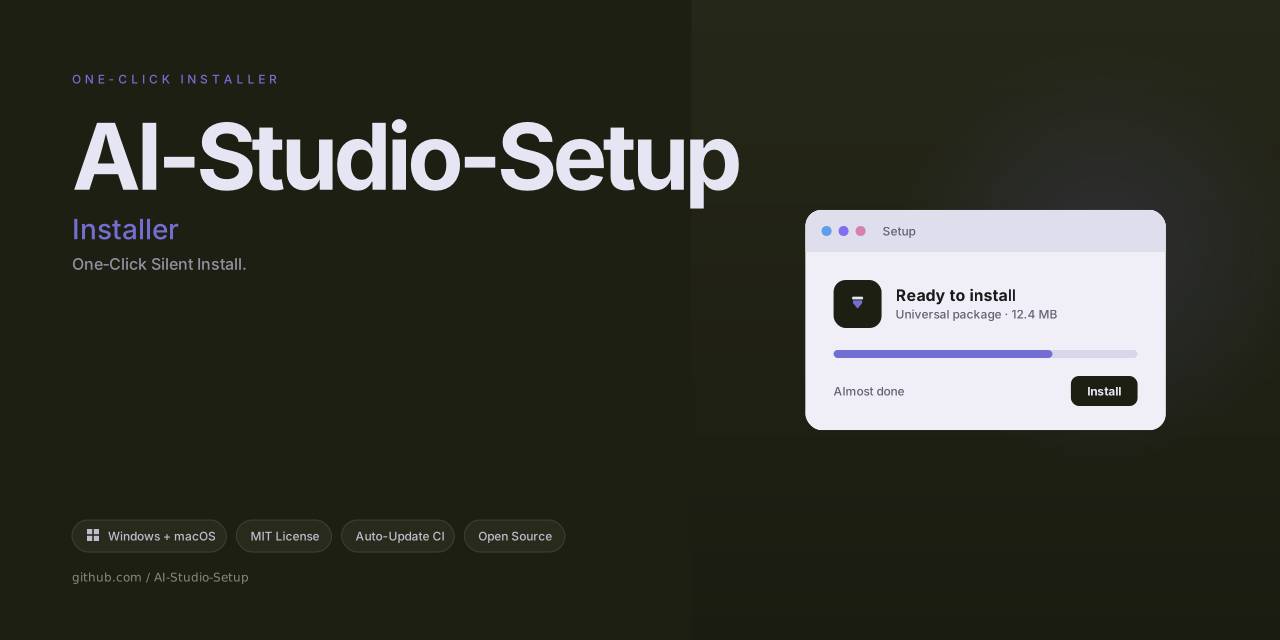

🎛️ Studio Forge — Trainer Studio Installer & Updater
A cross-platform provisioning companion for Trainer Studio, built for people who would rather create than configure.
Repo: Studio-Forge/Trainer-Studio-Provisioner · License: MIT · Year: 2026
Welcome to Studio Forge, an independent, community-driven provisioning and maintenance companion for the Trainer Studio environment. Where the original AI-Studio-Installer focused on a tight, single-purpose install flow, Studio Forge reimagines the whole lifecycle: acquisition of dependencies, staged configuration profiles, background update checks, integrity verification, rollback snapshots, and a responsive operator console that treats setup as part of the creative process rather than an obstacle before it.
If you have ever felt that the first hour of any new tool is spent fighting environment variables instead of exploring ideas, Studio Forge was written for exactly that moment. It is a workshop, not a warehouse: everything has a labeled shelf, every tool returns to its place, and the lights are already on when you walk in.
📌 Table of Contents
- Why Studio Forge Exists
- Feature Highlights
- Provisioning Profiles Explained
- Responsive Operator Console
- Multilingual Support
- 24/7 Customer Support & Community Care
- Lifecycle & Update Engine
- Integrity, Snapshots, and Rollback
- Compatibility Matrix
- Getting Started Without a Terminal Headache
- Configuration Anatomy
- Extending Studio Forge
- Performance Notes
- Security Posture
- Roadmap for 2026
- Frequently Asked Questions
- SEO-Friendly Recap
- Contributing
- Code of Conduct
- Disclaimer
- License
🌱 Why Studio Forge Exists
Trainer Studio is a wonderful place to build. Getting into Trainer Studio should not require a scavenger hunt. The original installer solved the first step elegantly. Studio Forge picks up where that left off and asks: what does the second, tenth, and hundredth day look like?
The answer, in our experience, is a rhythm — a cadence of updating, verifying, and adjusting. Studio Forge orchestrates that rhythm with:
- Deterministic provisioning — the same inputs produce the same environment, every time, on every machine.
- Composable profiles — layered configuration files that describe what kind of workstation you want.
- Observable progress — a live console that shows each stage without drowning you in log noise.
- Reversible changes — snapshots you can return to when an experiment goes sideways.
Think of it as a stage manager for a theater production. The actors (your tools) are the stars, but someone has to make sure the curtains open on cue.
✨ Feature Highlights
- 🧩 Profile-based provisioning for workstations, laptops, and shared lab machines.
- 🔄 Continuous update engine with configurable cadence and quiet hours.
- 🧪 Sandbox dry-runs that preview every action before anything changes on disk.
- 🗂️ Snapshot & rollback with timestamped restore points.
- 🌐 Multilingual support across the interface and documentation bundles.
- 📱 Responsive UI that behaves on a 13-inch laptop and a wall-mounted display alike.
- 🛰️ Offline mirror mode for air-gapped or low-bandwidth environments.
- 🧭 Guided diagnostics that translate cryptic errors into actionable next steps.
- 🔐 Signature-aware verification for every artifact fetched by the update engine.
- 🧰 Extensible plugin surface for teams that want to add their own stages.
- ♿ Accessibility-first design including keyboard navigation and high-contrast themes.
- 🌙 Quiet mode that defers non-critical work to idle windows.
🧱 Provisioning Profiles Explained
A profile is a small manifest describing intent, not instructions. Instead of writing a script that says "do X, then Y, then Z," you describe a destination and Studio Forge charts the route.
Three profile archetypes ship by default:
- Solo Creator — tuned for single-machine use with conservative disk usage and aggressive caching.
- Team Bench — optimized for shared workstations with per-user namespaces and audit trails.
- Lab Cluster — designed for coordinated fleets, with a central coordinator and satellite agents.
You can duplicate, fork, or author profiles from scratch. Because profiles are declarative, they diff cleanly — which means reviewing a teammate's proposed change feels like reading a short letter rather than auditing a novel.
🖥️ Responsive Operator Console
The console adapts to the space it is given. On a narrow screen, the timeline collapses into a vertical feed. On a wide display, it spreads into a multi-column dashboard with live counters, stage history, and a resource graph.
Design principles:
- Nothing important is more than one click away.
- Color is a signal, not a decoration.
- Every warning names the thing that caused it.
- Every error suggests at least one remedy.
The result is a console that stays readable whether you are watching a five-minute update or a two-hour provisioning run.
🌍 Multilingual Support
Studio Forge ships with locale bundles for a growing list of languages, and the bundle format is intentionally plain so translators can work without touching code.
- Locale-aware date, time, and number formatting.
- Right-to-left layout support.
- Fallback chains so partial translations never produce blank labels.
- Community-maintained glossaries to keep terminology consistent.
If a phrase reads awkwardly in your language, that is a bug worth filing — clarity is a feature.
☎️ 24/7 Customer Support & Community Care
Around-the-clock assistance is available through three channels:
- In-app help center with searchable articles and interactive walkthroughs.
- Community forum where maintainers and users trade notes.
- Direct support queue for organizations with priority arrangements.
Support is staffed continuously, because time zones should not determine whether you can finish your work. Response targets are published openly, and every resolved ticket feeds back into the documentation so the next person finds the answer faster.
🔁 Lifecycle & Update Engine
The update engine is the heartbeat of Studio Forge. It works in four movements:
- Discover — check configured channels for newer artifacts.
- Verify — confirm signatures and checksums before anything is staged.
- Stage — prepare changes in an isolated area so the live environment stays untouched.
- Commit — apply staged changes atomically, with a snapshot taken first.
You control the tempo: check on launch, check hourly, check on a schedule, or check manually. Quiet hours suppress notifications while still performing background verification.
🛡️ Integrity, Snapshots, and Rollback
Trust is earned in small increments. Every artifact is verified against a published digest, and every commit is preceded by a snapshot. If something looks wrong after an update, rollback returns you to the prior state in a single action.
- Snapshots are incremental and space-efficient.
- Retention policies are configurable per profile.
- Rollback is itself snapshotted, so you can undo an undo.
- Integrity reports are exportable for compliance reviews.
🧮 Compatibility Matrix
| Platform | Status | Notes |
|---|---|---|
| Modern Linux distributions | Fully supported | Primary development target |
| Windows 10/11 | Fully supported | Native packaging available |
| macOS (recent versions) | Fully supported | Universal binaries |
| Containerized environments | Supported | Slim base layer recommended |
| Headless servers | Supported | Console UI available |
🚀 Getting Started Without a Terminal Headache
You do not need to memorize commands to begin. The intended path is graphical, guided, and gentle.
- Obtain the provisioner package for your platform.
- Launch the operator console.
- Choose a profile that matches your situation.
- Review the dry-run summary.
- Confirm, and let Studio Forge handle the rest.
For teams that prefer automation, a declarative job file can describe the same sequence, and the console will happily run it unattended.
🧬 Configuration Anatomy
Configuration is organized into layers, applied in order:
- Base layer — defaults maintained by the project.
- Profile layer — the archetype you selected or authored.
- Machine layer — host-specific overrides.
- Session layer — temporary adjustments that vanish when you are done.
Later layers win, and every merge is logged so you can trace exactly which layer set a value.
🧩 Extending Studio Forge
Plugins can add stages, validators, notifiers, and console panels. The plugin contract is deliberately small:
- Declare what you need.
- Declare what you provide.
- Declare what you change.
Because every plugin must declare its footprint, the console can show a clear map of who touches what — a small courtesy that pays large dividends during incident reviews.
⚡ Performance Notes
Provisioning is I/O-bound more often than CPU-bound, so Studio Forge leans on parallelism where it is safe and serialization where it is not. Cold provisioning of a typical Solo Creator profile completes in a few minutes on ordinary hardware; warm updates usually finish in seconds. Memory pressure is kept low by streaming artifacts rather than buffering them wholesale.
🔐 Security Posture
- Signature verification for all remote artifacts.
- Least-privilege defaults for filesystem operations.
- No telemetry without explicit opt-in.
- Reproducible builds for release artifacts.
- Coordinated disclosure process for reported issues.
Security is treated as a property of the whole system, not a checkbox on a release form.
🗺️ Roadmap for 2026
- Expanded locale coverage and translation tooling.
- Fleet dashboard for coordinated multi-machine management.
- Pluggable artifact sources beyond the default channel.
- Enhanced diff visualization for profile changes.
- Accessibility audit results published in the repository.
❓ Frequently Asked Questions
Is Studio Forge tied to a single operating system?
No. Cross-platform support is a core design goal.
Can I use it without an internet connection?
Yes, offline mirror mode is supported.
Does it modify Trainer Studio itself?
It provisions and maintains the surrounding environment, and it can update Trainer Studio when configured to do so.
How are profiles shared?
Profiles are plain files, so they travel well through version control or shared folders.
What happens if an update fails midway?
Staged changes are discarded and the previous state remains intact.
🔎 SEO-Friendly Recap
Studio Forge is a cross-platform Trainer Studio installer and updater with a responsive UI, multilingual support, snapshot-based rollback, signature-verified updates, and around-the-clock assistance. It is designed for creators who value reproducibility, teams who value auditability, and anyone who wants the setup phase to feel less like a chore and more like the opening scene.
🤝 Contributing
Contributions of every size are welcome: documentation fixes, locale improvements, plugin examples, and core enhancements. Please open an issue to discuss substantial changes before submitting them, and keep pull requests focused so reviews stay pleasant for everyone.
📜 Code of Conduct
Be kind, be specific, and assume good faith. Disagreement is welcome; disrespect is not. Reports are handled confidentially by the maintainer group.
⚠️ Disclaimer
Studio Forge is an independent community project and is not affiliated with, endorsed by, or sponsored by the maintainers of any third-party studio software. It is provided as-is, without warranty of any kind. You are responsible for reviewing changes before applying them and for maintaining backups of important work. Always comply with the licenses and terms that govern the software you use.
📄 License
Released under the MIT License. See the full text at https://opensource.org/licenses/MIT.
Copyright (c) 2026 Studio Forge contributors.