
Areemi-app/aqueli
Areemi-app/aqueli has 46 GitHub stars and 4 forks. GitHot measured 0 stars in 24 hours and +2 in 7 days. Last checked 2026-11-10 02:28 UTC. Last push 2026-10-22.
A private, all-in-one organiser for Windows. Tasks, calendar, notes, habits and budget, encrypted and entirely offline.
What you can do
- HomeToday at a glance, in cards you arrange and resize. - TasksNatural-language entry, subtasks, repeats and reminders. List, board and matrix views. - CalendarDay, week, month and year views, with public and school holidays.
- ObligationsBills, subscriptions, contracts and papers, with reminders before each deadline. - NotesHeadings, checklists and tables, notebooks, links between notes and version history. - JournalOne page a day, with mood, energy and gratitude.
- HabitsYes/no or numeric habits, streaks, records and a year map. - Focus25/5, 50/10 or custom cycles with calm soundscapes. Time is logged on the task. - ProjectsA project's tasks, notes and documents, its progress and reusable templates.
- ListsShopping, books, films or gifts, with custom columns and a gallery view. - ContactsContact cards, birthdays in the calendar and the history of linked items. - DocumentsImportant files kept inside the encrypted database, with expiry reminders.
Measured star growth
- in 24h
- 0
- in 7 days
- +2
- in 15 days
- Collecting history
- in 1 month
- Collecting history
Net star changes over overlapping periods, not daily totals. Missing measurements are left blank. Stars measure attention, not software quality.
README.md
Original
Aqueli
A private, all-in-one organiser for Windows.
Tasks, calendar, notes, habits and budget, entirely offline.




Download · Features · Privacy · Build from source · Support
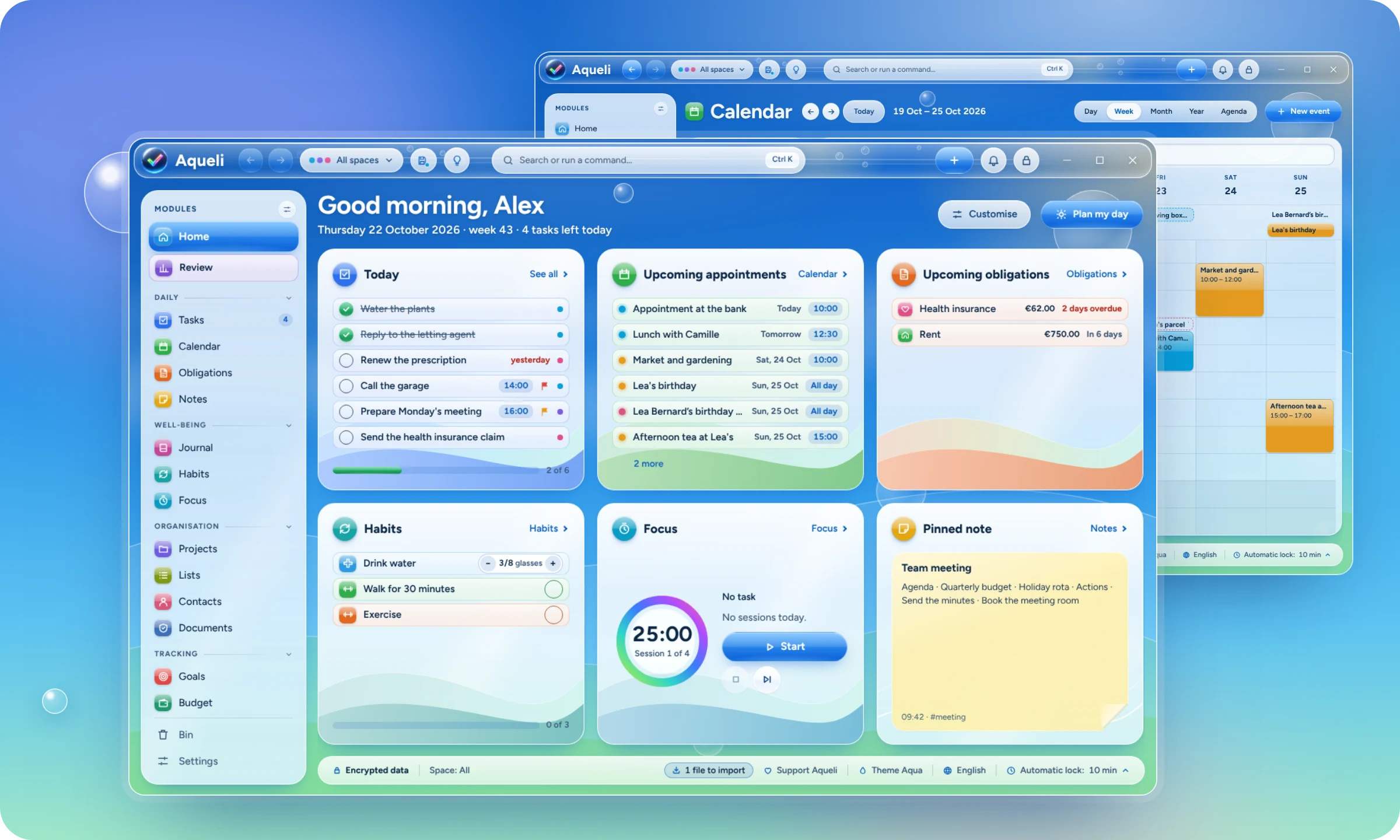
Aqueli brings the everyday pieces of a personal life into one desktop app: what there is to do, where to be, what to remember, what to pay and how the week went. Everything is stored on your PC, in an encrypted database that only your password opens. There is no account to create, no cloud and no subscription.
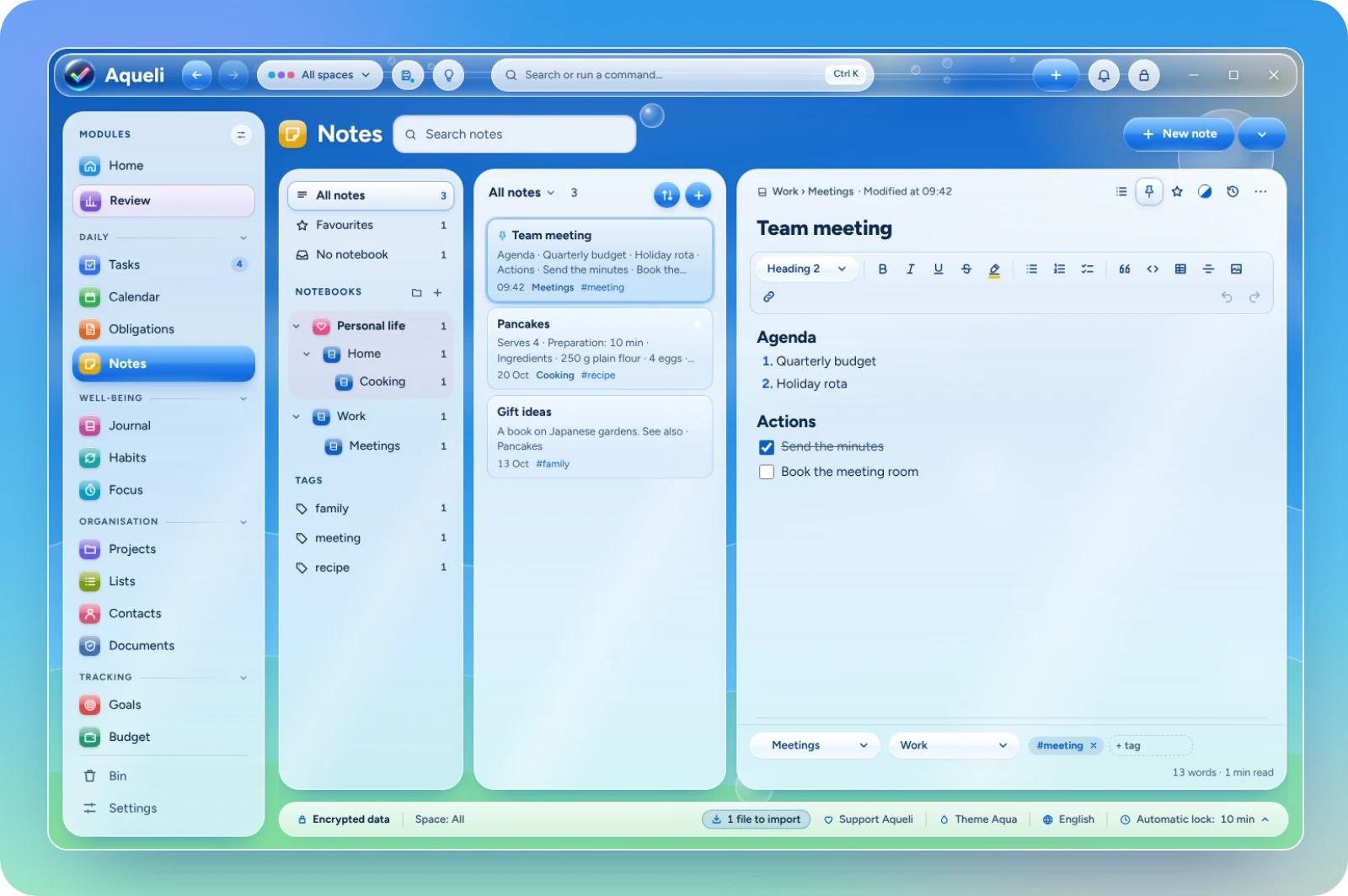
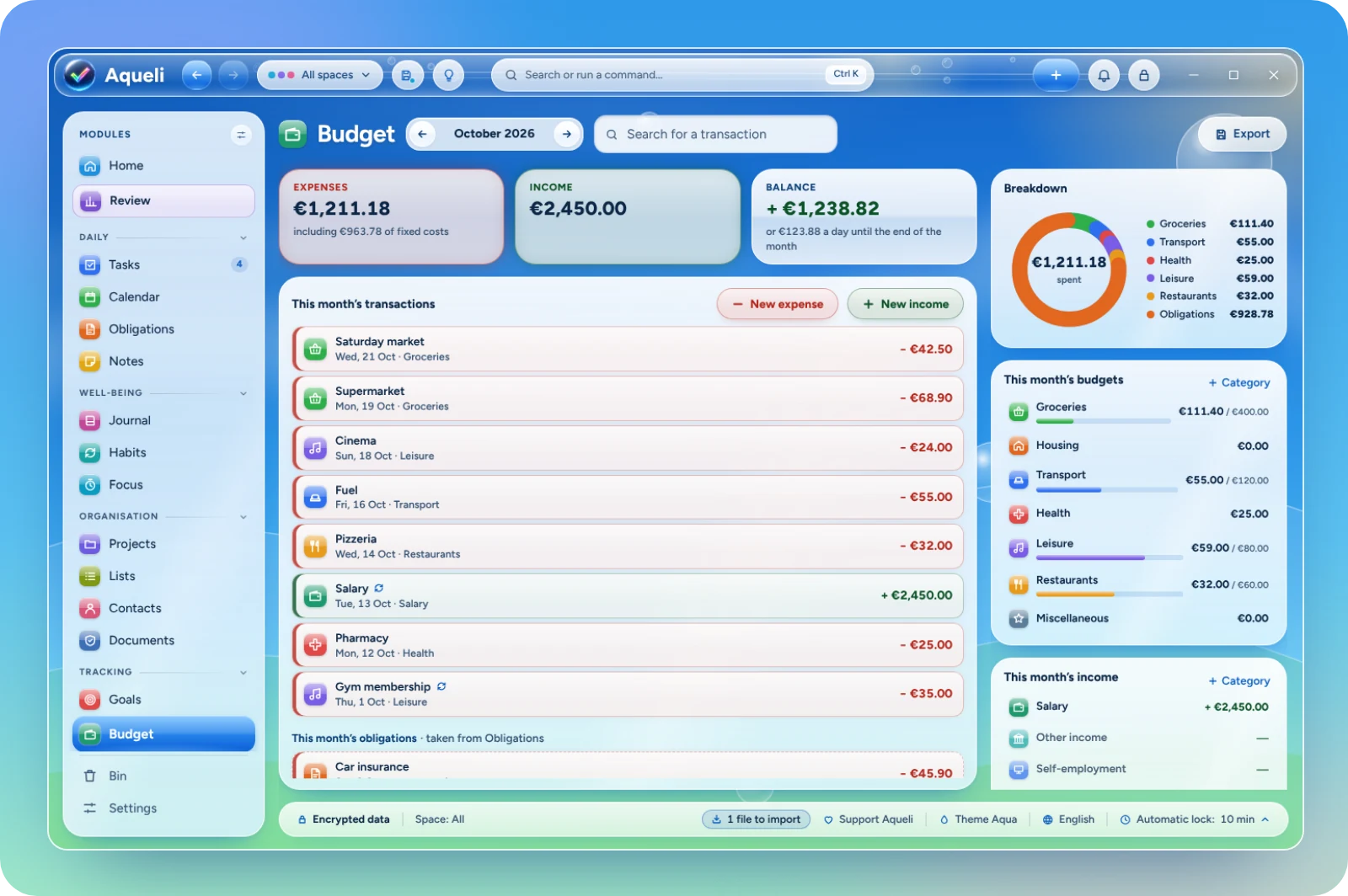
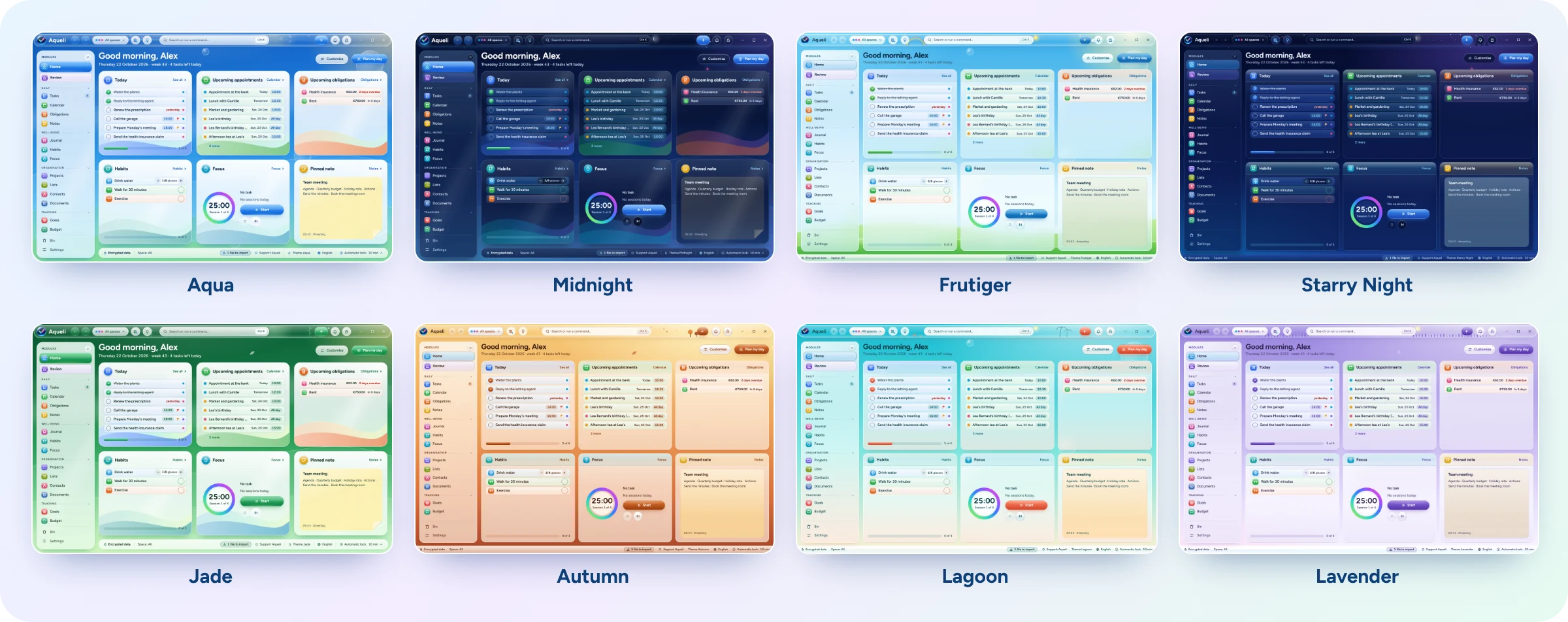
The interface takes its cue from the glossy, sky-blue look of the late 2000s, redrawn for Windows 11: frosted glass, soft light and bright colours, in 31 themes.
Download
Get the installer (Aqueli_x.y.z_x64-setup.exe) from the latest release and run it. It installs Aqueli for your Windows user account and does not need administrator rights. The installer starts by asking for your language, and Aqueli opens in the same language.
Requirements: Windows 11, 64-bit. Windows 10 may work but is not tested.
[!NOTE] The installer is not code-signed yet. Windows SmartScreen may show "Windows protected your PC" the first time: choose More info, then Run anyway. Each release lists the SHA-256 checksum of the installer, which you can compare with the output of
Get-FileHashin PowerShell.
Features
Fifteen modules, grouped in the sidebar. Hide the ones you do not use in Settings › Modules.
 Home Today at a glance, in cards you arrange and resize. |
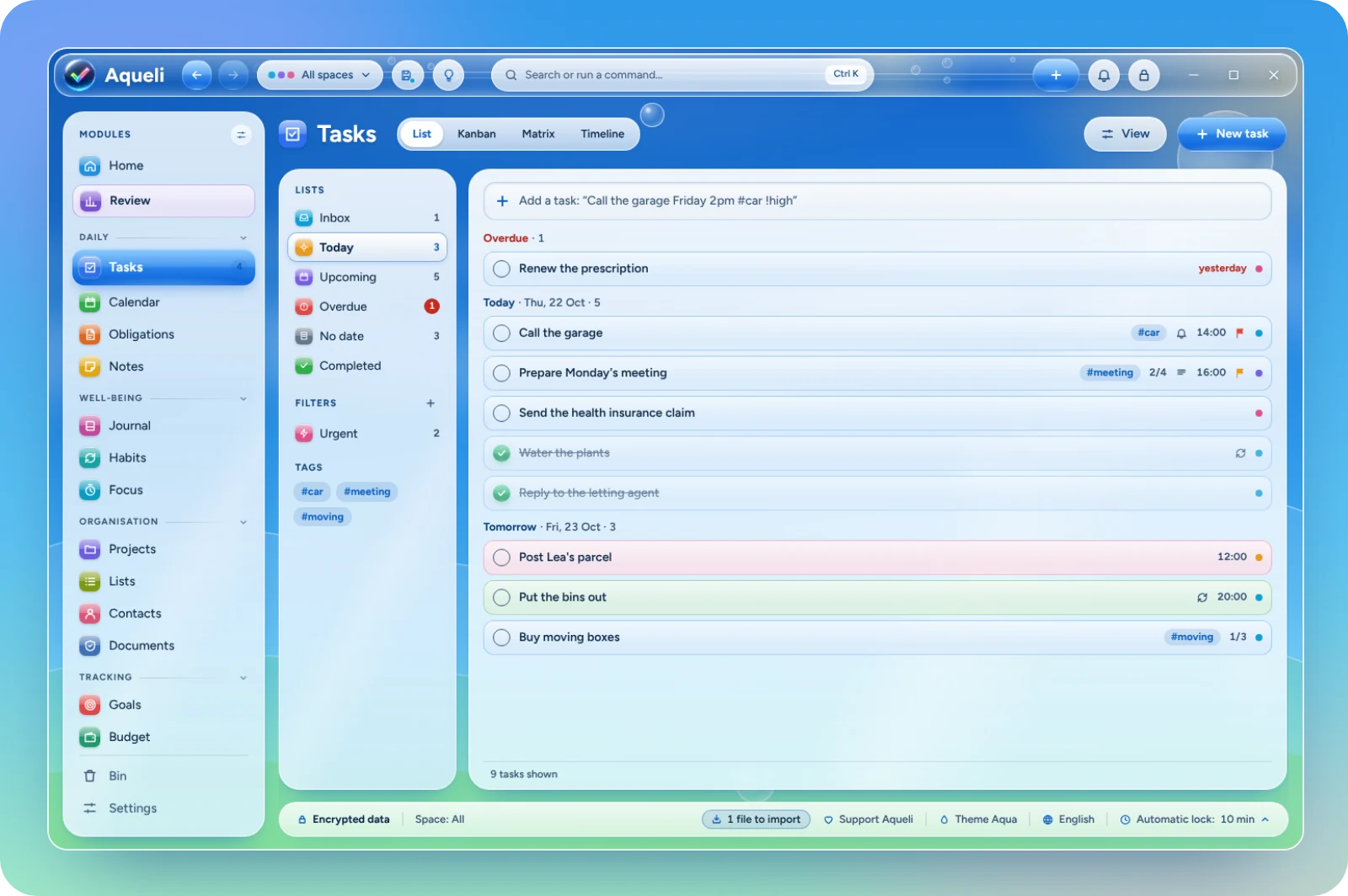
 Tasks Natural-language entry, subtasks, repeats and reminders. List, board and matrix views. |
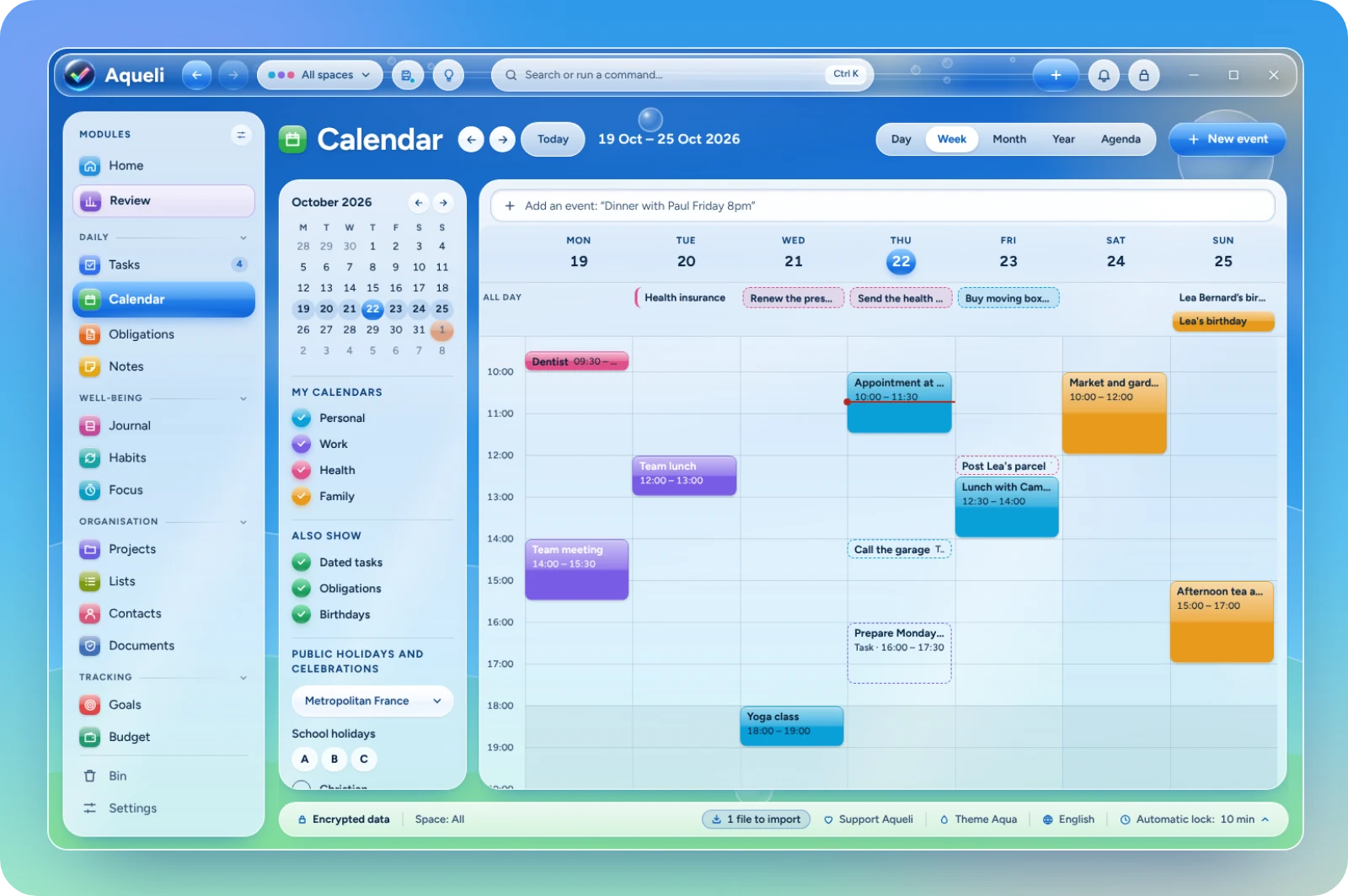
 Calendar Day, week, month and year views, with public and school holidays. |
 Obligations Bills, subscriptions, contracts and papers, with reminders before each deadline. |
 Notes Headings, checklists and tables, notebooks, links between notes and version history. |
 Journal One page a day, with mood, energy and gratitude. |
 Habits Yes/no or numeric habits, streaks, records and a year map. |
 Focus 25/5, 50/10 or custom cycles with calm soundscapes. Time is logged on the task. |
 Projects A project's tasks, notes and documents, its progress and reusable templates. |
 Lists Shopping, books, films or gifts, with custom columns and a gallery view. |
 Contacts Contact cards, birthdays in the calendar and the history of linked items. |
 Documents Important files kept inside the encrypted database, with expiry reminders. |
 Goals Goals for the year, quarter or month, with steps and automatic progress. |
 Budget A monthly budget by category, recurring items and bank statement import. |
 Review A guided weekly review, charts for the week, month and year, and a monthly PDF report. |
And around them:
- Encrypted by default. Each account is a SQLCipher database (AES-256), opened by a key derived from your password with Argon2id. A 24-character recovery key is the only other way in. Windows Hello can unlock it day to day, if you choose to turn it on.
- Works offline. Aqueli makes no network connections. Nothing is sent anywhere, and no internet connection is ever needed.
- Keyboard first. A command palette (Ctrl+K), shortcuts you can change, Ctrl+Z for every change to your data, and a quick capture window from anywhere in Windows (Ctrl+Alt+A).
- Everything connected. Link a task to a note, an event to a contact, a bill to its contract, and find anything from one search bar.
- Import and export. Bring in tasks, events, notes, contacts and more from Excel, CSV, text, Markdown,
.icsand.vcffiles, with a preview before anything is added. Export back to the same formats. - 31 themes. Light and dark, each with its own sky, illustrations and sounds. Themes can change with the time of day, the season or the holidays, and you can design your own.
- 17 languages, chosen at installation and changeable at any time.
- Several accounts on one PC, each with its own password, data and backups.
- Backups to a folder or an external drive, and a 30-day bin for anything deleted.
- Accessible. Full keyboard navigation, a high-contrast mode that follows Windows, and options to reduce motion and transparency.
Screenshots
 |
 |
 |
 |
Privacy
Aqueli does not collect anything. There is no account on a server, no telemetry, no analytics and no update check: the app does not open a single network connection. Your data lives in the Aqueli folder of your Windows user profile, in a database encrypted with your password, and only leaves it when you export a file or make a backup.
Because there is no server, there is no "forgot my password" link. Keep your recovery key somewhere safe: without the password or the key, the data cannot be read by anyone, including the author.
Languages
English, Français, Español, Português (Brasil), Deutsch, Italiano, Nederlands, Polski, Русский, Українська, Türkçe, हिन्दी, Bahasa Indonesia, Tiếng Việt, 简体中文, 日本語 and 한국어.
The installer, the interface and the import guide are available in each of them. Corrections from native speakers are welcome: see Contributing.
Building from source
You need Node.js 24, Rust (stable, MSVC toolchain), the Visual Studio Build Tools with the C++ workload, and Perl, which is used to build OpenSSL for SQLCipher. The build looks for a portable Strawberry Perl in ..\outils\strawberry-perl, next to the repository folder (see .cargo/config.toml). To use another Perl, set OPENSSL_SRC_PERL to its perl.exe before building.
git clone https://github.com/Areemi-app/aqueli.git
cd aqueli
npm ci
npm run tauri dev
To run the tests and build the installer:
npm test
cd src-tauri; cargo test; cd ..
npx tauri build --bundles nsis
The installer is written to src-tauri\target\release\bundle\nsis\.
The interface is written in React and TypeScript; the core, in Rust, is built on Tauri.
Contributing
Bug reports and suggestions are welcome in Issues. Please describe what you did, what you expected and what happened, and mention your Windows version and Aqueli version (Settings › About). Never attach your data folder or your recovery key.
Translations live in src/i18n/locales/, one file per language. If a word sounds wrong in your language, open an issue or a pull request with the corrected text.
Support
Aqueli is free and made by one person. If it is useful to you, you can support its development on Ko-fi.

License
Aqueli is free software, released under the GNU General Public License v3.0 or later.
Made by Areemi.
Explore related projects
n8n-io/n8n
Fair-code workflow automation platform with native AI capabilities. Combine visual building with custom code, self-host or cloud, 400+ integrations.
209,959 starslanggenius/dify
Build Agentic workflows, RAG pipelines, with rich AI model and tool support on one collaborative workspace. Deploy on cloud, VPC, or self-hosted, so teams move from prototype to production without rebuilding the stack.
160,773 starsmicrosoft/PowerToys
Microsoft PowerToys is a collection of utilities that supercharge productivity and customization on Windows
140,755 starsstablyai/orca
Orca is the place for working with a fleet of agents (e.g. Grok Bot, Claude Code). Run any coding agent with your own subscription. Available on desktop, mobile and remote runtime.
120,604 stars