
Angadveer185/self-hosted-media-server
Angadveer185/self-hosted-media-server has 57 GitHub stars and 4 forks. GitHot measured 0 stars in 24 hours, +1 in 7 days, and +1 in 15 days. Last checked 2026-11-18 13:12 UTC. Last push 2026-10-19.
Measured star growth
- in 24h
- 0
- in 7 days
- +1
- in 15 days
- +1
- in 1 month
- Collecting history
Net star changes over overlapping periods, not daily totals. Missing measurements are left blank. Stars measure attention, not software quality.
About
A documented, Docker-powered homelab for automated media management, secure remote access, VPN networking, backups, and server administration.
Self-hostedREADME.md
OriginalIndex
- Purpose
- Skeleton
- Components
- 1. Core Media Automation: The "Arr" Apps
- 1.1 Radarr — Movie Manager
- 1.2 Sonarr — TV Show Manager
- 1.3 Jellyseerr — Media Request Manager
- 1.4 Bazarr — Subtitle Manager
- 2. Indexer Management & Anti-Bot Compatibility
- 2.1 Prowlarr — Indexer Manager
- 2.2 FlareSolverr — Browser-Based Challenge Handler
- 3. Media Playback and Streaming
- 3.1 Jellyfin — Media Library and Playback Server
- 4. Downloading & VPN Routing
- 4.1 qBittorrent — Download Client
- 4.2 Gluetun — VPN Gateway Container
- 4.3 ProtonVPN — VPN Provider
- 5. Server Management & Container Infrastructure
- 5.1 Docker — Application Containerization
- 5.2 Portainer — Visual Docker Management
- 6. Secure Remote Access & Networking
- 6.1 Cloudflared — Cloudflare Tunnel Client
- 6.2 Tailscale — Secure Private Remote Access
- 7. Notifications & Event Monitoring
- 7.1 Discord — Centralized Notifications
- How Everything Interacts
Purpose
The purpose of this project is to build a Media Server which will allow me to Download/Torrent Movies and TV Shows to my remote server (Laptop/PC) and from there, stream in onto my TV or any other platform I want.
Skeleton

Components
1. Core Media Automation: The "Arr" Apps
The Arr applications are the automation layer of the server. They track the content you want, search configured indexers for matching releases, send download jobs to a download client, and organize completed files in the library.
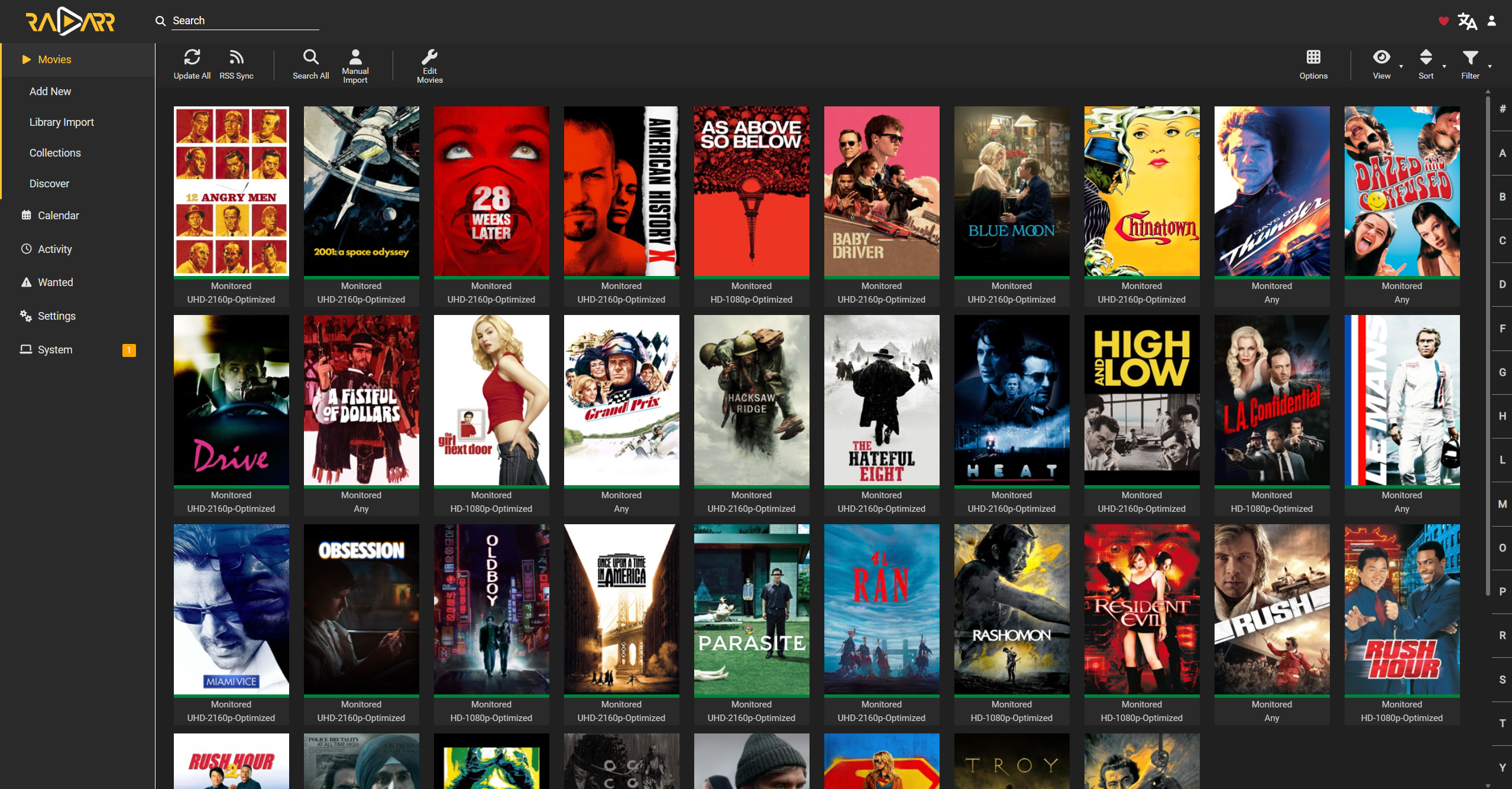
1.1 Radarr — Movie Manager


Role: Manages the movie library.
Radarr keeps track of movies you have added and applies your quality and release preferences when searching for available versions.
What it does
- Maintains a movie collection: Stores the movies you want to acquire and tracks whether each one is missing, available, or eligible for an upgrade.
- Searches for releases: Uses indexers configured through Prowlarr or added directly to find releases that match your criteria.
- Selects suitable releases: Evaluates available results against quality profiles, custom formats, preferred languages, and other configured rules.
- Sends download jobs: Passes the selected release to qBittorrent.
- Monitors downloads: Checks the download client's progress and waits for completion.
- Imports and organizes files: Imports completed downloads into the movie library, applies the configured naming format, and places each file in the appropriate movie folder.
- Maintains consistent metadata: Uses movie information to keep titles and library organization consistent.
Why it is useful Radarr acts as the movie library's automation engine. Instead of manually searching for every movie, tracking downloads, and renaming files, you define your preferences and let Radarr manage the workflow.
1.2 Sonarr — TV Show Manager

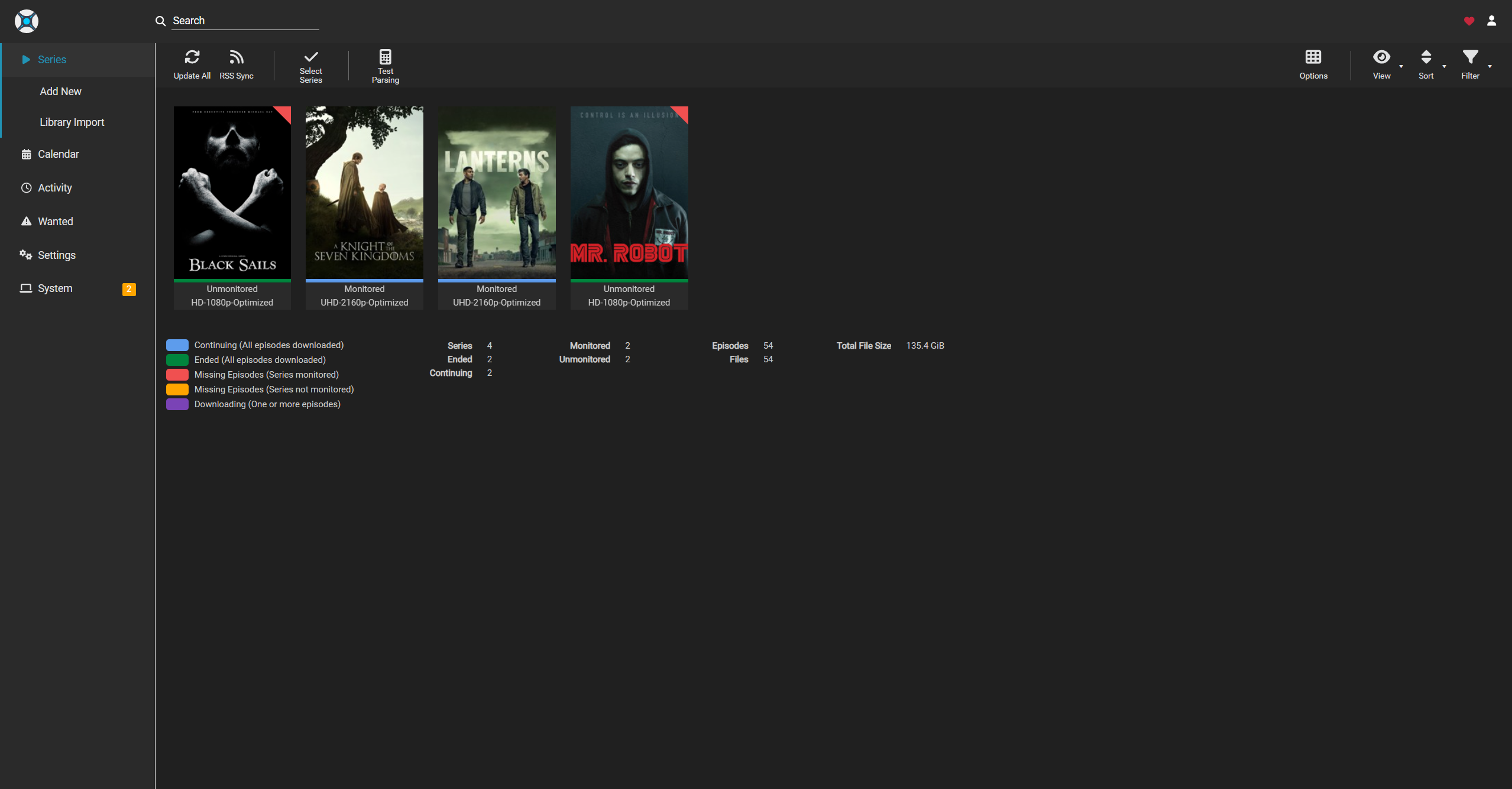
Role: Manages television series and episodes.
Sonarr provides a workflow similar to Radarr, but it is designed around series, seasons, and individual episodes.
What it does
- Tracks series and seasons: Keeps a record of the shows you want and which episodes are monitored.
- Looks for new episodes: Can search for missing episodes and monitor for newly released episodes, according to the show's monitoring settings.
- Uses configured indexers: Queries release sources supplied by Prowlarr or configured directly.
- Applies quality preferences: Selects releases according to quality profiles, custom formats, language preferences, and upgrade rules.
- Sends downloads to qBittorrent: Adds selected releases to the download client and tracks their status.
- Imports and renames episodes: Places completed episodes in the correct series and season folders using consistent naming conventions.
- Tracks missing content: Identifies episodes that have not yet been imported and can search for replacements.
Why it is useful Sonarr keeps episodic content organized and helps maintain a complete TV library. It reduces the need to check manually for new episodes or sort files by season and episode number.
1.3 Jellyseerr — Media Request Manager


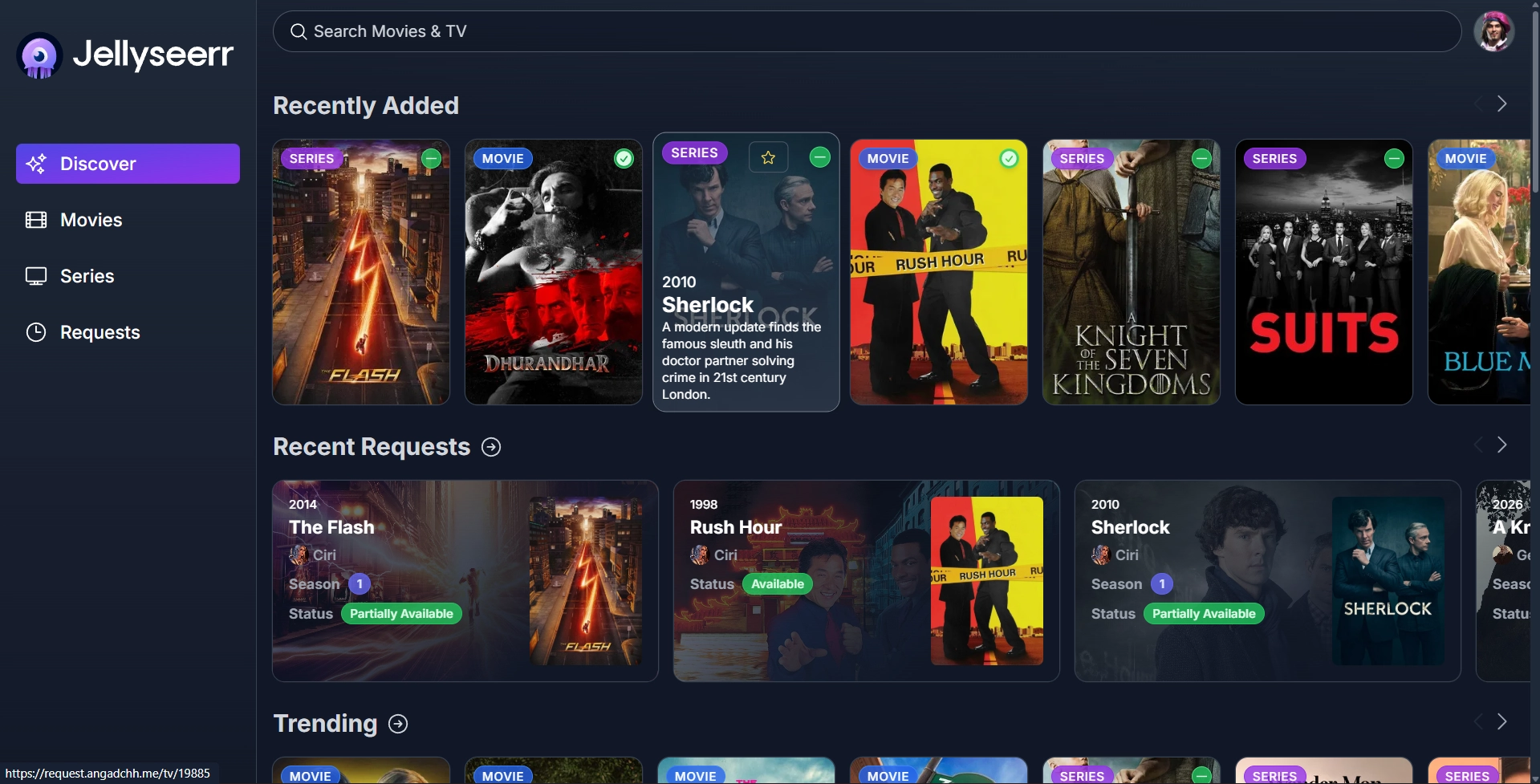
Role: Provides a simple interface for requesting movies and TV shows.
Jellyseerr gives users a searchable, streaming-service-style catalogue where they can request content without needing direct access to Radarr or Sonarr.
What it does
- Provides a discovery interface: Lets users search for movies and shows and view relevant title information.
- Accepts requests: Users can submit a request rather than configuring a download themselves.
- Connects to Radarr and Sonarr: Sends approved requests to the appropriate automation application.
- Supports request approval: Administrators can configure whether requests are automatically accepted or require approval.
- Shows request status: Helps users see whether a request is pending, approved, or available, depending on the application's integrations and configuration.
- Supports multiple users: Makes it easier to manage requests from family members or other authorized users.
Why it is useful Jellyseerr separates the user-facing request process from the technical automation tools. Users can ask for content through one interface while Radarr and Sonarr handle the search, download, and import workflow.
1.4 Bazarr — Subtitle Manager

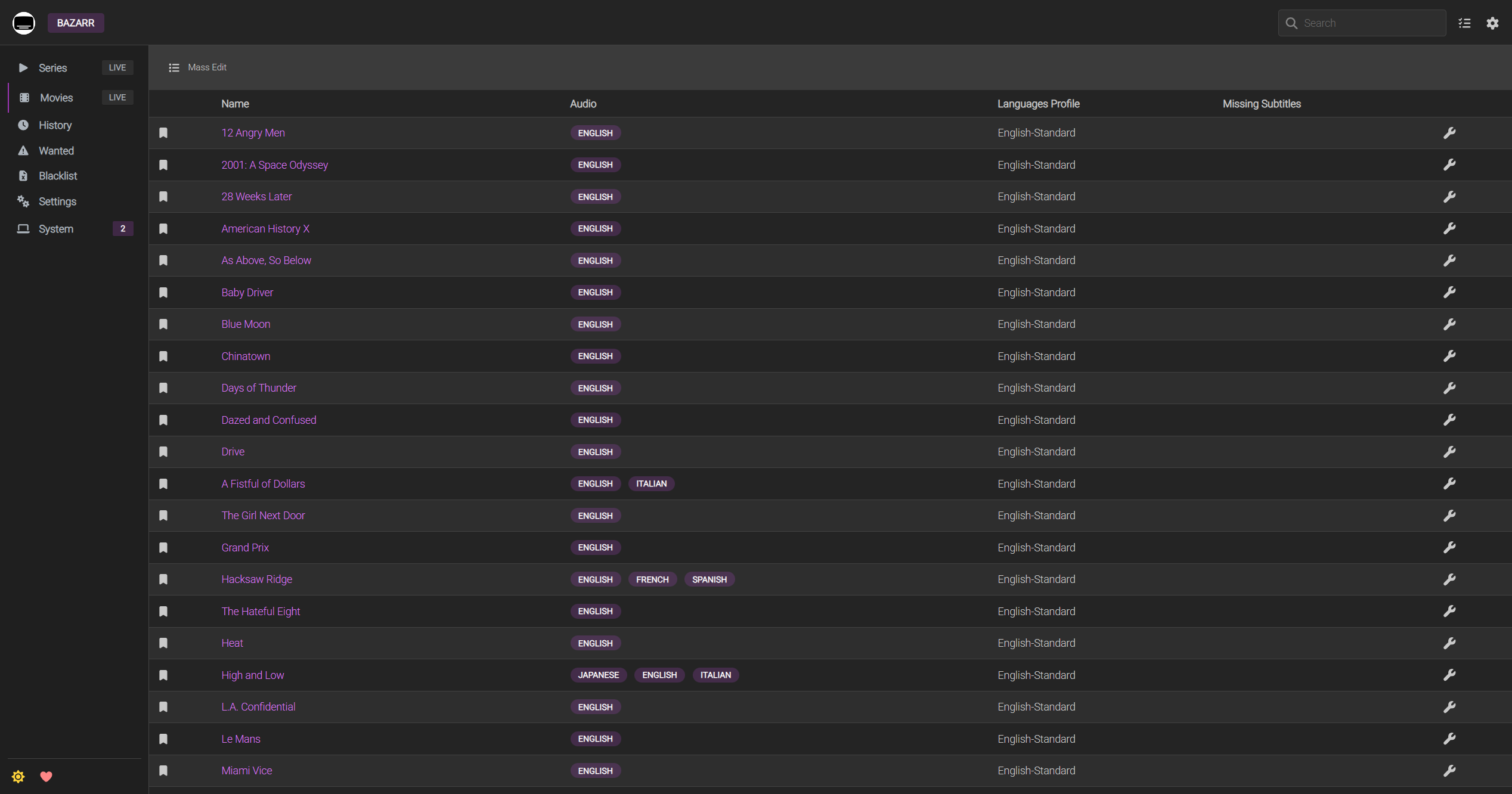
Role: Automates subtitle discovery and downloads.
Bazarr works alongside Radarr and Sonarr to find subtitles for movies and episodes in the media library.
What it does
- Connects to Radarr and Sonarr: Uses their library information to identify movies and episodes that may need subtitles.
- Searches subtitle providers: Looks for matching subtitle files through the providers configured in Bazarr.
- Keeps subtitles organized: Stores subtitle files alongside the relevant media according to the configured settings.
Why it is useful Bazarr reduces the need to search for subtitles manually and helps make the library more accessible. Subtitle availability and matching quality depend on the configured providers and the specific release.
2. Indexer Management & Anti-Bot Compatibility
Indexer services help Radarr and Sonarr discover releases. Some sites use anti-bot systems or access restrictions, so an indexer may not always be reachable by automated tools.
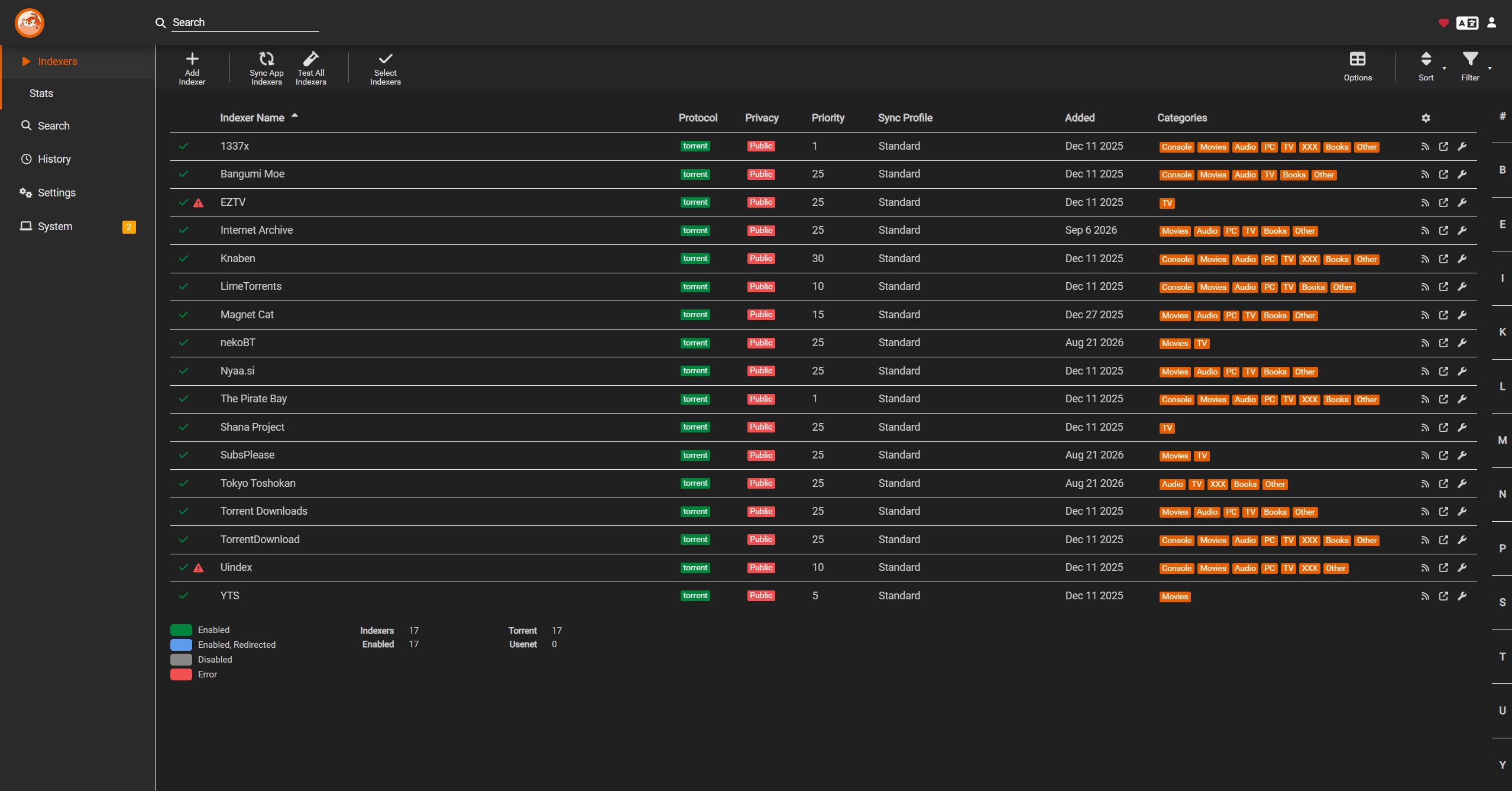
2.1 Prowlarr — Indexer Manager

Role: Manages indexers for the Arr ecosystem.
Prowlarr acts as a central place to configure supported indexers and share them with connected applications such as Radarr and Sonarr.
What it does
- Configures indexers centrally: Stores the connection details and settings for supported release sources.
- Synchronizes with other apps: Can push compatible indexer configurations to connected Radarr and Sonarr instances.
- Centralizes maintenance: Makes it easier to update or troubleshoot indexer settings without repeating the same setup in every application.
Why it is useful Without Prowlarr, indexers may need to be configured separately in multiple applications. Centralized management reduces duplicated work and makes the overall setup easier to maintain.
2.2 FlareSolverr — Browser-Based Challenge Handler
Role: Provides a browser-based service that may help with certain anti-bot challenges.
Some websites use Cloudflare or similar protections that can prevent automated clients from accessing pages. FlareSolverr is designed to work with compatible integrations by using a browser-like session to attempt to retrieve the requested page.
What it does
- Receives requests from a compatible integration: Prowlarr can be configured to use FlareSolverr where an indexer and integration support it.
- Attempts browser-based access: Uses a browser session to load the target page and handle certain challenges.
- Returns the result: Passes the resulting page content back to the requesting service when the process succeeds.
Why it is used FlareSolverr can improve compatibility with some protected websites, but it is not a universal bypass. Websites can change their protections, and some challenges or indexers may remain inaccessible. Its usefulness depends on the target site and current integration support.
3. Media Playback and Streaming
3.1 Jellyfin — Media Library and Playback Server

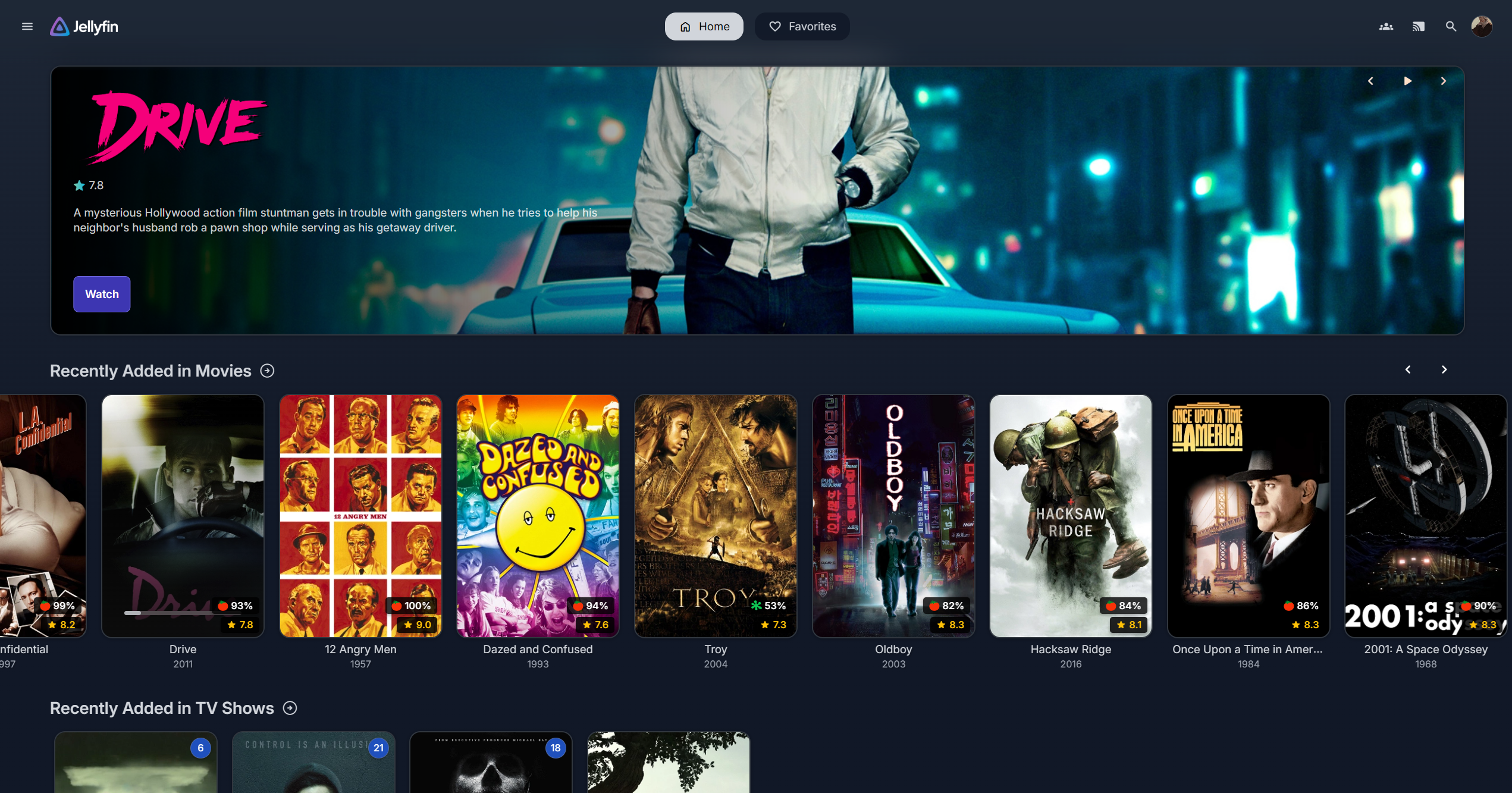
Role: Provides the interface used to browse and watch the media library.
Jellyfin is an open-source media server. It scans configured media locations, builds a browsable library, and streams compatible media to supported clients.
What it does
- Scans media folders: Reads the movie and TV directories populated by the automation applications.
- Builds a library interface: Organizes content into movies, series, seasons, episodes, and other supported library types.
- Retrieves metadata: Displays information such as titles, descriptions, artwork, and other metadata when available.
- Streams to client devices: Supports playback through compatible web browsers, phones, tablets, TVs, and dedicated client applications.
- Tracks user activity: Can maintain user accounts, playback progress, and other library features.
- Supports direct play and transcoding: Plays a file directly when the client supports it, or transcodes media when required and supported by the server's configuration and hardware.
Why it is useful Jellyfin is the user-facing playback layer. Radarr and Sonarr help organize the files, while Jellyfin turns those files into a library that users can browse and watch.
4. Downloading & VPN Routing
4.1 qBittorrent — Download Client

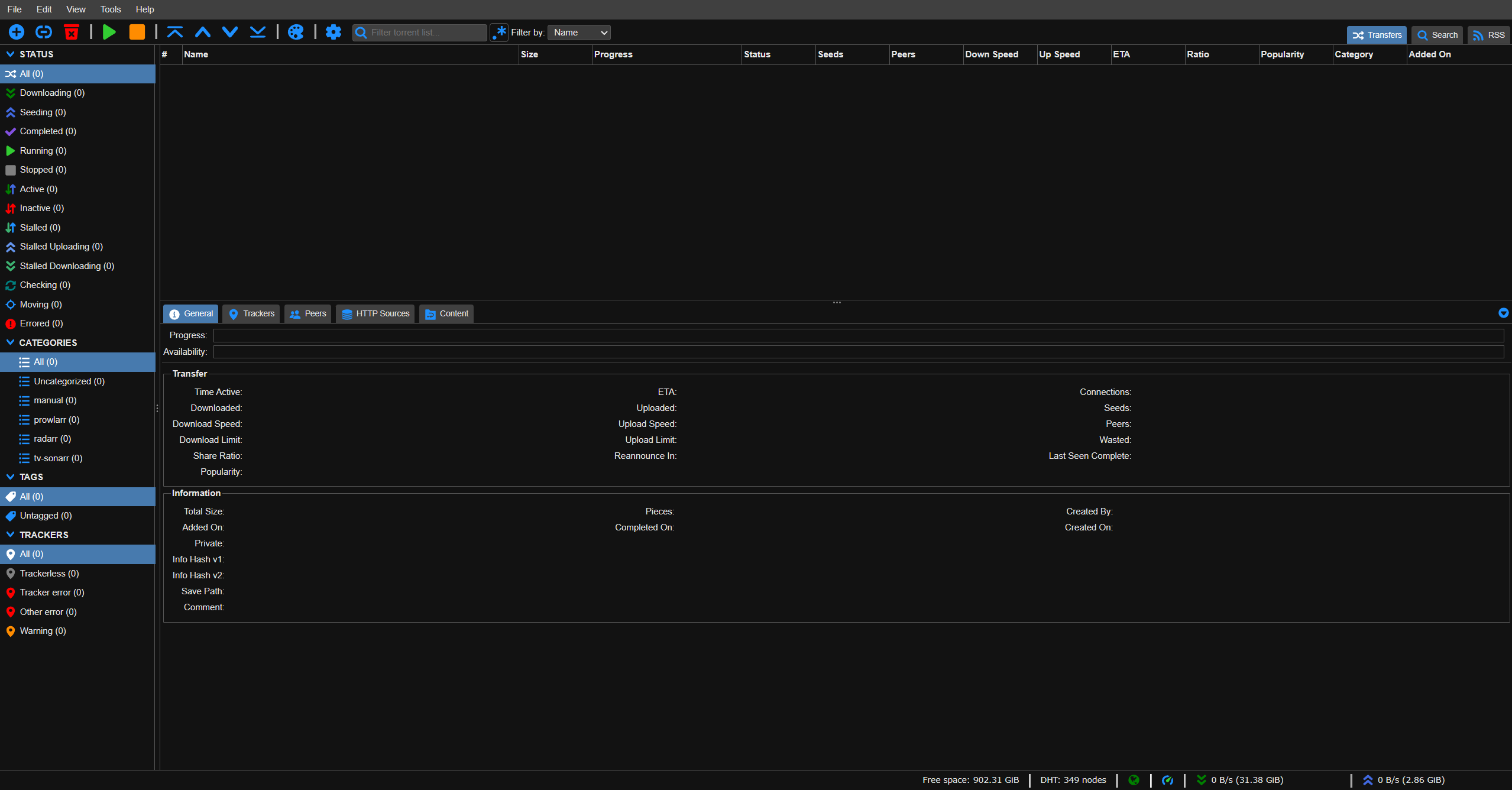
Role: Downloads releases selected by Radarr and Sonarr.
qBittorrent is an open-source BitTorrent client that performs the actual torrent downloads. Radarr and Sonarr decide what to download based on their rules; qBittorrent manages the transfer.
What it does
- Receives download jobs: Accepts releases sent by Radarr and Sonarr through their configured integration.
- Manages transfers: Tracks progress, peers, speeds, availability, and completion status.
- Reports status through its API: Allows the automation applications to monitor jobs and determine when files are ready to import.
- Stores completed downloads: Keeps files in the configured download location until the automation application imports them.
Why it is useful qBittorrent is the transfer engine in this workflow. Its integration with Radarr and Sonarr enables downloads to run without requiring manual intervention for each release.
4.2 Gluetun — VPN Gateway Container

Role: Provides VPN connectivity to containers routed through it.
Gluetun is a Docker container designed to establish a VPN connection and provide network access to other containers through that connection. This can centralize VPN routing instead of configuring a separate VPN client in every application.
What it does
- Connects to a supported VPN provider: Supports provider-specific configurations using protocols such as WireGuard or OpenVPN, depending on the provider and setup.
- Routes traffic through the tunnel: Containers configured to share Gluetun's network namespace can send their network traffic through the VPN connection.
- Applies firewall protections: Its firewall and kill-switch behavior can help prevent routed traffic from escaping through the ordinary network if the VPN connection fails, when correctly configured.
- Centralizes VPN configuration: Keeps provider credentials, tunnel settings, and related network configuration in one place.
Containers that may use Gluetun In this setup, the intended VPN-routed services may include:
- qBittorrent
- Prowlarr
- FlareSolverr
- Jellyseerr
The actual routing depends on the Docker Compose configuration. Radarr and Sonarr do not automatically use the VPN simply because Gluetun is running.
Why it is useful Gluetun makes VPN routing easier to manage in a containerized environment. Correct network configuration is essential: verify the VPN connection, firewall behavior, and routing from the containers that are meant to use it.
4.3 ProtonVPN — VPN Provider

Role: Supplies the VPN service used by the server or Gluetun.
ProtonVPN is a commercial VPN provider. In a Docker-based setup, it can be configured as Gluetun's VPN backend when the chosen provider configuration and plan support the required connection method.
How it can be used
- System-wide VPN: A VPN client runs directly on the Linux host, subject to the host's routing and firewall configuration.
- Container-based VPN: Gluetun establishes the connection, and selected containers route their traffic through it.
These are different networking approaches. Running a VPN on the host does not necessarily mean that every Docker container uses it, and using Gluetun does not automatically route the host's own traffic through the tunnel.
Why it is used A VPN can reduce the exposure of the public IP address to peers and provide an encrypted connection between the configured device or container and the VPN endpoint. It does not provide complete anonymity, guarantee that an ISP cannot identify all traffic patterns, or replace good security practices.
5. Server Management & Container Infrastructure
5.1 Docker — Application Containerization
Role: Runs the media-server applications in containers.
Docker packages applications and their dependencies into containers. This allows each service to be deployed and managed separately while sharing the host's operating system kernel.
What it does
- Separates applications: Runs services in their own containers, reducing dependency conflicts between applications.
- Makes deployments repeatable: Docker Compose files can describe the images, settings, volumes, networks, and restart behavior for a stack.
- Preserves configuration and media: Bind mounts and volumes allow important data to live outside a container's writable layer.
- Supports controlled networking: Docker networks and network modes determine how services communicate with one another and the outside world.
Why it is useful Docker provides a consistent way to deploy and maintain the media server. It also makes the networking relationships between applications, including VPN-routed containers, explicit and manageable.
5.2 Portainer — Visual Docker Management
Role: Provides a web interface for managing Docker resources.
Portainer offers a graphical alternative to performing every routine Docker task through the command line.
What it does
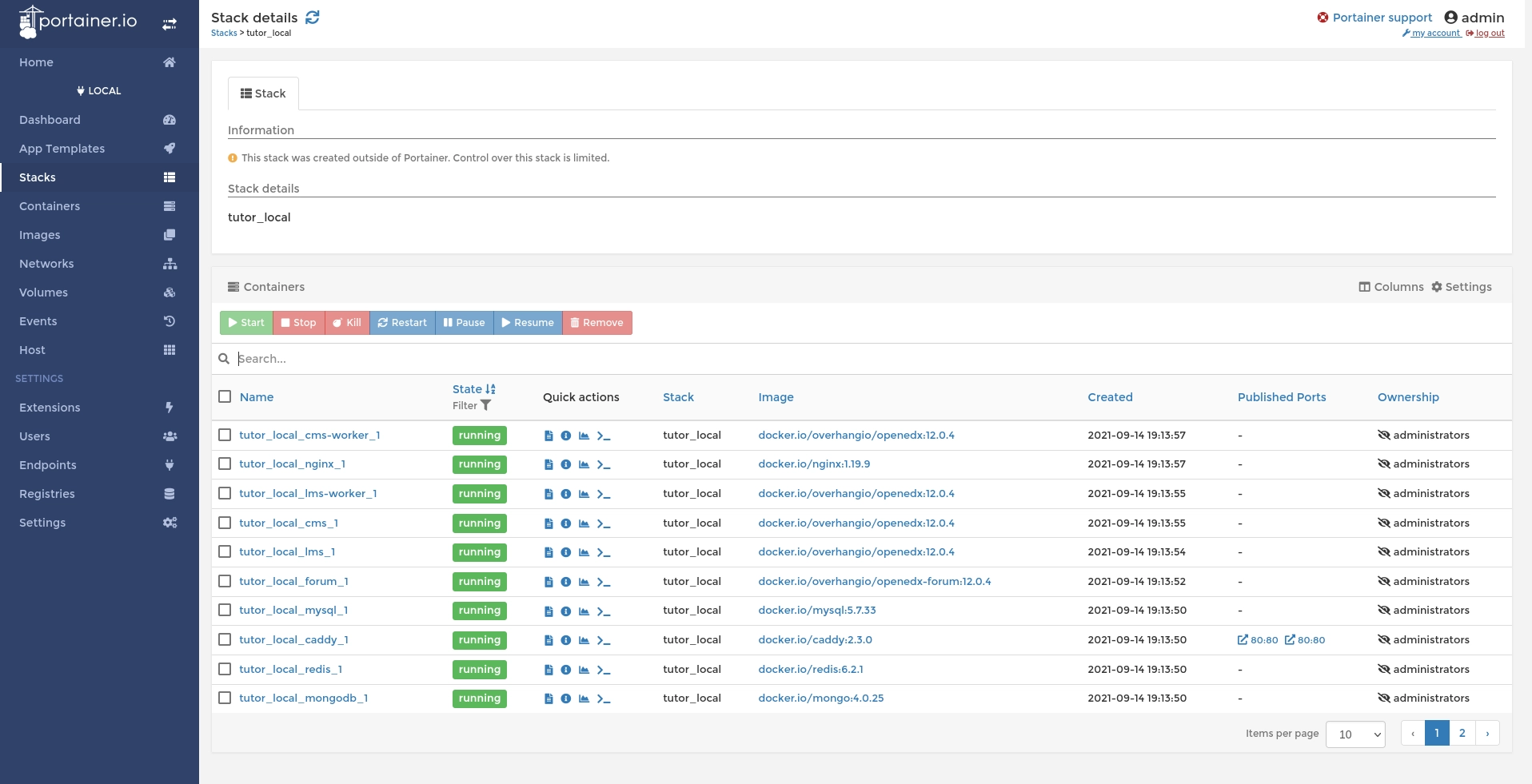
- Displays container status: Shows running and stopped containers and their reported states.
- Manages common actions: Supports tasks such as starting, stopping, restarting, and inspecting containers, subject to permissions.
- Shows Docker resources: Provides views of images, networks, volumes, and related resources.
- Manages stacks: Can display and manage Compose-based stacks when configured for the relevant Docker environment.
- Helps with troubleshooting: Provides access to container logs and configuration details that can help diagnose problems.
Why it is useful Portainer makes the state of the container environment easier to inspect at a glance. It complements, rather than replaces, the command line and direct review of Docker Compose files.
6. Secure Remote Access & Networking
These tools expose services to the internet safely without opening raw ports or risking IP leaks.
6.1 Cloudflared — Cloudflare Tunnel Client
Role: Connects services on the server to Cloudflare Tunnel for remote access.
Cloudflared is a client that creates an outbound tunnel from the server to Cloudflare. When configured with the appropriate Cloudflare settings and hostname routing, it can make selected services reachable without exposing a service through a conventional inbound port-forwarding rule.
What it does
- Creates an outbound tunnel: Establishes a connection from the server to Cloudflare's network.
- Routes configured hostnames: Sends requests for configured hostnames to the corresponding local services.
- Supports multiple services: Different hostnames or routes can point to different applications, depending on the tunnel configuration.
Why it is useful Cloudflared can make selected server applications accessible when you are away from home while reducing the need to expose the server directly to the internet.
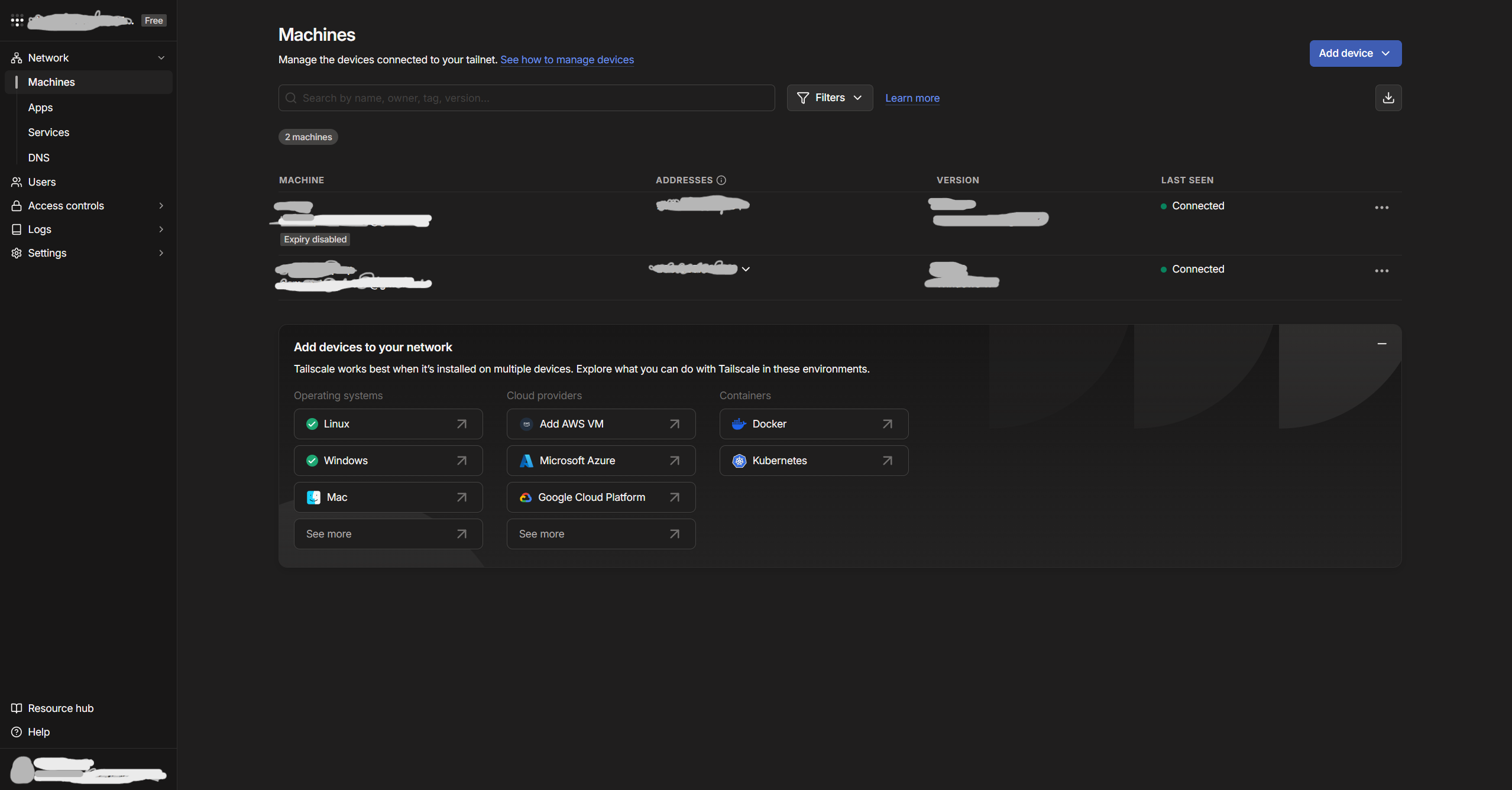
6.2 Tailscale — Secure Private Remote Access

Role: Provides secure remote access to the media server and its management interfaces over a private network.
Tailscale is a mesh VPN built on WireGuard that connects authorized devices through a private network called a tailnet. It allows devices to communicate securely even when they are on different networks, without generally requiring manual router port forwarding. When a direct connection is not possible, Tailscale can relay traffic through its infrastructure.
What it does
- Enables remote server access: Allows authorized devices, such as a laptop, to connect to the media server while away from home.
- Supports remote administration: Provides access to SSH and other management interfaces when the relevant services, firewall rules, and Tailscale permissions allow it.
- Creates encrypted connections: Uses WireGuard-based encryption to protect traffic between connected devices.
- Simplifies connectivity: Handles device connectivity across different networks, including university, public Wi-Fi, and mobile connections.
- Controls network access: Uses device authentication, access-control policies, and optional features such as device approval to restrict access to authorized devices.
Why it is useful Tailscale provides a private route to the media server for administration and personal access without requiring management interfaces to be publicly exposed. It complements Cloudflare Tunnel: Cloudflare Tunnel can publish selected applications through configured hostnames, while Tailscale provides private connectivity between authorized devices.
7. Notifications & Event Monitoring
7.1 Discord — Centralized Notifications

Role: Provides a centralized notification channel for monitoring activity and events across the media-server applications.
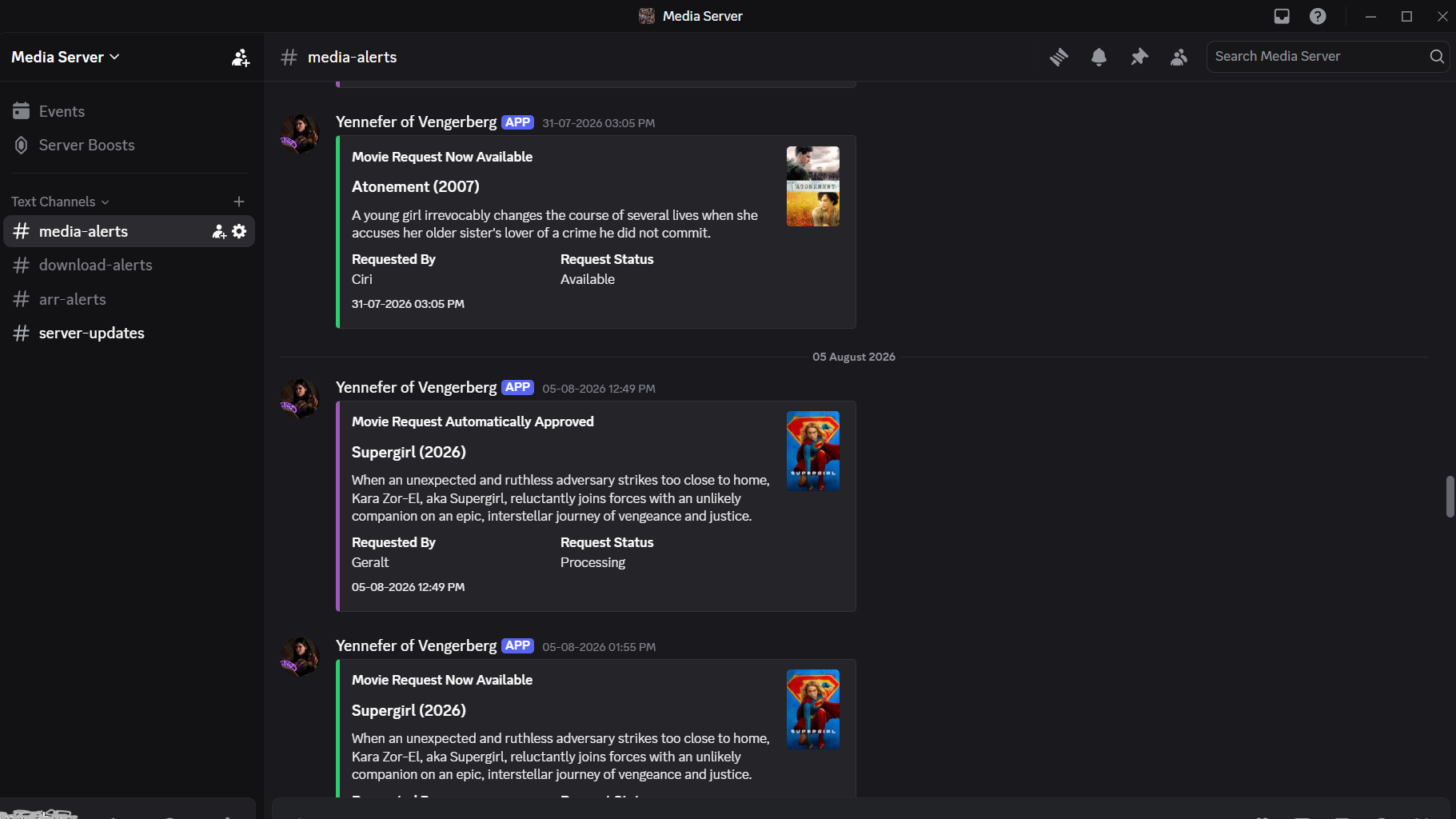
Discord acts as the notification destination for several services in the media-server stack. Using Discord's built-in webhooks, individual applications can send automated messages to a designated Discord channel whenever configured events occur.
What it does
- Monitors media automation: Sonarr and Radarr send notifications about events such as downloads, imports, upgrades, and other configured library changes.
- Reports indexer activity: Prowlarr can send notifications about indexer events, failures, and other supported events.
- Tracks media requests: Jellyseerr can notify the Discord channel about new requests and request-related status changes, depending on its notification settings.
- Centralizes service updates: Notifications from multiple applications arrive in one place, making it easier to monitor the media server without opening each application's web interface.
Why it is useful Discord provides a convenient, centralized view of important media-server activity. It helps track the progress of automated downloads, library imports, media requests, and potential application errors while reducing the need for continuous manual monitoring.
How Everything Interacts
The following sequence describes the normal path from requesting a title to watching it in Jellyfin.
- A user requests a movie or show. The request can be added directly in Radarr or Sonarr, or submitted through Jellyseerr.
- The request reaches the appropriate automation app. Radarr handles movies; Sonarr handles TV series and episodes. The app records the title and applies its monitoring and quality settings.
- The automation app searches for releases. It queries the configured indexers, commonly managed centrally through Prowlarr.
- Prowlarr queries the available indexers. If a supported indexer requires browser-based challenge handling, a configured FlareSolverr integration may attempt to retrieve the page. Success is not guaranteed for every site.
- Release results return to Radarr or Sonarr. The automation app evaluates the results against its configured quality profiles, custom formats, language preferences, and upgrade rules.
- The selected release is sent to qBittorrent. qBittorrent manages the transfer and reports its status through the configured integration.
- VPN routing applies where configured. If qBittorrent is attached to Gluetun's network namespace, its traffic is intended to use the VPN connection established by Gluetun. The actual Docker configuration determines which other containers are routed the same way.
- The completed download is imported. Radarr or Sonarr identifies the completed files, imports them into the appropriate library location, and applies the configured naming convention.
- Bazarr looks for subtitles. It checks the connected libraries and searches configured subtitle providers according to the selected language and subtitle preferences.
- Jellyfin makes the media available for playback. Jellyfin scans the library paths and displays recognized movies and episodes with available metadata and artwork.
- Users stream the content. Jellyfin serves the media to compatible clients, using direct play or transcoding as needed and supported.
- Docker and Portainer support ongoing maintenance. Docker runs the services and defines their networking and persistent storage. Portainer provides a graphical view for routine management and troubleshooting.
[!TIP] ➜ Up Next You’ve completed 00 Overview Next: 01 Docker