
AndyHazz/bookshelf.koplugin
AndyHazz/bookshelf.koplugin has 1,210 GitHub stars and 53 forks. GitHot measured +4 stars in 24 hours and +23 in 7 days. Last checked 2026-11-10 22:23 UTC. Last push 2026-11-02.
A nice looking home screen for KOReader. Lets you pick a book from your shelf and read it, with some customisation around the book preview info that's shown.
Measured star growth
- in 24h
- +4
- in 7 days
- +23
- in 15 days
- Update delayed
- in 1 month
- Update delayed
Net star changes over overlapping periods, not daily totals. Missing measurements are left blank. Stars measure attention, not software quality.
README.md
Original

Bookshelf
A friendly home screen for KOReader. Browse your library by series, author, genre, collection, or anything you like; pick a book, glance at its cover, blurb, rating and progress, and start reading. Shelves draw three ways: a grid of covers, a list, or spines standing edge-on like a real bookcase.
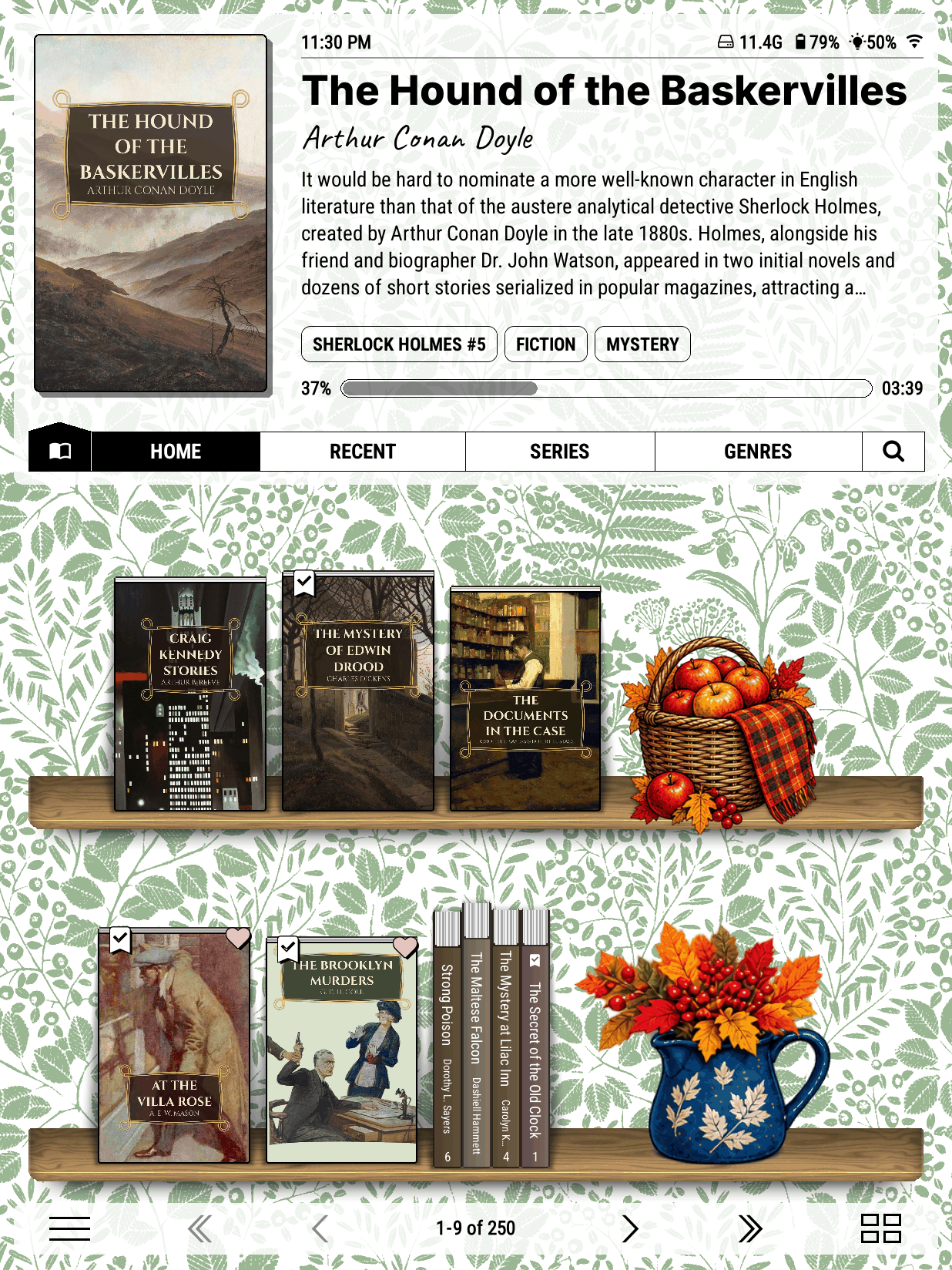
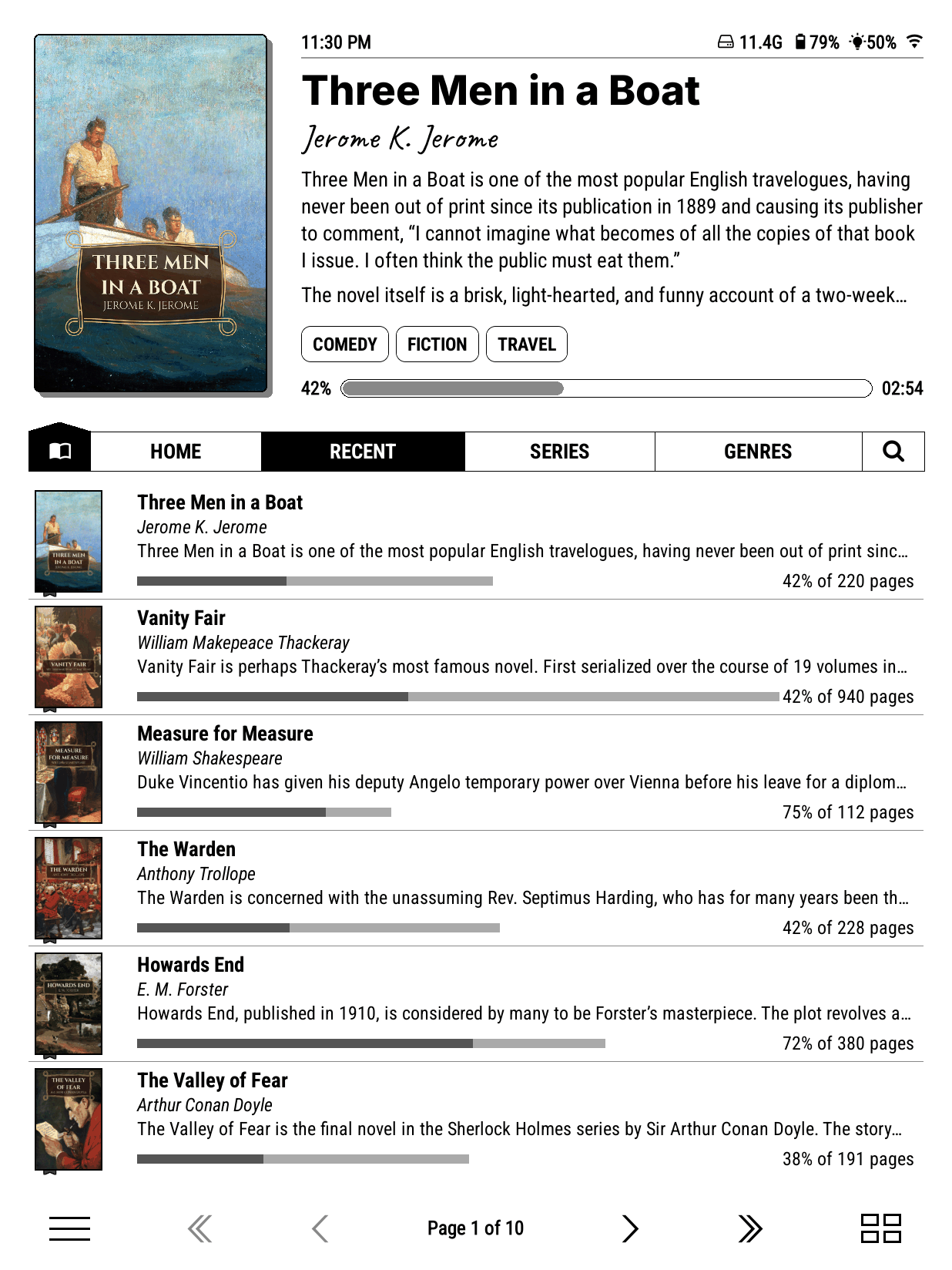
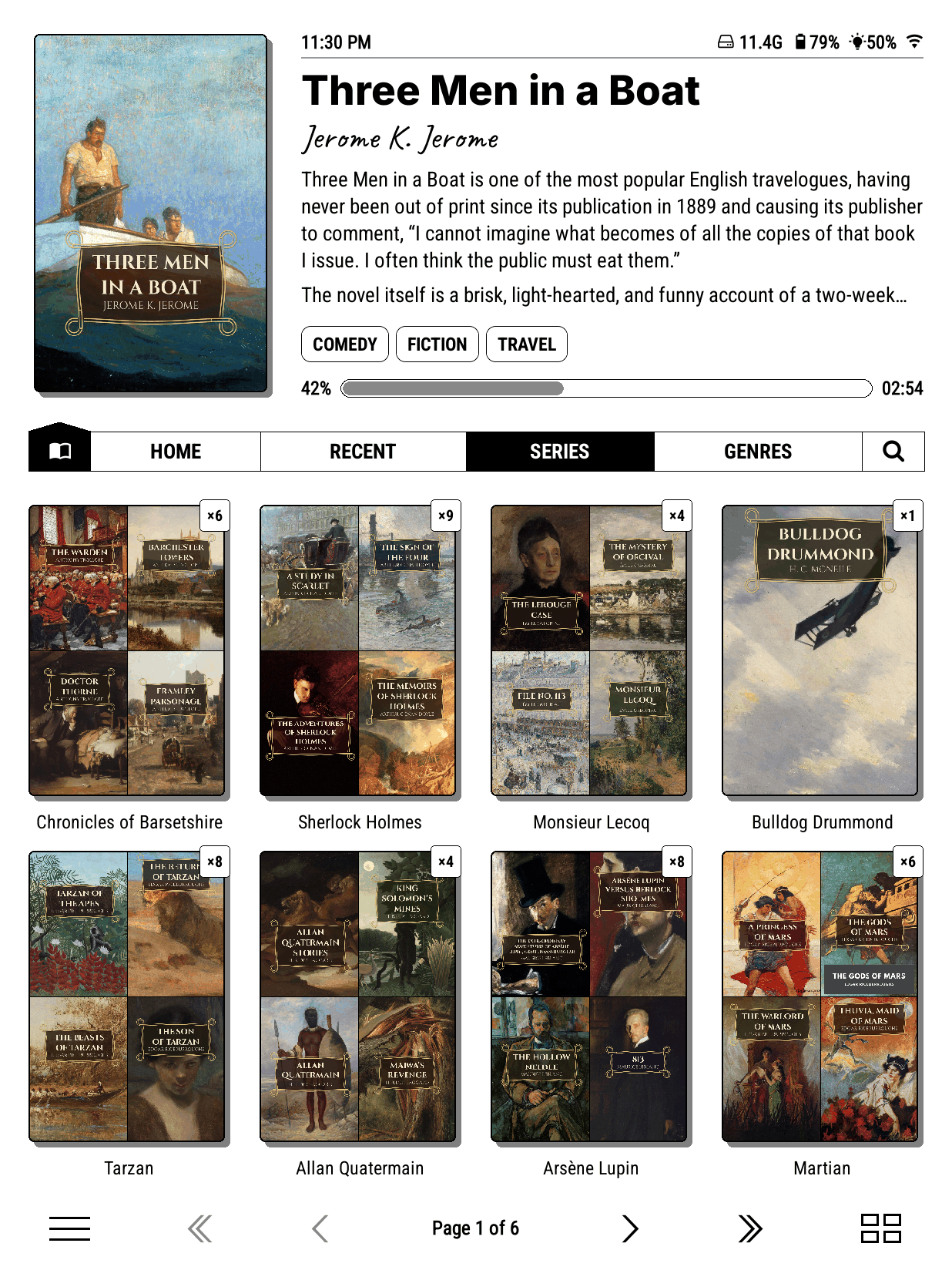
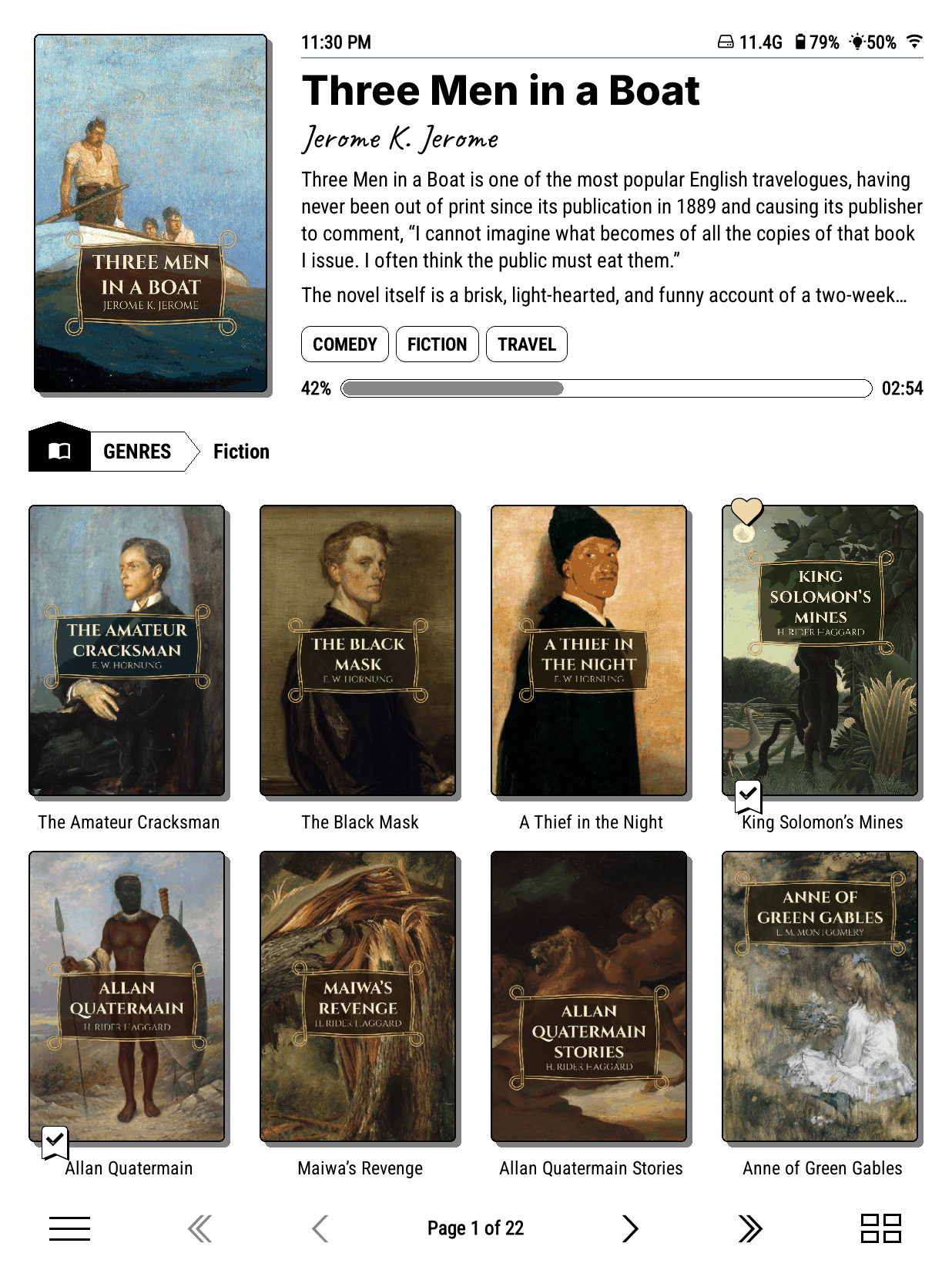
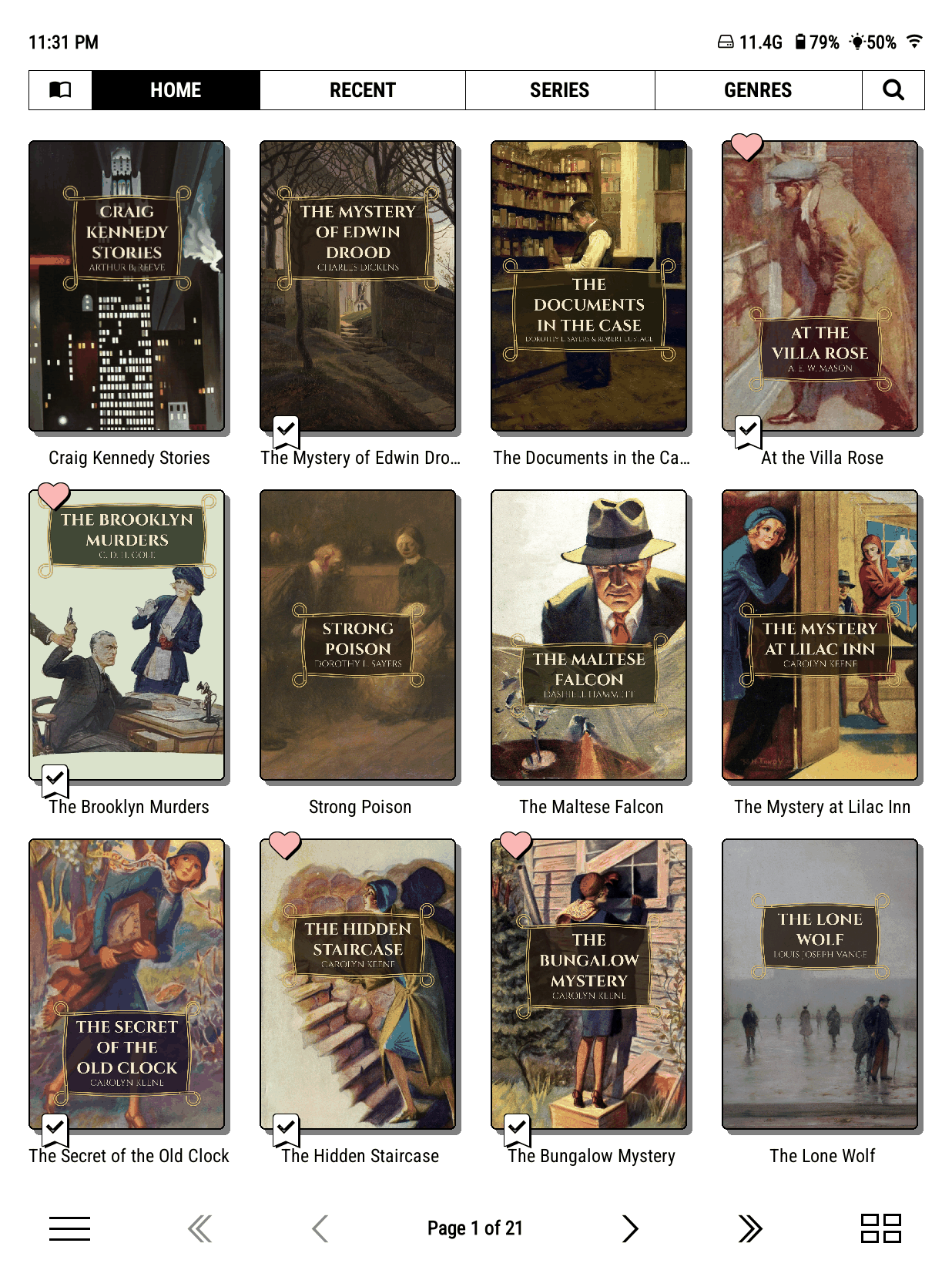
Read the user guide: installing, every feature, every setting, with videos.
Install
Bookshelf needs KOReader v2025.08 or newer, and works best on v2026.03 or newer (Help > Version in KOReader's menu). New to KOReader? The guide has links to the official install guides for every device.
Download bookshelf.koplugin.zip from Releases (not the green Code button).
Unzip it into KOReader's plugins folder:
Device Plugins folder Kindle koreader/plugins/Kobo .adds/koreader/plugins/PocketBook applications/koreader/plugins/Android koreader/plugins/in internal storageRestart KOReader.
To open on your shelf every time: in KOReader's file browser menu, first tab, set Start with to bookshelf.
Bookshelf needs KOReader's Cover browser plugin, which is on in a normal KOReader. Updates install from inside KOReader: Bookshelf > Updates.
More detail, and what to do if it doesn't appear: Install Bookshelf.
The guide
| Get started | Install KOReader and Bookshelf, your home folder, opening on start-up, your first five minutes, and what changes if you know KOReader already. |
| Use your shelf | Covers, lists and spines; moving around; the book menu; search; the start menu. |
| Organise | Shelves from any source, filters and sorts; series, authors, genres, folders and collections; page counts; Calibre, Kindle and Kobo libraries; online catalogues; Hardcover. |
| Make it yours | Themes, wallpaper and colours, ornaments, theme packs, the top panel, micro-modules, layout and fonts. |
| Reference | Every menu option, gestures, tokens, troubleshooting, updating, files and backup, what's new. |
Theme packs
Ready-made looks for your shelf, with framed art, wallpapers, ornaments and new planks, are in the Ko-fi shop. Bookshelf itself is free and always will be; packs, or a tip, are how you can support it.
For plugin authors
Other plugins and user patches can add shelf sources, tokens, cover placeholders and OPDS actions, and anyone can write a micro-module. See SOURCE_API.md, micromodules/README.md and For plugin authors.
Help and feedback
Found a bug or have an idea? Open an issue. It helps to include your device, your KOReader version and Bookshelf's (Bookshelf > About).
License
AGPL-3.0, see LICENSE. The user guide is CC BY 4.0.

Explore related projects
codecrafters-io/build-your-own-x
Master programming by recreating your favorite technologies from scratch.
561,867 starspublic-apis/public-apis
A collective list of free APIs
498,223 starsmorluto/rea
Reverse engineer anything with agents, from app behavior down to native binaries.
452,577 starsopenclaw/openclaw
The AI that really does things. Any OS. Any Platform. The lobster way. 🦞
394,365 stars