
AmanRajAryan/Lyricify
AmanRajAryan/Lyricify has 56 GitHub stars and 2 forks. GitHot measured 0 stars in 24 hours and 0 in 7 days. Last checked 2026-11-15 20:19 UTC. Last push 2026-09-20.
What you can do
- Background Caching: Pre-loads lyrics for faster access
- Low RAM Mode: Optimized memory usage for older devices
- Smart Image Loading: Glide-based caching with animated artwork support
- Scroll Optimization: Flinging mode for smooth list performance
Measured star growth
- in 24h
- 0
- in 7 days
- 0
- in 15 days
- Update delayed
- in 1 month
- Update delayed
Net star changes over overlapping periods, not daily totals. Missing measurements are left blank. Stars measure attention, not software quality.
About
An advanced Android music tool that fetches accurate metadata and lyrics from APIs, offers a powerful tag editor using TagLib, and features a custom synchronized LyricsView for an immersive playback experience.
Creative & MediaREADME.md
Original🎵 Lyricify

A powerful Android lyrics application with real-time synced lyrics, multiple rendering engines, and advanced tag editing


Features • Screenshots • Installation • Usage • Building • Contributing
✨ Features
🎤 Advanced Lyrics Display
- Multiple Format Support: LRC, ELRC (Enhanced LRC), ELRC Multi-Person, LRC Multi-Person, TTML
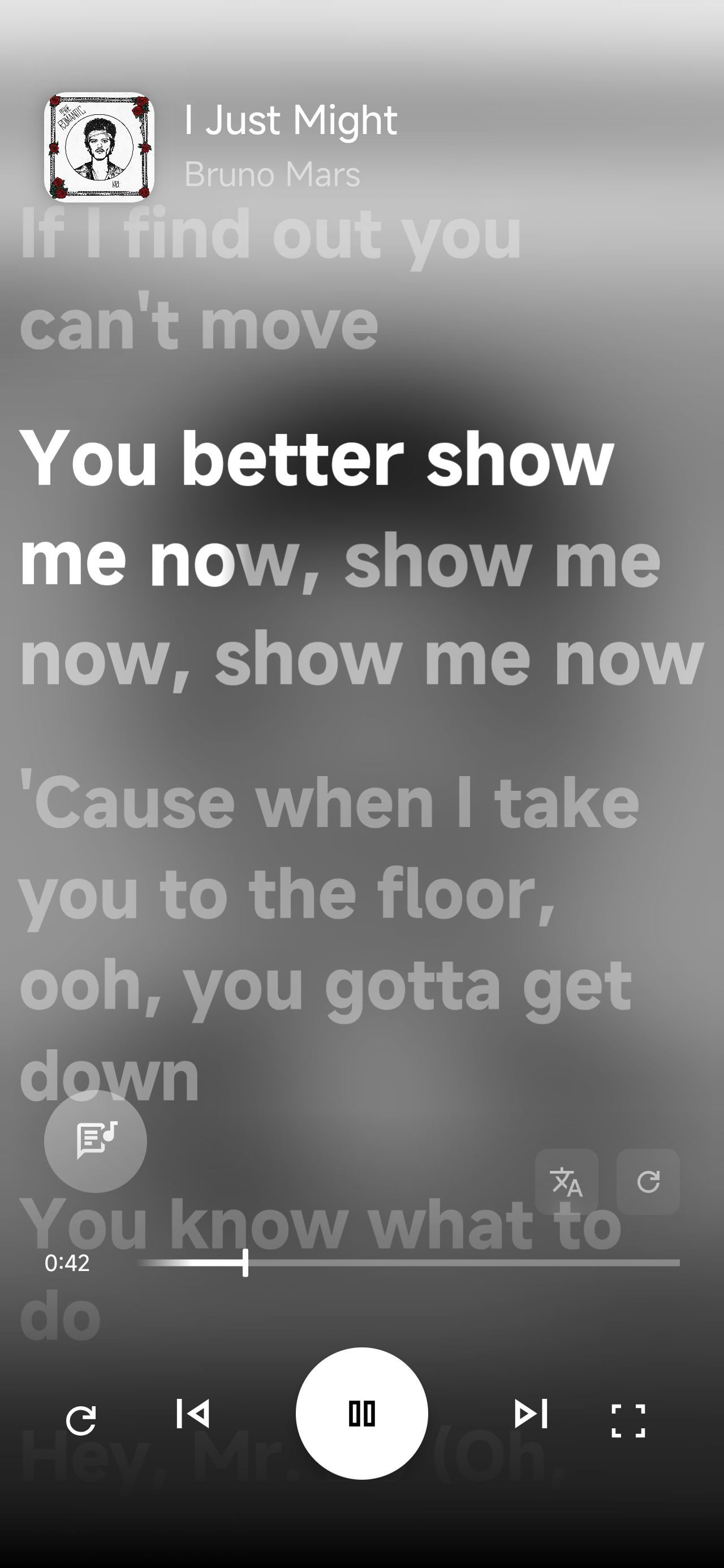
- Real-time Synchronization: Word-by-word highlighting with dynamic glow effects
- Three Rendering Engines:
- Native Engine: Custom Android view with optimized rendering
- YouLy+ Engine: Web-based engine with advanced features
- Karaoke/Accompanist Engine: Specialized karaoke-style display
- Smart Animation: Speed-adaptive glow effects that adjust based on lyric timing
- Interactive Seeking: Tap any line to jump to that timestamp
🎨 Customization
- 6 Font Styles: Default, Serif, Sans Serif, Monospace, Cursive, Casual
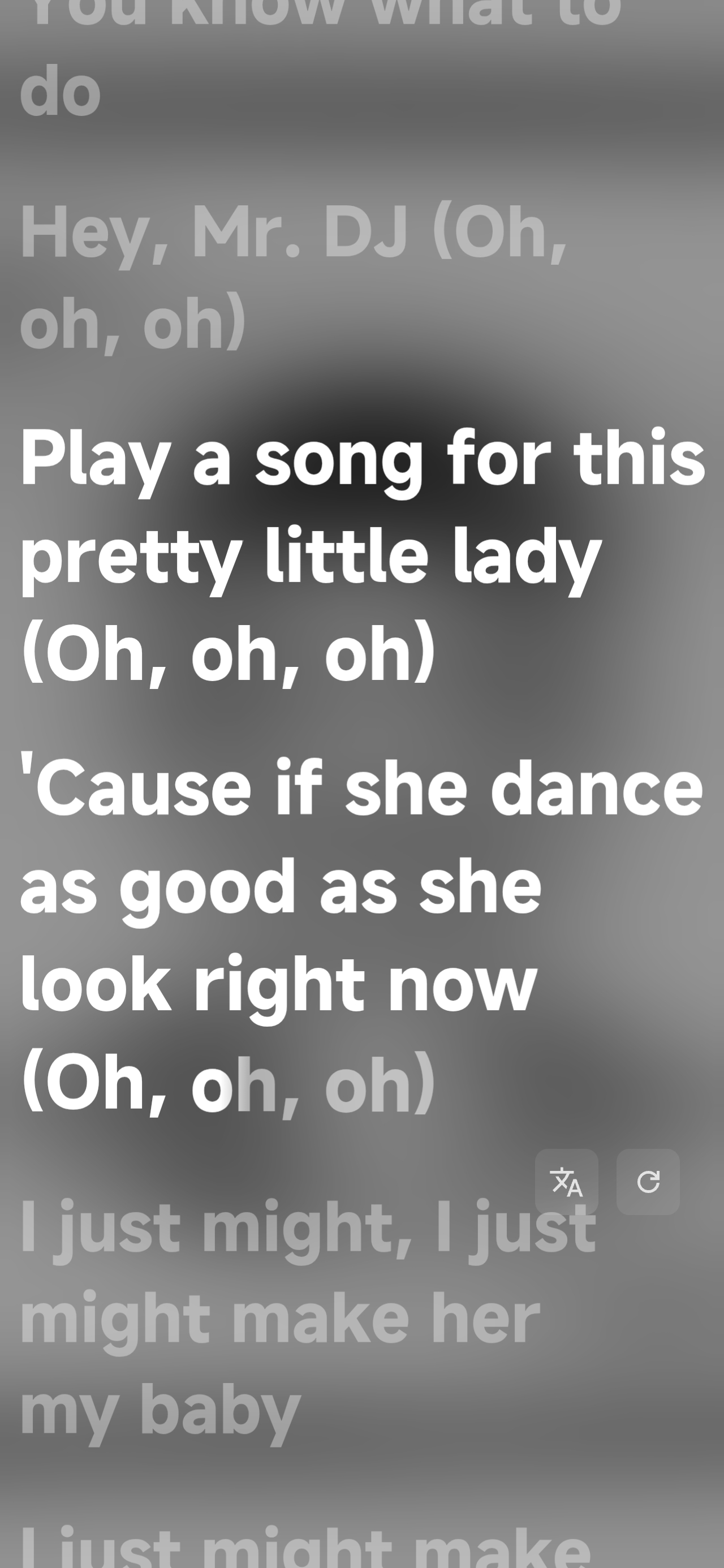
- Immersive Mode: Full-screen lyrics experience with gesture controls
- Squiggly Seekbar: Animated, wave-based progress indicator with liquid effects
- Layout Options: Traditional top-based or modern bottom-based UI
- Background Blur: Native Android 12+ blur with fallback for older versions
🎵 Media Integration
- Universal Player Support: Works with any music player via Media Session API
- Now Playing Detection: Automatic artwork and metadata extraction
- Playback Controls: Play, pause, skip, and seek from within the app
- Real-time Sync: 60 FPS smooth scrolling and animation
🏷️ Tag Editor
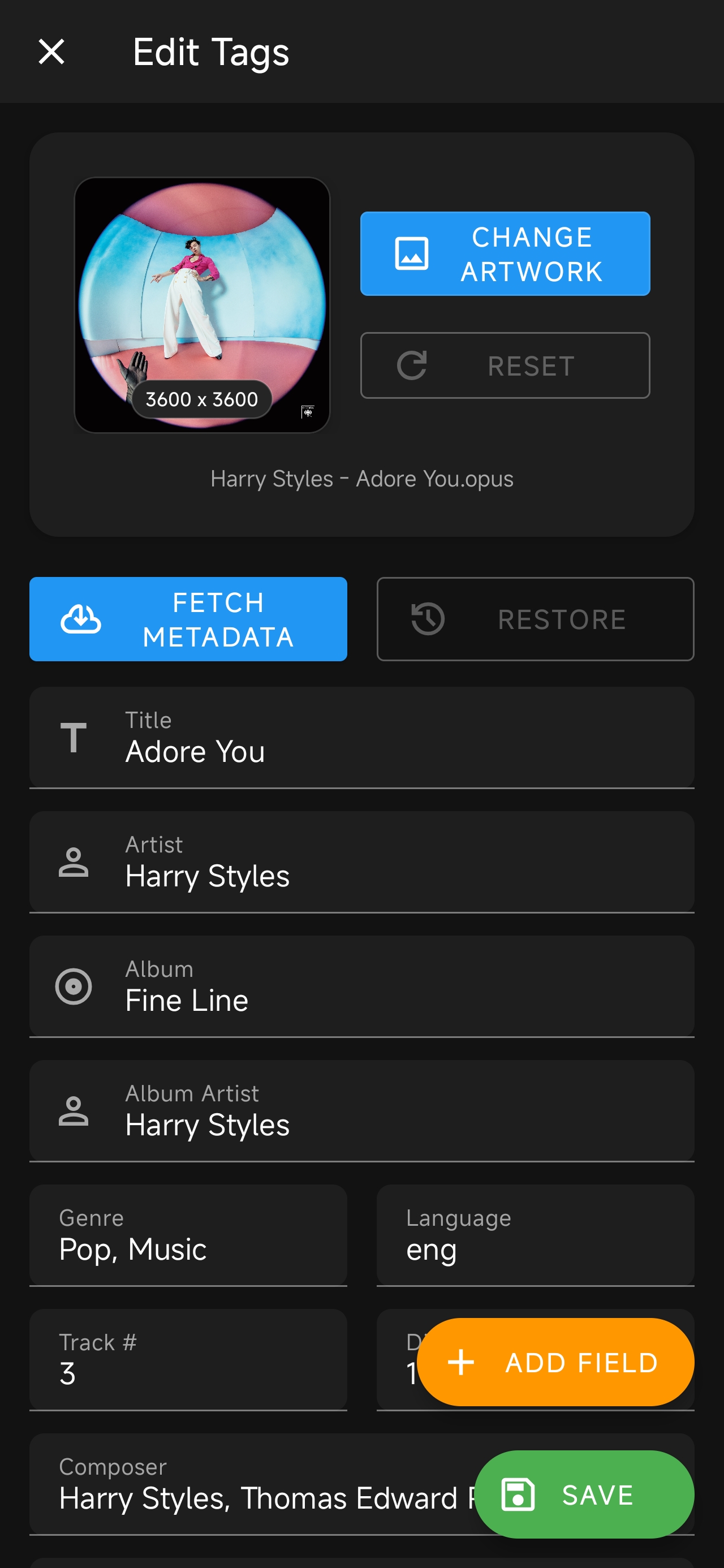
- Comprehensive Metadata Editing: Title, Artist, Album, Genre, Year, Composer, and more
- Artwork Management:
- Support for static images (JPEG, PNG)
- Animated artwork support (GIF, WebP)
- Motion artwork via Lyricify Companion app (video to image conversion)
- Artwork resizing with quality presets
- Lyrics Embedding: Embed synced lyrics directly into audio files
- Custom Fields: Add any custom metadata tags
- Batch Operations: Save as .lrc/.ttml files alongside audio
📁 Library Management
- Smart Filtering:
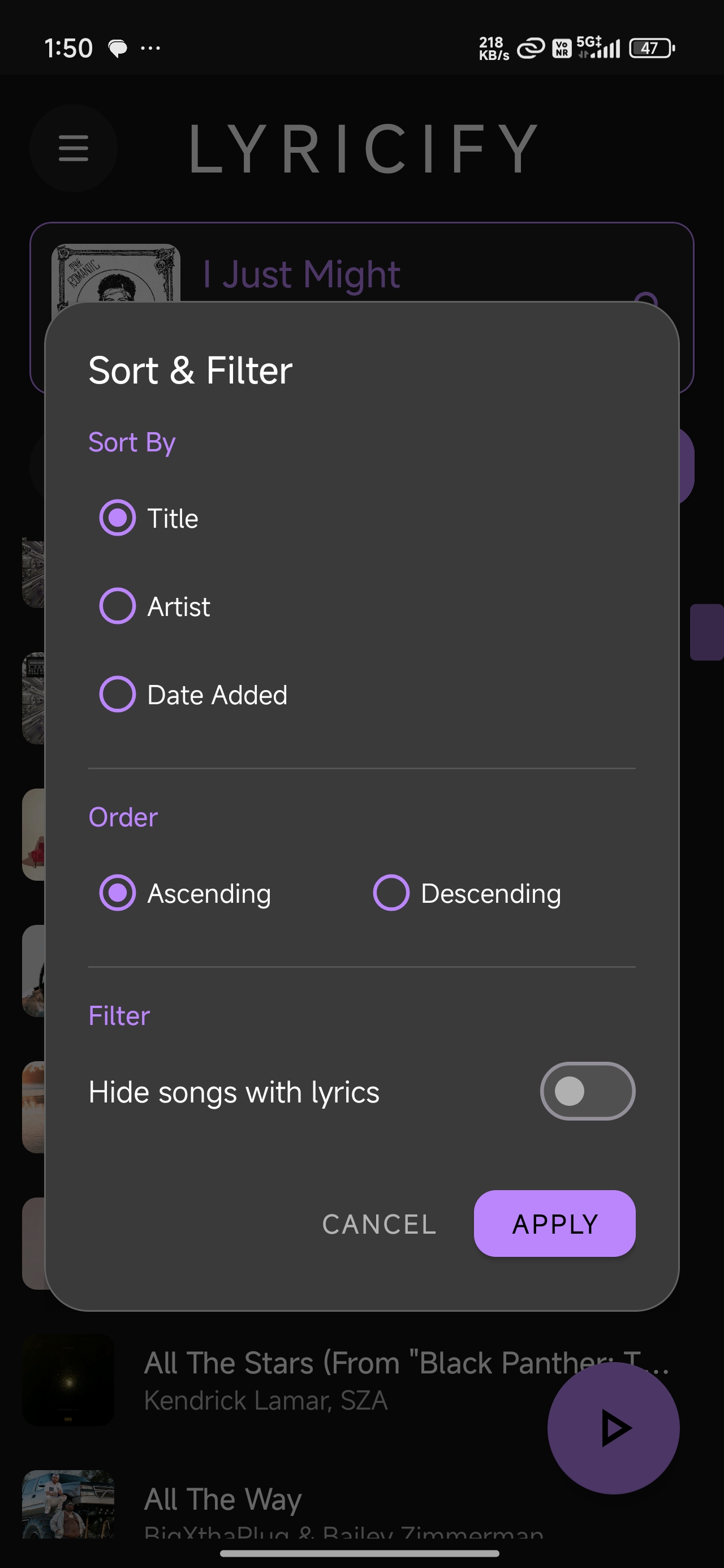
- Hide songs with embedded lyrics
- Hide songs with external .lrc files
- Folder whitelisting/blacklisting
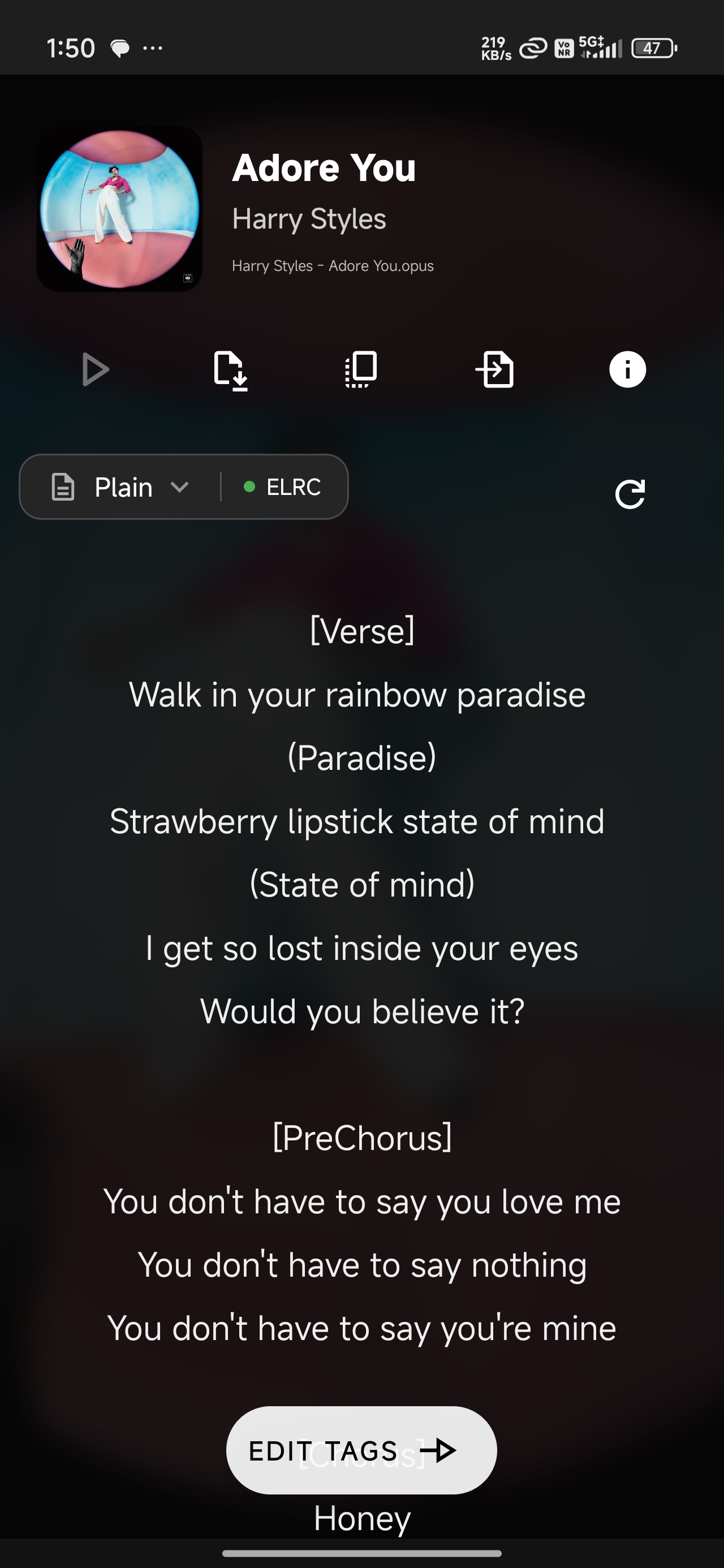
- Advanced Search: Real-time search across title and artist
- Multiple Sort Options: By Title, Artist, or Date Added (ascending/descending)
- Fast Scrolling: Optimized RecyclerView with section headers
🚀 Performance Features
- Background Caching: Pre-loads lyrics for faster access
- Low RAM Mode: Optimized memory usage for older devices
- Smart Image Loading: Glide-based caching with animated artwork support
- Scroll Optimization: Flinging mode for smooth list performance
🔧 Advanced Features
- Metadata API Integration: Automatic song identification and metadata fetching
- Offline Support: Works with locally stored music files
- Permission Management: Smart storage permission handling for Android 11+
- File Detection: Automatic .lrc file detection for hiding feature
- Update Checker: Built-in update notification system
📸 Screenshots
| Main Library | Lyrics View | Tag Editor |
|---|---|---|
|
 |
 |
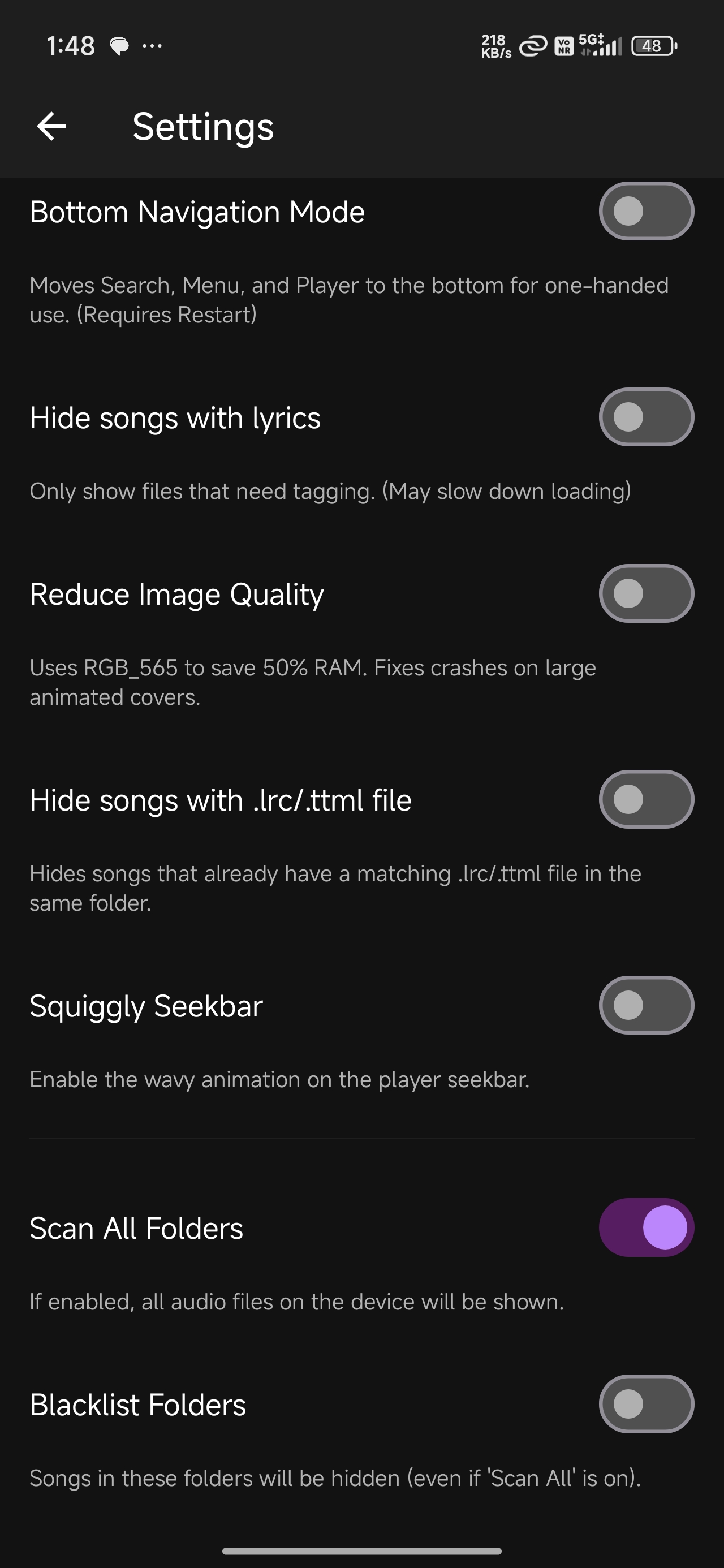
| Lyrics Player | Immersive Mode | Settings |
|---|---|---|
 |
 |
 |
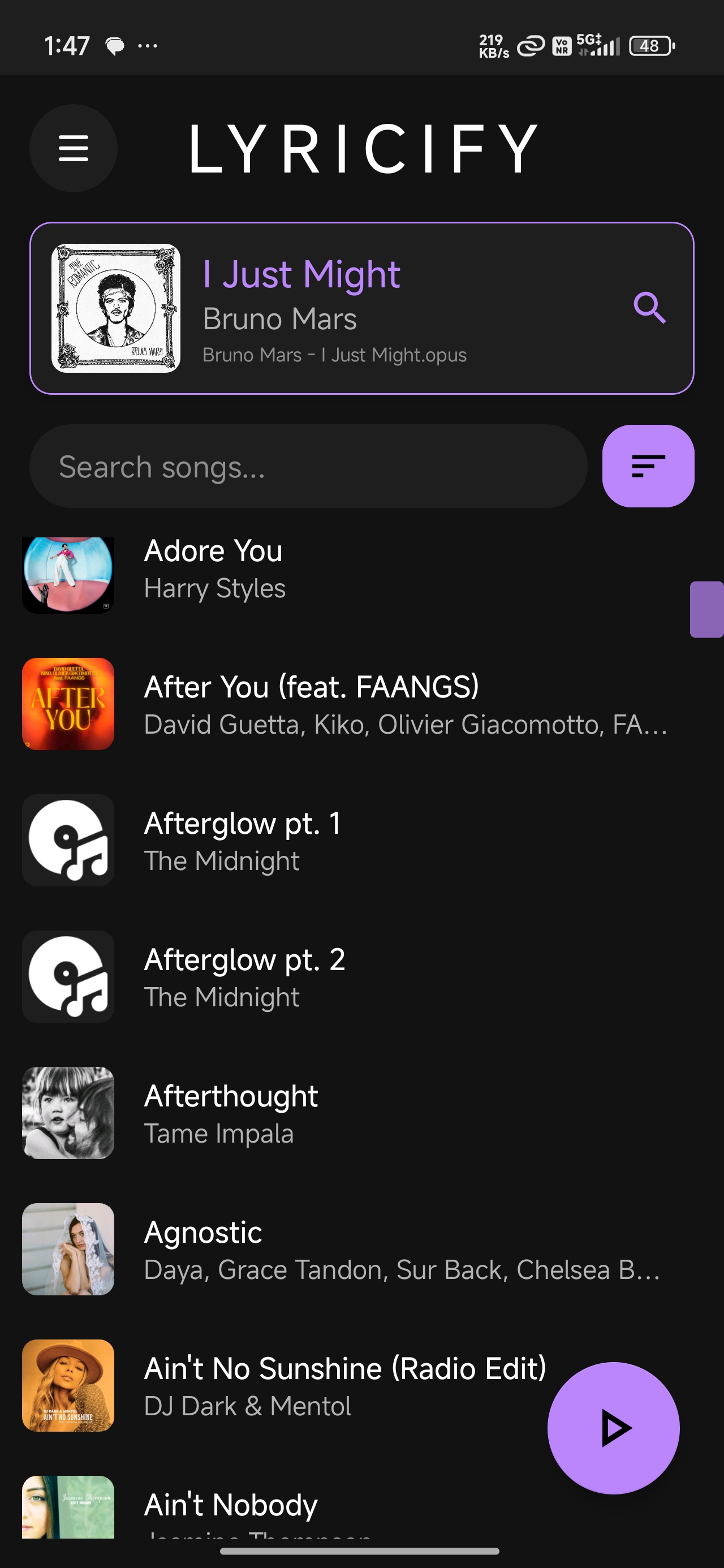
| Sort Dialog | Now Playing |
|---|---|
 |
 |
📦 Installation
Requirements
- Android 10 (API 29) or higher
- Storage permissions for accessing music files
- Notification access for media session integration
- (Optional) MANAGE_ALL_FILES permission for .lrc file detection
Download
- Download the latest APK from the Releases page
- Enable "Install from Unknown Sources" in your device settings
- Install the APK
- Grant required permissions when prompted
🎯 Usage
First Launch
- Grant Storage Permission: Allow access to your music library
- Grant Notification Access: Enable media detection for Now Playing
- Library Scan: The app will automatically scan your music files
Getting Lyrics
- Tap a song in your library
- The app will attempt to identify the song and fetch lyrics
- If identification fails, you can manually search
- Choose format: Plain, LRC, ELRC, TTML, or Multi-Person variants
Viewing Synced Lyrics
- Open a song with synced lyrics
- Tap the "Synced Lyrics" button
- Swipe or tap to seek through the song
- Toggle player modes with the layer icon
- Enter immersive mode for distraction-free viewing
Editing Tags
- Long-press a song in the library
- Select "Edit Tags"
- Modify any metadata fields
- Change artwork:
- Tap the artwork to select an image/video
- For videos, Lyricify Companion app will convert to motion artwork
- Embed lyrics: Use the embed button to save lyrics to the file
- Save changes with the save button
Settings & Customization
- Folder Filtering: Choose which folders to scan
- Hide Options: Hide songs with lyrics or .lrc files
- UI Layout: Switch between top and bottom navigation
- Squiggly Seekbar: Toggle animated seekbar
- Low RAM Mode: Enable for better performance on older devices
🛠️ Building from Source
Prerequisites
- Android Studio Arctic Fox or later
- JDK 11 or later
- Android SDK 34
- Gradle 8.0+
Dependencies
// Core
implementation 'androidx.appcompat:appcompat:1.6.1'
implementation 'com.google.android.material:material:1.9.0'

// Image Loading
implementation 'com.github.bumptech.glide:glide:4.16.0'
implementation 'jp.wasabeef:glide-transformations:4.3.0'

// UI Components
implementation 'androidx.core:core-splashscreen:1.0.1'
implementation 'androidx.constraintlayout:constraintlayout:2.1.4'

// Native Libraries (TagLib for metadata)
Build Steps
# Clone the repository
git clone https://github.com/amanrajaryan/lyricify.git
cd lyricify

# Open in Android Studio
# File > Open > Select the project directory

# Build the project
./gradlew assembleDebug

# Install on connected device
./gradlew installDebug
🏗️ Architecture
Key Components
MainActivity
- Library management and song list
- Now Playing card integration
- Folder filtering and search
LyricsActivity
- Lyrics fetching and display
- Format selection (Plain, LRC, ELRC, TTML)
- Metadata caching
- Lyrics embedding and file saving
SyncedLyricsActivity
- Real-time synced lyrics rendering
- Three player modes (Native, YouLy+, Karaoke)
- Media session integration
- Immersive mode
YoulyPlayerActivity
- Dedicated player with YouLy+ engine
- Background lyrics search
- Animated artwork support
TagEditorActivity
- Comprehensive metadata editing
- Artwork management (static and animated)
- Lyrics embedding
- Custom field support
SyncedLyricsView
- Custom Android View for lyrics rendering
- 60 FPS smooth scrolling
- Dynamic glow effects based on animation speed
- Word-by-word synchronization
SquigglySeekBar
- Custom SeekBar with wave animation
- Harmonic wave combination for liquid effect
- Adaptive amplitude based on playback state
Data Flow
MediaStore → LocalSong → API Identification → Lyrics Fetch → Cache → Display
                                                    ↓
                                            Tag Embedding ← Tag Editor
🧩 Companion App
Lyricify Companion is a separate app for advanced features:
- Video to Motion Artwork: Convert video files to optimized motion artwork
- Frame Extraction: High-quality frame extraction from videos
- Integration with main app via intent sharing
🐛 Known Issues
- Android 11+ .lrc Detection: Requires MANAGE_ALL_FILES permission
- Some Players: May not expose full Media Session metadata
- Large Libraries: Initial scan may take time on older devices
🤝 Contributing
Contributions are welcome! Please follow these guidelines:
- Fork the repository
- Create a feature branch (
git checkout -b feature/AmazingFeature) - Commit your changes (
git commit -m 'Add some AmazingFeature') - Push to the branch (
git push origin feature/AmazingFeature) - Open a Pull Request
Code Style
- Follow Android Kotlin/Java style guide
- Use meaningful variable names
- Comment complex logic
- Test on multiple Android versions
📄 License
This project is licensed under the MIT License - see the LICENSE file for details.
🙏 Acknowledgments
- TagLib for audio metadata handling
- Glide for efficient image loading
- Wasabeef for Glide transformations
- Material Design components
- All contributors and testers
📧 Contact
For questions, suggestions, or bug reports:
- Open an Issue
- Email: [email protected]
Made with ❤️ for music lovers
⭐ Star this repo if you find it useful!