
AlexRosbach/LanLens
AlexRosbach/LanLens has 149 GitHub stars and 11 forks. GitHot measured 0 stars in 24 hours. Last checked 2026-11-10 00:58 UTC. Last push 2026-10-30.
LanLens scans your local network, identifies devices by MAC/IP, and gives you a clean web UI to document, classify, and connect to them.
Measured star growth
- in 24h
- 0
- in 7 days
- Update delayed
- in 15 days
- Update delayed
- in 1 month
- Update delayed
Net star changes over overlapping periods, not daily totals. Missing measurements are left blank. Stars measure attention, not software quality.
README.md
Original
LanLens
Self-hosted network inventory, local network scanner, and documentation dashboard



LanLens turns a Docker host into a local network scanner that discovers MAC/IP devices, builds a device inventory, and gives operators in home lab, small IT, and enterprise environments a clean web UI for documentation, security awareness, and CMDB/i-doit export workflows.
Wiki · Changelog · Docker Hub · Website · Legal Notice
Your Network at a Glance
LanLens gives you a quick, local view of what is on your network:
- Devices found by MAC/IP device discovery, with vendor hints and online/offline state
- A practical device inventory for names, notes, owners, locations, services, ports, and history
- Multi-select cleanup for deleting several unwanted inventory entries in one confirmed action
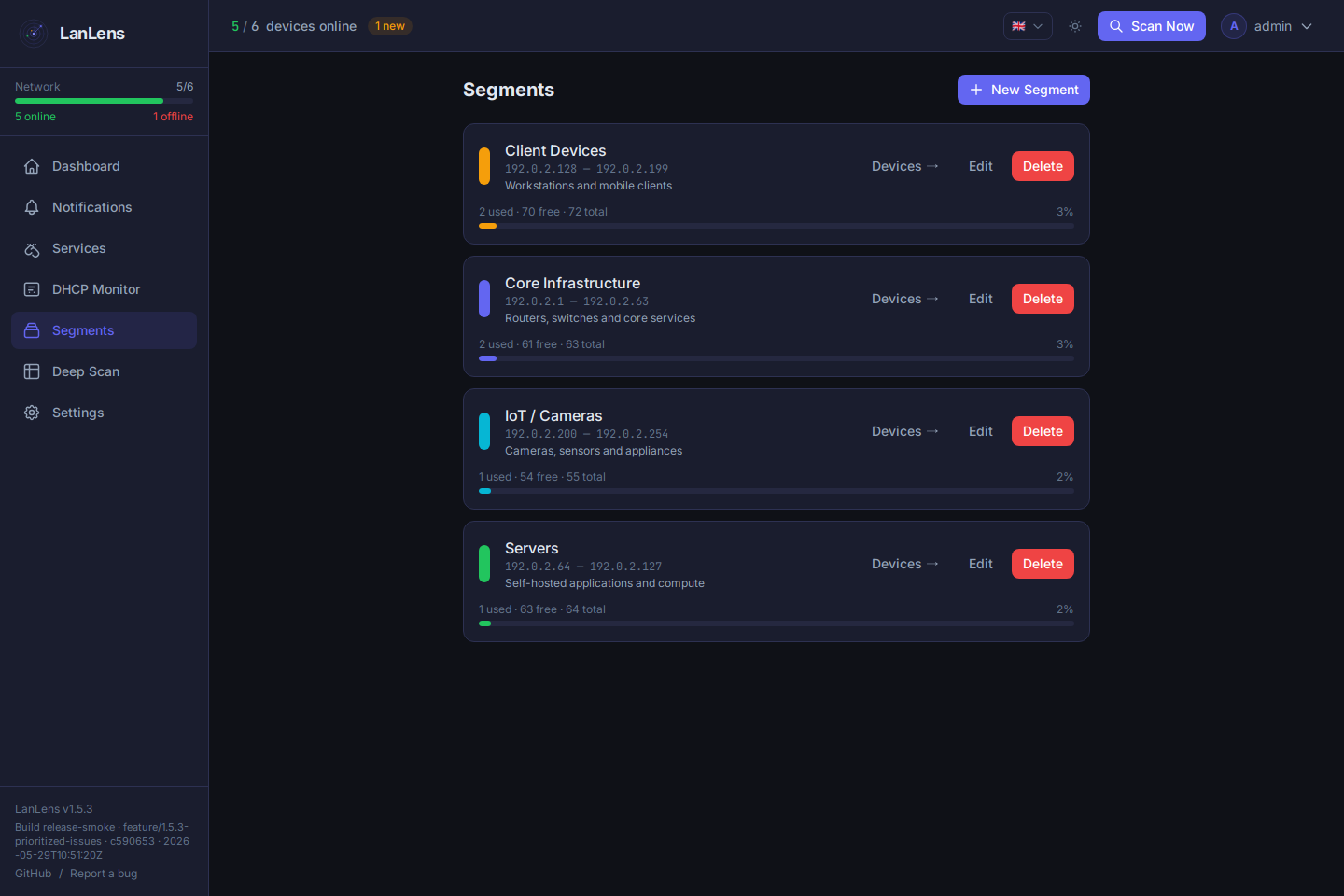
- Segments for routers, switches, servers, IoT, cameras, clients, and unknown devices, with sortable capacity statistics
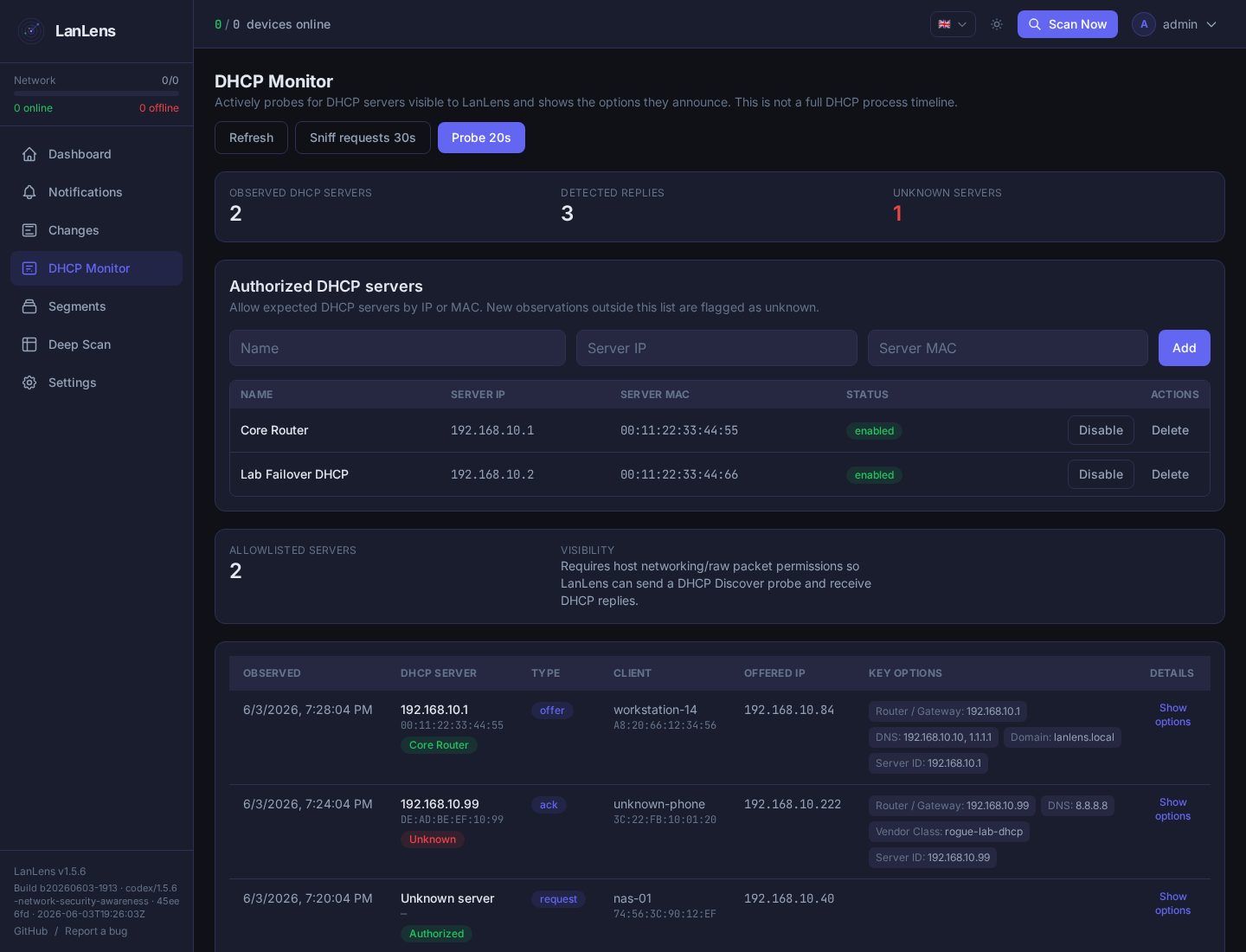
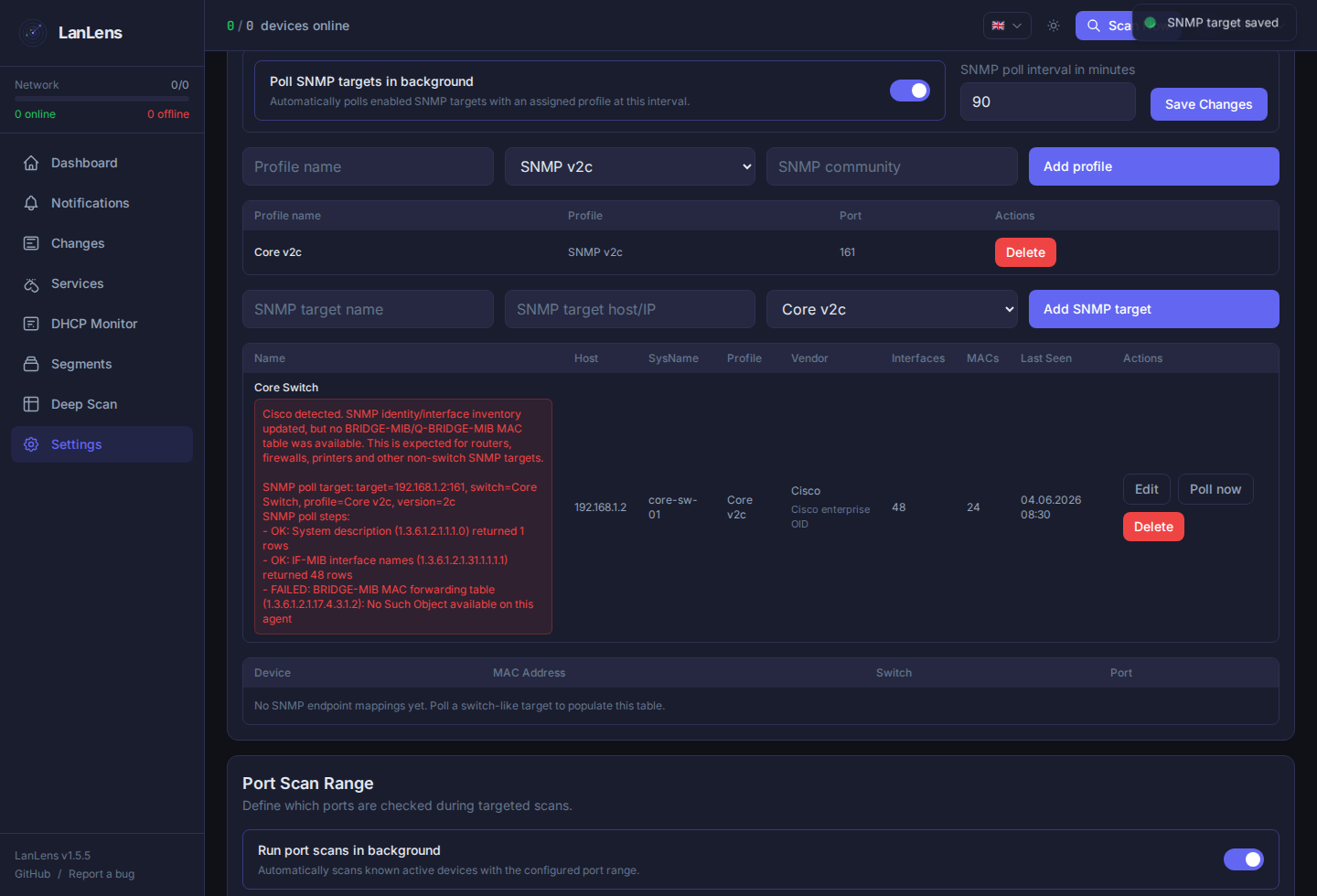
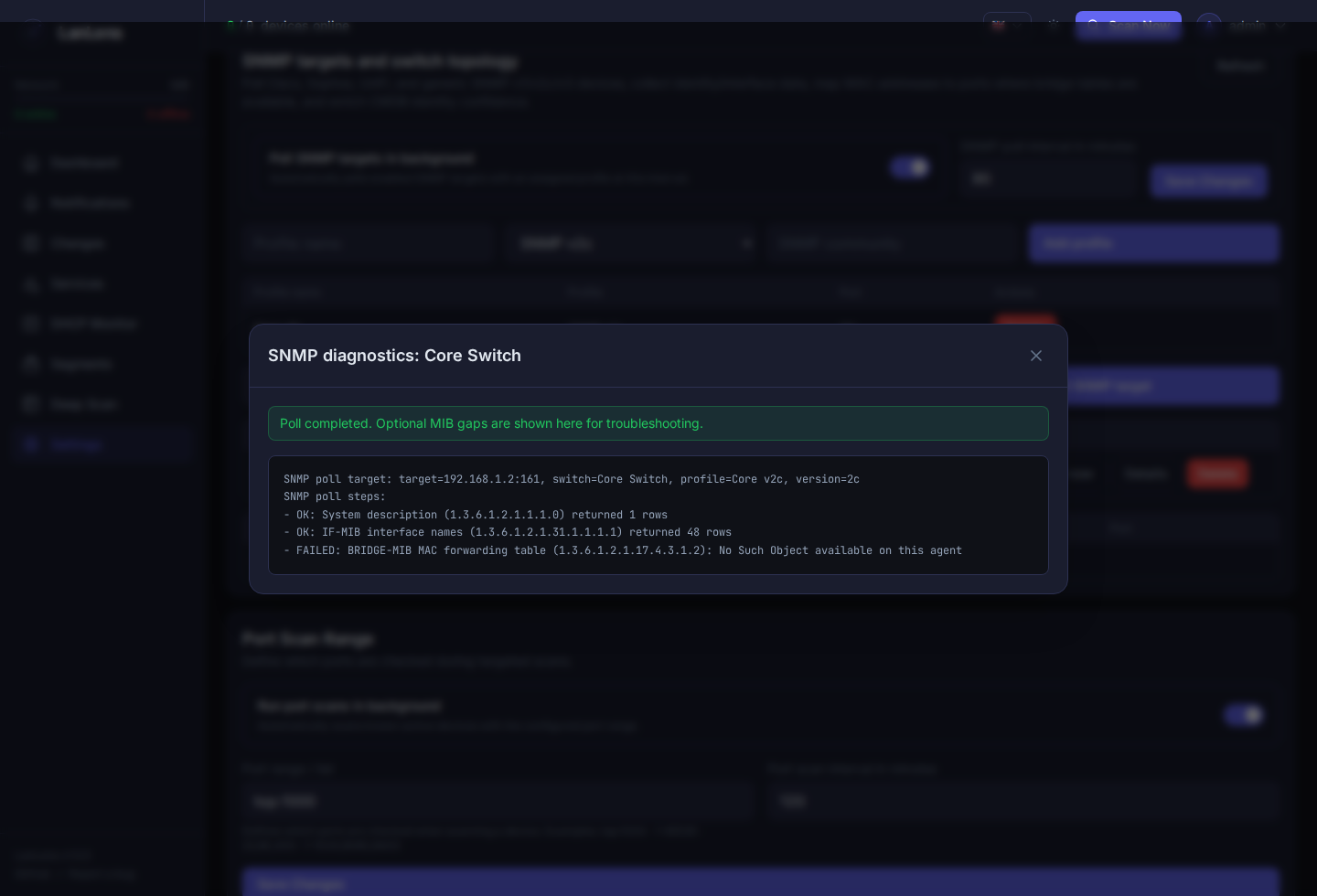
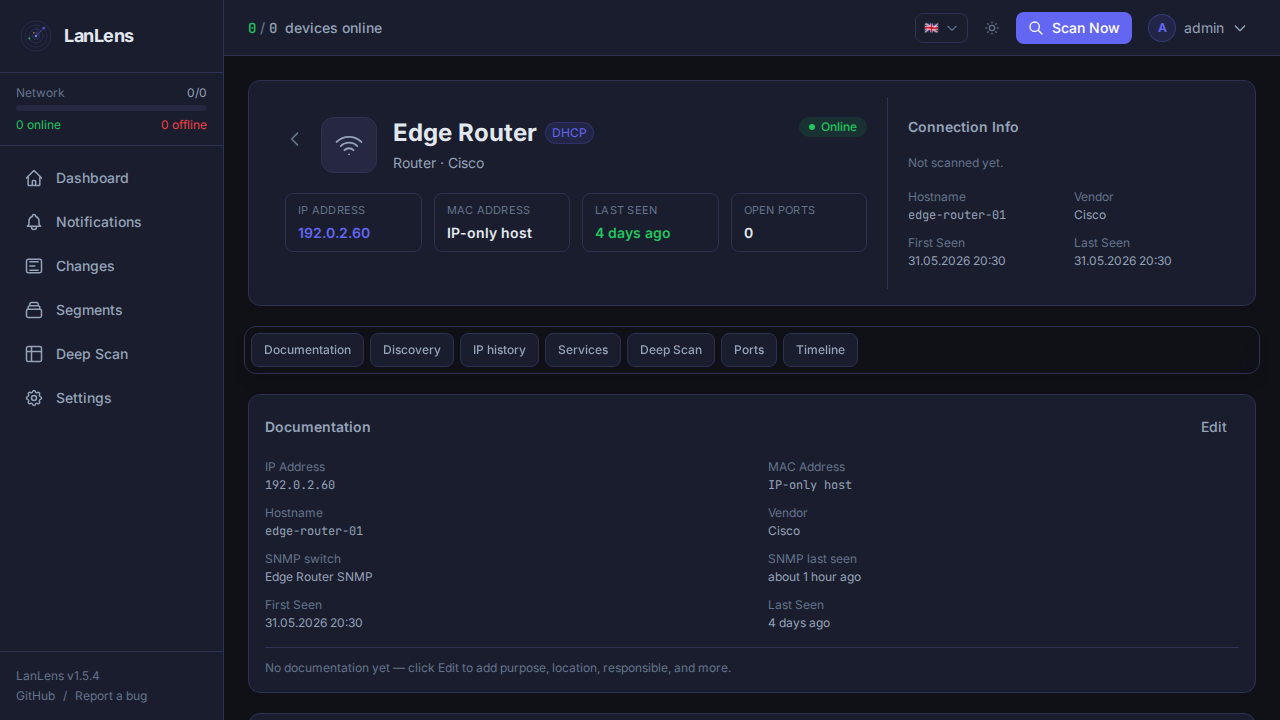
- Awareness signals for DHCP, ARP/MAC, LLDP/CDP, STP/RSTP, OSPF, Sophos Security Heartbeat presence, SNMP, custom SNMP OIDs, and scan-detected changes
- Multiple DHCP address ranges for installations scanning several networks, configurable under Settings → Network Discovery
- Export paths for CMDB/i-doit workflows when inventory data should leave LanLens
Why people use it:
- Fast start: a Docker network scanner for networks from home labs to small IT and enterprise environments.
- Less spreadsheet work: turn scan results into a maintained self-hosted network inventory.
- Local by default: no cloud account is required, and there is no product telemetry pipeline.
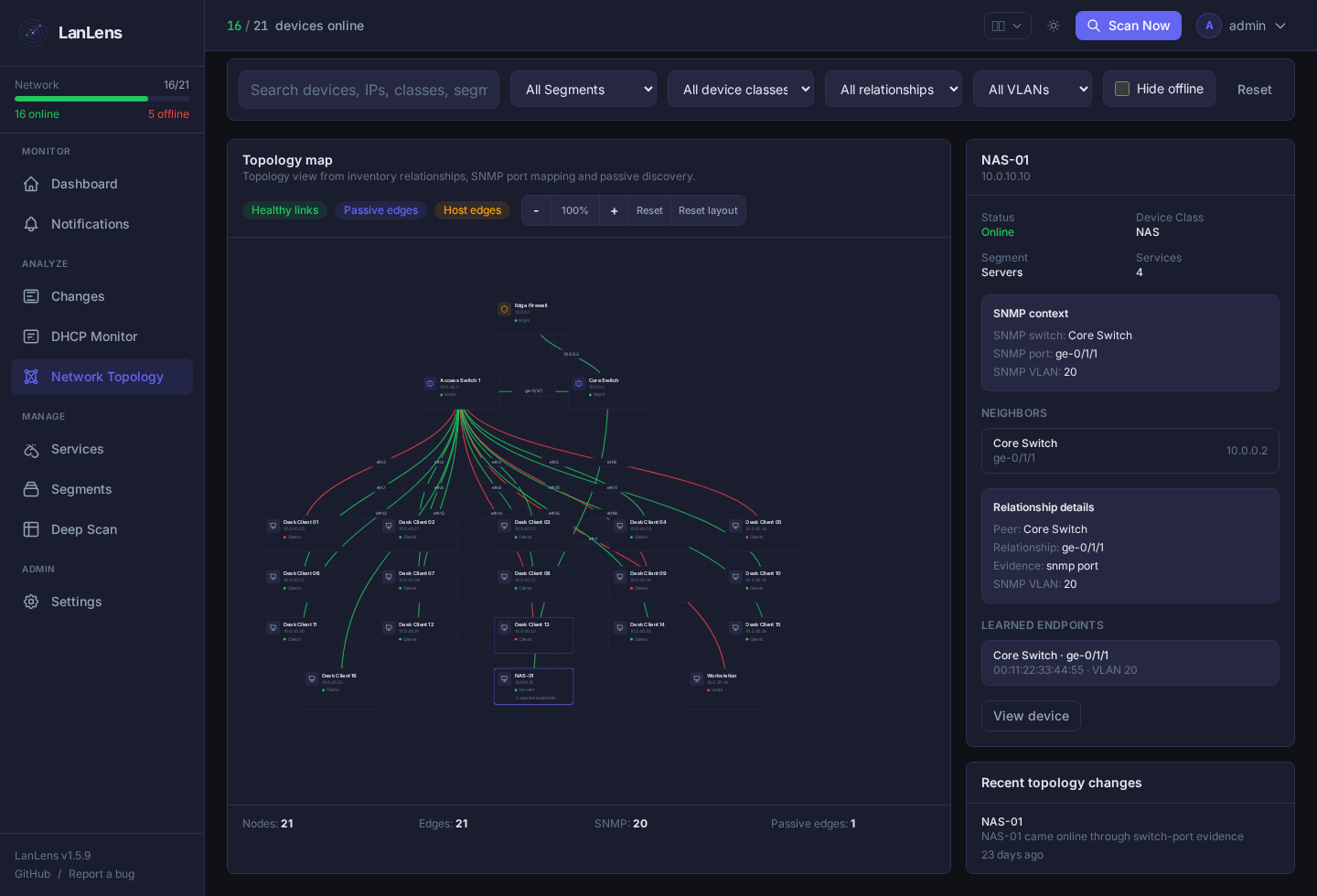
Optional expert views add SNMP switch-port context with counter-rate trends and MAC-only discovery across learned VLANs, custom SNMP OID/table polling by device class or target tag, a feature-gated network topology map with pan, zoom, draggable device cards, offline-device filtering, relationship/VLAN filters and selected-link evidence details, passive LLDP/CDP/STP/OSPF discovery hints, services, TLS checks, notifications, and CMDB/i-doit integration when you need them. Credentials are masked in API responses; protect the database volume and backups because configured secrets live there.
[!IMPORTANT] Use LanLens only in networks you own or where you have explicit permission to scan and monitor devices. Network discovery and port scanning can be misused against third-party systems.
Support
LanLens is free and open source. If it helps you or saves you time, you can support ongoing development voluntarily. Support does not buy support priority, features, or access.

Legal notice and project contact information are maintained on lanlens.org/privacy.html.
Star History
Product Screenshots
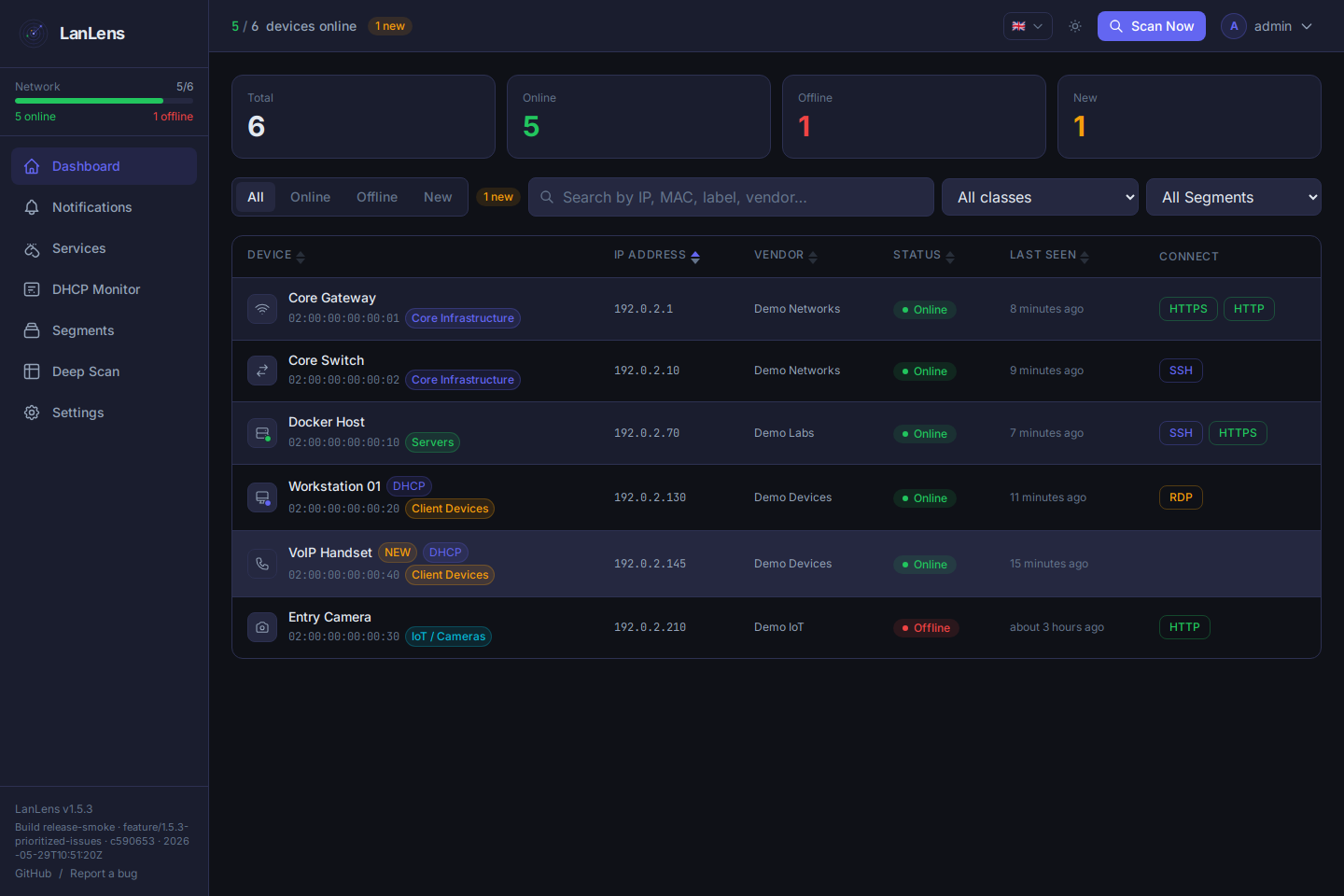
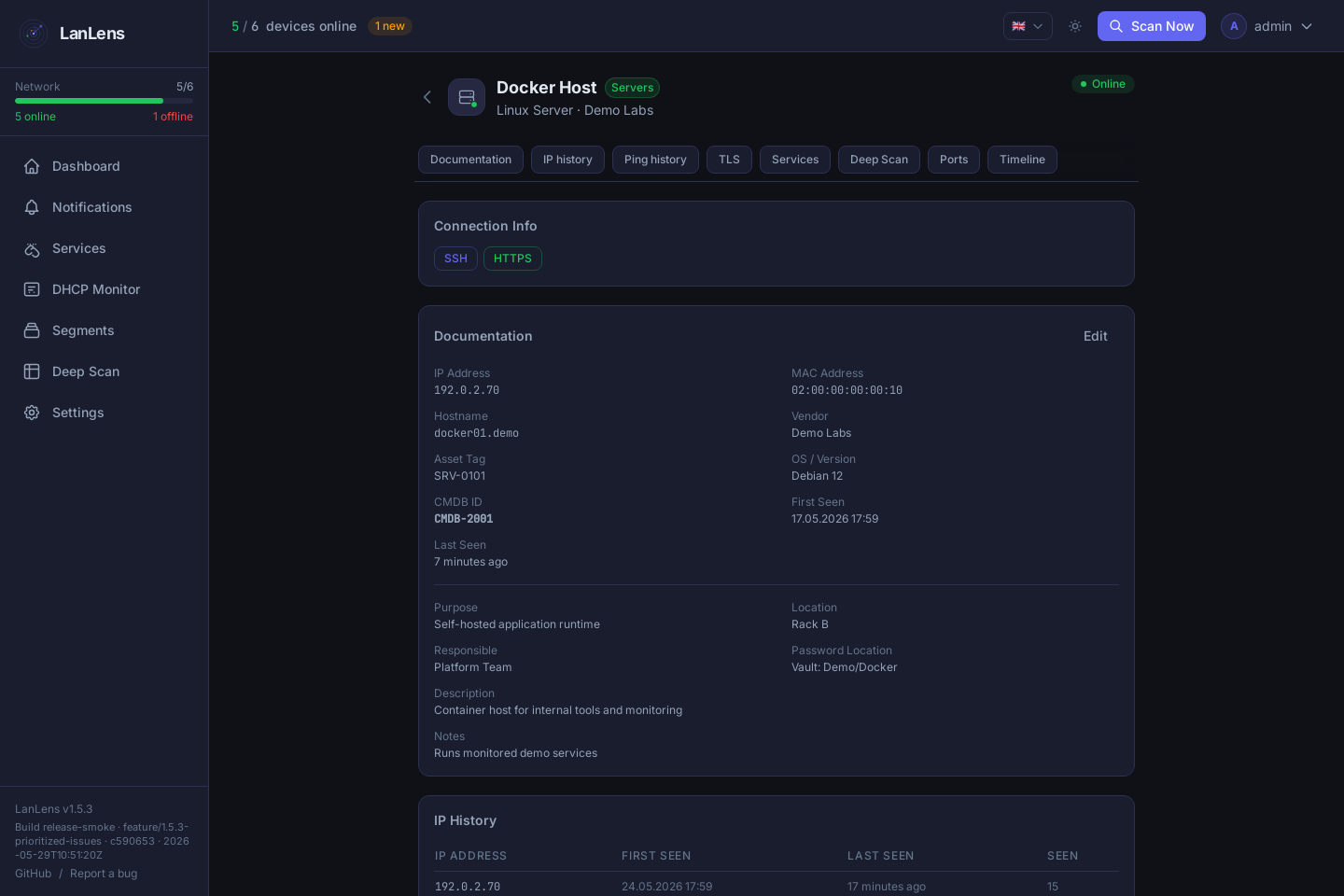
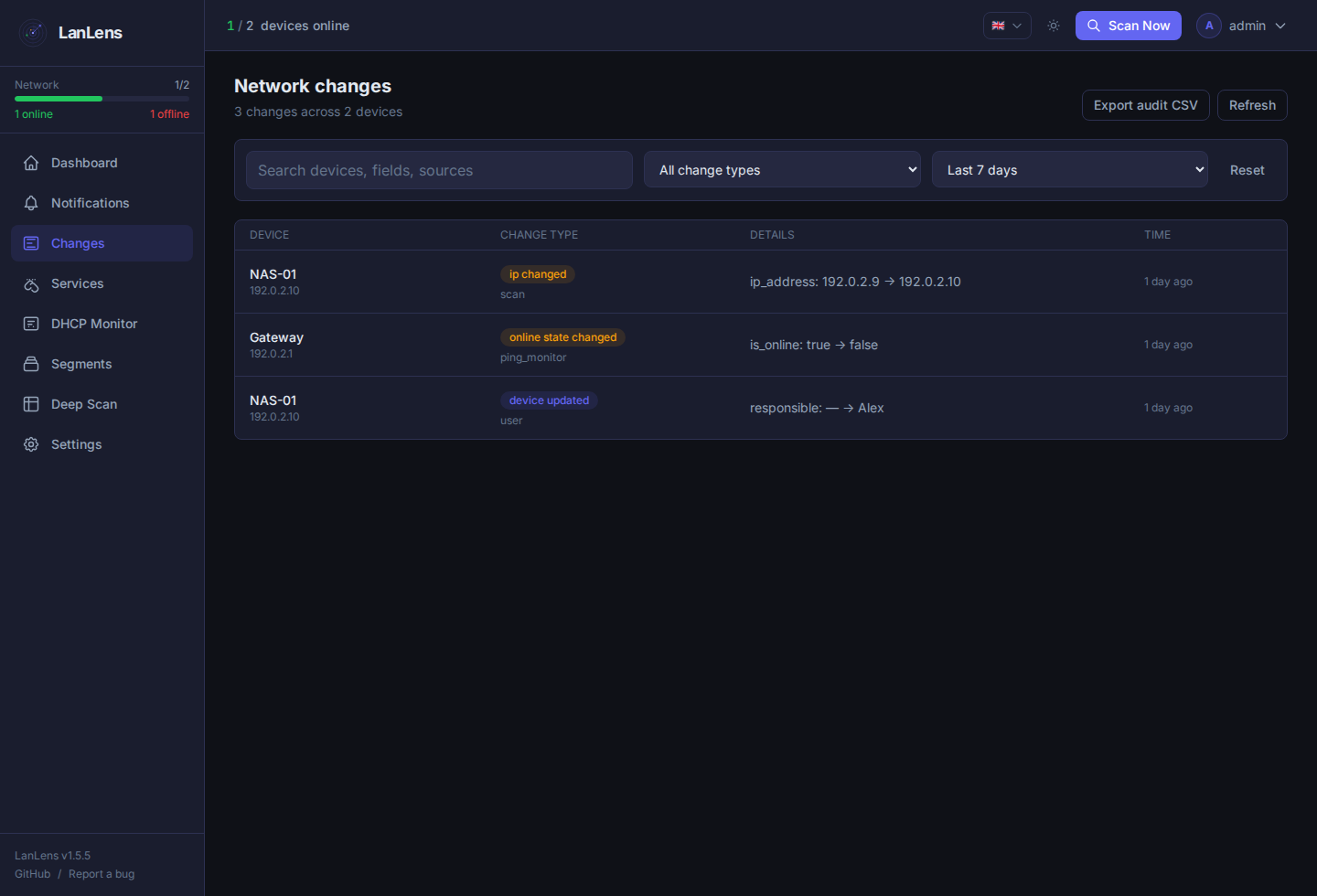
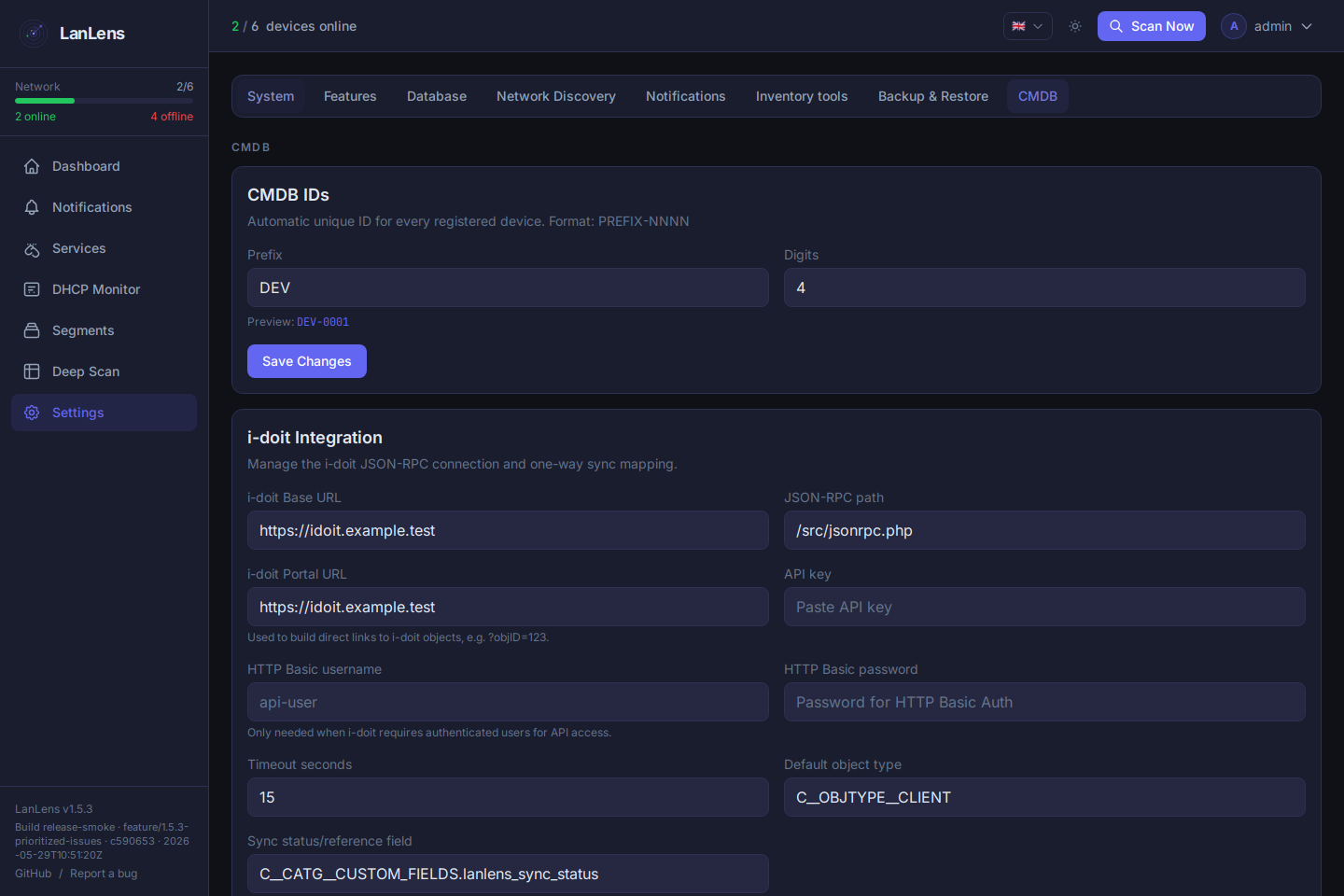
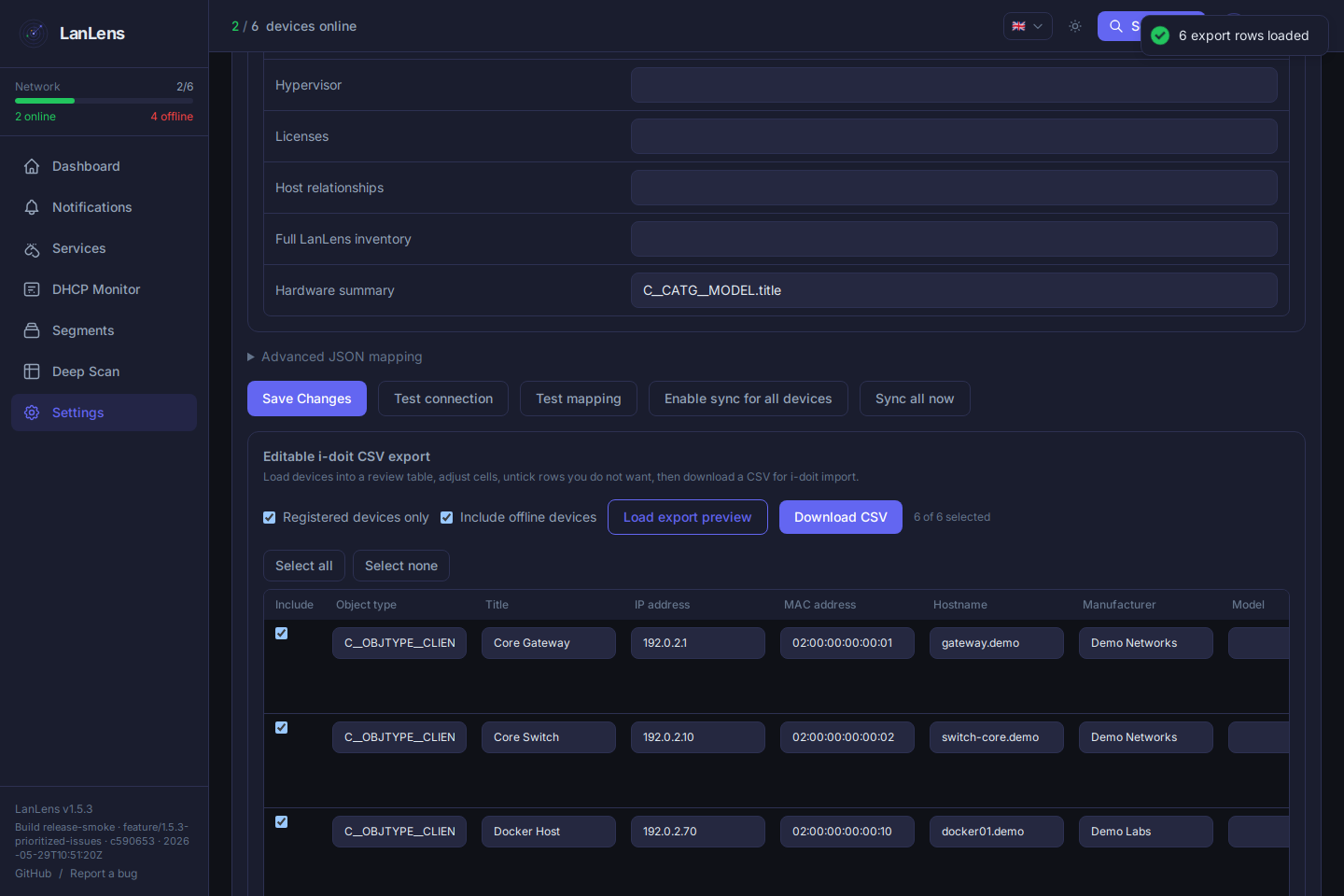
The screenshots below use sanitized demo data with documentation IP ranges and example names.
| Dashboard | Device detail |
|---|---|
 |
 |
| Segments | DHCP security awareness |
|---|---|
 |
 |
| LLDP/CDP class hints | SNMP targets |
|---|---|
 |
 |
| SNMP poll diagnostics | Device linked to SNMP identity |
|---|---|
 |
 |
| Network topology | Network changes |
|---|---|
 |
 |
| CMDB / i-doit settings | Reviewed i-doit CSV export |
|---|---|
 |
 |
Quick Start
Requirements
- Docker 20.10+
- Docker Compose v2
- Linux host recommended for direct ARP scanning
- A 64-bit x86 (
amd64) or ARM (arm64) Linux host
1. Start LanLens
curl -fsSL https://raw.githubusercontent.com/AlexRosbach/LanLens/main/docker-compose.yml -o docker-compose.yml && docker compose up -d
On first startup, LanLens generates a strong SECRET_KEY inside the persistent lanlens_data Docker volume. On a fresh database without a configured scan range, LanLens also detects the primary host IPv4 subnet, stores it as the initial scan range and starts an immediate ARP scan so the dashboard can populate without manual Settings work.
Open:
http://<your-host-ip>:7765
Default first-run credentials:
admin / admin
LanLens forces a password change after the first login. For full MAC/vendor discovery, run it on a Linux host with host networking as shown in the compose file.
Deployment Notes
LanLens uses network_mode: host by default because local ARP discovery and first-run subnet detection need raw network access on the host interface. Bridge mode can serve the UI, but direct ARP/MAC discovery will not work the same way and may require manually configured scan targets. Additional routed Nmap targets are tracked by IP so hosts such as Docker ipvlan containers remain separate even when they expose a shared MAC address. Routed discovery disables Nmap's implicit ARP ping and ignores spoofed reset replies so proxy ARP or firewall behavior cannot turn a whole subnet into phantom devices.
Core runtime settings:
| Variable | Default | Purpose |
|---|---|---|
SECRET_KEY |
generated on first start | Encryption/signing key; set manually only when restoring/migrating encrypted credentials |
LANLENS_API_TOKEN |
empty | Optional persistent Bearer token (minimum 32 characters) for REST integrations |
LANLENS_API_TOKEN_READ_ONLY |
true |
Restrict the persistent API token to GET/HEAD/OPTIONS requests |
DEFAULT_ADMIN_PASSWORD |
admin |
Initial admin password when no user exists |
LANLENS_PORT |
7765 |
HTTP port exposed by nginx |
BACKEND_PORT |
17765 |
Internal FastAPI port behind nginx |
DB_PATH |
/data/lanlens.db |
SQLite database path |
TZ |
UTC |
Container timezone |
For HTTPS, external databases, Scan Nodes, deep scan permissions, CMDB/i-doit, SNMP, backups, and troubleshooting, use the LanLens Wiki.
ARM64
The main LanLens image supports 64-bit ARM hosts such as recent Raspberry Pi
models running a 64-bit Linux distribution. Use the same Compose file and image
name as on AMD64; Docker selects the matching image platform automatically.
Direct ARP discovery still requires Linux host networking plus NET_ADMIN and
NET_RAW. A 32-bit ARM userspace is not supported.
Maintainers can validate both supported platforms with docker buildx bake.
Learn More
- LanLens Wiki: setup, configuration, scanning behavior, integrations, troubleshooting, and common workflows
- DNS names and AXFR: preferred names, alias inventory, read-only zone transfers, optional TSIG, and least-privilege setup
- Changelog: release history and migration notes
- Security Policy: vulnerability reporting and supported versions
Docker Images
Docker images are published at alexrosbach/lanlens. Use the compose file in this repository for the expected host-network deployment model and required environment variables.
Project updates and occasional build notes are posted on X / @itneedtoknow.
Development
Backend:
python3 -m venv .venv
source .venv/bin/activate
pip install -r backend/requirements.txt

export SECRET_KEY=dev-secret-key-at-least-32-chars-long
export DB_PATH=./data/lanlens.db
mkdir -p data

python backend/cli/init_db.py
python backend/cli/init_admin.py
uvicorn backend.main:app --reload --port 8000
Frontend:
cd frontend
npm install
npm run dev
License
MIT License, see LICENSE.
Dependency note: LanLens uses GPL/LGPL and dual-licensed libraries for network discovery and remote connectivity features. See THIRD_PARTY_NOTICES.md before redistributing bundled builds or Docker images.
OpenAI-Assisted Development
LanLens was developed with OpenAI tools as part of the workflow, including Codex-assisted planning, implementation, debugging, documentation, UI review, and demo preparation. OpenAI support helped accelerate several project highlights:
- Building a clearer device inventory and topology experience from scanner, SNMP, and passive discovery data
- Iterating on the React/FastAPI user experience, including dashboards, device detail views, services, network changes, and expert settings
- Improving documentation, release notes, screenshots, and demo material for the OpenAI Hackathon submission
- Validating changes with focused tests, Playwright checks, and review passes before publishing
GPT-5.6 was also used as one of the OpenAI models during development.
Explore related projects
awesome-selfhosted/awesome-selfhosted
A list of Free Software network services and web applications which can be hosted on your own servers
335,848 starsimmich-app/immich
High performance self-hosted photo and video management solution.
118,645 starsStirling-Tools/Stirling-PDF
#1 PDF Application on GitHub that lets you edit PDFs on any device anywhere
96,149 starslouislam/uptime-kuma
A fancy self-hosted monitoring tool
93,425 stars