
AlbertAZ1992/every-qrcode
AlbertAZ1992/every-qrcode has 31 GitHub stars and 6 forks. GitHot measured 0 stars in 24 hours. Last checked 2026-11-15 16:57 UTC. Last push 2026-10-21.
Measured star growth
- in 24h
- 0
- in 7 days
- Update delayed
- in 15 days
- Update delayed
- in 1 month
- Update delayed
Net star changes over overlapping periods, not daily totals. Missing measurements are left blank. Stars measure attention, not software quality.
About
Open-source React QR code generator and Web Component with deterministic 3D Tree and Terrain effects, powered by WebGPU.
Web & AppsREADME.md
OriginalEvery QR Code
English | 简体中文
An open-source React QR code generator and Web Component that turns URLs into deterministic, scannable 3D worlds. Choose a living Tree or Terrain, then morph it back to the canonical QR code.
Live Demo · React npm · Web Component npm · Contributing
pnpm add @every-qrcode/react



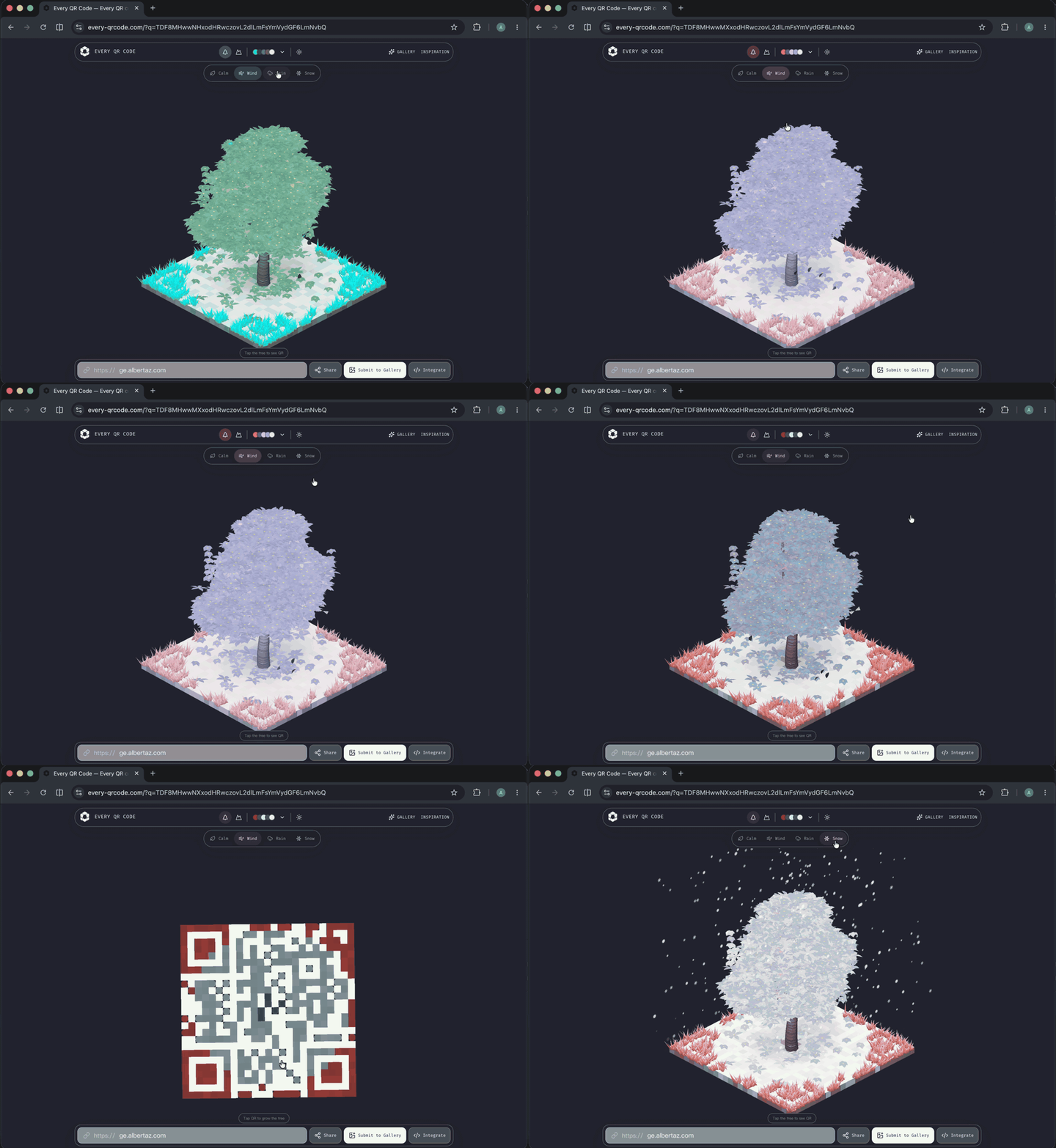
Tree
Terrain
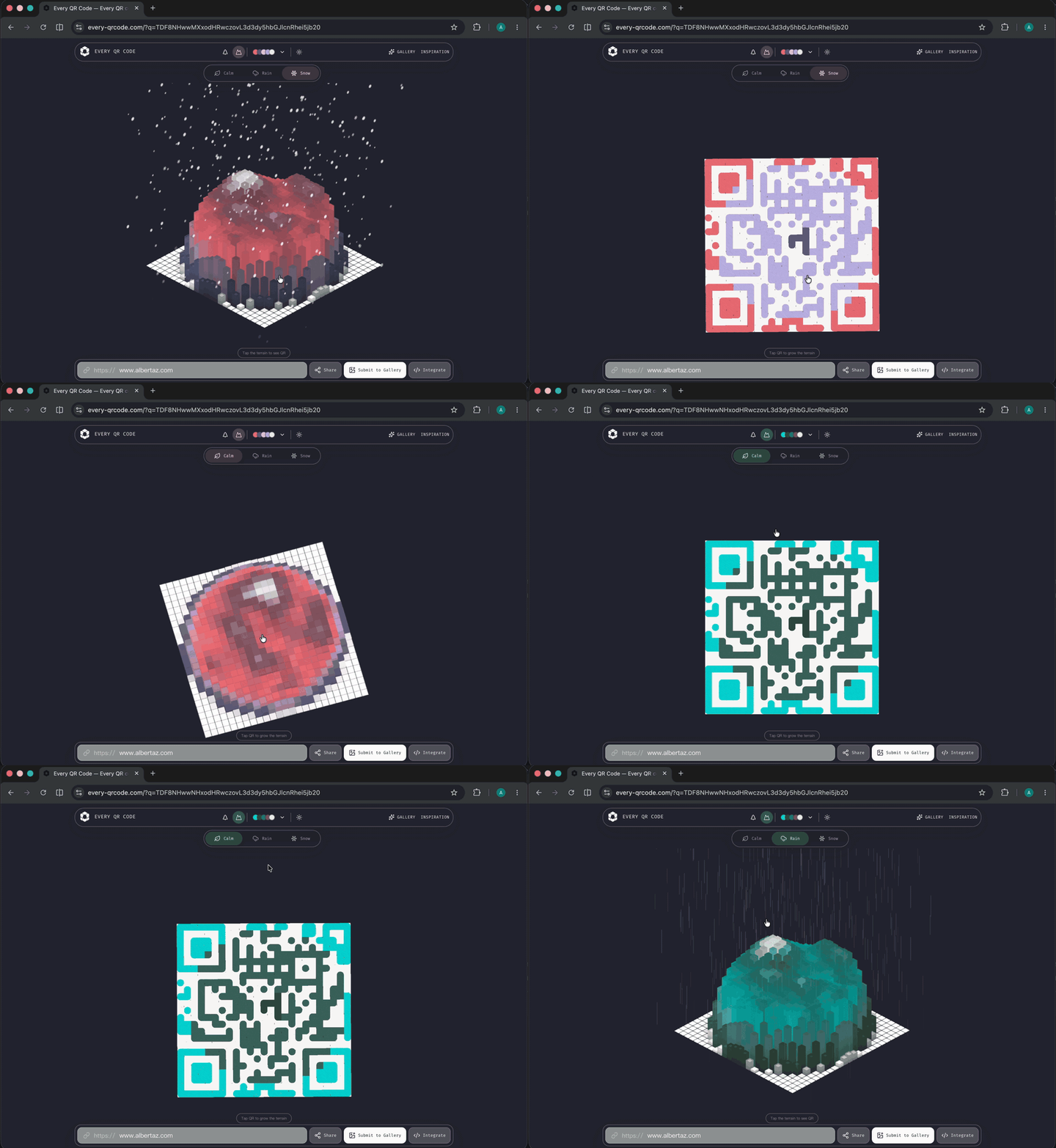
Every QR Code turns a URL into a deterministic, scannable 3D world. The same normalized identity, model, and generator version produce the same QR matrix and visual DNA. Switch between a living Tree or Terrain model and the canonical QR code without changing the destination.
Use the React component, the framework-independent Web Component, or the lower-level TypeScript and WebGPU packages. Rendering stays in the browser, with no telemetry or server calls.
Why Every QR Code?
- Scannable by design — every world morphs into its canonical QR matrix.
- Versioned visual identity — recorded worlds keep their original generator behavior.
- Two lazy 3D models — Tree and Terrain shader bundles load only when selected.
- React and Web Components — use the same renderer across modern frontend stacks.
- Graceful WebGPU fallback — unsupported devices receive a static, scannable SVG QR code.
- Privacy-friendly — generation runs locally without analytics or network requests.
React QR code component
import { EveryQRCode } from "@every-qrcode/react";

export function WebsiteIdentity() {
  return <EveryQRCode url="https://example.com" />;
}
The component defaults to a Tree, site-level identity, 3D-first view, and click-to-reveal QR
interaction. Use model="terrain", initialView="qr", or identityScope="url" when needed.
QR code Web Component
pnpm add @every-qrcode/web-component
import "@every-qrcode/web-component/auto";
<every-qr-code url="https://example.com"></every-qr-code>
Packages
| Package | Purpose |
|---|---|
@every-qrcode/react |
React component and typed presentation API |
@every-qrcode/web-component |
Native Custom Element with optional auto-registration |
@every-qrcode/core |
URL normalization, Link DNA, and canonical QR generation |
@every-qrcode/renderer-webgpu |
Lazy Tree and Terrain WebGPU renderer |
Product code normally installs only the React or Web Component package. The adapter packages pull in the shared core and renderer automatically.
Models and identity
model="tree"renders the deterministic Tree form.model="terrain"renders the deterministic Terrain form.identityScope="site"is the default and gives every path on one hostname the same identity.identityScope="url"includes the full normalized URL in the identity.- Both models morph to the same canonical QR matrix.
Reproducible worlds: generator v1 and v2
A generator version is a drawing recipe, not an npm package version:
the same URL + generator v1 → the original world
the same URL + generator v2 → a new world made by the new recipe
New packages can contain both recipes. Updating a package does not move a saved v1 world to v2.
Save the version with the URL
When an app creates a world that will be saved or shared, record the current generator version:
import { CURRENT_GENERATOR_VERSION, EveryQRCode } from "@every-qrcode/react";

const savedWorld = {
  generatorVersion: CURRENT_GENERATOR_VERSION,
  url: "https://example.com",
};

<EveryQRCode generatorVersion={savedWorld.generatorVersion} url={savedWorld.url} />;
The Web Component uses the same rule with generator-version="1".
- Not saving the world? Omit the version and use the current generator.
- Migrating old saved records? Set their missing version to
1once. - Loading a saved world? Always pass its recorded version back to the component.
- Loading a version the installed package does not support? Update the package; the component will not silently substitute another recipe.
What this upgrade adds
- A public
generatorVersionReact prop andgenerator-versionWeb Component attribute. - A frozen v1 path for the seed model, Tree and Terrain geometry, and shaders.
- Golden fingerprints that fail tests if a future change accidentally alters v1 output.
- Versioned Studio share links and Gallery records, with existing records migrated to v1.
When v2 arrives, the package will add a separate v2 implementation and make it the default for new worlds. The v1 implementation stays available for every world that already recorded version 1.
The Studio share format stores this version alongside the URL, model, and theme, so a saved link stays pinned to the visual algorithm that created it.
See the package architecture and technical architecture for internal ownership boundaries. The renderer model guide lists the code and tests needed for a new lazy model.
Contributing
You do not need to implement an entire 3D model to help. Visual references, geometry sketches, deterministic algorithms, WGSL shaders, tests, and documentation are all useful contribution sizes.
Read CONTRIBUTING.md to choose a small starting point. The public model roadmap currently includes Hokusai Waves, Crystalline, and Mechanical.
Browser support
The interactive 3D view uses WebGPU. On devices where WebGPU initialization fails, the React and Web Component adapters display a static SVG QR fallback, so the link remains scannable.
Development
Requires Node.js 22+ and pnpm 10+.
pnpm install
pnpm dev
Before publishing:
pnpm test
pnpm typecheck
pnpm lint
pnpm build
pnpm format:check
Maintainers publish npm packages through the GitHub Release workflow, using npm Trusted Publishing instead of a stored publish token.