AizazZaidee/Android-Ultra-Photo-Selector
AizazZaidee/Android-Ultra-Photo-Selector has 673 GitHub stars and 194 forks. GitHot measured 0 stars in 24 hours. Last checked 2026-11-15 22:11 UTC. Last push 2015-03-19.
Measured star growth
- in 24h
- 0
- in 7 days
- Update delayed
- in 15 days
- Update delayed
- in 1 month
- Update delayed
Net star changes over overlapping periods, not daily totals. Missing measurements are left blank. Stars measure attention, not software quality.
About
Select images from Android devices made easy :-) Start Activity PhotoSelectorActivity, this is the main entry point
Developer ToolsREADME.md
OriginalAndroid Ultra Photo Selector 
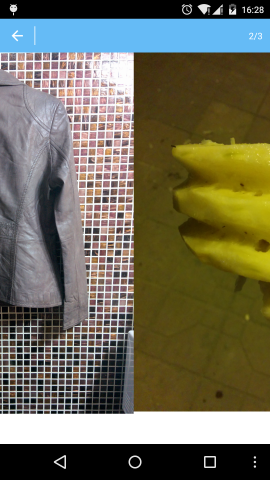
Select images from Android devices made easy :-) In preview you can also Zoom images. You can select images from different albums. I am using UIL, so you can configure image caching your own way, if you want to change. on your mobil phone. Selection image result is also preserved. See AndroidManifest.xml for more details.
	Intent intent = new Intent(context, activity);
	intent.putExtra(PhotoSelectorActivity.KEY_MAX, maxImage);
	intent.addFlags(Intent.FLAG_ACTIVITY_NO_ANIMATION);
	context.startActivityForResult(intent, requestCode);

	@Override
protected void onActivityResult(int requestCode, int resultCode, Intent data) {
	if (resultCode != RESULT_OK)
		return;
	if (requestCode == SELECT_IMAGE_CODE) {// selected image
		if (data != null && data.getExtras() != null) {
			@SuppressWarnings("unchecked")
			List<PhotoModel> photos = (List<PhotoModel>) data.getExtras().getSerializable("photos");
			if (photos == null || photos.isEmpty()) {
				UIHelper.ToastMessage(this, R.string.no_photo_selected);
			} else {
				Intent intent = new Intent(this, YourOwnLogic.class);
				Bundle b = new Bundle();
				b.putSerializable("album_pojo", albumPojo);
				b.putSerializable("photos", (Serializable) photos);
				intent.putExtras(b);
				startActivity(intent);
				finish();
			}
		}
	}
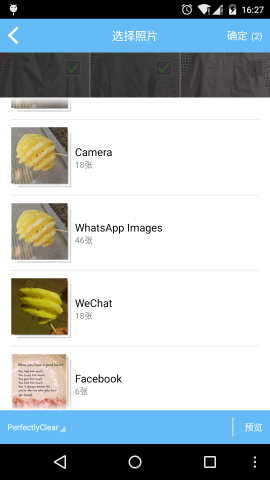
- Select Images from Album

- Browsing all device folders that have images
- Preview & zoom selected images