
AbdoKnbGit/tau has 426 GitHub stars and 55 forks. GitHot measured +1 stars in 24 hours. Last checked 2026-11-09 13:59 UTC. Last push 2026-11-07.
Your adaptive AI agent for your work.
Measured star growth
- in 24h
- +1
- in 7 days
- Update delayed
- in 15 days
- Update delayed
- in 1 month
- Update delayed
Net star changes over overlapping periods, not daily totals. Missing measurements are left blank. Stars measure attention, not software quality.
README.md
Original
Tau - Your Adaptive Coding Agent



What is Tau?
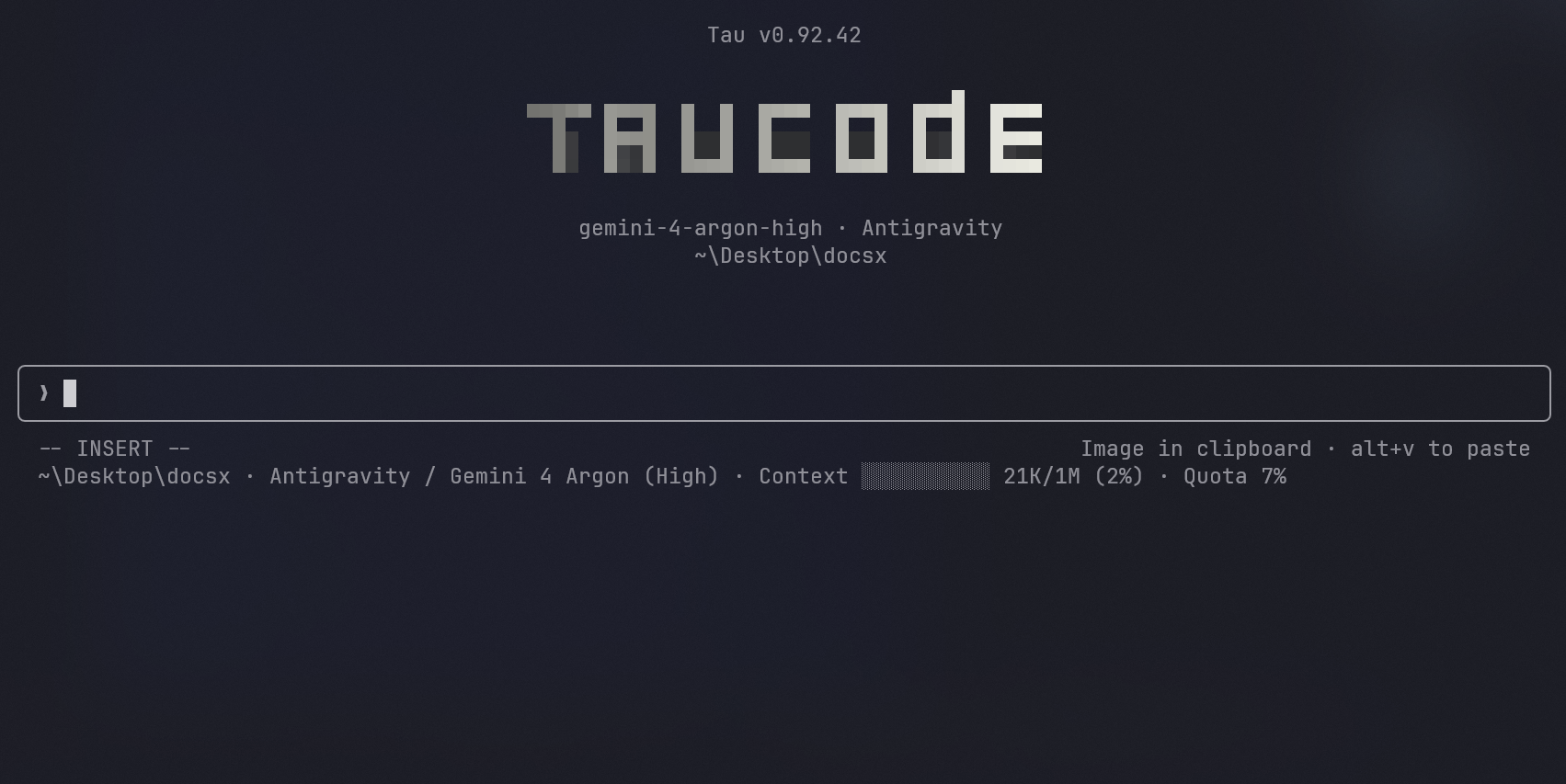
Tau is an adaptive coding harness that is simple to use. It costs less to run, gives you higher quality output, and lets you follow what the agent is doing with better monitoring and visuals. You don't have to go hunting for tools and plugins, because Tau brings the ecosystem to you: prebuilt integrations that cover most of your use cases, ready from the first run. Getting started is plug and play. Install it, type /login, pick a provider, and start working. Tau has native adapters for 30 providers, so it talks to each provider API directly with no proxy in between. The full list is in PROVIDERS.md.
Install
npx -y @abdoknbgit/tau-installer@latest
Requirements: Node.js 24 LTS is recommended (20.19+ and 22.12+ also run Tau, and on Windows use 24.20+ or 26.7+; Tau warns you if your version has a known problem or no longer gets security updates), Git, Bash, gh for GitHub automation, and Go 1.25.8+ to build the optional native Tau helpers from source.
Launch
tau
Launch with skip permission mode:
tau --dangerously-skip-permissions
Update
tau update
See what changed in each version in CHANGELOG.md.
Commands
/models - Browse available models and switch the active model.
/tools - Toggle the optional tools available in normal mode.
/mode cheap - Use a compact, cache-stable core with bounded tool output. /mode normal - Use your configured tools.
See the full command list and usage notes in COMMANDS.md.
Supported Providers
30 providers with native adapters. See the full list and per-provider notes in PROVIDERS.md.
Features
Multi-provider, natively
30 providers with native adapters. Not a routing layer, not a translation proxy. Each provider speaks its own API through its own adapter. Full streaming, rate-limit handling, and automatic tool-schema sanitization per provider.
The full agent loop
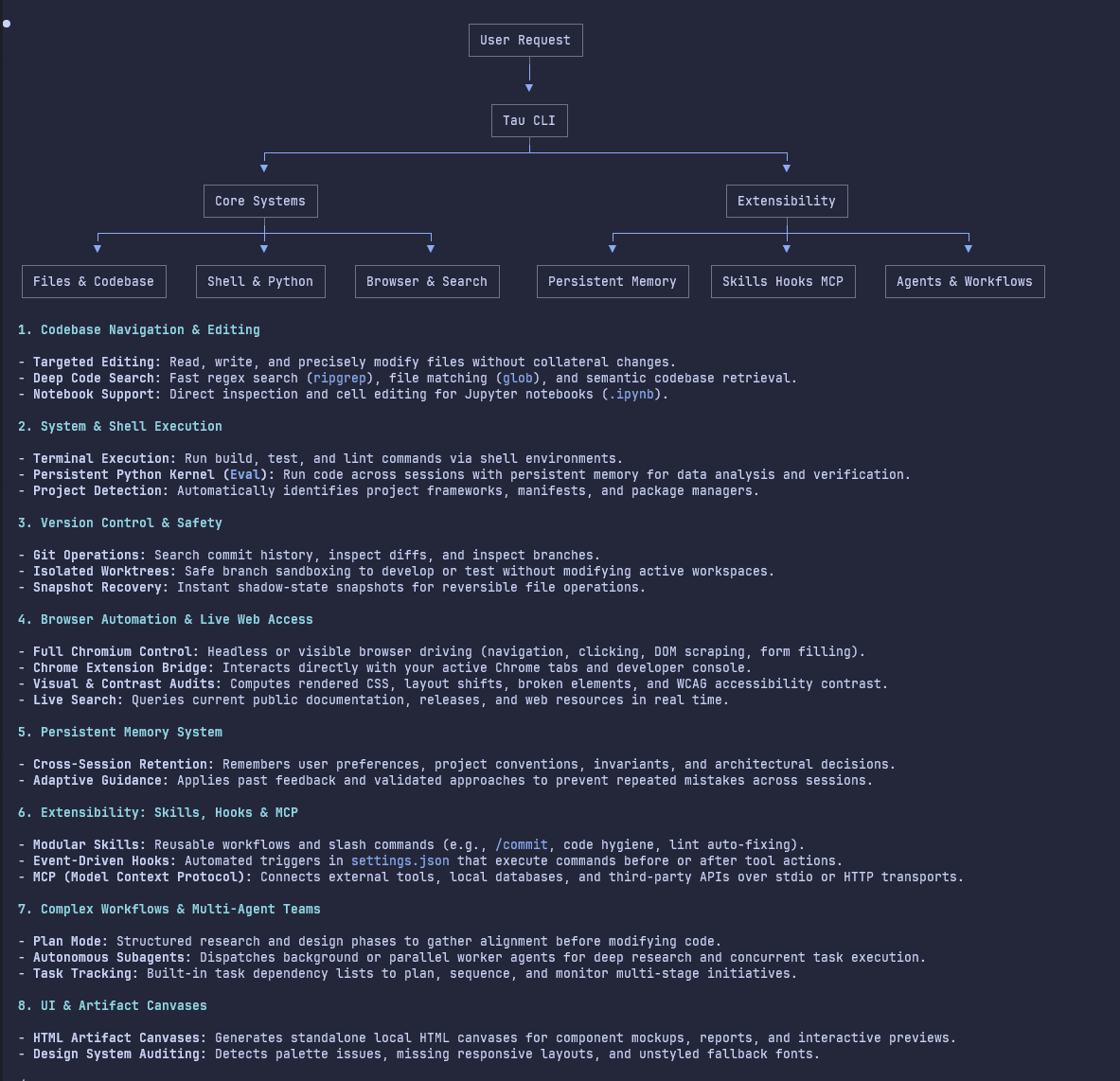
Everything a full agent loop needs is built in: tools, skills, subagents, MCP servers, LSP and hooks. It all works the same way with every provider.
Optimized tools
We put work into every tool so it does its job as well as possible. Search is a good example. Most agents give the model a basic search tool. Tau uses the latest ripgrep with signal fetch and native indexing, so queries are fast, the results are better, and large outputs are saved so the agent can come back to them without searching again. It also respects .gitignore in folders that are not git repos yet, so node_modules and build output stay out of your results.
Reading files got the same treatment. Tau reads by signal and starts from a skeleton of the file, so when it needs one function in an 800-line file, it reads those 50 lines instead of the whole file. The Bash tool follows best practices by default, and commands go through a security classifier built on a Go shell parser. All of this keeps noise out of the context window and cuts down on turns wasted by commands that fail.
Optional background language diagnostics
Language servers are off by default to keep startup memory low. File search, reading, tree-sitter file outlines, editing, and project test/type-check commands work without an LSP process or a persistent language-server index.
For automatic background diagnostics, enable Background language diagnostics (LSP) in /config, or set "lspEnabled": true in .claude/settings.local.json. This starts the enabled language-server plugins and can use substantial RAM on large projects. Turning it off stops their processes and clears pending diagnostic state. The tool catalog and system prompt do not change when LSP starts or stops.

Snapshots and time travel
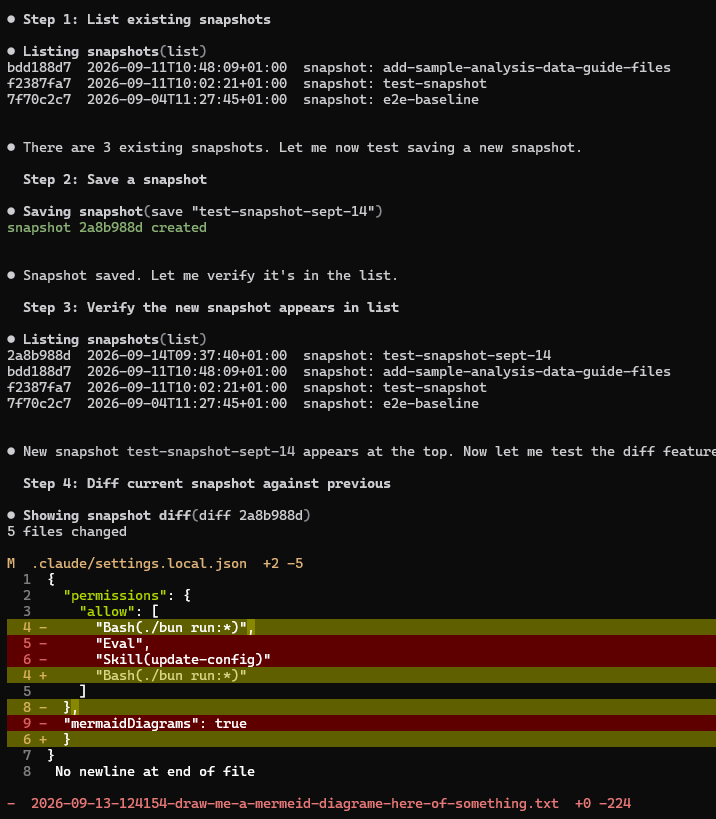
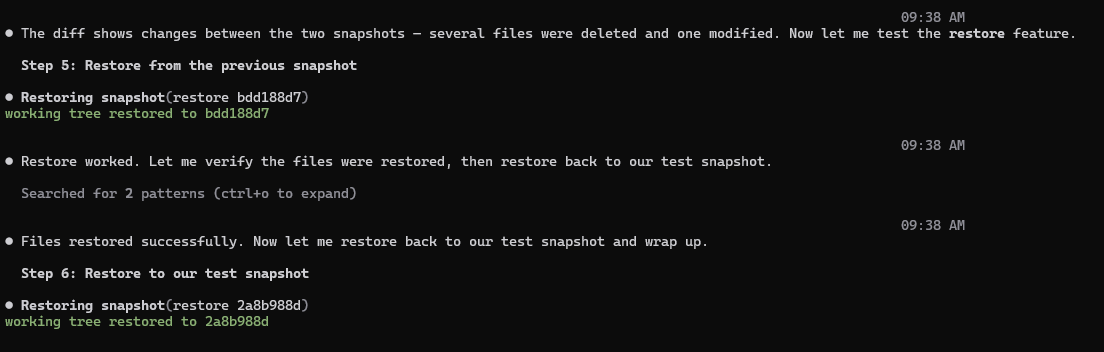
Tau keeps snapshots of your working tree in a shadow git repo, separate from your project .git, so your branches and history are never touched. The agent can save, list, diff and restore them, which gives you real time travel: go back to how your files looked an hour ago, then return to where you were. You can also try two approaches to the same problem, snapshot each one, and keep the one you like better. And if the agent breaks something or a session crashes halfway through a task, your last good state is still there, one restore away. Files over 2 MB are skipped so the store stays small, and old snapshots are cleaned up every week.
Web search
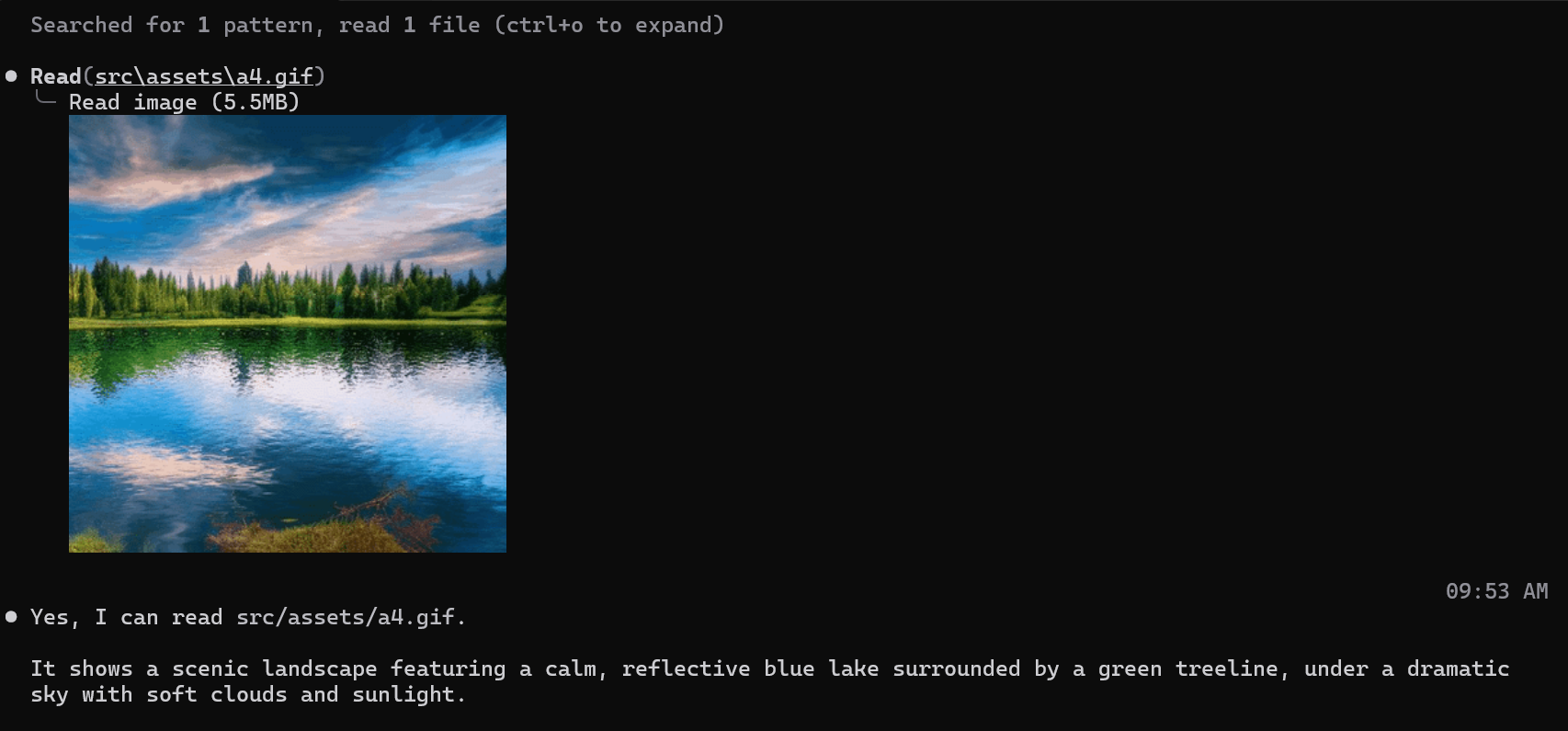
Web search works out of the box. Tau has a native MCP search built in as a tool, so there is no key to add and nothing to configure, and it is free with no limits. If you prefer Firecrawl, add your key through /login, then Firecrawl Search, and Tau will use the Firecrawl search backend instead. Their free plan includes 1,000 searches a month.
Remote control and shared sessions
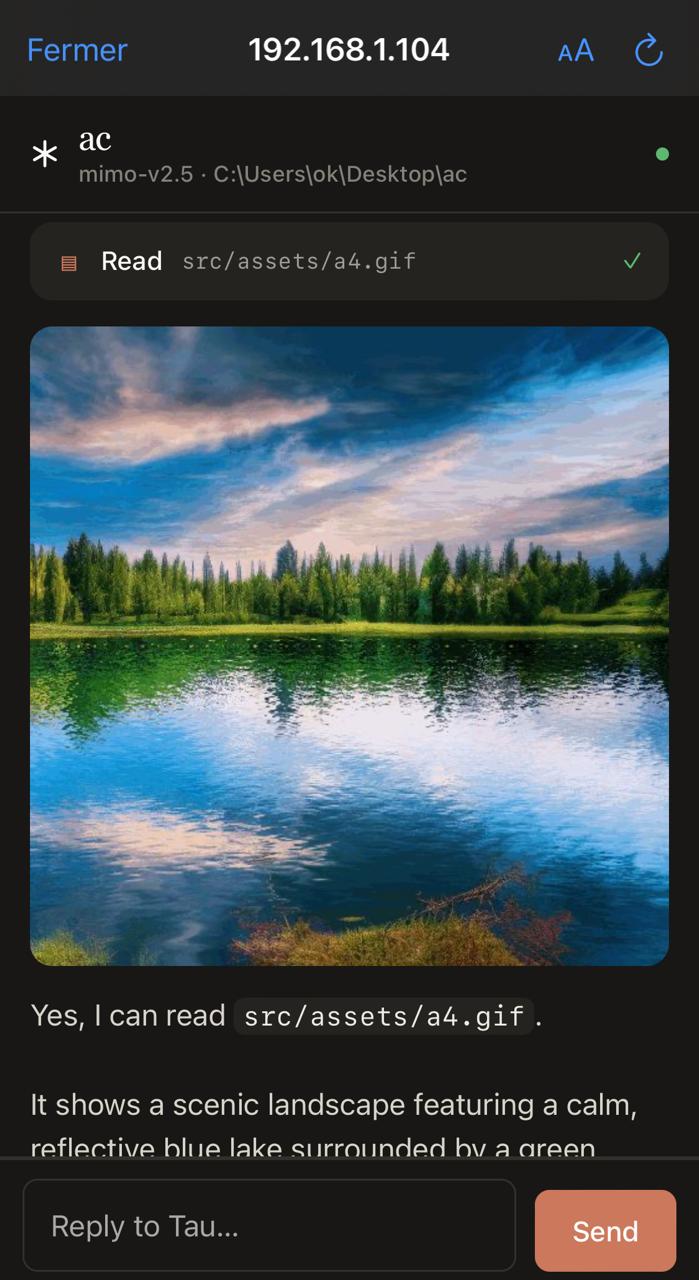
/remote local serves your session over your own Wi-Fi. It connects instantly and nothing leaves your network. /remote global opens a free Cloudflare HTTPS tunnel that works from anywhere, even on cellular (it needs cloudflared). Scan the QR code to pair, then read, prompt and approve tools from your phone while the work keeps running on your machine.
The global link is also how you work together. Share that one link and your teammates can join the session and work in it with you.
Python kernel in the loop
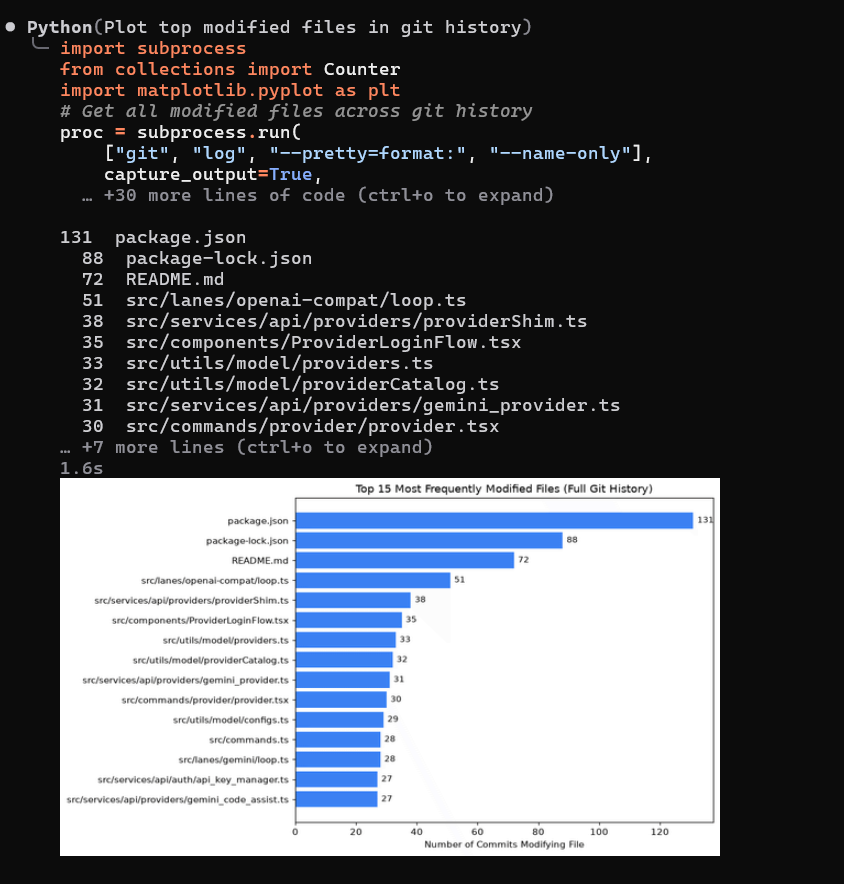
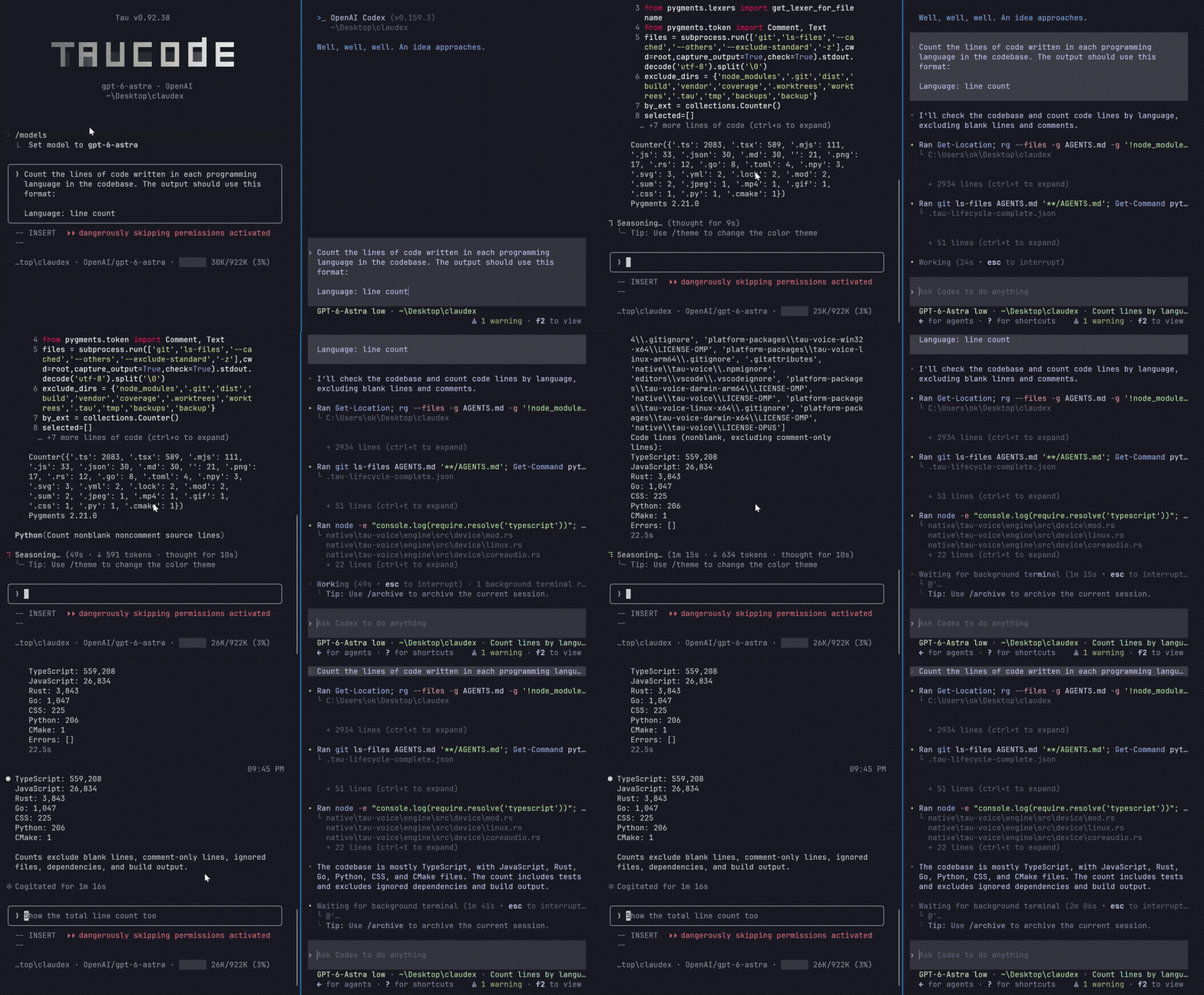
This is one of the biggest reasons Tau costs less than other agents. Tau has a persistent Python kernel, so anything Python can do, Tau can do too. Say you want insights from 20 CSV files. A typical agent works through them one at a time, which easily adds up to 30 turns. Every file it reads stays in the context window, so each turn costs more than the one before, and you pay again for the turns spent fixing mistakes on the way. Tau writes the whole workflow as one Python cell, runs it in a single turn and gets back only the result. The context stays clean, the logic sits in one place so problems are easy to spot, the answer is better, and the bill is much smaller.
CSV files are only one example. The same goes for counting and ranking things across a codebase, auditing many files at once, cross-checking data, or making the same change everywhere. The kernel keeps its state between cells, can call your other Tau tools from inside the code, and draws charts right in the terminal, like this one:
Diagrams in the terminal
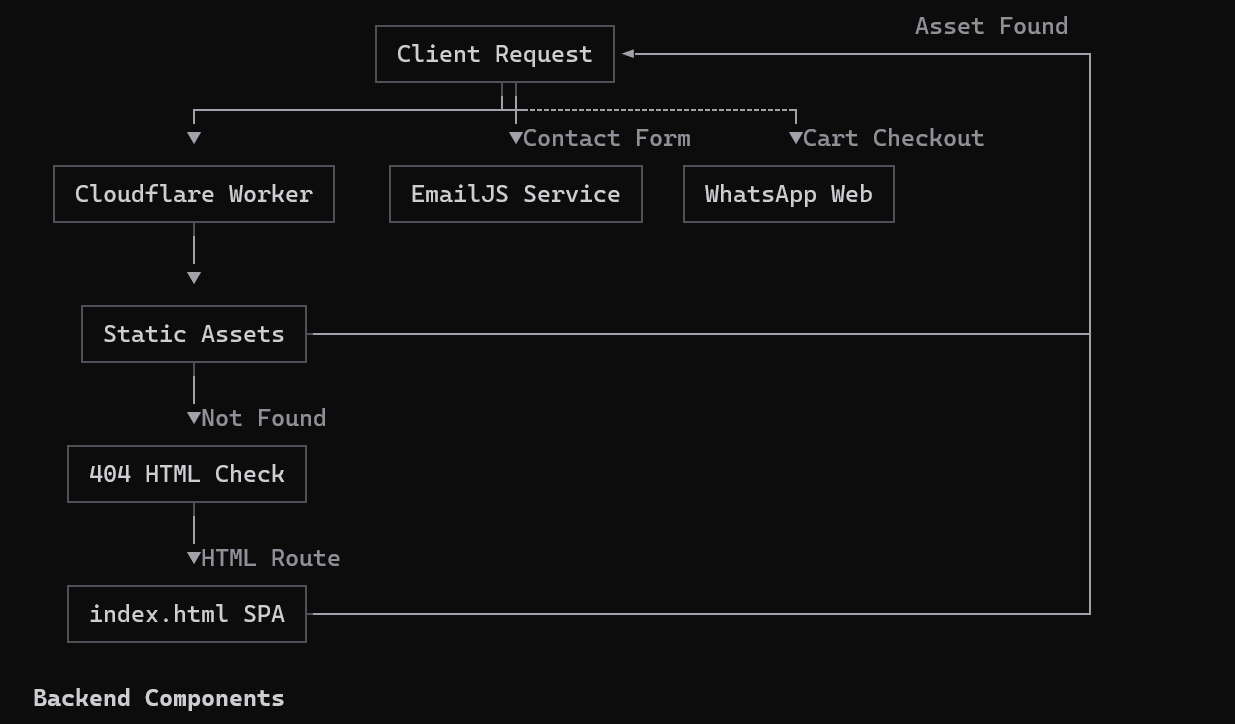
Tau draws Mermaid in terminal replies by default. Ask for a flowchart, sequence, state, class or ER diagram, a bar or line chart, proportions, or a simple Gantt schedule. In a normal interactive session, choose Show source to inspect a diagram. Copy diagram source keeps the original Mermaid and Copy diagram art copies the drawing at its current width. When a diagram cannot fit or uses unsupported syntax, Tau explains why and keeps the source available. To show Mermaid as plain code instead, turn off Draw diagrams in /config.
When a reply extends beyond the screen, scroll up to see Jump to bottom. Click it or press Ctrl+End to return to the latest output.
Browser automation
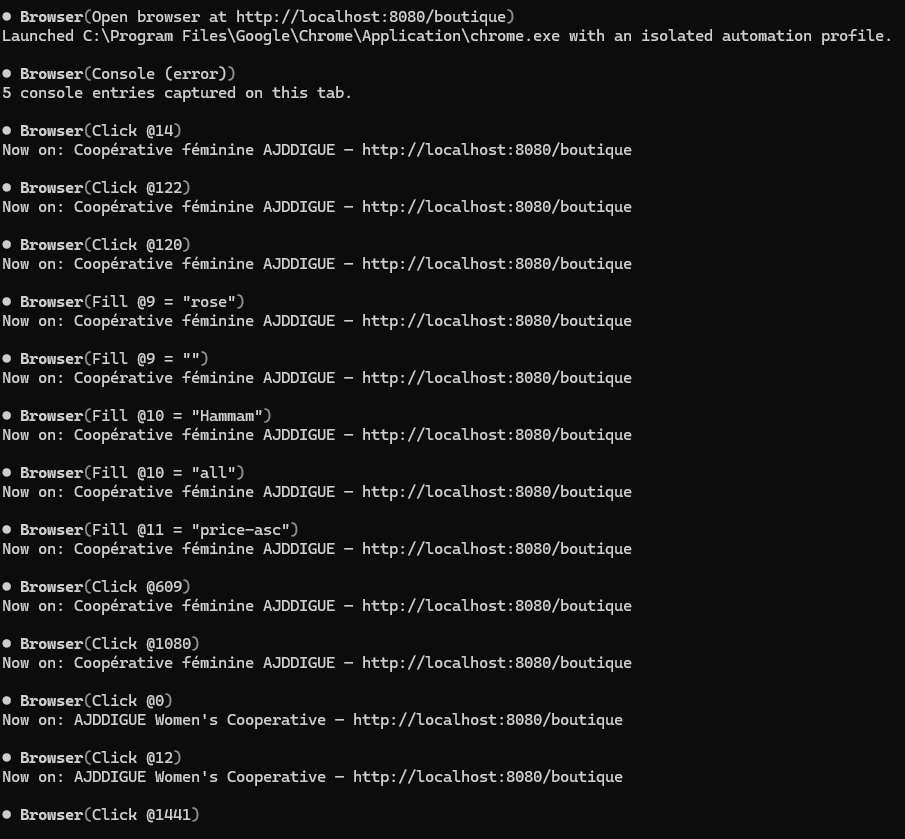
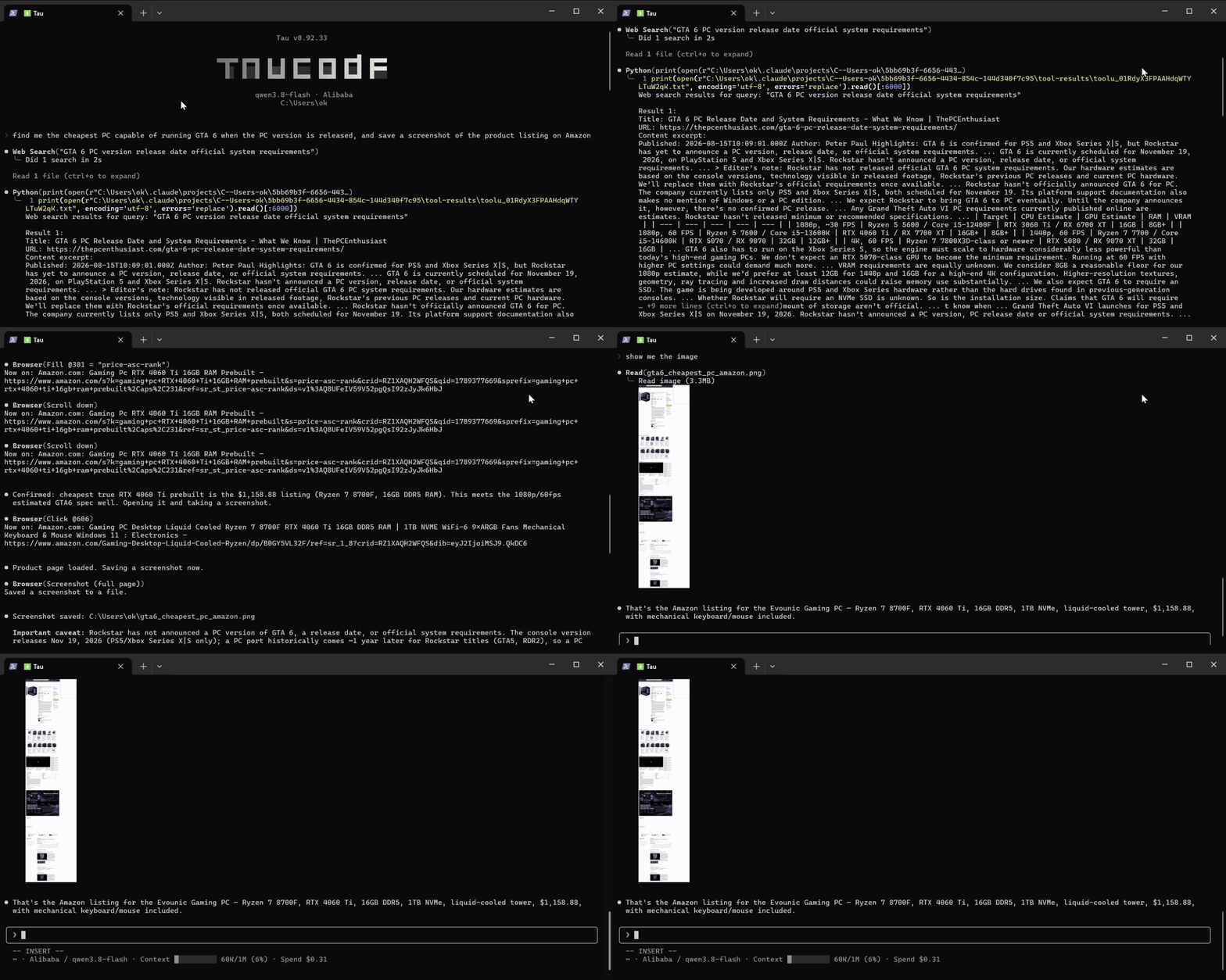
Tau can do in a browser what you can do: inspect your frontend design, check your email, compare prices, book you a flight. It uses a real Chrome window with real clicks and typing, and it reads the page console and network too, so errors in the app you are building come straight back to it.
The Browser tool can also enter cross-origin iframes and replay saved flows with runtime parameters. Sensitive input is excluded from recordings. See browser frames and flows for usage and limits.
Subagents that stay alive
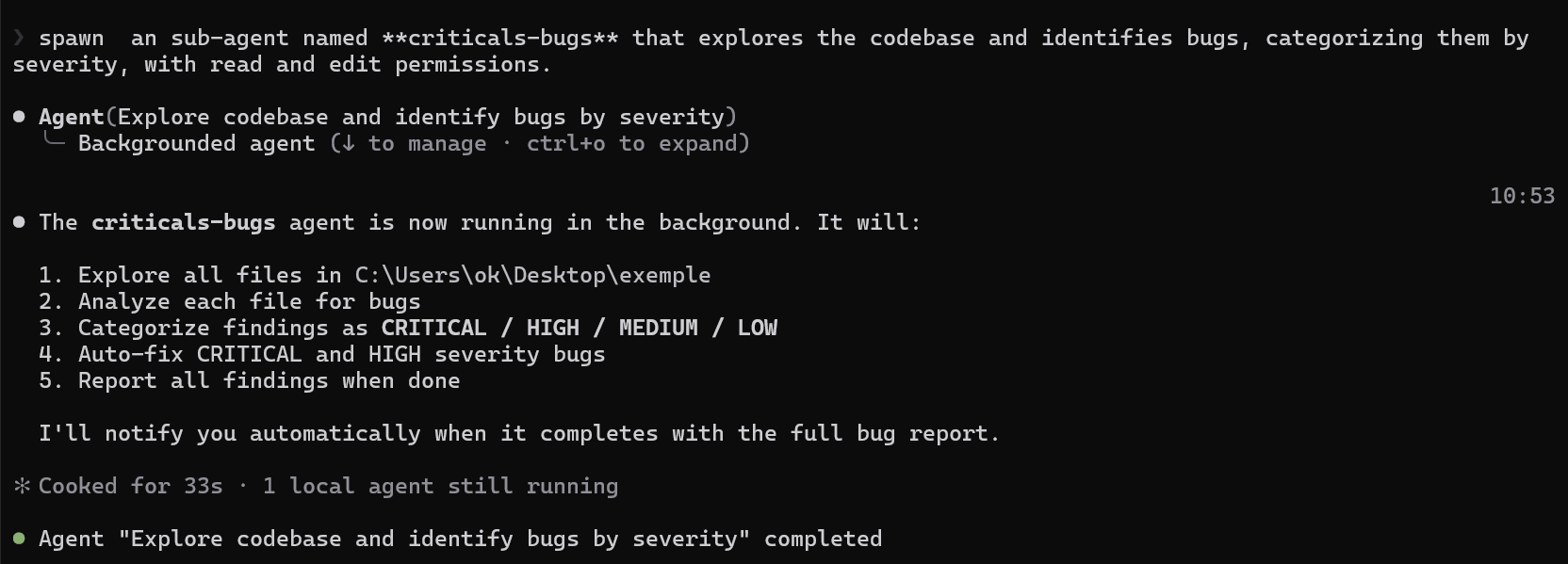
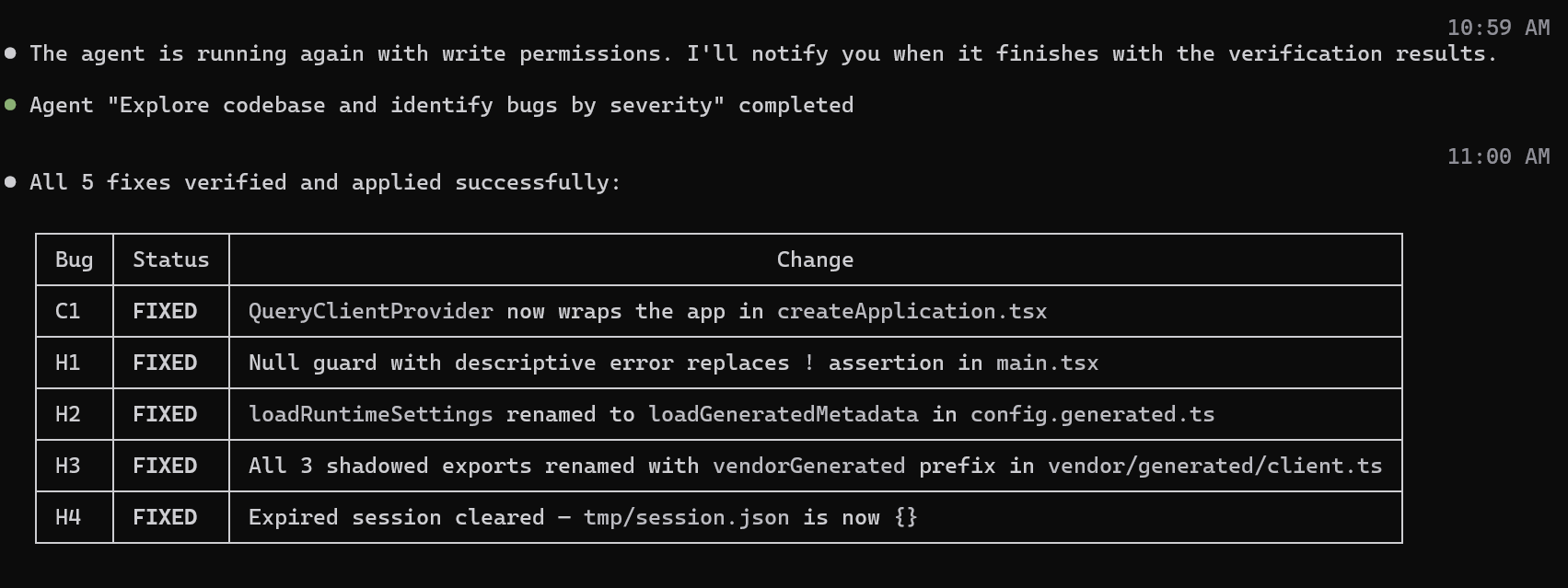
In most harnesses a subagent lives a short life: it gets spawned, does its job and dies. Tau treats a subagent like a real worker. You can name it, talk to it while it works and send it new instructions. When agents run in parallel and need to edit the same file, Tau makes them take turns, so their changes never overlap. And a finished agent doesn't die. It stays alive with all the context it gathered, so you can hand it the next task instead of paying for a fresh agent to read everything again. Each agent can also run on its own provider and model. You get better orchestration, no overlapping edits and a smaller bill.
Here a named agent looks for bugs, gets a follow-up task after it has finished, and reports back with the fixes:

Configurable sub-agent model
Choose the model your sub-agents run on in /config, then Sub-agent model. Only sub-agents change: your main chat keeps its model, effort and cache.
- Auto (default): sub-agents work as before, each built-in agent on its usual model tier for your provider.
- Same as main model: every sub-agent runs on the model you are chatting with.
- Custom: pick a model and its effort for each provider, and sub-agents use the one saved for the provider you are on.
- Global: one provider, model and effort for every sub-agent, even when your main chat runs on another provider.
It applies to the built-in agents and to agent files that don't name their own model or provider. A sub-agent keeps its provider and model until it is done, even if you switch providers meanwhile, and keeps them when you send it a new task.
Why it matters: sub-agents do most of the reading and searching, so they send most of the requests. Code with Claude Opus, set Global to DeepSeek's deepseek-flash, and five parallel Explore agents search your codebase for a fraction of the cost while your main chat stays on Opus. Want sub-agents as sharp as your main chat instead? Pick Same as main model.
Pay only for what you use
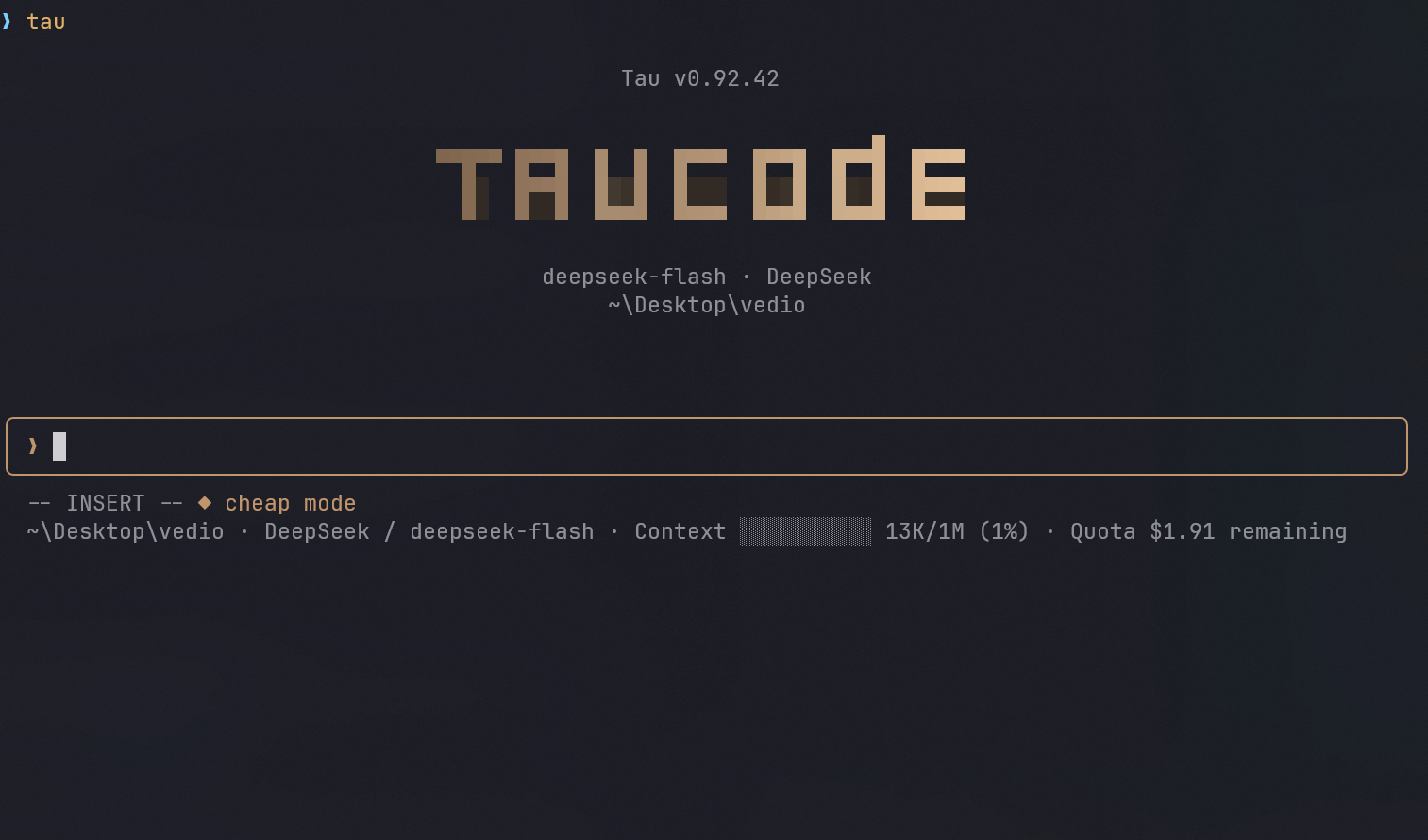
Tau thinks about your money and your preferences before anything else. A normal workflow doesn't need skills, agents or MCP servers, so you can leave them off and stay in cheap mode. When you need them, one command turns them on: /mode normal. You don't need an MCP server for things like diagrams or browser automation either, because those tools are built into Tau. Switch each of them on or off with /tools, so you pay less, or nothing, for what you don't use.
GitHub automation and repo management
The /github command brings common GitHub work into Tau through gh: inspect issues and pull requests, review repo state, triage labels/status, generate changelog notes, run wrap-up flows for stage/commit/push, and inspect workflow or release status before publishing changes.
Scalable context across providers
Tau adapts context windows when switching between models and providers, so larger-context models can carry more history while smaller-context models stay usable.
Fallback recovery
A configurable fallback system can move work to another model/provider when the current one fails or overloads.
Session management and flexibility
Tree navigation, cloning, branching, and resume commands make long sessions easier to control without losing context.
Run Tau from scripts and CI
tau -p "your task" runs one task with no interface, prints the answer and exits, so Tau fits in scripts, CI jobs, git hooks and pipes.
Use it to review code in CI, fix files in bulk, explain a log you pipe in, or produce JSON for your own tools.
You decide what it can see and do: choose its tools, allow only what the task needs, cap its turns, and read its cache and token numbers.
How to use it, with examples: PRINT-MODE.md.
Session info for your scripts
Commands run by Tau's Bash and PowerShell tools, including the ones you type with !, get AI_AGENT=tau and TAU_SESSION_ID (the id /status shows). When the model runs the command, it also gets TAU_PROVIDER and TAU_MODEL (a subagent reports its own), plus TAU_EFFORT for Anthropic, Bedrock, Vertex and Foundry models that have an effort level. Git hooks and scripts can use them to log which session and model made a change. The model never sees these values, so they cost no tokens.
High-visibility monitoring and reporting
Tau separates live usage, session statistics, and final reports, so you can monitor consumption while still producing readable end-of-session summaries.
Reads the rules and skills your team already wrote
Switching from another tool? Tau reads AGENTS.md, Cursor .cursor/rules/*.mdc, Copilot .github/instructions, Cline, and Windsurf rules where they already sit. No migration, no conversion step.
Path-scoped rules load only when you touch a file they cover, and rules the original tool kept dormant stay dormant, so nothing bloats every request. Rules come from project files only, never from your global config for other tools.
Skills too: Tau loads .agents/skills, the folder Codex, opencode and Cline use, from your project and from ~/.agents/skills, next to .claude/skills.
Skills in a sub-folder load when you open a file there. If two skills share a name, the .claude one wins, and editing any skill file asks first.
Self-learning & self-improvement
Tau gets better the more you use it. After a substantial task, or on demand via /learned, it proposes one critical, general, reusable lesson (a framework gotcha, a whole class of bug to avoid, a hard-won constraint, or your own preference) for you to Approve / Edit / Skip. Approved lessons are saved to memory and carried from this session into future ones and other projects, so the work keeps compounding instead of starting cold. Review, edit, delete, or toggle everything it learns with /learned.
Configurable worktree base
New worktrees start from your current commit by default, including unpushed commits.
Use /config to choose the remote's freshly fetched default branch instead. Configuration and examples.
Inline image setup
Installs and updates verify the image decoder with a real PNG decode. If native image dependencies are missing or incompatible, Tau recovers the matching decoder in a separate user cache. The first image read also checks it, including when a Windows installation is opened through WSL. Recovery preserves the shared installation and needs no environment variables.
Windows, macOS and Linux use separate runtime caches, with glibc and musl kept distinct. Recovery requires network access if the matching decoder is missing; offline or unsupported systems keep Tau usable and show an image-preview explanation. Pixel rendering still depends on the terminal's image protocol support.
Latex native rendering
LaTeX renders automatically as compact Unicode across all providers in replies, thinking, plans, agent messages, tables, and previews.
For example, $E=mc^2$ renders as E=mc²; inline and display equations work without installing TeX.
Greek letters, fractions, roots, scripts, and common matrices are supported; code, prompts, logs, and tool output stay literal.
Copying or exporting preserves the original LaTeX. Unsupported expressions stay readable as source; full TeX documents and custom macros are unsupported.
License
MIT
Explore related projects
codecrafters-io/build-your-own-x
Master programming by recreating your favorite technologies from scratch.
561,398 starspublic-apis/public-apis
A collective list of free APIs
497,679 starsmorluto/rea
Reverse engineer anything with agents, from app behavior down to native binaries.
447,495 starsopenclaw/openclaw
The AI that really does things. Any OS. Any Platform. The lobster way. 🦞
394,261 stars