
AI2TH/Linxr
AI2TH/Linxr has 58 GitHub stars and 17 forks. GitHot measured +1 stars in 24 hours. Last checked 2026-11-17 15:07 UTC. Last push 2026-11-12.
What you can do
- 1-Click Marketplace & Recipe Store — Discover and 1-click deploy curated container stacks (k3s Kubernetes, Nginx, Redis, PostgreSQL, VS Code Server, Ollama AI, Portainer, Node.js, Python, Tailscale) or write, import, and share your own custom community recipes.
- Chrome & Web Browser Port Forwarding — Automatic port forwarding (8080, 3000, 8000, 5000, 8443, 9000, 8088->80, 11434) letting you test web applications and dashboards in Chrome directly on your phone.
- Upgraded Linux & Kernel Stack — Alpine Linux with Linux Kernel 6.18-virt, OpenRC init, OpenSSH, sudo, bash, and full apk package repository access.
- Native Docker & Kubernetes Engine — Complete Docker container management and k3s Kubernetes runtime support with cgroup2 subtree controllers and /dev/kmsg support.
Measured star growth
- in 24h
- +1
- in 7 days
- Update delayed
- in 15 days
- Update delayed
- in 1 month
- Update delayed
Net star changes over overlapping periods, not daily totals. Missing measurements are left blank. Stars measure attention, not software quality.
About
Alpine Linux VM workstation on Android, no root: Docker/OCI containers, k3s Kubernetes, Asterisk PBX, 1-click marketplace and a Linux desktop GUI. Pockr, Zyvr and Kubxr are merged in.
Self-hostedREADME.md
OriginalLinxr
Bare Alpine Linux VM & Docker Container Workstation on Android — no root required.
Linxr runs a full Alpine Linux 3.20 environment on Linux Kernel 6.18-virt inside a QEMU virtual machine on any arm64 Android device. Access it through the built-in multi-tab SSH terminal, native Docker Containers dashboard, POSIX file manager, or any external SSH client. No root, no Termux, no special hardware.
🚀 Features in v3.1.0
- 1-Click Marketplace & Recipe Store — Discover and 1-click deploy curated container stacks (k3s Kubernetes, Nginx, Redis, PostgreSQL, VS Code Server, Ollama AI, Portainer, Node.js, Python, Tailscale) or write, import, and share your own custom community recipes.
- Chrome & Web Browser Port Forwarding — Automatic port forwarding (
8080,3000,8000,5000,8443,9000,8088->80,11434) letting you test web applications and dashboards in Chrome directly on your phone. - Upgraded Linux & Kernel Stack — Alpine Linux with Linux Kernel 6.18-virt, OpenRC init, OpenSSH,
sudo,bash, and fullapkpackage repository access. - Native Docker & Kubernetes Engine — Complete Docker container management and k3s Kubernetes runtime support with cgroup2 subtree controllers and
/dev/kmsgsupport. - Native Docker Dashboard (Pockr Merged) — Complete Docker container management under the Containers tab (pull images, launch containers, stream live container logs).
- Live System & VM Serial Log Console — Real-time kernel serial logs (
dmesg,init,sshd) streaming directly on the Home screen for 100% boot transparency. - Virtio-9P Storage & SAF Folder Picker — Direct POSIX storage sharing at
/storage/emulated/0/LinxrSharemounted inside guest VM at/mnt/sdcard, plus Android Storage Access Framework (SAF) folder picker in Settings. - Ultra-Low Network Latency —
TCP_NODELAYsocket optimization dropping terminal typing lag from 250ms to under 15ms. - Multi-Tab Terminal — Up to 5 concurrent SSH sessions with auto-reconnect, keepalive, and specialized touch control key bar (
Tab,Esc,Ctrl+C,Ctrl+D,Ctrl+Z). - Dynamic Resource Controls — Configure vCPU count, RAM, and disk size (8 GB to 50 GB+) with automatic online
resize2fsexpansion on boot. - No Root Required — QEMU runs entirely as a standard Android userland application sandbox.
📸 Screenshots
| Home — Stopped | Home — Live Serial Logs | Terminal (linxr:~#) |
|---|---|---|
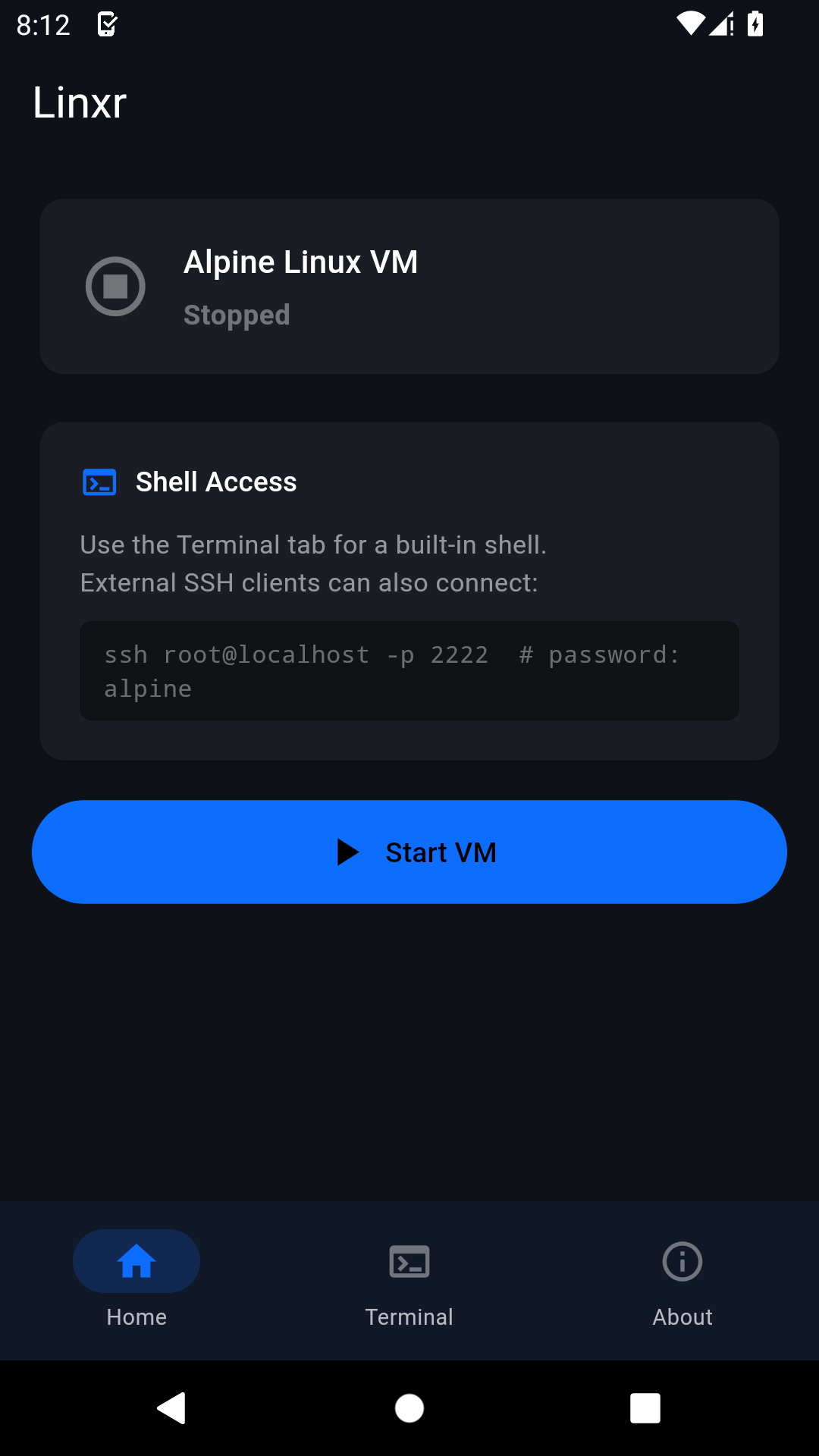 |
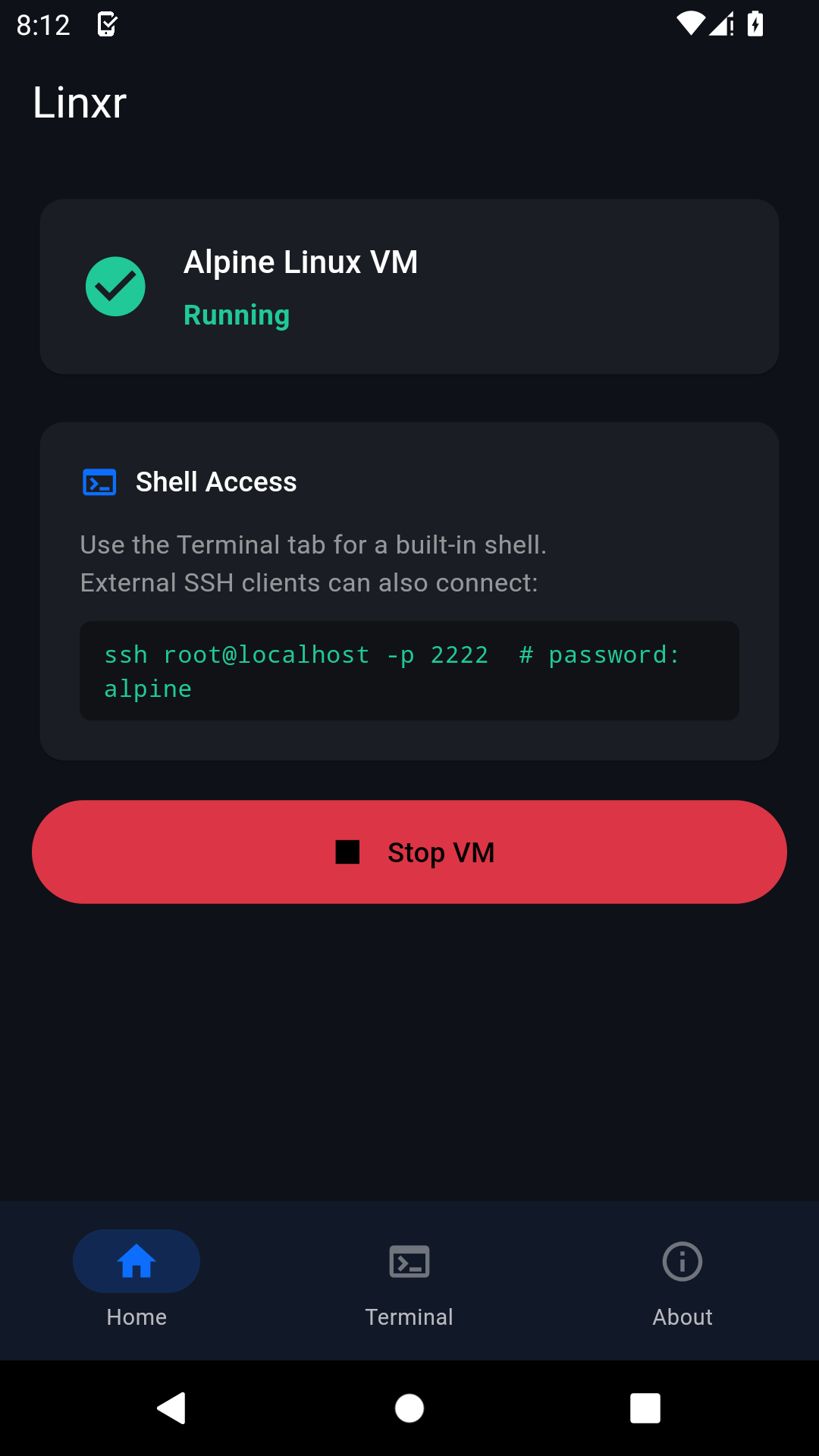 |
 |
| Containers Dashboard | Storage & Files | Settings & SAF Picker |
|---|---|---|
 |
 |
 |
💬 Community & Discussion
Join our official community for technical discussions, feature requests, and support:
- 💬 AI2TH Google Group: https://groups.google.com/g/ai2th
- 📚 DEV.to 11-Part Engineering Series: https://dev.to/ai2th/series/28773
- 🌐 Official Website: https://ai2th.github.io/linxr.html
📱 Requirements
| Requirement | Minimum | Recommended |
|---|---|---|
| Android OS | 8.0 (API 26) | Android 11.0+ |
| Architecture | arm64-v8a | arm64-v8a |
| Free Storage | ~300 MB (APK + VM base image) | 10 GB+ for Docker images |
| Device RAM | 2 GB | 4 GB+ |
⚡ Quick Start
- Download Linxr v3.0.0 (
.apkor.aab) from GitHub Releases or Google Play Store. - Open Linxr → tap Start VM.
- Watch real-time kernel boot logs stream inside the System & VM Logs console on the Home Screen.
- Switch to the Terminal tab — it auto-connects as soon as SSH is active on
port 2222. - Log in using default credentials:
root/alpine.
External SSH Connection
ssh root@localhost -p 2222
# Password: alpine
🏗️ Architecture & Stack
Android Host (Flutter + Kotlin Userland App)
│
├── VmManager.kt          — QEMU lifecycle, asset extraction, SSH readiness probe lock
├── VmService.kt          — Android Foreground Service (keeps VM alive in background)
├── MainActivity.kt       — SAF document picker MethodChannel (pickFolder)
│
├── QEMU Engine (libqemu.so)
│   ├── Virtio-Net (SLIRP)— TCP_NODELAY, hostfwd 127.0.0.1:2222 -> 22, 127.0.0.1:8080 -> 8080
│   └── Virtio-9P (pci)   — Shares /storage/emulated/0/LinxrShare with guest VM
│
└── Guest VM (Alpine Linux 3.20 / Kernel 6.18-virt)
    ├── OpenRC init       — Service management & online diskexpand (resize2fs)
    ├── OpenSSH daemon    — SSH server listening on port 22 inside VM
    ├── Docker Daemon     — Native Docker Engine (overlay2 storage, bridge networking)
    └── api_server.py     — REST API bridging Flutter Containers tab to /var/run/docker.sock
Disk & Asset Layout
| Asset File | Purpose |
|---|---|
base.qcow2 |
Read-only Alpine 3.20 rootfs (OpenSSH, Docker, sudo, python3 pre-installed) |
user.qcow2 |
Writable QCOW2 overlay preserving all your files and Docker containers |
vmlinuz-virt |
Guest Linux Kernel 6.18-virt compiled with Virtio & PREEMPT_DYNAMIC |
initramfs-virt |
Initial RAM filesystem |
🛠️ Building from Source
Prerequisites
- Linux / macOS workstation with Docker (for cross-compiling rootfs and native QEMU libraries)
- Android SDK (API 31+)
- Flutter 3.x SDK
1 — Build the Alpine Base RootFS & QCOW2 Image
bash scripts/build_qcow2.sh
Outputs: android/app/src/main/assets/vm/base.qcow2.gz
2 — Build the Android APK
bash scripts/build_apk.sh debug     # Debug build
bash scripts/build_apk.sh release   # Release build (requires release keystore)
Outputs: build/linxr-debug.apk or build/linxr-release.apk
3 — Build Play Store Bundle (AAB)
bash scripts/build_aab.sh
Outputs: build/linxr-release.aab
4 — Install via ADB
adb install build/linxr-release.apk
🔑 Default Credentials
| Parameter | Default Value |
|---|---|
| Username | root |
| Password | alpine |
🔒 Security Note: Change your root password using
passwdafter first login.
📂 Project Structure
Linxr/
├── android/
│   └── app/src/main/
│       ├── assets/bootstrap/   # api_server.py, init_bootstrap.sh
│       ├── assets/vm/          # kernel 6.18-virt, initramfs, base.qcow2.gz
│       └── kotlin/com/ai2th/linxr/
│           ├── MainActivity.kt  # SAF pickFolder MethodChannel
│           ├── VmManager.kt     # QEMU launcher & SSH probe lock
│           └── VmService.kt     # Foreground Service
├── lib/
│   ├── main.dart               # Main app layout & Home Screen
│   ├── constants.dart          # App constants & theme colors
│   ├── screens/
│   │   ├── terminal_screen.dart # Multi-tab SSH terminal emulator
│   │   ├── containers_screen.dart # Docker Container Dashboard & log viewer
│   │   ├── files_screen.dart    # Virtio-9P filesystem explorer
│   │   └── settings_screen.dart # vCPU/RAM/Disk sliders & SAF picker
│   └── services/
│       └── vm_platform.dart    # Platform Channels & VmState provider
├── scripts/
│   ├── build_apk.sh            # APK build script
│   ├── build_aab.sh            # Play Store AAB build script
│   ├── build_qcow2.sh          # QCOW2 Alpine image builder
│   └── _build_rootfs.sh        # Docker-based rootfs builder
├── CHANGELOG.md
├── LICENSE
└── pubspec.yaml
📜 Open Source Components & Licenses
| Component | License | Role |
|---|---|---|
| Flutter | BSD-3-Clause | UI framework |
| QEMU | GPL-2.0 | ARM64 CPU & Machine Virtualization Engine |
| Alpine Linux | MIT / GPL | Guest Linux Distribution |
| Docker Engine | Apache-2.0 | Container Runtime |
| dartssh2 | MIT | Pure-Dart SSH2 client |
| xterm.dart | BSD-3-Clause | Terminal emulator UI widget |
📄 License
Copyright (C) 2026 AI2TH.
This project is licensed under the GNU General Public License v3.0. See LICENSE for the full text.
🏢 About AI2TH
Applied Intelligence To Tackle Hardships
AI2TH builds developer tools and virtualization platforms that bring Linux environments to mobile and edge hardware without root access.
Linxr — run Linux anywhere.