6v17/VideoSeek
6v17/VideoSeek has 121 GitHub stars and 22 forks. GitHot measured 0 stars in 24 hours. Last checked 2026-11-15 15:47 UTC. Last push 2026-11-15.
What you can do
- Text & image search — Natural language or a reference image to find similar shot time ranges
- Picture library — Sync image folders, then search them from the Search page “Pictures” tab
- Hard-subtitle OCR — Keyword search over on-screen dialogue
- Libraries & scope — Multiple libraries, selected videos, search presets. Optional absolute time windows apply to every video
Measured star growth
- in 24h
- 0
- in 7 days
- Update delayed
- in 15 days
- Update delayed
- in 1 month
- Update delayed
Net star changes over overlapping periods, not daily totals. Missing measurements are left blank. Stars measure attention, not software quality.
About
Offline video material retrieval platform for semantic search, subtitle search, Agent API, and AI-assisted editing.
Creative & MediaREADME.md
OriginalVideoSeek



中文说明 | English
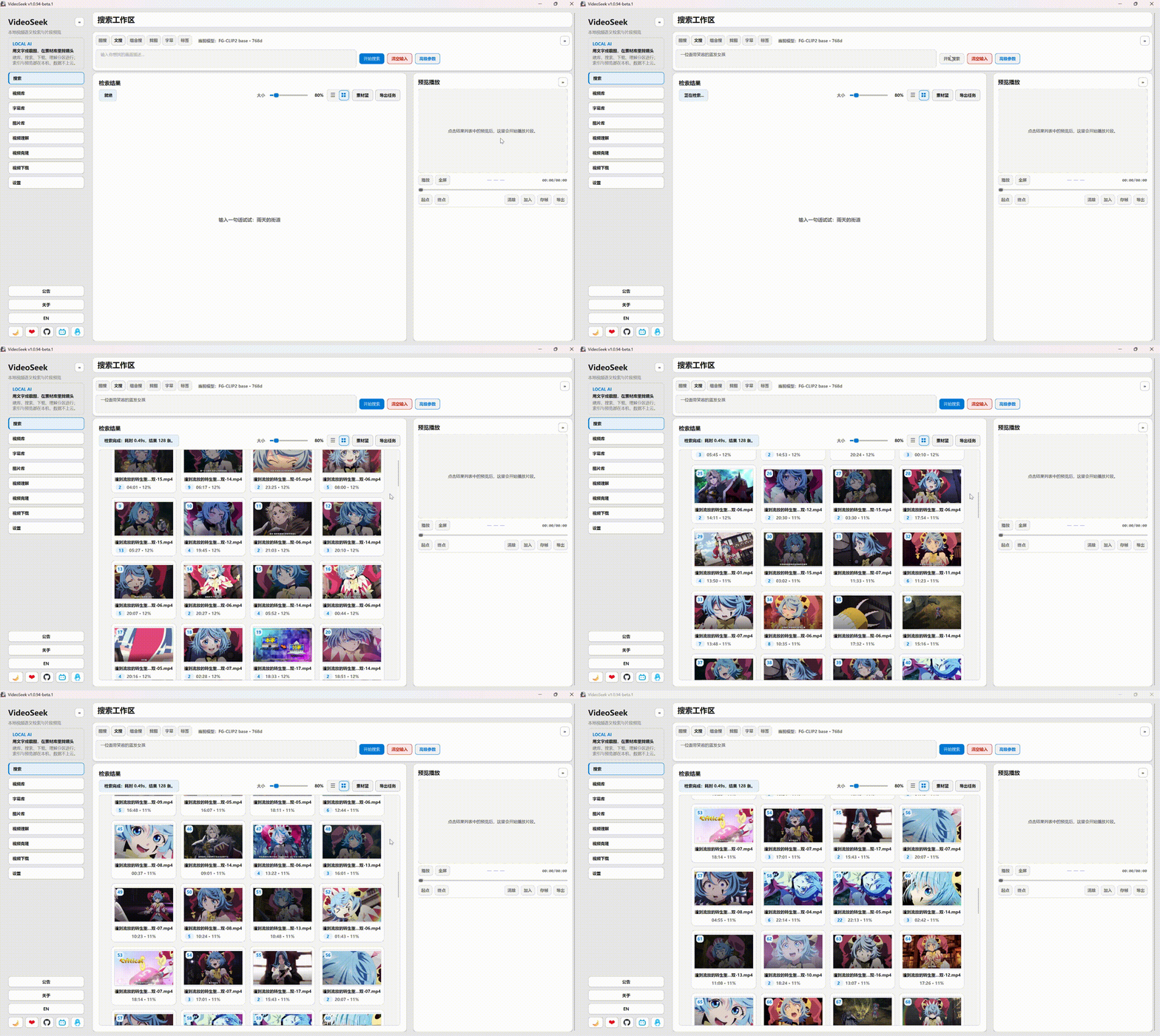
Search a local video library by text or screenshot, with hard-subtitle OCR; preview hits and export MP4, Jianying, or NLE timelines.
By default, indexing stays on your machine (ONNX · Lance · FFmpeg) and media is not uploaded. If you turn on Cloud embedding in Settings, extracted frames and queries are sent to the cloud service you configure.
Free forever. Do not pay for resale or “paid install” copies — get it from GitHub / the site.
Download · Releases · User guide (ZH) · QQ 1033551438
Features
- Text & image search — Natural language or a reference image to find similar shot time ranges
- Picture library — Sync image folders, then search them from the Search page “Pictures” tab
- Hard-subtitle OCR — Keyword search over on-screen dialogue
- Libraries & scope — Multiple libraries, selected videos, search presets. Optional absolute time windows apply to every video
- Preview & export — Timeline preview; MP4; Jianying draft / Premiere XML / DaVinci FCPXML
- Local-first — Sync and search stay on this machine unless you turn on Cloud embedding, which sends frames and queries to the service you configure. On a LAN, a user machine can search the server’s indexed library by text or image; sync runs on this machine or the server. Localhost Agent API is separate
Optional: video understanding, tag search, multiple CLIP-family models, experimental recap cuts, and more. Main path: sync → search → export.
Use cases
| You have… | You want… |
|---|---|
| Large local or NAS libraries | Find shots by semantics, not filenames |
| Dialogue or hard subs you remember | Jump to timestamps after OCR keyword search |
| An editing workflow | Rough-locate clips, then open Jianying / PR / DaVinci |
Quick start (installer)
- Download from lv17.top or Releases
- On first launch, import runtime assets when prompted (models, FFmpeg; OCR pack if you need subtitles)
- Sidebar Local Library → add a folder → select videos → Sync selected
- Search → query → preview → export
Quick start (from source)
Windows 10/11 recommended. Other OS: see docs/quickstart.md.
pip install -r requirements.txt
python main.py
conda env create -f environment.yml
conda activate VideoSeek
| Missing | Action |
|---|---|
| Models / FFmpeg | In-app import, 123 cloud zip, or models release |
| VLC (Windows source only) | vlc_lib release → extract at repo root |
Fallback: if the model zip and ffmpeg.exe are already on disk, close VideoSeek, download import_runtime_resources.py, and run (no git checkout; writes %LOCALAPPDATA%\VideoSeek):
python import_runtime_resources.py openai-clip.zip ffmpeg.exe
Documentation
- User guide (ZH) — illustrated installer walkthrough
docs/quickstart.md— from-source setup and troubleshootingdocs/for-agents.md— localhost Agent APIdocs/architecture.md— architecture (developers)CONTRIBUTING.md— how to contribute
Community
- QQ group: 1033551438
- GitHub Issues — bugs, source builds, Agent API
License
Support