
3x-haust/Orbit
3x-haust/Orbit has 43 GitHub stars and 0 forks. Star changes are not measured yet. Last checked 2026-11-09 16:33 UTC. Last push 2026-11-02.
Every Mac utility, in one orbit. 맥의 모든 유틸리티 앱을 한 번에
Measured star growth
- in 24h
- Update delayed
- in 7 days
- Update delayed
- in 15 days
- Update delayed
- in 1 month
- Update delayed
Net star changes over overlapping periods, not daily totals. Missing measurements are left blank. Stars measure attention, not software quality.
README.md
Original


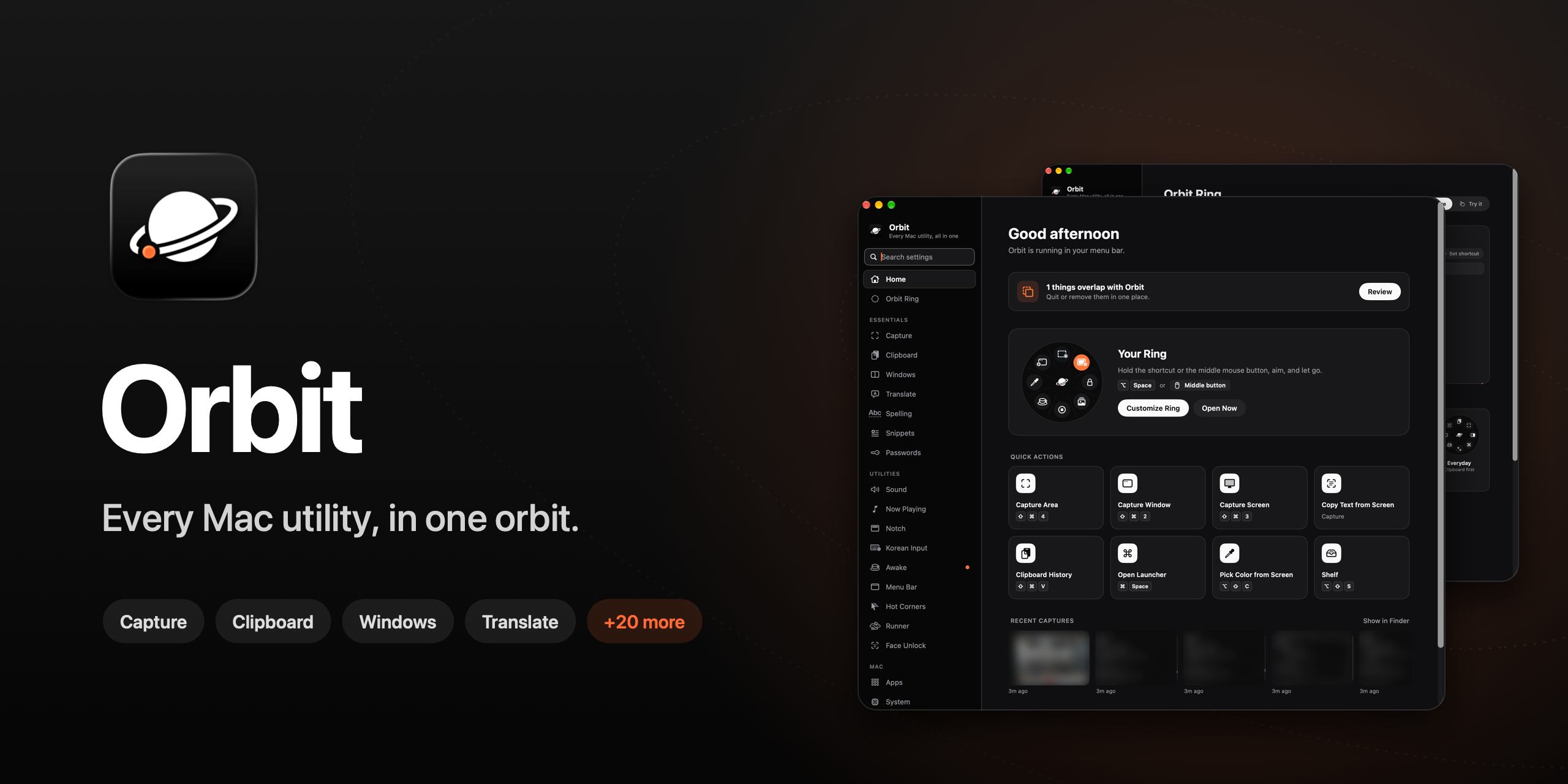
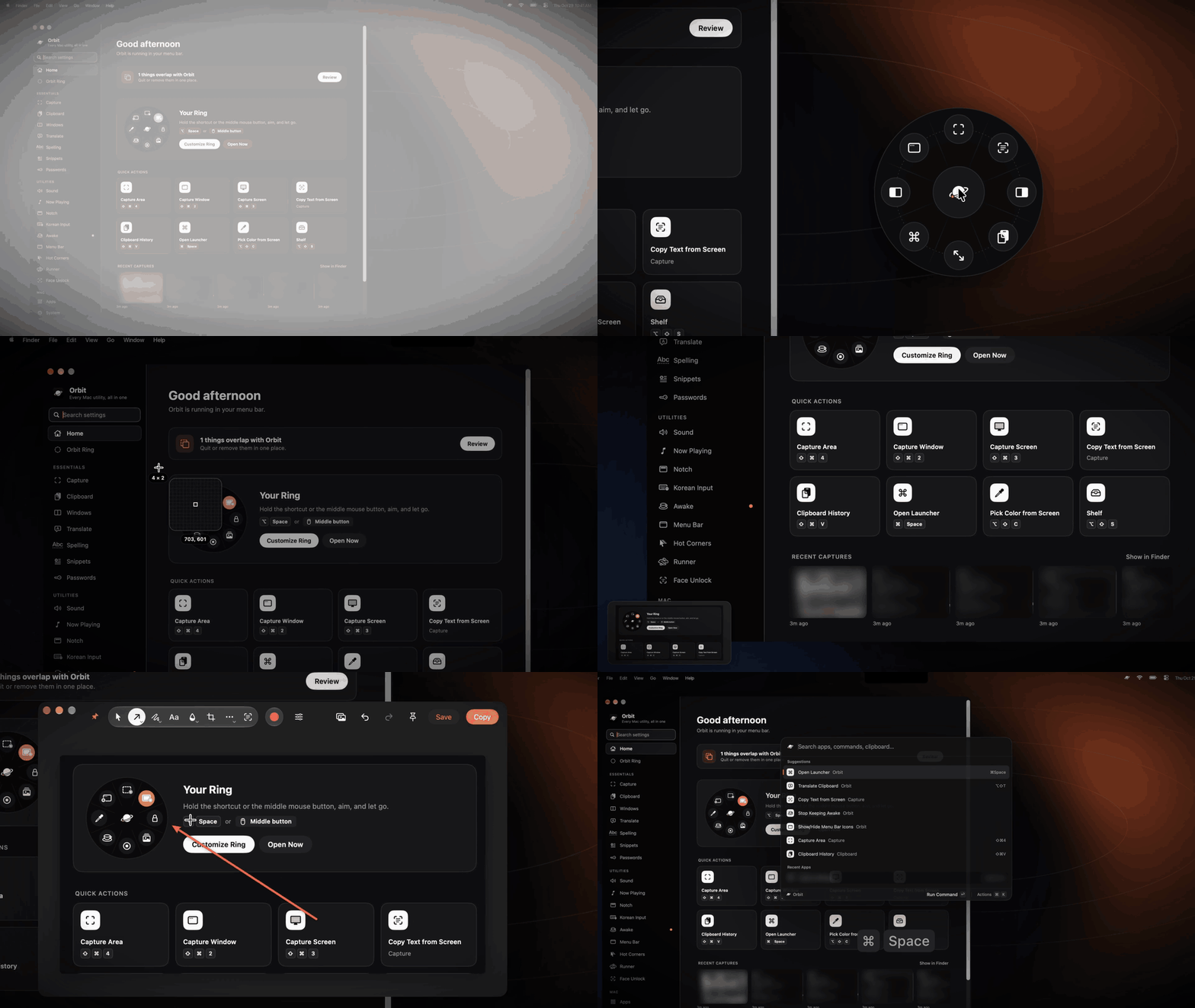
Orbit replaces a dock full of single-purpose menu bar apps with one fast, native app. Screenshots, clipboard history, a launcher, window snapping, translation, menu bar hiding, keep-awake, per-app volume, system monitoring and more — all reachable from one ring that opens around your pointer.
Black and white, with a single orange accent. Native SwiftUI + AppKit, no Electron, no accounts, no telemetry.
Features
 |
 |
 |
 |
 |
 |
 |
 |
Essentials
| 🪐 Orbit Ring | Hold a shortcut or the middle mouse button — a ring of actions opens around your pointer. 3–12 slots, presets, drag-and-drop editing. |
| 🔍 Launcher | ⌥Space. Apps, Orbit commands, open windows, the front app's menu commands, files, calculator, units, currency, clipboard and snippets — all from one search field. |
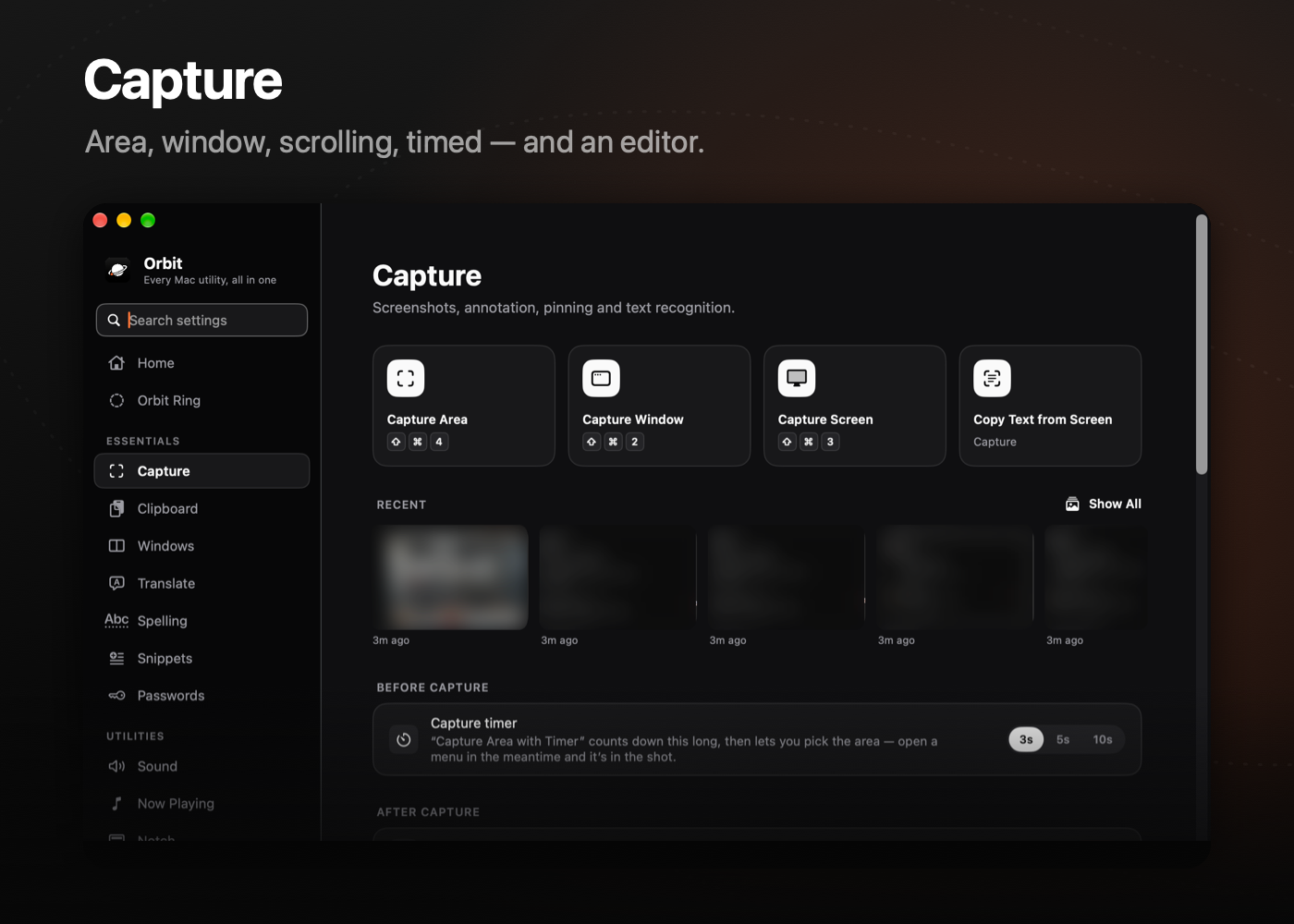
| 📸 Capture | Area, window, full screen, timed and scrolling captures (keeps up with fast scrolls). Selection keys: ⇧ lock ratio, ⌥ from center, Space to move, Tab for presets, R for the last area, and C/S/E/P/T/V/L to pick what happens. Screen recording with click highlights. An editor with arrows, text, blur, pixelate, spotlight, magnifier, ruler and color picker. Live Text and OCR. |
| 📋 Clipboard | Searchable history of text, images, files and colors. Single click pastes. |
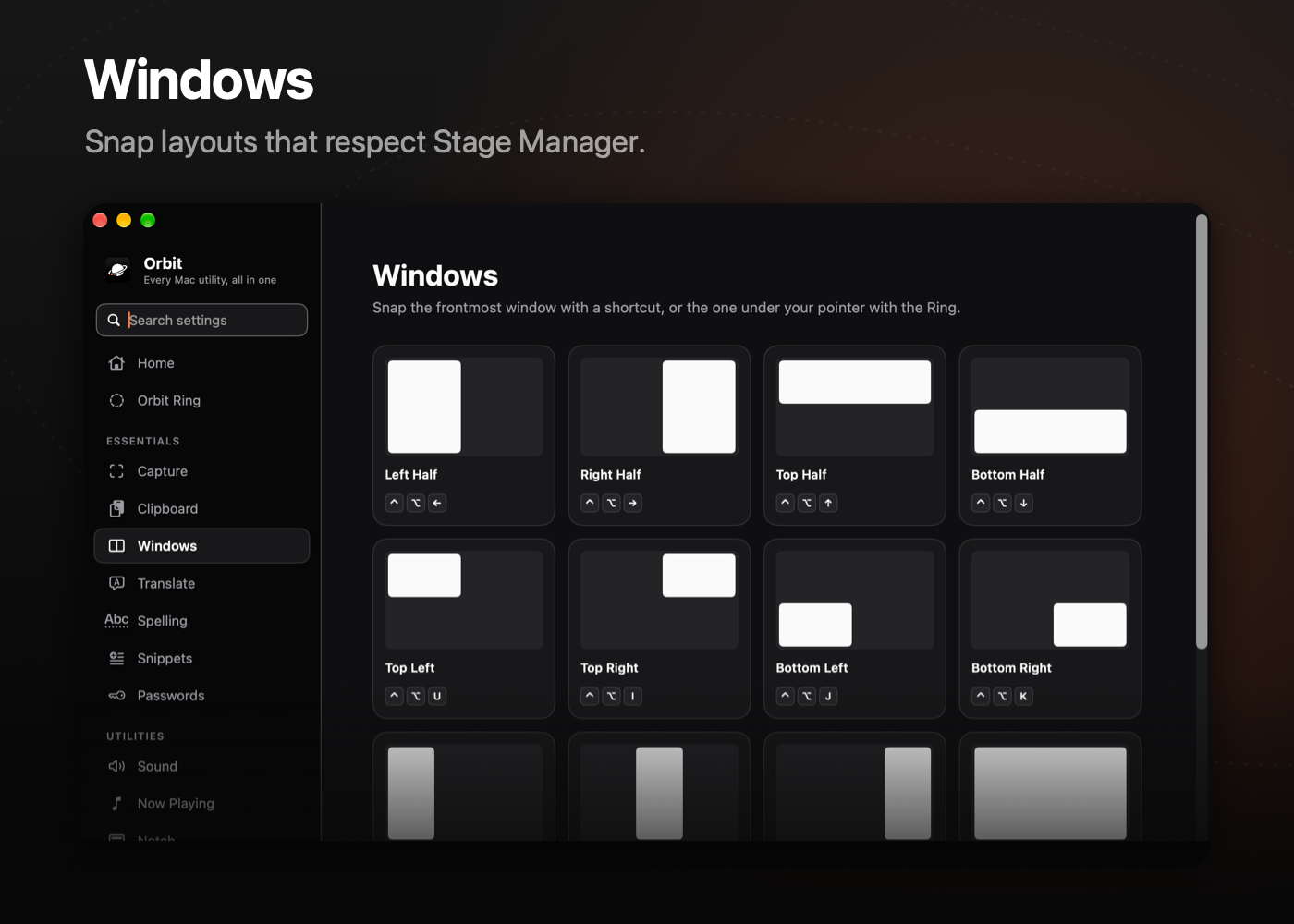
| 🪟 Windows | Halves, thirds, quarters, center and maximize from the keyboard — aware of Stage Manager and multiple displays. |
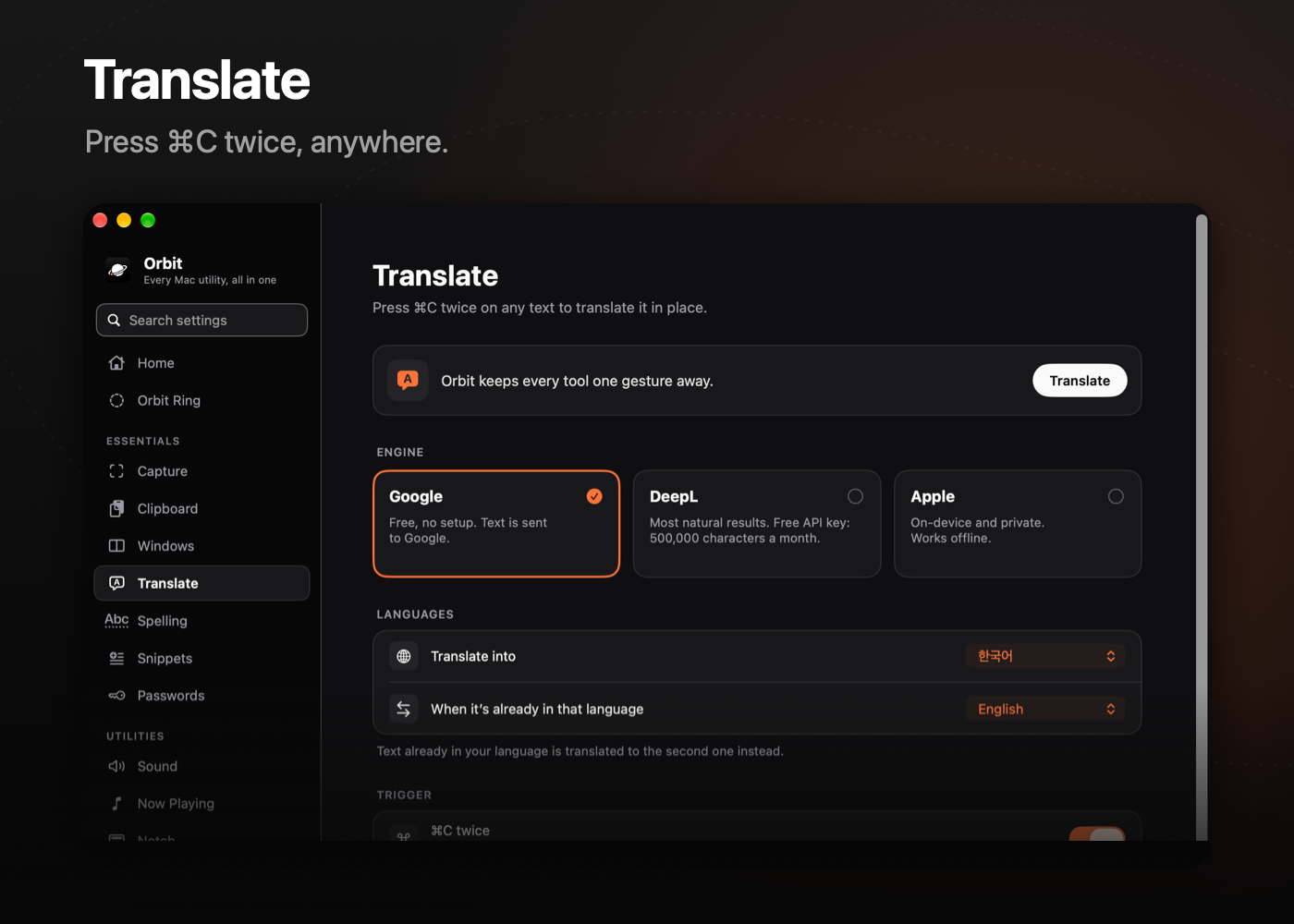
| 🌐 Translate | Press ⌘C twice in any app. Google, DeepL (your key) or Apple, with automatic language detection. |
| ✓ Spell Check | Select text and press ⌥⇧K. Korean spelling and spacing via the Daum and Naver checkers (opt-in) or on-device Apple Intelligence; replace the selection in place. |
| ✍️ Snippets | Type an abbreviation, get the full text. |
| 🔐 Passwords | An end-to-end encrypted vault (PBKDF2 + Secret Key, AES-GCM per item), Touch ID, Watchtower and browser import. |
Utilities
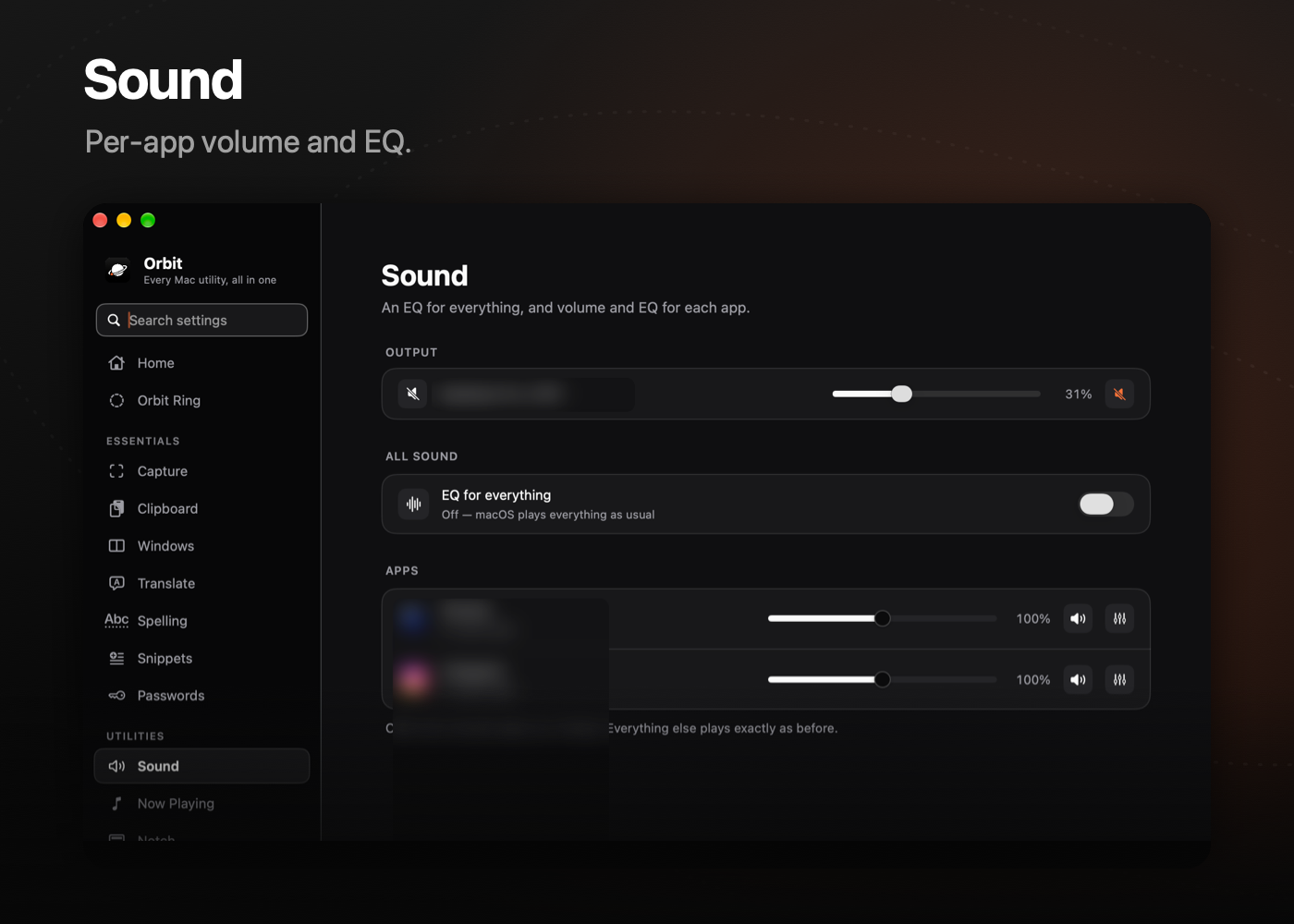
| 🔊 Sound | Per-app volume and EQ, plus a system-wide EQ. |
| 🔳 Notch | A living notch: music with live artwork, calendar, timers, charging and AirPods, HUDs, and a file shelf — hover or swipe to open. |
| 🎵 Now Playing | Controls in the notch with album art and a banner when the song changes; pauses music while a video plays. |
| ⌨️ Input | Automatic 한/영 switching, a scroll direction for the mouse and trackpad separately, and a keyboard-cleaning lock. |
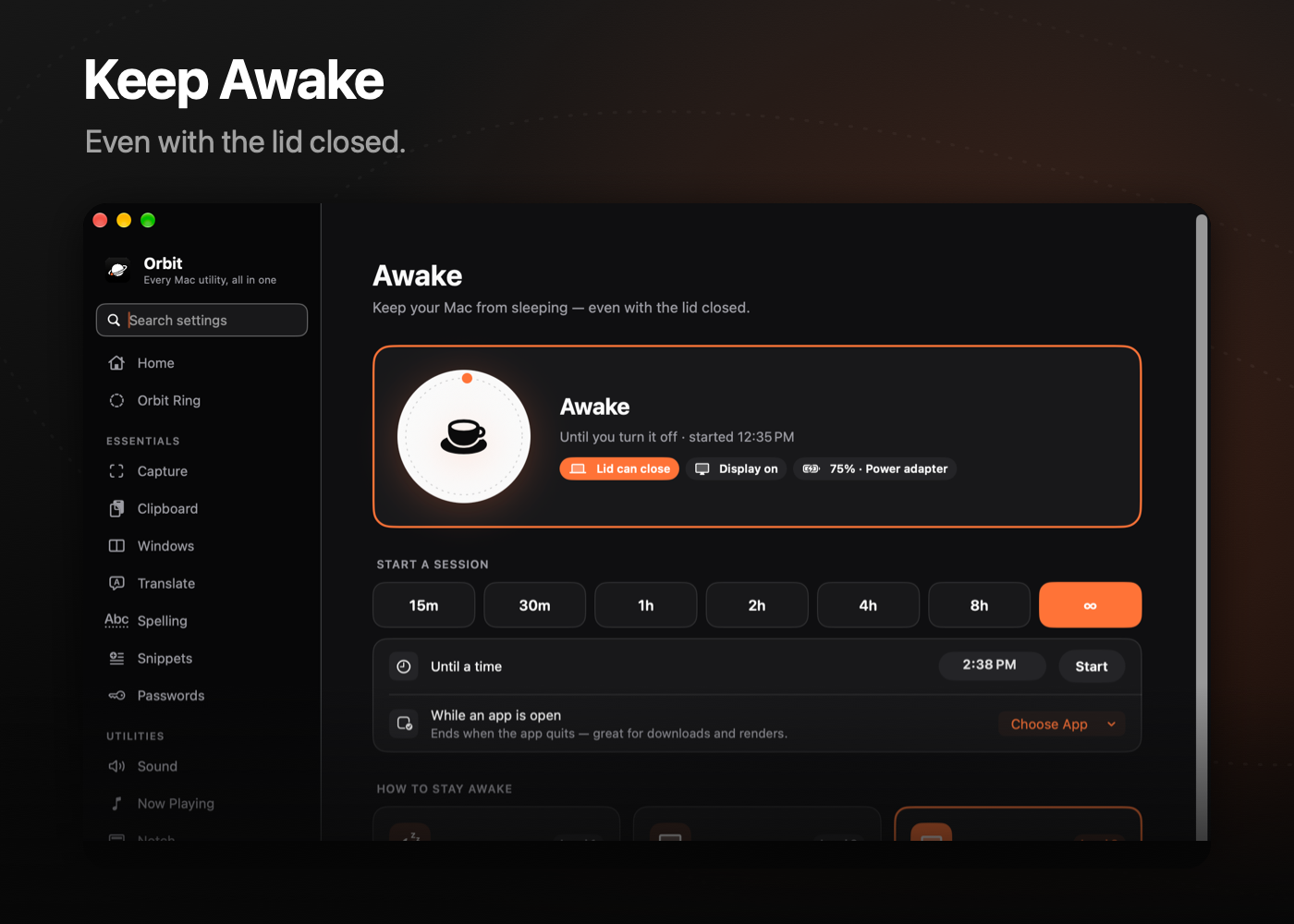
| ☕️ Keep Awake | Sessions by time, until a time or while an app runs — even with the lid closed. |
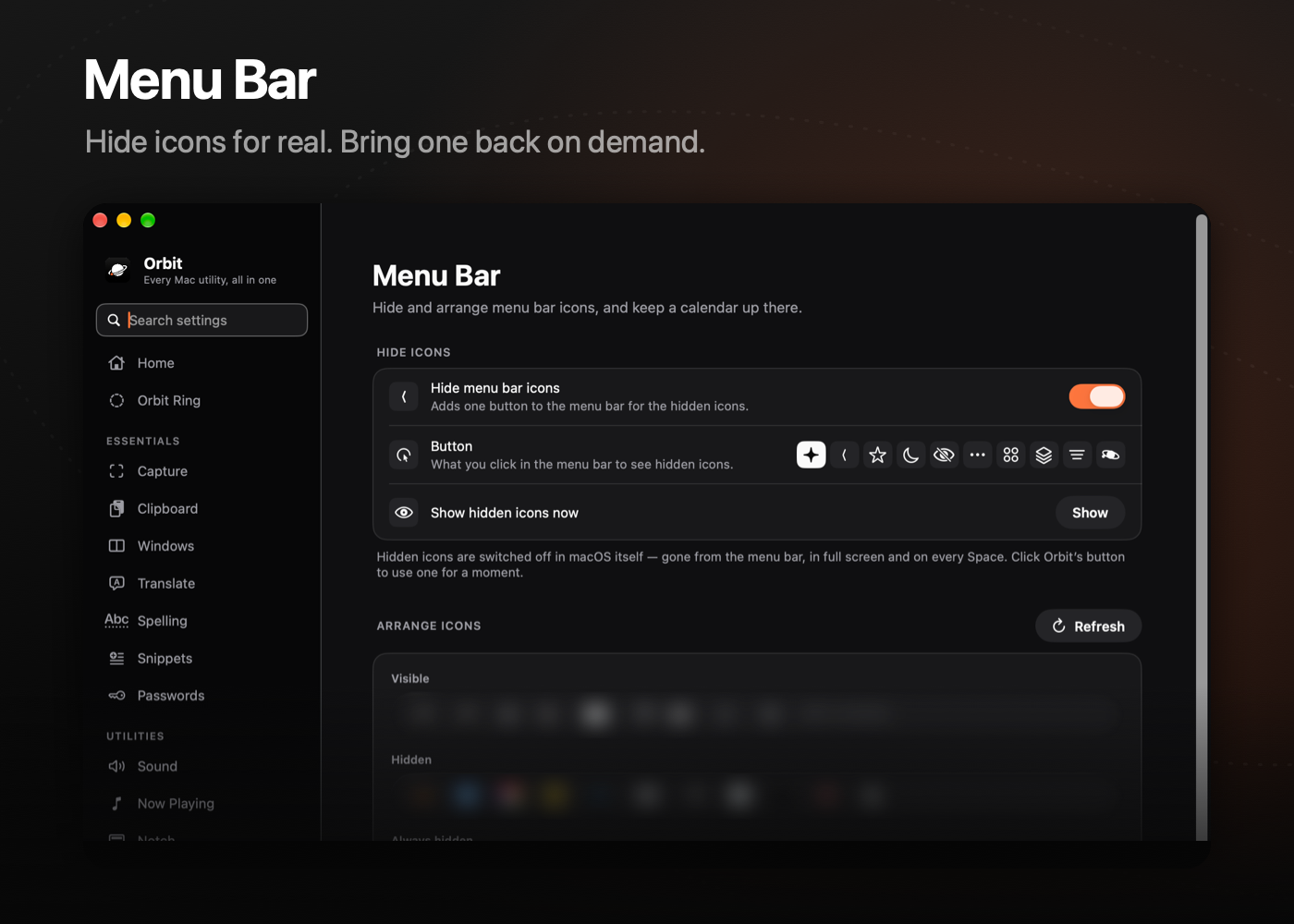
| ✦ Menu Bar | Hides icons for real (no « chevron), brings one back on demand, plus a menu bar calendar. |
| 🔲 Hot Corners | Any action on any corner. |
| 🖐 Gestures | Three- to five-finger taps, three- and four-finger swipes, TipTap, extra mouse buttons and key combos (even ⌘⌘) run anything: Orbit actions, shortcuts, apps, links, Shortcuts or scripts — everywhere or per app. |
| 🏃 Runner | A tiny animated CPU meter in the menu bar. |
| 🙂 Face Unlock | Fill in macOS password prompts with your face. |
| 🗂 Shelf | A drop zone that grows out of the notch or screen edge. |
Mac
| 🧩 Apps | Every app in a searchable grid, by category. |
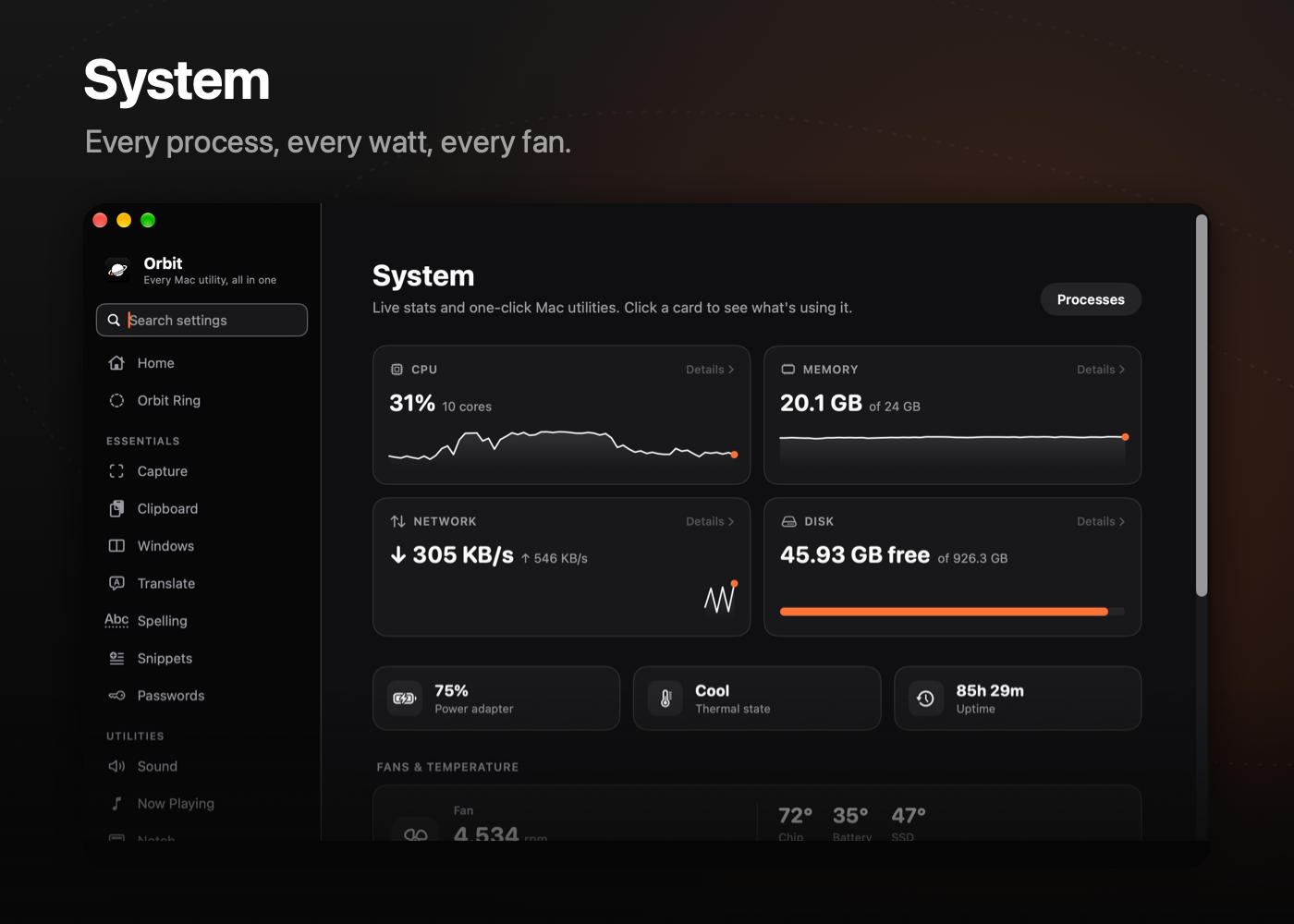
| 📈 System | CPU, memory, GPU, disk, network, battery, temperatures and fans — tap any card for a per-process breakdown. |
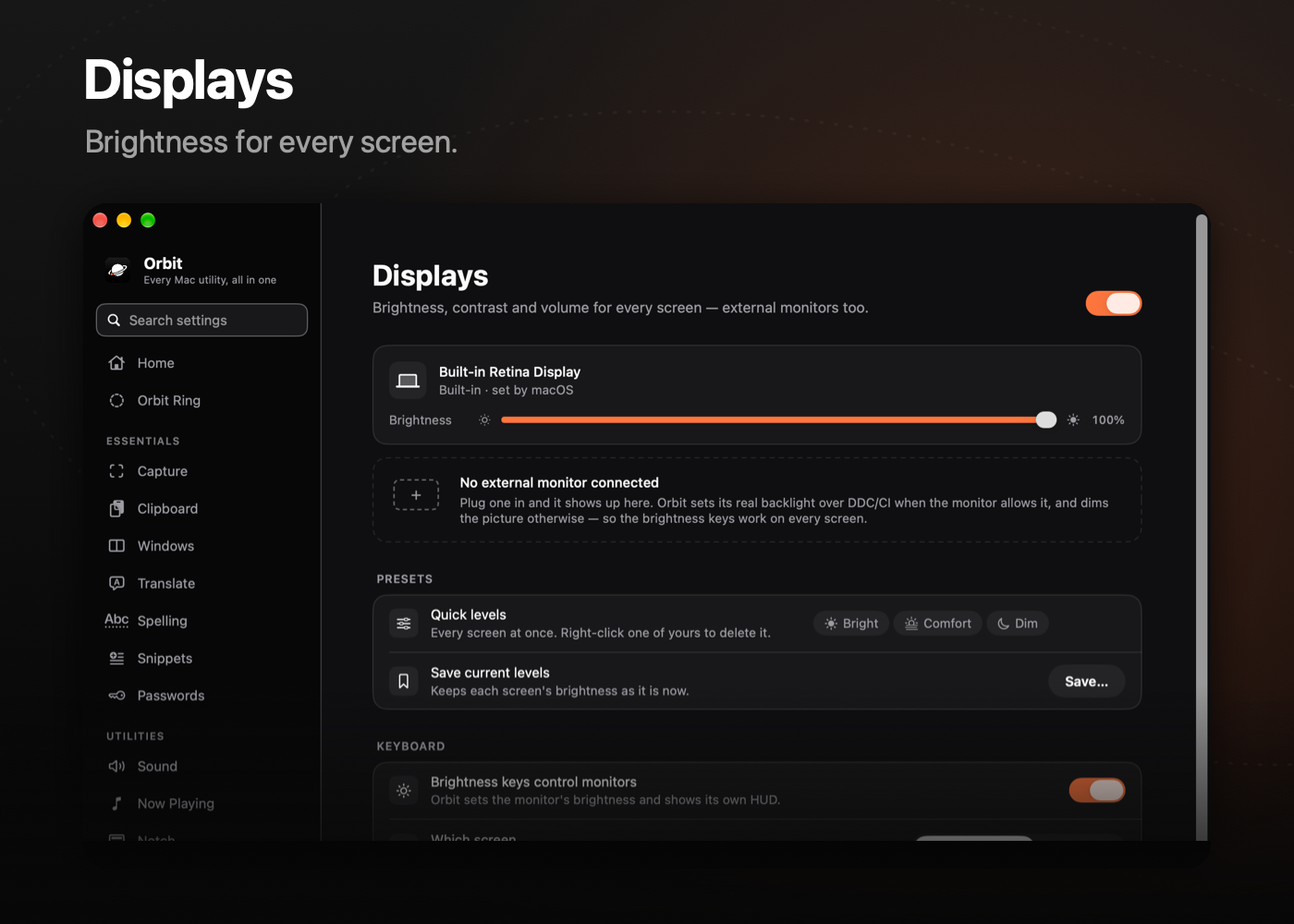
| 🖥 Displays | Brightness and volume for external monitors over DDC, with native-style HUDs. |
| 🔋 Battery | Charge limit and sailing mode. |
| 🧹 Storage | See what takes space and clean what's safe to clean. Uninstall apps with their leftovers. |
| 🗜 Archives | Zip, 7z and more — names stay readable on Windows. Quick Look previews for folders and archives. |
Install
- Download
Orbit-<version>.dmg(or the.zip) from the latest release. - Open it and drag Orbit into Applications.
- Launch Orbit. It lives in the menu bar; the setup page walks you through the permissions it needs.
Orbit updates itself from GitHub Releases. You can turn automatic checks and installs on or off in General › Updates.
[!NOTE] Releases are signed but not notarized. If macOS says it can't verify the developer, right-click Orbit.app › Open, or allow it in System Settings › Privacy & Security.
Permissions
| Permission | Used for |
|---|---|
| Accessibility | Window management, shortcuts, the ring, snippets, menu bar |
| Screen Recording | Capture, recording, color picker, menu bar previews |
| Full Disk Access | Hiding menu bar icons for real, storage analysis |
| Camera | Face Unlock (on-device only) |
| Calendars | Events in the menu bar calendar and the notch |
| Bluetooth | AirPods and device notices in the notch |
Everything stays on your Mac. Orbit has no account, no server and no analytics; the only network requests are the translation and spell-check engines you pick and the update check.
Requirements
- macOS 15 Sequoia or later (Liquid Glass, Apple Translation and Apple Intelligence spell check need macOS 26)
- Apple silicon or Intel (tested on M-series MacBooks)
Build from source
brew install xcodegen
git clone https://github.com/3x-haust/Orbit.git
cd Orbit
xcodegen generate
python3 tools/i18n.py          # merges the Korean strings
open Orbit.xcodeproj
Set your own team in project.yml (DEVELOPMENT_TEAM and CODE_SIGN_IDENTITY) before building — Orbit's helper (fan control, battery) and Quick Look extension need a real signing identity.
Project layout
Orbit/
├── App/            # main window, pages, settings search
├── Core/           # shortcuts, event taps, keep-awake, updater
├── Design/         # palette, components
└── Modules/        # one folder per feature (Capture, Clipboard, MenuBar, …)
FanHelper/          # privileged helper for SMC (fans, charging)
OrbitQuickLook/     # Quick Look extension for folders and archives
NowPlayingAdapter/  # media remote bridge
tools/              # i18n merge, settings index, icon rendering
Contributing
Issues and pull requests are welcome. Please keep the style: native APIs, no heavy dependencies, black and white with orange used sparingly, and every string in English with a Korean translation in tools/i18n/.
License
MIT © 3x-haust
Explore related projects
n8n-io/n8n
Fair-code workflow automation platform with native AI capabilities. Combine visual building with custom code, self-host or cloud, 400+ integrations.
210,058 starslanggenius/dify
Build Agentic workflows, RAG pipelines, with rich AI model and tool support on one collaborative workspace. Deploy on cloud, VPC, or self-hosted, so teams move from prototype to production without rebuilding the stack.
160,773 starsmicrosoft/PowerToys
Microsoft PowerToys is a collection of utilities that supercharge productivity and customization on Windows
140,833 starsstablyai/orca
Orca is the place for working with a fleet of agents (e.g. Grok Bot, Claude Code). Run any coding agent with your own subscription. Available on desktop, mobile and remote runtime.
121,675 stars