
2hjaito/davish
2hjaito/davish has 117 GitHub stars and 19 forks. GitHot measured +2 stars in 24 hours. Last checked 2026-11-15 15:52 UTC. Last push 2026-11-15.
What you can do
- Terminal: tabs, GPU rendering, an optional powerline prompt
- Saved commands: your frequent commands, typed into Terminal in one click
- Files: Finder-style SFTP, drag and drop, copy between servers, hold a file for a ring of actions
- Editor: CodeMirror with atomic saves and backups
Measured star growth
- in 24h
- +2
- in 7 days
- Update delayed
- in 15 days
- Update delayed
- in 1 month
- Update delayed
Net star changes over overlapping periods, not daily totals. Missing measurements are left blank. Stars measure attention, not software quality.
About
Your server, as a desktop. A lightweight SSH client with an OS-like UI. Nothing to install on the server.
Developer ToolsREADME.md
Original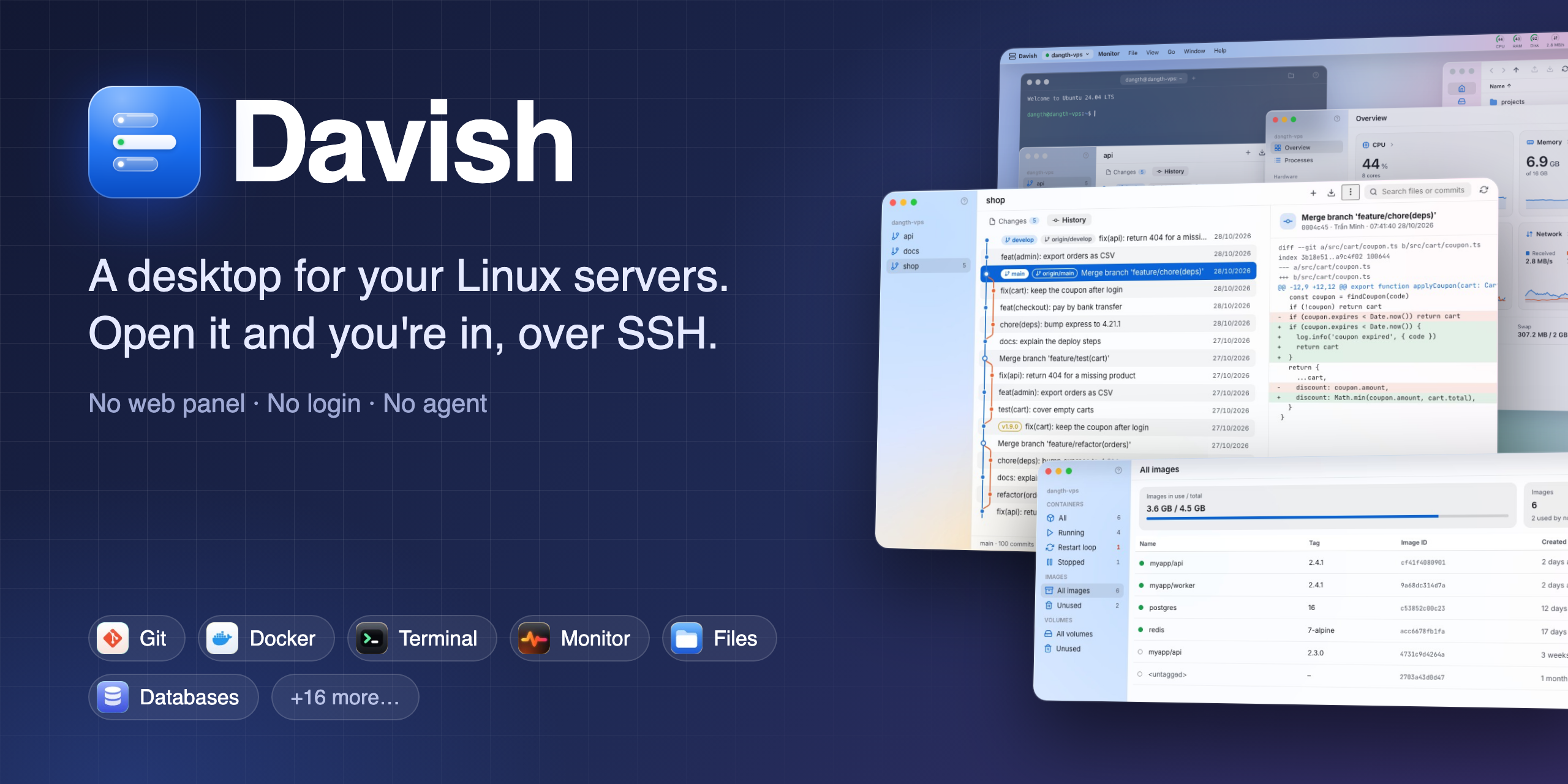
Davish
A desktop for your Linux servers.
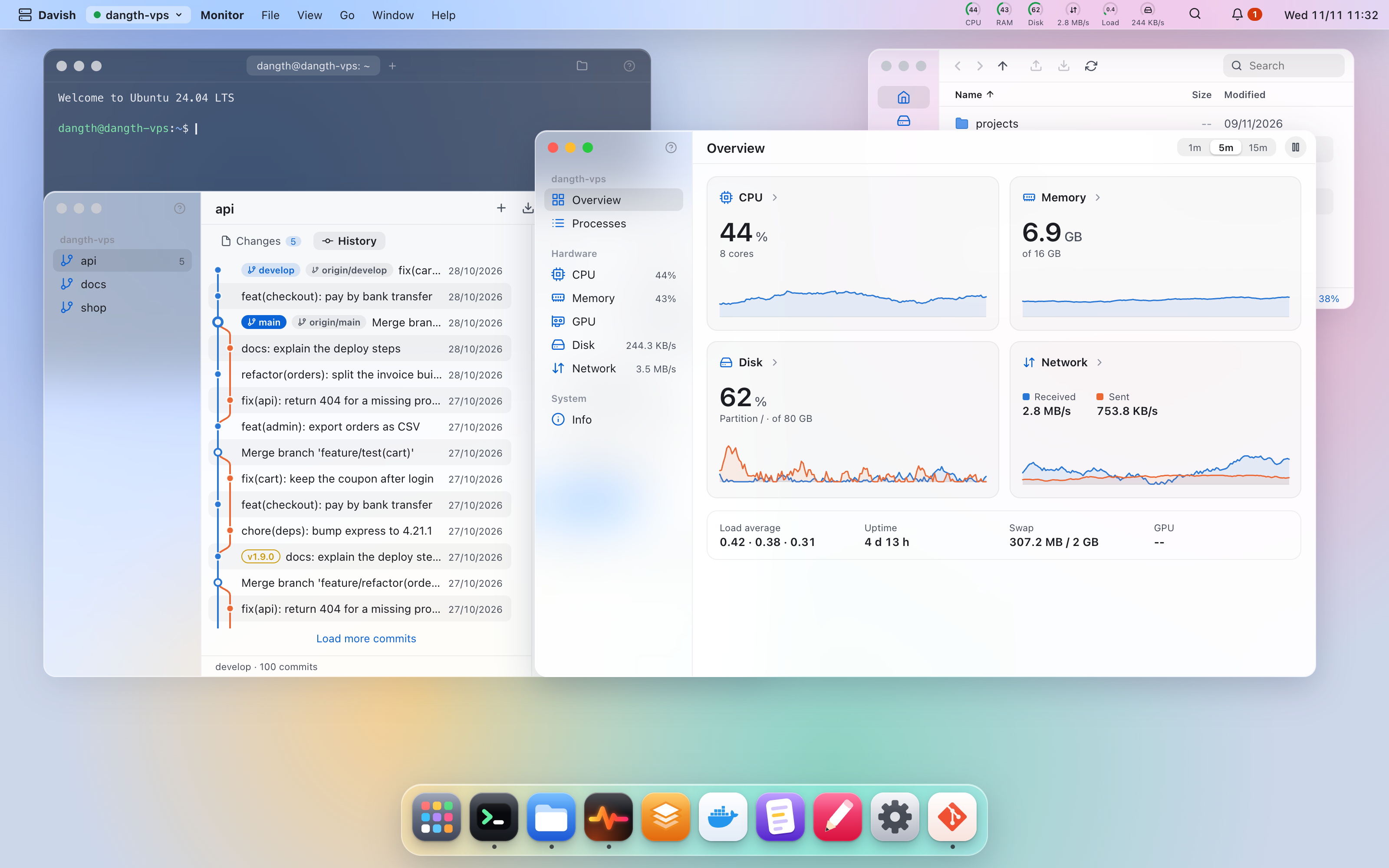
Terminal, files, services, Docker, logs, cron, nginx, ports, a browser, disk, login security, SSH keys, packages and git over plain SSH, in one place that feels like an operating system.
Nothing to install on the server.







English · Tiếng Việt · 简体中文
Why Davish
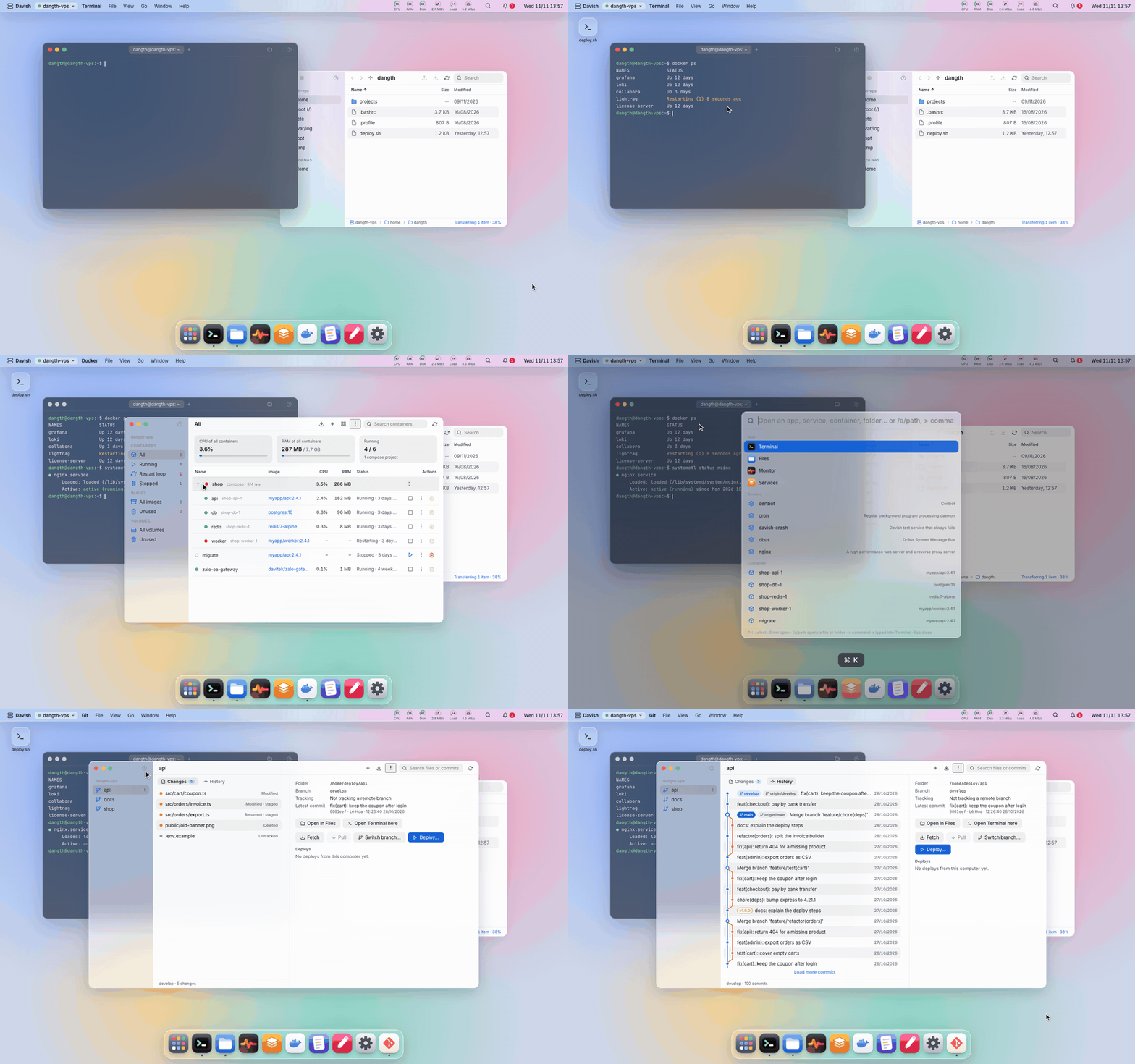
- Open it and you're in. No login screen, no web panel: Davish connects to the server you used last with your SSH key and puts you on its desktop. Nothing extra listens on the server, so there is no new port to open or protect.
- Agentless. Davish only needs
sshdand SFTP. Everything runs from your machine over SSH; nothing is copied to, installed on or left behind on the server. - You see every command. Anything destructive (stop a service, remove a file, restart a container, replace a crontab) shows the exact command before it runs. The command log records everything Davish ran on your behalf.
- Secrets stay in your keychain. Passwords and passphrases live only in the OS keychain. A
sudopassword is never saved: when root is needed, Davish asks for it once per session, keeps it in memory only, forgets it after 15 minutes unused and hands it to sudo on stdin, or you run the command in a terminal yourself. - Locks when you step away. A lock password of its own, Touch ID on macOS; it locks when the machine wakes, after idle time or with
⌘L. Sessions keep running behind the lock, but nothing reaches a server until you unlock. - Many servers, one desktop. Each server is a workspace (
⌘1…⌘9) that remembers its own windows. Copy files between servers by dragging them. - Updates itself. A new version shows its changes with Update, Later and Skip this version; Davish downloads it, checks its signature and restarts into it. No reinstalling.
- English, Vietnamese, Simplified Chinese or Spanish. Pick the language in Settings; the first time, Davish follows your system's. Spanish is new: corrections are welcome in #124.
- Your
~/.ssh/configworks. Import its hosts in one go, keys andProxyJumpincluded; Davish only reads the file. Servers behind a bastion connect through it, each hop with its own host key check, and the whole chain reconnects on its own.
Features
On the server
- Terminal: tabs, GPU rendering, an optional powerline prompt
- Saved commands: your frequent commands, typed into Terminal in one click
- Files: Finder-style SFTP, drag and drop, copy between servers, hold a file for a ring of actions
- Editor: CodeMirror with atomic saves and backups
- Logs: journal, files and containers, live
- Monitor: CPU, memory, disks, network, GPUs, processes, on Linux and Windows servers
- All servers: every server's health and alerts in one window
Services and apps
- Services: systemd units, status, journal
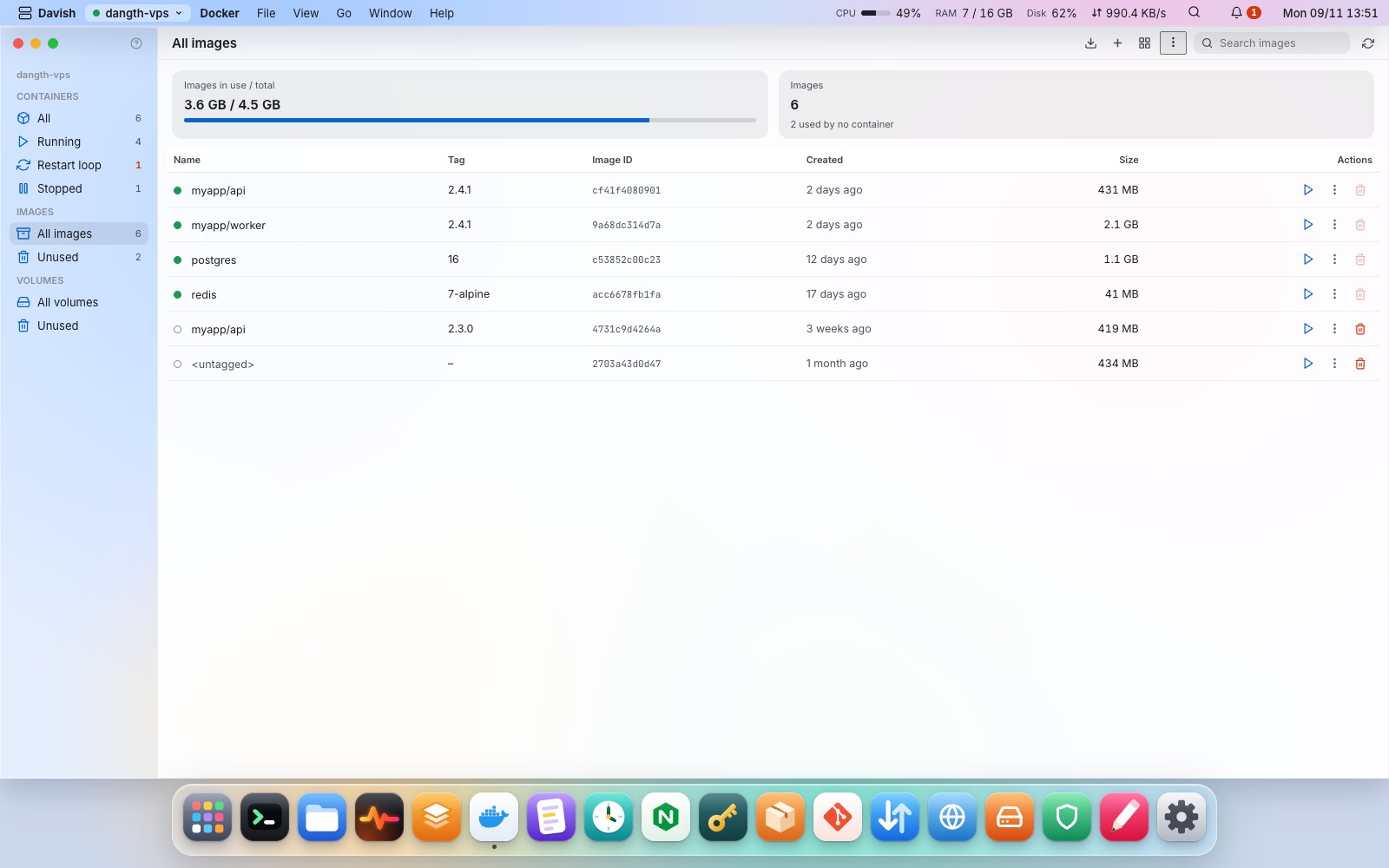
- Docker: containers by compose project, images and layers, volumes
- Cron: schedules in plain words
- Nginx: sites,
nginx -tbefore reload, TLS expiry - Packages: updates with security fixes first, runtimes; one-click install command when Docker, nginx, git or a database is missing
- Database: MariaDB/MySQL, PostgreSQL, MongoDB and SQLite; find, create, dump and restore, MongoDB login kept in the keychain
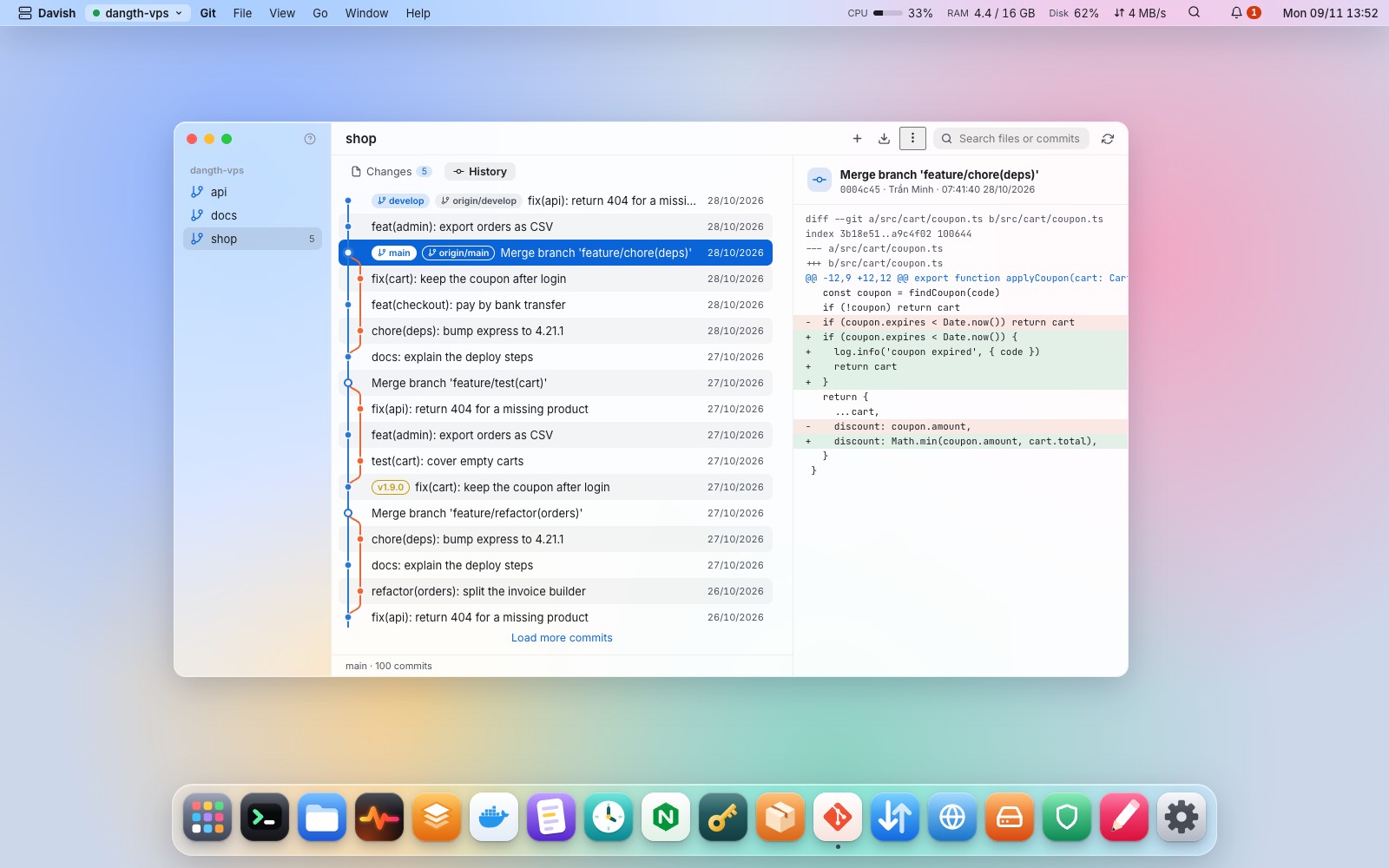
- Git: status, diffs, commit graph, fetch and pull
- Shortcuts: drag
deploy.shonto the desktop, double-click to run, with a stop button
Network and security
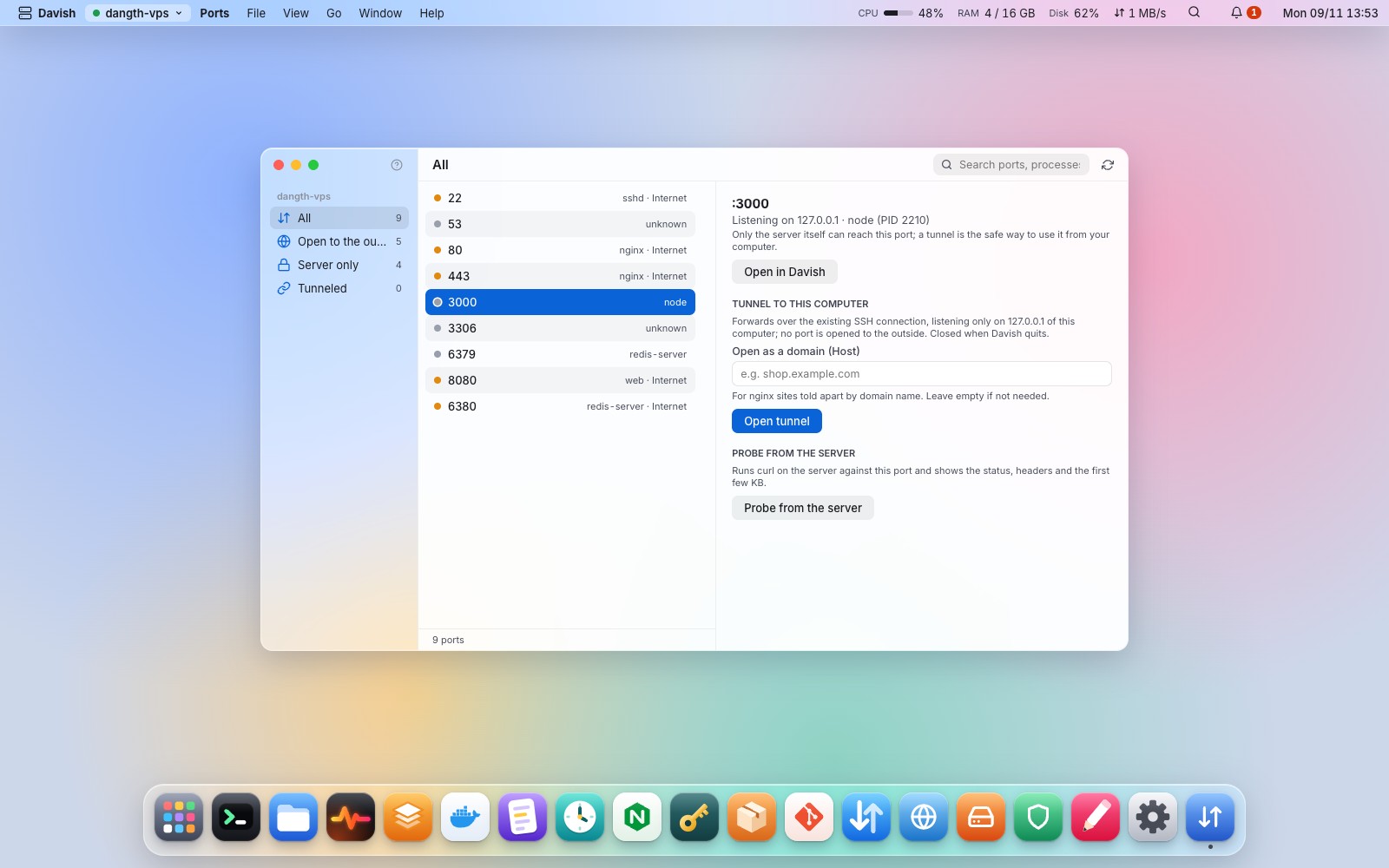
- Ports & tunnels: listening ports, tunnels to
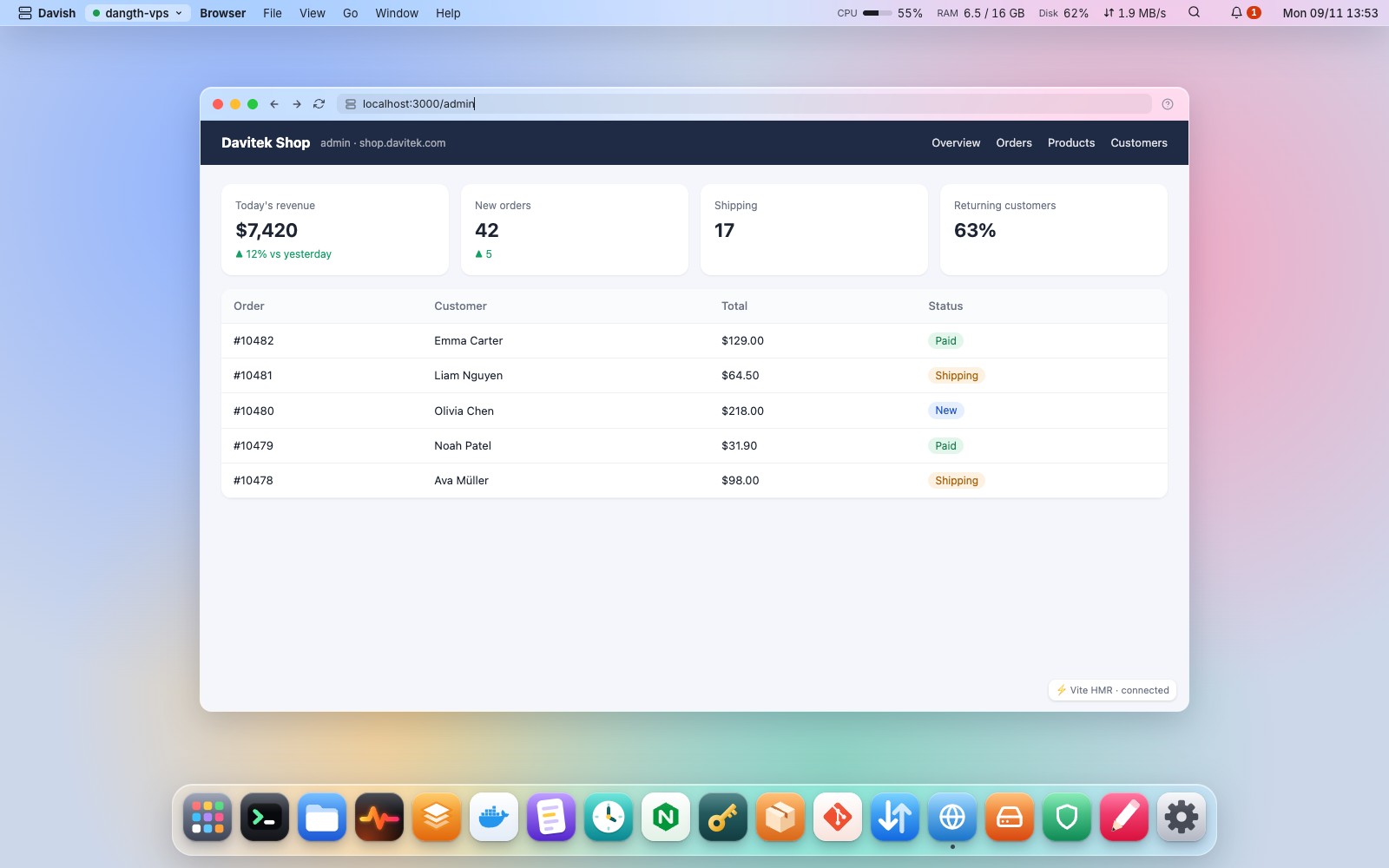
127.0.0.1 - Browser: open the server's
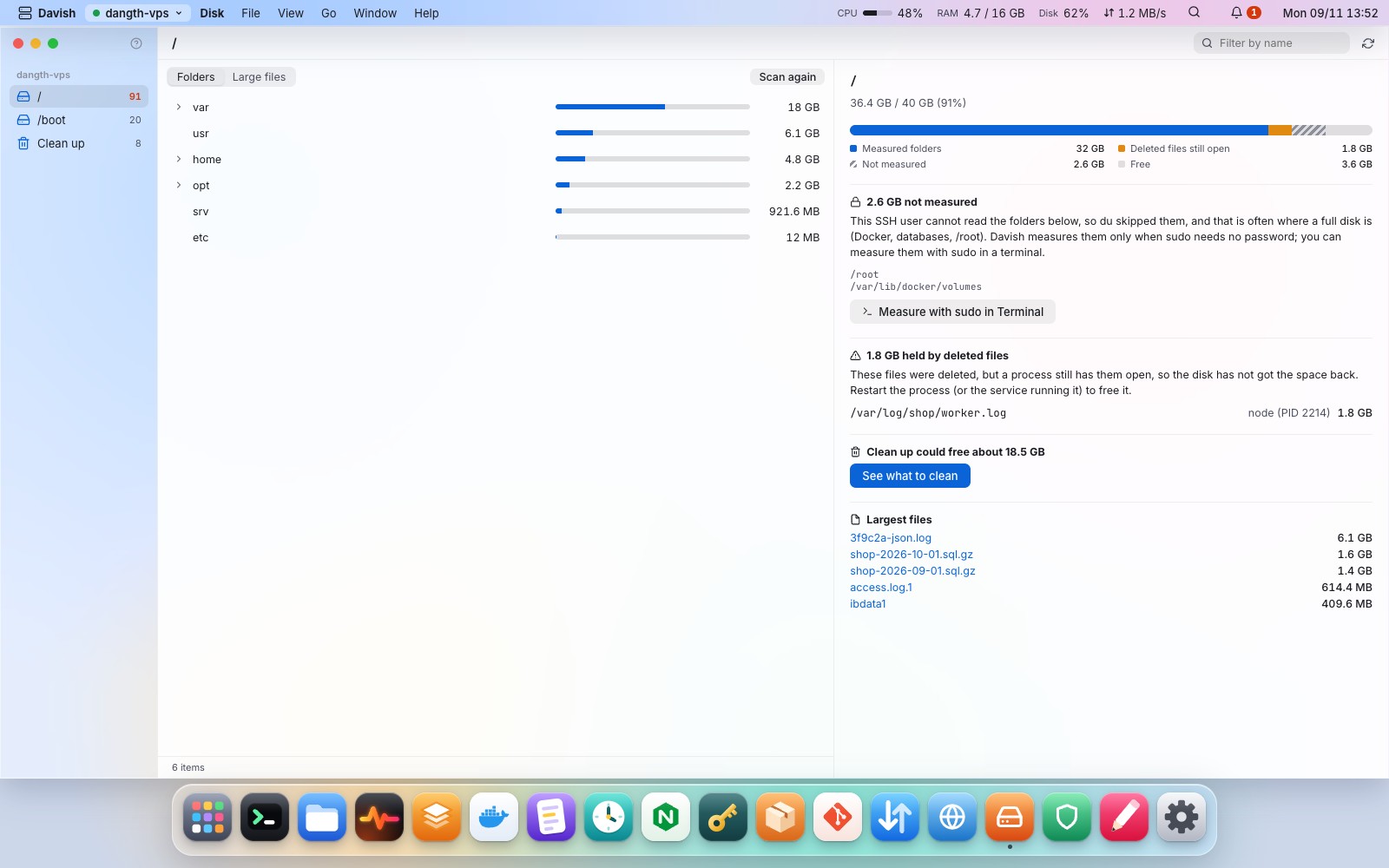
localhost:3000inside Davish - Disk: where the space goes as a tree, what could not be measured and why, delete and clean up
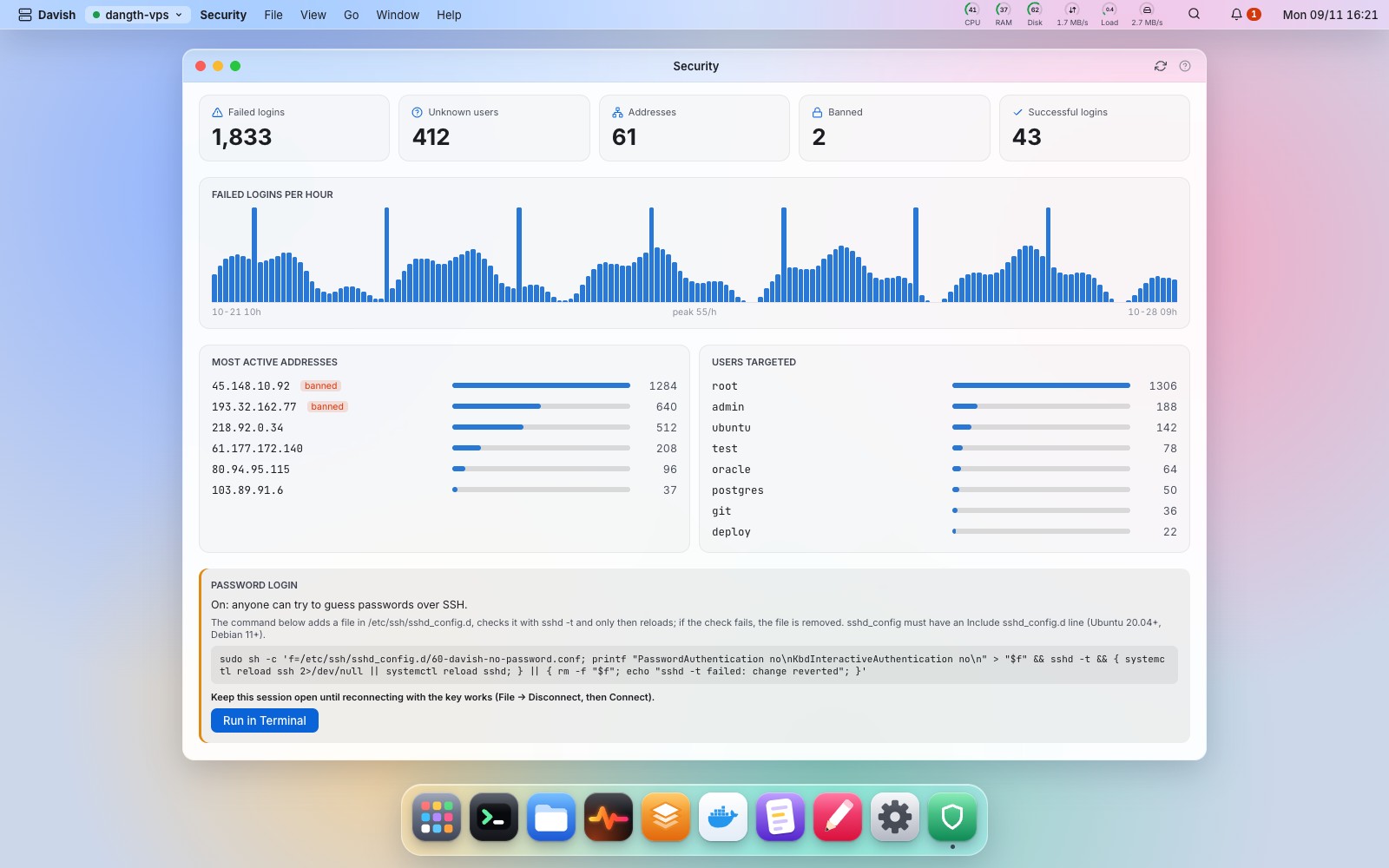
- Security: failed logins per hour and by address, users targeted, open sessions, ufw, fail2ban
- SSH keys: authorized_keys, deploy keys, your own keys
- ~/.ssh/config and ProxyJump: import hosts, connect through a bastion
The desktop
- Spotlight & Launchpad: open anything with
⌘K, every app by group - Menu bar and help: every command and shortcut, a
?on each app - App lock: Touch ID or a password, locks on wake
- Updates: one click to a new version, signature checked
- Light and dark: follows your system, or pick one
- Language: English, Vietnamese, Simplified Chinese or Spanish
 |
 |
 |
 |
 |
 |
Every app in detail, with screenshots →
Screenshots show demo data from the browser preview.
Install
Prebuilt apps for macOS (universal), Windows and Linux are attached to each release.
- macOS 12 or later. Open
Davish-…-macos-universal.pkgto install into Applications. The app is not signed yet, so macOS blocks it the first time: click Done, open System Settings → Privacy & Security and click Open Anyway next to the line about Davish (again forDavish.appif it is blocked). Or runxattr -dr com.apple.quarantineon the file. - Windows 10 or later. Run
Davish-…-windows-amd64-setup.exe; it installs the WebView2 runtime if it is missing. Windows SmartScreen may warn about an unknown publisher: choose More info → Run anyway. - Linux with GTK 3 and WebKitGTK 4.1.
What the server needs
| Feature | Requirement |
|---|---|
| Everything | OpenSSH server with the SFTP subsystem |
| Services, Logs (journal) | systemd; to read system logs, a user in the adm or systemd-journal group |
| Docker | the docker CLI; a user in the docker group (Davish offers the install command when it is missing) |
| Cron | crontab |
| Nginx | nginx with sites-available / sites-enabled or conf.d |
Actions that need root (stopping a system service, editing a root-owned file) show the exact command first, then run through sudo with the password asked once per session, or go to a terminal with sudo typed in. Nothing runs as root silently, and what could lock you out of the server stays in the terminal.
Keyboard shortcuts
| Shortcut | Action |
|---|---|
⌘K |
Spotlight |
⌘1 … ⌘9 |
Switch server workspace |
⌘W · ⌘M |
Close · minimize window |
⌘, |
Settings |
⌘S |
Save in the Editor |
⌘F · ⌘[ · ⌘] · ⌘↑ |
Files: search, back, forward, up |
⌘U · ⌘D |
Files: upload, download |
⌘⌥S |
Files: copy the selection to another server |
⌘⌥L |
Transfers window |
On Windows and Linux, use Ctrl instead of ⌘. Inside a terminal, Ctrl shortcuts go to the shell.
Build from source
Requirements: Go 1.27+, Node.js LTS, Wails v2.17 (go install github.com/wailsapp/wails/v2/cmd/[email protected], then wails doctor), golangci-lint v2, and Docker for the integration tests. On Linux also libgtk-3-dev and libwebkit2gtk-4.1-dev (build with -tags webkit2_41).
make frontend-install   # first time only
wails dev               # run with hot reload
wails build             # package into build/bin/
Tests
make check              # go vet, golangci-lint, go test, svelte-check, eslint, prettier, vitest

make sshd-up            # two throwaway SSH servers in Docker (127.0.0.1:2222 and :2223)
make test-integration   # real SSH, SFTP, systemd, Docker, cron and nginx against them
make sshd-down
The integration tests only ever talk to the containers in test/sshd/, never to a real server.
Stack
| Layer | Technology |
|---|---|
| Backend | Go · Wails v2 · golang.org/x/crypto/ssh · pkg/sftp · go-keyring |
| Frontend | Svelte 5 (runes) · TypeScript strict · Vite |
| Components | xterm.js · CodeMirror 6 · icons from davi-icons |
Changelog
See CHANGELOG.md.
License
Davish is free software under the GNU General Public License v3.0. Contributions need the Contributor License Agreement; see CONTRIBUTING.md. The Davish name and logo are not covered by the license: see TRADEMARKS.md.
Code signing policy
Free code signing for the Windows builds is provided by SignPath.io, certificate by SignPath Foundation. Team roles, what is signed and what Davish sends over the network: CODE_SIGNING.md.
If davish saves you time, a ⭐ on GitHub helps a lot!