
241x/cdpnetool
241x/cdpnetool has 355 GitHub stars and 50 forks. GitHot measured 0 stars in 24 hours. Last checked 2026-11-19 02:18 UTC. Last push 2026-06-13.
Measured star growth
- in 24h
- 0
- in 7 days
- Collecting history
- in 15 days
- Collecting history
- in 1 month
- Collecting history
Net star changes over overlapping periods, not daily totals. Missing measurements are left blank. Stars measure attention, not software quality.
About
Chrome DevTools Protocol Network Tools
Developer ToolsREADME_EN.md
Originalcdpnetool
English | 简体中文
Network Request Interception and Modification Tool Based on Chrome DevTools Protocol


[!CAUTION] ⚠️ This project is no longer receiving new version updates.
We recommend switching to the CLI version — twist, which will be actively maintained and updated. Feel free to use it and submit Issues!
👉 Repository: https://github.com/241x/twist
Introduction
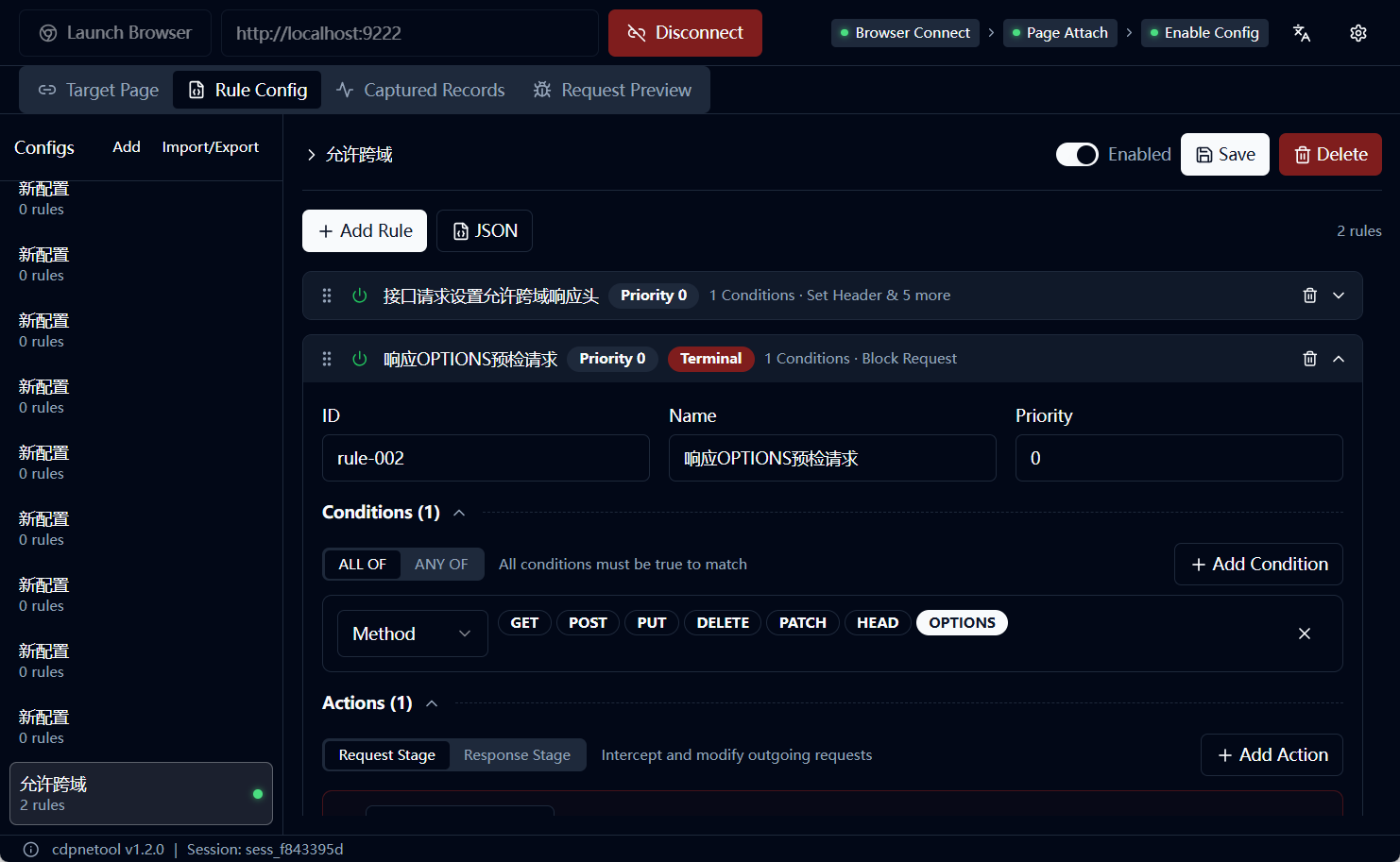
cdpnetool is a powerful network request interception tool that enables precise control and flexible modification of browser HTTP/HTTPS requests through the Chrome DevTools Protocol. No certificate installation, no code writing required - complete complex network debugging tasks through a visual interface.
Core Features:
- ✅ Real-time interception of browser network requests and responses
- ✅ Visual rule configuration with rich matching conditions and modification behaviors
- ✅ Configuration management: multi-configuration saving, import/export, quick switching
- ✅ Event monitoring: DevTools-style detail panel
- ✅ Request preview: full traffic viewing with capture on/off support
- ✅ System settings: language switching (Chinese/English), theme mode, browser configuration
- ✅ No certificate required: direct browser control based on CDP protocol
Community
cdpnetool-configs - Find configurations you need or Share configurations you created
Quick Start
Installation
Windows Users:
Download the latest installer from Releases and run it.
Other Platforms:
macOS and Linux platforms require building from source, see Documentation.
Basic Usage
- Launch cdpnetool
- Click "Launch Browser" button
- Click "Connect" to connect to the browser
- Attach the page to intercept in the Targets panel
- Create rules and enable configuration in the Rules panel
- View matched requests in the Events panel
- (Optional) Enable full traffic monitoring in the Network panel
Documentation
- Introduction - Learn about cdpnetool's features and use cases
- Quick Start - 5-minute getting started tutorial
- Rule Configuration Reference - Complete rule syntax reference
- FAQ - Troubleshooting and solutions
Use Cases
- 🔧 Frontend Development: Mock API data, test error states, debug CORS issues
- 🧪 Software Testing: Boundary testing, error simulation, security testing
- 🔍 API Debugging: Intercept and analyze encrypted requests, modify parameters to probe behavior
- 🎨 Personalization: Ad blocking, network acceleration, feature enhancement
Tech Stack
- Frontend: React + TypeScript + Vite + TailwindCSS
- Backend: Go + Wails v2
- Protocol: Chrome DevTools Protocol (CDP)
- Database: SQLite
- Internationalization: react-i18next (Chinese/English support)
Development
# Clone project
git clone https://github.com/241x/cdpnetool.git
cd cdpnetool

# Install Wails CLI
go install github.com/wailsapp/wails/v2/cmd/wails@latest

# Run in development mode
wails dev

# Build production version
wails build
For detailed development instructions, see Quick Start - Building from Source.
Contributing
Issues and Pull Requests are welcome!
Discussion Group
Join QQ group 734393923 to discuss usage and share configurations:

License
This project is open-sourced under the GNU General Public License v3.0.