
1nikitas/NIKA_desktop
1nikitas/NIKA_desktop has 32 GitHub stars and 2 forks. GitHot measured 0 stars in 24 hours and -2 in 7 days. Last checked 2026-11-12 16:20 UTC. Last push 2026-10-13.
Native AI assistant for macOS, built with SwiftUI and llama.cpp. Run local LLMs offline, work with PDFs, and create custom AI assistants. Optional NIKA cloud integration.
Measured star growth
- in 24h
- 0
- in 7 days
- -2
- in 15 days
- Collecting history
- in 1 month
- Collecting history
Net star changes over overlapping periods, not daily totals. Missing measurements are left blank. Stars measure attention, not software quality.
README.md
OriginalNIKA — Native AI Assistant for Mac with Local LLMs
English · Русский
Your AI assistant, running on your Mac. Download a local model, chat offline, and work with your documents. Built with SwiftUI and llama.cpp — ready to explore, customize, and extend.




Quick start · Local features · Models · Benchmarks · Development · Issues
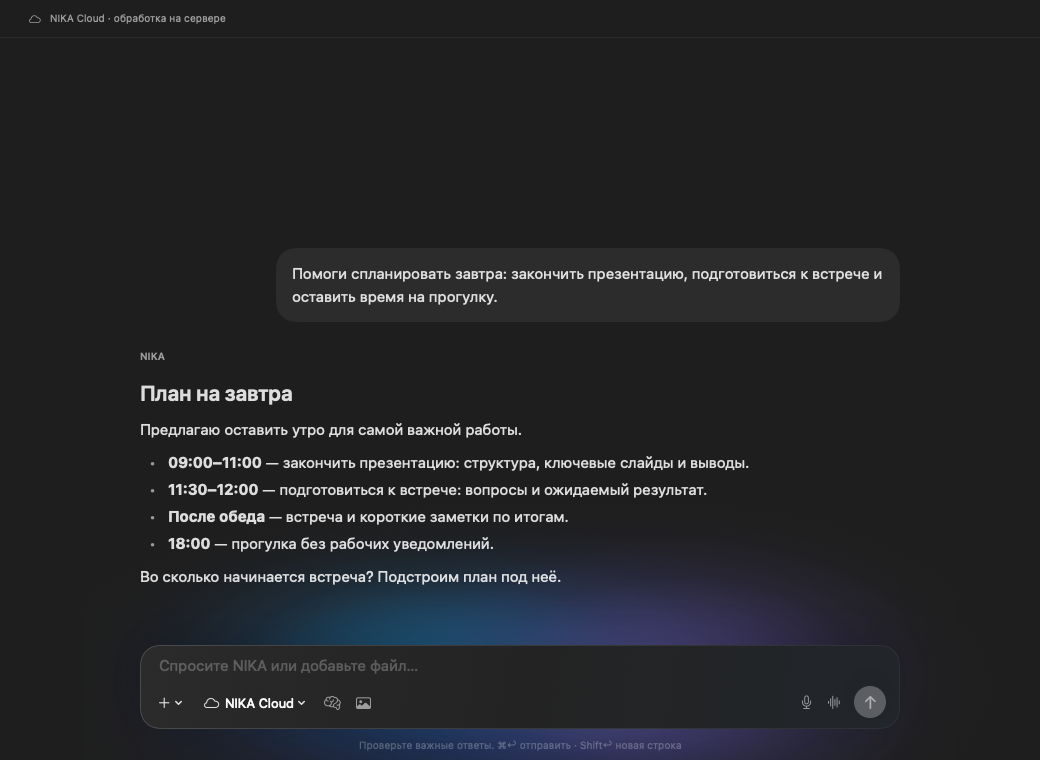
Actual SwiftUI interface with a demonstration conversation. The app interface is currently in Russian.
Quick start
Requires: an Apple Silicon Mac, macOS 26+, Xcode 16.4+ with Swift 6, Python 3, and Homebrew.
brew install llama.cpp
git clone https://github.com/1nikitas/NIKA_desktop.git
cd NIKA_desktop
bash scripts/dev.sh
Open Локальные модели (Local models), download NIKA Smart, then choose Начать разговор (Start conversation). No account is required for local chat. The first build downloads WebRTC; model downloads are separate. Once a model is installed, local chat works offline.
This is a source build with an ad-hoc signature. A notarized release is not currently provided. Full setup and development guide →
What runs on your Mac
- Local LLMs: download a model or import a compatible GGUF and run it through llama.cpp.
- Document chat: attach text documents and PDFs with extractable text. Image input requires a compatible vision projector.
- Local history and memory: keep local conversations on your Mac. A local model error never silently sends the request to the cloud.
- Native macOS interface: SwiftUI, multiple windows, a menu bar entry, keyboard shortcuts, and light and dark themes.
- Mac integrations: calendar and reminders, with confirmation before proposed local actions execute.
Optional NIKA cloud
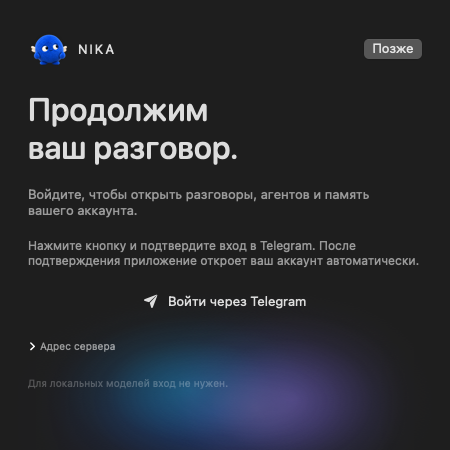
Sign in through Telegram to access NIKA account conversations, cloud agents, tools, integrations, and custom assistants with their own instructions and materials. Live cloud voice uses WebRTC. These features require an account and an internet connection.
This repository contains the desktop client. The NIKA cloud backend is not included. You can build and modify the local client without running that backend.
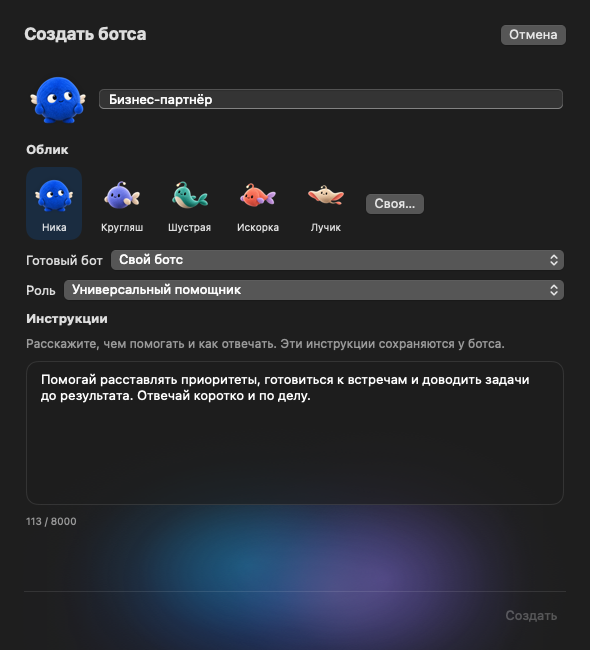
More screenshots: light theme, custom assistants, sign-in
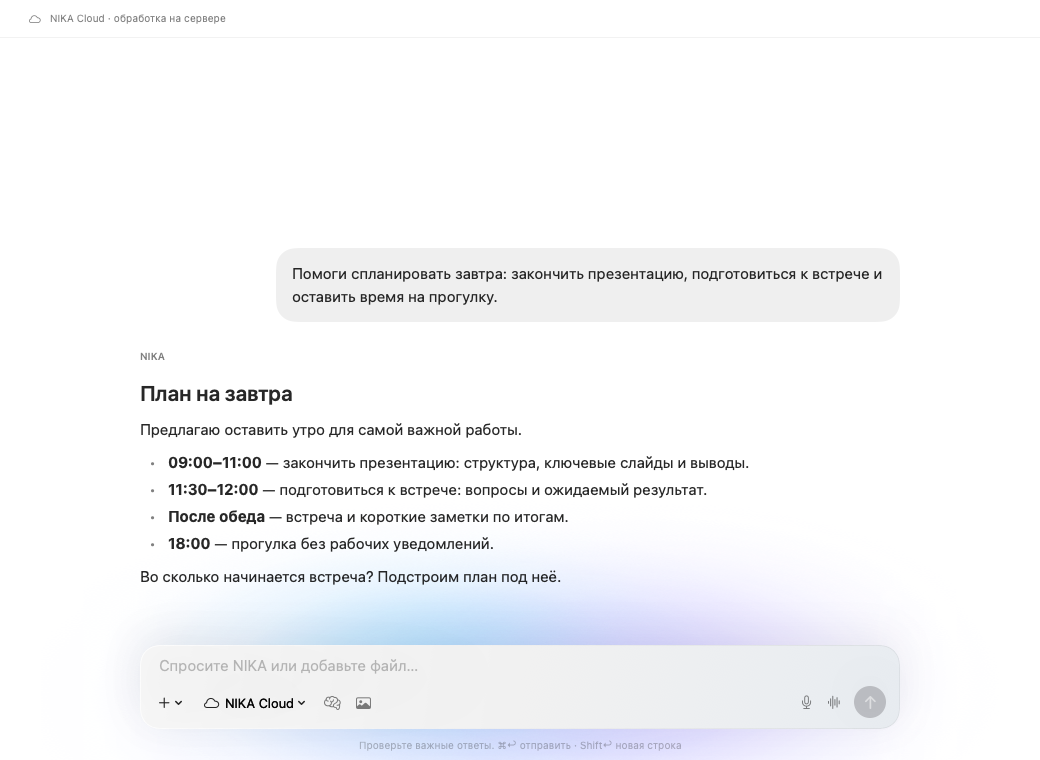
| Cloud assistant editor | Telegram sign-in |
|---|---|
 |
 |
Local models
| Model | Parameters | Quantization | File size |
|---|---|---|---|
| NIKA Mini (Qwen3.5-0.8B)¹ | 0.8B | Q8_0 | 812 MB |
| NIKA Balance (Qwen3.5-2B) | 2B | Q5_K_M | 1.44 GB |
| NIKA Smart (Qwen3.5-4B) | 4B | Q4_K_M | 2.74 GB |
| NIKA Quality (Qwen3.5-4B) | 4B | Q5_K_M | 3.14 GB |
| Your own compatible GGUF | Model-dependent | Your choice | Depends on model and quantization |
Other GGUF options include Gemma 4 12B, Qwen3.5-9B, and gpt-oss-20b. These imports need enough memory and support in your installed llama.cpp version. They have not been tested in NIKA and are not recommendations for an 8 GB Mac.
For an 8 GB Mac, start with Smart and a 4096-token context; image input adds a 0.67 GB projector and needs a 2048-token context. Quality targets 16 GB or more; Balance uses less memory. The memory estimate reserves room for macOS, but physical 8 GB hardware has not yet been tested.
¹ Mini is retained for existing installations and conversations. New installations offer Smart, Quality, and Balance.
Benchmarks
Local engine speed
Qwen3.5 4B Q4_K_M · Apple M4 Pro · 24 GB · Metal
Measured October 13, 2026, with five repetitions after warm-up, llama.cpp 7fe450e19.
| Workload | Mean throughput | Standard deviation |
|---|---|---|
| Prompt processing · pp512 | 611.60 tokens/s | ±0.72 |
| Token generation · tg128 | 57.50 tokens/s | ±0.46 |
These results describe this 24 GB M4 Pro. Speed on an 8 GB Mac has not been measured.
This measures llama.cpp throughput with synthetic tokens, not app response latency, time to first token, or answer quality. Raw results · Environment · Method and reproduction instructions (Russian).
Base model quality
| Benchmark | Qwen3.5 4B |
|---|---|
| MMLU-Pro | 79.1 |
| GPQA Diamond | 76.2 |
| IFEval | 89.8 |
Published results from the official Qwen model card, not NIKA or Q4_K_M evaluations. Quantization, context, and generation settings can change results.
Keyboard shortcuts
| Action | Shortcut |
|---|---|
| New conversation / new window | ⌘N / ⌘⇧N |
| Send / stop | ⌘↩ / ⌘. |
| Models / voice | ⌘⇧M / ⌘⇧V |
| Quick access | ⌃⌥Space |
| Settings | ⌘, |
Build on NIKA
Open Package.swift in Xcode. The repository is self-contained: you do not need the iPhone repository. The interface uses SwiftUI, local inference uses llama.cpp, and live cloud voice uses WebRTC.
- Setup, architecture, and tests
- Report a bug: include reproduction steps, your macOS version, and Mac model.
- Propose a change: keep the PR focused and explain the behavior and how you tested it.
If NIKA is useful to you, star the repository to follow it or fork it to experiment with your own assistant.
Thanks to Qwen, llama.cpp, and WebRTC for macOS.
Prefer to skip installation? NIKA is already available on the web
Open NIKA on the web for a ready-to-use assistant. Sign in without installing the desktop app or downloading models. The hosted service connects cloud LLMs, the agent runtime, and tools.
NIKA is also available through its Telegram bot.
The screenshot below shows the web interface. Start by messaging a personal assistant, then customize its name, appearance, and instructions.
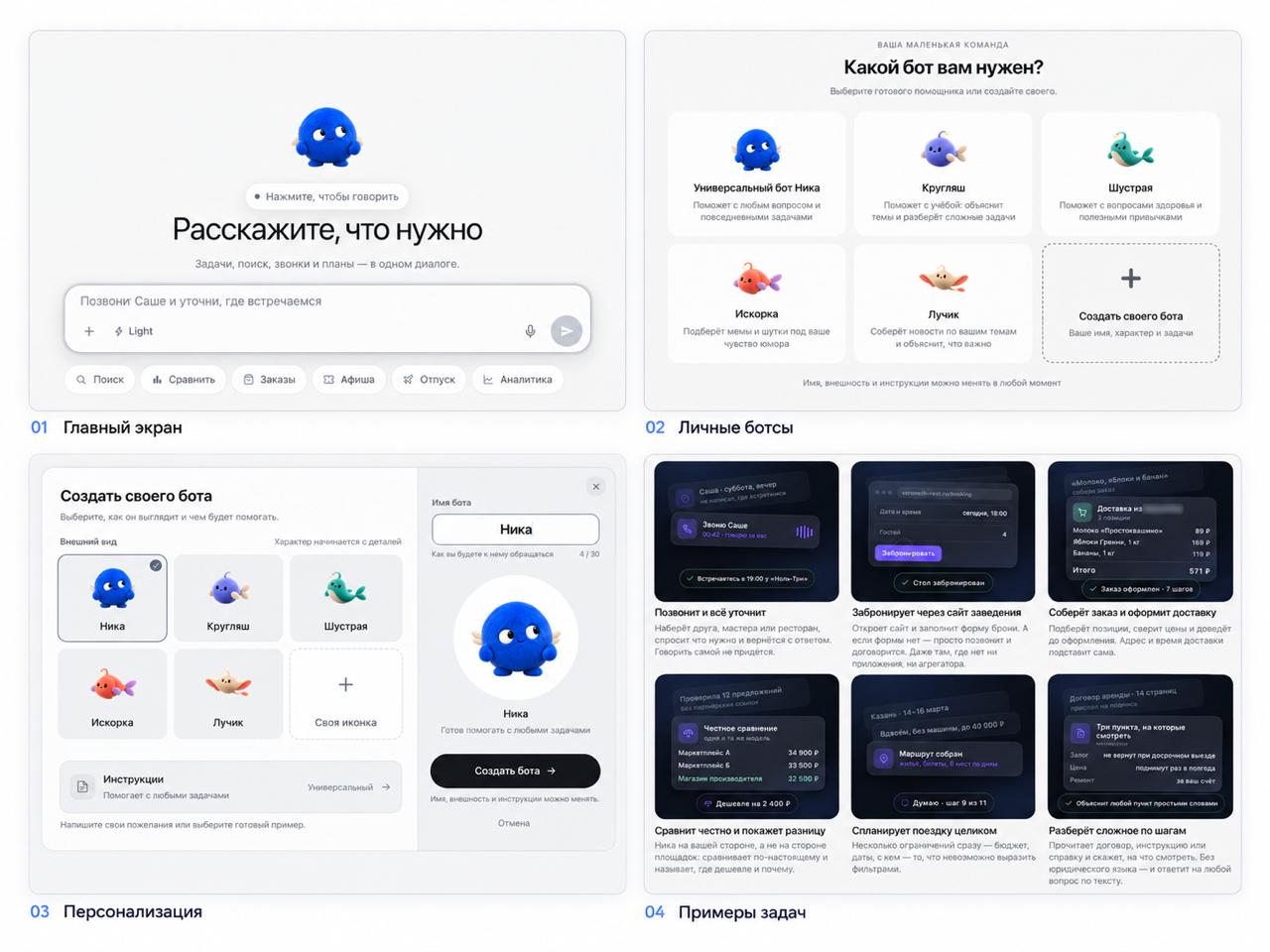
Choose the desktop client for local inference, source code access, and experimentation. Choose the web version to start with a hosted service.
Explore related projects
affaan-m/ECC
The agent harness performance optimization system. Skills, instincts, memory, security, and research-first development for Claude Code, Codex, Opencode, Cursor and beyond.
302,020 starsNousResearch/hermes-agent
The agent that grows with you
262,970 starsmultica-ai/andrej-karpathy-skills
A single CLAUDE.md file to improve Claude Code behavior, derived from Andrej Karpathy's observations on LLM coding pitfalls.
232,546 starsfirecrawl/firecrawl
Supercharge your AI agents with data from the web and beyond. Building the library for superintelligence. 🔥
200,932 stars