
10k11/TGfetch
10k11/TGfetch has 32 GitHub stars and 0 forks. GitHot measured 0 stars in 24 hours. Last checked 2026-11-15 02:29 UTC. Last push 2026-11-03.
What you can do
- Login: QR code login, or phone number, code, and optional 2FA password.
- Session restore: the saved session is validated and restored on launch.
- Channel browser: lists joined channels and supergroups with public/private status and member count.
- Media browser: grid and list views with type filters.
Measured star growth
- in 24h
- 0
- in 7 days
- Collecting history
- in 15 days
- Collecting history
- in 1 month
- Collecting history
Net star changes over overlapping periods, not daily totals. Missing measurements are left blank. Stars measure attention, not software quality.
About
Electron desktop app to browse your joined Telegram channels and bulk-download media (React, TypeScript, GramJS)
Web & AppsREADME.md
OriginalTGfetch
Desktop app for browsing the Telegram channels you have joined and downloading their media in bulk.


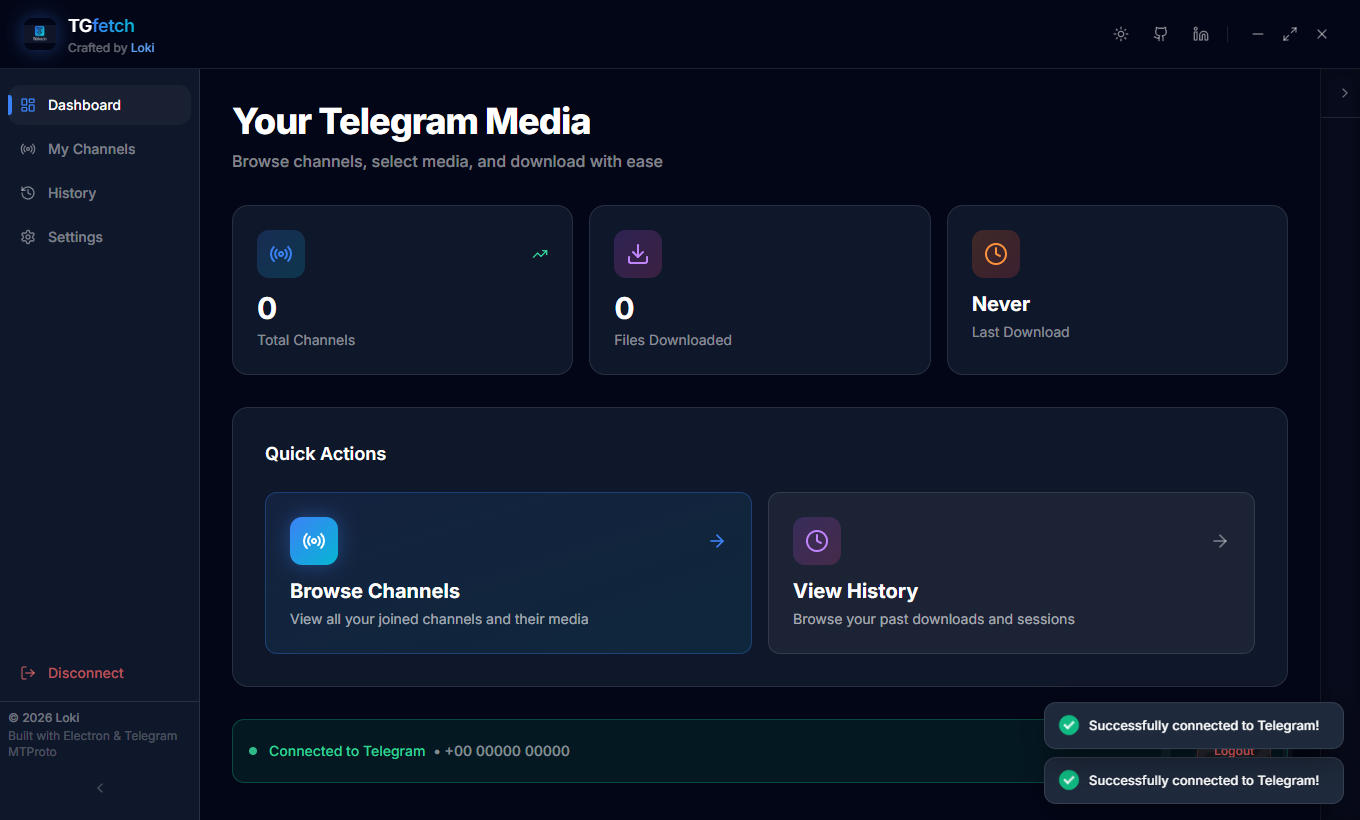
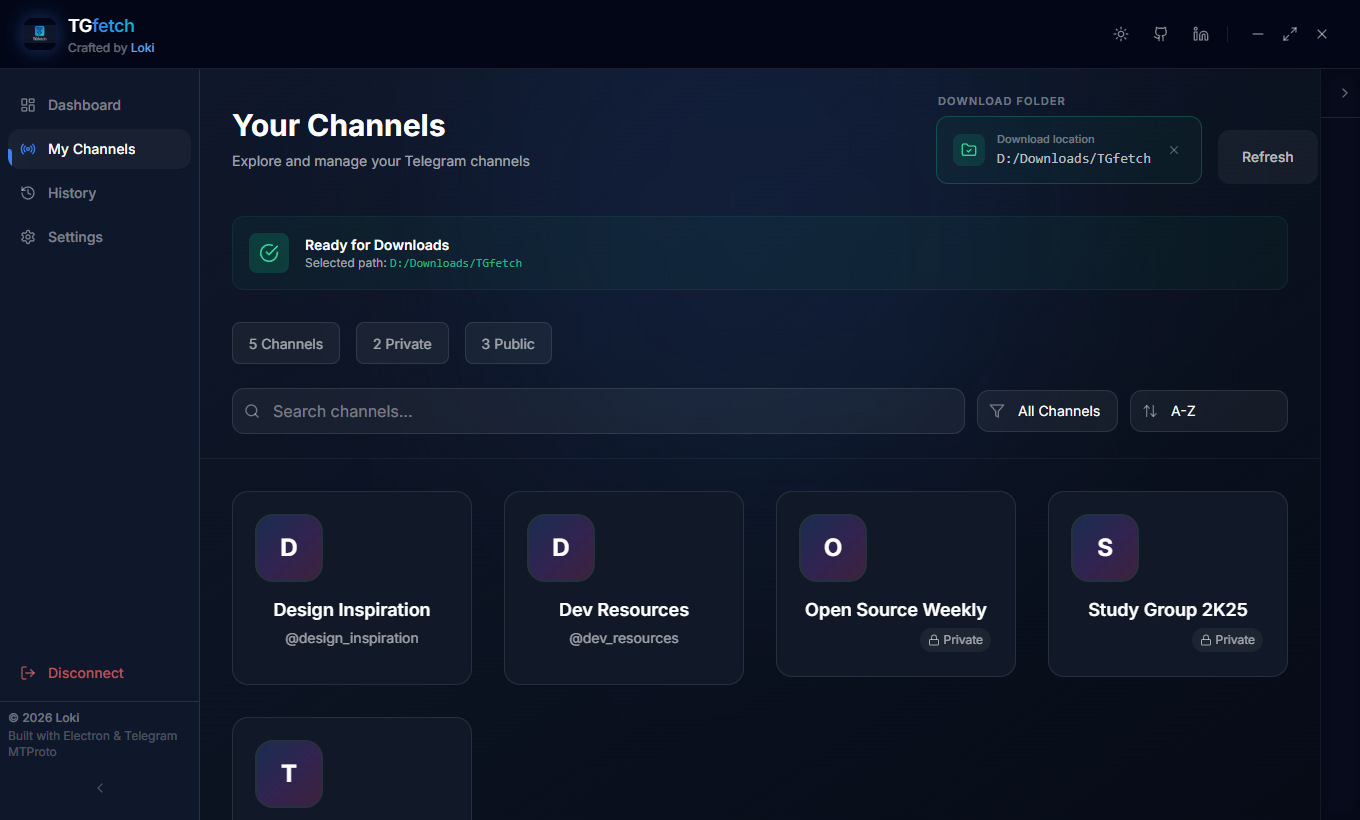
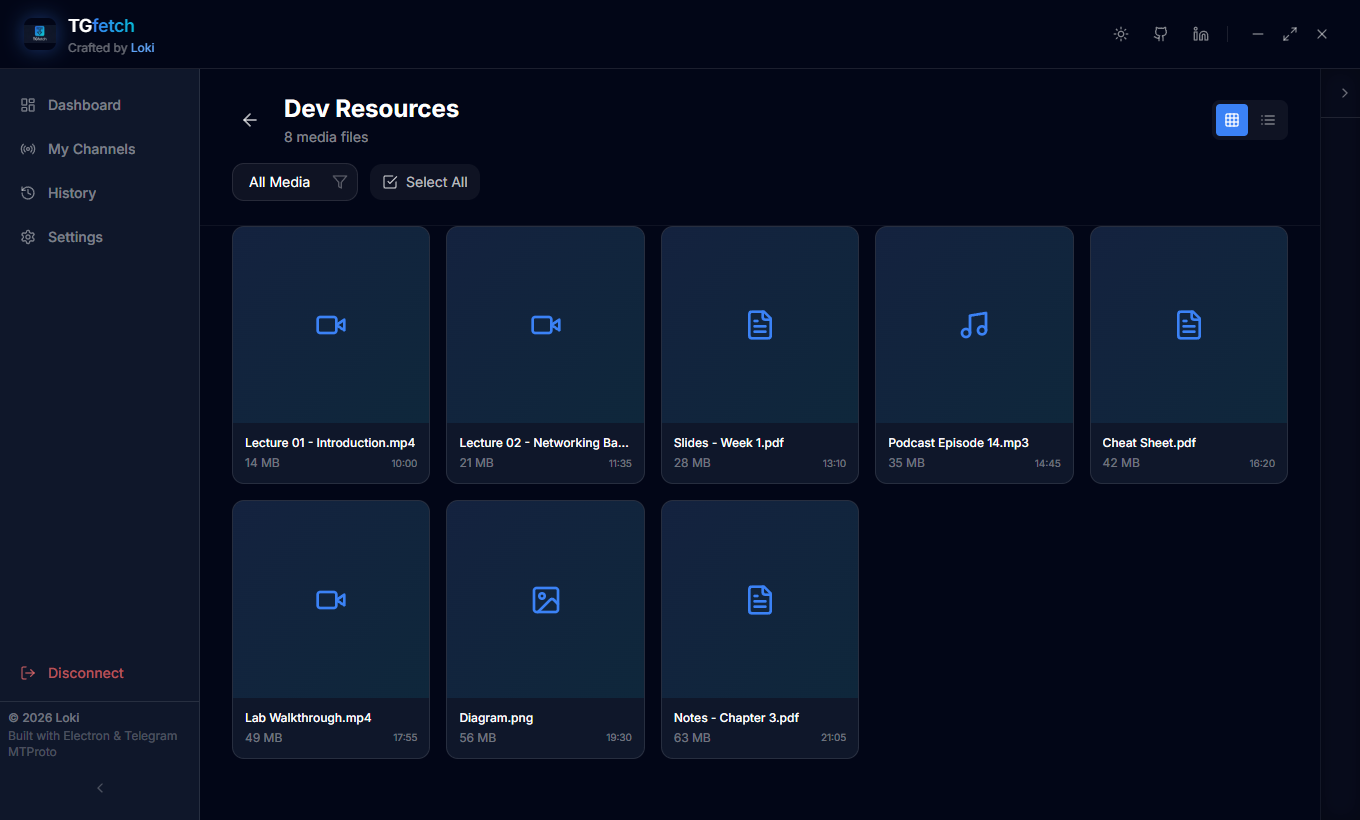
Screenshots
| Dashboard | Channels |
|---|---|
 |
 |
| Media browser | Download history |
|---|---|
 |
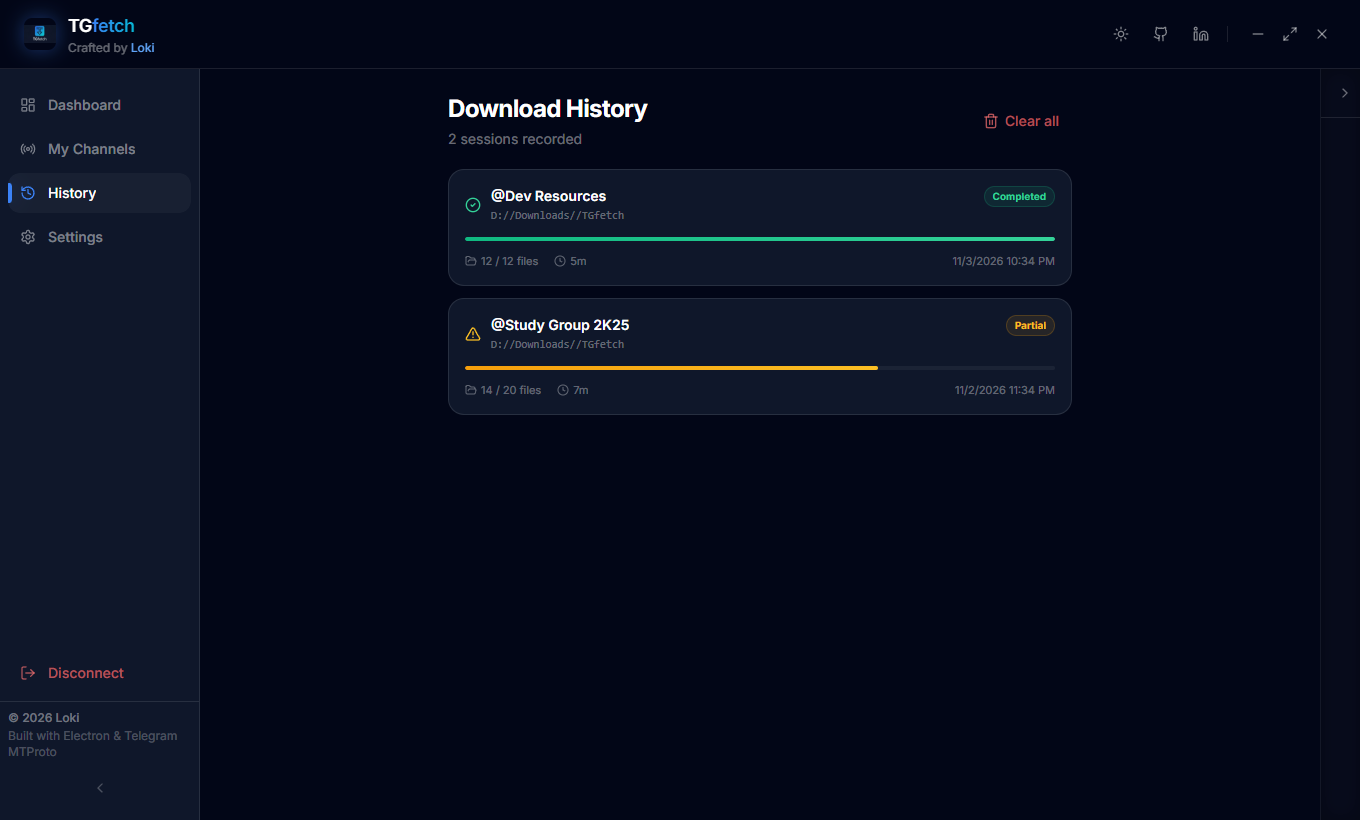 |
Screenshots use mock data, not a real Telegram account.
Features
- Login: QR code login, or phone number, code, and optional 2FA password.
- Session restore: the saved session is validated and restored on launch.
- Channel browser: lists joined channels and supergroups with public/private status and member count.
- Media browser: grid and list views with type filters.
- Downloads: single-file and multi-file downloads, 5 concurrent by default, with progress reporting and cancellation.
- History: download history stored locally and viewable in the app.
- Themes: dark and light.
Tech stack
| Layer | Technology |
|---|---|
| Desktop shell | Electron 29 |
| UI | React 18, TypeScript, Tailwind CSS 3, Framer Motion |
| State | Zustand (persisted) |
| Telegram client | GramJS (telegram package) |
| Build | Vite 5, vite-plugin-electron, electron-builder |
Project structure
electron/
  main.ts                  app entry, IPC handlers, session and history files
  preload.ts               context bridge exposed as window.tgfetch
  services/
    telegramService.ts     login (QR, phone), client lifecycle
    channelService.ts      joined channels, media listing
    downloadManager.ts     concurrent downloads
src/
  App.tsx, main.tsx        renderer entry
  pages/                   Dashboard, Channels, Media, History, Settings
  components/              AuthDialog, ApiSetupScreen, Sidebar, ActivityLog, ...
  store/downloadStore.ts   Zustand store
build/                     app icons for electron-builder
docs/                      authentication details, screenshots
.github/workflows/         tag-triggered Windows build
Getting started
Prerequisites
- Node.js 18 or newer
- Telegram API credentials from my.telegram.org/apps
Install
git clone https://github.com/10k11/TGfetch.git
cd TGfetch
npm install
cp .env.example .env
Environment variables
| Name | Required | Description | Where to get it |
|---|---|---|---|
TG_API_ID |
One of env or in-app setup | Numeric Telegram API ID | my.telegram.org/apps |
TG_API_HASH |
One of env or in-app setup | Telegram API hash | my.telegram.org/apps |
If neither is set, the app shows a setup screen on first run and stores the values in credentials.json in its user data directory.
Run
npm run dev
This starts Vite and then launches Electron against it.
Build
npm run build            # compile main process and bundle renderer
npm run build:win        # Windows NSIS installer
npm run build:linux      # Linux AppImage
Installers are written to electron-builder's default output directory (dist/). npm run typecheck runs the TypeScript check.
Usage
- Choose Login with QR (Telegram, Settings, Devices, Link Desktop Device) or log in with your phone number.
- Open Channels and select a channel.
- In the media view, filter by type, select files, and start the download. Pick the target folder with the folder selector.
- Review past downloads under History.
Authentication states, stored files, and the IPC surface are described in docs/authentication.md.
Security notes
- The renderer runs with
contextIsolation: trueandnodeIntegration: false. It talks to the main process only through the preload bridge.sandboxis set tofalse. - Telegram login and all API calls happen in the main process.
- The Telegram session is stored as plain JSON (
session.json) in the app's user data directory. It is not encrypted. Anyone with read access to that file can use the session, so protect your user profile and log out to delete it. - API credentials entered in the app are stored as plain JSON in
credentials.jsonin the same directory. Credentials from.envare read from the environment at startup. - The phone number is kept in
session.json. Codes and 2FA passwords are passed to Telegram and not written by the app.
Roadmap
- Encrypt the stored session (for example with Electron
safeStorage) - Wire up media search by filename
- Thumbnails and previews in the media view
- Pagination or infinite scroll for large channels
- Pause and resume for downloads
- Keyboard shortcuts
License
MIT. See LICENSE.