
0x96f/justty
0x96f/justty has 26 GitHub stars and 1 forks. GitHot measured 0 stars in 24 hours. Last checked 2026-11-14 06:40 UTC. Last push 2026-11-09.
What you can do
- Real PTY shells via Ghostty’s Metal renderer
- Multi-window and tabs (⌘N / ⌘T / ⌘W, ⌘⇧[ / ⌘⇧])
- Color themes from the GhosttyTheme catalog
- Font family, size, weight, and line height
Measured star growth
- in 24h
- 0
- in 7 days
- Collecting history
- in 15 days
- Collecting history
- in 1 month
- Collecting history
Net star changes over overlapping periods, not daily totals. Missing measurements are left blank. Stars measure attention, not software quality.
About
A simple native macOS terminal built with Swift and libghostty
Developer ToolsREADME.md
Original

JusTTY
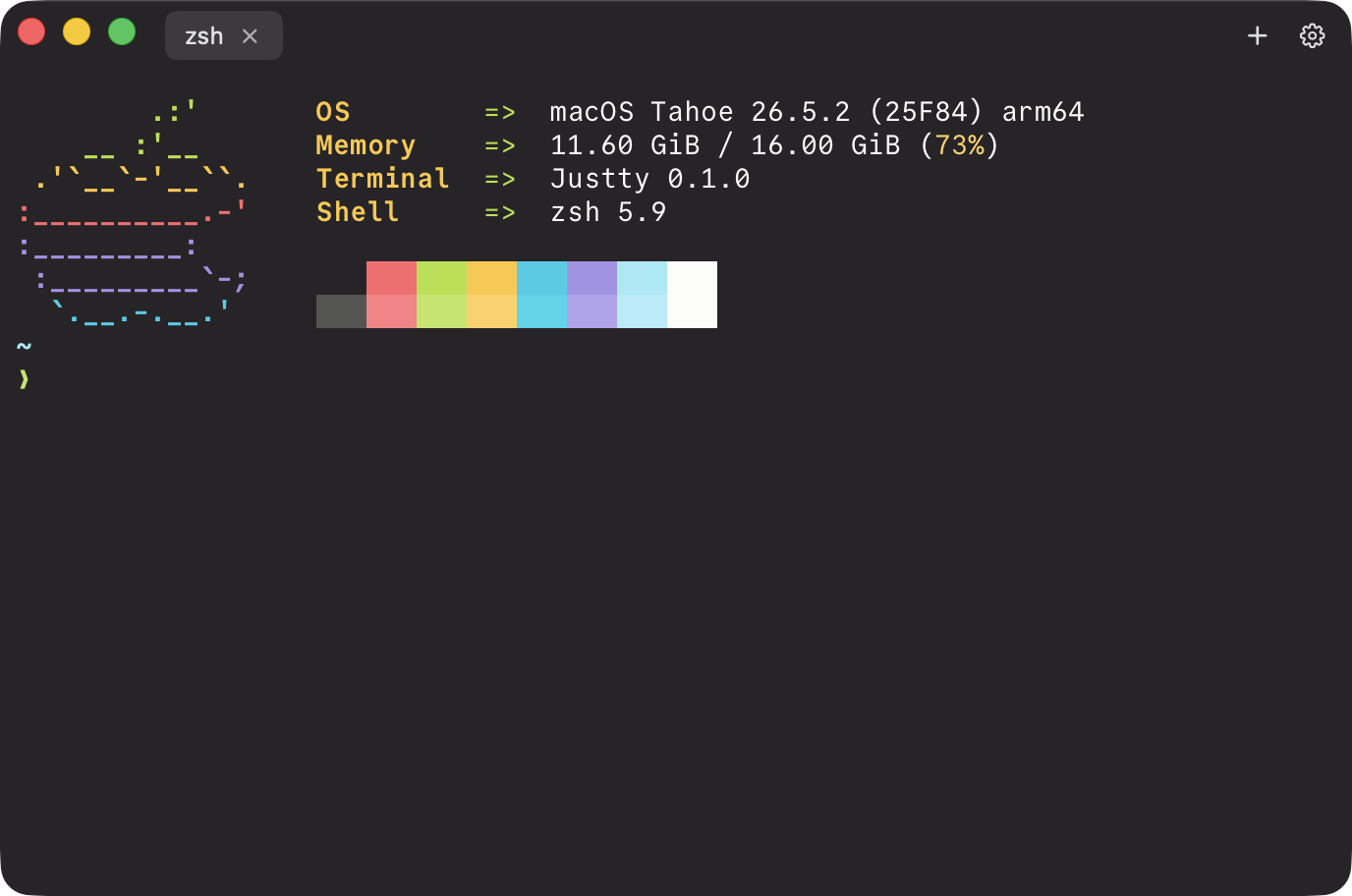
A simple native macOS terminal built with Swift and libghostty. Minimal be design - suited for everyday use, just not packed with the bells and whistles power users expect.
Features
- Real PTY shells via Ghostty’s Metal renderer
- Multi-window and tabs (⌘N / ⌘T / ⌘W, ⌘⇧[ / ⌘⇧])
- Color themes from the GhosttyTheme catalog
- Font family, size, weight, and line height
- Window padding, starting position, and character-grid size
- In-app keyboard shortcuts sheet (Settings)
Full list: docs/FEATURES.md.
Install
Homebrew (recommended):
brew trust --tap 0x96f/justty
brew tap 0x96f/justty
brew install --cask justty
The cask clears Gatekeeper quarantine on install. Details: docs/HOMEBREW.md.
Manual:
- Download
Justty-macos.zipfrom the latest release. - Unzip it - you should get
Justty.app. - Move
Justty.appsomewhere lasting (for example/Applicationsor~/Applications). - Open it (see below if macOS blocks the first launch).
Self-signed builds
Release builds are signed with a stable Justty Self-Signed identity (not an Apple Developer ID / not notarized). Verify both the Authority string and the leaf SHA-256 fingerprint (CN alone is forgeable):
codesign -dv --verbose=4 Justty.app
# expect Authority=Justty Self-Signed
codesign --verify --verbose=4 Justty.app

codesign -d --extract-certificates=/tmp/justty-cert Justty.app
openssl x509 -inform DER -in /tmp/justty-cert0 -noout -fingerprint -sha256
# expect SHA256 Fingerprint=82:9B:F9:9F:A6:C3:28:64:98:C3:57:24:04:3A:F2:CD:71:4B:35:BD:D1:C2:88:B7:D8:86:B6:C2:DD:E2:2C:11
rm -f /tmp/justty-cert*
Gatekeeper may still say the app “can’t be opened because it is from an unidentified developer.”
Recommended: right-click (or Control-click) Justty.app → Open → Open again in the dialog. You only need to do this once.
Alternative (clears the quarantine flag after download):
xattr -dr com.apple.quarantine /path/to/Justty.app
open /path/to/Justty.app
More help: docs/TROUBLESHOOTING.md. Maintainers: docs/SIGNING.md.
Requirements
- macOS 15.6+
- Xcode 16+ (with Swift 5 / macOS SDK) to build from source
Build from source
git clone --recurse-submodules <your-repo-url> justty
cd justty
open justty.xcodeproj
If you already cloned without submodules:
git submodule update --init --recursive
Build and run the justty scheme. App sandbox is off so Ghostty can spawn a real shell (.exec).
If packages fail to resolve or shells won’t start, see docs/TROUBLESHOOTING.md.
License
MIT
Explore related projects
codecrafters-io/build-your-own-x
Master programming by recreating your favorite technologies from scratch.
562,431 starspublic-apis/public-apis
A collective list of free APIs
498,885 starsmorluto/rea
Reverse engineer anything with agents, from app behavior down to native binaries.
458,541 starsopenclaw/openclaw
The AI that really does things. Any OS. Any Platform. The lobster way. 🦞
394,419 stars