
0pen-Sourcer/Hearth
0pen-Sourcer/Hearth has 34 GitHub stars and 4 forks. GitHot measured +1 stars in 24 hours. Last checked 2026-11-11 09:54 UTC. Last push 2026-11-04.
One AI workspace instead of a stack of AI tools: your models, agents, tools and computer in one app. Inglen (formerly Hearth).
Measured star growth
- in 24h
- +1
- in 7 days
- Update delayed
- in 15 days
- Update delayed
- in 1 month
- Update delayed
Net star changes over overlapping periods, not daily totals. Missing measurements are left blank. Stars measure attention, not software quality.
README.md
OriginalInglen
Your own assistant, running on your own PC.
It talks, listens and remembers you. It opens your apps, works in your files, drives a browser you can watch and clicks through the desktop for you. It thinks with a model on your machine, a cloud model, or the Claude Code, Codex or Cursor plan you already pay for. When a job is big, it hands parts to helpers and you watch them work in a little pixel cabin.


Free and MIT licensed. Windows, with macOS and Linux from source. No account, and no telemetry unless you opt in to an install count.
I built Inglen at 17 because I wanted the assistant from the films, the one that knows you and actually does things, on my own PC and on my terms.
The idea underneath it is that the agent shouldn't own your computer. The model doing the thinking can be a local one, a cloud one, or Claude Code and Codex on your own plan, and you can swap it mid-conversation. What stays the same is the environment around it, and that is yours. One approval switch decides what may run without asking, and it holds for every brain, because Claude Code's, Codex's and the other agents' permission requests come back to Inglen to answer. In Auto, a reviewer that reads only your own words decides whether a risky step is one you actually asked for, and anything it isn't sure of waits for you. A file is copied before one of Inglen's own tools changes it, so /undo puts it back. A coding agent sent as a helper into a git repository works on its own copy, and its changes wait until you bring them in, discard them or undo them. What it remembers is a folder of small files you can read and edit, and with Plus your phone shows each step and lets you allow or deny the risky ones while you're away.
Inglen is the app, and on a new install it is the assistant's name too; you can rename it to anything. It was called Hearth until v0.7.6, and the files and settings still use that name. An older install keeps the name and the folder it already had.
Get started in three steps
- Download Inglen for Windows. Full (1.7 GB) brings its own model server; Lite (646 MB) is for when you already run LM Studio, Ollama, a cloud key or an agent like Claude Code. Both install to your user folder without admin rights.
- Pick a brain. Setup finds what you already have, an agent like Claude Code or Codex, a model file on your disk, or a running LM Studio or Ollama, and offers it. You can also download a model from inside the app, or paste a cloud key.
- Talk to it. Type, or press the mic and speak. Ask it to find a file, tidy your Downloads, read a PDF, fix a test, or start a team on something bigger.
Windows may warn about the installer. Inglen isn't code-signed yet, so SmartScreen shows a blue box: choose More info, then Run anyway. Defender's machine-learning check can also flag unsigned Python apps (
Program:Win32/Contebrew.A!ml). That is a false positive, and the app's whole source is in this repo. If it happens, restore the file from Windows Security, Protection history. Code signing is on the roadmap.
See it
Approve a command before it runs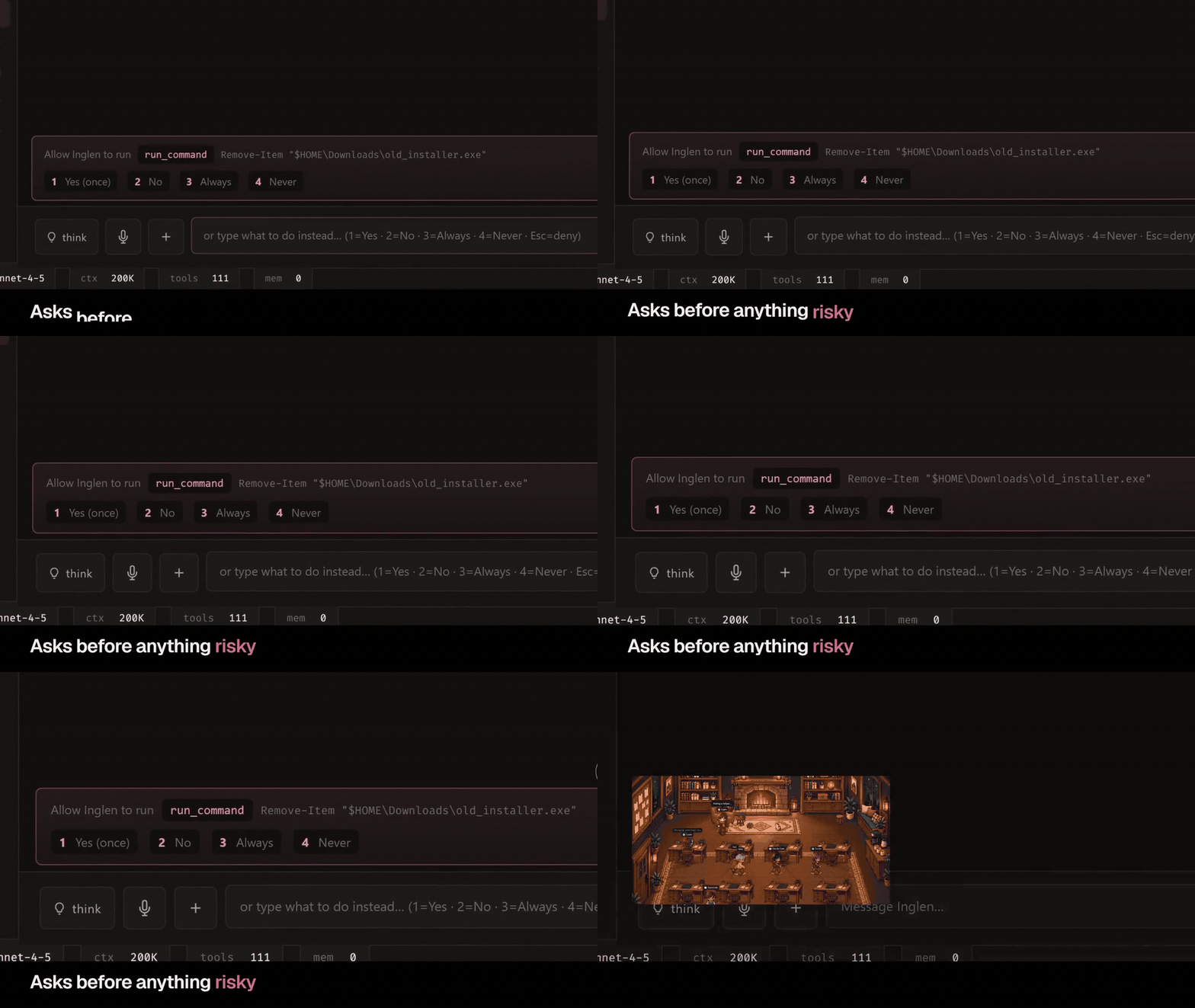 |
Switch brains from one menu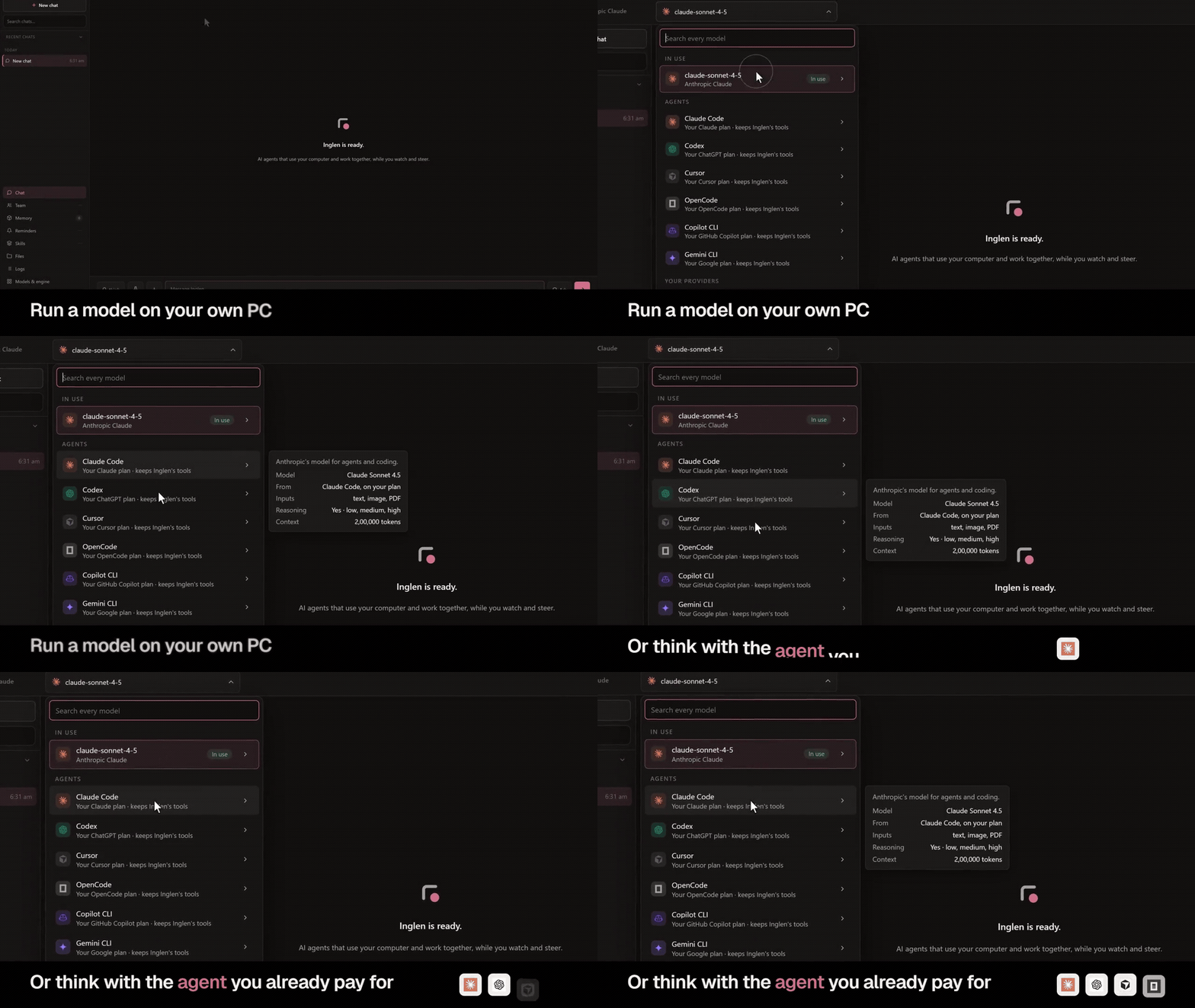 |
Talk and interrupt a reply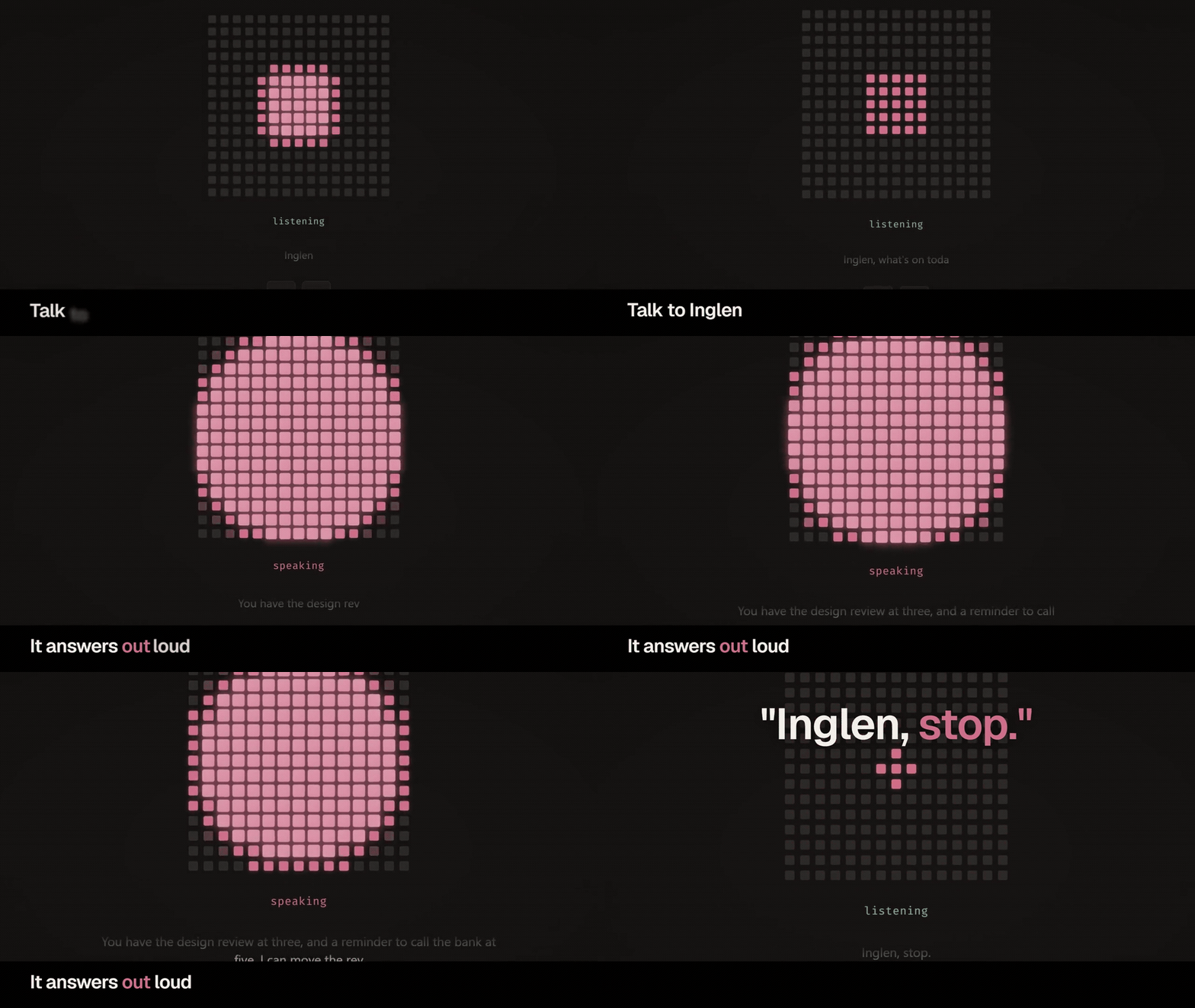 |
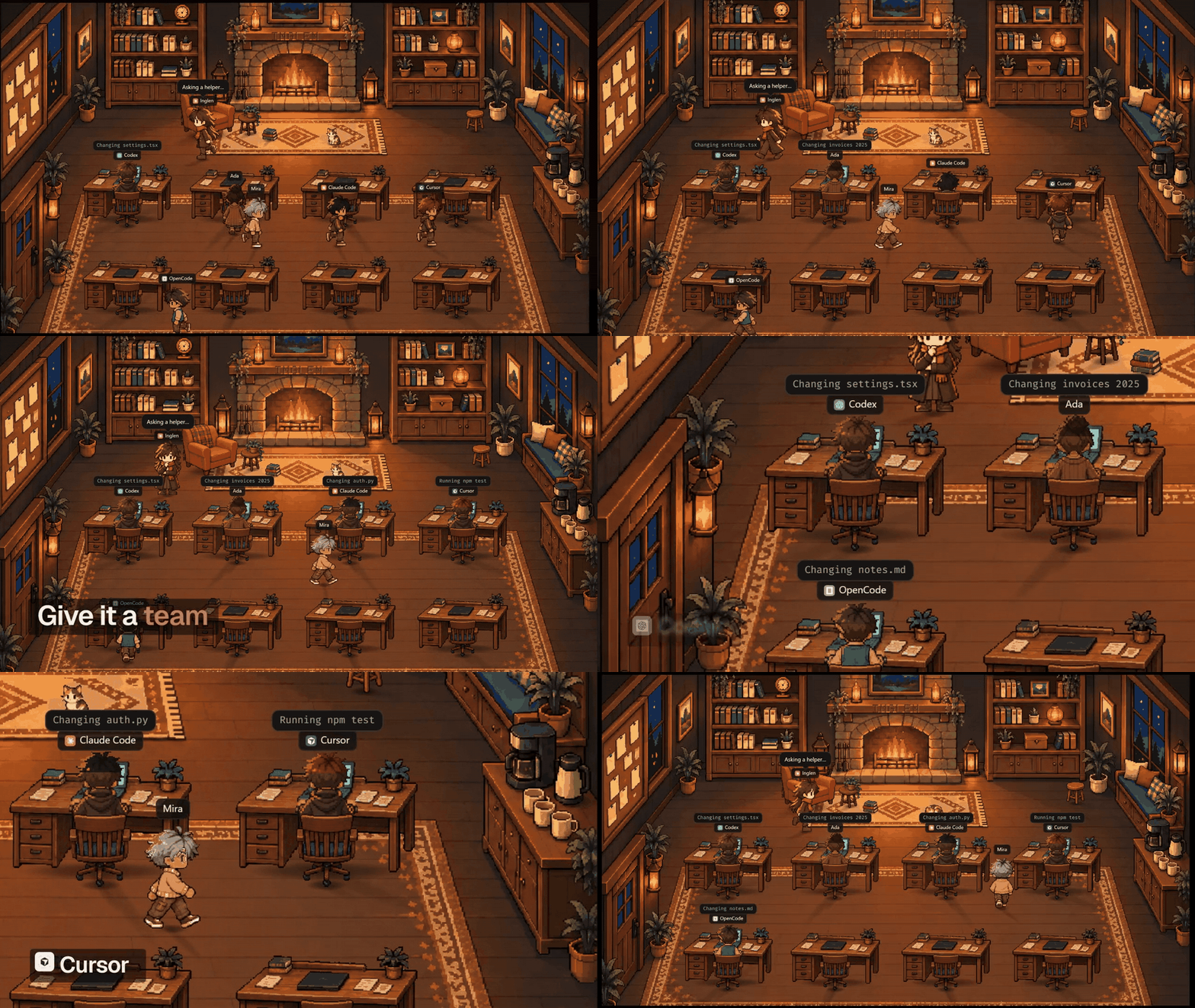
Watch helpers in the Team room |
Message it from your phone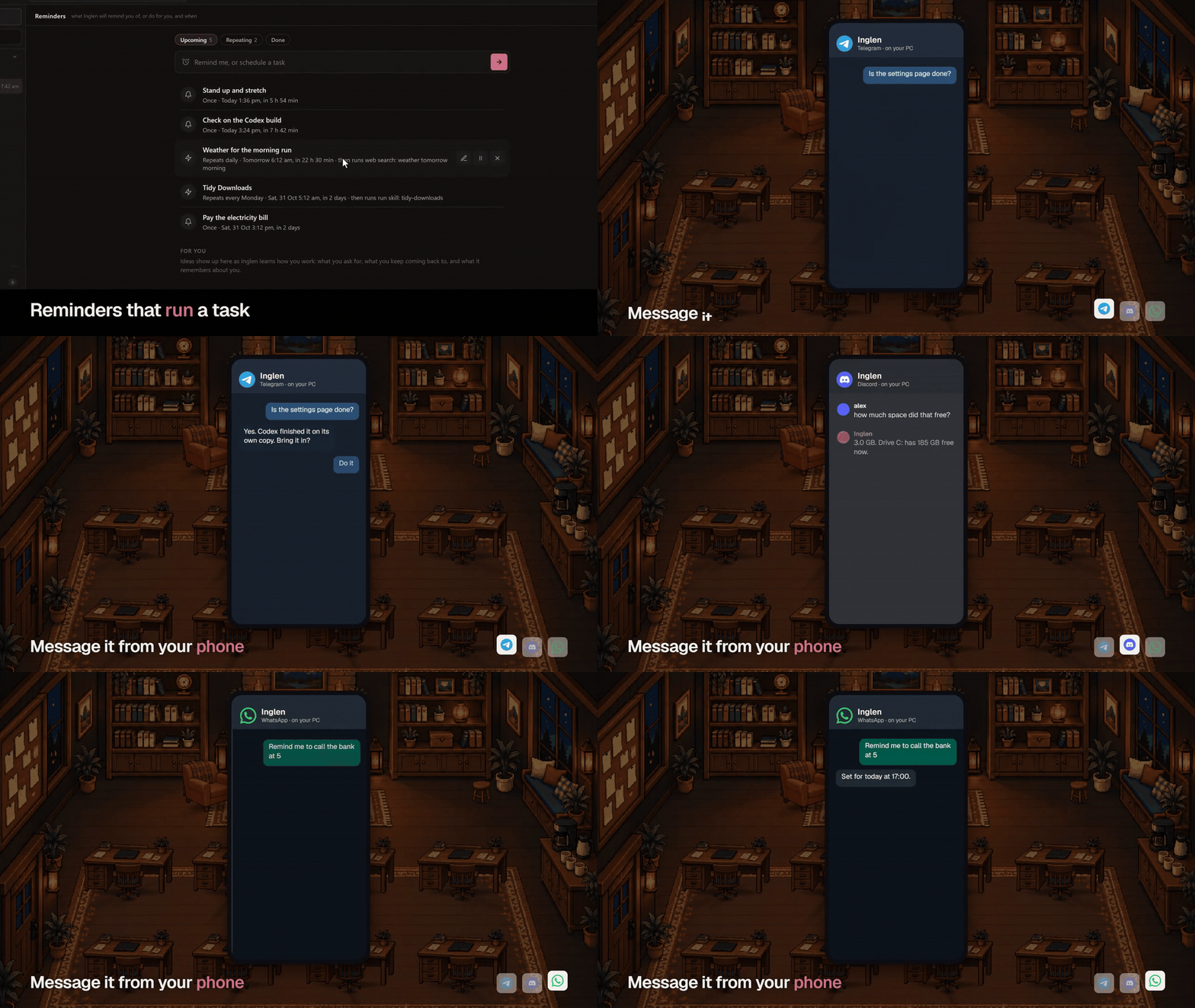 |
Pick a look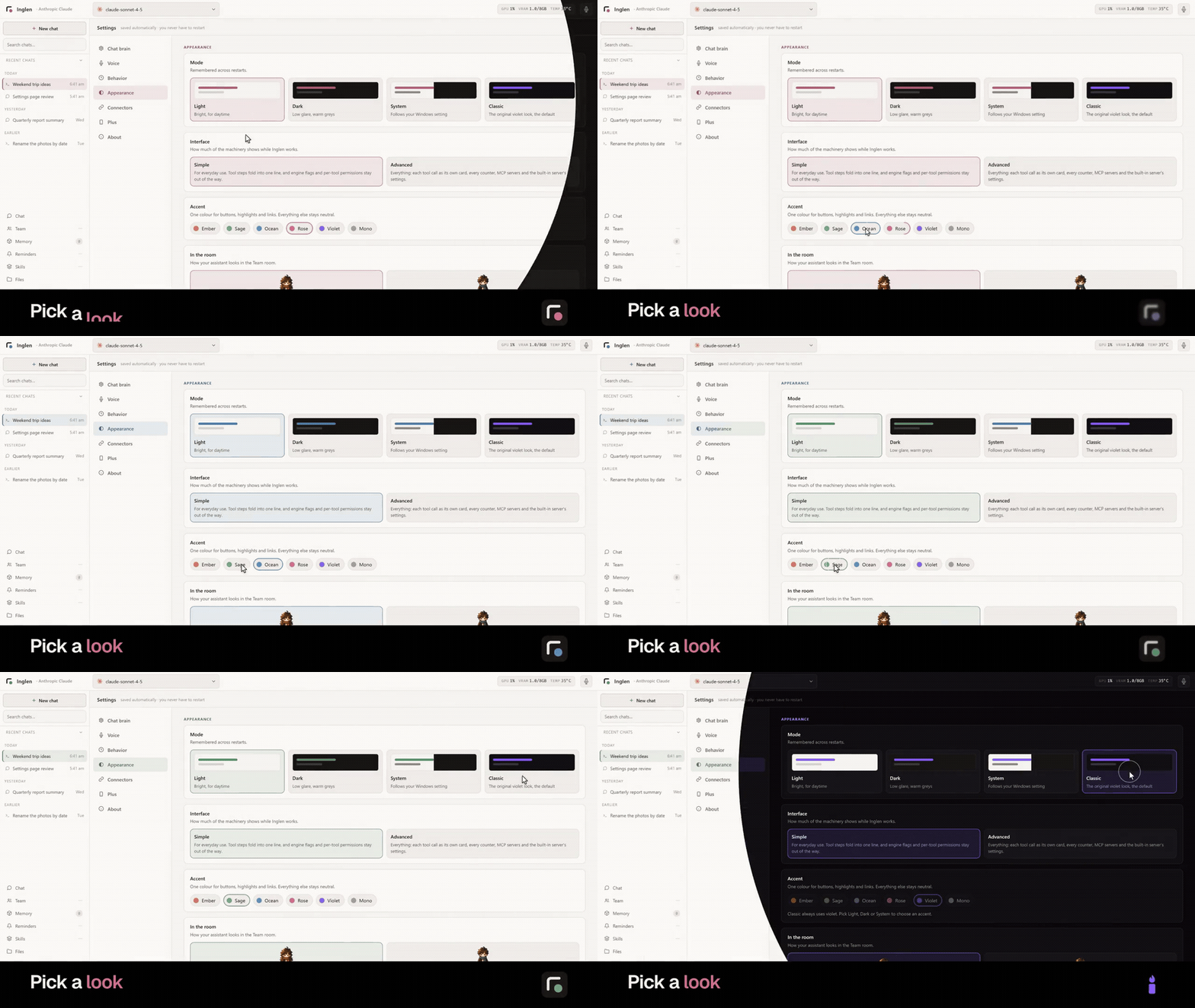 |
What's in it
Your PC
Inglen reads and writes files, including PDF, Word, Excel, PowerPoint, EPUB and archives, and it can work through a PDF hundreds of pages long. It runs PowerShell commands, opens any app, file, folder or link, and drives a real Chrome, Edge or Brave window you can watch while it clicks and types. Beyond the browser it reads a window's buttons and fields by name and operates the desktop itself, with the real cursor moving, a soft edge in your accent colour round the screen while it works, and your own window handed back when it's done. It takes screenshots and, with a model that can see, tells you what is on them. It searches the web without an API key, sets reminders in plain words ("every weekday at 9am"), sends email if you set it up, and runs long jobs like a whole-drive search in the background while you keep talking. It makes pictures and short videos on your own graphics card with an engine it installs itself, reading a ComfyUI or WebUI models folder in place, or with a cloud key.
Brains
A model on this PC through the built-in llama.cpp server, LM Studio, Ollama, vLLM or anything OpenAI-compatible. A cloud model with your own key from Anthropic, OpenAI, Google Gemini, OpenRouter, xAI or Groq. Or Claude Code, Codex or Cursor, on the plan you already pay for and with no API key. Other agents that speak the Agent Client Protocol can be the brain once installed, such as OpenCode, Copilot CLI, Goose and Grok Build; OpenCode has been run this way, the others follow the protocol. The assistant thinks with the agent and still uses Inglen's tools, memory and voice. You switch between all of them from one menu at the top of the window, mid-conversation, without restarting. A model on this PC can stay loaded under a cloud brain, so helpers keep working for free.
Helpers and the Team room
Bigger jobs go to helpers. One sentence starts a mixed team, like "three on Codex for the frontend, two on Claude Haiku for the tests, one on this PC for the docs". Each helper walks into the Team room, sits at a desk and works, and clicking anyone shows who asked, the task and every step so far. You can tell a working helper something or stop it, helpers message each other and the assistant as they go, and each report comes back to it. An agent program working in a git repository gets its own copy, and its changes wait for you to bring them in, discard them or undo them. Past eight helpers the next room opens, and there is a winter cabin, a library and an ocean room besides the first. Helpers can also be other agent programs, each on your own install and account. Claude Code, Codex, Cursor and OpenCode have been run from Inglen; it has adapters for 19 more, among them Gemini CLI, Copilot CLI, Aider and Goose, written from each one's documented headless mode and not yet run here. Starting a helper by hand shows the ones on your PC and how to get the rest.
Voice
Press the mic and talk. Speech-to-text (faster-whisper) and text-to-speech (Kokoro) both run on your machine. Talk over a reply and it stops on your first word and answers what you said instead. The window cancels the echo of its own voice the way a video call does, so this works on speakers as well as a headset. A step that needs your OK is asked out loud; a spoken yes is enough for what Auto mode would run anyway, and anything riskier waits for a click.
Memory and skills
Every fact Inglen learns is a small markdown file in your workspace that you can read, edit or delete. It keeps an index of them in view and looks up the ones a message needs. It notes lasting facts on its own unless you turn that off, ones that are never used are archived rather than deleted, and a new fact that overlaps an old one updates it. Each chat keeps a short card of where it stands (the goal, what's done and what's still open), so a new chat that starts with "guess what" gets a real guess, and each reply can show what it had in mind. Every past chat is searchable, by words or by time ("what did we do last Tuesday"), and one switch shares your memory with Claude Code, Codex, Cursor or OpenCode so they know you too. A skill is a folder that teaches a workflow, like making a PDF, a slide deck or a spreadsheet, and it uses the Agent Skills format Claude and Codex read too, so most skills on GitHub install here in one line, /skill install owner/repo, and each can be switched off without removing it. See docs/SKILLS.md and awesome-hearth-skills.
Everywhere else
The terminal app (inglen.bat) has the same brains, tools, memory and helpers as the window, with slash commands and voice, and the two share one set of chats: start one in the terminal and carry it on in the window. Message it from your phone through a Telegram or Discord bot you set up in a minute, or an experimental WhatsApp link (docs/PHONE.md), with voice notes, photos and files going both ways, and reminders can go to your phone too. Anyone new needs a pairing code you approve, and you can write a connector for another app in one Python file (docs/CONNECTORS.md). Inglen Plus, a paid add-on, adds a phone app that reaches your PC from anywhere through an end-to-end encrypted relay, with your chats and every step, approvals from the notification, files from the PC, the Team room, your coding agents' sessions, and voice calls with your assistant. If you allow it, Inglen can call you about a reminder, finished work or a question it is waiting on, never in your quiet hours or while you are at the PC. It is an MCP server, so LM Studio, Claude Desktop or Cursor can use its tools, and an MCP client, so other servers' tools appear beside its own. A headless mode drives it from scripts. It can also write a new tool for itself when it hits a gap.
Safety
A switch beside the send box decides what runs without asking. Ask checks before anything acts on your machine. Auto-edit lets edits inside the workspace through. Auto runs routine work on its own and stops before deleting, moving, sending email or phone messages, uploading from the shell, pushing, publishing or installing, unless a reviewer that reads only your own words finds you asked for exactly that step. Something Inglen made itself in the last week it may delete or move without asking, since a copy is kept to undo it. Shutting down, disks, accounts, security settings and hidden commands always ask. Once a chat has read something from outside, like a web page, an email or a downloaded file, any request to an address you didn't give asks first in every mode, so a page can't quietly get your data sent somewhere (SECURITY.md has the details and the limits). The same switch holds when Claude Code, Codex, Cursor or another agent is the brain, since their permission requests are answered by Inglen, and with Plus the phone gets Allow and Deny for each one. What Inglen's own file tools change is copied first and kept for a week, so /undo puts it back. That copy doesn't cover a shell command, an agent program's own edits or anything over 200 MB. Writes are confined to the workspace folder unless you allow another one, and Inglen never runs elevated.
Which model to use
On this PC, any model of about 7B or larger that was trained for tool calling works. The Models tab marks each file by whether it fits your graphics card and points at the right size for it. Small local models handle everyday work well (open this, read that, remember this) and can lose the thread on long multi-step jobs; a loop guard catches them when they start repeating. For deep research or long coding work, a cloud model or an agent brain is the better pick, and you can switch for one task and back.
Inglen reads the tool-call formats of Gemma, Hermes, Qwen, Llama, Mistral, Phi, Granite and Command-R, so a model whose server doesn't parse its tool calls still works.
How it compares
None of the pieces is new on its own. OpenClaw and Hermes Agent are broad personal agents that reach you across many chat apps, keep memory between sessions and take any model. Munder Difflin runs Claude Code, Codex and other coding agents as a team on one machine. ChatGPT and Claude remember you across chats, and LM Studio and Open WebUI run local models with tools.
Inglen puts them together around one Windows PC. A local model it runs itself, a cloud model or an agent program can be the brain, and each one works the same desktop, files, voice, memory and helpers. The approval switch, the undo copies, the review of a helper's changes and the phone's Allow and Deny sit outside whichever brain is thinking, so changing the brain doesn't change the rules. The worker can change. It should not own the computer. You should.
FAQ
Is it free, and does it work offline? The app is free, and Plus, the phone add-on, is the paid part. With a local model it works offline. It needs the internet only for web search, which runs when the model looks something up, and for its own update and catalog checks.
Will it mess with my files? Writes, moves and deletes stay inside the workspace folder (~/Inglen, or ~/Jarvis on an older install) unless you allow another folder, and the approval switch decides what asks first. Set HEARTH_LOCKDOWN=1 to keep reads inside the workspace too.
What do I need? Windows 10 or 11. For local models, a graphics card with 8 GB of memory runs a 7B to 9B model well, NVIDIA through CUDA and AMD or Intel through Vulkan; less works on the CPU, slowly. With a cloud key or an agent brain, any PC that runs a browser is enough.
Can it replace ChatGPT? For talking, looking things up and working on your own files and apps, on a good brain, yes. On a small local model it is quicker to set up than it is clever, so pick the brain to match the job.
What leaves my PC? Only what you turn on. That means your messages to the cloud model or agent you pick, web searches, and the phone bridges or email you set up. Nothing comes to us. With Plus on, the phone app's messages pass through the Plus relay sealed with keys only your PC and phone hold, so the relay can't read them, and the licence key is checked with the payment provider (SECURITY.md has the details). There is no telemetry unless you say yes to the install count (below). Inglen also asks GitHub for its own updates, its announcement feed and the model and image engines when you install them, the npm registry for updates to agents you have installed, and once a day the public models.dev catalog for the model details in the model menu, and it fetches small site icons the window shows. None of these carry your chats, memory or files.
Why "Inglen"? An ingle is the fire in a hearth, the warm center of the house. Your assistant lives there. It was called Hearth before, and an update from Hearth keeps your settings, memory and chats.
Install from source (Windows, macOS, Linux)
Needs Python 3.11 or newer.
git clone https://github.com/0pen-Sourcer/Hearth.git
cd Hearth
.\install.ps1                      # bring your own server (LM Studio, Ollama, vLLM, llama.cpp or a cloud key)
.\install.ps1 -BuiltinLLM cuda     # NVIDIA card: Inglen installs and runs its own llama.cpp server
.\install.ps1 -BuiltinLLM cpu      # no card: the same server on the CPU
.\inglen.bat                       # start the terminal app
.\inglen.bat window                # start the window
In the window, Models, Engine downloads the official llama.cpp build for your card at any time, the same engine the Full installer brings.
The installer is safe to run again and can skip optional parts (voice, speech-to-text, the MCP SDK, file readers, the window, browser control); Get-Help .\install.ps1 -Detailed lists them. Started on Lite and want the built-in server later? Run the Full installer over it and your settings, memory and chats stay where they are.
On macOS and Linux the terminal app and the web window work, and most tools (shell, files, screenshots, apps, windows, clipboard, web, reminders, notifications) have native paths there. Linux is tested on Mint 22 and Ubuntu 24.04, where Inglen also downloads its model and image engines for itself; macOS runs the same code but hasn't been tried on a real Mac yet. Desktop control and the installer are Windows only for now. Steps are in docs/INSTALL_LINUX_MAC.md.
Inglen finds a running LM Studio (port 1234), Ollama (11434) or llama.cpp server (8080) on its own. For anything else, set LOCAL_API_BASE to an OpenAI-compatible address.
Ways to run it
| Start it with | ||
|---|---|---|
| Window | the Inglen shortcut, or .\inglen.bat window |
Chats, Team room, memory, models, settings, voice |
| Terminal | the Inglen CLI shortcut, or .\inglen.bat |
The same brains, tools, memory and helpers, with slash commands and voice |
| Headless | python -m hearth.headless --prompt "..." |
JSON lines out, for scripts, CI or another agent; --format text for people |
| MCP server | python -m hearth.mcp_server |
Inglen's tools inside LM Studio, Claude Desktop, Cursor or Cline |
How it works
   you (mic) ──▶ faster-whisper ──┐
   you (keys) ──────── text ──────┤
                                   ▼
                     Inglen (window / terminal / bridge)
                                   │  messages + tools
                                   ▼
          a model on this PC, a cloud model, or Claude Code / Codex / Cursor
                                   │  reply + tool calls
                                   ▼
                              tool executor
            files · shell · apps · browser · desktop · web · memory
           + skills + plugins + other MCP servers + helpers (Team room)
                                   │
                                   ▼  (loops until done; a loop guard stops spirals)
   you (ears) ◀── Kokoro ◀── streamed reply
Inglen has over a hundred tools, but only a core set goes to the model in full each turn. It sees the names of the rest and loads one when it needs it, so the prompt stays small. HEARTH_ALL_TOOLS=1 loads everything up front. The full list is in docs/TOOLS.md.
Where things live on disk
~/Inglen/                  the assistant's home (~/Jarvis on an older install; HEARTH_WORKSPACE moves it)
├── profile.md             who you are and how you like replies, read every turn
├── rules.md               your house rules, read every turn
├── memory/                one markdown file per fact, MEMORY.md as the index, _archive/ for cold ones
├── logs/                  what it did, by day
├── voices/                Kokoro and Whisper model files
├── plugins/               tools it wrote, or you did
├── subagents/             each helper's transcript
└── PDFs/ · PPTX/ · XLSX/  documents it made
Settings you can set from the environment
| Variable | Default | |
|---|---|---|
LOCAL_API_BASE |
found on its own | An OpenAI-compatible address |
LOCAL_API_KEY |
none | The key for it, if it needs one |
LOCAL_MODEL |
found on its own | The model name to use |
HEARTH_WORKSPACE |
~/Inglen (~/Jarvis on an older install) |
Where memory, logs and voices live |
HEARTH_LOCKDOWN |
0 |
1 keeps reads inside the workspace too |
HEARTH_AUTO_APPROVE |
0 |
1 skips approval prompts |
HEARTH_EXTRA_WORKSPACES |
none | More folders it may write in |
HEARTH_VOICE |
am_michael |
Kokoro voice |
HEARTH_VOICE_SPEED |
1.0 |
How fast it speaks |
HEARTH_STT_DEVICE |
found on its own | cpu or cuda for speech-to-text |
HEARTH_WAKE_WORD |
none | Listen only after this word |
HEARTH_BUILTIN_PORT |
8790 |
Port for the built-in server |
HEARTH_COMPACT_AT |
0.75 |
Sum up old turns past this much of the context |
HEARTH_NO_ONBOARDING |
0 |
1 skips setup |
HEARTH_PERSONA_NAME |
Inglen |
The assistant's name |
HEARTH_PERSONA |
none | Tone: bro, chill, professional or formal |
HEARTH_ALL_TOOLS |
0 |
1 loads every tool up front |
The older JARVIS_* names work too.
Terminal commands
/help        every command                     /team       helpers working for me
/status      what's thinking, context, limits  /agents     agent programs on this PC
/brain       switch what thinks                /mem        what I remember
/model       pick a model on the current brain /skill      skills
/models      models on disk and downloads      /voice      speaking: on, off, speed, mic
/mode        ask, edits or auto                /listen     talk instead of typing
/allow       let me write under a folder       /think      reasoning on, off, or how hard
/compact     sum up old turns now              /phone      reach me from your phone
/context     set the context window            /update     get a newer version
/chats       chats from here and the window    /clear      start a new chat
/import-memory   bring memory from ChatGPT or Claude
@path attaches a file. The full list, with every command, is in the user guide.
Contributing
Good first pull requests are macOS and Linux versions of the Windows-only tools in hearth/tools.py, more voices in hearth/voice.py, and new tools (a function plus its entry in TOOL_DEFINITIONS). See CONTRIBUTING.md, the Roadmap and the Code of Conduct.
Privacy
Your chats, memory and files stay on your machine. There is no account and no analytics, and no server of ours is in the loop except the Plus relay if you choose Plus, which only carries messages it can't read, and the install count below if you say yes to it. What leaves your computer is only what you turn on, and it goes to the service you chose, whether that is a cloud model or agent, web search (DuckDuckGo), the phone apps or email. With a local model and none of those set up, the only thing Inglen fetches is its own update and catalog data (see the FAQ), and it keeps working with no connection at all.
Install count (opt-in, off by default). If you say yes in setup or turn on Settings, Behavior, "Count this install", Inglen sends this once a day to the relay: a random id made for your install, the version, the OS and whether the brain is local, cloud or an agent. Setup shows the exact payload before you choose. No names, no messages, no file paths; the relay keeps one row per install per day and does not store your IP address. Turn it off in Settings any time. The MIT license is the whole agreement.
Support
Help with installing or using Inglen, bug reports and Plus questions are all covered in docs/SUPPORT.md, or write to [email protected]. SECURITY.md has how to report a vulnerability.
License
MIT © @0pen-sourcer.
Thanks
llama.cpp for the built-in server, Kokoro for the voice, faster-whisper for listening, and the Model Context Protocol for tool interop.
Explore related projects
affaan-m/ECC
The agent harness performance optimization system. Skills, instincts, memory, security, and research-first development for Claude Code, Codex, Opencode, Cursor and beyond.
301,680 starsNousResearch/hermes-agent
The agent that grows with you
262,871 starsmultica-ai/andrej-karpathy-skills
A single CLAUDE.md file to improve Claude Code behavior, derived from Andrej Karpathy's observations on LLM coding pitfalls.
232,402 starsfirecrawl/firecrawl
Supercharge your AI agents with data from the web and beyond. Building the library for superintelligence. 🔥
200,932 stars