
00200200/youtube-comment-sentiment-analyzer
00200200/youtube-comment-sentiment-analyzer has 39 GitHub stars and 2 forks. GitHot measured 0 stars in 24 hours. Last checked 2026-11-11 14:42 UTC. Last push 2026-10-28.
Full-stack web application for sentiment analysis of YouTube comments using FastAPI, React, and Hugging Face Transformers.
What you can do
- 🎯 Sentiment Classification - Positive, neutral, negative, and ambiguous labels with model scores
- 📊 Charts - Sentiment counts over time with date-range selection
- 🐳 Docker Compose - Frontend, backend, and database services for local development
- ⚡ Background Analysis - Comment fetching and classification through FastAPI background tasks; the frontend polls every 3 seconds
Measured star growth
- in 24h
- 0
- in 7 days
- Update delayed
- in 15 days
- Update delayed
- in 1 month
- Update delayed
Net star changes over overlapping periods, not daily totals. Missing measurements are left blank. Stars measure attention, not software quality.
README.md
Original🎭 Emotube: YouTube Comment Sentiment Analyzer

An experimental web application for analyzing sentiment in YouTube comments


🌟 Overview
Emotube fetches YouTube video metadata and top-level comments through the YouTube Data API, classifies comments with a pretrained Hugging Face sentiment model, and stores the results in PostgreSQL. A React interface displays video details, comment filters, and sentiment charts. YouTube is the only implemented platform; replies within comment threads are not fetched.
✨ Key Features
- 🎯 Sentiment Classification - Positive, neutral, negative, and ambiguous labels with model scores
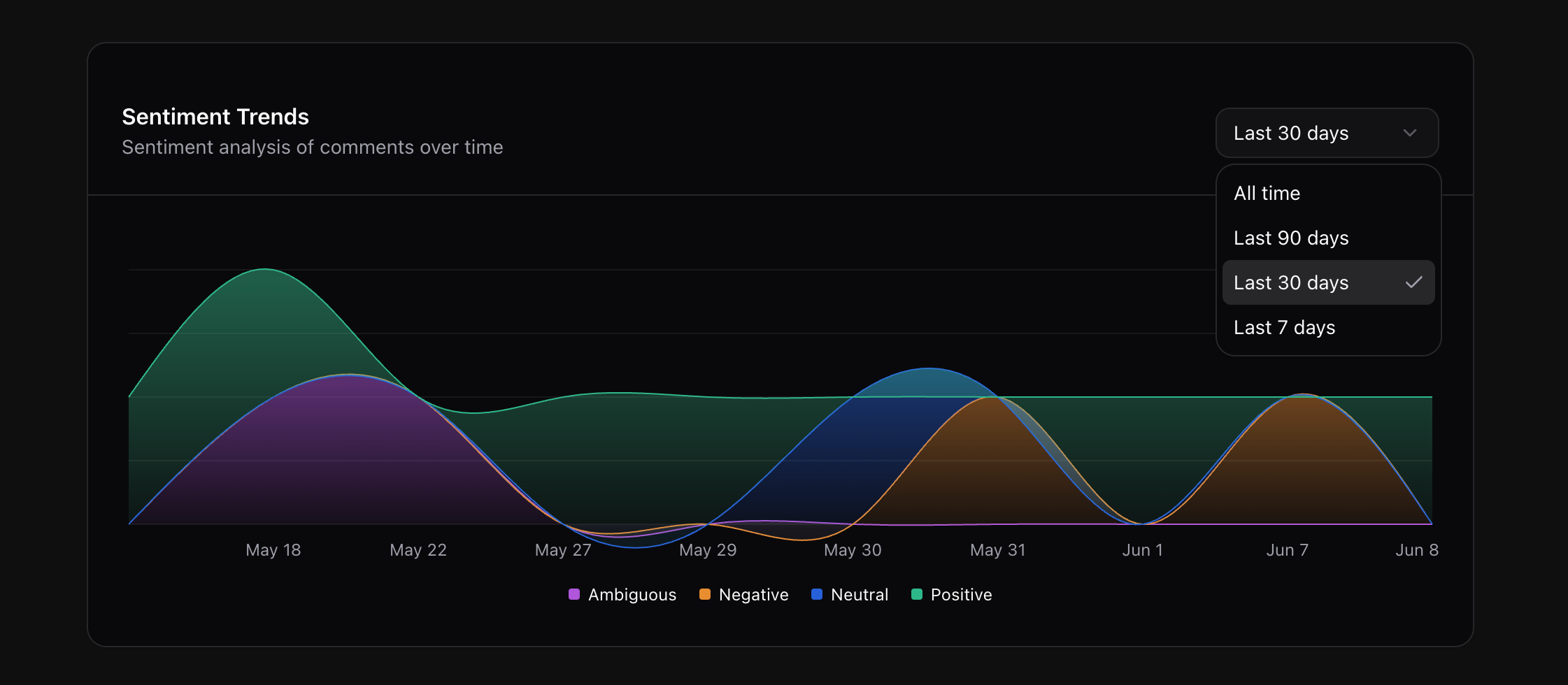
- 📊 Charts - Sentiment counts over time with date-range selection
- 🐳 Docker Compose - Frontend, backend, and database services for local development
- ⚡ Background Analysis - Comment fetching and classification through FastAPI background tasks; the frontend polls every 3 seconds
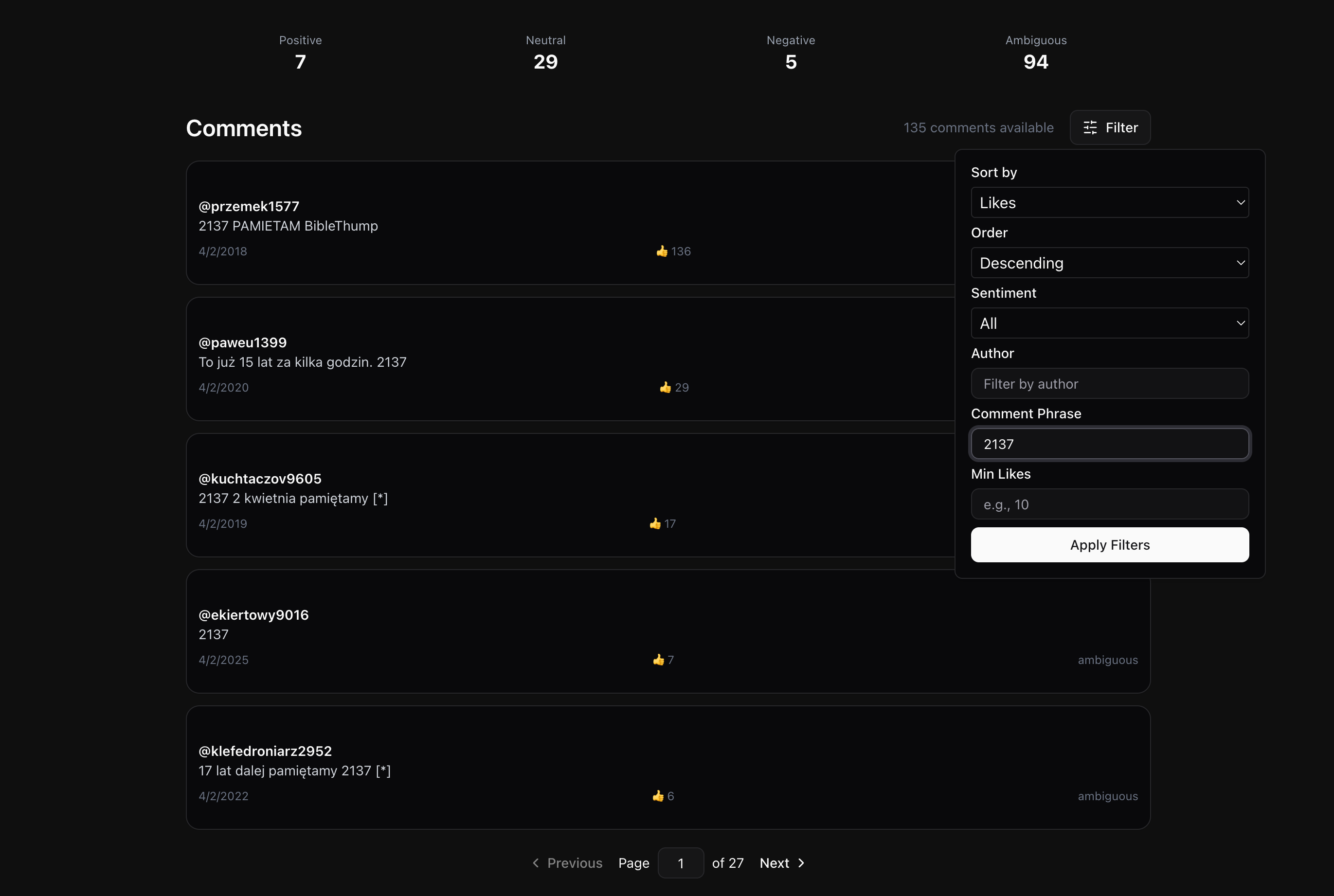
- 🔍 Comment Filters - Sentiment, author, minimum likes, text search, and sorting
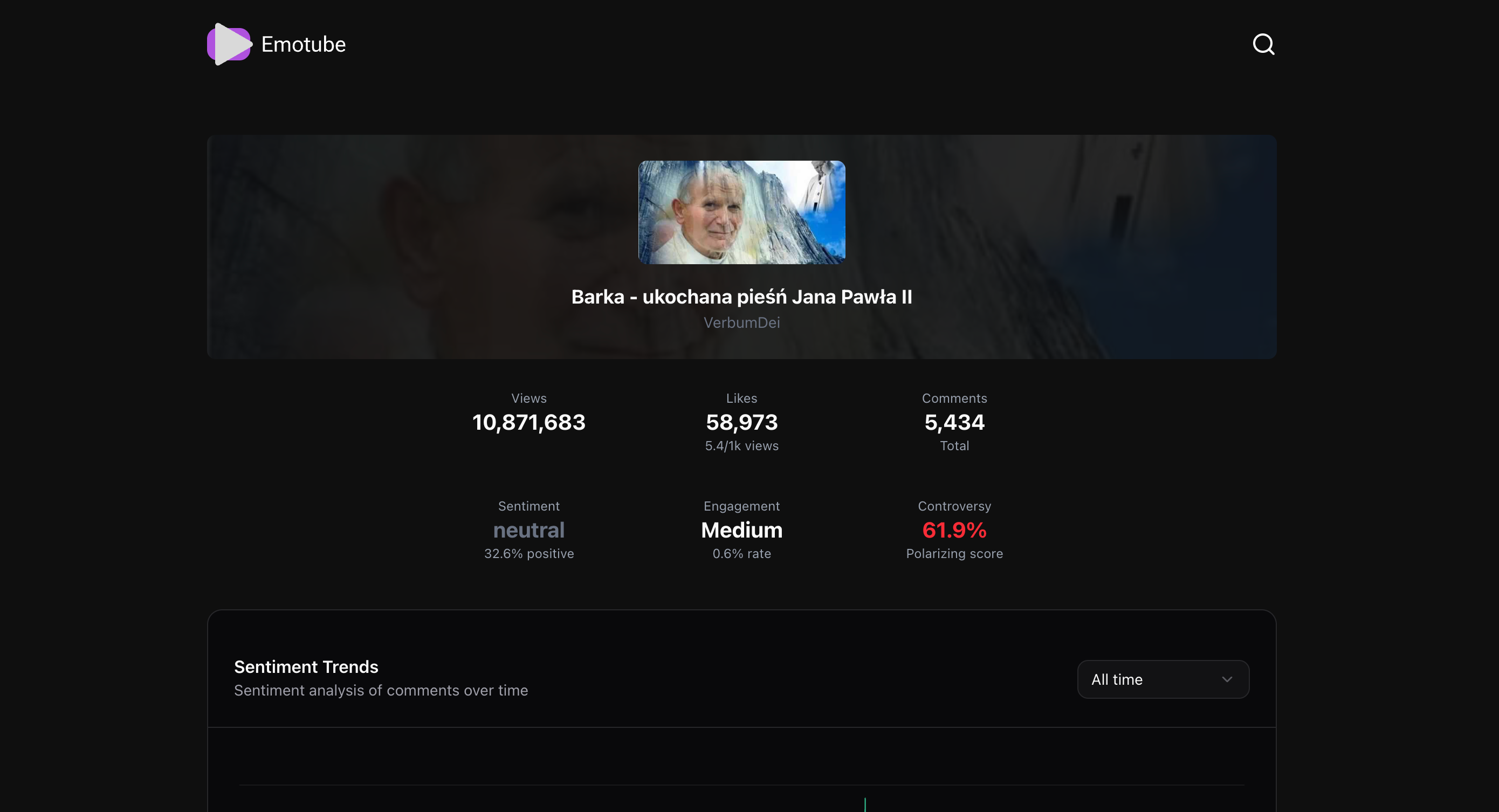
- 📈 Video Metrics - View, like, and comment counts plus derived engagement statistics
🖥️ User Interface Showcase
🏠 Home Page & Video Analysis
Home Page
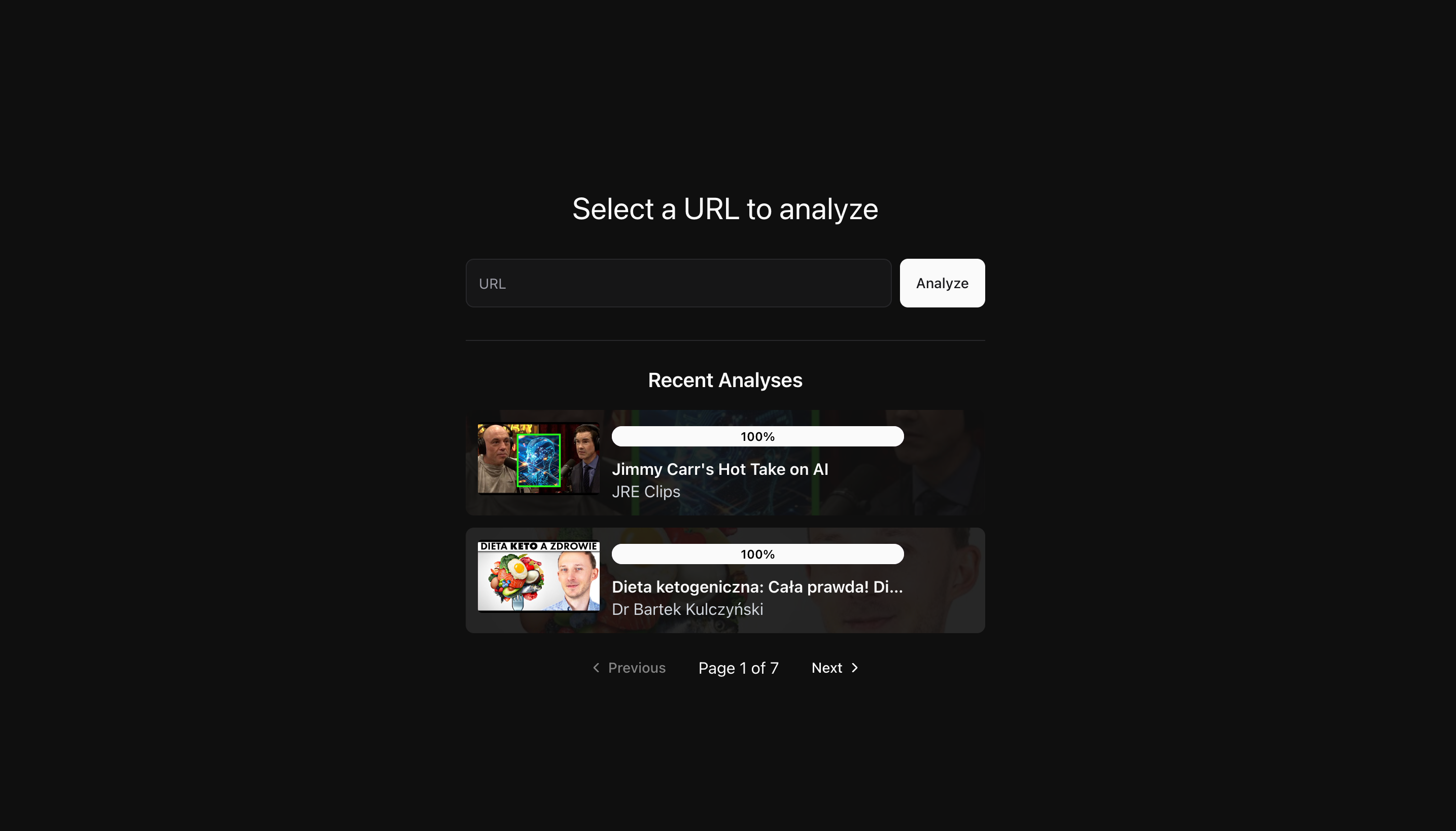
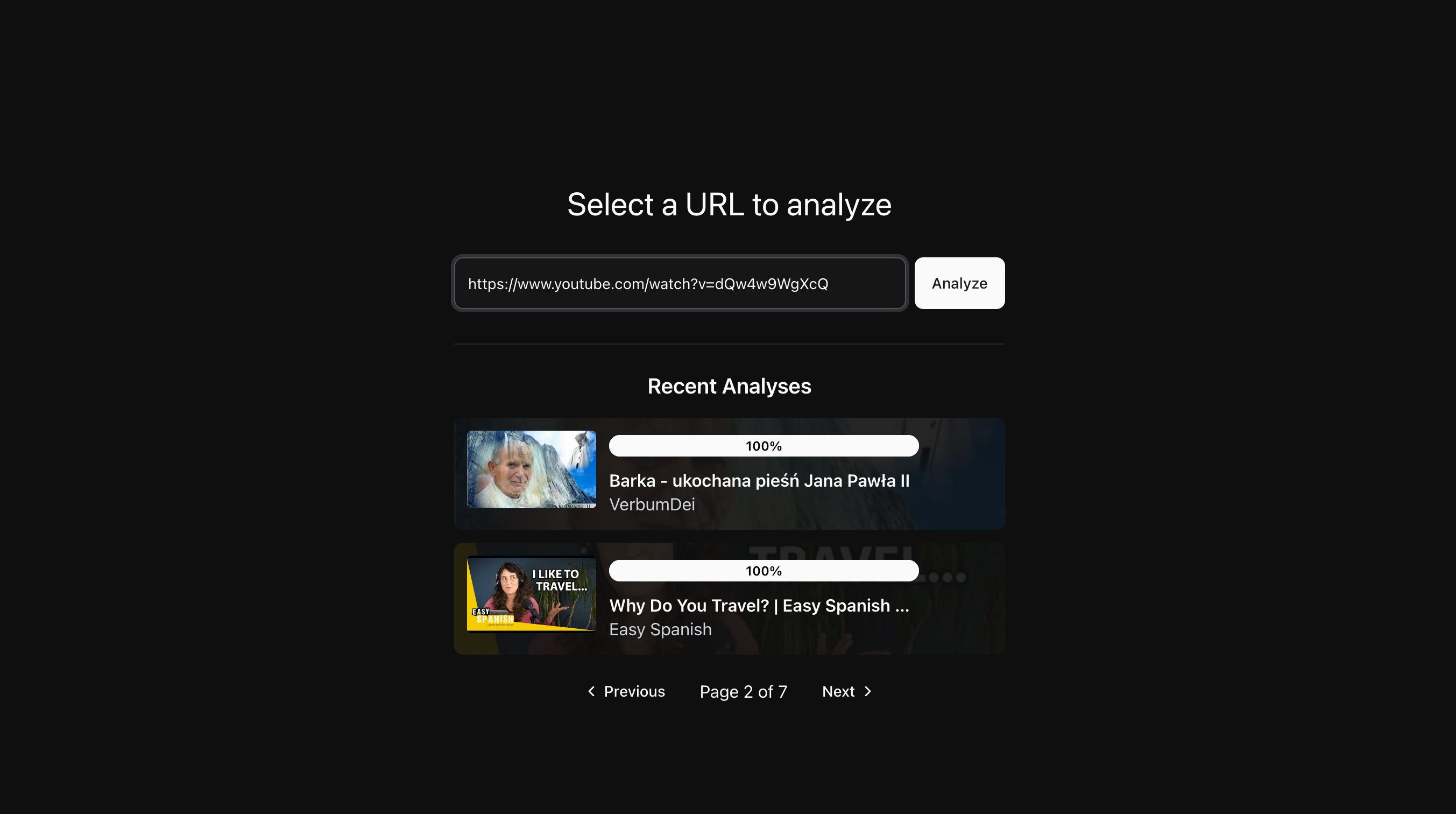
YouTube URL Input and Analysis Initiation
💬 Comment Analysis Interface
Video Information
Interactive Sentiment Analysis Charts
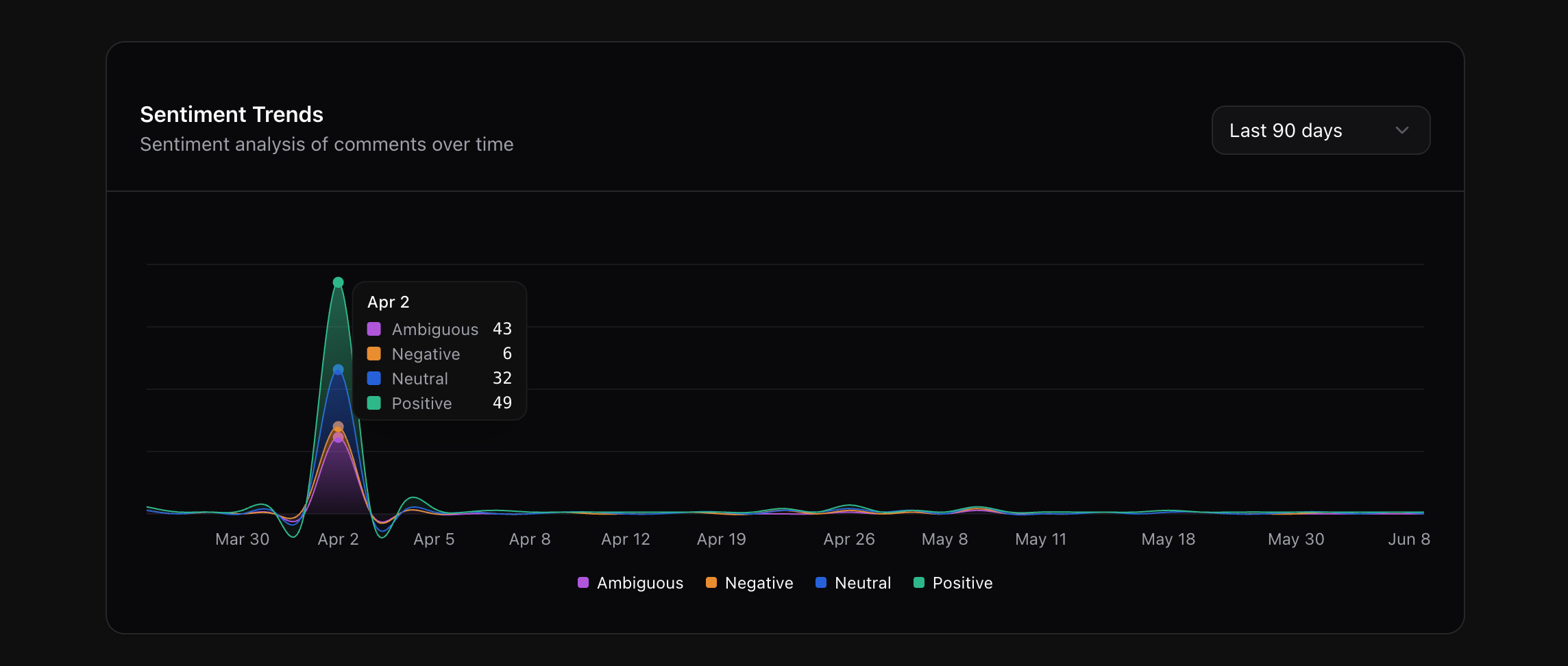
Chart Filtering by Time Period
Comment Sentiment Labels and Filters
✨ Key UI Features
- 🎨 Interface - React components styled with Tailwind CSS and ShadCN/UI
- 📊 Charts - Sentiment visualization with Recharts
- 🔍 Filters - Comment filtering and sorting
- ⚡ Progress Display - Periodic polling of analysis status
- 🌙 Theme Support - A theme provider with dark mode as the default
🏗️ Architecture
Docker Compose runs a React frontend, a FastAPI backend, and PostgreSQL. Analysis runs inside the backend process; there is no separate worker service or durable job queue.
Emotube/
├── 🐳 docker-compose.yml           # Multi-service orchestration
├── 🔧 .env.example                 # Environment configuration template
├── 🌐 frontend/                    # React TypeScript Frontend
│   ├── 🐳 Dockerfile               # Frontend container config
│   ├── 📦 package.json             # Dependencies (Bun runtime)
│   ├── ⚙️ vite.config.js           # Build configuration
│   └── 📁 src/
│       ├── 🎨 components/          # React components
│       │   ├── ui/                 # ShadCN UI components
│       │   ├── VideoDetails.tsx    # Video metadata display
│       │   ├── CommentSection.tsx  # Comment analysis interface
│       │   ├── CommentCharts.tsx   # Data visualization charts
│       │   └── AnalyzedVideoList.tsx # Video history
│       ├── 🚦 routes/              # TanStack Router pages
│       ├── 🔗 services/            # API service layer
│       ├── 🎯 hooks/               # Custom React hooks
│       └── 📝 types/               # TypeScript definitions
├── ⚡ backend/                     # FastAPI Python Backend
│   ├── 🐳 Dockerfile               # Backend container config
│   ├── 📋 requirements.txt         # Python dependencies
│   ├── 📚 overview.md              # Detailed backend documentation
│   └── 📁 app/
│       ├── 🚀 main.py              # FastAPI application entry
│       ├── 🌐 api/
│       │   ├── routes/             # API endpoints
│       │   │   ├── videos.py       # Video analysis endpoints
│       │   │   ├── comments.py     # Comment retrieval & filtering
│       │   │   └── chart_data.py   # Analytics data endpoints
│       │   └── logic/              # Business logic layer
│       ├── ⚙️ core/
│       │   ├── config.py           # Application configuration
│       │   ├── sentiment/          # Sentiment analysis engine
│       │   └── integrations/       # Social media platform integrations
│       │       └── youtube/        # YouTube API integration
│       ├── 🗄️ db/
│       │   ├── session.py          # Database session management
│       │   └── init_db.py          # Database initialization
│       ├── 📊 models/              # SQLModel database models
│       ├── 📝 schemas/             # Pydantic API schemas
│       ├── 🔧 crud/                # Database operations
│       └── 🛠️ utils/               # Utility functions
└── 🗄️ PostgreSQL Database         # Persistent data storage
🚀 Tech Stack
Backend
- 🐍 Python 3.11 with FastAPI - API routes and background tasks
- 🤖 Transformers & PyTorch - Pretrained sentiment classifier
- 🗄️ PostgreSQL + SQLModel - Database models and async sessions
- 📡 Google API Client - YouTube Data API integration
- ⚡ Uvicorn - ASGI server with auto-reload
Frontend
- ⚛️ React 19 with TypeScript - Frontend components
- 🦄 Bun - JavaScript runtime and package manager
- 🧭 TanStack Router - Type-safe routing with devtools
- 🔄 TanStack Query - API queries and polling
- 🎨 Tailwind CSS - Utility-first styling framework
- 🧩 ShadCN/UI - UI components
- 📊 Recharts - Responsive data visualization
- ⚡ Vite - Development server and build tool
Infrastructure
- 🐳 Docker & Docker Compose - Local service configuration
- 🔧 Environment Variables - API key, database connection, and service URLs
- 🌐 CORS-enabled API - Cross-origin resource sharing
- 📝 Auto-generated API Docs - Interactive Swagger/OpenAPI
🚀 Quick Start
Prerequisites
- 🐳 Docker and Docker Compose
- 🔑 YouTube Data API v3 Key (Get one here)
- Network access for dependencies, initial model downloads, and YouTube API requests; comment fetching uses your API quota.
1. Clone the Repository
git clone https://github.com/00200200/youtube-comment-sentiment-analyzer
cd youtube-comment-sentiment-analyzer
2. Environment Setup
# Copy environment template
cp .env.example .env

# Edit .env file with your configuration
nano .env  # or use your preferred editor
Required environment variables:
# YouTube API Configuration
YOUTUBE_API_KEY=your_youtube_api_key_here

# Service Configuration
HOST=0.0.0.0
BACKEND_PORT=8000
FRONTEND_PORT=3000

# Database Configuration
POSTGRES_USER=emotube_user
POSTGRES_PASSWORD=secure_password_here
POSTGRES_DB=emotube_db
POSTGRES_HOST=db
POSTGRES_PORT=5432
DATABASE_URL=postgresql+asyncpg://${POSTGRES_USER}:${POSTGRES_PASSWORD}@${POSTGRES_HOST}:${POSTGRES_PORT}/${POSTGRES_DB}

# Frontend Configuration
VITE_BACKEND_URL=http://localhost:8000
3. Launch with Docker
# Start all services
docker-compose up -d

# View logs (optional)
docker-compose logs -f
4. Access the Application
- 🌐 Frontend: http://localhost:3000
- ⚡ Backend API: http://localhost:8000
- 📚 API Docs: http://localhost:8000/docs
- 🗄️ Database:
localhost:5432
The supplied Compose setup uses Vite's development server, Uvicorn auto-reload, source mounts, and published database/API ports. The API has no authentication and allows all CORS origins. Treat this as a local development setup, not a production deployment template. Initial backend startup may take time to download and load the model.
🎯 Usage
Analyzing YouTube Videos
- 📱 Navigate to the frontend application
- 🔗 Enter a YouTube video URL
- ⚡ Watch analysis status update through periodic polling
- 📊 Explore interactive charts and comment insights
- 🔍 Filter comments by sentiment, author, or keywords
- 📈 View sentiment counts over time and video engagement metrics
API Endpoints
Videos
GET /videos- List analyzed videos (paginated)GET /videos?url={youtube_url}- Analyze new video or get existing analysis
Comments
GET /comments?url={youtube_url}- Get stored comments with filtering:sentiment- Filter by sentiment (positive/negative/neutral/ambiguous)author- Filter by author namemin_likes- Minimum like countphrase- Text search within commentssort_by- Sort field (for example,published_at,like_count, orsentiment_label)sort_order- asc/desc
Analytics
GET /chart-data?url={youtube_url}- Get visualization data
🌐 Platform Scope
The only integration is backend/app/core/integrations/youtube/.
The routes, URL parsing, data models, and frontend are built around YouTube videos.
Supporting another platform would require implementation and testing across those parts of the application.
🛠️ Development
Local Development Setup
This setup requires Python 3.11 and Bun. Configure the root .env first. For processes outside Docker, use
localhost in DATABASE_URL instead of the Compose hostname db. The example below
uses the credentials shown above; replace them with your configured values.
# Backend development, from the repository root
docker-compose up -d db
cd backend
python -m venv venv
source venv/bin/activate  # Windows: venv\Scripts\activate
pip install -r requirements.txt
DATABASE_URL=postgresql+asyncpg://emotube_user:secure_password_here@localhost:5432/emotube_db \
  uvicorn app.main:app --reload --env-file ../.env

# Frontend development, in a separate terminal from the repository root
cd frontend
bun install
VITE_BACKEND_URL=http://localhost:8000 bun run start
Docker Development
# Rebuild and restart services
docker-compose down
docker-compose up --build

# View service logs
docker-compose logs backend
docker-compose logs frontend
docker-compose logs db
Database Management
# Access PostgreSQL
docker-compose exec db psql -U emotube_user -d emotube_db

# Backup database
docker-compose exec db pg_dump -U emotube_user emotube_db > backup.sql

# View database logs
docker-compose logs db
📊 Features Deep Dive
Sentiment Analysis Engine
- 🤖 Model -
cardiffnlp/twitter-xlm-roberta-base-sentiment, configured inconfig.py - 🎯 Scores - Stores the model's predicted label and score; scores below
0.6are labeledambiguous - 🔄 Processing - Fetches pages of top-level comments, then classifies and saves comments individually
- 📏 Input Limit - Model inputs are truncated to 512 tokens
Data Visualization
- 📊 Timeline - Area charts of comment counts by sentiment and publication date
- 🔍 Comment View - Filtered comments, model scores, and sentiment totals
- 📈 Video Details - Counts and derived engagement metrics; no word clouds or dislike-correlation analysis are implemented
Limitations
- Analysis is an on-demand background pass, not a stream of new YouTube comments. Polling refreshes stored results and status.
- Model scores are predictions, not verified measurements of a commenter's intent. The repository does not report a sentiment-accuracy evaluation on YouTube comments.
- API availability, quota, comment volume, and local inference speed affect completion time. This project does not provide a real-time latency guarantee.
Explore related projects
freeCodeCamp/freeCodeCamp
freeCodeCamp.org's open-source codebase and curriculum. Learn math, programming, and computer science for free.
459,006 starsdonnemartin/system-design-primer
Learn how to design large-scale systems. Prep for the system design interview. Includes Anki flashcards.
377,622 starsreact/react
The library for web and native user interfaces.
252,531 starsvuejs/vue
This is the repo for Vue 2. For Vue 3, go to https://github.com/vuejs/core
212,532 stars