
yellow-footed-honeyguide/facad has 469 GitHub stars and 18 forks. Star changes are not measured yet. Last checked 2026-11-14 13:10 UTC. Last push 2025-08-12.
What you can do
- Intuitive file type representation
- Sorted output with directories first
- Four-column layout for quick directory analysis
- Supports symlinks and executable files
측정된 스타 증가
- in 24h
- 기록 수집 중
- in 7 days
- 기록 수집 중
- in 15 days
- 기록 수집 중
- in 1 month
- 기록 수집 중
서로 겹치는 기간의 순증가량이며 일별 합계가 아닙니다. 측정값이 없으면 비워 둡니다. 스타는 관심도를 나타내며 품질을 보장하지 않습니다.
소개
A modern, colorful ls alternative for bringing clarity to the filesystem ☀️
개발 도구README.md
Originalfacad



A modern, colorful directory listing tool for the command line.
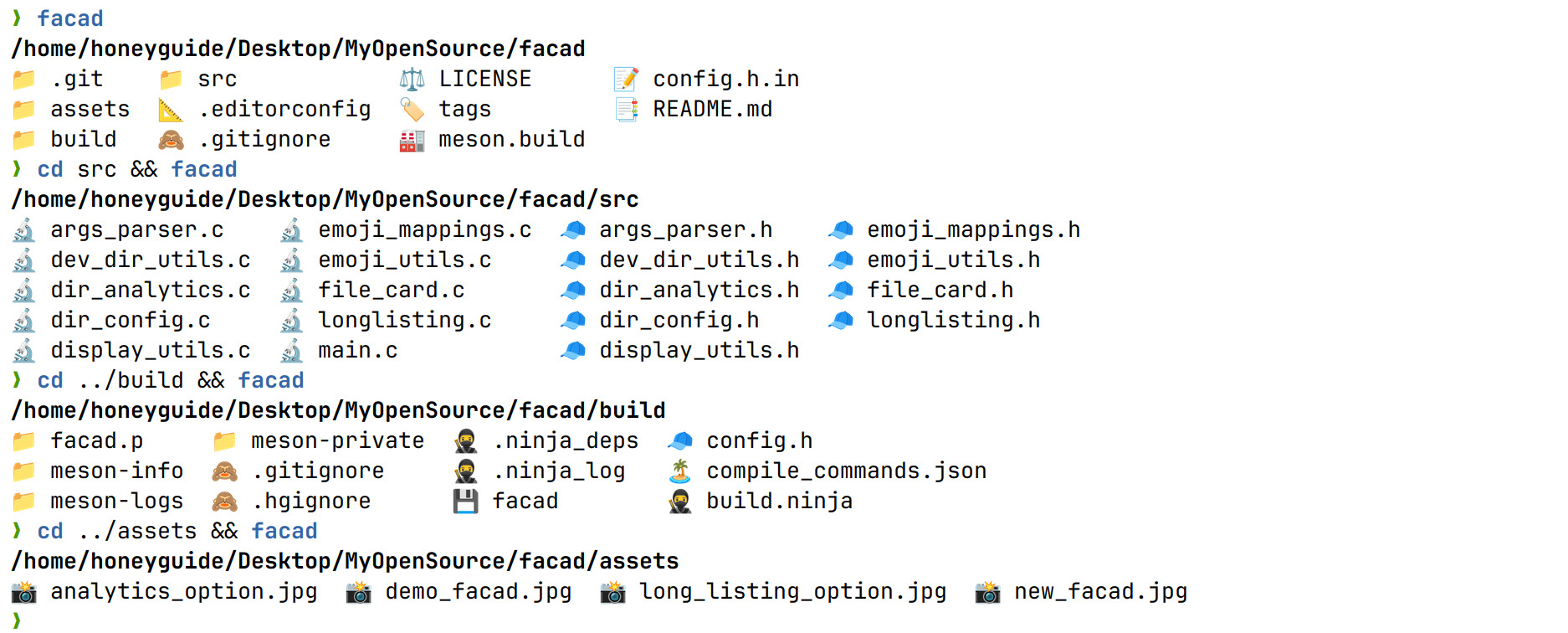
Features
Designed for both novice users and power users,
facad feature set aims to enhance file management experience with
a perfect blend of functionality and simplicity.
- Intuitive file type representation
- Sorted output with directories first
- Four-column layout for quick directory analysis
- Supports symlinks and executable files
- Sort extensions
- Unicode-aware formatting
Getting Started
Dependencies
- Pure C implementation without any dependency
macOS
facad is available through Homebrew. To install, run:
brew install facad
I use Arch btw?
Just use the script from AUR:
yay -S facad
Build & Install from source
git clone https://github.com/yellow-footed-honeyguide/facad.git
cd facad
meson setup build && meson compile -C build
# now facad binary in build dir

# for system-wide installation (may require elevated privileges like `sudo`):
cd build && sudo ninja install
Usage
Run facad command for default grid file listing
Run facad -h/--help command for help
Run facad -v--version command for version
Run facad -l/--long command for long listing output
Run facad -a/--analytics command for dir analytics output
Contributing
Contributions are welcome! Please feel free to submit a Pull Request.
- Fork the Project
- Create your Feature Branch (
git checkout -b feature/AmazingFeature) - Commit your Changes (
git commit -m 'Add some AmazingFeature') - Push to the Branch (
git push origin feature/AmazingFeature) - Open a Pull Request
Author
Sergey Veneckiy
- Email: [email protected]
- GitHub: @yellow-footed-honeyguide
License
Distributed under the MIT License. See LICENSE for more information.