


Bagel is a little native iOS network debugger. It's not a proxy debugger so you don't have to mess around with certificates, proxy settings etc. As long as your iOS devices and your Mac are in the same network, you can view the network traffic of your apps seperated by the devices or simulators.
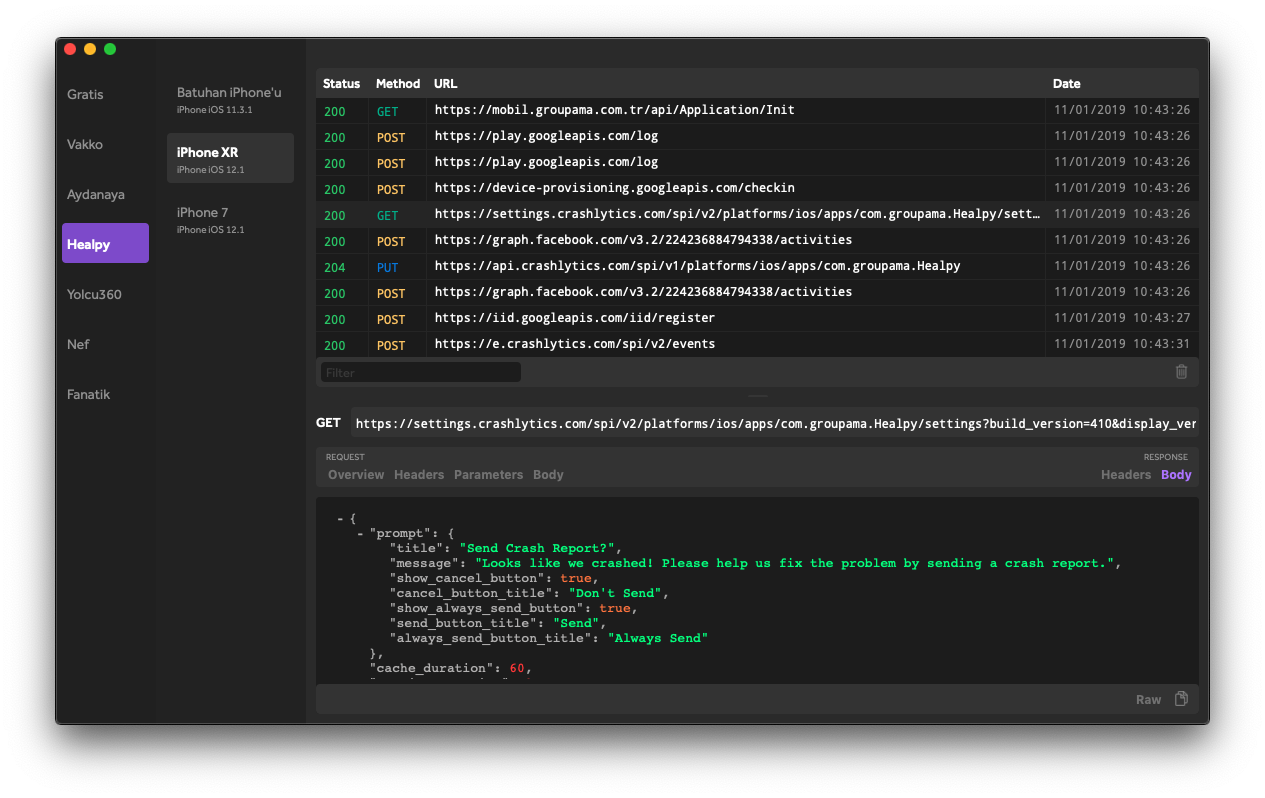
- Clone the repo.
- Install pods.
- Build and archive the project.
pod 'Bagel', '~> 1.4.0'
github "yagiz/Bagel" "1.4.0"
.package(url: "https://github.com/yagiz/Bagel.git", .upToNextMajor(from: "1.4.0")),
Most basic usage is to start Bagel iOS before any network operation.
//import Bagel
Bagel.start()
Since Bagel exposes every request info to the public it would be better if you disable it for the store versions. You can use the below snippet to do it:
//import Bagel
#if DEBUG
Bagel.start()
#endif
By default, Bagel gets your project name and device information. Desktop client uses these informations to separate projects and devices. You can configure these if you wish:
bagelConfig.project.projectName = "Custom Project Name" bagelConfig.device.deviceName = "Custom Device Name" bagelConfig.device.deviceDescription = "Custom Device Description"
Bagel.start(bagelConfig)
Bagel framework communicates with the desktop client by using Bonjour protocol. You can also configure these Netservice parameters. Default values are:
bagelConfig.netservicePort = 43434 bagelConfig.netserviceDomain = "" bagelConfig.netserviceType = "_Bagel._tcp" bagelConfig.netserviceName = ""
Bagel.start(bagelConfig)
If you change Netservice parameters in your app, you should also change them on desktop client.
Apache