
wp-media/search-and-replace
wp-media/search-and-replace has 94 GitHub stars and 30 forks. Star changes are not measured yet. Last checked 2026-11-14 02:22 UTC. Last push 2026-11-12.
What you can do
- Search & replace data in your WordPress database
- Change domain/URL of your WordPress installation
- Handle serialized data
- Choose dry run or download SQL file
측정된 스타 증가
- in 24h
- 기록 수집 중
- in 7 days
- 기록 수집 중
- in 15 days
- 기록 수집 중
- in 1 month
- 기록 수집 중
서로 겹치는 기간의 순증가량이며 일별 합계가 아닙니다. 측정값이 없으면 비워 둡니다. 스타는 관심도를 나타내며 품질을 보장하지 않습니다.
소개
A simple search for find strings in your WordPress database and replace the string.
데이터README.md
OriginalSearch & Replace
UNMAINTAINED
Note: This version of the plugin is not maintained anymore.
Description:
With Search & Replace you can search for everything and replace this with everything but before you do this you can easily create a simple database backup and restore it.
We have implemented special features!
The first one is "Replace a Domain / URL" that is useful for a quick and simple transfer or a migration of a WordPress site. The second feature is full support for serialized data. There are a lot more features - check them out! :-)
Our goal with this plugin is to give you a good solution for manipulating your data for both Developers and Users of WordPress.
Note: This plugin requires PHP 5.6 or higher to be activated.
Features
- Search & replace data in your WordPress database
- Change domain/URL of your WordPress installation
- Handle serialized data
- Choose dry run or download SQL file
- Change table prefix
- Backup & restore your database
- WordPress Multisite support
- localized and ready for your own language
Translations
Get a translation, your language from the WordPress repository and/or contribute your own language
Requirements:
PHP 5.6 + WordPress 4.x (might work with 3.x, but not tested yet)
Installation
- Unpack the download package.
- Upload the files to the /wp-content/plugins/ directory.
- Activate the plugin in WordPress backend.
Usage
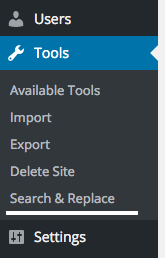
Go to Tools -> Search & Replace to view the plugin's user interface.
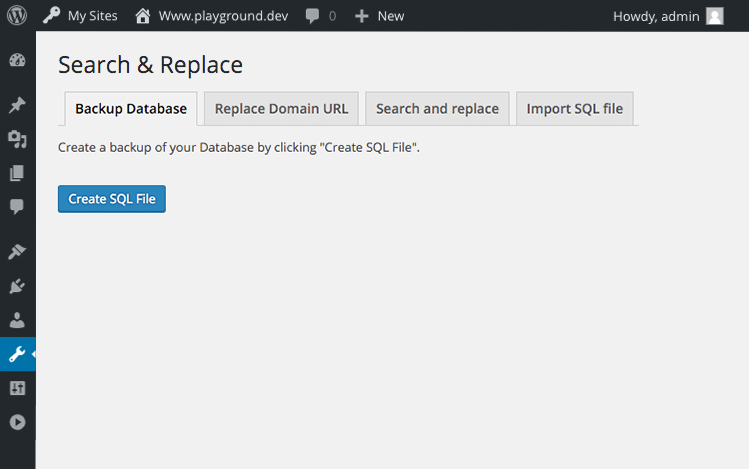
Backup Database tab
Urgent: Backup your database!
Please always backup your database before performing search/replace operations.
For avoiding problem please keep in mind that this plugin search and replace strictly what is specified in "Replace With".
Common error example:
Search For: http://web.com/wordpress/
Replace With: http://neuweb.com/wordpress
The url become something like: http://neuweb.com/wordpresscontent/...
Correct "Replace with":
Search For: http://web.com/wordpress/
Replace With: http://neuweb.com/wordpress/
The url become something like: http://neuweb.com/wordpress/content/...
Multisite usage:
If you are running a WordPress multisite and want to export the tables of all sites, run the plugin on the main site. Using the plugin on a subsite will only backup the tables of that subsite.
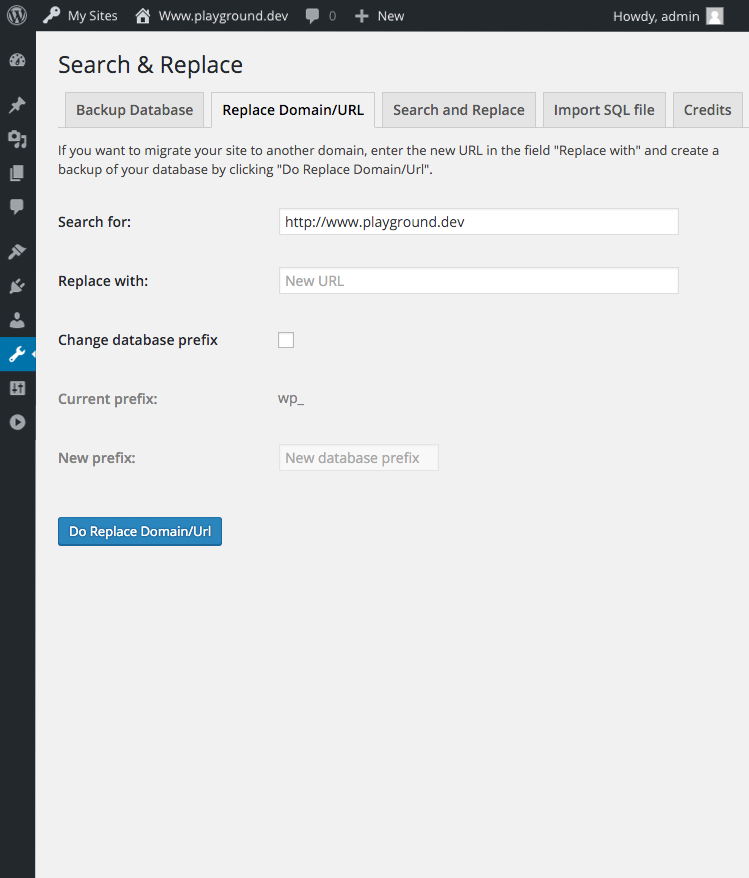
Replace Domain/URL Tab
If you want to migrate your site to another domain, please enter here your new domain URL, then download a sql file with the replaced URLs. Import this file into the database of your WordPress installation on your new domain.
Please enter the new domain name including "http://" or "https://", as shown in the 'search' field.
If you want to replace the database-prefix, check the checkbox "replace database prefix" and enter your new prefix in the filed below. Don't forget to set the new prefix in the wp-config.php of your new installation!
Press Replace Domain URL button to download your SQL file for migration.
Multisite usage: If you are running multisite and want to migrate the tables of all sites, run the plugin on the main site. Using the plugin on a subsite will only migrate the tables of that subsite. The plugin will also replace the domain names (without http(s)://) in the wp_blogs table.
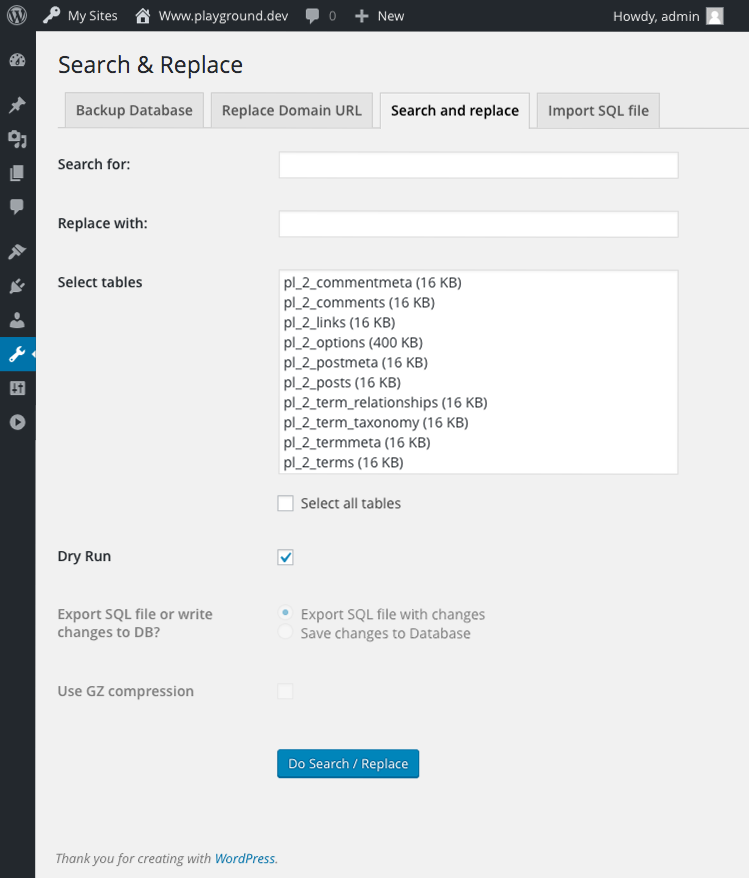
Search and Replace Tab
Please backup your database before any search/replace!
Enter your search/replace values and select the tables you want to search. Click on "Do search/replace" to start the operation. By default, the checkbox "Dry run" is checked. In "dry run"- mode, you get a detailed preview of the changes. No changes will be written to the database. Please check always with "dry run" first. If you want to apply the changes, uncheck the "dry run"-button, choose if you want to download a sql dump with the changes, or write them into the database. Then click "do search/replace" again.
Multisite usage:
If you are running multisite and want to search the tables of all sites, run the plugin on the main site. Using the plugin on a subsite will only show the tables for that subsite.
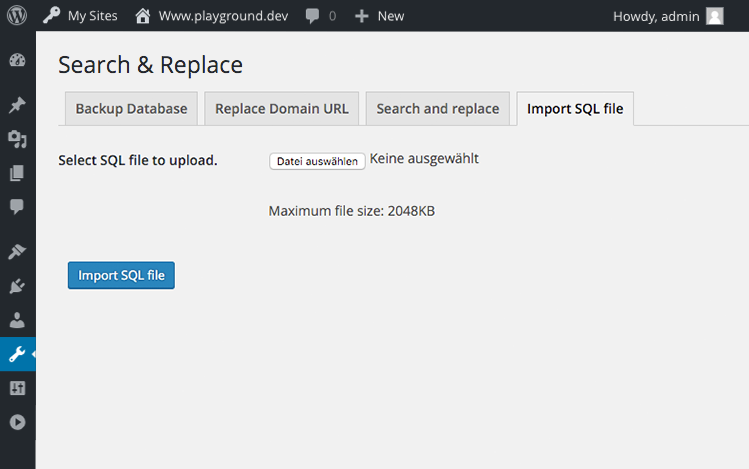
Import SQL tab
Import a SQL file or a gzipped SQL file into your database here. This may delete or change existing tables in your database. Please backup your database before doing this!
License
Good news, this plugin is free for everyone! Since it's released under the GNU General Public License v2+ (or later), you can use it free of charge on your personal or commercial blog.
관련 프로젝트 살펴보기
Asabeneh/30-Days-Of-Python
30 Days of Python 프로그래밍 챌린지는 Python 프로그래밍 언어를 30일 동안 배우기 위한 단계별 가이드입니다. 이 챌린지는 100일 이상 걸릴 수 있습니다. 자신의 속도에 맞춰 진행하세요. 다음 동영상도 도움이 될 수 있습니다: https://www.youtube.com/channel/UC7PNRuno1rzYPb1xLa4yktw
78,710 스타grafana/grafana
개방적이고 조합 가능한 옵저버빌리티 및 데이터 시각화 플랫폼입니다. Prometheus, Loki, Elasticsearch, InfluxDB, Postgres 등 여러 소스의 메트릭, 로그, 트레이스를 시각화합니다.
77,892 스타redis/redis
실시간 데이터 기반 애플리케이션을 구축하는 개발자에게 Redis는 가장 선호되고, 가장 빠르며, 기능이 가장 풍부한 캐시, 데이터 구조 서버이자 문서 및 벡터 쿼리 엔진입니다.
77,490 스타apache/superset
Apache Superset는 데이터 시각화 및 데이터 탐색 플랫폼입니다.
75,521 스타