
vicimpa/pixprite
vicimpa/pixprite has 37 GitHub stars and 3 forks. GitHot measured +6 stars in 24 hours. Last checked 2026-11-11 18:19 UTC. Last push 2026-11-09.
Pixel-art and animation editor in the browser: layers, frames, tags, tilemaps, .aseprite import/export, extensions. Works offline as a PWA.
측정된 스타 증가
- in 24h
- +6
- in 7 days
- 업데이트 지연
- in 15 days
- 업데이트 지연
- in 1 month
- 업데이트 지연
서로 겹치는 기간의 순증가량이며 일별 합계가 아닙니다. 측정값이 없으면 비워 둡니다. 스타는 관심도를 나타내며 품질을 보장하지 않습니다.
README.md
Original

Pixprite
Pixel art, animation and tilemaps — in your browser or on your desktop.
Open the editor · Documentation · Releases · Русский


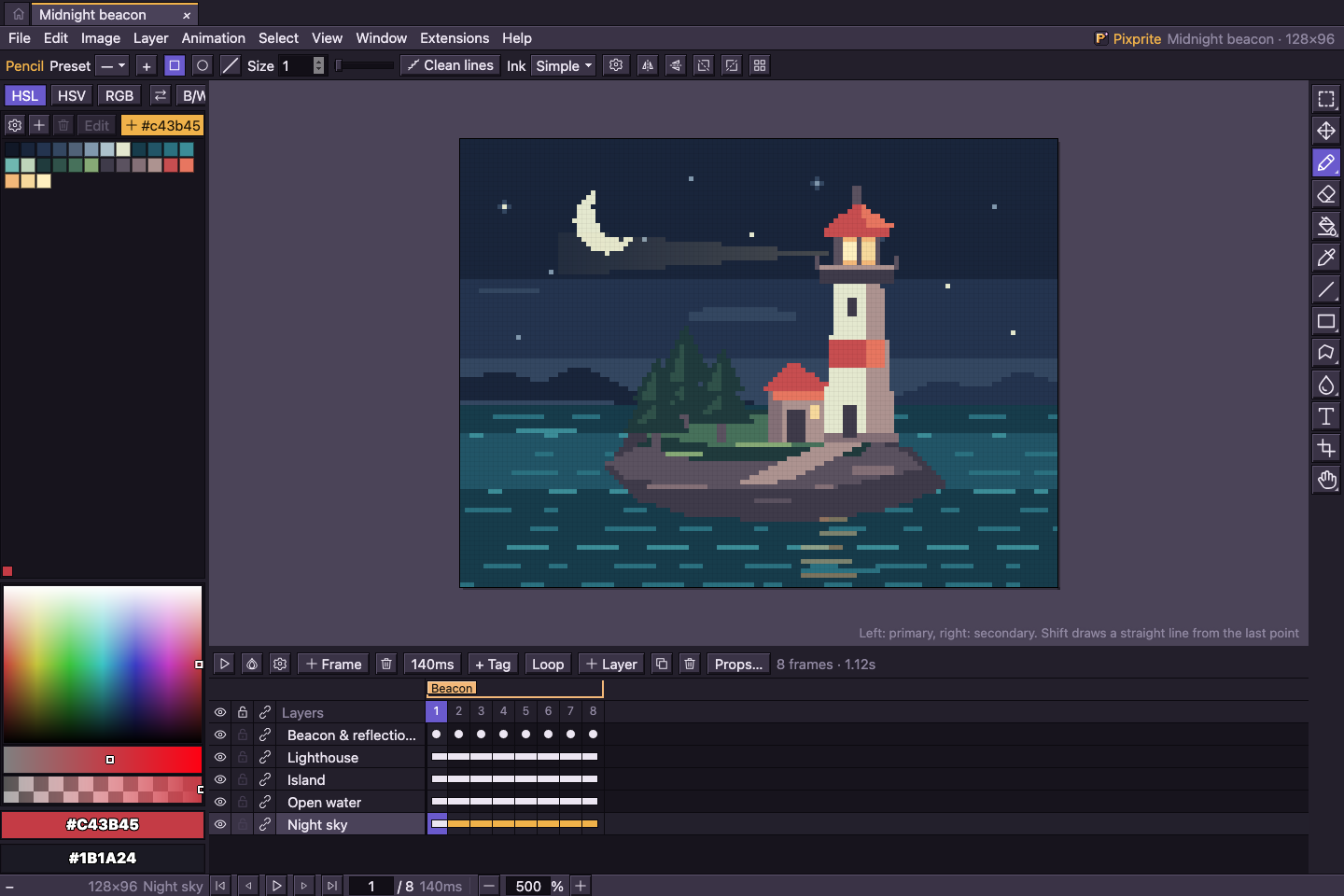
Open the example project · Recreate this screenshot
Early development. The latest release is 0.0.8. See the release notes and version history.
0.0.8 adds brush spacing and single stamps, bitmap brush scale/flips, full presets, brush import/export and filled shape previews.
Make something pixel by pixel
| Feature | Tools |
|---|---|
| Draw | Pixel-perfect strokes, shapes, gradients, dithering, symmetry, custom brushes and pen pressure. |
| Animate | Frame timing, tags, linked cels, onion skin, in-between frames and playback preview. |
| Compose | Layers, groups, clipping, blend modes, reference images, selections and transforms. |
| Build tilemaps | Tilesets, flips and rotation, duplicate detection, JSON/CSV map exports. |
| Exchange files | .pixprite, .aseprite, PNG, GIF, APNG, WebM, sprite sheets and ZIP exports. |
| Make it yours | Built-in outline icons by default, a pixel option, themes, languages, hotkeys and extensions. |
The desktop app stores projects as ordinary .pixprite files in the OS application data directory, with separate working copies and snapshots. Browser projects use IndexedDB. The browser app supports offline use after its first complete load; file handling depends on browser support. See storage and backups and PWA behavior.
Desktop and automation
The Tauri 2 app targets macOS, Windows and Linux, with native file associations, a compact app header with window controls, document tabs and background release notifications. A local MCP server lets compatible clients inspect and edit documents, execute editor commands and export results.
macOS releases include separate .dmg installers for Apple Silicon (arm64) and Intel (x64).
Build the app and connect MCP →
Run locally
Use Bun 1.4.2. Desktop builds require Rust and the Tauri prerequisites. MCP runs in a native Rust process and needs no Node.js or Bun at runtime.
bun install --frozen-lockfile
bun run dev
Open http://localhost:3355. Other entry points:
bun run build          # web app → dist/web/
bun run preview        # serve the production web build
bun run desktop:dev    # build and launch the Tauri app
bun run desktop:build  # installers for the current OS → dist/installers/
See the development guide, testing guide and contribution notes.
Repository map
| Path | Contents |
|---|---|
src/ |
Editor model, browser app, UI, styles and translations |
src-tauri/ · desktop/ |
Rust/Tauri shell, native bridge and MCP |
packages/api/ · packages/ui/ · packages/ui-react/ |
Extension API, shared Web Components and React UI for TSX extension pages |
extensions/ |
Extension sources, themes, languages and icon packs |
public/ |
Static assets and PWA manifest |
e2e/ · benchmarks/ |
Browser/native scenarios and performance fixtures |
scripts/ |
Build, bundle checks, extensions and release tooling |
docs/ |
Guides, architecture, formats, release notes and roadmap |
dist/ |
Generated builds and reports; ignored by Git |
Contributing
Pixprite is an independent project. Contributions should contain original code and artwork; format support is based on public specifications. Start with CONTRIBUTING.md.
Released under the MIT license.