
tscircuit/tscircuit
tscircuit/tscircuit has 3,074 GitHub stars and 362 forks. GitHot measured +9 stars in 24 hours, +46 in 7 days, and +111 in 15 days. Last checked 2026-11-24 23:35 UTC. Last push 2026-11-22.
What you can do
- Preview PCBs & Schematics in your browser
- Use normal Typescript/React tooling
- Export Gerbers, Pick'n'Place and BOM for manufacturing
- Add registry packages with tsci add
측정된 스타 증가
- in 24h
- +9
- in 7 days
- +46
- in 15 days
- +111
- in 1 month
- 기록 수집 중
서로 겹치는 기간의 순증가량이며 일별 합계가 아닙니다. 측정값이 없으면 비워 둡니다. 스타는 관심도를 나타내며 품질을 보장하지 않습니다.
소개
TypeScript와 React로 실제 전자 기기를 만드세요
웹 및 앱README.md
Originaltscircuit - React for Circuits
Design circuit boards with TypeScript and React.
tscircuit is an open-source electronics design tool. Describe components and connections in code, preview your schematic and PCB in 2D and 3D, and export manufacturing files to order real boards.
Use your favorite editor and AI coding tools, or try it in your browser.
Get started with npm install -g tscircuit. CLI quickstart →





Example Circuits
From code to hardware: explore the source, schematic, PCB layout, and 3D view of these community projects.
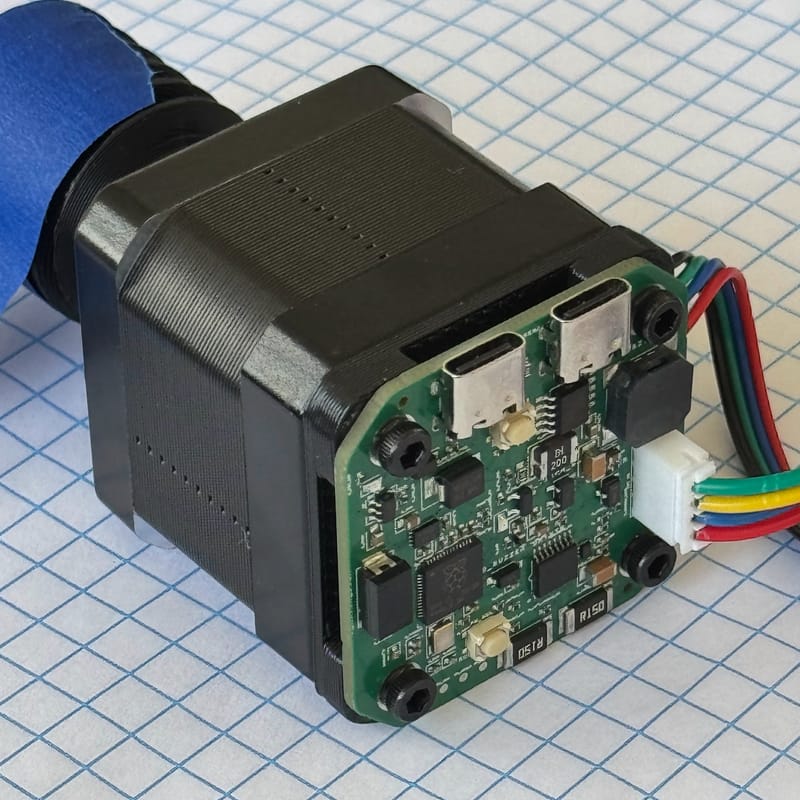
RP2040 motor controller USB-C motor control · Manufactured board by imrishabh18 |
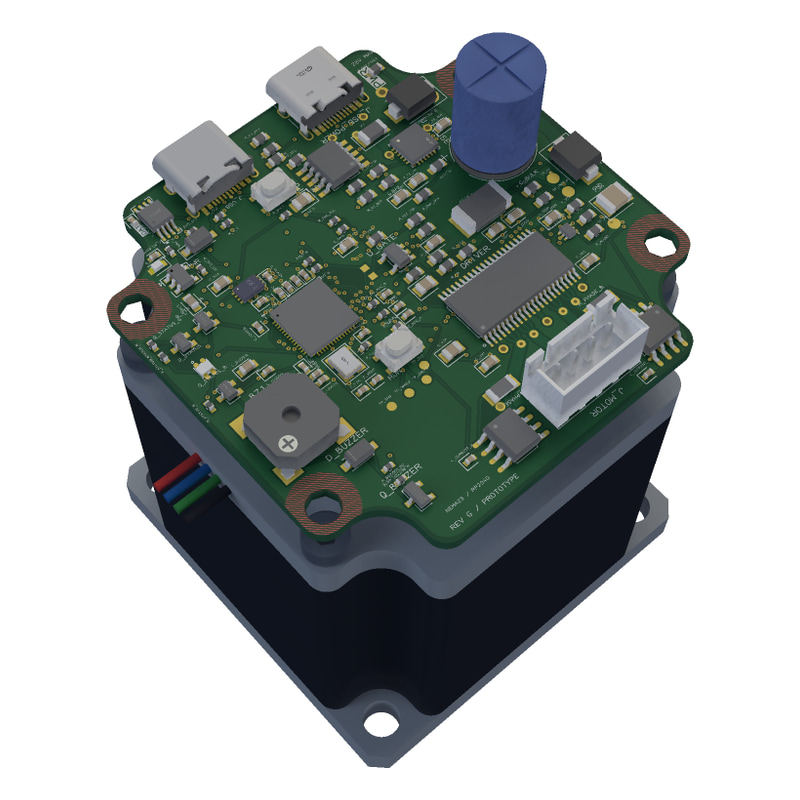
NEMA 23 stepper controller Motor-mounted controller · 3D render by imrishabh18 |
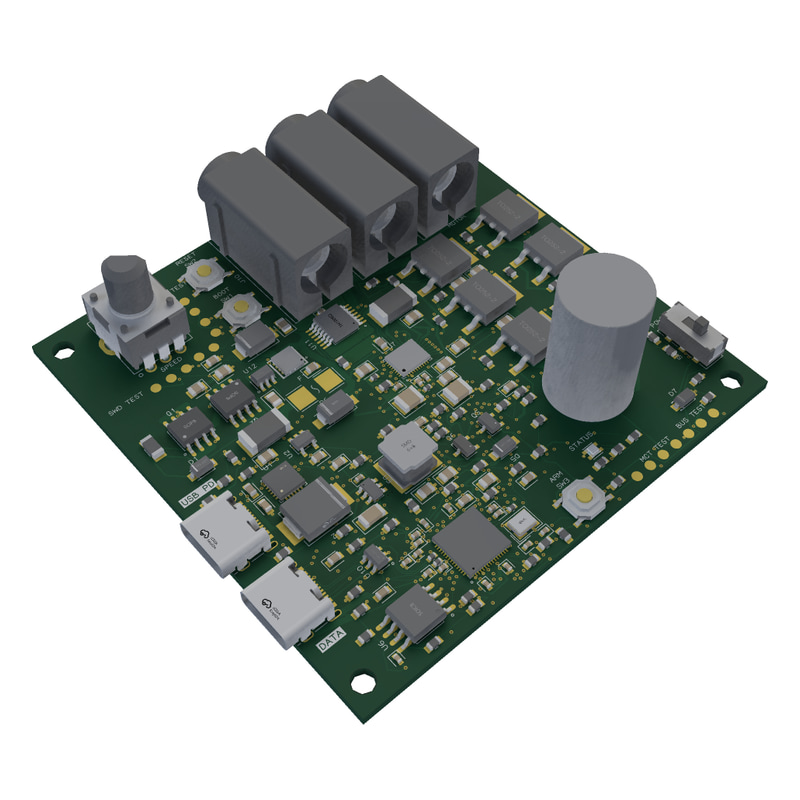
RP2040 BLDC controller Brushless motor control · 3D render by MustafaMulla29 |
More examples: ESP32 Wi-Fi breakout · Browse community circuits
Schematic and PCB layout
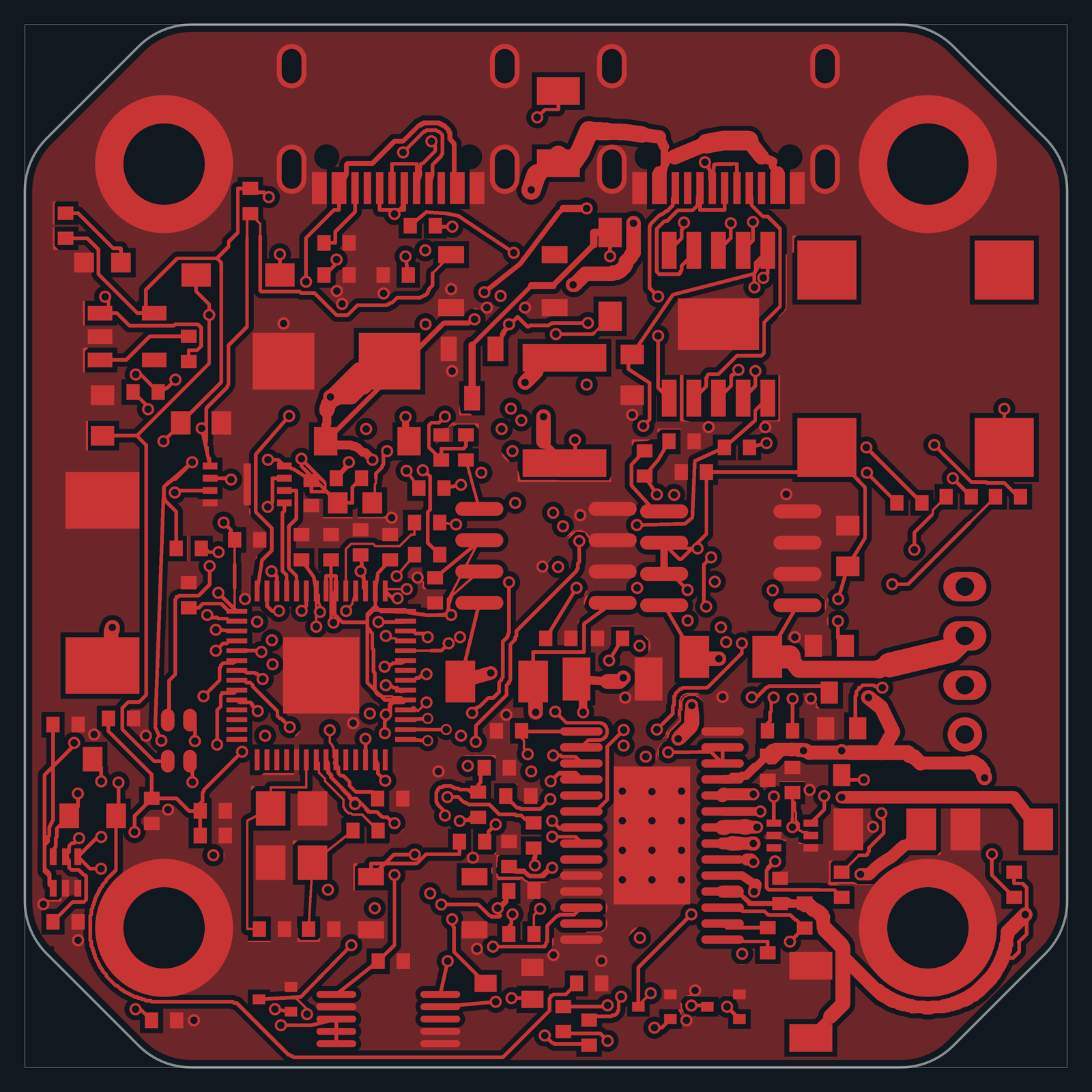
The RP2040 motor controller also shows how a real design looks in 2D.
Schematic: USB programming, QSPI flash, and 3.3 V power. Click the image to zoom into the vector drawing.

PCB layout: top copper layer, with silkscreen hidden to make the routing easier to see.
- What is tscircuit?
- Examples
- Getting Started
- Features
- FAQs
- Development Sub-Projects / Organization
- Other Links
What is tscircuit?
tscircuit turns TypeScript and React components into schematics, PCB layouts, 3D models, and manufacturing files. Instead of HTML elements like <div>, you write circuit elements like <chip>, <resistor>, and <trace>.
Build reusable circuit components, share them on the registry, and use the tsci CLI to preview and export your designs for manufacturing.
Circuit code
A simple voltage divider looks like this:
export default () => (
  <board width="20mm" height="15mm">
    <resistor name="R1" resistance="10k" footprint="0805" pcbX={-3} />
    <resistor name="R2" resistance="10k" footprint="0805" pcbX={3} />
    <trace from="net.VCC" to="R1.pin1" />
    <trace from="R1.pin2" to="R2.pin1" />
    <trace from="R2.pin1" to="net.OUT" />
    <trace from="R2.pin2" to="net.GND" />
  </board>
)
Watch tscircuit in action
https://github.com/user-attachments/assets/91218278-2f00-48bf-97a2-53c7652c25e5
https://github.com/user-attachments/assets/e0fc9f05-691f-422e-816a-1854c4ffc02d
Getting Started
You can do everything you need to do with tscircuit using the tsci command line tool.
npm install -g tscircuit

tsci dev
Open your browser to http://localhost:3020!
Edit your circuit code and preview the schematic, PCB layout, and 3D model as you work.
More Features!
- Preview PCBs & Schematics in your browser
- Use normal Typescript/React tooling
- Export Gerbers, Pick'n'Place and BOM for manufacturing
- Add registry packages with
tsci add - Publish subpackages to the registry with
tsci push - Simplified, extensible auto-routing for PCBs
- Import footprints and components from third-party sites
- Generate footprints from text using AI
FAQ
Is tscircuit free?
tscircuit is completely free and MIT-licensed open-source
How does this work?
tscircuit uses the same thing that React Native and react-three-fiber use to render to mobile or 3d to render PCBs and schematics (it's called React Fiber!)
You can render schematics or PCBs in any React project like this:
import { Schematic } from "@tscircuit/schematic-viewer"

export const MyApp = () => (
  <div>Regular web react here!</div>
  <Schematic>
   <resistor name="R1" resistance="10k" />
  </Schematic>
)
tscircuit has a bunch of extra tools and exports in the command line, so it's a bit easier to use tsci dev to develop circuits (you can always publish and import them later)
Can I test this in my browser?
Yes! There is a playground tool!
Do I have to specify the position of every component?
Currently you should specify pcbX/pcbY for components (and nest inside <group />s for convenience!)
We are working on building the equivalent of "flex" and "CSS Grid" autolayout algorithms for PCBs. Wherever an automatic placement is made, you'll be able to override it.
Is the auto-routing good?
We are working towards a state-of-the-art web-based autorouting algorithm. You can follow the progress of our autorouter development on autorouting.com
I found a bug or have an idea for a feature, what should I do?
Please create an issue!
How can I follow along?
- @seveibar is the main author, he tweets about tscircuit and does development livestreams
- @tscircuit for major tscircuit releases, features and discussions
- tscircuit discord and tscircuit campfire
Development Sub-Projects / Organization
tscircuit includes a lot of different independently-runnable sub-projects. Here's a quick guide to navigating all of the sub-projects:
Core Libraries
| Project | Description |
|---|---|
| tscircuit | The main package, packages up everything into a single version |
| @tscircuit/core | A typescript-native library for building circuits (no React). Converts typescript into "the circuit-json format" |
| @tscircuit/cli | The tscircuit command line tool tsci and development environment |
| @tscircuit/tscircuit.com | The main website, playground and online development environment for tscircuit |
| @tscircuit/schematic-viewer | The Schematic renderer |
| @tscircuit/pcb-viewer | The PCB renderer |
| @tscircuit/react-fiber | Bindings from builder to React, React types |
| @tscircuit/routing | Routing algorithms for schematic and PCB traces |
| @tscircuit/autolayout | Layout algorithms for schematics |
| @tscircuit/footprinter | DSL for creating footprints |
| kicad-mod-converter | Convert kicad_mod files to and from JSON |
| @tscircuit/kicad-viewer | View the KiCad official footprints online |
Other Links
- tscircuit.com - The official tscircuit website, registry and playground
- discord - Join the community server where all the primary conversations happen
- @seveibar - Twitter for author of tscircuit with dev sessions and upcoming features
관련 프로젝트 살펴보기
불러오는 중…