
tomderham/curve
tomderham/curve has 29 GitHub stars and 2 forks. Star changes are not measured yet. Last checked 2026-11-14 08:53 UTC. Last push 2026-11-06.
What you can do
- Supported external plugin formats: Audio Units (AU) and VST3.
- Universal 2 Binary, natively supporting both Apple Silicon and Intel based macOS Macs.
- Stable plugin hosting based on JUCE 8.0.16, with backported fixes.
- Discrete menu bar app with quick preset change control; create, load and save presets comprising an arbitrary chain of plugins.
측정된 스타 증가
- in 24h
- 기록 수집 중
- in 7 days
- 기록 수집 중
- in 15 days
- 기록 수집 중
- in 1 month
- 기록 수집 중
서로 겹치는 기간의 순증가량이며 일별 합계가 아닙니다. 측정값이 없으면 비워 둡니다. 스타는 관심도를 나타내며 품질을 보장하지 않습니다.
소개
Menu bar macOS app that hosts audio plugins
창작 및 미디어README.md
Original
Curve
Curve is a free, lightweight, background audio plugin host for macOS (Sonoma 14.2 and above), running natively on both Apple Silicon and Intel-based Macs. It runs in the macOS system menu bar and provides a stable way to run a chain of audio plugins (effects and/or instruments) with a focus on a fast, preset-based workflow and audio device resilience.
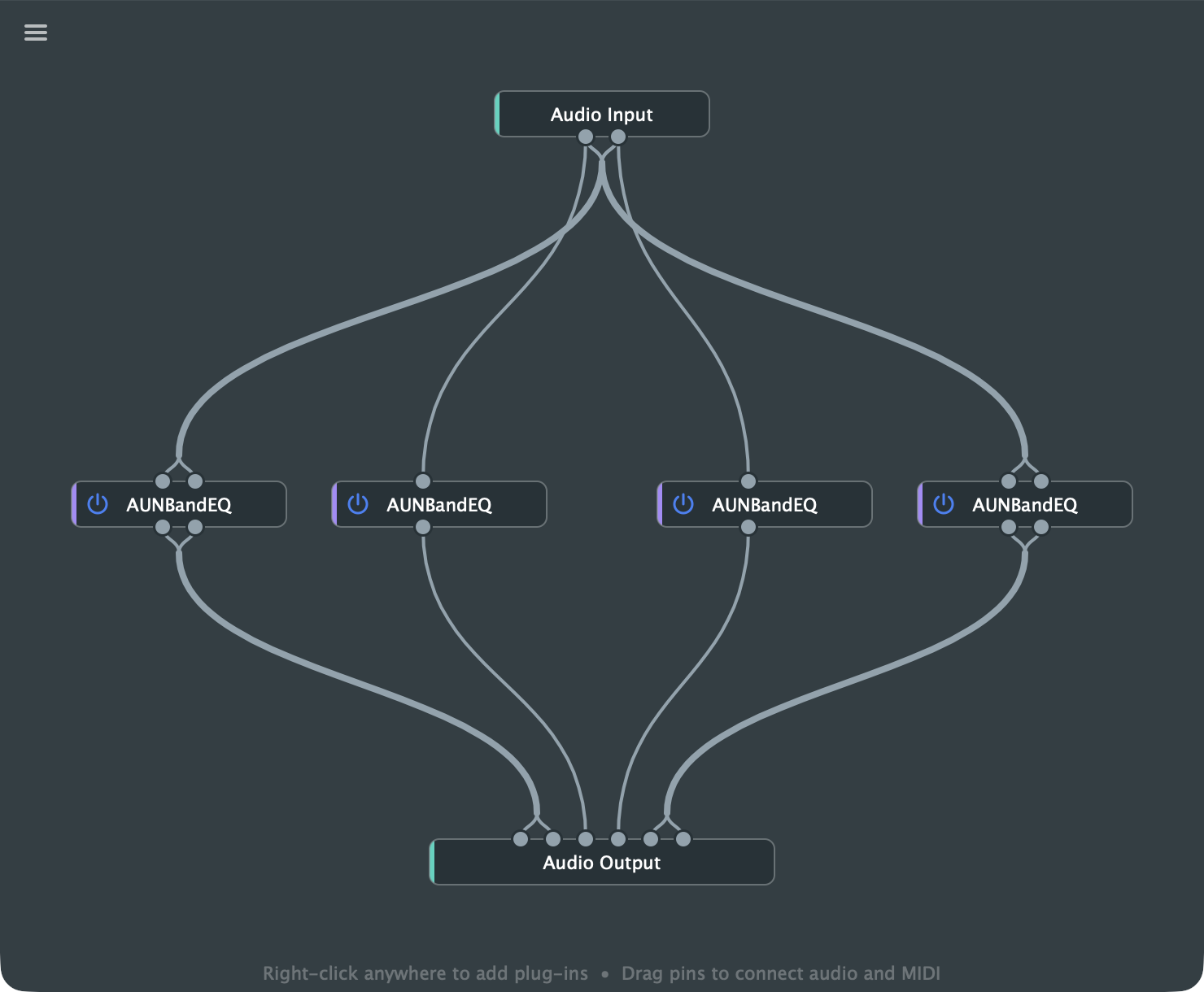
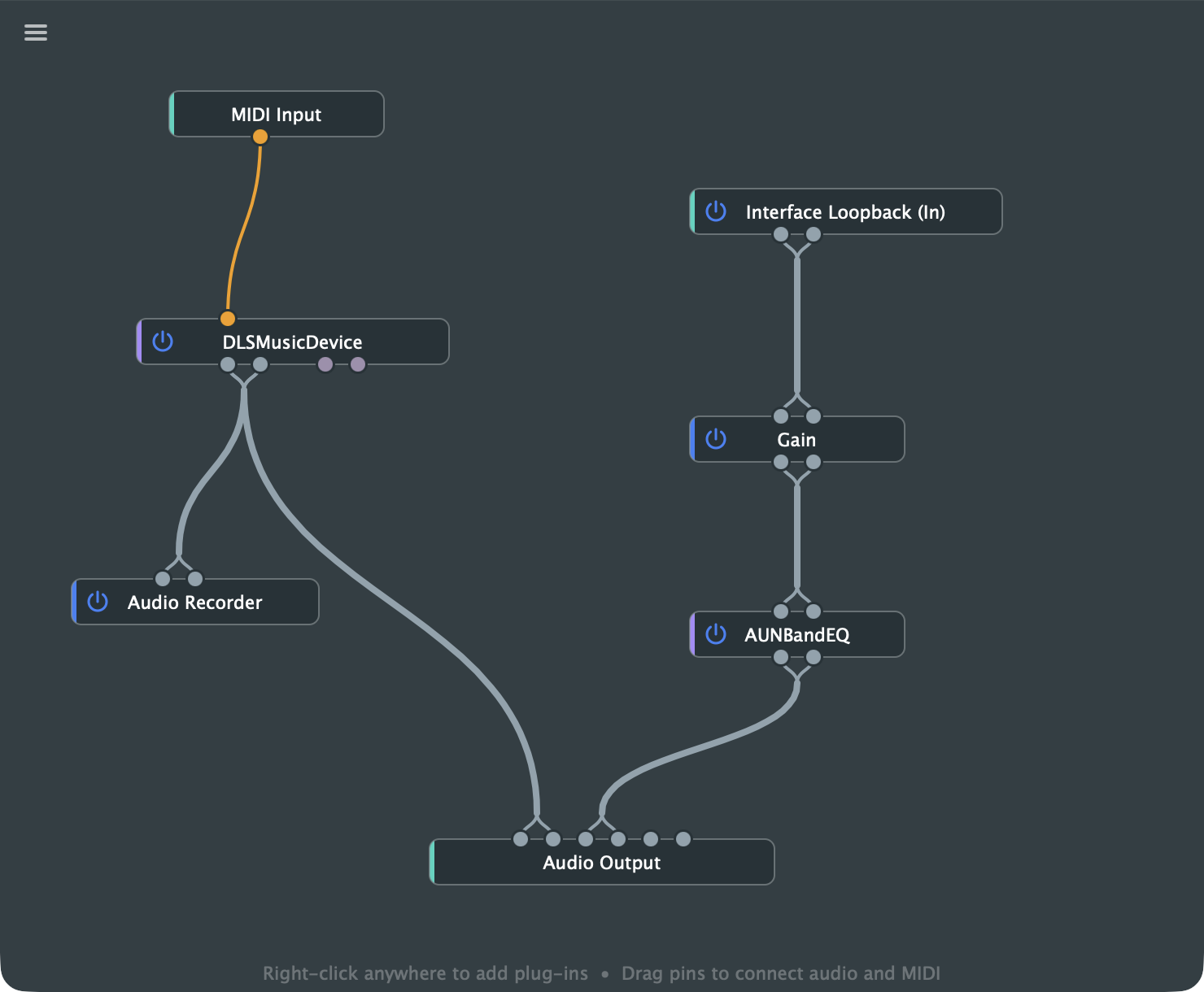
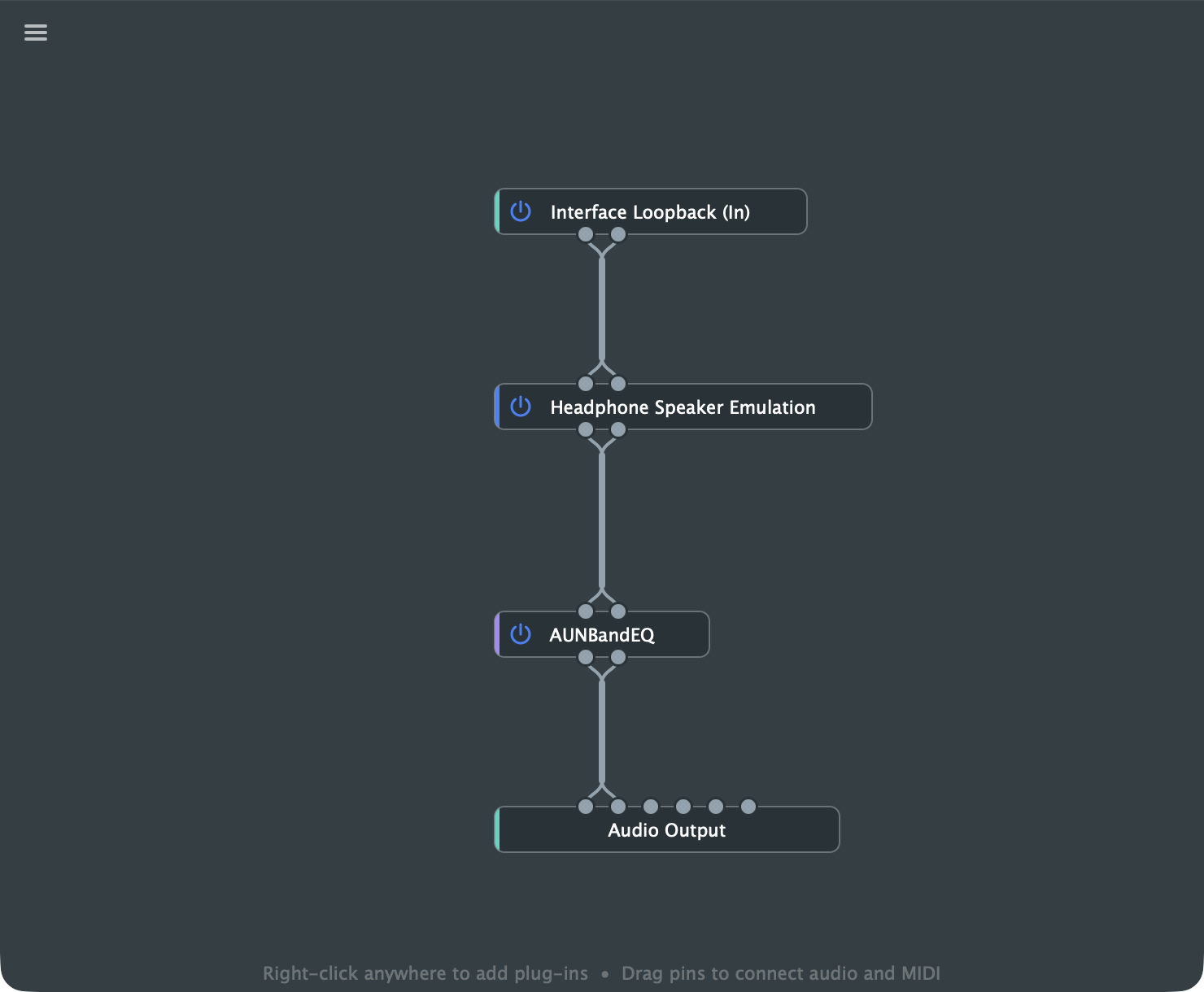
A primary use case for this app is to host equalizer (EQ) plugins for real-time headphone and/or speaker calibration, allowing you to apply system-wide audio correction without needing hardware-based solutions or additional loopback drivers. Other use cases include always-active host for instrument plugins, which might be MIDI enabled. See the examples below.
Curve Help
Curve Help explains how to use everything in Curve, from your first preset to loopback, AutoEQ and MIDI control. It's also in the app: select Settings -> 'Curve Help'.
Features
- Supported external plugin formats: Audio Units (AU) and VST3.
- Universal 2 Binary, natively supporting both Apple Silicon and Intel based macOS Macs.
- Stable plugin hosting based on JUCE 8.0.16, with backported fixes.
- Discrete menu bar app with quick preset change control; create, load and save presets comprising an arbitrary chain of plugins.
- Fast preset switching from the menu, a global keyboard shortcut and number keys, or a MIDI controller.
- Automatic handling of preferred audio interfaces, recovery after audio interface disconnect/reconnect and device sleep, etc.
- Full control over audio device settings, including channel selection on input and output interfaces, sample rate, and buffer latency.
- Native bit-perfect loopback support (without additional drivers); also an (optional) feature to force system audio output to the loopback.
- Headphone EQ from the AutoEQ database, or imported from AutoEQ, Squig.link and REW files.
- Native (internal) plugins for headphone crosstalk and studio monitor emulation when using headphones.
- Native (internal) utility plugins for gain, safety clipping, phase inversion, panning, stereo/mid-side processing, sample-accurate delay and tapped audio recording to wav file.
- MIDI Learn: control plugin parameters, node bypass and preset switching from a MIDI controller.
- Optional release of the audio interface when idle, which allows AirPods automatic switching.
- Optional Dock icon, open at login and automatic update checks.
Quick start
Download the pre-built Curve.app from the latest GitHub Release, copy it to your Applications folder and open it. Curve needs macOS Sonoma 14.2 or later.
Curve's icon is added to the macOS menu bar as shown below. The editor window opens on first use, but after that you won't see any open windows or a Dock icon. Curve's menu can be accessed from the menu bar icon or, when open, from the burger icon at the top left of the editor window.

- If you use third-party plugins, select Settings -> 'Plug-in Manager', click Options... and scan for AU and VST3 plugins.
- Select Settings -> 'Audio Settings' and choose your interfaces, channels, sample rate and buffer size.
- In the editor, right-click the background to add plugins, then drag between the grey pins to connect them.
- Select 'Save As Preset...' from Curve's menu. Your presets then appear in the menu, ready to switch between.
The Getting started page has the full walkthrough.
Building from source code on macOS
Please note that this project is licensed under the AGPLv3, as it is derived from the JUCE framework. Ensure that your use of this code and any derivative works complies with the terms of this license and includes the necessary copyright notices.
The CMake build process is configured to produce a Universal 2 Binary for macOS by default.
This application was developed based on the AudioPluginHost example provided with the JUCE framework. Many thanks to the JUCE developers for making this framework and the reference host application available under open source license.
Prerequisites
Before you begin, ensure you have the following installed:
Xcode Command Line Tools: If you don't have them, open
Terminaland run:xcode-select --installCMake: The easiest way to install CMake is using Homebrew:
brew install cmake
Build Instructions
The project is built using CMake. It is not necessary to use Projucer or Xcode IDE. The build also generates the Curve Help book from docs/guide/ using scripts/build_help.py, which needs Python 3.
Clone the repository with its JUCE submodule, and create a build directory:
git clone --recurse-submodules https://github.com/tomderham/curve.git
cd curve
mkdir -p build
In an existing clone, run
git submodule update --initinstead.Configure the project and compile with CMake: Run CMake from the new build directory
cd build
cmake .. -DCMAKE_BUILD_TYPE=Release && cmake --build .
Run the application: You can run the app directly, but it is better to copy/move it to your computer's
/Applicationsfolder. The CMake script attempts to code-sign the binary with the necessary entitlements, but if you find the binary fails to run or there are issues with persistent macOS privacy permissions, double-check that your code-signing setup is correct. Curve Help only opens when the app is in/Applications.To open it from the terminal:
open ./Curve_artefacts/Release/Curve.app