
therealMRBK/NextFloor
therealMRBK/NextFloor has 146 GitHub stars and 18 forks. GitHot measured +5 stars in 24 hours and +37 in 7 days. Last checked 2026-11-12 17:48 UTC. Last push 2026-11-06.
NextFloor: draw your home in Home Assistant and watch it live in 3D. Free forever – every feature, every furniture pack, no Pro, no shop. Build your own furniture, plugins welcome. No cloud, no account.
측정된 스타 증가
- in 24h
- +5
- in 7 days
- +37
- in 15 days
- 업데이트 지연
- in 1 month
- 업데이트 지연
서로 겹치는 기간의 순증가량이며 일별 합계가 아닙니다. 측정값이 없으면 비워 둡니다. 스타는 관심도를 나타내며 품질을 보장하지 않습니다.
README.md
Original
NextFloor
Draw your home inside Home Assistant and watch it live in 3D.
Lamps light their room, blinds move, doors open, the TV shows what plays, rain falls outside.
No cloud, no account. Made for wall tablets.
💚 Free forever. Every feature, every furniture pack, every update – for everyone, and it stays that way.
No Pro version, no paid add-ons, no supporter pass, no licence key, no shop.










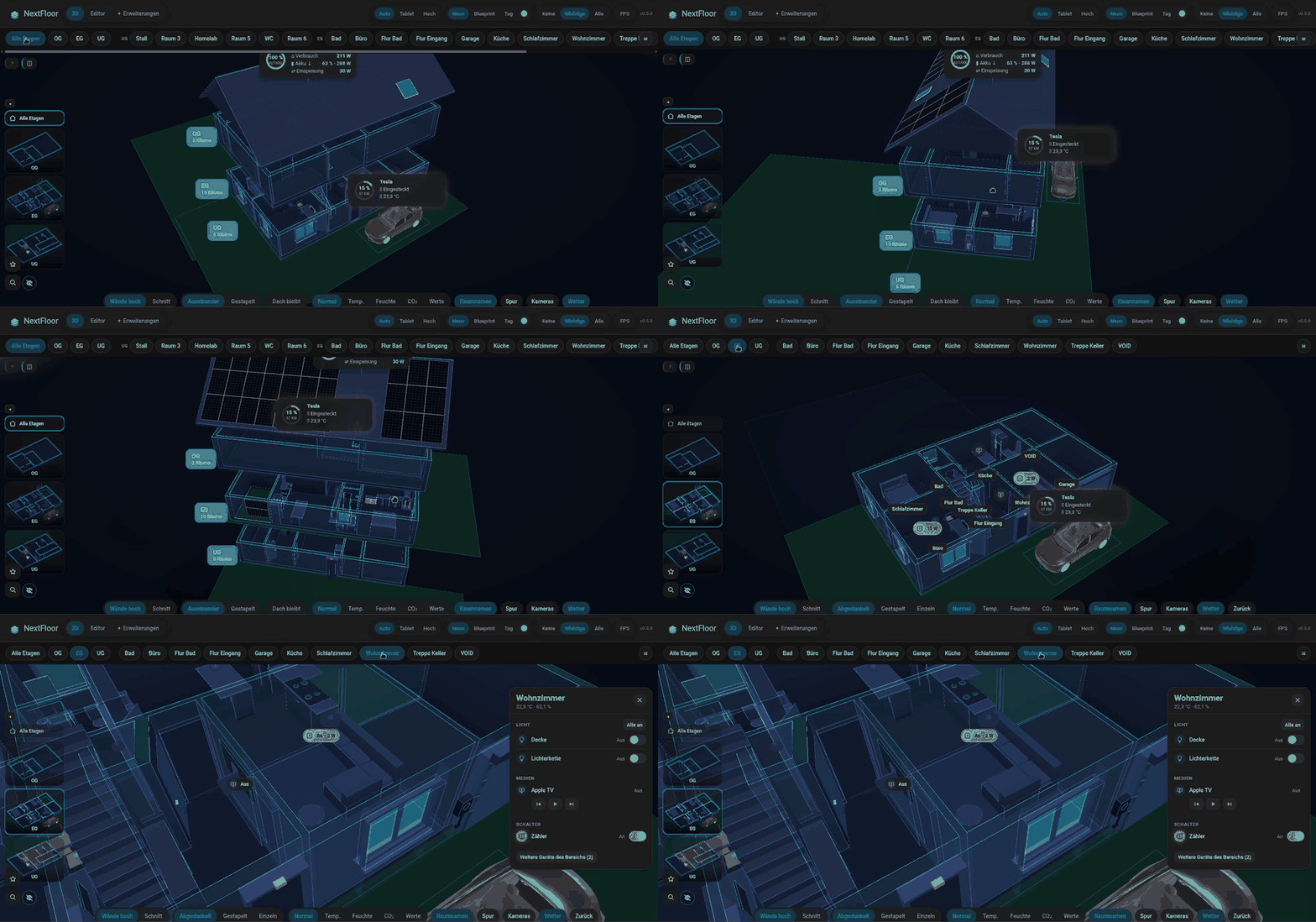
🎬 Watch the setup video in your browser, from the empty page (45 min, English voice, subtitles en/de)
📖 English · 简体中文
📖 Manual · Anleitung (Deutsch) · 🗺️ Roadmap · 📝 Changelog
✨ What it does
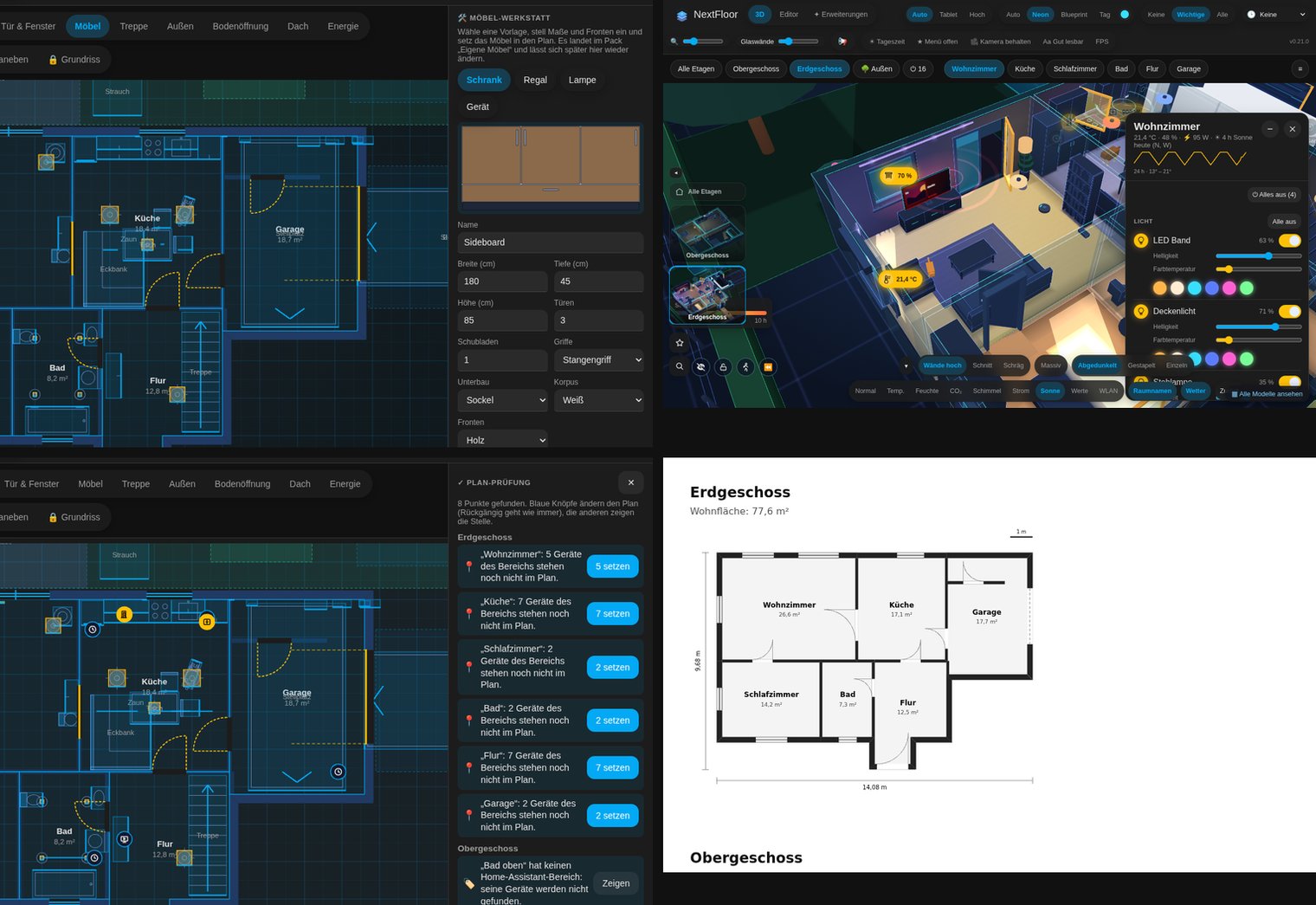
| ✏️ Plan editor | Floors, rooms, curved walls, doors, windows, shaped stairs, outdoor areas and roofs, drawn in Home Assistant with the 3D view beside the plan. Areas within a room, layers, inside sizes, wall thickness per part, rooms open to the floor above, turned roof sections, DXF import. |
| ✓ Plan check | One list of what is missing or off – rooms without an area, devices not placed, overlapping rooms, doors off their wall, links to entities that are gone – standby eaters with their yearly cost – each with a fix in one tap. A short tour for a new plan and the sheet of keys (press ?). |
| 📐 Areas & paper | Living area per room, floor and house, counted like the German Wohnflächenverordnung; the plan on paper at 1:100 with measurements and a table of areas, to print or save as PDF. |
| 🕘 Versions & notes | Named states of the plan ("before the renovation") that stay, compared with the plan now; notes pinned to a spot, with a due day, as pins in 3D and found by the search. |
| 💡 Live 3D | Tap to switch, swipe to dim, long press for colours. Lamps with several bulbs, blinds (roller, venetian slats, inside blinds, Somfy My), windows and doors follow their entities; a room panel lists everything in the room, scenes first. |
| ✨ Light designer | Save a room's lights as a mood, set it again with one tap, carry it over to another room. |
| 🌡️ Room climate | Heat maps for temperature (summer and winter scale), humidity, CO₂, mould risk and a comfort score, airing hints, low batteries, lights left on in empty rooms, each room's 24-hour temperature curve, underfloor heating that glows. |
| ☀️ Sun & power per room | Heat maps for the hours of sun each room gets today through its windows (from the plan, its compass and the sun's path) and for what each room draws now; in the room panel also today's and this month's kWh and cost, the sun over the year, a shade hint when the sun heats a room and a hint when a window stands open while the heating runs. |
| ⚡ Energy | Solar fields (also east-west racks), power flow along real cable routes, battery charge on the unit, gas and water meters, a meter per floor, the last 24 hours and seven days on the house card. |
| 🤖 Sensors for automations | Open windows and doors and Lights on as Home Assistant sensors, for the house and every floor, with the entities in their attributes. Everything off per room or floor, with undo. |
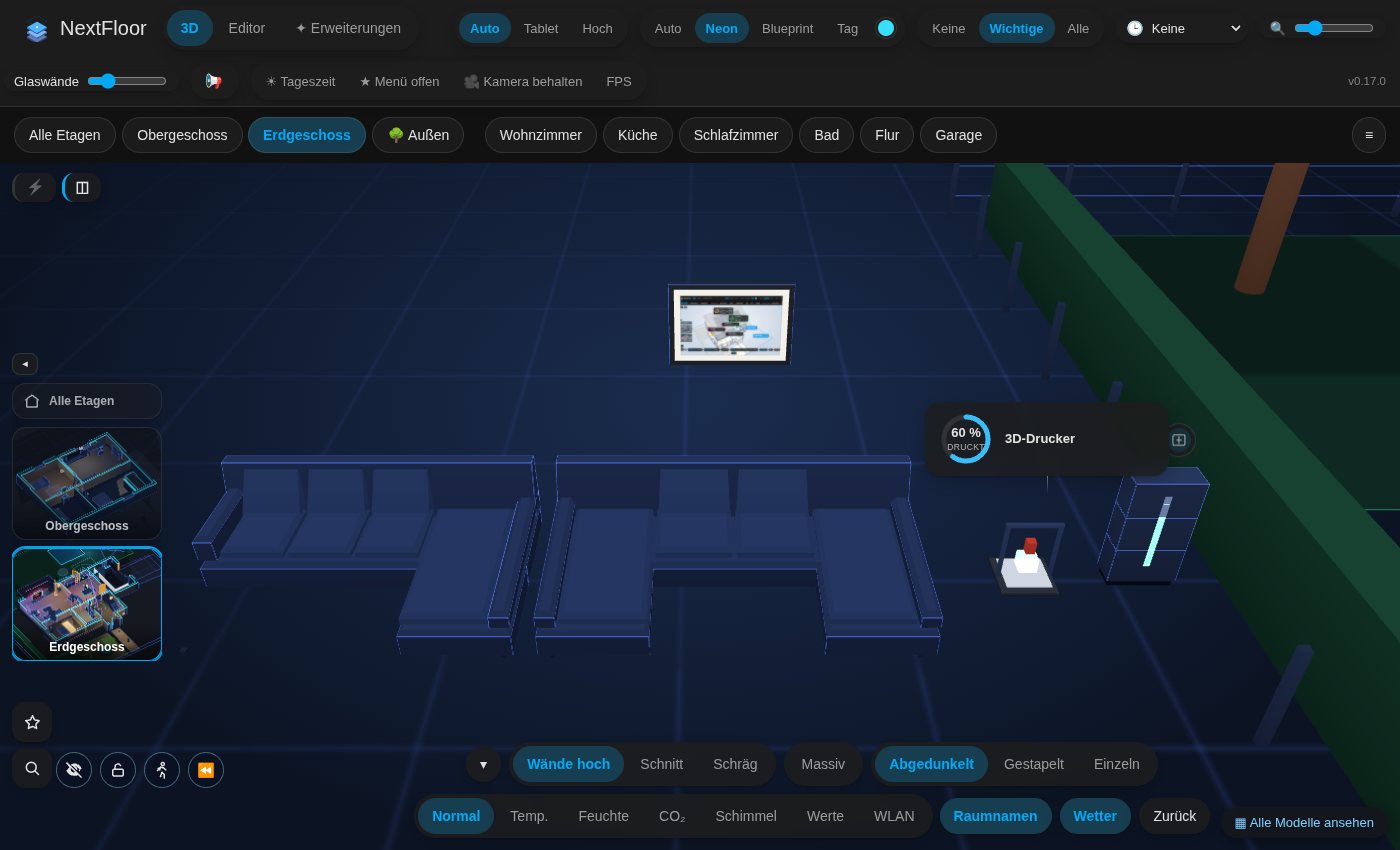
| 🔥 Heat pump & 🖨️ 3D printer | Live cards: flow and return, heat and COP; print progress, time left, layer, temperatures and filaments – the print grows on the bed. |
| 🚗 Car | Charge, range, charging along its cable from the wallbox, departure time, distance away, open doors and hatches, lock and climate buttons. |
| 📶 Wi-Fi map | Every access point's reach on the floor, its devices, and which network devices are offline. |
| 📅 Today | The day's appointments and the bins due, on a card for the wall tablet. |
| ⚠️ Warnings | Smoke, gas, water, the alarm with the sensor that set it off, windows open in the rain, contacts that stop answering – and your own warnings for any entity. |
| 📢 Announcements | "Dinner is ready!" in the room that should hear it, through its speaker and on every open NextFloor screen. |
| 🏡 Household & garden | Waste bins, mailbox, thirsty plants, pets that roam the room they really are in, robot vacuums and robot mowers on their lanes, sprinklers, pools with temperature and pump, gardens linked to their Home Assistant area, 🧹 Clean per room, the fuse box's circuits per room. |
| 📺 Media | TV screens with cover and ambilight; a quick menu for every speaker and TV with sources, volume and presets per speaker. |
| 🛋️ Furniture | 40 basic models and 41 packs with almost 800 more – season and decoration, wellness, music, loft, Japandi, workshop, vehicles, picture frames with your own photos – L- and U-sofas, IKEA sizes, Tesla models in their paint. Any piece can show only while a helper is on. |
| 🚶 Walk and time travel | Walk through the house at eye level; replay the last hours or days. |
| 🖥️ Wall tablet ready | Kiosk mode with night dimming, the star menu open and large, zoom and a kept camera for small screens, quality that steps down by itself on slow tablets, an easy-to-read mode with stronger contrast and larger text. |
| 🎨 Fits your theme | Colours, font and corner radius from Home Assistant; looks Neon, Blueprint, Day, solid painted walls. |
| 🧩 Card, plugins, languages | custom:nextfloor-card with a visual editor, a plugin system with its own store, and ten languages (now with Simplified Chinese). |
| 🪑 Build your own | The 🛠️ furniture studio right in the editor (cabinets with doors and drawers, shelves, lamps, devices with a display), the furniture builder and a community store, own .glb models, Sweet Home 3D and DXF import, a plan format an AI can write – and share a view of your house as a file that opens in any browser. |
💚 Free forever – a promise
NextFloor is free, and it stays free. Not "free to try", not "free with a paid Pro", not "free until the next version": free, for everyone, forever. Every feature, every furniture pack and every update belongs to everyone the day it comes out.
- Nothing to buy, ever. No Pro version, no paid modules, no packs sold one by one, no supporter pass that gets features first, no licence key, no shop. Everything – the weather outside, the energy flow, TV screens and speakers, the car, announcements, household and garden, the heat pump and the 3D printer – is simply part of NextFloor.
- New furniture all the time, for free. 41 packs with almost 800 models come with it, and new packs keep coming with the updates.
- Build your own furniture. The furniture builder runs in your browser: build it, see it exactly as NextFloor draws it, and share it in the community store, where everyone installs it with one tap.
- Extend it yourself. A plugin system with a reviewed plugin store: new device kinds, light animations, room cards – from anyone.
- Your data stays home. No account, no cloud, no usage data sent anywhere.
- The promise is in the licence. NextFloor is MIT licensed: anyone may read, change and share it. Nobody can ever take it away from you – not even me.
I believe in open source: software that anyone may read, change and share, and that every home can use without paying a cent. That conviction is the reason NextFloor exists. It began as a fork of NeonPlan 3D and went its own way, carried by this one promise and shaped together by the people who use it.
🖼️ Gallery
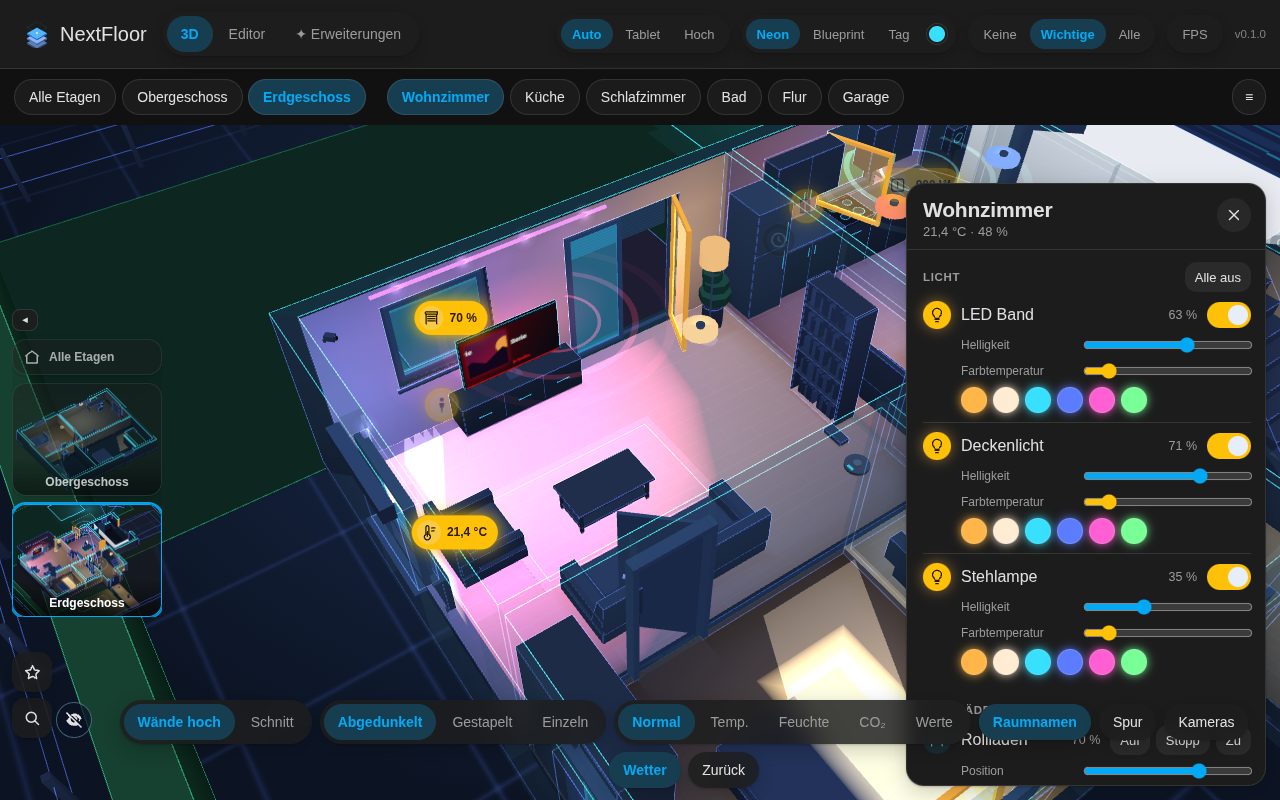 Live room view with its panel | 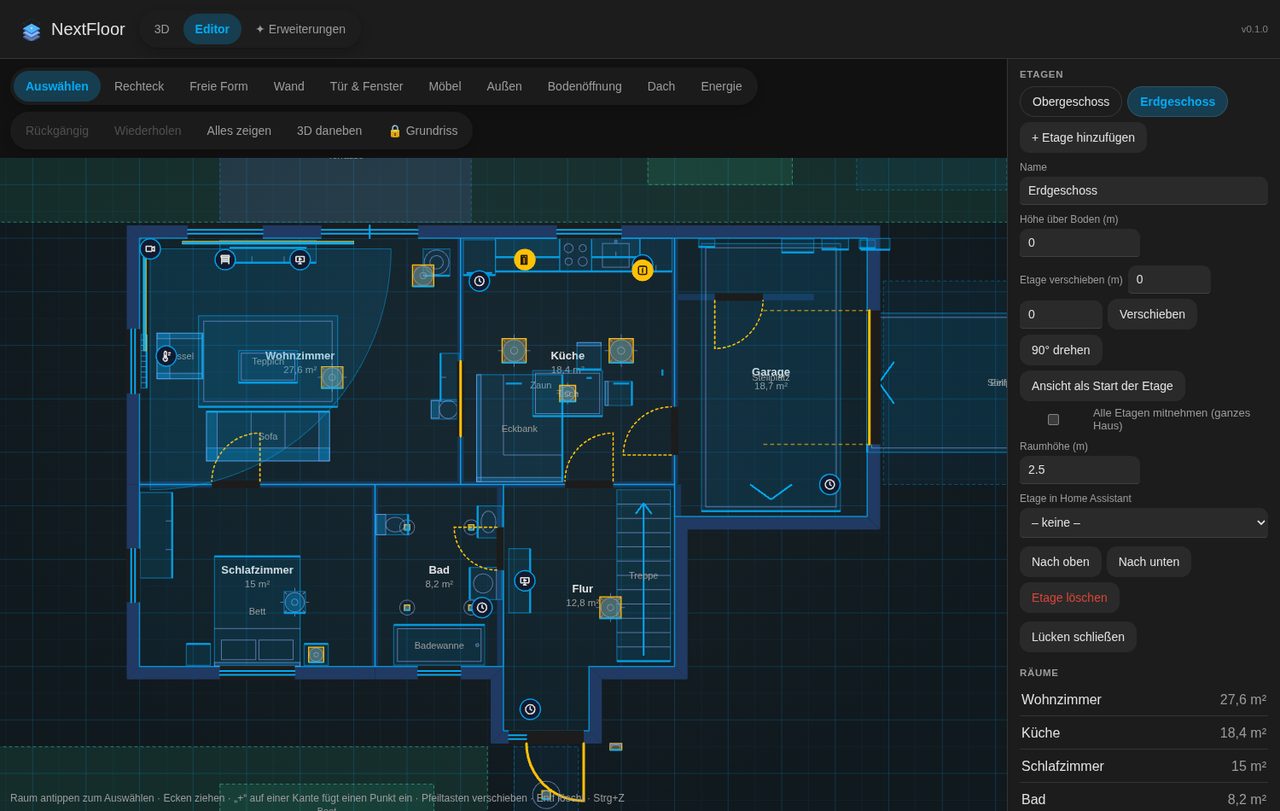 Plan editor with 3D beside it | 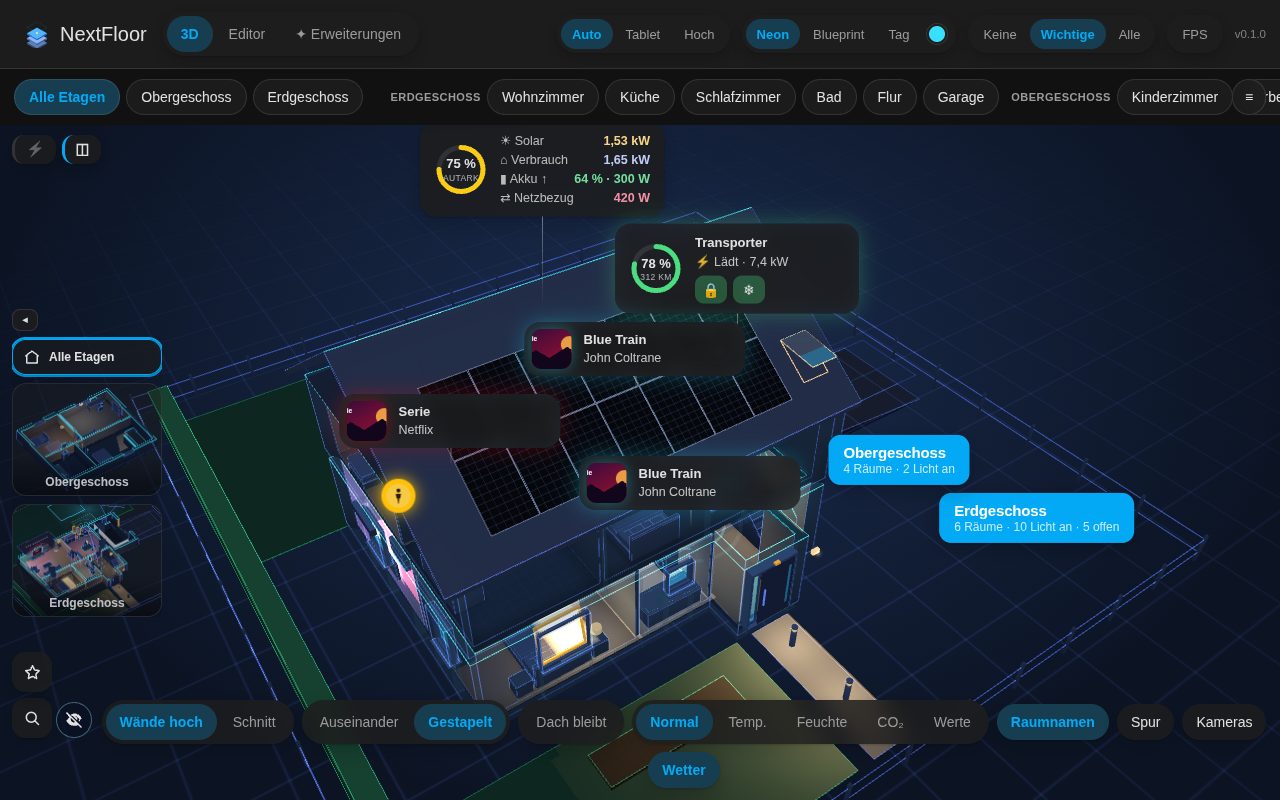 Floors stacked |
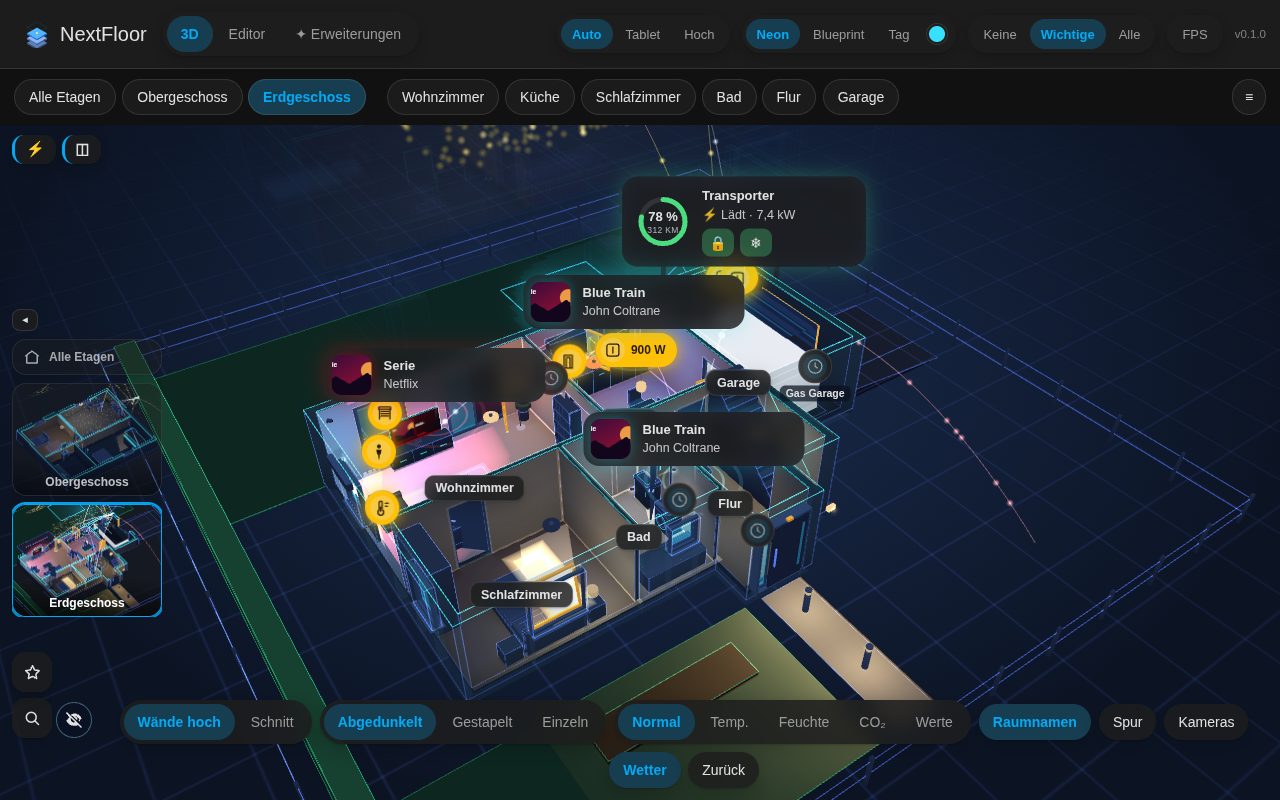 Energy flow | 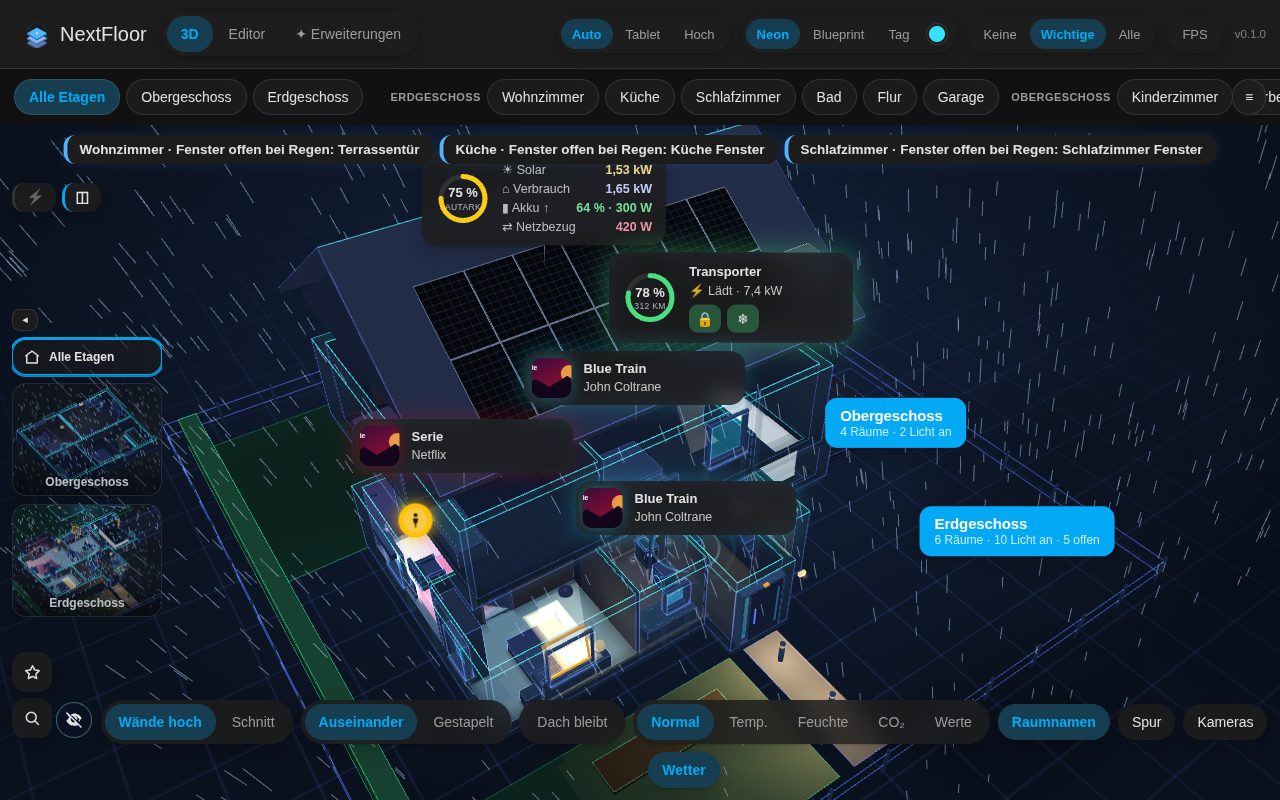 Weather outside | 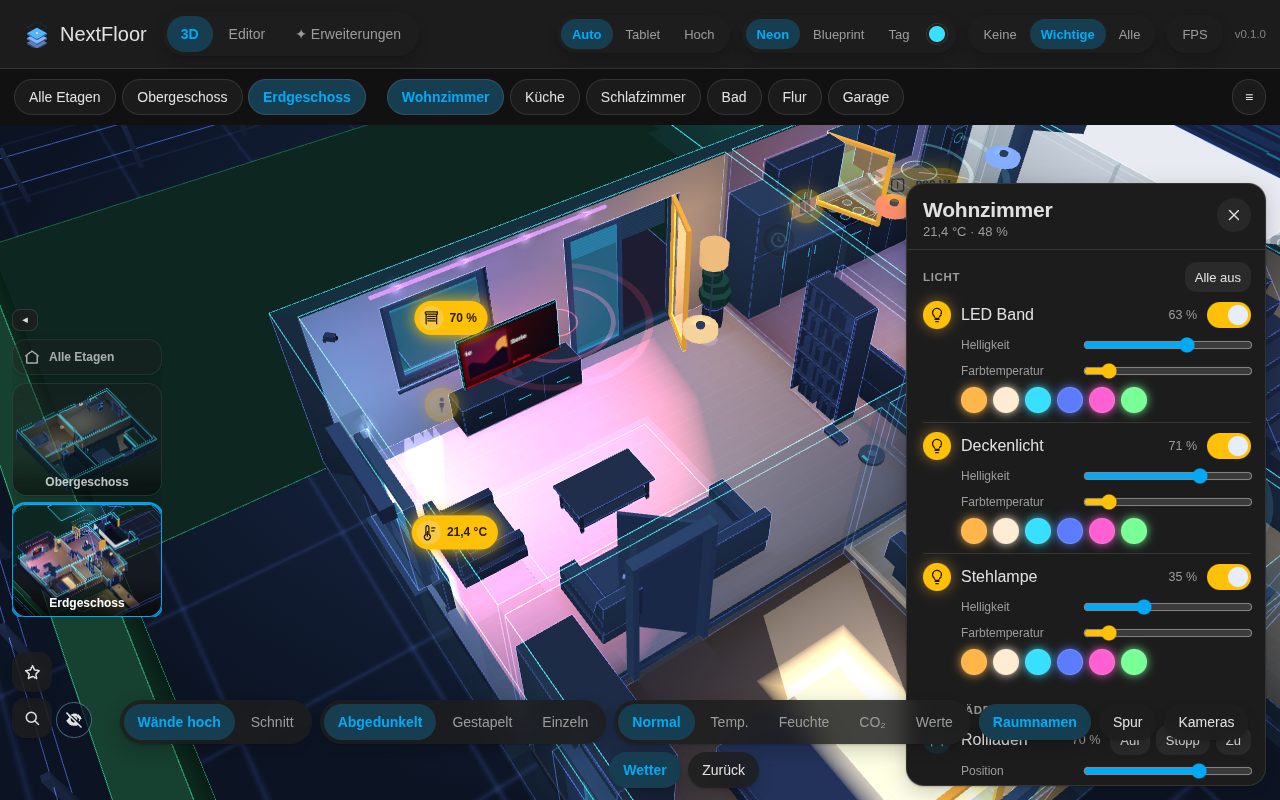 TV screens |
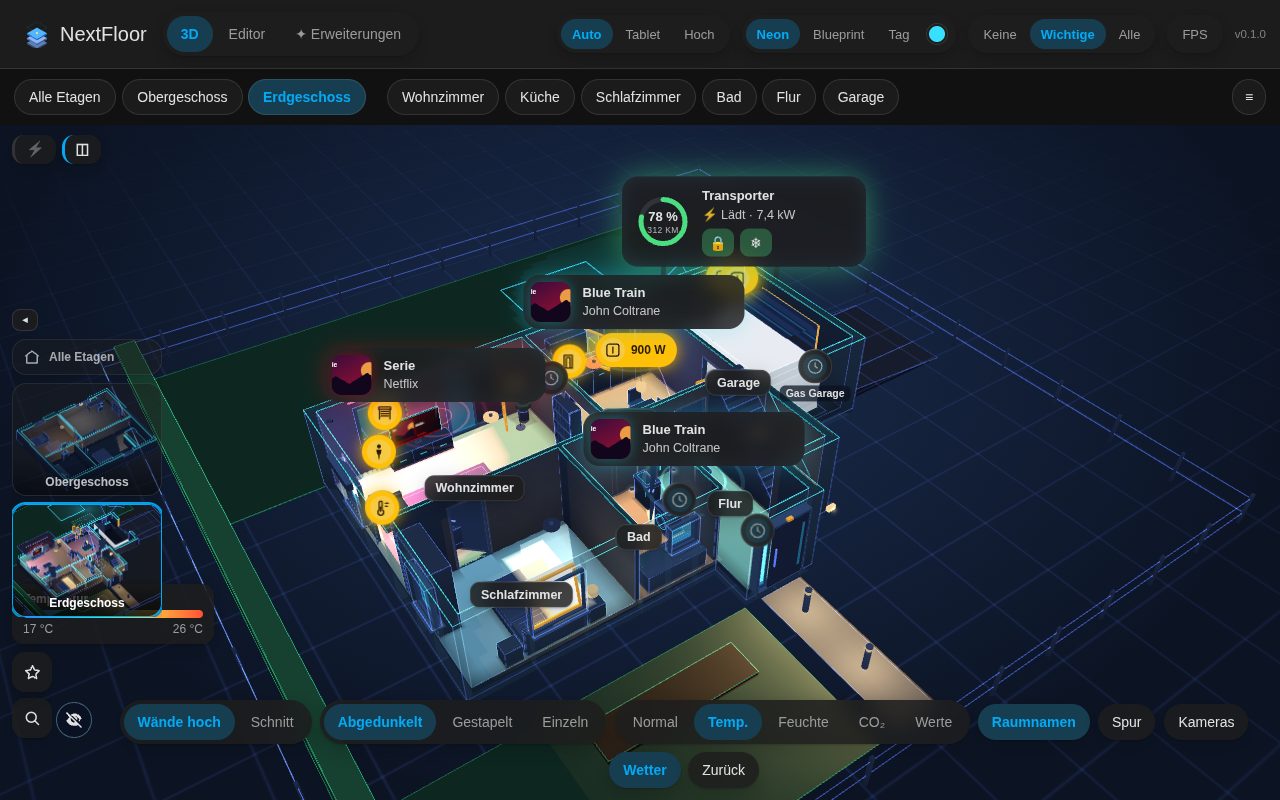 Heat map | 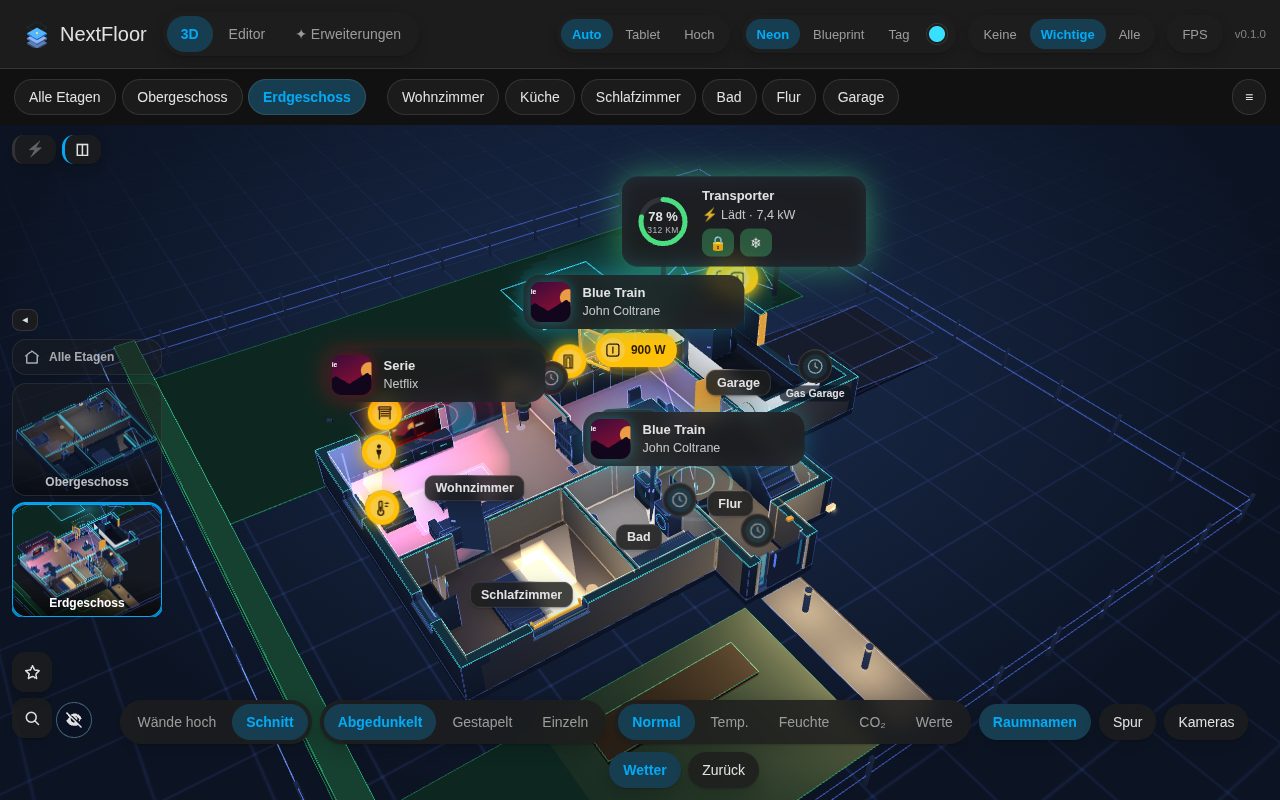 Cut-away walls | 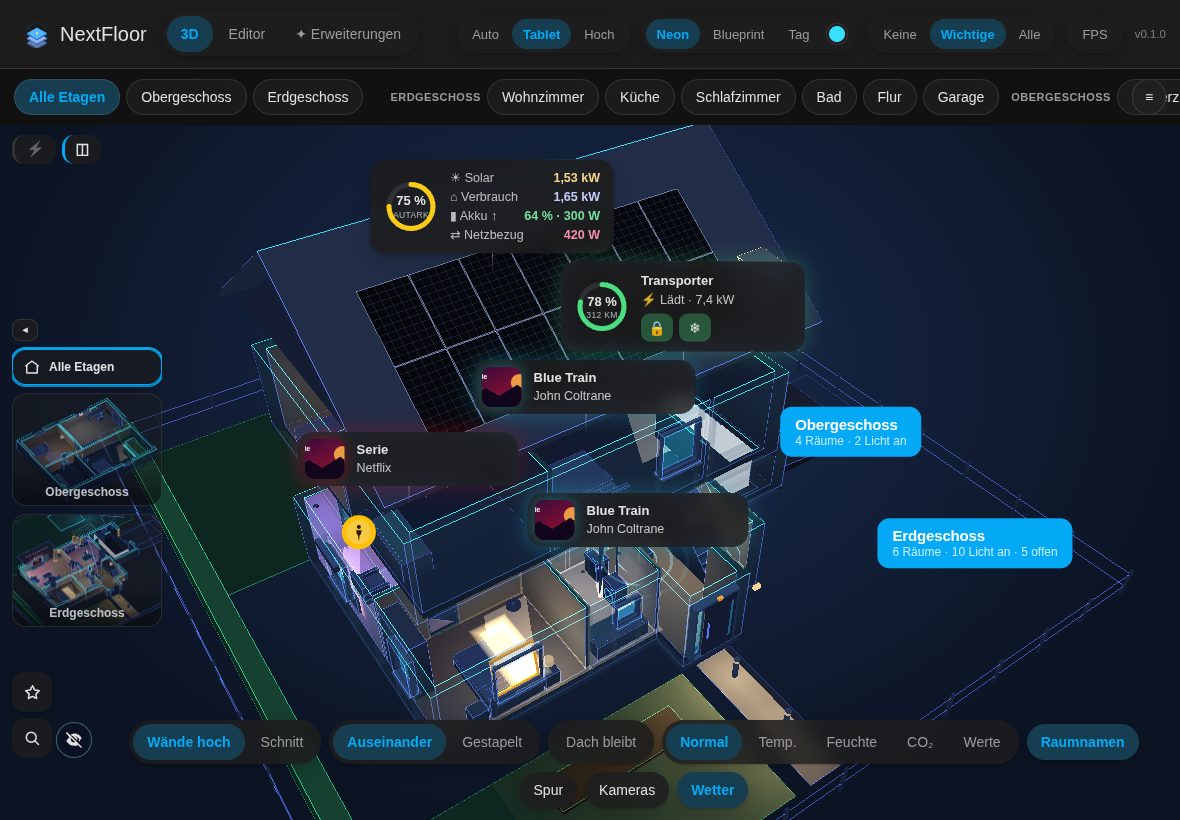 Wall tablet |
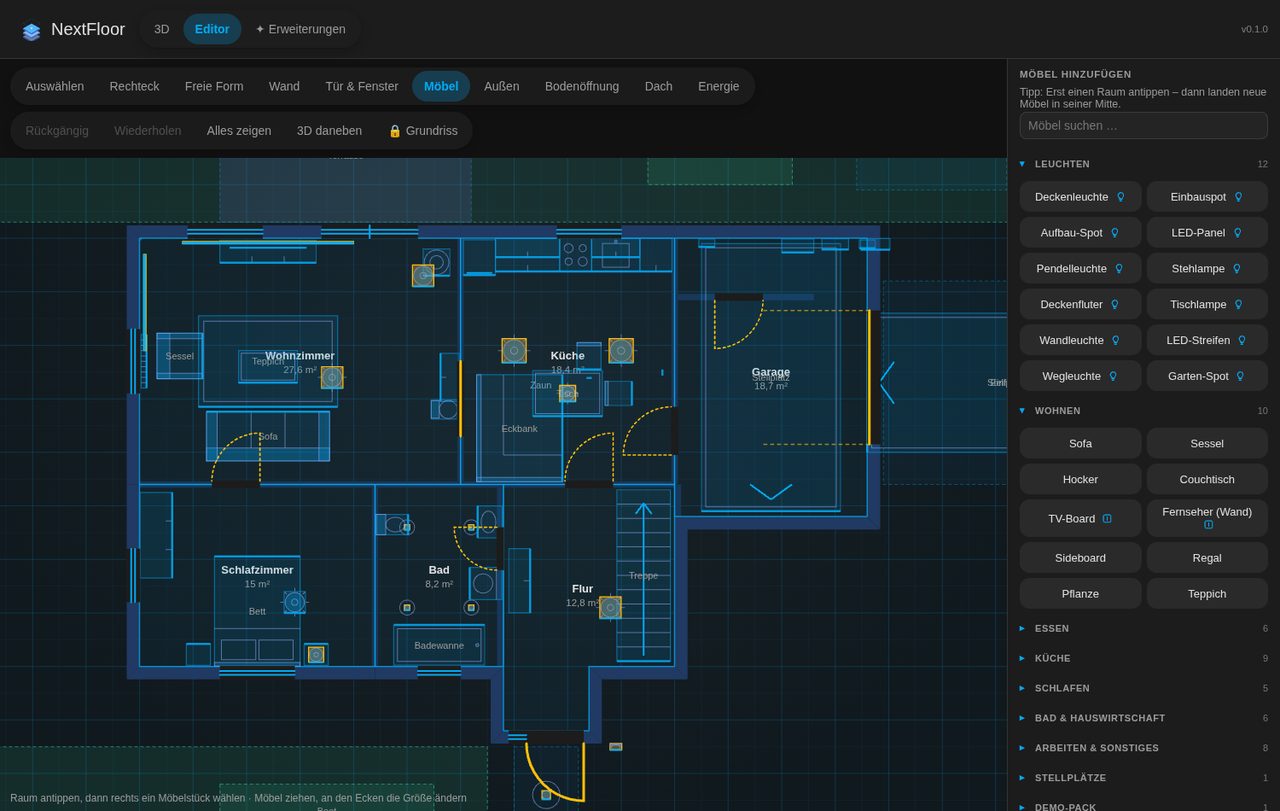 Furniture library | 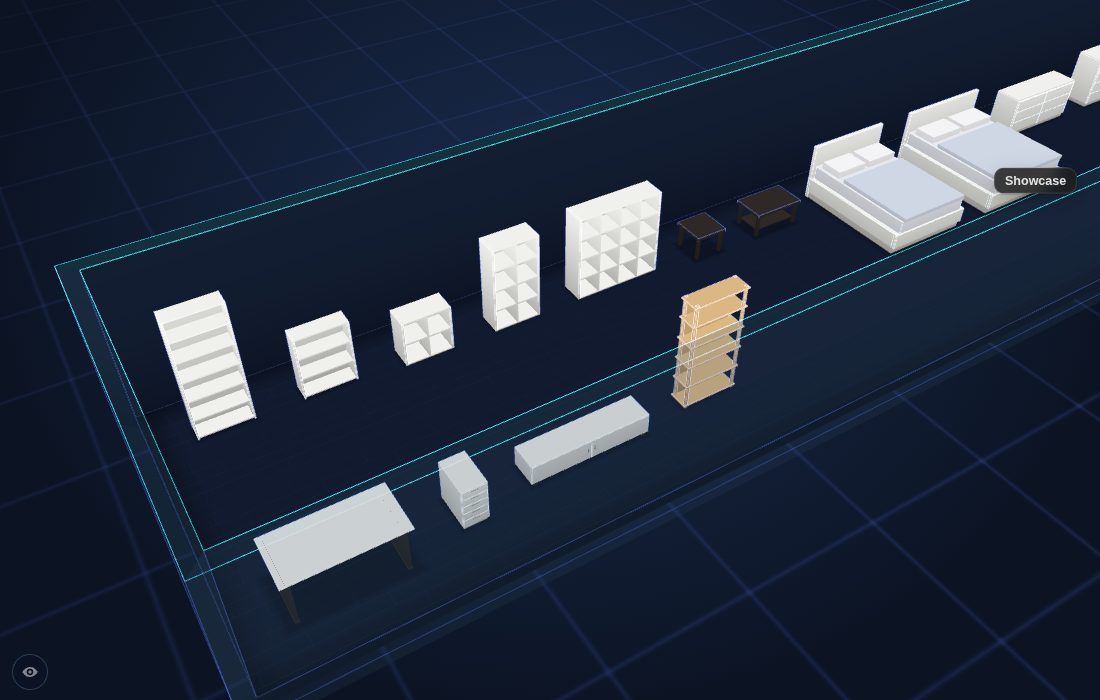 IKEA sizes | 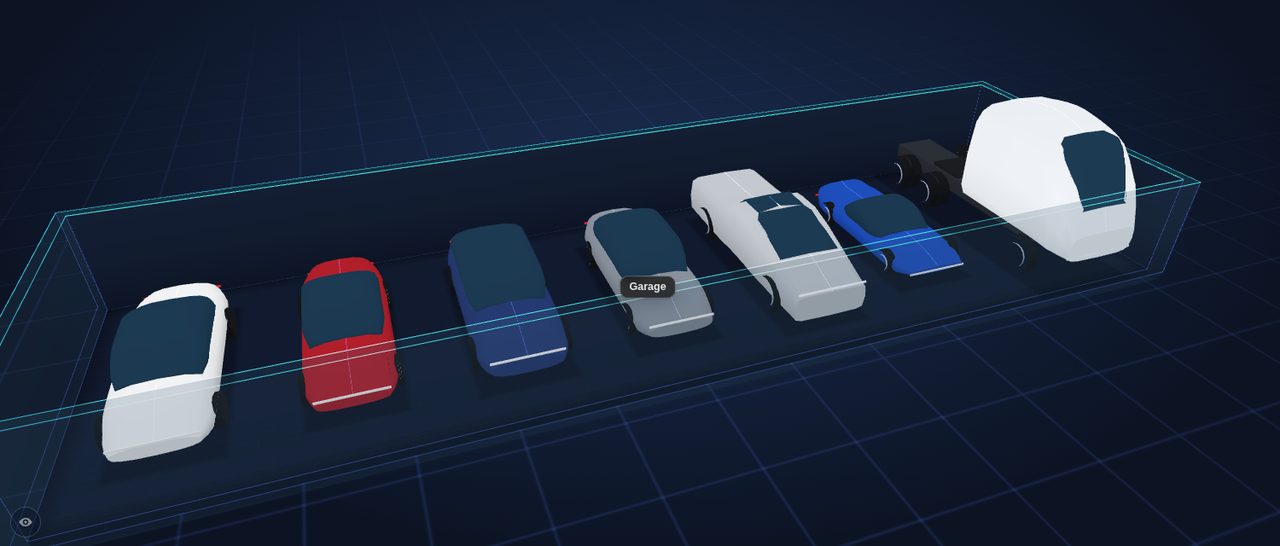 Tesla models |
Neon | 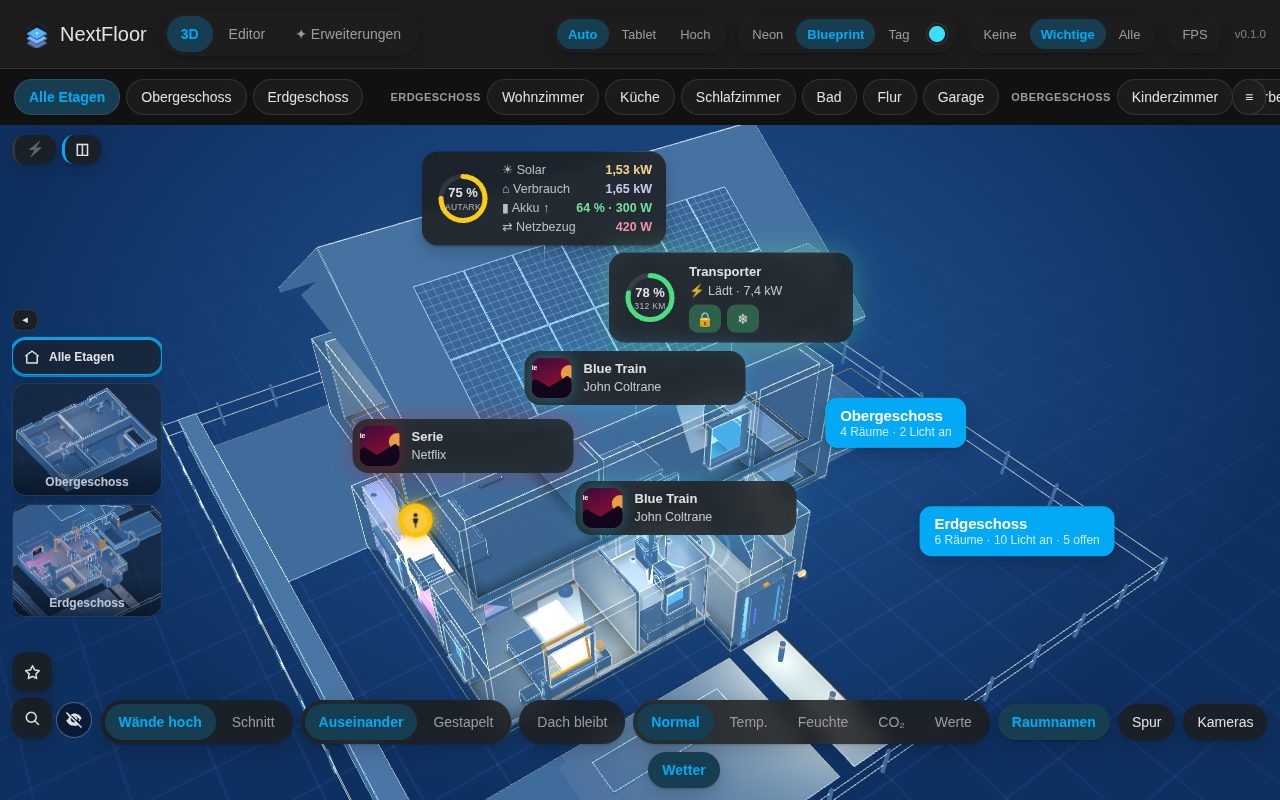 Blueprint | 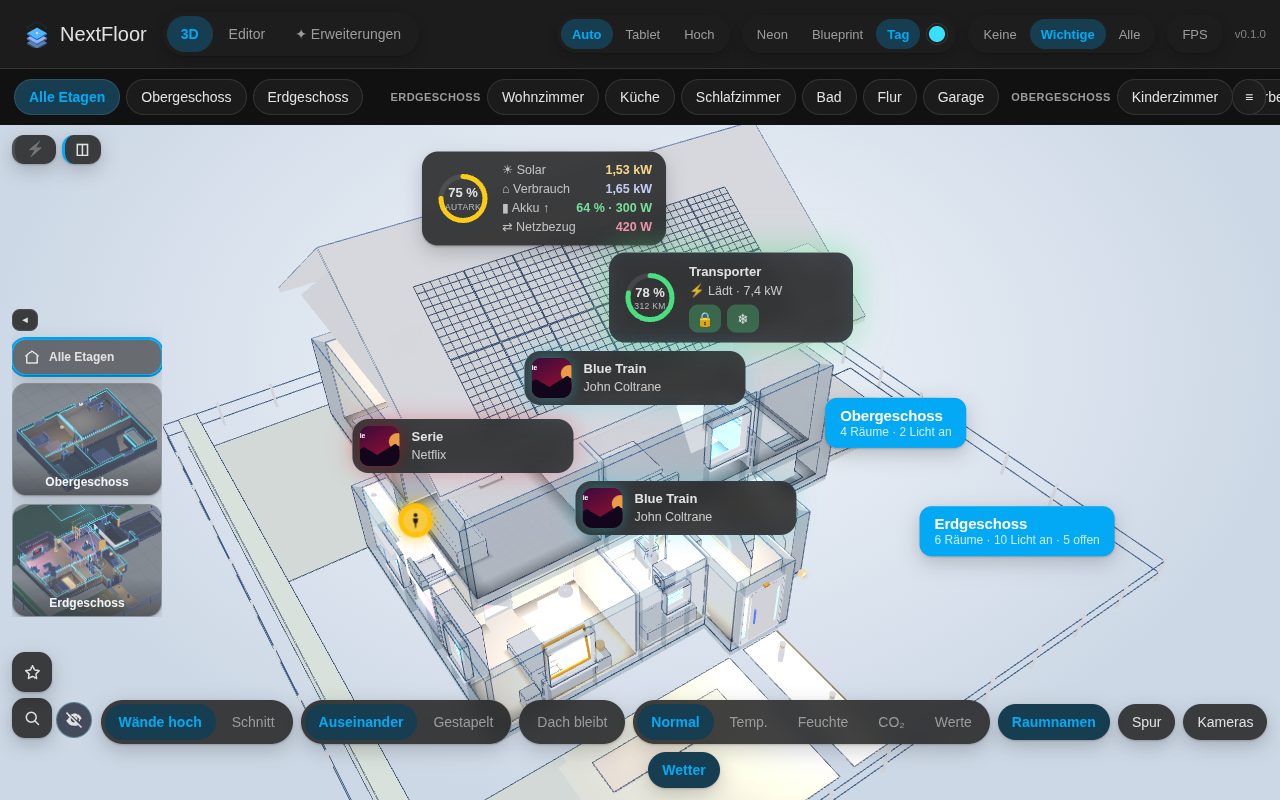 Day |
🚀 Installation
HACS (recommended)
- NextFloor is in the official HACS store: open HACS, search for NextFloor and download it (or click the HACS button above).
- Restart Home Assistant.
- Add the integration:
 or Settings → Devices & services → Add integration → NextFloor.
- Open NextFloor in the sidebar, switch to Editor and draw your first floor.
Already installed as a custom repository? Nothing to change. NextFloor is now part of the official HACS store, your installation, plan and settings stay as they are and updates keep coming through HACS. HACS lists it as a regular repository by itself once it has refreshed its list.
Manual: copy custom_components/nextfloor into config/custom_components/ and restart. Requires Home Assistant 2025.1 or newer.
🧩 Dashboard card
Every option is in the card's visual editor. The same in YAML:
All options
type: custom:nextfloor-card
floor: floor_ab12cd34   # optional: show a single floor (id from the editor)
room: room_ab12cd34     # optional: start in this room
height: 420             # optional: height in pixels
fill: false             # optional: fill the screen below the dashboard header instead of a height
walls: auto             # optional: auto | cut
explode: true           # optional: pull floors apart in the house view
floor_stack: dim        # optional: floors below an opened floor: dim | stacked | single
quality: auto           # optional: auto | low | high
theme: neon             # optional: neon | blueprint | day
accent: "#00e5ff"       # optional: accent colour for the neon look
markers: important      # optional: none | important | all
heatmap: none           # optional: none | temperature | humidity | co2 | mould | values | wifi
room_panel: true        # optional: tapping a room opens its details
room_names: true        # optional: room names in 3D
controls: true          # optional: switches in the card, or a list of walls, floors, temperature, humidity, co2
floor_thumbs: true      # optional: floor pictures to switch floors
fullscreen_button: false
stats: false            # optional: performance display
alerts: true            # optional: smoke, gas, CO, water, alarm and windows open in the rain pulse
alert_jump: false       # optional: jump to the room of a new warning
scenes: true            # optional: scene and script buttons of the selected room
energy: true            # optional: energy values at the top
flows: true             # optional: power flow lines always on (true) or off (false); leave out for a switch
holograms: true         # optional: live cards (energy balance, car, media) always on or off; leave out for a switch
weather: true           # optional: weather outside
weather_entity: weather.home   # optional: which weather entity (default: as set in the plan)
idle_return: 0          # optional: kiosk, seconds without a touch until the start view returns
night: "off"            # optional: kiosk, dim at night: off | sun | "22:00-06:00"
idle_orbit: false       # optional: kiosk, slow camera turn after the idle return
central_open: false     # optional: the star menu (favourites) open from the start and a size larger
keep_camera: false      # optional: keep side, height and distance when switching floors
readable: false         # optional: stronger contrast and larger text (wall tablets)
zoom: 1                 # optional: 0.6 … 2.5, how close the fitted views come
today: true             # optional: the "Today" card with appointments and bins
sensor_bar: true        # optional: your own sensors at the top
📦 Your own 3D models
Own a model of a vehicle (.glb)? Open Extensions in the NextFloor panel, choose the file, turn the front towards you, pick the level of detail and store it on your Home Assistant. NextFloor does the preparation in the browser and ships no models. See docs/models.md.
🔒 Privacy
The plan, its pictures and the packs live in Home Assistant's .storage. NextFloor does not talk to the internet on its own; only if you switch on the optional real map, your browser loads map tiles from the tile server (OpenStreetMap by default). Pictures and history come from your own Home Assistant.
🤖 Made with AI
NextFloor was built entirely with AI assistance. The idea, the decisions and the testing in a real house come from a person; the design, the code, the tests and the documentation were written together with Claude (Anthropic) in Claude Code. I would rather say so openly than let you guess.
What that means for you:
- It is tested, but young. There are automated tests (frontend logic, the furniture packs, the Home Assistant side) and releases are looked at in a real browser and installed on a real Home Assistant, but it has far fewer users than most integrations. Expect rough edges and report them.
- Back up before you trust it. The plan lives in Home Assistant's
.storage; the editor has a backup and restore of the whole plan. - Read the code if it matters to you. It is MIT licensed and small enough to read. Pull requests are welcome, also ones written with AI, as long as you say so and have run the checks (see CONTRIBUTING.md).
🛠️ Development
Build, test, preview
cd frontend
npm install
npm test            # pure logic
npm run typecheck
npm run build       # writes the bundles to custom_components/nextfloor/frontend (committed)
npm run screenshot  # renders preview/index.html (invented demo data) with a local Chrome or Chromium
- Preview without Home Assistant: open
preview/index.htmlthrough any local web server. - Deploy to a test instance: create
deploy.local.jsonwith{"target": "<config>/custom_components/nextfloor"}and runnpm run deployinfrontend/. - Python tests run in CI with
pytest-homeassistant-custom-component. - Furniture packs: the built-in packs are generated by
tools/build_packs.py. The format of your own packs is described in docs/packs.md (German).
💬 Ideas, questions and bugs
Discussions for ideas and questions, Issues for bugs.
🙏 Credits
NextFloor started as a fork of NeonPlan 3D by Mastershort (Torsten). The idea of a live 3D home right inside Home Assistant, and the groundwork NextFloor grew from, are his. NextFloor carries that idea on in its own direction: entirely free and open source, for everyone. Thank you, Torsten!
Licence
MIT, see LICENSE. NextFloor ships three.js (MIT), Lit (BSD-3-Clause); their notices are in THIRD_PARTY_NOTICES.md.
"Home Assistant" is a trademark of its owners; "Tesla" and the Tesla model names are trademarks of Tesla, Inc., and "IKEA" and its product names are trademarks of Inter IKEA Systems B.V.; they are used here only to name the sizes and models. NextFloor is an independent community project and not affiliated with or endorsed by Nabu Casa, Tesla or IKEA.