
thalesgroup-cert/suspicious
thalesgroup-cert/suspicious has 94 GitHub stars and 10 forks. Star changes are not measured yet. Last checked 2026-11-12 16:07 UTC. Last push 2026-11-12.
AI-powered phishing & threat-analysis platform to automatically inspect, classify, and report suspicious emails, files, URLs, IPs, and hashes built for teams and organizations
측정된 스타 증가
- in 24h
- 업데이트 지연
- in 7 days
- 업데이트 지연
- in 15 days
- 업데이트 지연
- in 1 month
- 업데이트 지연
서로 겹치는 기간의 순증가량이며 일별 합계가 아닙니다. 측정값이 없으면 비워 둡니다. 스타는 관심도를 나타내며 품질을 보장하지 않습니다.
README.md
Original

Phishing & threat-analysis platform


Suspicious
Documentation: https://thalesgroup-cert.github.io/suspicious/
Suspicious inspects, classifies, and reports suspicious emails, files, URLs, IPs,
and file hashes. Submit an item from the web UI or forward an email to a
monitored mailbox; Suspicious runs it through YARA rules, a sandbox, metadata
checks, and a machine-learning email classifier (the ai_inference server), then returns a scored verdict
and a full report.
Built and maintained by the Thales Group CERT.
Demo

Watch the full walkthrough with subtitles (about 100 seconds), or open the MP4 directly. The video is generated by a Playwright script, so it stays in step with the UI: see Product demo. Page-by-page clips are in the Product tour below.
What it does
- Analyzes emails (
.eml,.msg), documents, archives, executables, URLs, IP addresses, and file hashes. - Scores each submission as Safe, Inconclusive, Suspicious, or Dangerous.
- Reports results through a web UI with dashboards, per-analyzer output, and submission history.
- Ingests email automatically from IMAP/IMAPS mailboxes.
- Notifies reporters of the outcome by email.
- Integrates with Cortex, TheHive, MISP, LDAP, Elasticsearch, ChromaDB, and S3-compatible or Google Cloud storage.
Quick start
Requires Docker and Docker Compose v2.
git clone https://github.com/thalesgroup-cert/suspicious.git
cd suspicious

# Example configs that run as-is for local development
cp docs/getting-started/examples/deployment-env.example          deployment/.env
cp docs/getting-started/examples/Suspicious-settings.example.json Suspicious/settings.json

cd deployment
bash scripts/gen-service-secrets.sh .env .env.data   # fills the data-service passwords
docker network create suspicious_net
docker compose build suspicious
docker compose up -d db_suspicious redis_cache redis_broker chromadb chromadb_proxy
docker compose up -d --no-deps suspicious
make migrate
make seed-config
make createsuperuser
Open http://localhost:9020/admin/ and sign in.
The example configs use throwaway local credentials. Change every secret before exposing the app. Full guide, the complete stack (UI, HTTPS, Cortex), and configuration reference: INSTALL.md and CONFIG.md.
Configuration
Three files hold all configuration. Templates ship in the repo.
| File | Purpose |
|---|---|
deployment/.env |
Image versions, ports, paths, database and storage credentials |
Suspicious/settings.json |
Django settings, integrations, branding, SMTP, allowed domains |
email-feeder/config.json |
IMAP/IMAPS mailboxes, S3 storage, polling interval |
See CONFIG.md for every parameter.
Architecture
| Component | Role |
|---|---|
| Django REST API | Submission, analysis orchestration, reports. Gunicorn on port 9020. |
| React UI (React 19, Vite, MUI 9) | Frontend served by Nginx on port 9021. |
Celery worker (suspicious_celery) |
Background jobs: Cortex reconciliation, connector deliveries, AI provider calls, retraining. |
Celery beat (suspicious_celery_beat) |
Separate scheduler container. Without it no periodic task runs (email polling, stale-job rescue, connector sync, KPI snapshots). |
| MariaDB 11.4 | Metadata, results, KPIs. Holds the CaseAnalyzerJob ledger behind the Cortex webhook lookup. |
| Valkey 9 | Celery broker and Django cache (per-case lock, webhook dedup). |
| Elasticsearch | Search and indexing. |
| Cortex | Analyzer engine: YARA, sandbox, metadata, FileInfo. Reports back via an HMAC-signed webhook. No AI analyzer. |
ai_inference |
AIMailAnalyzer model server (FastAPI, compose profile ai, internal port 8090). Holds the encoder and classifier weights; also runs retraining jobs. |
ai_model connector |
Calls ai_inference for the mail AI verdict, runs campaign detection and the review-mailbox label sync. Off by default. |
| ChromaDB | Vector store for campaign detection (collection suspicious_mails), behind a token-checking proxy. |
mail_renderer |
Isolated headless Chromium that draws the mail preview image; no route out. |
| Object storage | RustFS (S3 API) by default, or Google Cloud Storage (storage.provider). Uploads, attachments, previews, AI datasets and model bundles. |
| Email Feeder | Polls IMAP/IMAPS mailboxes and imports emails. Runs as a non-root user. |
| Traefik | Reverse proxy and TLS termination. |
| Vault | Production secret storage. |
Network layout, the service table and diagrams are in Architecture.
How an analysis runs
- Django creates a
Case. For each Cortex analyzer it writes anAnalyzerReportand aCaseAnalyzerJobrow in one transaction, pinning the(case, cortex job)mapping at dispatch. A mail with a readable archive is also handed to theai_modelprovider (aprovider-ledger row), if enabled. - Cortex runs each analyzer and posts to the HMAC-signed webhook on completion.
- The webhook looks up the case in
CaseAnalyzerJoband enqueuesreconcile_case. The task takes a per-case Redis lock and callsreconcile_case_core, which syncs the ledger and advances the case state. - When no job is pending,
reconcile_case_coreaggregates the score and the case reaches its final verdict, then emitscase_finalised. - Every connector subscribed to
case_finalisedfires independently: MISP, SMTP notification to the reporter,ai_narration, the ChromaDB cleanup, and theai_modelcampaign detection. TheHive alerts come from the challenge flow, the push button and campaign detection. - Celery beat re-checks any webhook the platform missed (every 300 s) and fails
jobs stuck past
STALE_JOB_TIMEOUT_SECONDS(every 600 s), so cases never stall.
AI email classifier
Analyzers/AIMailAnalyzer classifies emails by intent (phishing, malicious,
suspicious, benign) with a Sentence-Transformers embedding model and a custom
classifier. It runs as the ai_inference model server, not as a Cortex
analyzer. The ai_model connector sends it the mail text and stores the
answer; the same connector runs campaign detection against ChromaDB and the
retraining pipeline (label ledger, gate, shadow, promotion, rollback).
The connector is off by default. To enable it, set AI_INFERENCE_TOKEN in
deployment/.env (an empty token makes the /v2 API answer 503), put the same
value in the connector's token, start the ai compose profile and enable
ai_model in Settings. Without it a mail gets no AI vote and is usually
finalised as Inconclusive. Step-by-step setup, retraining and troubleshooting:
AI inference guide; reference in
AI / ML Analyzers.
Use the classifier alongside YARA, sandbox, and metadata analyzers. Do not auto-block on it alone.
Contributing
See CONTRIBUTING.md for coding standards and the pull request flow.
git checkout -b feature/your-feature
# make changes, commit, push
# open a pull request
Bug reports and ideas are welcome in issues.
Product tour
Short clips of each page, recorded from the real UI with fictional data. The same clips, with more context, are in the UI tour.
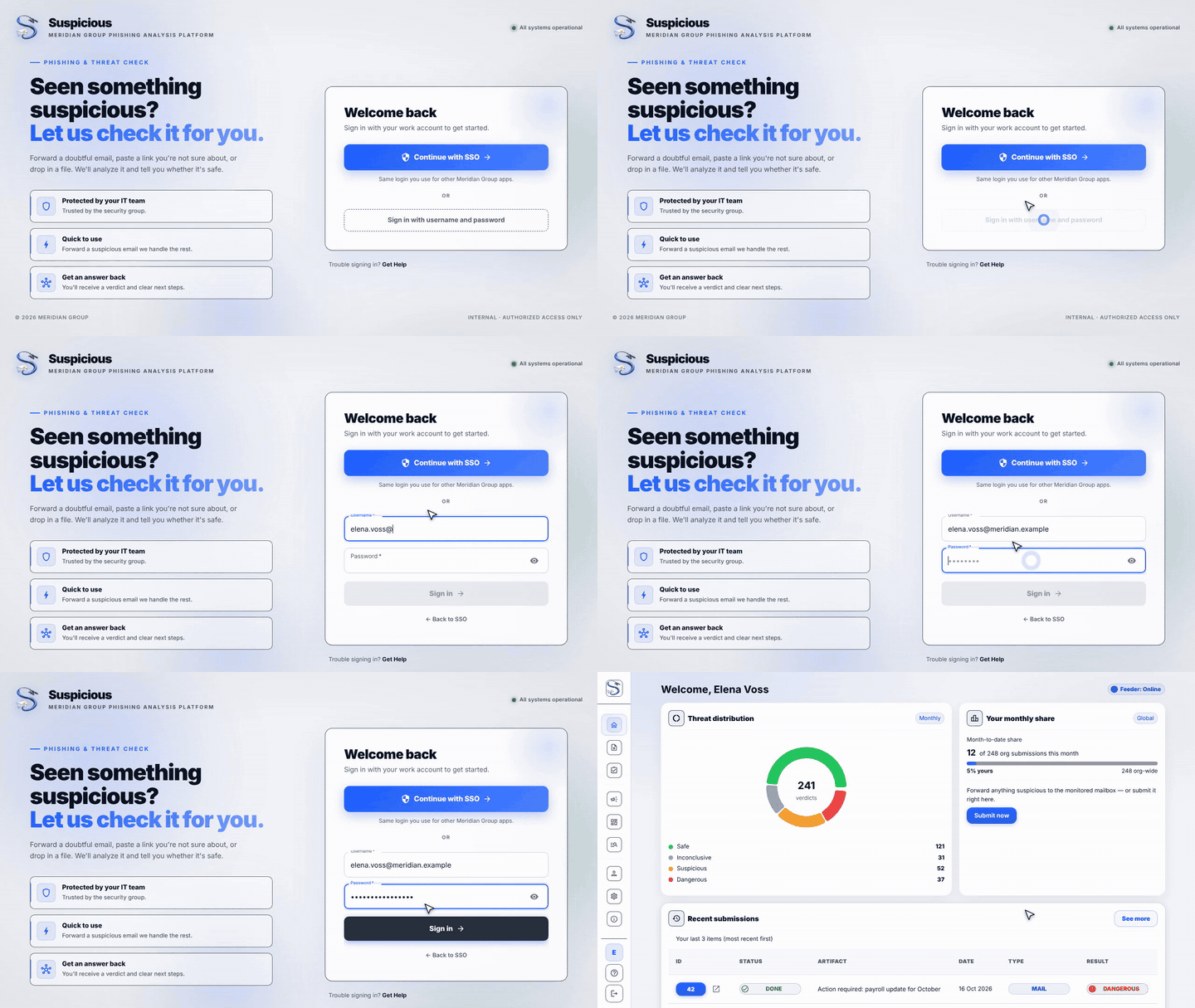
Login
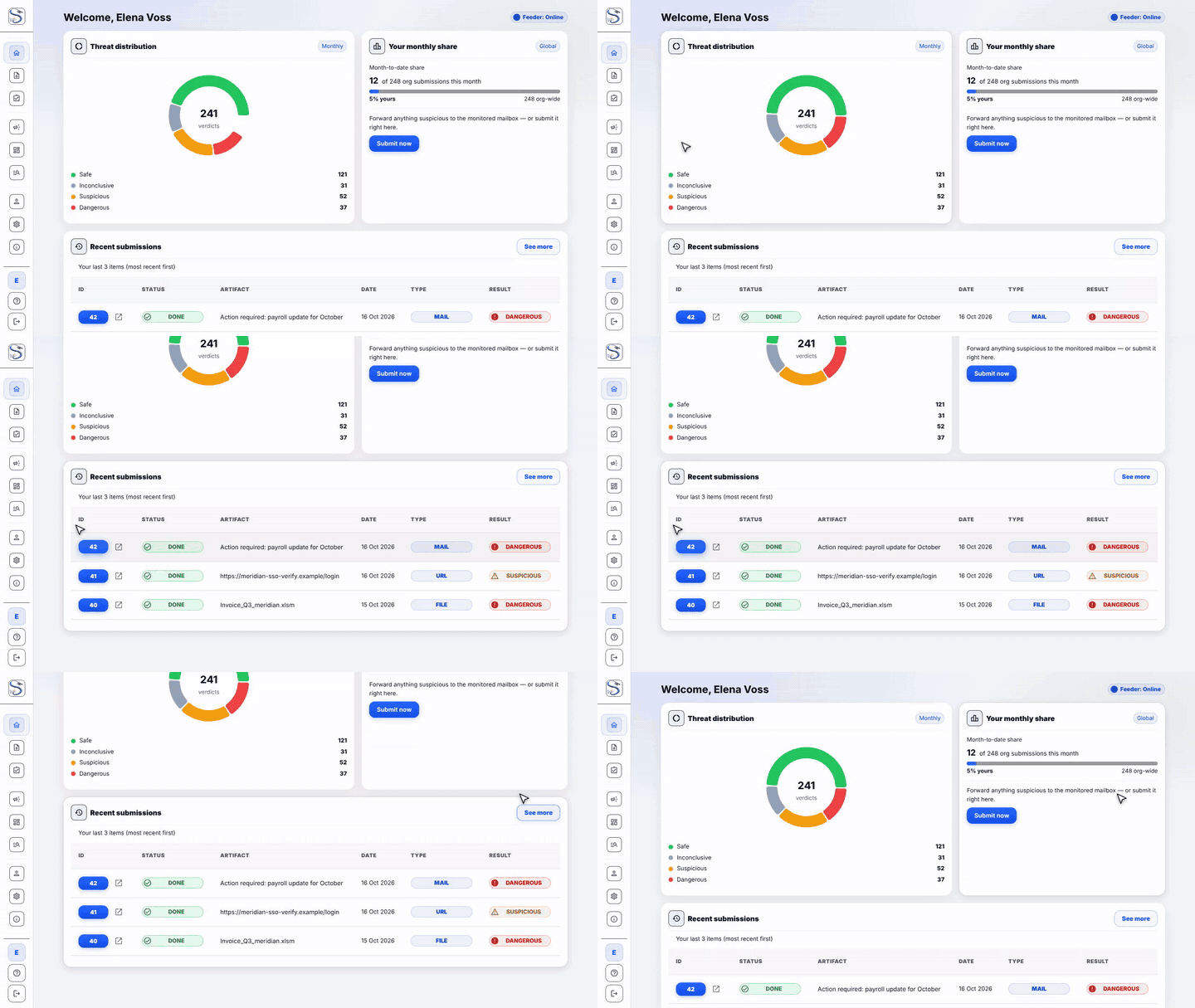
Home
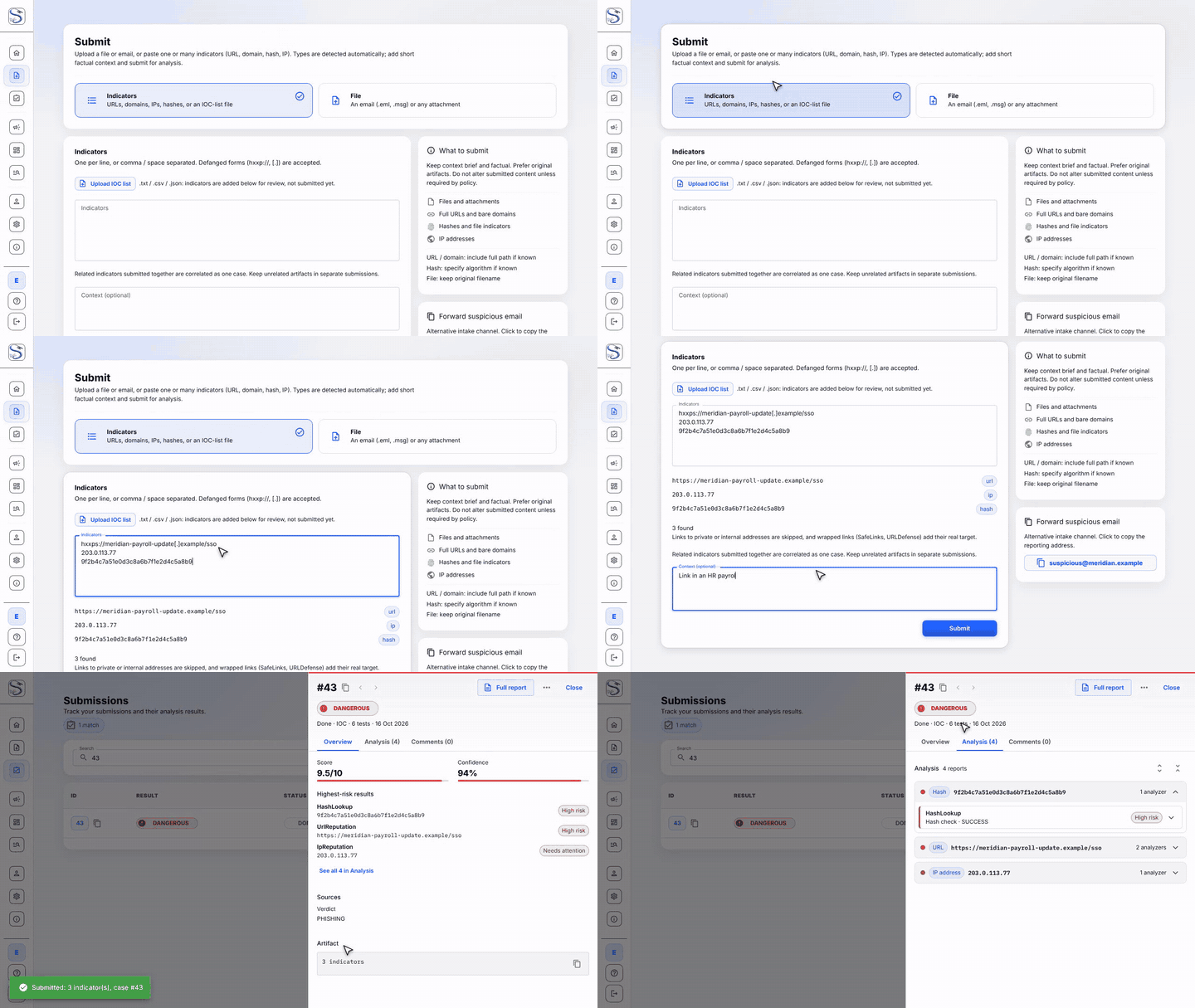
Submit
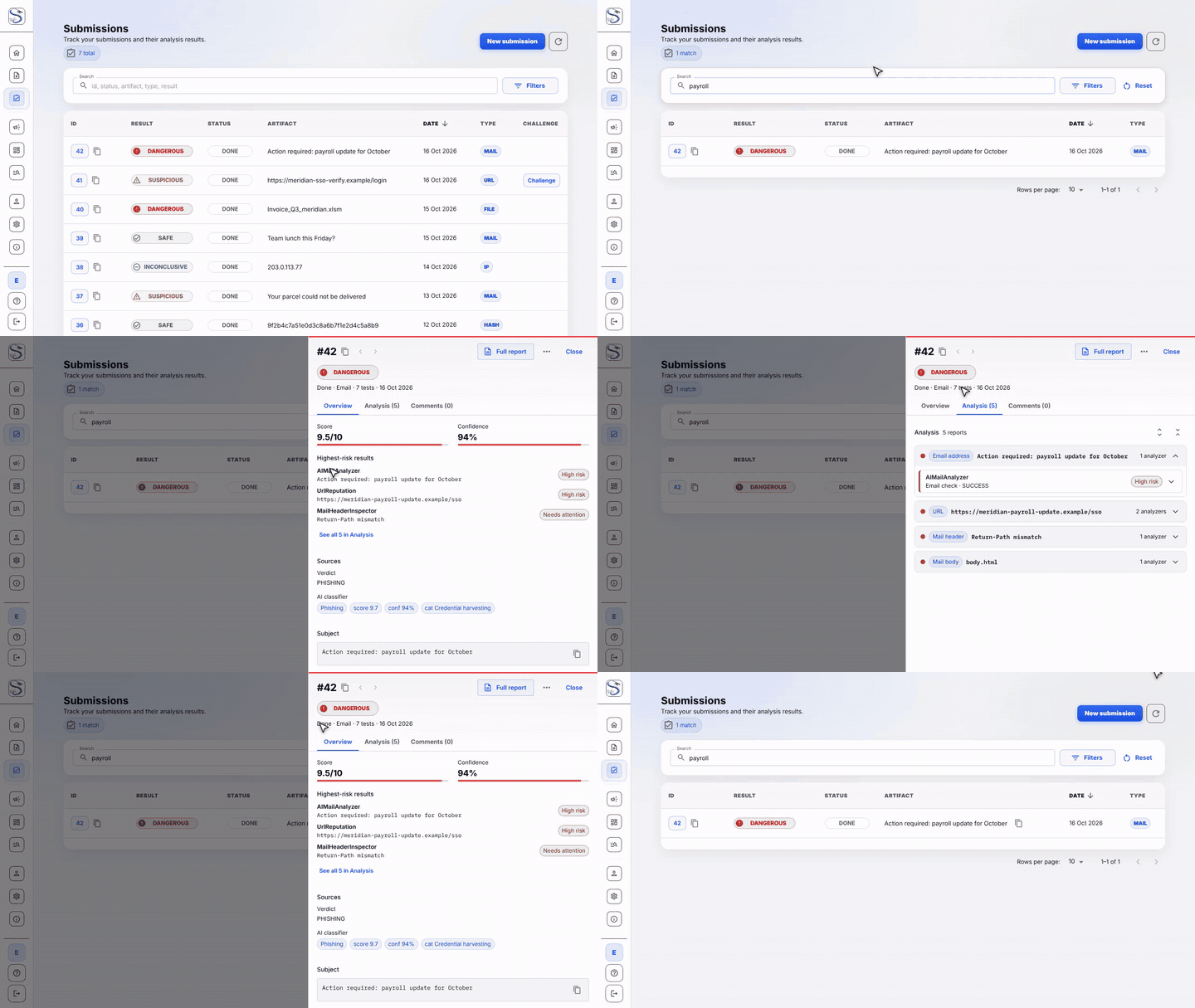
My submissions
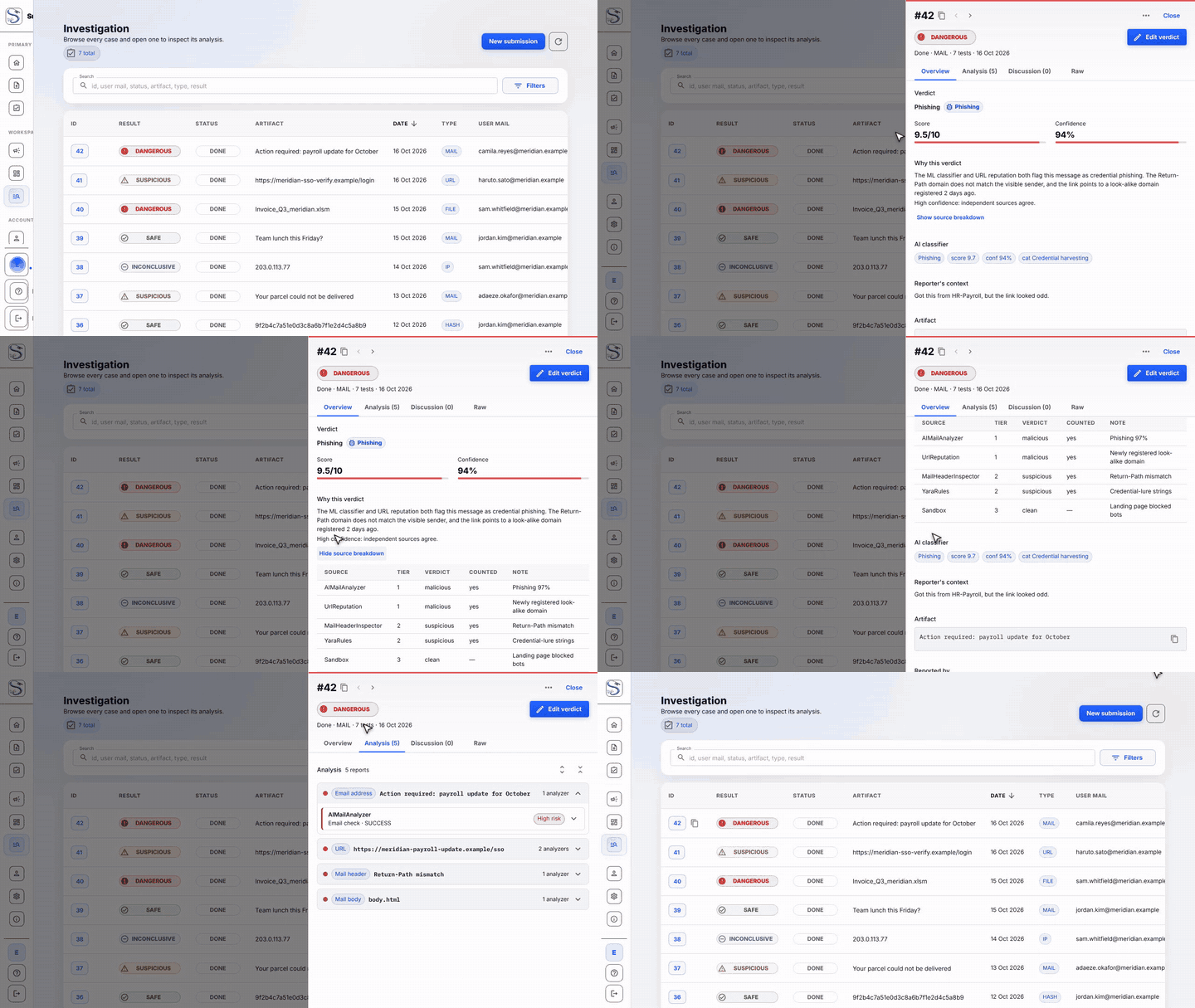
Investigation
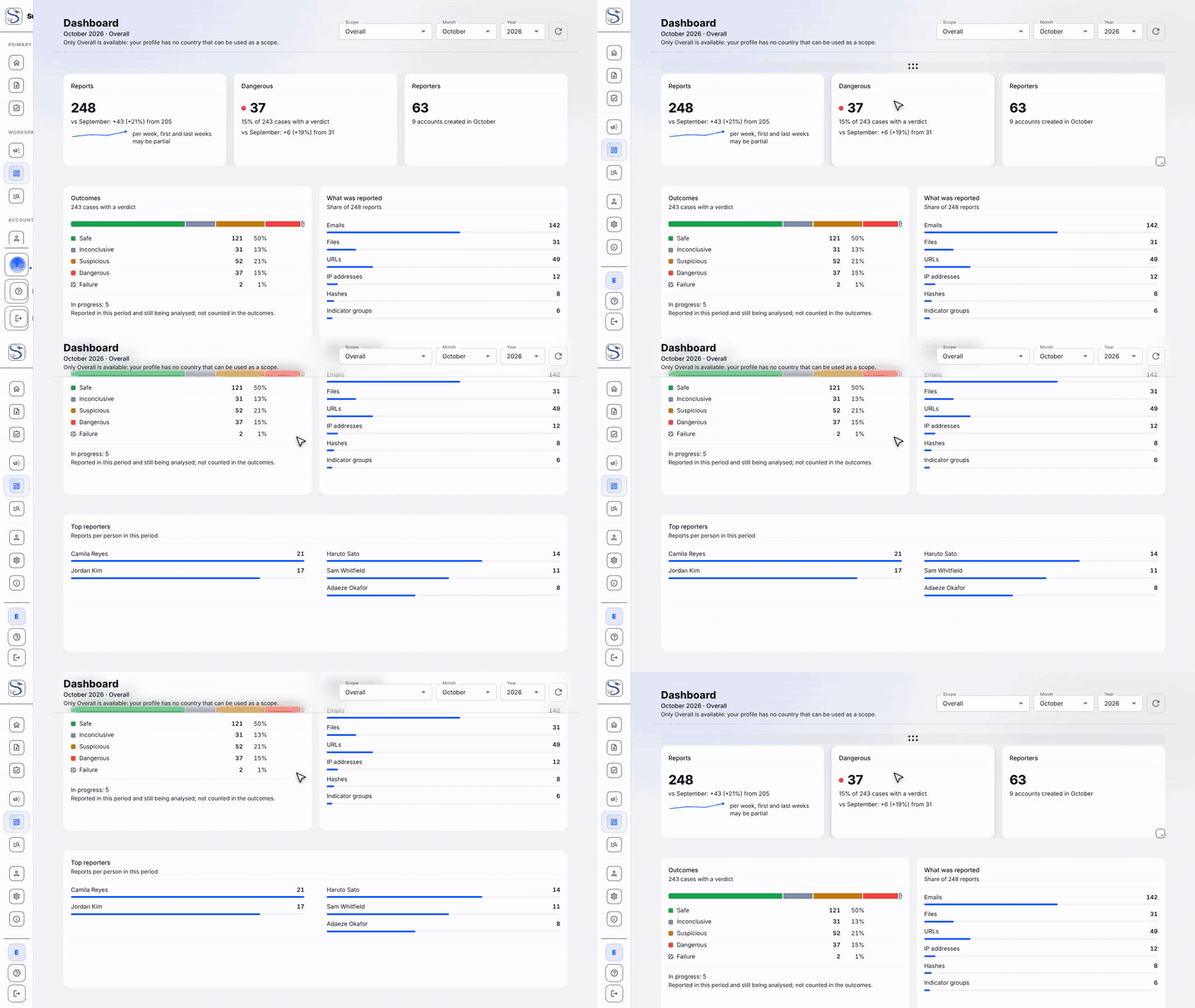
Dashboard
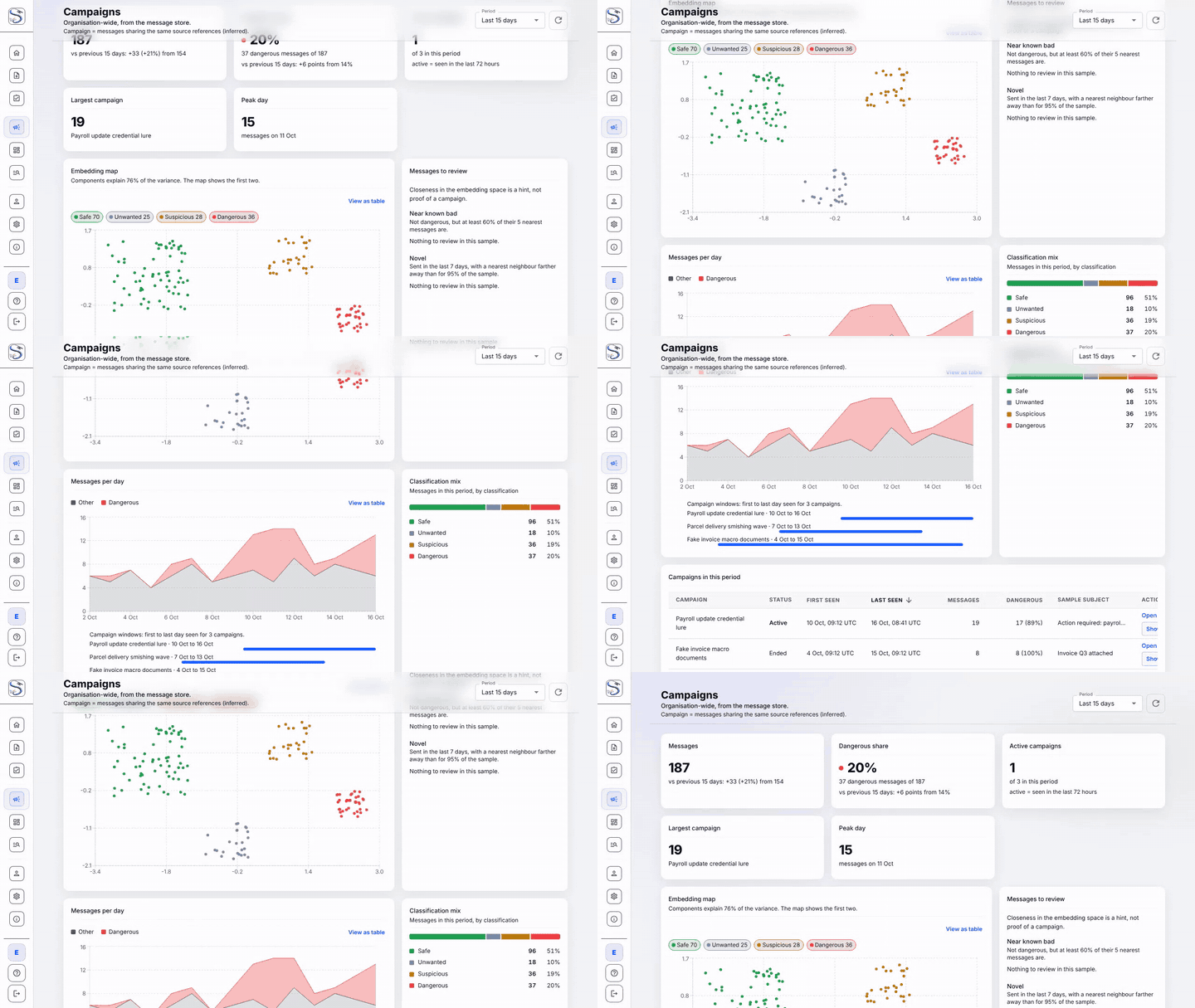
Campaigns
Profile
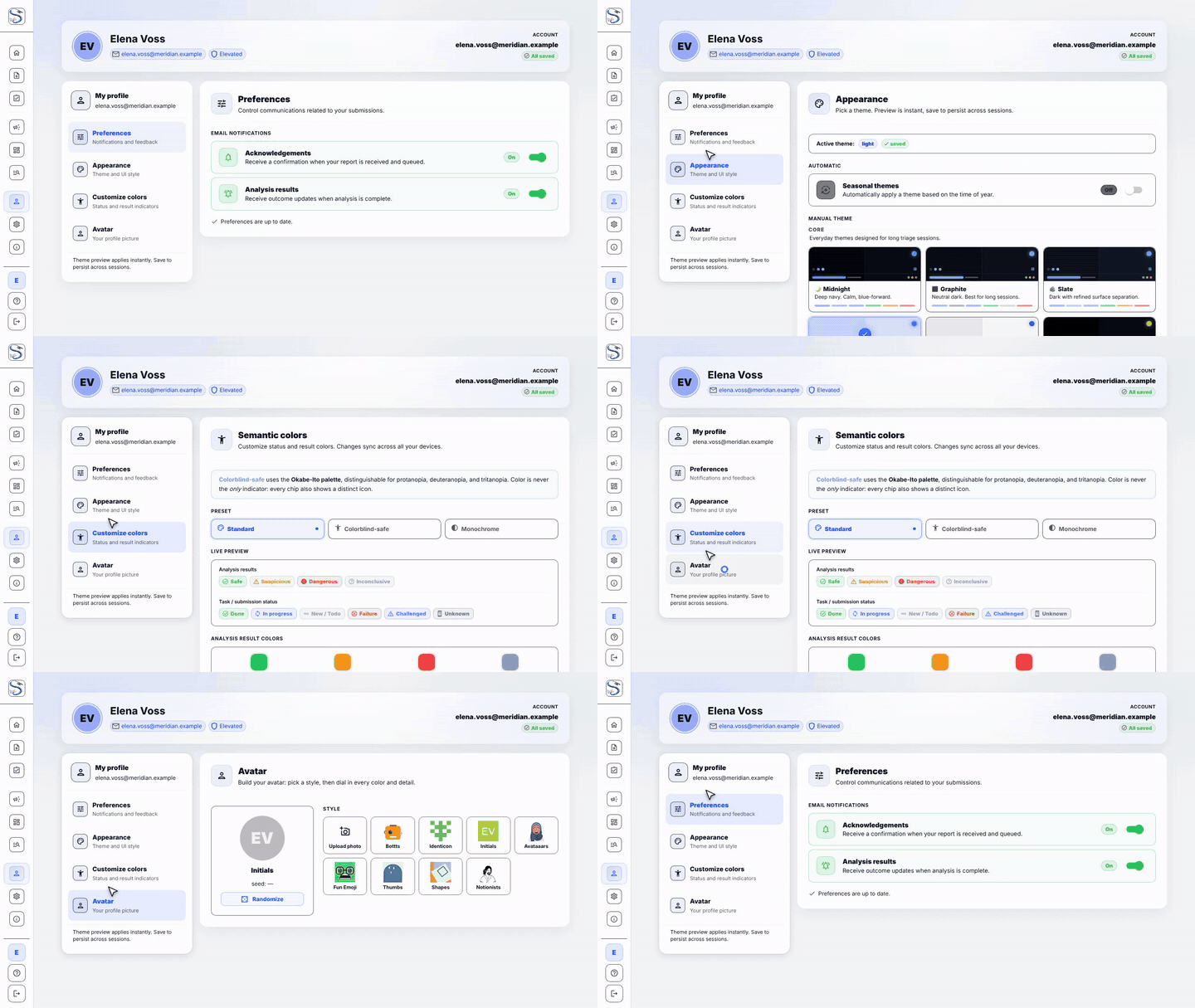
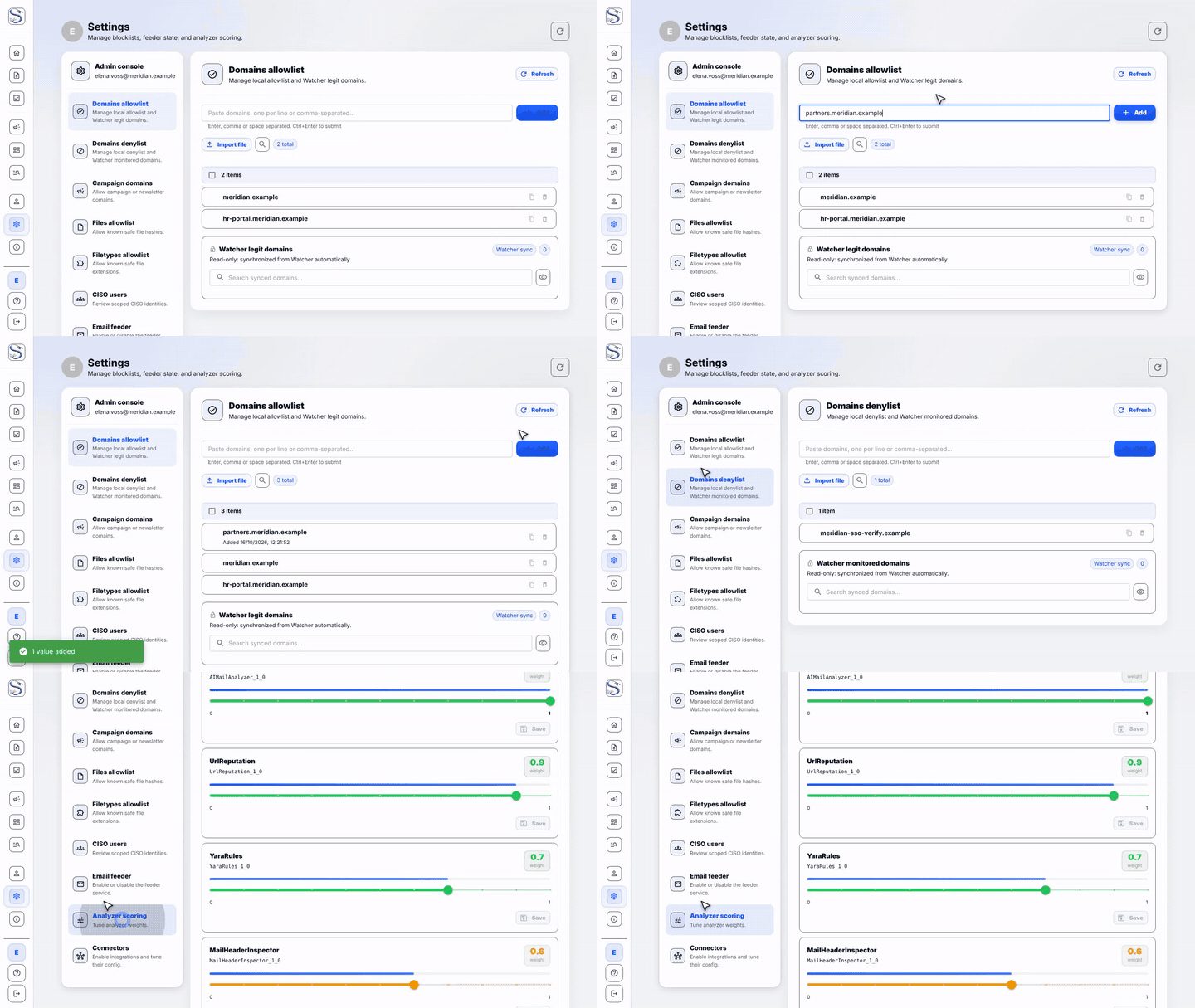
Settings
CI/CD
GitHub Actions runs six workflows plus Dependabot under .github/.
| Workflow | Trigger | Runs |
|---|---|---|
ci.yml |
PRs and pushes to main/test |
commit-lint, ruff, migration-drift check, Django tests, feeder tests, frontend (eslint + tsc + vitest + build), image builds |
e2e-deploy.yml |
PRs, pushes to main/feature/frontweb |
full-stack deploy smoke test against a stubbed Cortex |
docs.yml |
PRs and pushes to main |
builds the MkDocs site and deploys it to GitHub Pages |
release.yml |
pushes to main/test, v* tags |
builds and pushes images to GHCR with SBOM and provenance |
codeql.yml |
PRs, pushes to main, weekly |
CodeQL for Python and JS/TS |
security.yml |
PRs, weekly | Trivy, gitleaks, pip-audit, pnpm audit |
Published images (GHCR)
| Component | Image |
|---|---|
| Django API | ghcr.io/thalesgroup-cert/suspicious |
| Frontend | ghcr.io/thalesgroup-cert/suspicious-ui |
| Email feeder | ghcr.io/thalesgroup-cert/suspicious-feeder |
Deployment is manual via deployment/Makefile (make deploy); CI never holds
production credentials.
License
Released under the Apache License, Version 2.0. See LICENSE.
Contact
Questions, ideas, or bugs: open an issue.
관련 프로젝트 살펴보기
trimstray/the-book-of-secret-knowledge
영감을 주는 목록, 매뉴얼, 치트시트, 블로그, 팁, 원라이너, CLI/웹 도구 등을 모은 컬렉션.
258,056 스타Hack-with-Github/Awesome-Hacking
해커, 펜테스터, 보안 연구자를 위한 다양한 Awesome 목록 모음.
125,360 스타swisskyrepo/PayloadsAllTheThings
웹 애플리케이션 보안과 모의 침투 테스트/CTF에 유용한 페이로드 및 우회 방법 목록.
82,623 스타caddyserver/caddy
빠르고 확장 가능한 멀티플랫폼 HTTP/1-2-3 웹 서버이며, 자동 HTTPS를 지원합니다
79,020 스타