
tabulator-tables/tabulator
tabulator-tables/tabulator has 7,802 GitHub stars and 907 forks. GitHot measured +1 stars in 24 hours and +5 in 7 days. Last checked 2026-11-08 15:59 UTC. Last push 2026-11-01.
JavaScript용 인터랙티브 테이블 및 데이터 그리드
측정된 스타 증가
- in 24h
- +1
- in 7 days
- +5
- in 15 days
- 기록 수집 중
- in 1 month
- 기록 수집 중
서로 겹치는 기간의 순증가량이며 일별 합계가 아닙니다. 측정값이 없으면 비워 둡니다. 스타는 관심도를 나타내며 품질을 보장하지 않습니다.
README.md
Original


An easy to use interactive table generation JavaScript library
Full documentation & demos can be found at: http://tabulator.info
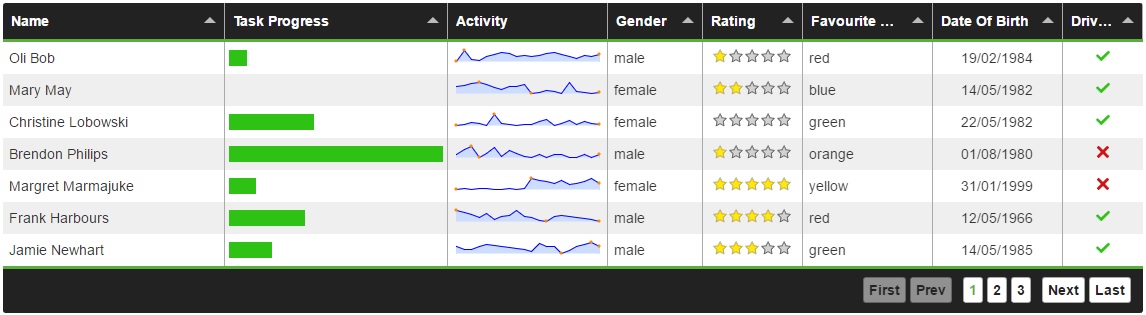
Features
Tabulator allows you to create interactive tables in seconds from any HTML Table, Javascript Array or JSON formatted data.
Simply include the library and the css in your project and you're away!
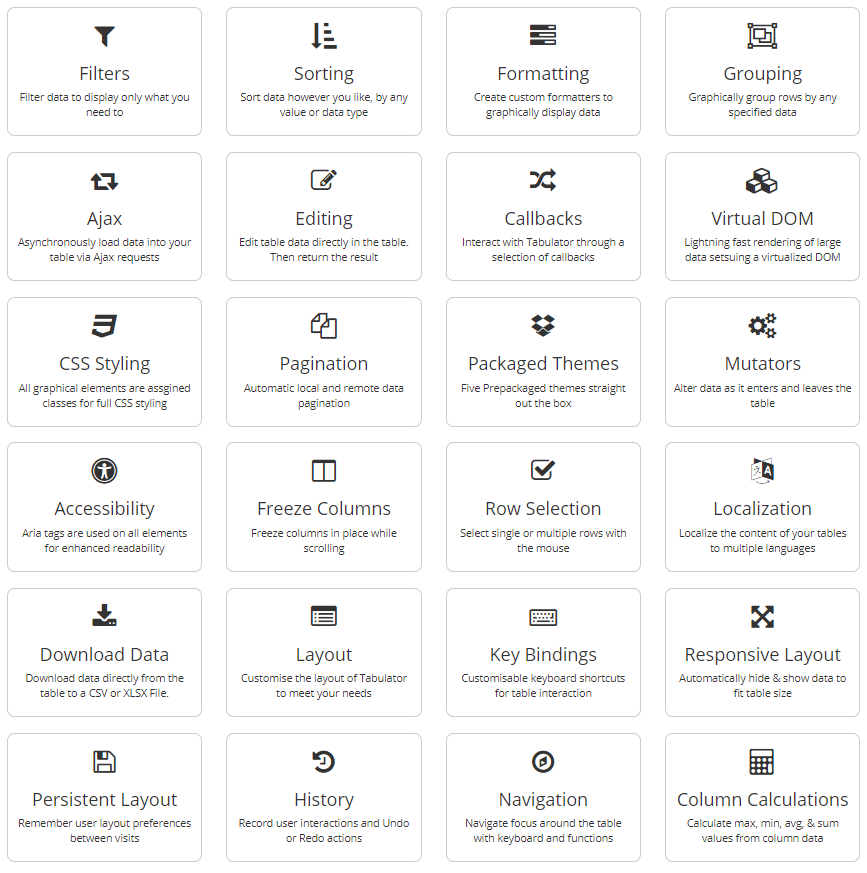
Tabulator is packed with useful features including:
Frontend Framework Support
Tabulator is built to work with all the major front end JavaScript frameworks including React, Angular and Vue.
Setup
Setting up tabulator could not be simpler.
Include the library and the css
<link href="dist/css/tabulator.min.css" rel="stylesheet">
<script type="text/javascript" src="dist/js/tabulator.min.js"></script>
Create an element to hold the table
<div id="example-table"></div>
Turn the element into a tabulator with some simple javascript
var table = new Tabulator("#example-table", {});
Bower Installation
To get Tabulator via the Bower package manager, open a terminal in your project directory and run the following command:
bower install tabulator --save
NPM Installation
To get Tabulator via the NPM package manager, open a terminal in your project directory and run the following command:
npm install tabulator-tables --save
CDN - UNPKG
To access Tabulator directly from the UNPKG CDN servers, include the following two lines at the start of your project, instead of the locally hosted versions:
<link href="https://unpkg.com/tabulator-tables/dist/css/tabulator.min.css" rel="stylesheet">
<script type="text/javascript" src="https://unpkg.com/tabulator-tables/dist/js/tabulator.min.js"></script>
Testing
Tabulator comes with both Unit and End-to-End (E2E) tests. Here’s how you can run them:
# Unit test
npm run test:unit

# E2E test
npm run build # Make sure to build the project first
npx playwright test # Run the tests
# or
npm run test:e2e

# Run all tests
npm run test
관련 프로젝트 살펴보기
freeCodeCamp/freeCodeCamp
freeCodeCamp.org의 오픈 소스 코드베이스와 커리큘럼입니다. 수학, 프로그래밍, 컴퓨터 과학을 무료로 배울 수 있습니다.
458,765 스타donnemartin/system-design-primer
대규모 시스템 설계 방법을 배우고 시스템 설계 면접을 준비할 수 있습니다. Anki 플래시카드가 포함되어 있습니다.
377,354 스타react/react
웹과 네이티브 사용자 인터페이스를 위한 라이브러리.
252,420 스타vuejs/vue
Vue 2 저장소입니다. Vue 3은 https://github.com/vuejs/core를 방문하세요.
212,631 스타