
superplanehq/superplane
superplanehq/superplane has 8,806 GitHub stars and 692 forks. GitHot measured +7 stars in 24 hours, +341 in 7 days, and +654 in 15 days. Last checked 2026-11-06 05:58 UTC. Last push 2026-11-01.
원샷 엔지니어링을 위한 오픈소스 팩토리
측정된 스타 증가
- in 24h
- +7
- in 7 days
- +341
- in 15 days
- +654
- in 1 month
- 업데이트 지연
서로 겹치는 기간의 순증가량이며 일별 합계가 아닙니다. 측정값이 없으면 비워 둡니다. 스타는 관심도를 나타내며 품질을 보장하지 않습니다.
README.md
Original




Try SuperPlane · Website · Docs · Self-host · Discord
About
Open source factory for one-shot engineering.
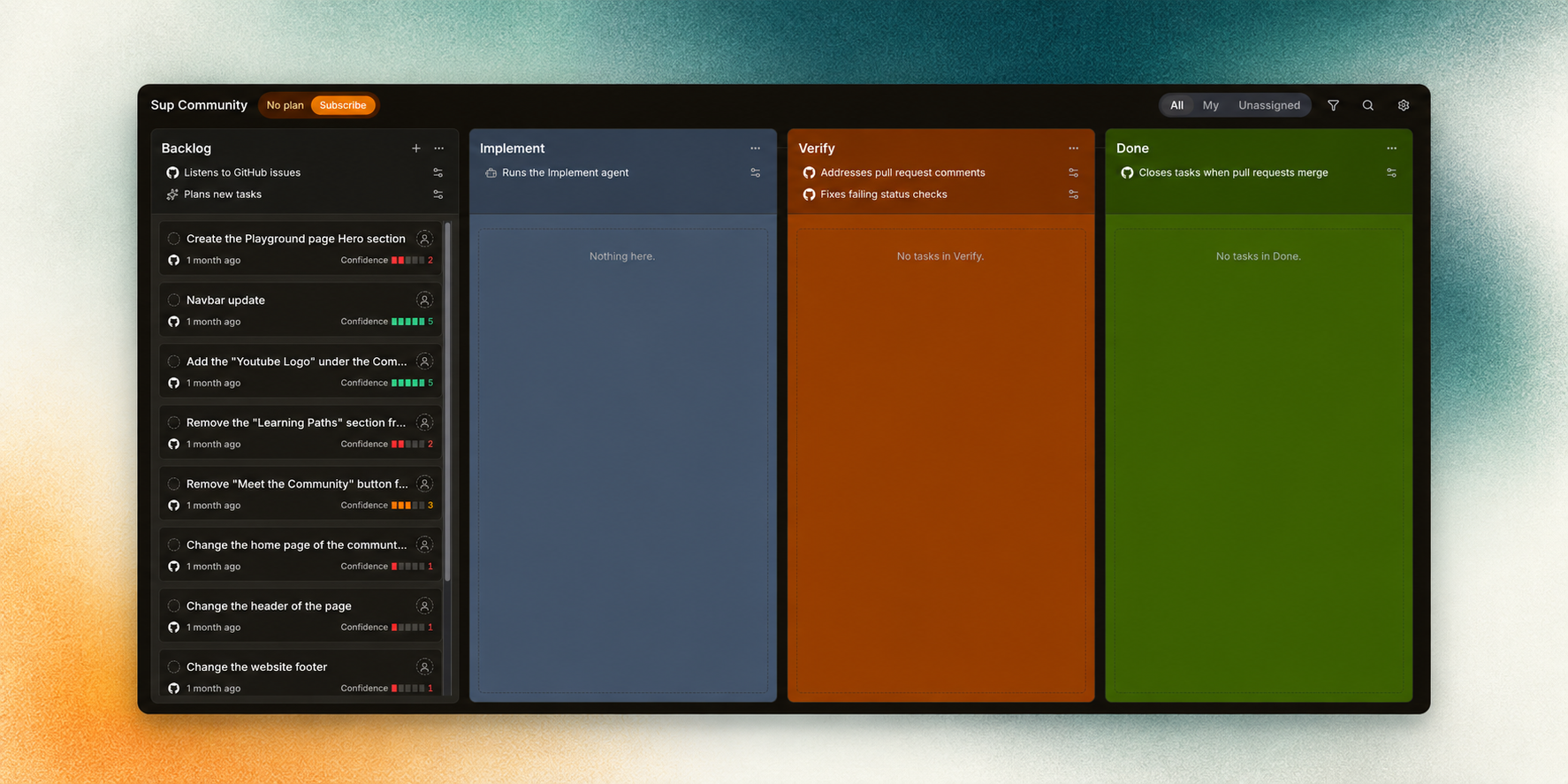
SuperPlane turns high-confidence backlog issues into verified, review-ready pull requests so engineers can focus on work that needs judgment.
SuperPlane lets AI agents fully automate routine development work. It coordinates coding agents, source control, CI, review, approvals and feedback in one visible system so engineers do not have to project-manage every step.
The factory continuously evaluates which backlog issues agents can handle with high confidence. It applies the same workflow-level guardrails to every run, checks the result and sends failures back to the agent with actionable context. Ambiguous work and decisions that need human judgment stay with your team.
SuperPlane is built on an Apache 2.0 open source engine. Choose your models, run in the cloud or on-prem and build the factory around your stack and cost constraints.
How it works
Turn backlog issues into work agents can deliver
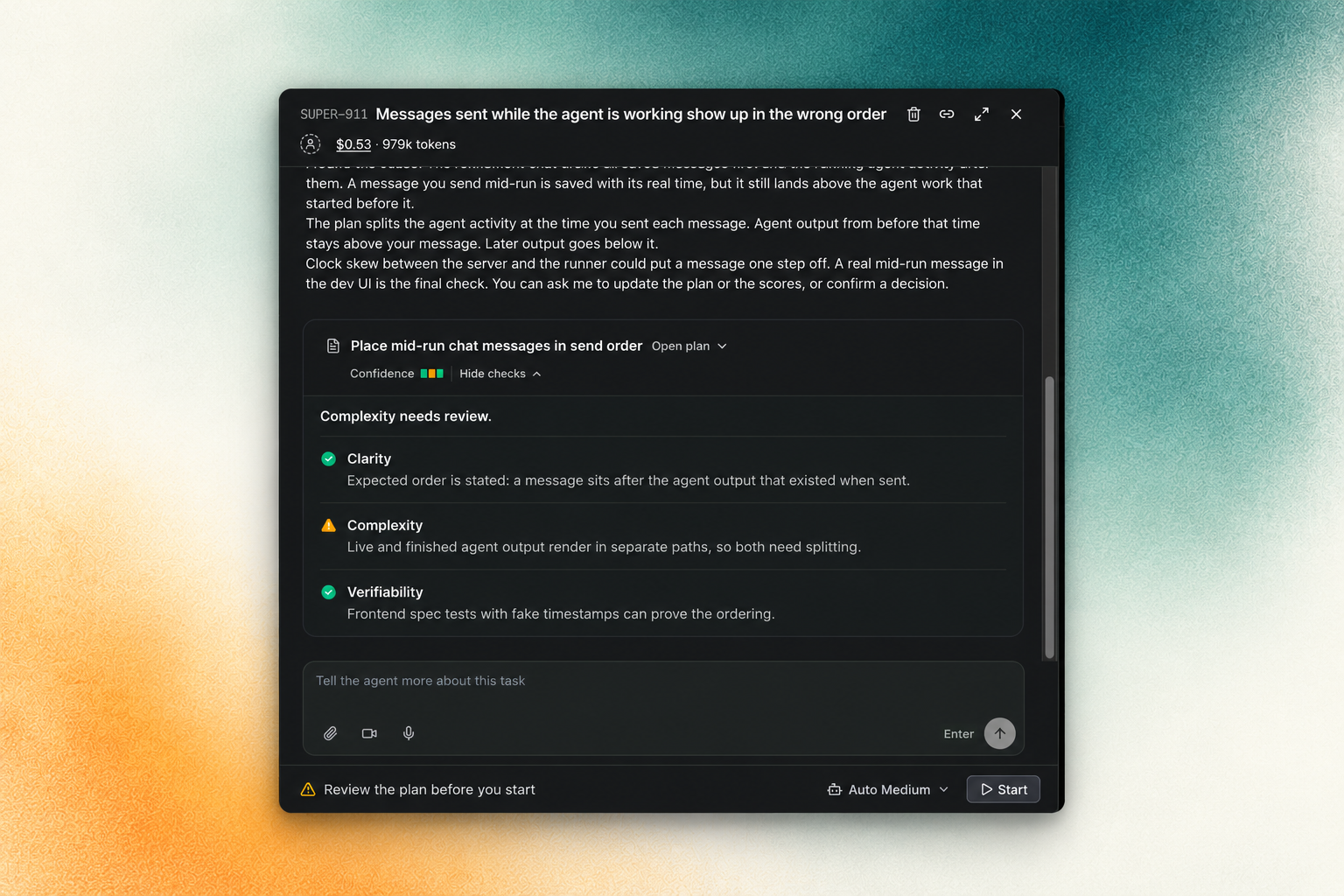
Reliable automation starts with a clear task. SuperPlane analyzes the issue, helps refine the plan, and identifies decisions that need your input before implementation begins.
Bring verified changes to human review
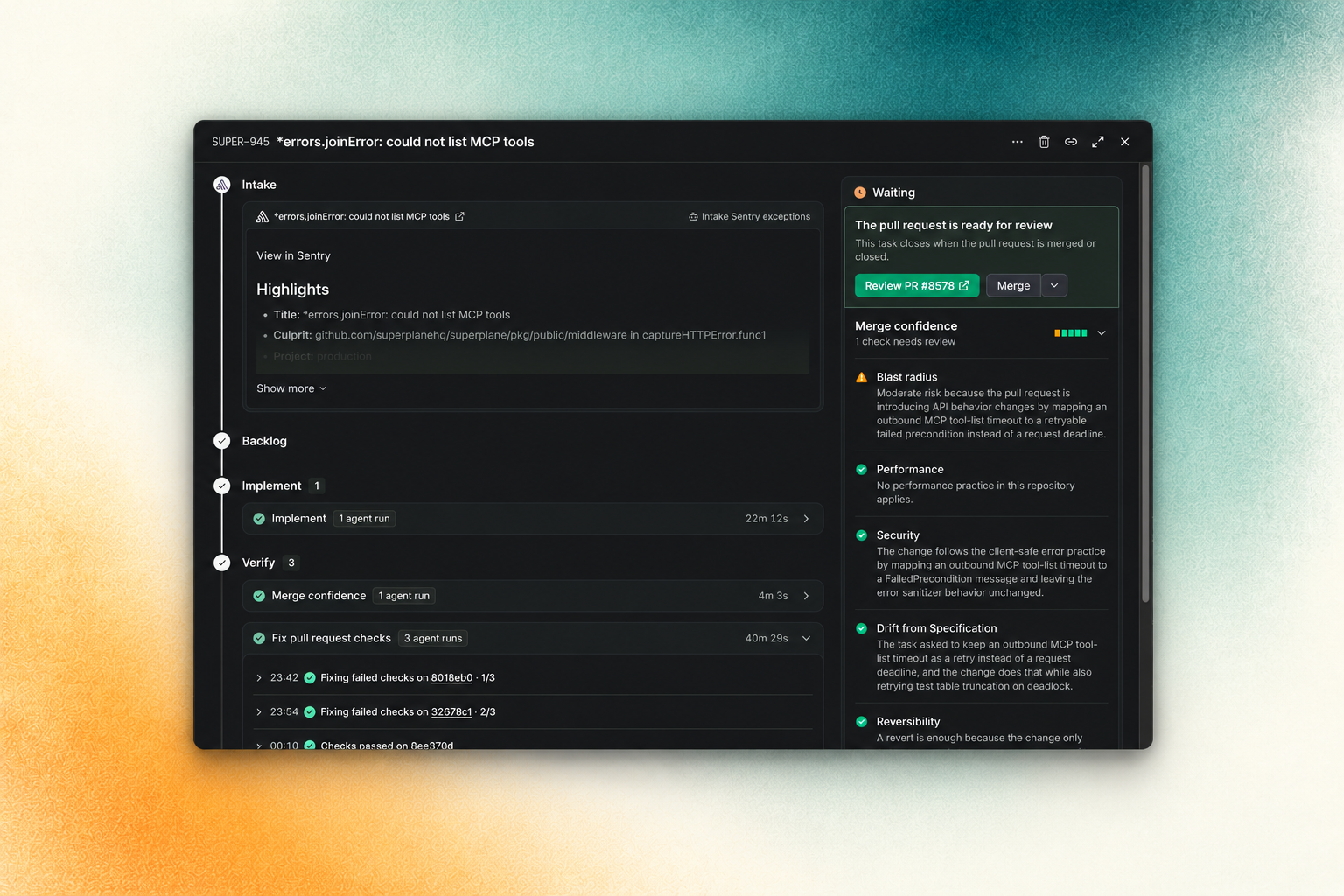
SuperPlane checks the agent's work and sends failures back for correction. An agent review assesses merge confidence and highlights remaining concerns, so your team can make the final decision with evidence.
The plan and the pull request review are two parts of that workflow. SuperPlane can also wait for an event from your tools, call an agent, or ask a person for approval.
Getting started
SuperPlane Cloud
- Sign up and create a workspace.
- Connect a GitHub repository.
- Choose a small bug, a test fix, or a documentation update for the first run.
SuperPlane imports the issues and assesses which tasks are suitable for an agent.
- Follow the quickstart for setup.
- Read the product overview to learn how SuperPlane coordinates agents and verification.
Self-host
Install SuperPlane on your own infrastructure.
- Use Docker Compose on one Linux VM.
- Use Kubernetes on AWS, Azure, or Google Cloud.
See the self-hosting guide.
Contributing
We welcome focused pull requests, bug reports and product ideas.
- Read the contributing guide.
- Review the issue tracking process.
- Find an open issue.
- Join the Discord community to discuss an approach with maintainers.
Contributor setup is Docker-based. Start with the repository instructions in
AGENTS.md and the development section of
CONTRIBUTING.md.
Community and license
- Discord for discussions and support
- Blog for engineering notes and releases
- Community events for maintainer sessions
- X for product updates
SuperPlane is available under the Apache License 2.0.