
sse-secure-systems/connaisseur
소개
An admission controller that integrates Container Image Signature Verification into a Kubernetes cluster
보안측정된 스타 증가
- in 24h
- +1
- in 7 days
- 0
- in 15 days
- 기록 수집 중
- in 1 month
- 기록 수집 중
서로 겹치는 기간의 순증가량이며 일별 합계가 아닙니다. 측정값이 없으면 비워 둡니다. 스타는 관심도를 나타내며 품질을 보장하지 않습니다.
README.md
Original




A Kubernetes admission controller to integrate container image signature verification and trust pinning into a cluster.
:point_right: The full documentation is available here :book:
What is Connaisseur?
Connaisseur ensures integrity and provenance of container images in a Kubernetes cluster. To do so, it intercepts resource creation or update requests sent to the Kubernetes cluster, identifies all container images and verifies their signatures against pre-configured public keys. Based on the result, it either accepts or denies those requests.
Connaisseur is developed under three core values: Security, Usability, Compatibility. It is built to be extendable and currently aims to support the following signing solutions:
It provides several additional features such as:
- Alerting: send alerts based on verification result
- Detection Mode: warn but do not block invalid images
- Namespaced Validation: restrict validation to dedicated namespaces
Quick start
Getting started to verify image signatures is only a matter of minutes:
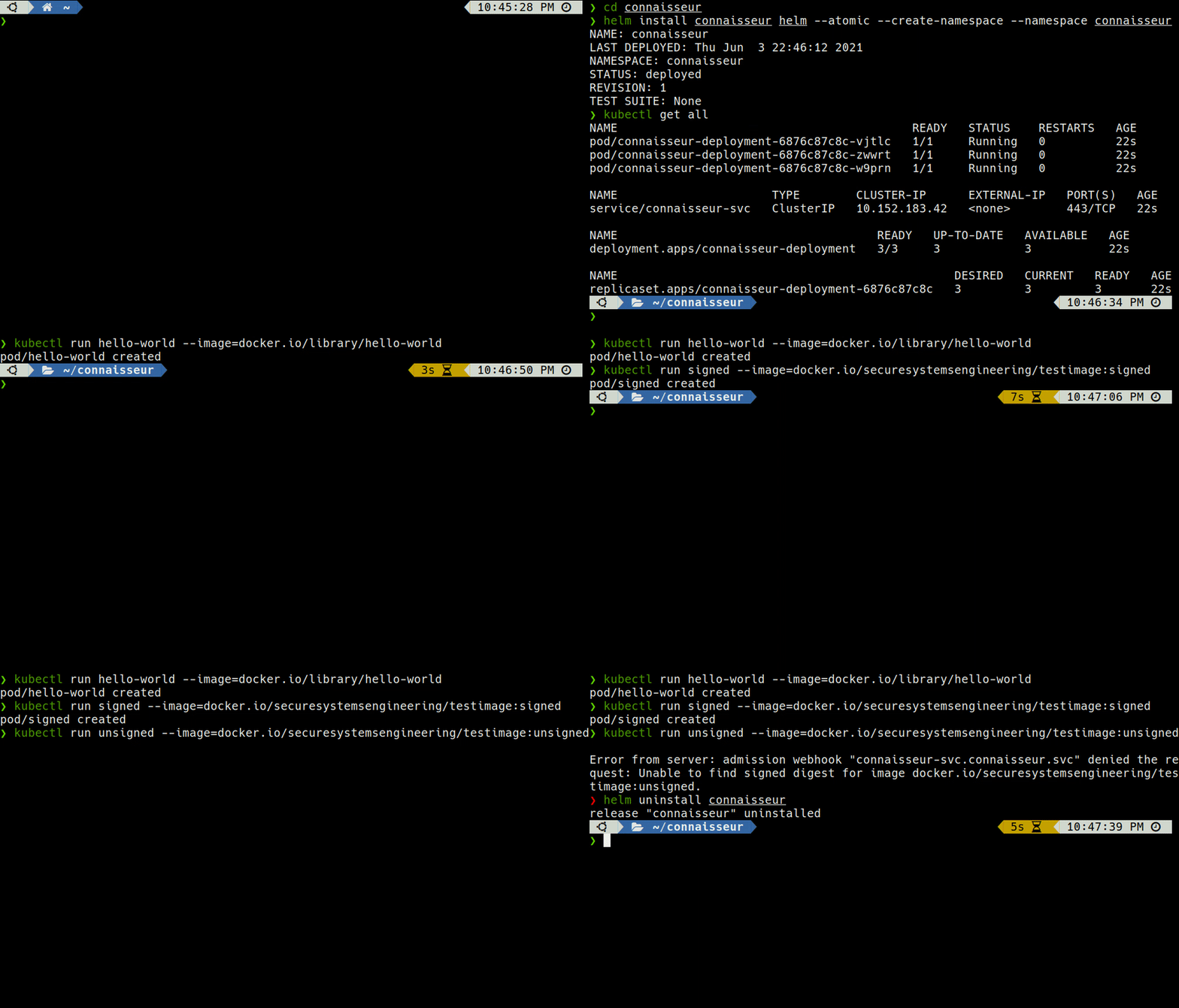
:warning: Only try this out on a test cluster as deployments with unsigned images will be blocked. :warning:
Connaisseur comes pre-configured with public keys for its own repository and Docker's official images (official images can be found here).
It can be fully configured via helm/values.yaml.
For a quick start, clone the Connaisseur repository:
git clone https://github.com/sse-secure-systems/connaisseur.git
Next, install Connaisseur via Helm:
helm install connaisseur helm --rollback-on-failure --create-namespace --namespace connaisseur
Once installation has finished, you are good to go.
Successful verification can be tested via official Docker images like hello-world:
kubectl run hello-world --image=docker.io/hello-world
Or our signed testimage:
kubectl run demo --image=docker.io/securesystemsengineering/testimage:signed
Both will return pod/<name> created. However, when trying to deploy an unsigned image:
kubectl run demo --image=docker.io/securesystemsengineering/testimage:unsigned
Connaisseur denies the request and returns an error (...) Unable to find signed digest (...). Since the images above are signed using Docker Content Trust, you can inspect the trust data using docker trust inspect --pretty <image-name>.
To uninstall Connaisseur use:
helm uninstall connaisseur --namespace connaisseur
Congrats :tada: you just validated the first images in your cluster! To get started configuring and verifying your own images and signatures, please follow our setup guide.
Discussions, support & feedback
We hope to steer development of Connaisseur from demand of the community, are excited about your feedback and happy to help if you need support! So feel free to open issues, contribute via pull requests, or connect with us via GitHub Discussions.
Contributing
We are always excited about direct contributions to improve the tool! Please refer to our contributing guide to learn how to contribute to Connaisseur.
Security policy
We are grateful for any community support reporting vulnerabilities! How to submit a report is described in our Security Policy.
Wall of fame
Thanks to all the fine people directly contributing commits/PRs to Connaisseur:
Big shout-out also to all who support the project via issues, discussions and feature requests :pray:
Contact
You can reach us via email under [email protected].
관련 프로젝트 살펴보기
불러오는 중…