
sqlfluff/vscode-sqlfluff
sqlfluff/vscode-sqlfluff has 203 GitHub stars and 41 forks. GitHot measured 0 stars in 24 hours, 0 in 7 days, and 0 in 15 days. Last checked 2026-11-14 08:59 UTC. Last push 2026-08-13.
측정된 스타 증가
- in 24h
- 0
- in 7 days
- 0
- in 15 days
- 0
- in 1 month
- 기록 수집 중
서로 겹치는 기간의 순증가량이며 일별 합계가 아닙니다. 측정값이 없으면 비워 둡니다. 스타는 관심도를 나타내며 품질을 보장하지 않습니다.
소개
An extension to use the sqlfluff linter in vscode.
데이터README.md
OriginalSQLFluff for Visual Studio Code



Lint and auto-format SQL and dbt code using SQLFluff, a popular SQL linter.
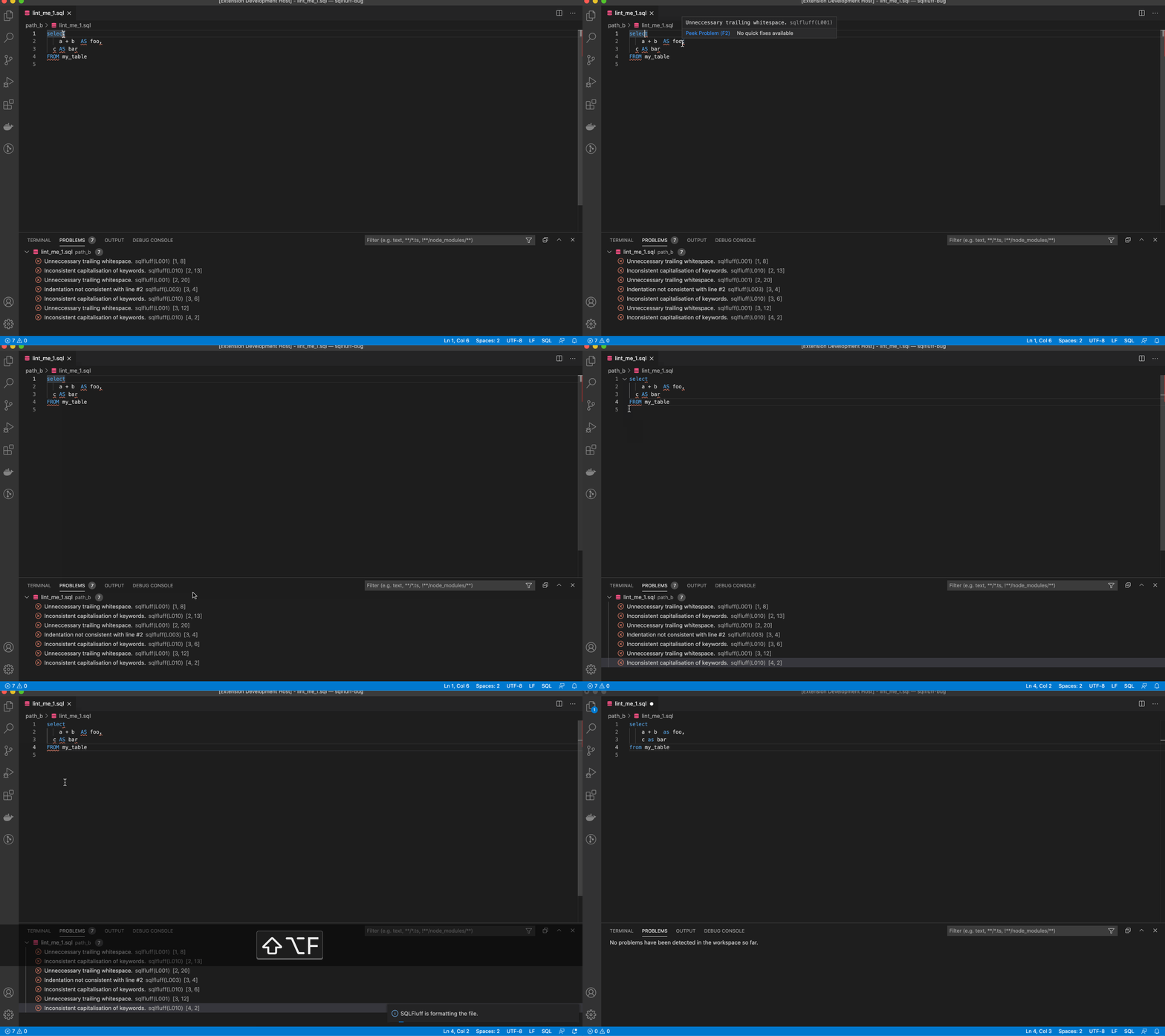
You can run Format Document to fix the linting violations. You cannot run Format Selection. Please note that not all linting violations are automatically fixable.
Sponsor

Hosted VS Code, dbt-core, SQLFluff, and Airflow, find out more at Datacoves.com.
Configuration
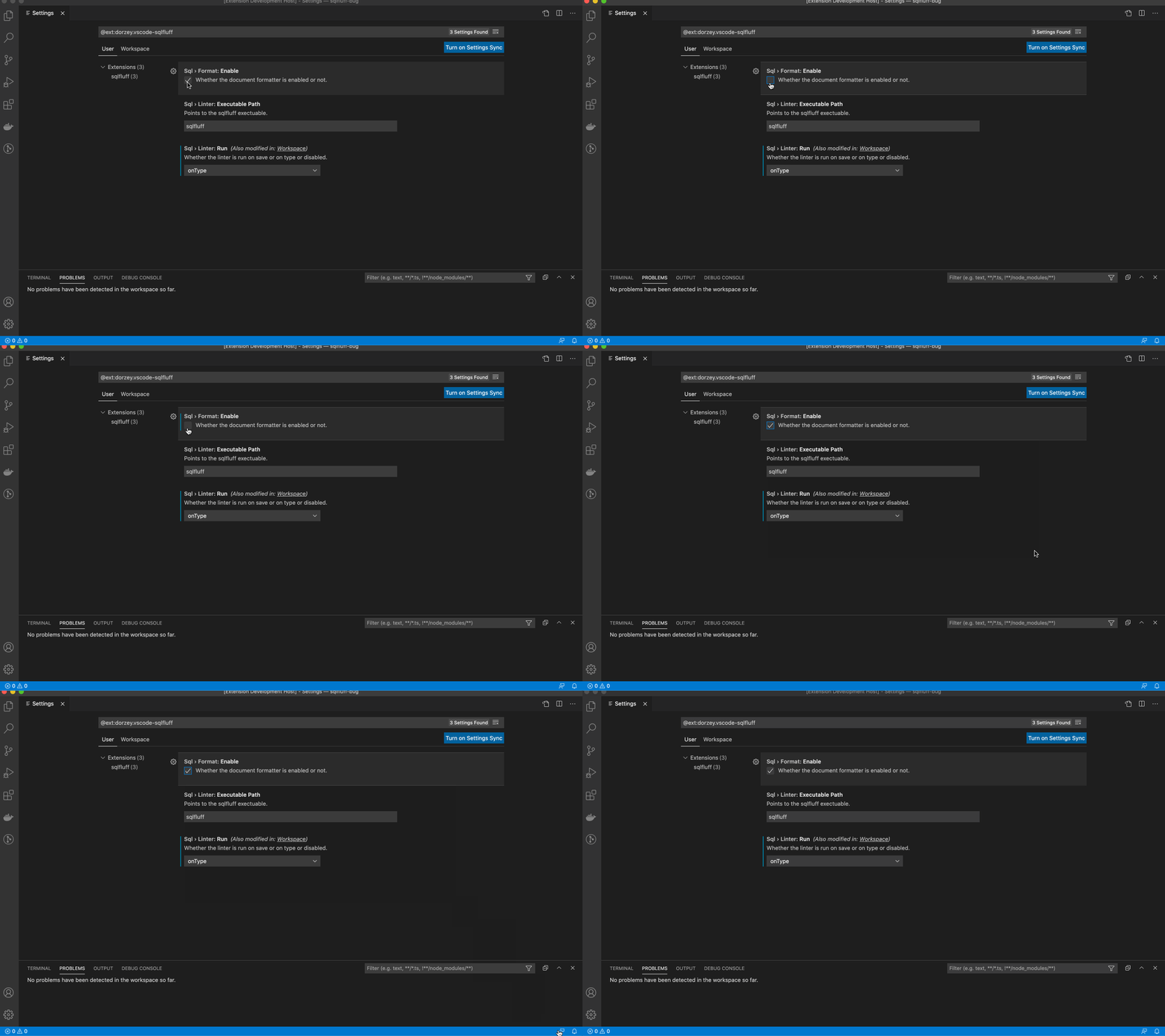
The extension expects sqlfluff to be installed and already added to the path. If it is installed but cannot be found, add the path to your preferences as seen below. Find the path by typing which sqlfluff into your terminal.
Edit your VS Code settings.json file manually or through the user interface.
If you want to manually update the settings.json file, open the VS Code command palette and type in settings.json. Select Preferences: Open Settings. Then, you can add any of the following configuration options to settings.json.
  "sqlfluff.config": "${workspaceFolder}/.sqlfluff",
  "sqlfluff.dialect": "mysql",
  "sqlfluff.env.environmentVariables": [
    {
      "key": "example_key",
      "value": "example_value"
    }
  ],
  "sqlfluff.env.customDotEnvFiles": [
    "${workspaceFolder}/example.env"
  ],
  "sqlfluff.env.useDotEnvFile": true,
  "sqlfluff.excludeRules": ["L009"],
  "sqlfluff.executablePath": "sqlfluff",
  "sqlfluff.ignoreLocalConfig": false,
  "sqlfluff.ignoreParsing": false,
  "sqlfluff.rules": [],
  "sqlfluff.suppressNotifications": false,
  "sqlfluff.workingDirectory": "",
  /* Linter */
  "sqlfluff.linter.arguments": [],
  "sqlfluff.linter.run": "onType",
  "sqlfluff.linter.diagnosticSeverity": "error",
  "sqlfluff.linter.diagnosticSeverityByRule": [
    {
      "rule": "L010",
      "severity": "warning"
    }
  ],
  "sqlfluff.linter.lintEntireProject": true,
  /* Formatter */
  "sqlfluff.format.arguments": ["--FIX-EVEN-UNPARSABLE"],
  "sqlfluff.format.enabled": true,
DBT Configuration
DBT setup requires these settings to lint and format the document.
  "sqlfluff.linter.run": "onSave",
  "sqlfluff.experimental.format.executeInTerminal": true,
  "editor.formatOnSave": false,
Format file
By default you will be able use SQLFluff fix your file by formatting. Same as calling sqlfluff fix <path>
Show Documentation
Hovering over a problem with reveal a popup explaining the problem and giving a link to the documentation.
For SQLFluff versions after v2.0.0 this link will take you to the rule documentation.
For SQLFLuff versions before v2.0.0 this link will take you to the top of the documentation page.
VS Code Variables
The executablePath and config settings can use some VS Code variables.
This is achieved by using the format ${variableName} in the settings.
Here are a few useful ones.
- fileWorkspaceFolder: the path of the workspace folder containing the file opened in VS Code
- workspaceFolder: the path of the first workspace folder opened in VS Code
- workspaceFolderBasename: the last portion of the path of the folder opened in VS Code
- fileDirname: the current opened file's dirname
And here are a few that are probably useless.
- file: the current opened file
- relativeFile: the current opened file relative to workspaceFolder
- fileBasename: the last portion of the path to the file
- fileBasenameNoExtension: the last portion of the path to the file with no extension
- fileExtname: the current opened file's extension
- lineNumber: the current selected line number in the active file
- selectedText: the current selected text in the active file
- execPath: the path to the running VS Code executable
Running into Problems?
Open the command palette and run the SQLFluff Debug Extension command
Check the output channel to see the SQLFluff commands this extension is running

If that doesn't help narrow down your problem, you can open an issue at https://github.com/sqlfluff/vscode-sqlfluff/issues
Open-VSX
open-vsx.org/extension/sqlfluff/vscode-sqlfluff
Credits / Links
License
The MIT License (MIT). Please see the license file for more information.
관련 프로젝트 살펴보기
yu-iskw/action-sqlfluff
Run sqlfluff with reviewdog to check or format styles
72 스타harumiWeb/xlflow
AI-Agent-ready CLI framework for editing, testing, running, tracing, and diffing Excel VBA projects.
95 스타mtxr/vscode-sqltools
Database management for VSCode
1,776 스타jakubkozera/vsc-ms-sql-manager
A comprehensive VS Code extension for managing Microsoft SQL Server databases with connection management, schema browsing, and query execution capabilities.
98 스타