
soulteary/owlmail
soulteary/owlmail has 76 GitHub stars and 13 forks. GitHot measured 0 stars in 24 hours. Last checked 2026-11-15 05:50 UTC. Last push 2026-11-13.
측정된 스타 증가
- in 24h
- 0
- in 7 days
- 기록 수집 중
- in 15 days
- 기록 수집 중
- in 1 month
- 기록 수집 중
서로 겹치는 기간의 순증가량이며 일별 합계가 아닙니다. 측정값이 없으면 비워 둡니다. 스타는 관심도를 나타내며 품질을 보장하지 않습니다.
소개
Self-hosted email testing gateway for developers, CI, and coding agents: capture, inspect, wait for, validate, and route SMTP mail via Web UI, REST, Webhooks, WebSocket, and read-only MCP.
셀프 호스팅README.ko.md
OriginalOwlMail
OwlMail 0.15.0 supports standalone operation by default. Normal binaries retain the multiuser startup gate; test fixtures are not linked into release binaries or normal container images. Artifact availability and verification follow the release workflow.
🦉 개발자, CI 파이프라인, 자동화 및 코딩 Agent를 위한 셀프 호스팅 AI 네이티브 이메일 테스트 게이트웨이.





🌍 Languages / 语言 / Sprachen / Langues / Lingue / 言語 / 언어
OwlMail은 애플리케이션 이메일이 실제 받은 편지함에 도착하기 전에 캡처하여 결정적이고 검사 가능한 테스트 데이터로 변환합니다. 개발자는 Web UI, 테스트는 버전이 지정된 REST API와 OpenAPI, 자동화는 지속 이벤트, AI Agent는 경계가 명확한 읽기 전용 MCP를 사용할 수 있습니다.
| 사용자 | 인터페이스 | 일반적인 워크플로 |
|---|---|---|
| 개발자 | Web UI 및 브라우저 알림 | HTML, 텍스트, Header, 원본, 링크 및 첨부 검사 |
| 테스트와 CI | REST API, OpenAPI 3.1 및 WebSocket | 가입, 비밀번호 재설정 및 알림 이메일 검증 |
| 자동화 | 서명된 Webhook 및 선택적 Redis Streams | 커밋된 이메일을 복구 가능한 이벤트로 변환 |
| AI 코딩 Agent | Streamable HTTP 또는 stdio 기반 읽기 전용 MCP | 파괴적 권한 없이 이메일 검색, 조회 및 대기 |
| SMTP 운영 | 수동 및 자동 Relay | 명시적 TLS와 재시도 정책으로 테스트 이메일 전달 |

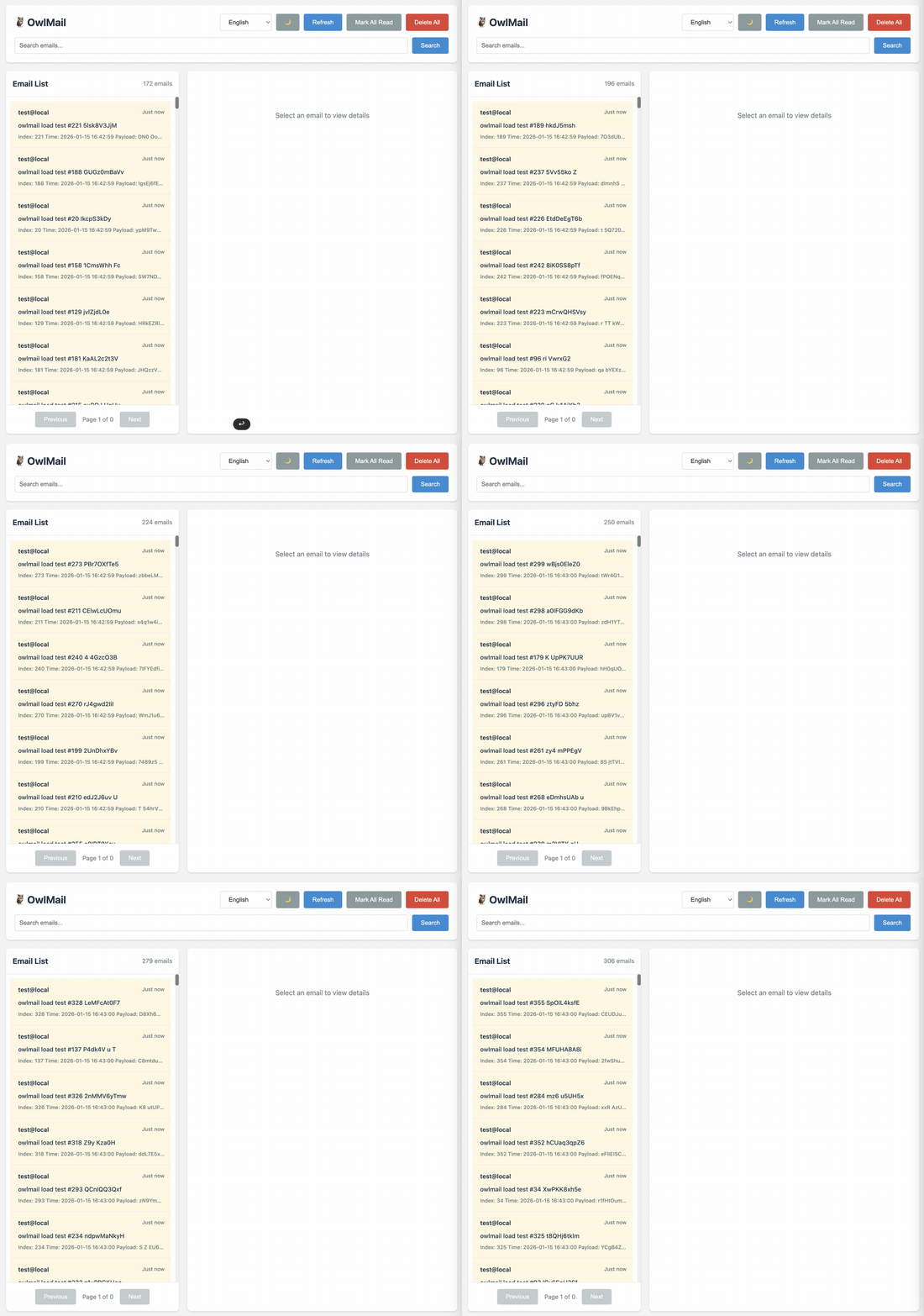
📸 미리보기
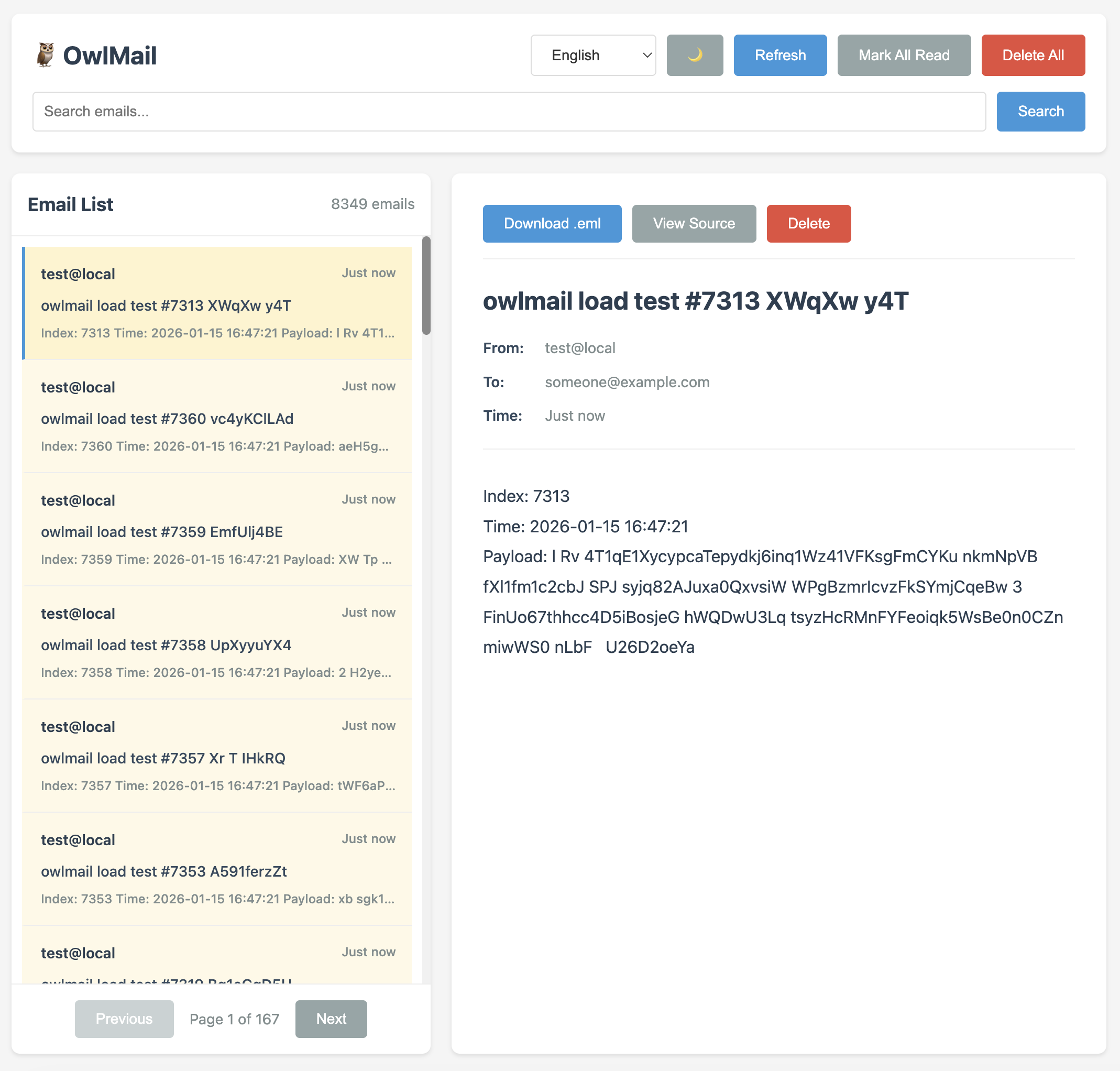
🎥 데모 비디오
✨ OwlMail을 선택하는 이유
결정적 캡처 — EML, 메타데이터 및 첨부를 staging한 뒤 원자적 commit이 완료되어야 API와 이벤트 소비자에게 공개됩니다.
통합 테스트 지원 —
/api/v1, OpenAPI 3.1, 네이티브 WebSocket, health/readiness, 검색, 필터 및 내보내기를 제공합니다.AI 네이티브, AI 비의존 — 기본 비활성 MCP는 7개의 폐쇄형 읽기 전용 Tool, 제한된 Resource, Prompt 및 HTTP의 이벤트 기반
wait_for_email을 제공합니다. stdio는 약 500 ms마다 디렉터리를 스캔합니다. OwlMail 자체는 LLM이 필요하지 않습니다.지속 가능한 자동화 — 로컬 Webhook outbox, 선택적 Redis Streams, HMAC, 안정적인 전달 ID, 제한된 재시도 및 graceful drain.
명확한 운영 경계 — SMTP 용량 제한, 영속성, 선택적 S3 첨부, SQLite index, Prometheus metrics 및 JSON log.
제어된 전달 — 네이티브 비동기 Relay job은 mail directory가 설정된 경우에만 영속화되며(미설정 시 메모리 저장), 불변 snapshot, 스트리밍 DATA, 명시적 TLS mode 및 상태 조회를 사용합니다.
마이그레이션 경로 — 기본 비활성 MailDev 및 MailCatcher REST facade를 제공하지만 Socket.IO 또는 완전한 동등성을 주장하지 않습니다.
로컬 도구 — 내장
/webhooks편집기에서 규칙을 만들고 기존 프로그램은 sendmail 가이드를 사용할 수 있습니다. 소스 및 브라우저 테스트는 Bun을 사용하지만 배포 바이너리에는 런타임이 필요하지 않습니다.
OwlMail 0.15.0
v0.15.0은 독립 실행을 지원합니다. 커서 기반 전달 테스트, 본문 및 첨부 검증, 전달 기록과 확인 후 재시도, 명령 팔레트, 오프라인 진단, 설정을 반영하는 상태 검사와 SMTP-only를 제공합니다. 0.15.0 릴리스 노트 · 이전 버전 0.14.0.
[!IMPORTANT] OwlMail은 개발, 테스트, CI 및 신뢰할 수 있는 내부 네트워크용입니다. 공개 운영 MTA, exactly-once queue 또는 멀티 테넌트 이메일 서비스가 아닙니다.
🚀 Quick Start
Installation
Build from Source
# Clone repository
git clone --branch v0.15.0 --depth 1 https://github.com/soulteary/owlmail.git
cd owlmail

# Build
go build -o owlmail ./cmd/owlmail

# Run
./owlmail
Install with Go
go install github.com/soulteary/owlmail/cmd/[email protected]
owlmail
go install은 GOBIN 또는 GOPATH/bin에 owlmail을 설치하므로 해당 디렉터리가 PATH에 있어야 합니다. 이 경우 ./owlmail 대신 owlmail을 사용하세요. ./owlmail은 로컬에서 빌드하거나 다운로드한 파일을 뜻합니다.
Basic Usage
# Start with default configuration (SMTP: 1025, Web: 1080)
./owlmail

# Custom ports
./owlmail -smtp 1025 -web 1080

# Use environment variables
export MAILDEV_SMTP_PORT=1025
export MAILDEV_WEB_PORT=1080
./owlmail
Docker 사용
컨테이너 포트는 항상 루프백으로만 게시하세요. -p 1080:1080이 아니라
-p 127.0.0.1:1080:1080으로 씁니다. 이미지는 OWLMAIL_WEB_HOST=0.0.0.0과
OWLMAIL_SMTP_HOST=0.0.0.0을 설정하며, 이는 컨테이너 내부에서는 올바른 설정입니다
— 프로세스는 자신의 네트워크 네임스페이스 밖에서 오는 연결을 받아야 하기 때문입니다
— 하지만 그만큼 누가 OwlMail에 도달할 수 있는지는 오직 -p가 결정합니다. 짧은
형식은 호스트의 모든 인터페이스에 게시하며, 대부분의 사람이 작성해 둔 호스트 방화벽
규칙으로는 막히지 않습니다. 게시된 포트는 포워딩을 거쳐 도달하므로 ufw deny 1080
같은 INPUT 체인 규칙은 적용되지 않습니다. 이를 걸러내려면 Docker의 DOCKER-USER
체인에 규칙을 넣거나 nftables 또는 firewalld에서 같은 설정을 해야 합니다.
그 결과 비밀번호 재설정 링크와 인증 코드, 토큰이 담긴
메일함과 기본적으로 인증 없이 메일을 받는 SMTP 포트가 노출됩니다. 아래 예제는 모두
루프백 형식을 사용합니다.
GitHub Container Registry에서 가져오기 (권장)
OwlMail을 사용하는 가장 쉬운 방법은 GitHub Container Registry에서 사전 빌드된 이미지를 가져오는 것입니다:
# 0.15.0 릴리스 가져오기
docker pull ghcr.io/soulteary/owlmail:0.15.0

# 정확한 커밋 이미지 가져오기 (예시)
docker pull ghcr.io/soulteary/owlmail:sha-8d3445d

# 컨테이너 실행
docker run -d \
  -p 127.0.0.1:1025:1025 \
  -p 127.0.0.1:1080:1080 \
  -v owlmail-data:/app/mail \
  --name owlmail \
  ghcr.io/soulteary/owlmail:0.15.0
사용 가능한 태그:
0.15.0— exact release version. The successful stable release workflow also maintains eligible0.15,0, andlatestaliases.sha-<commit>- 특정 짧은 커밋 SHA의 이미지(예:sha-8d3445d)main- 최신main빌드를 가리키는 이동 태그latest- 최신 안정 릴리스를 가리키는 이동 별칭이며main빌드로 갱신되지 않음
다중 아키텍처 지원:
이미지는 linux/amd64 및 linux/arm64 아키텍처를 모두 지원합니다. Docker는 플랫폼에 맞는 올바른 이미지를 자동으로 가져옵니다.
사용 가능한 모든 이미지 보기: GitHub Packages
소스에서 빌드
기본 빌드 (단일 아키텍처)
# 현재 아키텍처용 이미지 빌드
docker build -t owlmail .

# 컨테이너 실행
docker run -d \
  -p 127.0.0.1:1025:1025 \
  -p 127.0.0.1:1080:1080 \
  -v owlmail-data:/app/mail \
  --name owlmail \
  owlmail
다중 아키텍처 빌드
aarch64 (ARM64) 또는 다른 아키텍처의 경우 Docker Buildx를 사용하세요:
# buildx 활성화 (아직 활성화되지 않은 경우)
docker buildx create --use --name multiarch-builder
# 다중 아키텍처 이미지를 빌드하고 레지스트리에 푸시
docker buildx build \
  --platform linux/amd64,linux/arm64 \
  -t your-registry/owlmail:latest \
  --push .

# 특정 아키텍처용 빌드 (예: aarch64/arm64)
docker buildx build \
  --platform linux/arm64 \
  -t owlmail:latest \
  --load .
참고: Dockerfile은 이제 Docker Buildx에 의해 자동으로 설정되는 TARGETOS 및 TARGETARCH 빌드 인수를 사용하여 다중 아키텍처 빌드를 지원합니다.
📖 Configuration Options
이 표는 -disable-web을 포함한 OwlMail 0.15.0의 설정입니다. 버전 선택과 설정 참조를 확인하세요.
Command Line Arguments
OwlMail 0.15.0: -smtp 0 and -web 0 select OS-assigned ports; -smtps-port 0 still disables SMTPS. See the operations guide for discovery and probes.
| Argument | Environment Variable | Default | Description |
|---|---|---|---|
-smtp |
MAILDEV_SMTP_PORT / OWLMAIL_SMTP_PORT |
1025 | SMTP port |
-ip |
MAILDEV_IP / OWLMAIL_SMTP_HOST |
localhost | SMTP host |
-smtp-max-message-mb |
OWLMAIL_SMTP_MAX_MESSAGE_MB |
100 | 수신 메시지 최대 크기(MiB) |
-smtp-max-concurrency |
OWLMAIL_SMTP_MAX_CONCURRENCY |
8 | SMTP, STARTTLS, SMTPS 전체에서 프로세스별 동시 DATA 트랜잭션 수; 0은 무제한; 한도 도달 시 재시도 가능한 451 4.3.2 반환 |
-smtp-read-timeout |
OWLMAIL_SMTP_READ_TIMEOUT |
10s | SMTP 명령 및 DATA 읽기 제한 시간 |
-smtp-write-timeout |
OWLMAIL_SMTP_WRITE_TIMEOUT |
10s | SMTP 응답 쓰기 제한 시간 |
-smtp-max-recipients |
OWLMAIL_SMTP_MAX_RECIPIENTS |
50 | 메시지당 최대 수신자 수 |
-disable-web |
OWLMAIL_DISABLE_WEB |
false | HTTP 리스너 없이 SMTP만 실행 |
-web |
MAILDEV_WEB_PORT / OWLMAIL_WEB_PORT |
1080 | Web API port |
-web-ip |
MAILDEV_WEB_IP / OWLMAIL_WEB_HOST |
localhost | Web API host |
-web-external-url |
OWLMAIL_WEB_EXTERNAL_URL |
- | 생성된 이메일 딥 링크에 사용할 브라우저 공개 HTTP(S) origin. 프록시 하위 경로는 -base-pathname으로 별도 설정 |
-web-allowed-origins |
OWLMAIL_WEB_ALLOWED_ORIGINS |
- | OwlMail 자체 출처 외에 웹 UI와 REST API에서 허용하는 브라우저 출처. *는 출처 검증을 끕니다 |
-base-pathname |
MAILDEV_BASE_PATHNAME / OWLMAIL_BASE_PATHNAME |
- | /owlmail 같은 URL 경로 접두사. 기본값은 루트 경로 |
-maildev-rest-compat |
OWLMAIL_MAILDEV_REST_COMPAT |
false | MailDev /api REST facade를 명시적으로 활성화하며 Socket.IO는 계속 호환되지 않음 |
-metrics-enabled |
OWLMAIL_METRICS_ENABLED |
false | 기본 경로를 따르는 /metrics에서 Prometheus 메트릭을 노출하며 Web Basic Auth 설정 시 동일하게 보호 |
-mcp-enabled |
OWLMAIL_MCP_ENABLED |
false | /mcp에서 읽기 전용 MCP Streamable HTTP 엔드포인트 활성화 |
-mcp-session-timeout |
OWLMAIL_MCP_SESSION_TIMEOUT |
30m | 유휴 MCP 세션 종료 |
-mcp-shutdown-timeout |
OWLMAIL_MCP_SHUTDOWN_TIMEOUT |
5s | 종료 시 MCP 세션 정리 제한 시간 |
-mcp-allowed-origins |
OWLMAIL_MCP_ALLOWED_ORIGINS |
- | OwlMail 자체 출처 외에 /mcp에서 허용하는 브라우저 출처. *는 출처 검증을 끕니다 |
-mail-directory |
MAILDEV_MAIL_DIRECTORY / OWLMAIL_MAIL_DIR |
- | Mail storage directory |
-mail-retention-days |
OWLMAIL_MAIL_RETENTION_DAYS |
0 | Mail retention days; 0 is unlimited Multiuser rejects nonzero values; use pending-retention-days. |
-mail-max-messages |
OWLMAIL_MAIL_MAX_MESSAGES |
0 | Maximum stored messages; 0 is unlimited Multiuser: hard admission only; 0 selects 100000 messages, without personal eviction. |
-mail-max-disk-mb |
OWLMAIL_MAIL_MAX_DISK_MB |
0 | Maximum mailbox MiB; 0 is unlimited Multiuser: hard admission only; 0 selects 10240 MiB, without personal eviction. |
-mail-cleanup-interval |
OWLMAIL_MAIL_CLEANUP_INTERVAL |
1h | Background cleanup interval |
-mail-index-path |
OWLMAIL_MAIL_INDEX_PATH |
- | 재구축 가능한 SQLite 사서함 쿼리 인덱스의 선택 경로이며 EML 파일이 계속 원본 데이터 |
-s3-enabled |
OWLMAIL_S3_ENABLED |
false | 디코딩된 첨부 파일을 S3 호환 스토리지에 저장 |
-s3-endpoint |
OWLMAIL_S3_ENDPOINT |
- | 사용자 지정 S3 엔드포인트. 비우면 AWS S3 사용 |
-s3-region |
OWLMAIL_S3_REGION |
us-east-1 | S3 리전 |
-s3-bucket |
OWLMAIL_S3_BUCKET |
- | 첨부 파일용 기존 버킷 |
-s3-prefix |
OWLMAIL_S3_PREFIX |
owlmail/attachments | 객체 키 접두사 |
-s3-access-key |
OWLMAIL_S3_ACCESS_KEY |
- | 선택적 정적 액세스 키 |
-s3-secret-key |
OWLMAIL_S3_SECRET_KEY |
- | 선택적 정적 시크릿 키 |
-s3-session-token |
OWLMAIL_S3_SESSION_TOKEN |
- | 선택적 세션 토큰 |
-s3-use-path-style |
OWLMAIL_S3_USE_PATH_STYLE |
false | 경로 스타일 버킷 주소 사용 |
-s3-startup-check |
OWLMAIL_S3_STARTUP_CHECK |
false | 최초 읽기 전용 S3 버킷 확인 실패 시 시작 중단 |
-s3-health-check-interval |
OWLMAIL_S3_HEALTH_CHECK_INTERVAL |
30s | 백그라운드 S3 readiness 확인 간격 |
-s3-health-check-timeout |
OWLMAIL_S3_HEALTH_CHECK_TIMEOUT |
5s | 각 S3 readiness 확인 제한 시간 |
-web-user |
MAILDEV_WEB_USER / OWLMAIL_WEB_USER |
- | HTTP Basic Auth username |
-web-password |
MAILDEV_WEB_PASS / OWLMAIL_WEB_PASSWORD |
- | HTTP Basic Auth password |
-https |
MAILDEV_HTTPS / OWLMAIL_HTTPS_ENABLED |
false | Enable HTTPS |
-https-cert |
MAILDEV_HTTPS_CERT / OWLMAIL_HTTPS_CERT |
- | HTTPS certificate file |
-https-key |
MAILDEV_HTTPS_KEY / OWLMAIL_HTTPS_KEY |
- | HTTPS private key file |
-outgoing-host |
MAILDEV_OUTGOING_HOST / OWLMAIL_OUTGOING_HOST |
- | Outgoing SMTP host |
-outgoing-port |
MAILDEV_OUTGOING_PORT / OWLMAIL_OUTGOING_PORT |
587 | Outgoing SMTP port |
-outgoing-user |
MAILDEV_OUTGOING_USER / OWLMAIL_OUTGOING_USER |
- | Outgoing SMTP username |
-outgoing-pass |
MAILDEV_OUTGOING_PASS / OWLMAIL_OUTGOING_PASSWORD |
- | Outgoing SMTP password |
-outgoing-secure |
MAILDEV_OUTGOING_SECURE / OWLMAIL_OUTGOING_SECURE |
false | MailDev 호환 implicit TLS/SMTPS 별칭 |
-outgoing-tls-mode |
OWLMAIL_OUTGOING_TLS_MODE |
- | 미설정 시 plain, 또는 필수 starttls/implicit smtps |
-outgoing-insecure-skip-verify |
OWLMAIL_OUTGOING_INSECURE_SKIP_VERIFY |
false | 인증서/호스트 이름 검증 비활성화(위험) |
-outgoing-connect-timeout |
OWLMAIL_OUTGOING_CONNECT_TIMEOUT |
10s | 연결/인사 제한 시간 |
-outgoing-tls-handshake-timeout |
OWLMAIL_OUTGOING_TLS_HANDSHAKE_TIMEOUT |
10s | TLS 핸드셰이크 제한 시간 |
-outgoing-auth-timeout |
OWLMAIL_OUTGOING_AUTH_TIMEOUT |
10s | AUTH 제한 시간 |
-outgoing-envelope-timeout |
OWLMAIL_OUTGOING_ENVELOPE_TIMEOUT |
10s | MAIL/RCPT 제한 시간 |
-outgoing-data-timeout |
OWLMAIL_OUTGOING_DATA_TIMEOUT |
30s | DATA 제한 시간 |
-outgoing-quit-timeout |
OWLMAIL_OUTGOING_QUIT_TIMEOUT |
5s | QUIT 제한 시간 |
-auto-relay |
MAILDEV_AUTO_RELAY / OWLMAIL_AUTO_RELAY |
false | Enable auto relay |
-auto-relay-addr |
MAILDEV_AUTO_RELAY_ADDR / OWLMAIL_AUTO_RELAY_ADDR |
- | Auto relay address |
-auto-relay-rules |
MAILDEV_AUTO_RELAY_RULES / OWLMAIL_AUTO_RELAY_RULES |
- | Auto relay rules file |
-webhook-config |
OWLMAIL_WEBHOOK_CONFIG |
- | JSON webhook forwarding configuration file |
-webhook-max-concurrency |
OWLMAIL_WEBHOOK_MAX_CONCURRENCY |
8 | 동시 Webhook 전달 수; 0은 제한 없음 |
-webhook-redis-url |
OWLMAIL_WEBHOOK_REDIS_URL |
- | Redis URL for durable webhook delivery |
-webhook-redis-prefix |
OWLMAIL_WEBHOOK_REDIS_PREFIX |
owlmail:webhooks | Redis Streams key prefix |
-webhook-shutdown-timeout |
OWLMAIL_WEBHOOK_SHUTDOWN_TIMEOUT |
15s | Graceful webhook drain deadline |
-smtp-user |
MAILDEV_INCOMING_USER / OWLMAIL_SMTP_USER |
- | 인바운드 SMTP 사용자 이름; 비밀번호와 함께 설정하면 AUTH 필수 |
-smtp-password |
MAILDEV_INCOMING_PASS / OWLMAIL_SMTP_PASSWORD |
- | 인바운드 SMTP 비밀번호; 사용자 이름과 함께 설정하면 AUTH 필수 |
-smtp-auth-require-tls |
OWLMAIL_SMTP_AUTH_REQUIRE_TLS |
false | TLS 전 PLAIN/LOGIN 거부; SMTP TLS 활성화 필요 |
-tls |
MAILDEV_INCOMING_SECURE / OWLMAIL_TLS_ENABLED |
false | Enable SMTP TLS |
-tls-cert |
MAILDEV_INCOMING_CERT / OWLMAIL_TLS_CERT |
- | SMTP TLS certificate file |
-tls-key |
MAILDEV_INCOMING_KEY / OWLMAIL_TLS_KEY |
- | SMTP TLS private key file |
-smtps-port |
OWLMAIL_SMTPS_PORT |
465 | TLS 활성화 시 암시적 TLS(SMTPS) 리스너 포트; 0 이면 SMTPS 리스너를 시작하지 않음 |
-log-level |
MAILDEV_VERBOSE / MAILDEV_SILENT / OWLMAIL_LOG_LEVEL |
normal | Log level |
-mailcatcher-rest-compat |
OWLMAIL_MAILCATCHER_REST_COMPAT |
false | 선택적 MailCatcher REST 호환 API 활성화 |
-multiuser-max-pending |
OWLMAIL_MULTIUSER_MAX_PENDING |
1000 | Experimental multiuser quota or retention policy; standalone behavior is unchanged |
-multiuser-rcpt-per-minute |
OWLMAIL_MULTIUSER_RCPT_PER_MINUTE |
60 | Experimental multiuser quota or retention policy; standalone behavior is unchanged |
-multiuser-auth-per-minute |
OWLMAIL_MULTIUSER_AUTH_PER_MINUTE |
120 | Experimental multiuser quota or retention policy; standalone behavior is unchanged |
-multiuser-max-messages |
OWLMAIL_MULTIUSER_MAX_MESSAGES |
10000 | Experimental multiuser quota or retention policy; standalone behavior is unchanged |
-multiuser-max-disk-mb |
OWLMAIL_MULTIUSER_MAX_DISK_MB |
1024 | Experimental multiuser quota or retention policy; standalone behavior is unchanged |
-pending-retention-days |
OWLMAIL_PENDING_RETENTION_DAYS |
7 | Experimental multiuser quota or retention policy; standalone behavior is unchanged |
-pending-empty-retention-hours |
OWLMAIL_PENDING_EMPTY_RETENTION_HOURS |
24 | Experimental multiuser quota or retention policy; standalone behavior is unchanged |
-pending-cleanup-interval |
OWLMAIL_PENDING_CLEANUP_INTERVAL |
1h | Experimental multiuser quota or retention policy; standalone behavior is unchanged |
-mode |
OWLMAIL_MODE |
standalone | Experimental multiuser foundation; runtime remains disabled until isolation and recovery are complete |
-identity-namespace |
OWLMAIL_IDENTITY_NAMESPACE |
main | Experimental multiuser foundation; runtime remains disabled until isolation and recovery are complete |
-identity-trusted-proxies |
OWLMAIL_IDENTITY_TRUSTED_PROXIES |
- | Experimental multiuser foundation; runtime remains disabled until isolation and recovery are complete |
-identity-subject-header |
OWLMAIL_IDENTITY_SUBJECT_HEADER |
X-Auth-User | Experimental multiuser foundation; runtime remains disabled until isolation and recovery are complete |
-identity-email-header |
OWLMAIL_IDENTITY_EMAIL_HEADER |
X-Auth-Email | Experimental multiuser foundation; runtime remains disabled until isolation and recovery are complete |
-identity-verified-header |
OWLMAIL_IDENTITY_VERIFIED_HEADER |
X-Auth-Email-Verified | Experimental multiuser foundation; runtime remains disabled until isolation and recovery are complete |
-claim-policy |
OWLMAIL_CLAIM_POLICY |
- | Experimental multiuser foundation; runtime remains disabled until isolation and recovery are complete |
-control-database |
OWLMAIL_CONTROL_DATABASE |
- | Experimental multiuser foundation; runtime remains disabled until isolation and recovery are complete |
-system-smtp-accounts-file |
OWLMAIL_SYSTEM_SMTP_ACCOUNTS_FILE |
- | Experimental multiuser foundation; runtime remains disabled until isolation and recovery are complete |
-recipient-allowed-domains |
OWLMAIL_RECIPIENT_ALLOWED_DOMAINS |
- | Experimental multiuser foundation; runtime remains disabled until isolation and recovery are complete |
-config |
OWLMAIL_CONFIG_FILE |
- | 시작 시 YAML 또는 JSON 파일 로드; CLI와 환경 변수가 우선 |
-listen-info-file |
OWLMAIL_LISTEN_INFO_FILE |
- | Development branch: atomically publish actual listener addresses to private JSON; unique path per instance |
-log-format |
OWLMAIL_LOG_FORMAT |
console | 로그 출력 형식: console 또는 json |
-use-uuid-for-email-id |
OWLMAIL_USE_UUID_FOR_EMAIL_ID |
false | Use UUID for email IDs (default: 8-character random string) |
When TLS terminates at a reverse proxy, set OWLMAIL_WEB_EXTERNAL_SCHEME to https.
웹 인증 값 중 하나만 설정해도 인증이 조용히 비활성화되지 않습니다.
| 설정된 값 | 실제 자격 증명 |
|---|---|
| 둘 다 없음 | 인증 비활성화 |
| 사용자 이름만 | 지정한 사용자 이름과 암호학적으로 안전한 32자 임시 비밀번호. 시작할 때 stderr에 한 번 출력됩니다 |
| 비밀번호만 | 사용자 이름 admin과 지정한 비밀번호 |
| 둘 다 | 지정한 사용자 이름과 비밀번호 |
생성된 비밀번호는 재시작할 때마다 바뀝니다. 프로세스 출력(컨테이너
예제에서는 docker logs owlmail)에서 확인하거나, 고정된 자격 증명이
필요하면 두 값을 모두 설정하세요. 생성된 비밀번호를 stderr에 쓸 수 없으면
OwlMail은 시작에 실패합니다. Basic Auth는 localhost 또는 HTTPS를 통해서만
사용하세요.
Environment Variable Compatibility
OwlMail은 표에 나열된 MailDev 환경 변수 별칭을 지원하며 해당 OWLMAIL_*
변수보다 우선합니다. 표에 없는 MailDev 옵션은 자동으로 지원되지 않습니다.
# Use MailDev environment variables directly (recommended)
export MAILDEV_SMTP_PORT=1025
export MAILDEV_WEB_PORT=1080
export MAILDEV_OUTGOING_HOST=smtp.gmail.com
./owlmail

# Or use OwlMail environment variables
export OWLMAIL_SMTP_PORT=1025
export OWLMAIL_WEB_PORT=1080
./owlmail
📡 API Documentation
API Response Format
변경 작업은 일반적으로 아래 형식입니다. 목록과 상세 정보는 리소스를 직접 반환하고 HTML, 텍스트, EML, 첨부 및 ZIP은 별도 형식입니다. API 참조를 확인하세요.
Success Response:
{
  "code": "EMAIL_DELETED",
  "message": "Email deleted",
  "data": { ... }
}
Error Response:
{
  "code": "EMAIL_NOT_FOUND",
  "error": "EMAIL_NOT_FOUND",
  "message": "Email not found"
}
The code field contains standardized error/success codes that can be used for internationalization. The message field provides English text for backward compatibility.
Basic Auth 및 브라우저 Origin 가드 오류는 API 핸들러보다 먼저
발생하므로 일반 텍스트 401 또는 403 응답입니다.
Email ID Format
OwlMail supports two email ID formats, and all API endpoints are compatible with both:
- 8-character random string: Default format, e.g.,
aB3dEfGh - UUID format: 36-character standard UUID, e.g.,
550e8400-e29b-41d4-a716-446655440000
When using the :id parameter in API requests, you can use either format. For example:
GET /email/aB3dEfGh- Using random string IDGET /email/550e8400-e29b-41d4-a716-446655440000- Using UUID ID
MailDev 스타일 호환 경로
OwlMail은 일반적인 워크플로를 위해 버전 없는 경로를 유지하지만 현재 MailDev API와 완전히 같지는 않습니다. API 참조를 확인하세요.
Email Operations
GET /email- Get all emails (supports pagination and filtering)- Query parameters:
limit(default: 50, max: 1000) - Number of emails to returnoffset(default: 0) - Number of emails to skipq- Full-text search queryfrom- Filter by sender email addressto- Filter by recipient email addressdateFrom- Filter by date from (YYYY-MM-DD format)dateTo- Filter by date to (YYYY-MM-DD format)read- Filter by read status (true/false)sortBy- Sort by field (time, subject, from, size)sortOrder- Sort order (asc, desc, default: desc)
- Example:
GET /email?limit=20&offset=0&q=test&sortBy=time&sortOrder=desc
- Query parameters:
GET /email/:id- Get single emailDELETE /email/:id- Delete single emailDELETE /email/all- Delete all emailsPATCH /email/read-all- Mark all emails as readPATCH /email/:id/read- Mark single email as read
Email Content
GET /email/:id/html- Get email HTML contentGET /email/:id/attachment/:filename- Download attachmentGET /email/:id/download- Download raw .eml fileGET /email/:id/source- Get email raw source
Email Relay
POST /email/:id/relay- Relay email to configured SMTP serverPOST /email/:id/relay/:relayTo- Relay email to specific address
Configuration and System
GET /config- Get configuration informationGET /healthz- Health checkGET /reloadMailsFromDirectory- Reload emails from directoryGET /socket.io- WebSocket connection (standard WebSocket, not Socket.IO)
OwlMail Enhanced API
Email Statistics and Preview
GET /email/stats- Get email statisticsGET /email/preview- Get email preview (lightweight)
Batch Operations
POST /email/batch/delete- Batch delete emailsPOST /email/batch/read- Batch mark as read
Email Export
GET /email/export- Export emails as ZIP file
Configuration Management
GET /config/outgoing- Get outgoing configurationPUT /config/outgoing- Update outgoing configurationPATCH /config/outgoing- Partially update outgoing configuration
Improved RESTful API (/api/v1/*)
OwlMail provides a more standardized RESTful API design:
GET /api/v1/emails- Get all emails (plural resource)- Query parameters: Same as
GET /email(limit, offset, q, from, to, dateFrom, dateTo, read, sortBy, sortOrder) - Example:
GET /api/v1/emails?limit=20&offset=0&q=test&sortBy=time&sortOrder=desc
- Query parameters: Same as
GET /api/v1/emails/:id- Get single emailDELETE /api/v1/emails/:id- Delete single emailDELETE /api/v1/emails- Delete all emailsDELETE /api/v1/emails/batch- Batch deletePATCH /api/v1/emails/read- Mark all emails as readPATCH /api/v1/emails/:id/read- Mark single email as readPATCH /api/v1/emails/batch/read- Batch mark as readGET /api/v1/emails/stats- Email statisticsGET /api/v1/emails/preview- Email previewGET /api/v1/emails/export- Export emailsPOST /api/v1/emails/reload- Reload emailsGET /api/v1/settings- Get all settingsGET /api/v1/settings/outgoing- Get outgoing configurationPUT /api/v1/settings/outgoing- Update outgoing configurationPATCH /api/v1/settings/outgoing- Partially update outgoing configurationGET /api/v1/health- Health checkGET /api/v1/ready- 캐시된 종속성 readiness 확인GET /api/v1/version- 버전 정보GET /api/v1/ws- WebSocket connectionGET /api/v1/openapi.json- OpenAPI 3.1 계약 (JSON)GET /api/v1/openapi.yaml- OpenAPI 3.1 계약 (YAML)
하위 리소스, 인증, 응답 및 WebSocket 이벤트를 포함한 현재 계약은 API 참조 또는 OpenAPI 계약을 확인하세요. 제공되는 계약에는 설정된 기본 경로가 자동으로 포함됩니다.
🔧 Usage Examples
Basic Usage
# Start OwlMail
./owlmail -smtp 1025 -web 1080

# Configure SMTP in your application
SMTP_HOST=localhost
SMTP_PORT=1025
Configure Email Relay
# Relay to Gmail SMTP
./owlmail \
  -outgoing-host smtp.gmail.com \
  -outgoing-port 587 \
  -outgoing-user [email protected] \
  -outgoing-pass your-password \
  -outgoing-tls-mode starttls
starttls는 서버가 STARTTLS를 알리지 않거나 TLS/인증서 검증에 실패하면
평문으로 다운그레이드하지 않고 실패합니다. smtps는 연결 시작부터 TLS를
사용하며 plain 모드에서는 AUTH를 허용하지 않습니다.
Auto Relay Mode
# Create auto relay rules file (relay-rules.json)
cat > relay-rules.json <<EOF
[
  { "allow": "*" },
  { "deny": "*@test.com" },
  { "allow": "[email protected]" }
]
EOF

# Start auto relay
./owlmail \
  -outgoing-host smtp.gmail.com \
  -outgoing-port 587 \
  -outgoing-user [email protected] \
  -outgoing-pass your-password \
  -auto-relay \
  -auto-relay-rules relay-rules.json
Using HTTPS
./owlmail \
  -https \
  -https-cert /path/to/cert.pem \
  -https-key /path/to/key.pem \
  -web 1080
인바운드 SMTP 인증 모드
-smtp-user와 -smtp-password를 모두 생략하면 기본 NO AUTH 모드가
사용됩니다. 인증 없는 전송과 함께 SMTP 자격 증명을 요구하는 애플리케이션을 위해
임의의 PLAIN/LOGIN 자격 증명도 허용합니다. 두 값을 모두 설정하면 SMTP AUTH가
필수가 됩니다. 하나만 설정하면 NO AUTH로 조용히 돌아가지 않고 시작에 실패합니다.
자격 증명이 평문 연결을 통과하지 않도록 하려면 SMTP TLS와 함께
-smtp-auth-require-tls(또는 OWLMAIL_SMTP_AUTH_REQUIRE_TLS=true)를
활성화하세요. 평문 SMTP는 PLAIN/LOGIN을 광고하거나 허용하지 않지만 STARTTLS 후와
SMTPS에서는 AUTH가 정상 작동합니다. NO AUTH 모드의 익명 전송은 그대로 유지됩니다.
활성화되고 사용 가능한 SMTP TLS 설정이 없으면 이 옵션을 켠 상태로 시작할 수
없습니다.
[!WARNING] NO AUTH는 의도적으로 접근 제어를 제공하지 않습니다. 개발 호환성을 위해 PLAIN/LOGIN을 TLS 없이도 사용할 수 있으므로 실제 자격 증명을 사용하기 전에 TLS를 활성화하고 SMTP 리스너를 격리하세요.
Using TLS
./owlmail \
  -tls \
  -tls-cert /path/to/cert.pem \
  -tls-key /path/to/key.pem \
  -smtp 1025
Note: When TLS is enabled, OwlMail also starts an SMTPS server that uses a direct TLS connection (no STARTTLS required) in addition to the regular SMTP server. Its port comes from -smtps-port or OWLMAIL_SMTPS_PORT and defaults to the privileged port 465, which a process that does not run as root cannot bind; the published container image runs as a non-root user. Set -smtps-port to an unprivileged port, or to 0 to start no SMTPS listener and keep STARTTLS on the SMTP port. A failed SMTPS bind stops startup instead of leaving the port silently unserved.
Using UUID for Email IDs
OwlMail supports two email ID formats:
- Default format: 8-character random string (e.g.,
aB3dEfGh) - UUID format: 36-character standard UUID (e.g.,
550e8400-e29b-41d4-a716-446655440000)
Using UUID format provides better uniqueness and traceability, especially useful for integration with external systems.
# Enable UUID using command line flag
./owlmail -use-uuid-for-email-id

# Enable UUID using environment variable
export OWLMAIL_USE_UUID_FOR_EMAIL_ID=true
./owlmail

# Use with other configurations
./owlmail \
  -use-uuid-for-email-id \
  -smtp 1025 \
  -web 1080
Notes:
- Default uses 8-character random string, compatible with MailDev behavior
- When UUID is enabled, all newly received emails will use UUID format IDs
- The API supports both ID formats, allowing normal query, delete, and operation of emails
- Existing email ID formats will not change; only new emails will use the new ID format
🔄 Migrating from MailDev
OwlMail은 일반적인 MailDev 워크플로를 다루지만 현재 클라이언트에는 명시적인 수정이 필요할 수 있습니다. 마이그레이션 가이드를 따르세요.
1. Environment Variable Compatibility
OwlMail은 설정 표에 나열된 MailDev 변수를 허용합니다. 배포에서 사용하는 변수를 모두 확인하세요:
# MailDev configuration
export MAILDEV_SMTP_PORT=1025
export MAILDEV_WEB_PORT=1080
export MAILDEV_OUTGOING_HOST=smtp.gmail.com

# OwlMail도 위에 나열된 변수를 읽을 수 있음
./owlmail
2. API Compatibility
기존 REST 클라이언트는 기본적으로 비활성화된 MailDev facade를 명시적으로 활성화할 수 있습니다. 새 연동은 버전이 지정된 OwlMail API를 사용해야 합니다. facade는 Socket.IO 호환성을 추가하지 않습니다:
# 기존 MailDev REST 클라이언트
OWLMAIL_MAILDEV_REST_COMPAT=true ./owlmail
curl http://localhost:1080/api/email

# 새 OwlMail 연동
curl http://localhost:1080/api/v1/emails
3. WebSocket Adaptation
If using WebSocket, you need to change from Socket.IO to standard WebSocket:
// MailDev (Socket.IO)
const socket = io('/socket.io');
socket.on('newMail', (email) => { /* ... */ });

// OwlMail (Standard WebSocket)
const ws = new WebSocket('ws://localhost:1080/socket.io');
ws.onmessage = (event) => {
  const data = JSON.parse(event.data);
  if (data.type === 'new') { /* ... */ }
};
For detailed migration guide, see: OwlMail × MailDev × MailCatcher × Mailpit: 기능, API 및 마이그레이션 가이드
🧪 Testing
# Run all tests
go test ./...

# Run tests with coverage
go test -cover ./...

# Run tests for specific packages
go test ./internal/api/...
go test ./internal/mailserver/...
📦 Project Structure
OwlMail/
├── cmd/
│   └── owlmail/          # Main program entry
├── internal/
│   ├── api/              # Web API implementation
│   ├── common/           # Common utilities (logging, error handling)
│   ├── maildev/          # MailDev compatibility layer
│   ├── mailserver/       # SMTP server implementation
│   ├── outgoing/         # Email relay implementation
│   ├── types/            # Type definitions
│   └── webhook/          # Webhook filtering, templates, signing, and delivery
├── docs/                 # API, operations, webhook, and migration documentation
├── examples/             # Runnable integration examples
├── tests/                # Browser and documentation contract tests
├── web/                  # Web frontend files
├── go.mod                # Go module definition
└── README.md             # This document
🤝 Contributing
Contributions are welcome! Please follow these steps:
- Fork the repository
- Create a feature branch (
git checkout -b feature/AmazingFeature) - Commit your changes (
git commit -m 'Add some AmazingFeature') - Push to the branch (
git push origin feature/AmazingFeature) - Open a Pull Request
📄 License
This project is licensed under the MIT License - see the LICENSE file for details.
🙏 Acknowledgments
- MailDev - Original project inspiration
- emersion/go-smtp - SMTP server library
- emersion/go-message - Email parsing library
- Fiber - Web framework
- gorilla/websocket - WebSocket library
📚 Related Documentation
- OwlMail 0.15.0 릴리스 노트 (中文)
- 통합 테스트, CI 및 AI Agent (中文)
- MCP 참조, 아키텍처, 보안 모델
- 실행 가능한 테스트 예제
- OwlMail 0.9.0 릴리스 노트 (中文)
- 변경 기록
- OwlMail × MailDev × MailCatcher × Mailpit: 기능, API 및 마이그레이션 가이드
- API 참조 (English)
- 운영 및 문제 해결 (English)
- Webhook 전달 (English)
- 릴리스 절차 (English)
- API 리팩토링 기록(과거 자료)
🐛 Issue Reporting
If you encounter any issues or have suggestions, please submit them in GitHub Issues.
⭐ Star History
If this project helps you, please give it a Star ⭐!
OwlMail — 개발, CI, 자동화 및 AI Agent를 위한 셀프 호스팅 이메일 테스트 게이트웨이. 🦉
Previous release: OwlMail 0.14.0.