
sophia486/pii-gui
sophia486/pii-gui has 48 GitHub stars and 7 forks. GitHot measured +1 stars in 24 hours. Last checked 2026-11-13 01:34 UTC. Last push 2026-11-05.
Local-first desktop app that finds and redacts PII in PDFs, Markdown and text, with no document content leaving your device
What you can do
- Local inference only — PII detection runs entirely on-device. The only network access is the optional one-time model download from Hugging Face.
- PDF, Markdown, and plain-text input — PDFs are parsed with pdf.js, preserving per-character positions so detections are highlighted directly on the rendered page.
- Custom rules — add your own regex or exact-match filters on top of any backend.
- Review before redacting — toggle individual matches on or off in the workbench before export.
측정된 스타 증가
- in 24h
- +1
- in 7 days
- 기록 수집 중
- in 15 days
- 기록 수집 중
- in 1 month
- 기록 수집 중
서로 겹치는 기간의 순증가량이며 일별 합계가 아닙니다. 측정값이 없으면 비워 둡니다. 스타는 관심도를 나타내며 품질을 보장하지 않습니다.
README.md
OriginalPII GUI
Find and redact personal information in documents — entirely on your device.
Load a PDF, markdown, or text file, detect PII with built-in rules or local ONNX models, review every match, and export a safely redacted copy. No document content ever leaves your machine.


Example · Features · Detection Backends · Benchmarks · Setup · Development · Roadmap
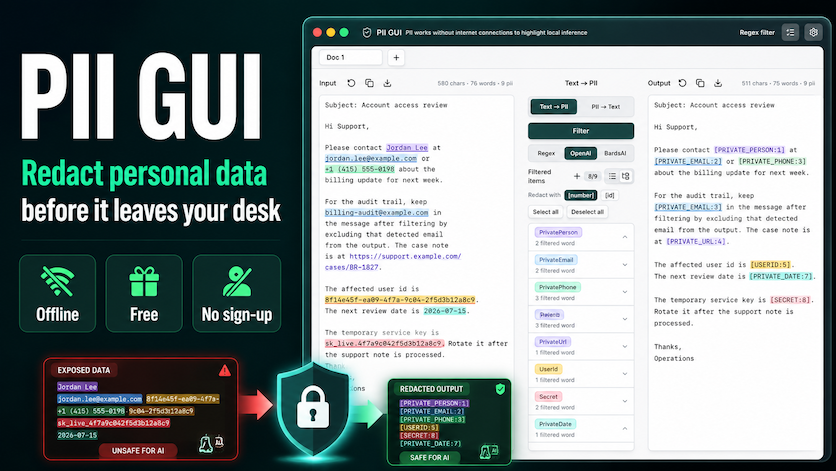
PII GUI is a Tauri 2 desktop app (React 19 + TypeScript frontend, Rust backend) for local-first PII detection and redaction. Detection runs on-device with regex rules or quantized ONNX models; the only network access is the optional one-time model download.
Example
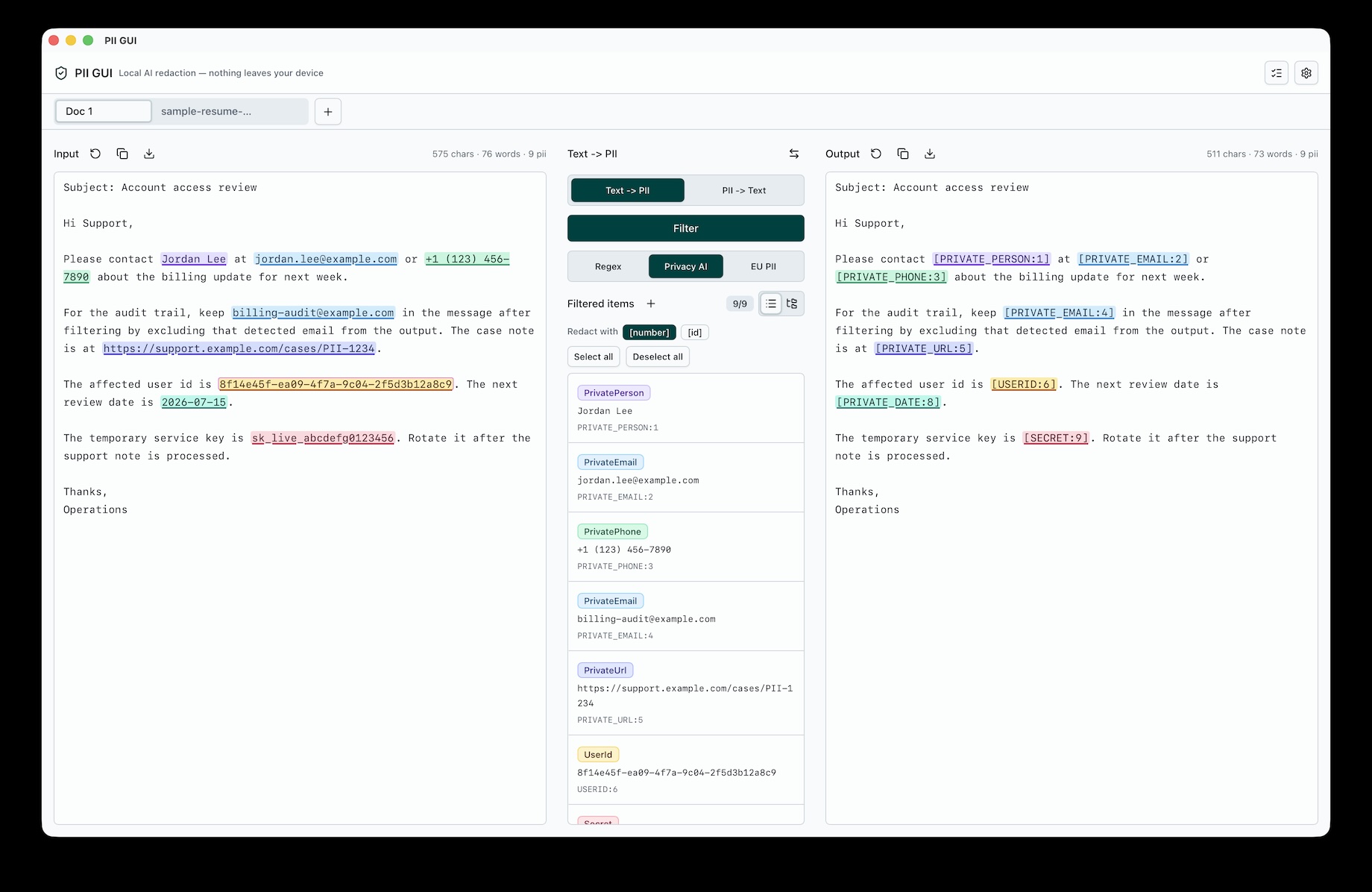
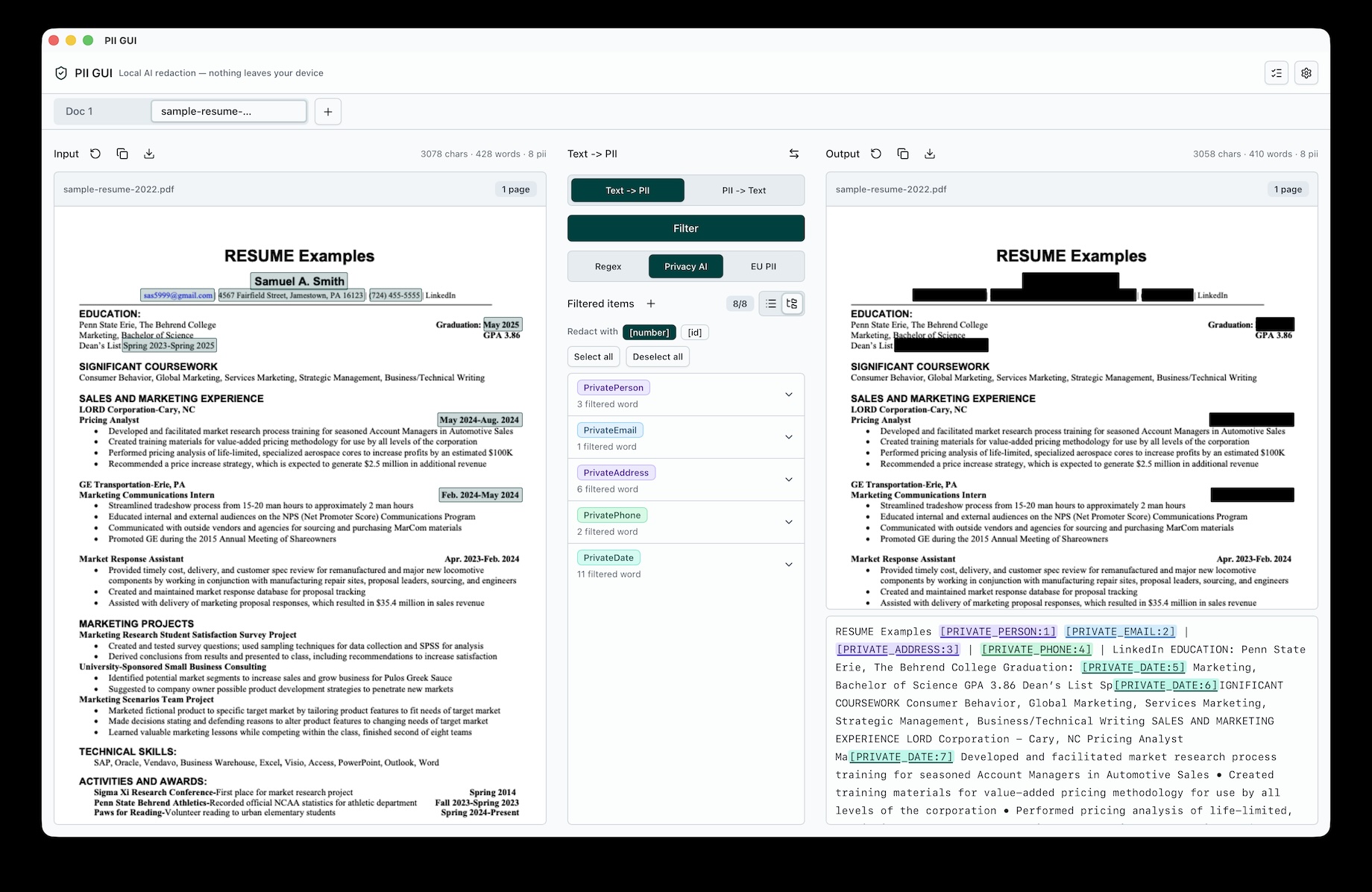
PII GUI supports two local workflows.
| Text <-> PII | Redact PDF |
|---|---|
| Text -> PII: detect names, emails, phone numbers, URLs, dates, IDs, and secrets before exporting a redacted copy. PII -> Text: restore reviewed placeholders back into readable text when you need a reversible local review workflow. | Burn approved redactions into exported PDFs so hidden text is not recoverable from the output file. |
 |
 |
Features
- Local inference only — PII detection runs entirely on-device. The only network access is the optional one-time model download from Hugging Face.
- PDF, Markdown, and plain-text input — PDFs are parsed with pdf.js, preserving per-character positions so detections are highlighted directly on the rendered page.
- Custom rules — add your own regex or exact-match filters on top of any backend.
- Review before redacting — toggle individual matches on or off in the workbench before export.
- True PDF redaction — each page that carries an approved redaction is re-rendered and burned into the export as an image with pdf-lib, so the redacted text is not recoverable from the output file. Pages without redactions are copied through with their text layer intact, which keeps them searchable and the export small.
- Task history and persistence — tabs, custom rules, and filter results survive restarts via a local SQLite database and on-disk result files. Settings shows what is stored locally and can delete it.
- Long-document support — input is split into token-bounded, page-aware chunks and processed through a task queue.
- Localized UI — English, Korean, and Japanese.
Detection Backends
| Backend | Best for |
|---|---|
| Regex (built-in) | Instant baseline detection of emails, phones, URLs, dates, account numbers, and secrets |
| OpenAI Privacy Filter | Long English documents and broad privacy-taxonomy detection |
| BardsAI EU PII | European-language text where names, addresses, and ID-like entities matter |
Detection taxonomy
Matches are labeled with a fixed privacy taxonomy:
account_number · private_address · private_email · private_person · private_phone · private_url · private_date · secret
Benchmarks
OpenAI Privacy Filter ONNX inference was measured locally on an Apple M1 Max using ONNX Runtime CPUExecutionProvider. The benchmark uses 1024-token chunks, strips speaker-name lines, and reports the median of 3 measured repeats after 1 warmup run.
| Model | Quantization | 1k latency | 1k throughput | 8k latency | 8k throughput |
|---|---|---|---|---|---|
openai/privacy-filter |
fp32 | 620.52 ms | 1,664 tok/s | 4,893.86 ms | 1,689 tok/s |
openai/privacy-filter |
fp16 | 654.56 ms | 1,578 tok/s | 5,430.17 ms | 1,521 tok/s |
openai/privacy-filter |
q4 | 582.13 ms | 1,776 tok/s | 4,635.39 ms | 1,784 tok/s |
openai/privacy-filter |
q4f16 | 648.10 ms | 1,594 tok/s | 5,261.56 ms | 1,570 tok/s |
openai/privacy-filter |
int8 dynamic | 573.94 ms | 1,801 tok/s | 4,594.95 ms | 1,800 tok/s |
On this Apple M1 Max CPU path, the int8 dynamic and q4 variants were the fastest. fp16 and q4f16 were slower than fp32 with CPUExecutionProvider.
Requirements
- Node.js 24+
- pnpm
- Rust and Cargo
- Tauri v2 platform prerequisites for your OS
Setup
Download the latest installer for macOS, Windows, or Linux from the Releases page.
On first launch, the onboarding flow lets you pick a default backend. Regex works immediately; the ONNX models are optional downloads (fetched from Hugging Face into the app data directory, and removable at any time from Settings).
Install from source:
cd tauri
pnpm install
Local release signing values are optional for development. If you need updater signing locally, copy the environment template and fill in your own key:
cp .env.example .env
How it works
Document (PDF / md / txt)
  → text extraction (pdf.js, per-character boxes for PDFs)
  → token-bounded, page-aware chunking
  → task queue → Rust `redact_text` command
  → regex / ONNX inference (ort + tokenizers)
  → matches + redacted text
  → review & toggle matches in the UI
  → export (burned-in PDF redaction or redacted text)
The frontend (React) handles document parsing, chunking, review, and export. The Rust backend (src-tauri/) owns the detection engines, model lifecycle (download / verify / delete), and file I/O. Everything the app stores for itself — the SQLite database, the PDF redaction result files, and the downloaded models — stays inside the Tauri app data directory, and an export writes only to the path you pick in the native save dialog.
Development
Run from source
cd tauri
pnpm install
pnpm tauri dev
Build
cd tauri
pnpm tauri build
Tests
cd tauri
pnpm test:unit              # frontend unit tests (vitest)
pnpm test:unit:coverage     # unit tests with a coverage report
pnpm lint                   # eslint
pnpm build                  # typecheck + frontend build

cd src-tauri
cargo test                  # Rust backend tests
Roadmap
- Local regex detection and review workflow
- Optional ONNX backend wiring for OpenAI Privacy Filter and BardsAI EU PII
- Burned-in PDF redaction export
- Local tab, custom-rule, and result persistence
- Broader import/export QA for large PDFs and multilingual documents
- Accessibility and keyboard-only review pass
- Integration with coding agents (Codex, Claude Code, Cursor)
Project structure
tauri/                      # the desktop app
  src/                      # React frontend
    App.tsx                 # orchestrator: tabs, routing, workbench
    components/             # PDF preview, shadcn/Radix UI primitives
    lib/
      pdf-document.ts       # pdf.js text + char-box extraction
      pii-text-chunks.ts    # token-bounded chunking
      pii-task-queue.ts     # detection task queue
      redaction-policy.ts   # match merge/select/restore logic
      pdf-redacted-export.ts# burned-in PDF redaction export
      app-persistence.ts    # SQLite + result-file persistence
      i18n.ts               # en / ko / ja UI copy
  src-tauri/                # Rust backend
    src/lib.rs              # Tauri commands: redact_text, model lifecycle, file I/O
    src/redact_engine.rs    # regex / ONNX / BardsAI detection backends
docs/assets/                # README thumbnail and screenshot assets
Contributing
Contributions are welcome!
- Bug reports & feature requests — open an issue with steps to reproduce or a short description of the use case.
- Pull requests — keep changes small and focused. Before submitting, run the checks for the area you touched:
- Frontend:
pnpm test:unitandpnpm buildfromtauri/ - Rust backend:
cargo testfromtauri/src-tauri/
- Frontend:
- Detection quality — false positives/negatives are especially useful to report; include the backend (regex / Privacy Filter / BardsAI) and a minimal, PII-free sample that reproduces the issue.
- Benchmarks — keep local benchmark scripts and outputs out of commits;
/benchmarks/is ignored.
License
PII GUI is licensed under the GNU Affero General Public License v3.0.
Acknowledgements
PII GUI builds on several open-source projects and model releases:
- pdf.js and pdf-lib for PDF parsing and export.
- ONNX Runtime and tokenizers for local model inference.
- OpenAI Privacy Filter and BardsAI EU PII for optional local PII detection models.
Verification
Run the smallest check that proves the change, then widen as needed:
cd tauri && pnpm test:unit
cd tauri && pnpm build
cd tauri/src-tauri && cargo check
git diff --check
For packaging, run pnpm tauri build on the target platform before making release claims.
관련 프로젝트 살펴보기
trimstray/the-book-of-secret-knowledge
영감을 주는 목록, 매뉴얼, 치트시트, 블로그, 팁, 원라이너, CLI/웹 도구 등을 모은 컬렉션.
258,131 스타Hack-with-Github/Awesome-Hacking
해커, 펜테스터, 보안 연구자를 위한 다양한 Awesome 목록 모음.
125,360 스타swisskyrepo/PayloadsAllTheThings
웹 애플리케이션 보안과 모의 침투 테스트/CTF에 유용한 페이로드 및 우회 방법 목록.
82,623 스타caddyserver/caddy
빠르고 확장 가능한 멀티플랫폼 HTTP/1-2-3 웹 서버이며, 자동 HTTPS를 지원합니다
79,020 스타