
shajidhasan/spoilerjs
shajidhasan/spoilerjs has 345 GitHub stars and 17 forks. GitHot measured 0 stars in 24 hours. Last checked 2026-11-20 04:42 UTC. Last push 2026-07-17.
What you can do
- Lightweight and Performant: No dependencies, just pure Web Components.
- Easy to Use: Simply wrap your text in a <spoiler-span> tag.
- Customizable: Control the particle effects, colors, and more.
- Accessible: Designed with accessibility in mind.
측정된 스타 증가
- in 24h
- 0
- in 7 days
- 기록 수집 중
- in 15 days
- 기록 수집 중
- in 1 month
- 기록 수집 중
서로 겹치는 기간의 순증가량이며 일별 합계가 아닙니다. 측정값이 없으면 비워 둡니다. 스타는 관심도를 나타내며 품질을 보장하지 않습니다.
소개
A framework-agnostic web component for creating beautiful spoiler effects with Telegram-inspired particle animations.
창작 및 미디어README.md
Originalspoilerjs
A fast, lightweight web component for creating spoiler text with particle effects.





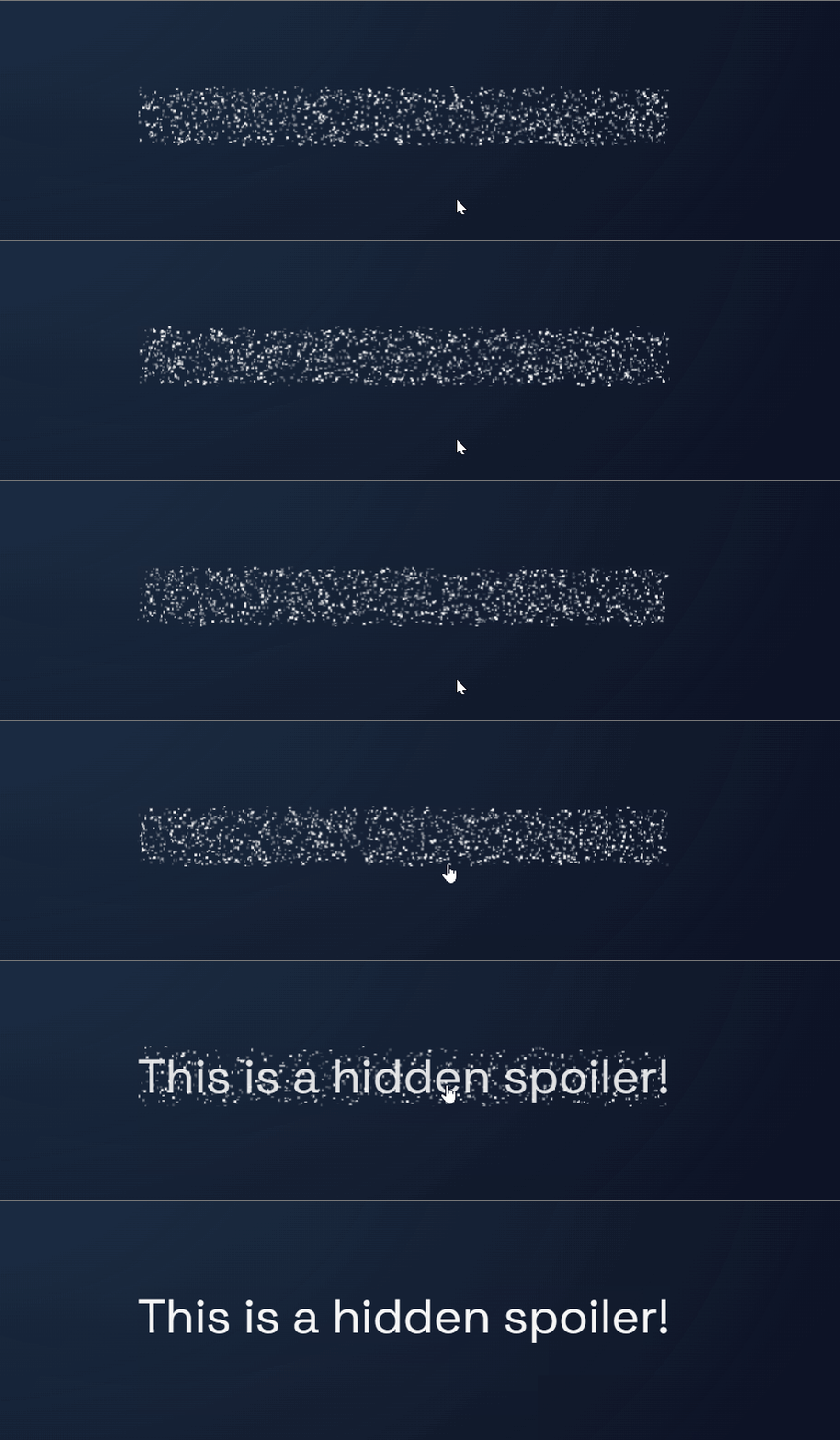
spoilerjs is a dependency-free web component that lets you hide text with a spoiler warning. When a user clicks on the spoiler, the text is revealed with a configurable particle effect inspired by the Telegram app. It's performant, easy to use, and works in any modern browser.
Features
- Lightweight and Performant: No dependencies, just pure Web Components.
- Easy to Use: Simply wrap your text in a
<spoiler-span>tag. - Customizable: Control the particle effects, colors, and more.
- Accessible: Designed with accessibility in mind.
- Framework Agnostic: Works with any framework or no framework at all.
Similar Projects
After creating this, I discovered spoiled, another excellent spoiler text library also inspired by Telegram's spoiler effect. However, this project is still viable because spoiled is only for React, and uses the CSS Houdini API which may not be completely supported yet.
Getting Started
Installation
You can install spoilerjs from npm:
npm install spoilerjs
Usage
Import the component:
import 'spoilerjs/spoiler-span';Use it in your HTML:
<p>
    Be careful, here's a spoiler:
    <spoiler-span>
        It was a missing semicolon all along.
    </spoiler-span>
</p>
That's it! You now have a working spoiler.
Customization
You can customize the appearance and behavior of the spoiler using attributes on the <spoiler-span> element.
| Attribute | Description | Default |
|---|---|---|
scale |
Scale factor for particle size. | 1 |
min-velocity |
Minimum velocity for particles (pixels per frame). | 0.01 |
max-velocity |
Maximum velocity for particles (pixels per frame). | 0.05 |
particle-lifetime |
Particle lifetime in frames (e.g., 60 frames = 1 second). | 120 |
density |
Target particle density (particles per 100 square pixels). | 8 |
reveal-duration |
Text fade-in duration in milliseconds when revealing. | 300 |
spawn-stop-delay |
Delay in milliseconds before stopping particle spawning after click. | 0 |
monitor-position |
Continuously monitor position for hover effects and transforms. | false |
fps |
Target frames per second for particle animation. Lower values improve performance on slower devices. | 60 |
Example
<spoiler-span
    density="15"
    particle-lifetime="200"
    reveal-duration="1000"
>
    This spoiler has a higher particle density and a longer reveal time.
</spoiler-span>
Contributing
Contributions are welcome! Please see the CONTRIBUTING.md file for more information.
License
spoilerjs is licensed under the MIT License.
Acknowledgements
- The particle reveal effect is inspired by the spoiler effect in the Telegram messaging app.
- The documentation website was built with help from these amazing open-source projects: