
seamia/protodot
seamia/protodot has 465 GitHub stars and 43 forks. GitHot measured 0 stars in 24 hours and -1 in 7 days. Last checked 2026-11-23 17:05 UTC. Last push 2023-12-21.
측정된 스타 증가
- in 24h
- 0
- in 7 days
- -1
- in 15 days
- 기록 수집 중
- in 1 month
- 기록 수집 중
서로 겹치는 기간의 순증가량이며 일별 합계가 아닙니다. 측정값이 없으면 비워 둡니다. 스타는 관심도를 나타내며 품질을 보장하지 않습니다.
소개
transforming your .proto files into .dot files (and .svg, .png if you happen to have graphviz installed)
창작 및 미디어README.md
Originalprotodot
transforming your .proto files into .dot files (and .svg, .png if you happen to have graphviz installed)
online demo
you can find an online demo of this tool here
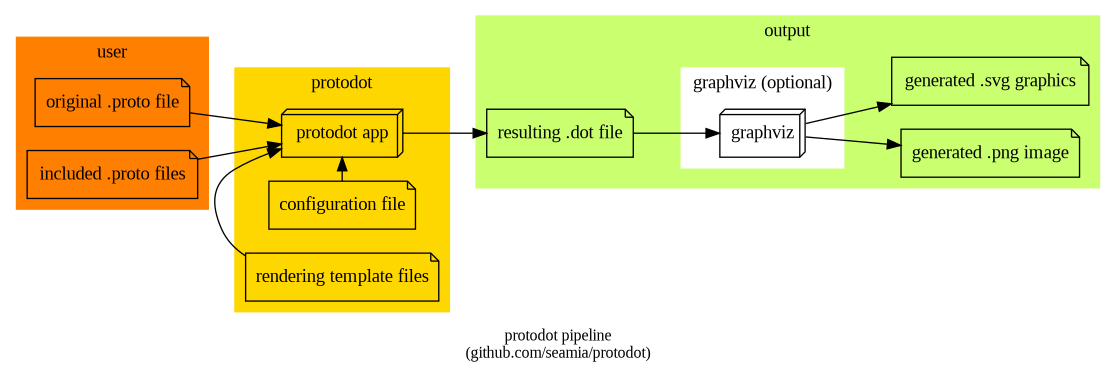
data pipeline
installation
you can download the sources (from this page) and build protodot yourself, or
you can download pre-built binaries for a few selected environments (or from here):
protodot output is highly customizable through its configuration file and a set of templates files.
if you installed protodot from the binary distribution - you may want to extract aforementioned files by running:
./protodot -install
command line arguments
-src what.proto- location and name of the source file, required-config config.json- location and name of the configuration file, optional-select .one.two;three.four- name(s) of the selected elements to show, optional, explained later in this document-output save-it-here- name of the output file, optional-inc /abc/def;/xyz- (semicolon separated) list of the include directories, optional
configuration file
tbd
selected output
sometimes the resulting diagram can be overwhelming.
you have an option to limit the output to the elements that interest you the most, hence -select args command line option.
so far, args in -select args can take one of the three available forms:
- list of the elements (and their dependencies) that you want to see included (separated by
;). the elements can beenums,messages,rpcmethods andservices. - if you specify
*as an argument - this will result in the inclusion of the elements declared in the main.protofile (specified in-srcargument) and their dependencies. in other words: all the unused elements declared in all the included.protofiles will not be shown. - if you specify
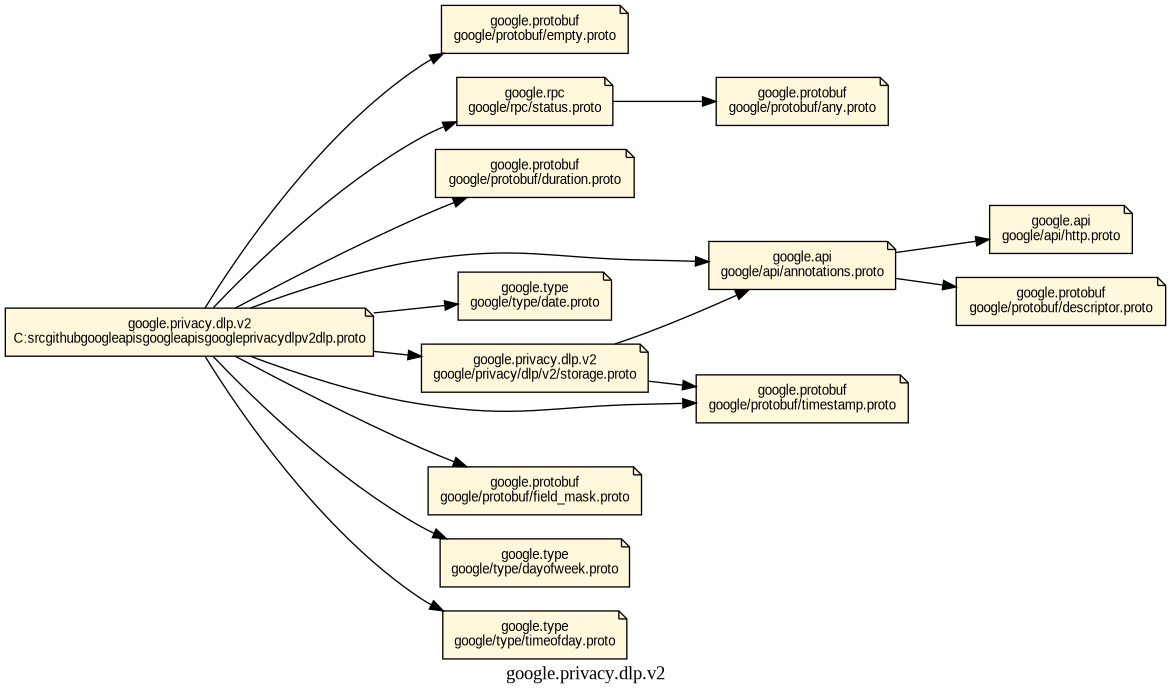
importsas an argument -protodotwill generate import dependency graph (see an example below)
an example of output
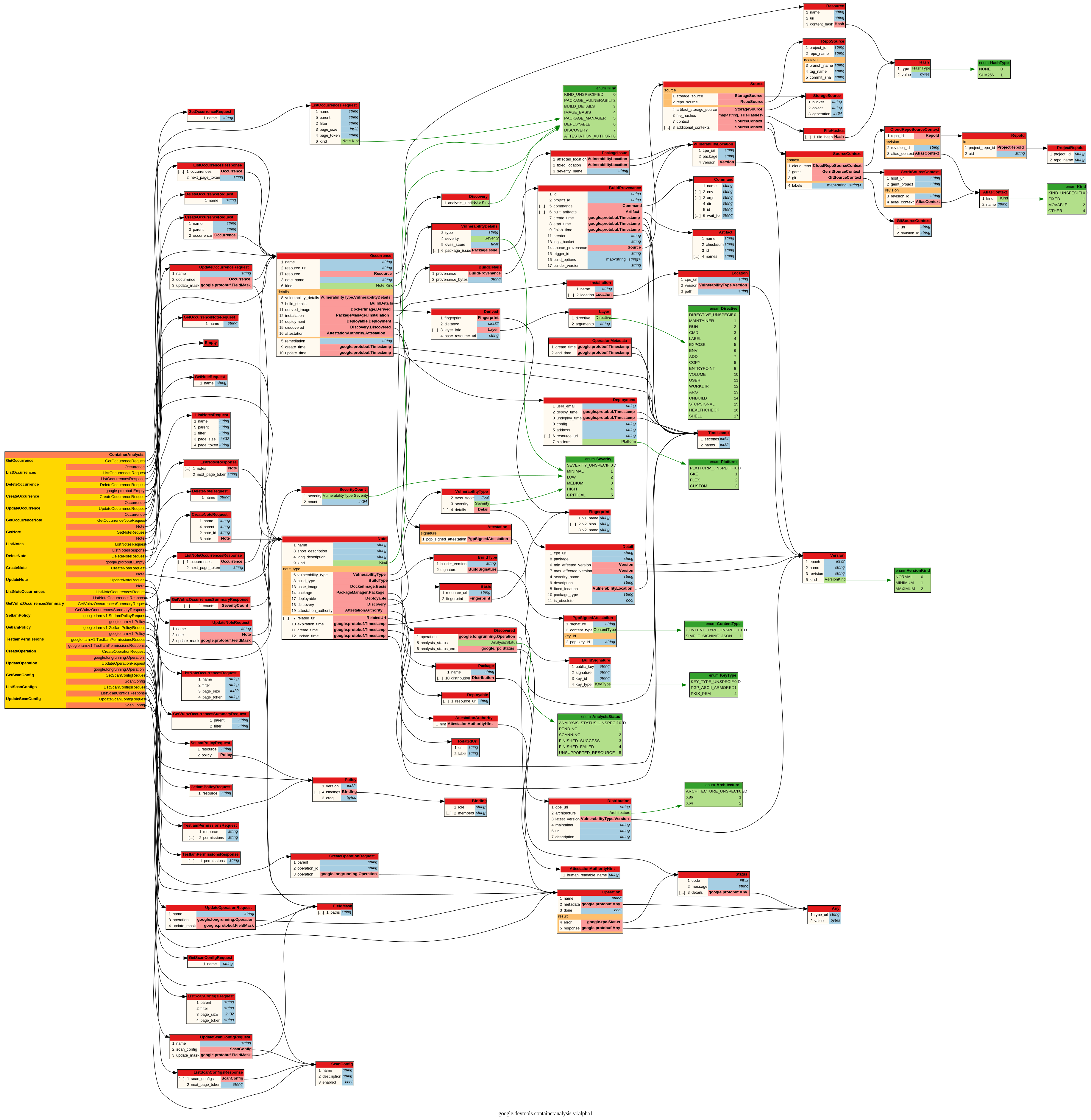
an illustration of effects of different -select options
using https://github.com/googleapis/googleapis/blob/master/google/privacy/dlp/v2/dlp.proto as the source
not using -select
everything declared in the root .proto file and all the imports will be produced:
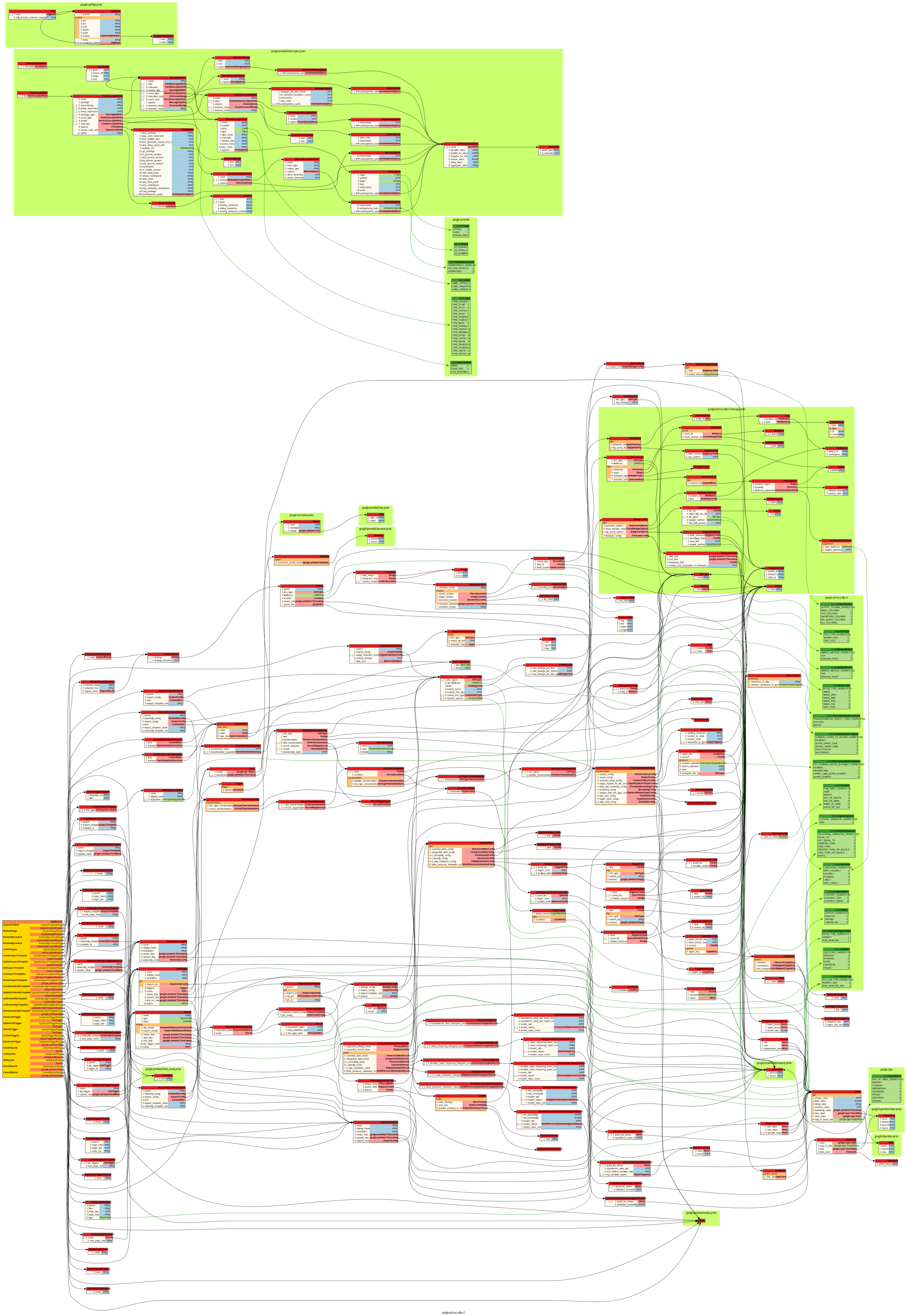
using -select *
only elements declared in the root .proto file and their dependencies will be produced:
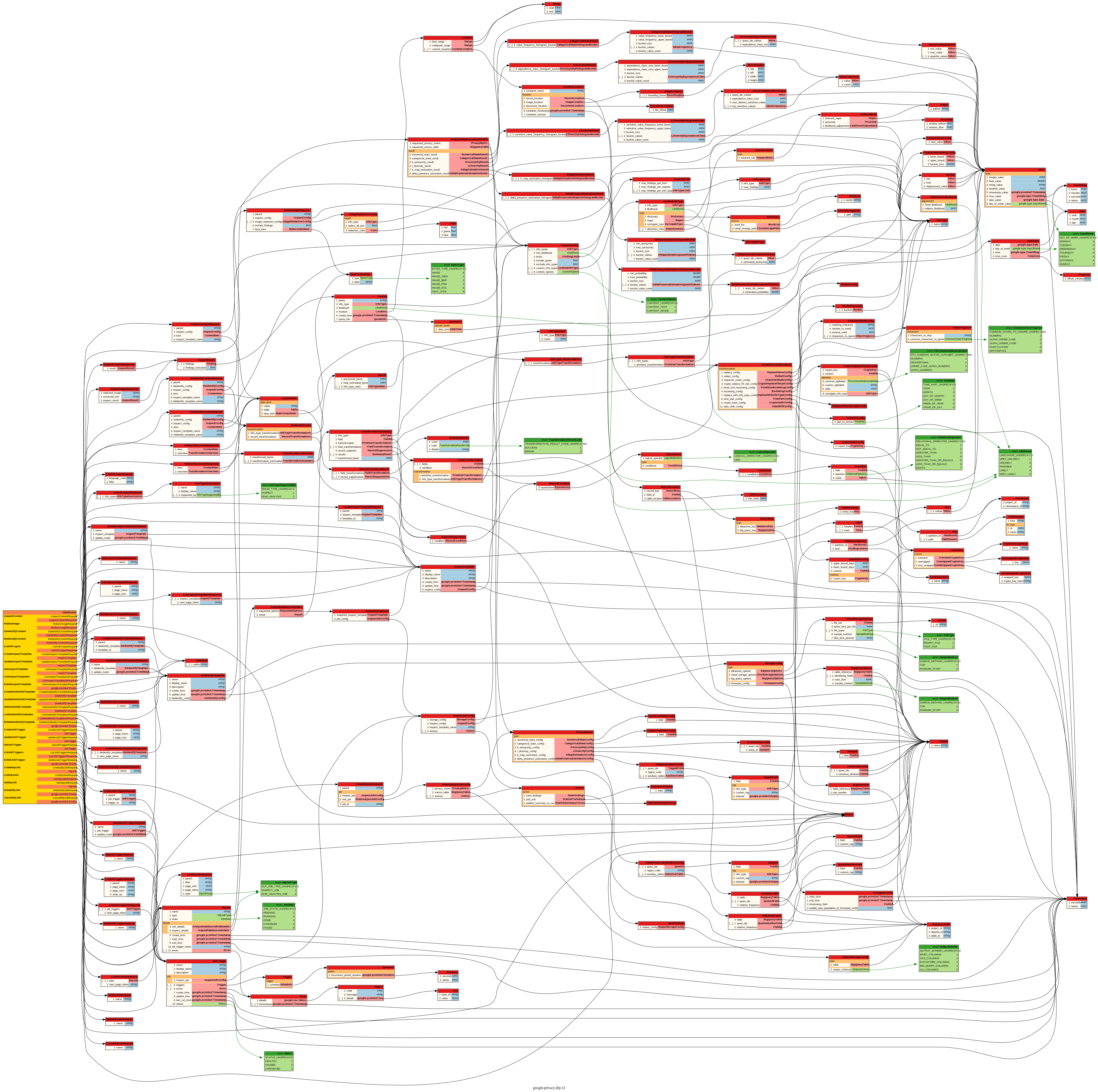
using -select imports
only imports dependency graph will be produced:
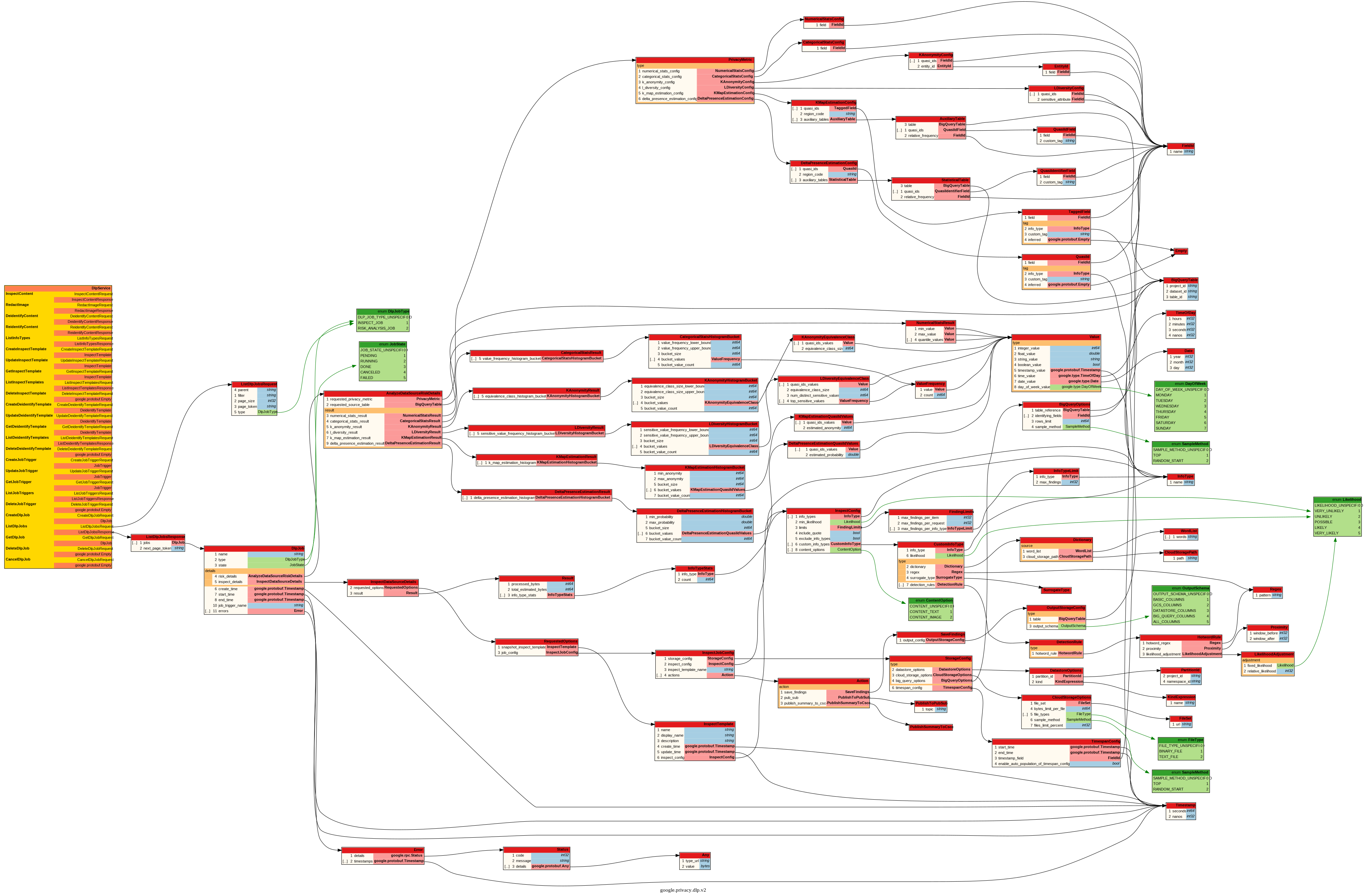
using -select .ListDlpJobs
in this particular case, the name of the rpc method was specified: this will result in production of the requested rpc method, it's encompasing service element and all the dependencied of the method:
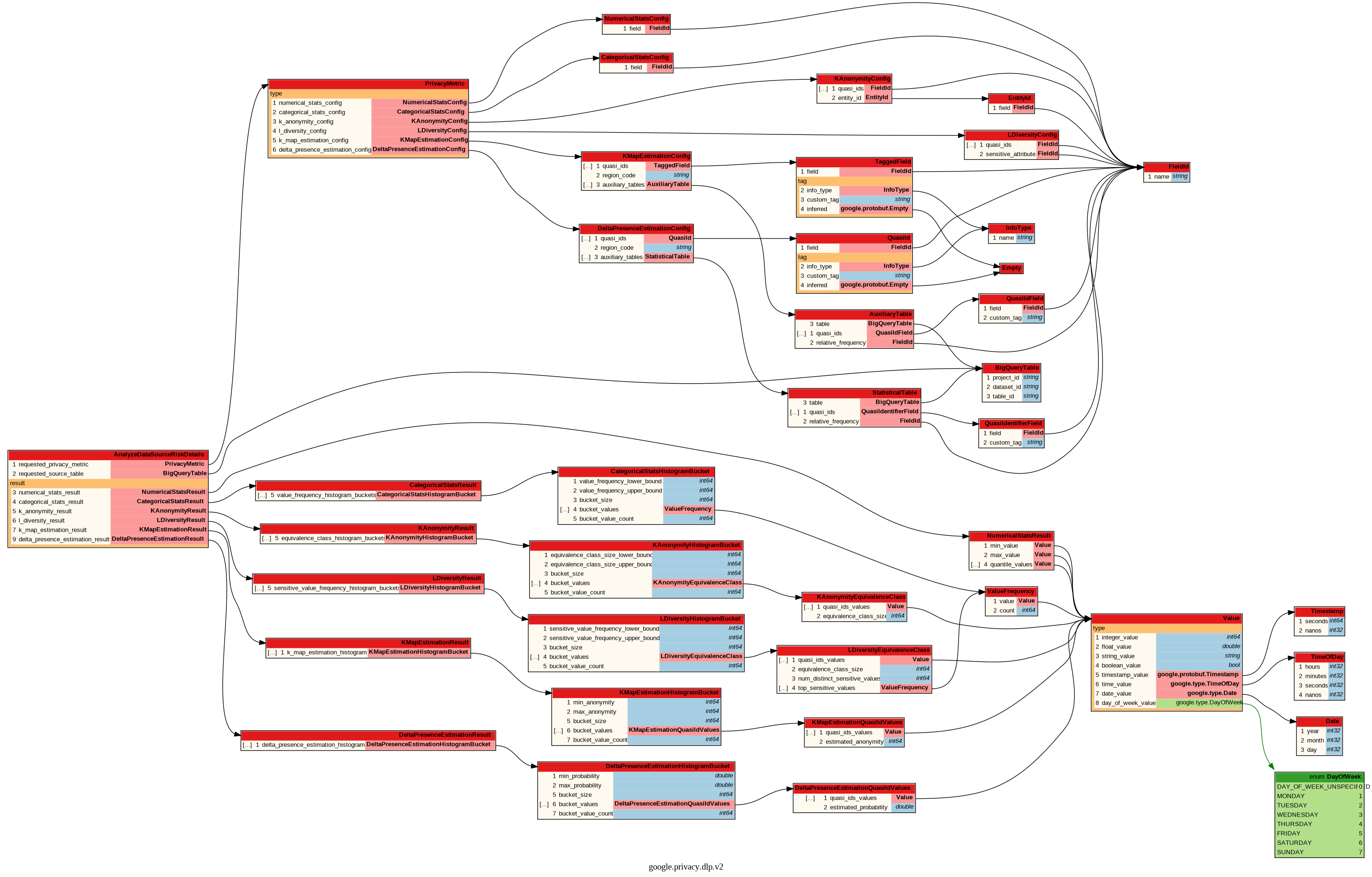
using -select .AnalyzeDataSourceRiskDetails
same as above, but instead of rpc method, name of the message was specified:
how to (automatically) generate .svg and/or .png images from produced .dot file
- install
graphviz(see https://graphviz.gitlab.io/download/ for the instructions) - specify the location of the
dotutility (which is a part ofgraphviz)in your version of configuration file, e.g.
{
	"locations": {
		"graphviz":	"/path/to/dot",
- set approptiate
optionsin your version of configuration file, e.g.
{
	"options" : {
		"generate .png file":		false,
		"generate .svg file":		true,
관련 프로젝트 살펴보기
불러오는 중…