
roma-glushko/tango
roma-glushko/tango has 113 GitHub stars and 4 forks. Star changes are not measured yet. Last checked 2026-11-09 08:38 UTC. Last push 2026-02-24.
Tango is a command-line tool for analyzing access logs 💃
측정된 스타 증가
- in 24h
- 업데이트 지연
- in 7 days
- 업데이트 지연
- in 15 days
- 업데이트 지연
- in 1 month
- 업데이트 지연
서로 겹치는 기간의 순증가량이며 일별 합계가 아닙니다. 측정값이 없으면 비워 둡니다. 스타는 관심도를 나타내며 품질을 보장하지 않습니다.
README.md
Original

Tango
Tool to get insights from the server access logs


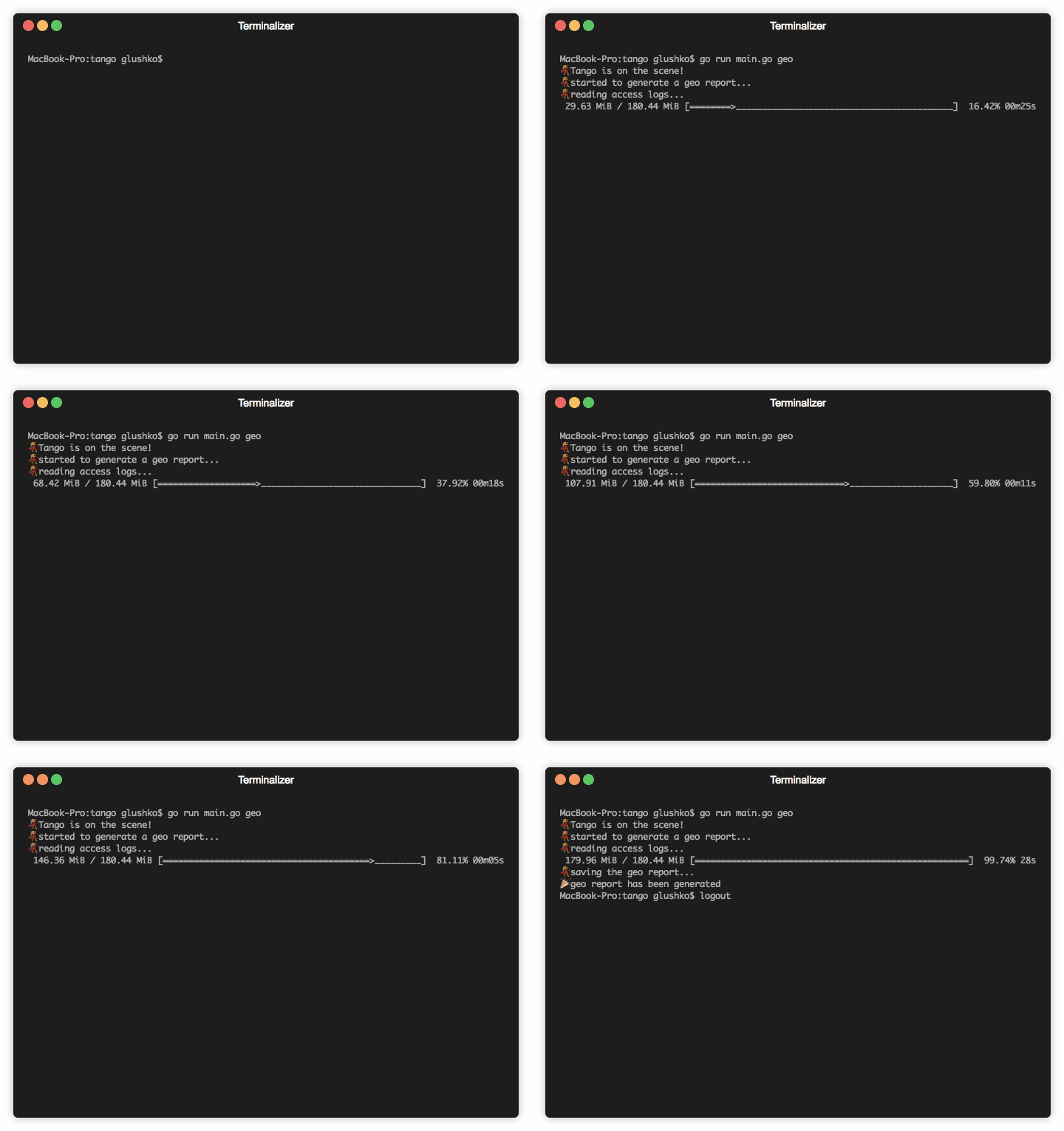
Tango is a command-line tool for analyzing server access logs 💃
Table of Contents
Installation
macOS
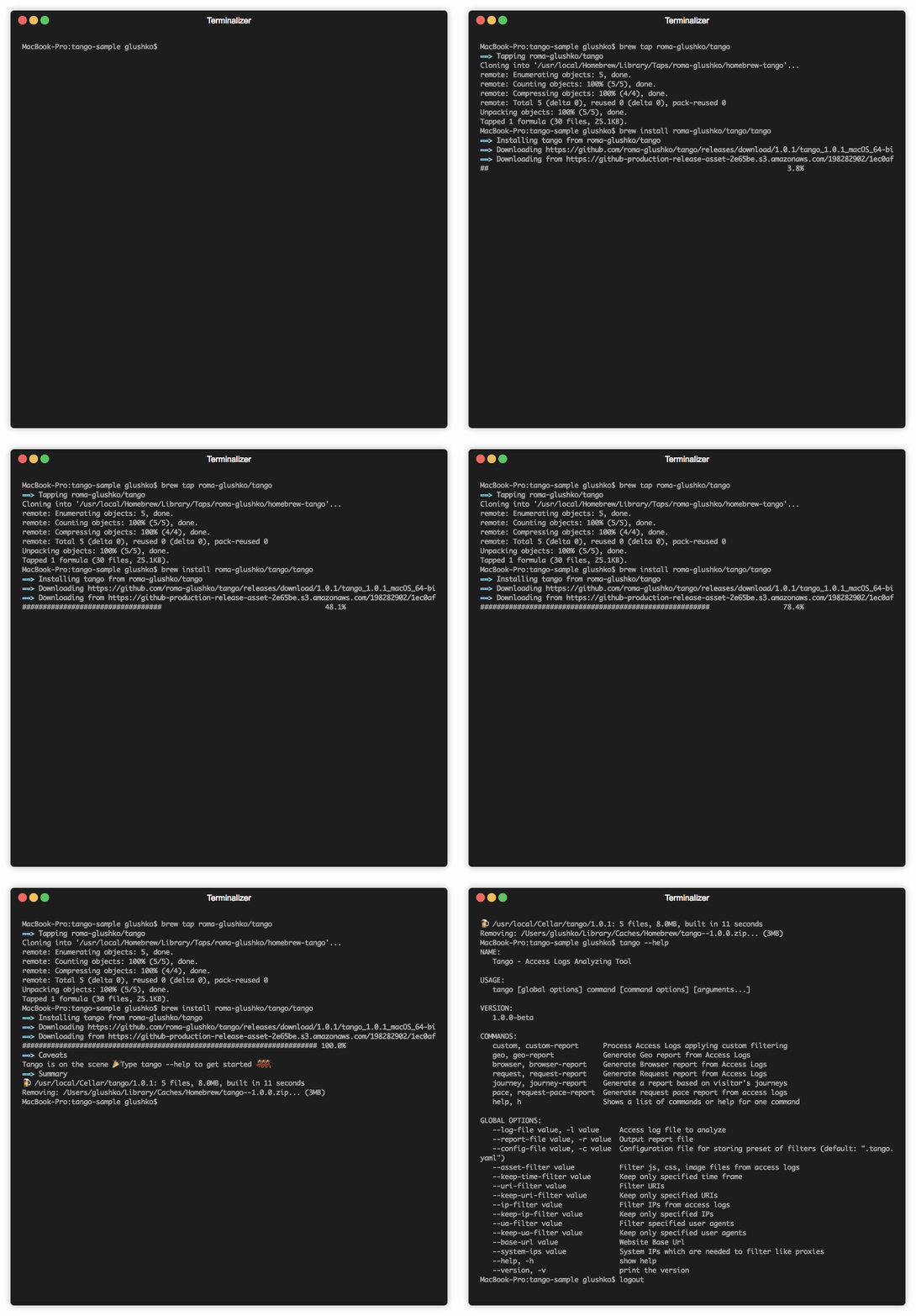
Tango can be installed on macOS via Homebrew:
brew tap roma-glushko/tango
brew install roma-glushko/tango/tango
To upgrade, try to run:
brew upgrade tango
Linux
Tango is available on Linux via Snapcraft. This means that Tango can be installed on:
To upgrade, try to run:
snap refresh tango
Windows
Tango can be installed on Windows via Scoop:
scoop bucket add tango https://github.com/roma-glushko/scoop-tango.git
scoop install tango
To upgrade, try to run:
scoop update tango
Usage
List of available commands:
tango help
Tango Version:
tango -v
Global Options
Filters
# IP filters
tango --ip-filter "127.0.0.1" custom -l access-log.log -r custom.csv
tango --keep-ip-filter "8.8.8.8" custom -l access-log.log -r custom.csv
# URI filters
tango --uri-filter "/test-page" custom -l access-log.log -r custom.csv
tango --keep-uri-filter "/admin/" custom -l access-log.log -r custom.csv
# Time Frame filter
tango --keep-time-filter "2019-09-15 04:16:00 -0400" --keep-time-filter "2019-09-15 04:35:00 -0400" custom -l access-log.log -r custom.csv
# User Agent filters
tango --ua-filter "iPhone OS 12_3_1 like Mac OS X" custom -l access-log.log -r custom.csv
tango --keep-ua-filter "iPhone OS 12_3_1 like Mac OS X" custom -l access-log.log -r custom.csv
# Asset filter
tango --asset-filter "/pub/static/" --asset-filter "/pub/media/" custom -l access-log.log -r custom.csv
# System IP filter
tango --system-ips "127.0.0.1"  --system-ips "1.2.3.4" custom -l access-log.log -r custom.csv
Other
# Base URL info
tango --base-url "https://example.com/" custom -l access-log.log -r custom.csv
Report Commands
Custom Reports
tango --keep-uri-filter "/newsletter/subscriber/new/" custom -l access-log.log -r custom.csv
Use cases:
- generate a report with all requests from a certain IP
- generate a report with all requests to a certain URL
Geo Reports
tango geo -l access-log.log -r custom.csv
Geo Report uses MaxMind Geo lib to get Geo information. See Geo Lib command for more info.
Use cases:
- collects geo information about all IPs that requested the website
- get request distribution by IP with geo information
- see all IPs sorted by countries/continents/cities
Example of the report:
Example of the report
| IP | Country | City | Continent | Sample Request | Browser Agent | Count of Requests |
|---|---|---|---|---|---|---|
| 46.229.173.68 | United States | Ashburn | North America | /robots.txt | Mozilla/5.0 (compatible; Googlebot/2.1; +http://www.google.com/bot.html) | 362 |
| 40.77.167.91 | United States | Boydton | North America | /contact-us | Mozilla/5.0 (compatible; bingbot/2.0; +http://www.bing.com/bingbot.htm) | 3 |
| 178.154.171.62 | Russia | Europe | / | Mozilla/5.0 (compatible; YandexBot/3.0; +http://yandex.com/bots) | 34 |
Browser Reports
tango browser -l access-log.log -r custom.csv
Use cases:
- check how many requests were sent by crawlers
- check what kind of browsers requested the website
- check bandwith that was transmitted to all kind of browsers
- check what crawlers requested the website
Example of the report
| Category | Browser | Requests | Bandwith | Sample URL | User Agents |
|---|---|---|---|---|---|
| Crawlers | bingbot | 629 | 28.8 MB | /black-bag-product | Mozilla/5.0 (compatible; bingbot/2.0; +http://www.bing.com/bingbot.htm) |
| Chrome | Chrome | 131998 | 1.3 GB | /gears/bags?p=3 | Mozilla/5.0 (Linux; Android 8.0.0; G8441) AppleWebKit/537.36 (KHTML, like Gecko) Chrome/79.0.3945.136 Mobile Safari/537.36 Mozilla/5.0 (Linux; Android 9; SM-G960F) AppleWebKit/537.36 (KHTML, like Gecko) Chrome/79.0.3945.136 MobileSafari/537.36 Mozilla/5.0 (X11; Linux x86_64) AppleWebKit/537.36 (KHTML, like Gecko) Chrome/78.0.3904.108 Safari/537.36 Mozilla/5.0 (Windows NT 6.1; Win64; x64) AppleWebKit/537.36 (KHTML, like Gecko) Chrome/40.0.2214.85 Safari/537.36 |
Request Reports
tango request -l access-log.log -r custom.csv
Use cases:
- check how many requests were sent to a certain URL
- check all URLs that were responded with 404/50X code
- find requests from security scanners (sort by response codes and look at 404/50X codes which were requested only 1 time)
Example of the report
| Path | Requests | Response Code | Referer URLs |
|---|---|---|---|
| /media/catalog/product/black-bag.jpg | 20 | 200 | /black-bag |
| /admin/sales/order/view/order_id/1234 | 4 | 200 | /admin/sales/order/index/order_id/123 |
| /test321 | 1 | 404 | / |
Pace Reports [Experimental]
tango pace -l access-log.log -r custom.csv
Use cases:
- check which IPs and how many requests they made during a certain time frame
- check count of requests per minutes/hours
Example of the report
| Hour Group | Minute Group | IP | Browser | Pace (req/min) | Pace (req/hour) |
|---|---|---|---|---|---|
| 2020-02-10 04 h | 35 | ||||
| 2020-02-10 04:06 | 15 | ||||
| 51.15.191.180 | Barkrowler/0.9 (+https://babbar.tech/crawler) | 10 | |||
| 54.36.150.167 | Mozilla/5.0 (compatible; AhrefsBot/6.1; +http://ahrefs.com/robot/) | 5 | |||
| 2020-02-10 04:06 | 15 | ||||
| 2020-02-10 04:07 | 20 | ||||
| 66.249.76.89 | Googlebot-Image/1.0 | 20 | |||
| 2020-02-10 04:07 | 20 | ||||
| 2020-02-10 04 h | 35 |
Journey Reports [Experimental]
tango journey -l access-log.log -r custom.csv
Misc Commands
Geo Lib
# Install geo library to be able to generate geo reports
tango geo-lib
Tango uses the MaxMind GeoLite2-City database and stores it under:
- macOS -
/Users/[username]/.tango/GeoLite2-City.mmdb
To be able to manage the Geo lib, you need to generate acceses under MaxMind Account page
Config File
Put the similar content to a .tango.yaml file under your working directory where you analyze logs:
"asset-filter":
  - "/pub/static/"
  - "/pub/media/"
  - "/media/"
  - "/static/"
"ip-filter":
  - "127.0.0.1"
"system-ips":
  # Fastly IPs
  - "23.235.32.0/20"
  - "43.249.72.0/22"
  - "103.244.50.0/24"
  - "103.245.222.0/23"
  - "103.245.224.0/24"
  - "104.156.80.0/20"
  - "151.101.0.0/16"
  - "157.52.64.0/18"
  - "167.82.0.0/17"
  - "167.82.128.0/20"
  - "167.82.160.0/20"
  - "167.82.224.0/20"
  - "172.111.64.0/18"
  - "185.31.16.0/22"
  - "199.27.72.0/21"
  - "199.232.0.0/16"
관련 프로젝트 살펴보기
Asabeneh/30-Days-Of-Python
30 Days of Python 프로그래밍 챌린지는 Python 프로그래밍 언어를 30일 동안 배우기 위한 단계별 가이드입니다. 이 챌린지는 100일 이상 걸릴 수 있습니다. 자신의 속도에 맞춰 진행하세요. 다음 동영상도 도움이 될 수 있습니다: https://www.youtube.com/channel/UC7PNRuno1rzYPb1xLa4yktw
78,486 스타grafana/grafana
개방적이고 조합 가능한 옵저버빌리티 및 데이터 시각화 플랫폼입니다. Prometheus, Loki, Elasticsearch, InfluxDB, Postgres 등 여러 소스의 메트릭, 로그, 트레이스를 시각화합니다.
77,790 스타redis/redis
실시간 데이터 기반 애플리케이션을 구축하는 개발자에게 Redis는 가장 선호되고, 가장 빠르며, 기능이 가장 풍부한 캐시, 데이터 구조 서버이자 문서 및 벡터 쿼리 엔진입니다.
77,332 스타apache/superset
Apache Superset는 데이터 시각화 및 데이터 탐색 플랫폼입니다.
75,455 스타