
rabbitstack/fibratus
rabbitstack/fibratus has 2,570 GitHub stars and 223 forks. GitHot measured 0 stars in 24 hours, +1 in 7 days, and +4 in 15 days. Last checked 2026-11-23 22:57 UTC. Last push 2026-11-20.
측정된 스타 증가
- in 24h
- 0
- in 7 days
- +1
- in 15 days
- +4
- in 1 month
- 기록 수집 중
서로 겹치는 기간의 순증가량이며 일별 합계가 아닙니다. 측정값이 없으면 비워 둡니다. 스타는 관심도를 나타내며 품질을 보장하지 않습니다.
소개
실시간 위협 탐지 및 보호를 위한 보안 센서
보안README.md
Original

Fibratus
Security sensor for realtime threat detection and protection
Get Started »
Docs
•
Rules
•
Filaments
•
Download
•
Discussions
Fibratus detects and eradicates advanced attacker tradecraft, malware, and emerging threats by scrutinizing and asserting a wide spectrum of system events against a behavior-driven rule engine and YARA memory scanner.
Events can be routed to a wide range of output sinks or written to capture files for local inspection and forensic analysis. With filaments, you can extend Fibratus with your own tooling and tap into the full power of the Python ecosystem.
In a nutshell, the Fibratus mantra is built on three pillars: realtime behavior detection, memory scanning, and forensics.
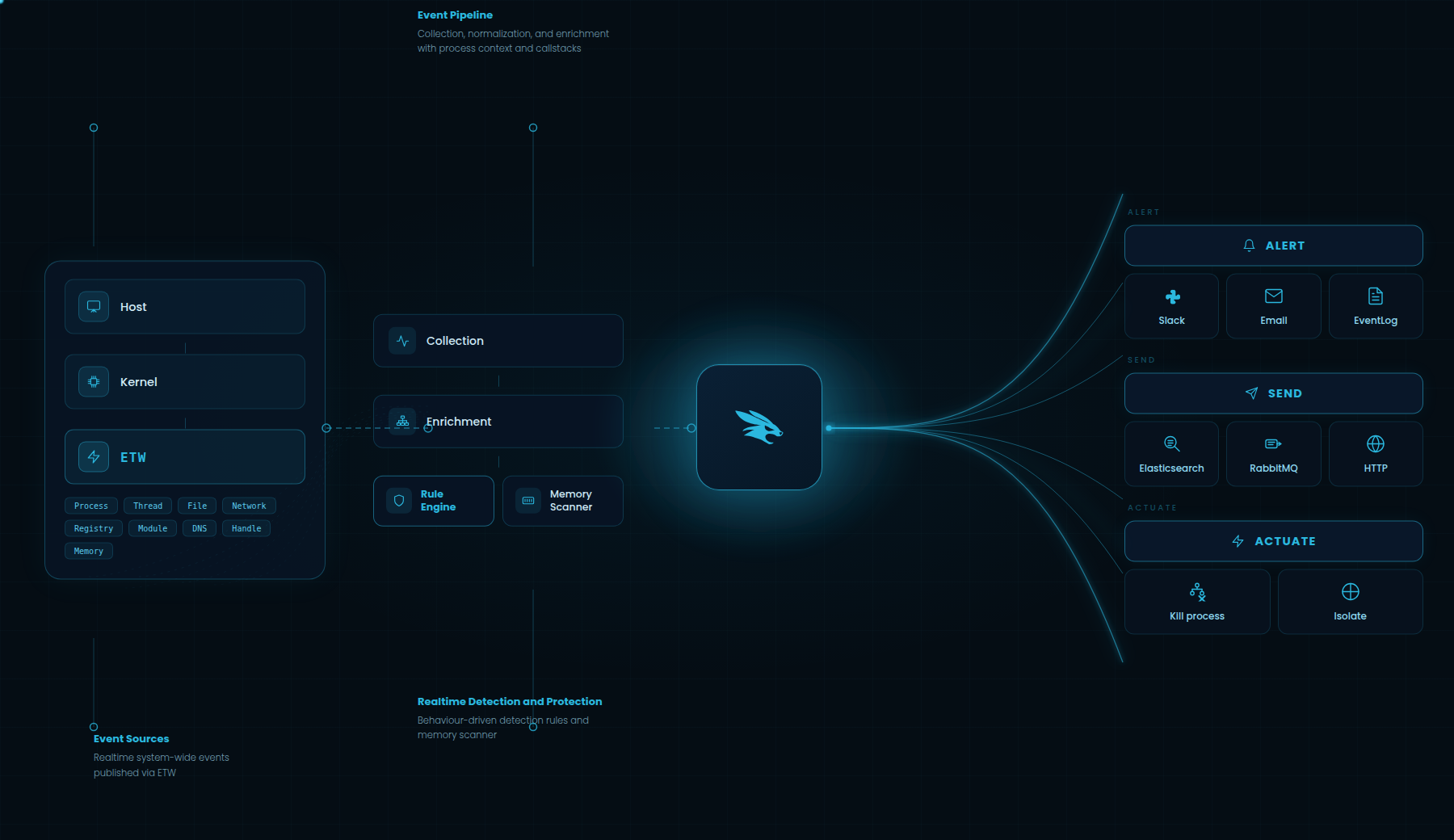
Get Fibratus Running
The fastest way to install Fibratus is to run the following command from an elevated PowerShell terminal:
irm https://install.fibratus.io | iex
That's it. The installer downloads and sets up the latest version of Fibratus.
Once installed, follow the Quick Start to see Fibratus detect your first security event in real time.
Prefer a manual installation? See the Installation Guide for alternative installation methods and detailed instructions.
Learn
Go beyond the quick start and learn how Fibratus works under the hood. Explore the fundamentals, understand how Fibratus observes system activity, and learn how to build rules that detect and respond to threats.
Contribute
We love contributions. To start contributing to Fibratus, please read our contribution guidelines.
Code Signing Policy
Free code signing provided by SignPath.io, certificate by SignPath Foundation. All releases are automatically signed.
Developed with ❤️ by Nedim Šabić Šabić and contributors
관련 프로젝트 살펴보기
불러오는 중…