
prettier/pretty-quick
prettier/pretty-quick has 2,291 GitHub stars and 84 forks. GitHot measured 0 in 7 days. Last checked 2026-11-13 17:12 UTC. Last push 2026-10-30.
측정된 스타 증가
- in 24h
- 업데이트 지연
- in 7 days
- 0
- in 15 days
- 기록 수집 중
- in 1 month
- 기록 수집 중
서로 겹치는 기간의 순증가량이며 일별 합계가 아닙니다. 측정값이 없으면 비워 둡니다. 스타는 관심도를 나타내며 품질을 보장하지 않습니다.
소개
⚡ Get Pretty Quick
개발 도구README.md
Originalpretty-quick










Get Pretty Quick
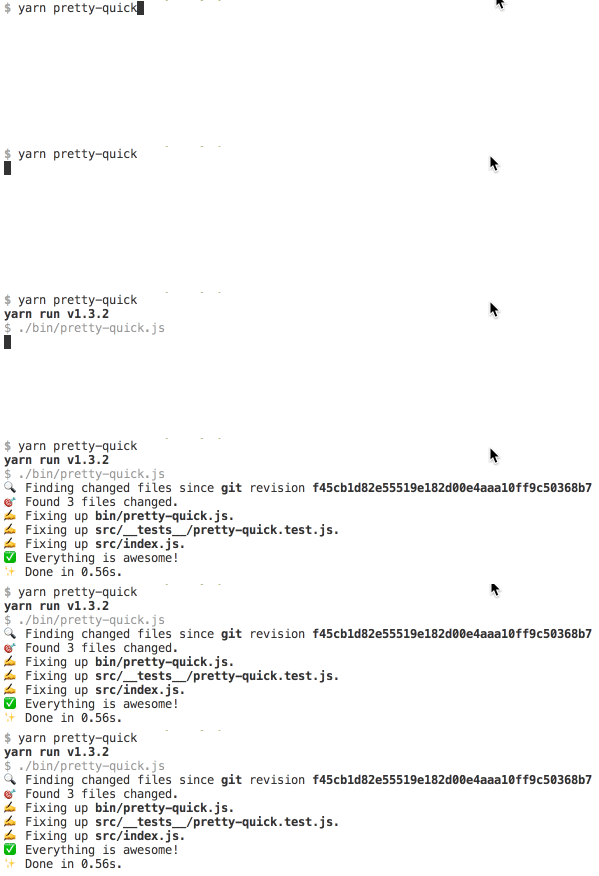
Runs Prettier on your changed files.
Supported source control managers:
- Git
- Mercurial
Install
# npm
npm install -D prettier pretty-quick
# yarn
yarn add -D prettier pretty-quick
Usage
# npx
npx pretty-quick

# yarn
yarn pretty-quick
Pre-Commit Hook
You can run pretty-quick as a pre-commit hook using simple-git-hooks.
# npm
npm install -D simple-git-hooks

# yarn
yarn add -D simple-git-hooks
In package.json, add:
"simple-git-hooks": {
  "pre-commit": "yarn pretty-quick --staged" // or "npx pretty-quick --staged"
}
CLI Flags
--staged (only git)
Pre-commit mode. Under this flag only staged files will be formatted, and they will be re-staged after formatting.
Partially staged files will not be re-staged after formatting and pretty-quick will exit with a non-zero exit code. The intent is to abort the git commit and allow the user to amend their selective staging to include formatting fixes.
--no-restage (only git)
Use with the --staged flag to skip re-staging files after formatting.
--branch
When not in staged pre-commit mode, use this flag to compare changes with the specified branch. Defaults to master (git) / default (hg) branch.
--pattern
Filters the files for the given minimatch pattern.
For example pretty-quick --pattern "**/*.*(js|jsx)" or pretty-quick --pattern "**/*.js" --pattern "**/*.jsx"
--verbose
Outputs the name of each file right before it is processed. This can be useful if Prettier throws an error and you can't identify which file is causing the problem.
--bail
Prevent git commit if any files are fixed.
--check
Check that files are correctly formatted, but don't format them. This is useful on CI to verify that all changed files in the current branch were correctly formatted.
--no-resolve-config
Do not resolve prettier config when determining which files to format, just use standard set of supported file types & extensions prettier supports. This may be useful if you do not need any customization and see performance issues.
By default, pretty-quick will check your prettier configuration file for any overrides you define to support formatting of additional file extensions.
Example .prettierrc file to support formatting files with .cmp or .page extensions as html.
{
  "printWidth": 120,
  "bracketSpacing": false,
  "overrides": [
    {
      "files": "*.{cmp,page}",
      "options": { "parser": "html" }
    }
  ]
}
--ignore-path
Check an alternative file for ignoring files with the same format as .prettierignore.
For example pretty-quick --ignore-path .gitignore
Configuration and Ignore Files
pretty-quick will respect your .prettierrc, .prettierignore, and .editorconfig files if you don't use --ignore-path . Configuration files will be found by searching up the file system. .prettierignore files are only found from the repository root and the working directory that the command was executed from.