
phasnox/acutis_firewall_android
소개
Free, open-source parental control for Android — on-device DNS firewall that blocks adult content, malware and gambling, with screen-time limits and uninstall protection.
보안측정된 스타 증가
- in 24h
- 0
- in 7 days
- 기록 수집 중
- in 15 days
- 기록 수집 중
- in 1 month
- 기록 수집 중
서로 겹치는 기간의 순증가량이며 일별 합계가 아닙니다. 측정값이 없으면 비워 둡니다. 스타는 관심도를 나타내며 품질을 보장하지 않습니다.
README.md
OriginalAcutis Firewall




Acutis Firewall is a free, open-source parental control app for Android. It blocks adult content, malware and gambling on the device itself with a local DNS firewall, sets daily time limits, and keeps a child from removing it — no account, no subscription, no ads and no analytics (MIT licence).
Download: Google Play · F-Droid · APK release · acutis.castillo.sh
Guides
Every guide is on the site, acutis.castillo.sh/help. In Spanish: acutis.castillo.sh/es/ayuda.
- How to block adult content on Android — three methods, what each one misses, five-minute setup.
- How to block YouTube on Android — the app and youtube.com, or only at set times.
- DNS filtering for parental control on Android — why it covers every app, and how it differs from a filtering resolver.
- A free Google Family Link alternative for Android — what Family Link does well and where an on-device filter fits.
- Uninstall protection — what Android really allows, and what a determined child can still do.
- Forgot your PIN? — how to get back in on each setup.
Features
Content Blocking
- VPN-based DNS filtering - Intercepts DNS queries locally to block dangerous domains
- No external server required - All filtering happens on-device for privacy
- Works across all apps - Not limited to browsers
Pre-built Blocklists
- Adult content - Blocks pornographic and explicit material
- Malware/Phishing - Protects against known malicious domains
- Gambling - Optional blocking of gambling sites
- Social Media - Optional blocking of social media platforms
Custom Blocklists
- Create custom lists for specific blocking needs
- Add/remove individual domains
- Enable/disable lists independently
- Wildcard support (
*.example.com)
Time-Based Rules
- Daily limits - Set maximum usage time per day (e.g., 1 hour of YouTube)
- Scheduled blocking - Block content during specific hours (e.g., bedtime)
- Day-of-week selection - Apply rules only on certain days
- Target selection - Apply rules to domains, categories, or custom lists
PIN Protection
- Secure settings with a 4-digit PIN
- PIN required to disable blocking or modify settings
- Enabling protections does not require PIN (only disabling)
- PIN also gates the notification's "Disable Firewall" action and time-rule changes
- Forgot it? See Forgot your PIN?
Uninstall Protection
- Optional device-administrator registration blocks uninstall at the OS level
- Removing protection in-app requires the parent PIN; you are alerted if the device admin is deactivated from system Settings, even if app storage is cleared afterwards
- Force stop and Clear storage are greyed out while it is on; clearing storage over adb is detected
- Optional Device Owner setup for genuinely unremovable protection
- See the uninstall protection guide; all guides are at acutis.castillo.sh/help
Screenshots
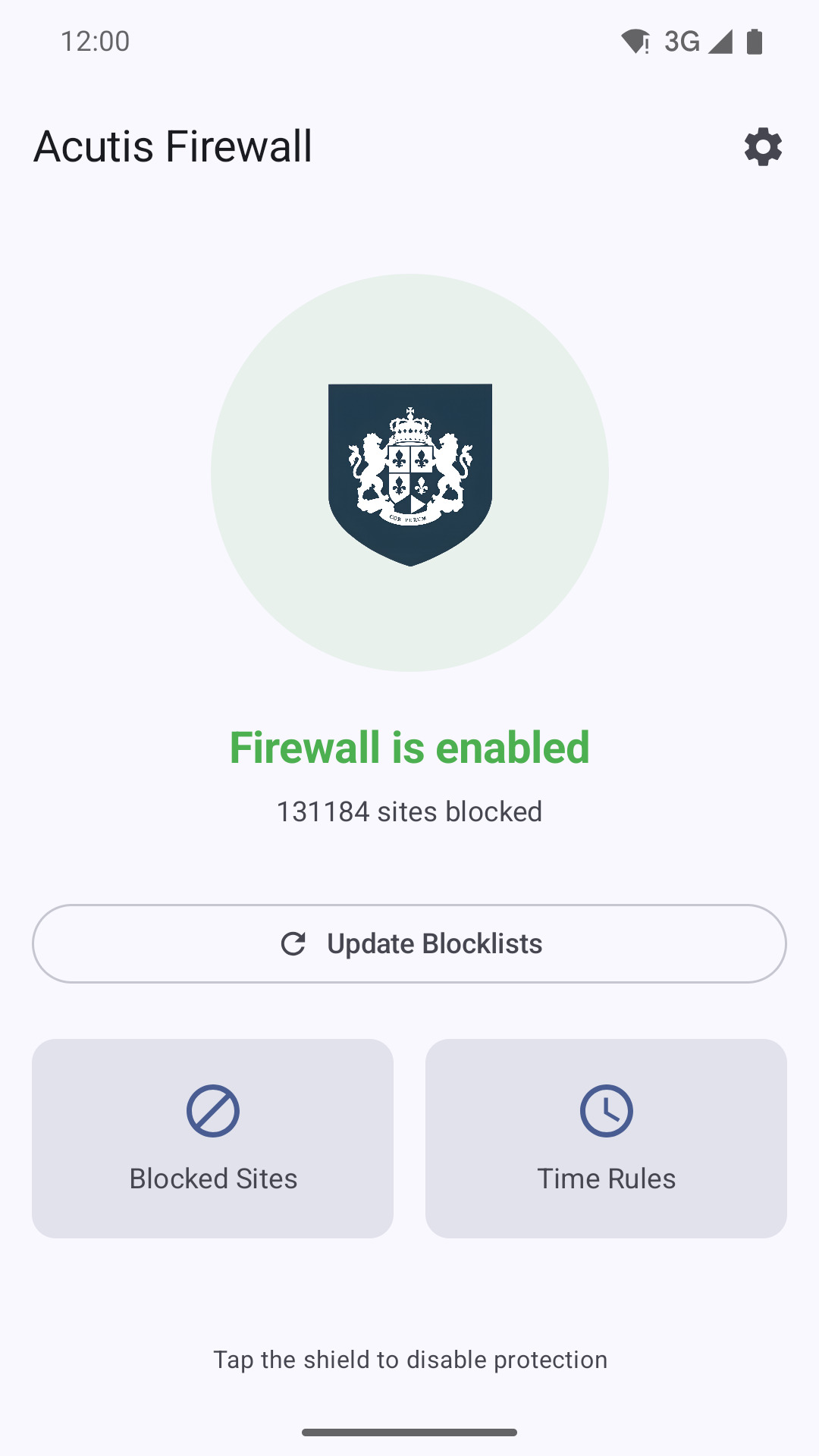
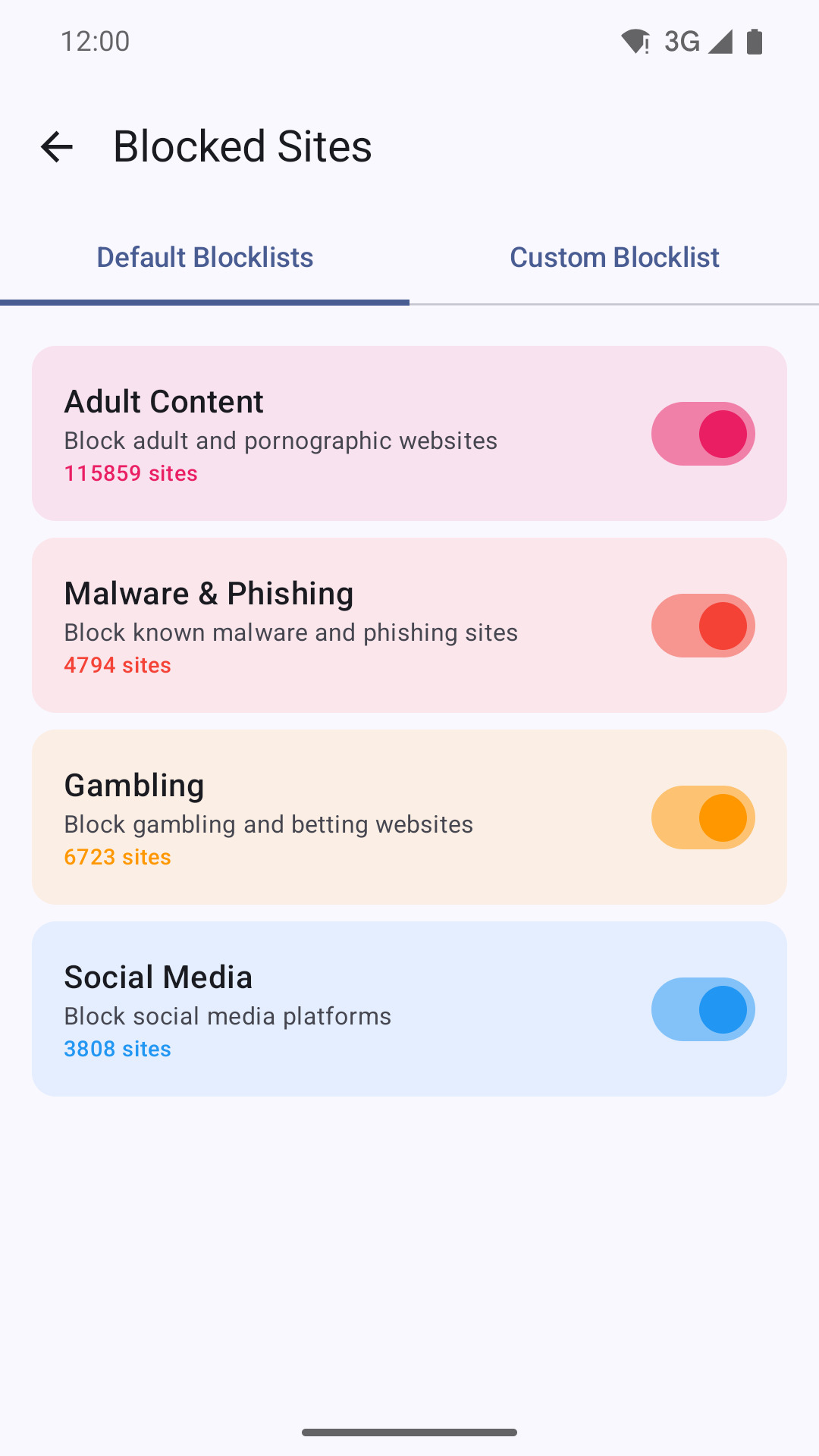
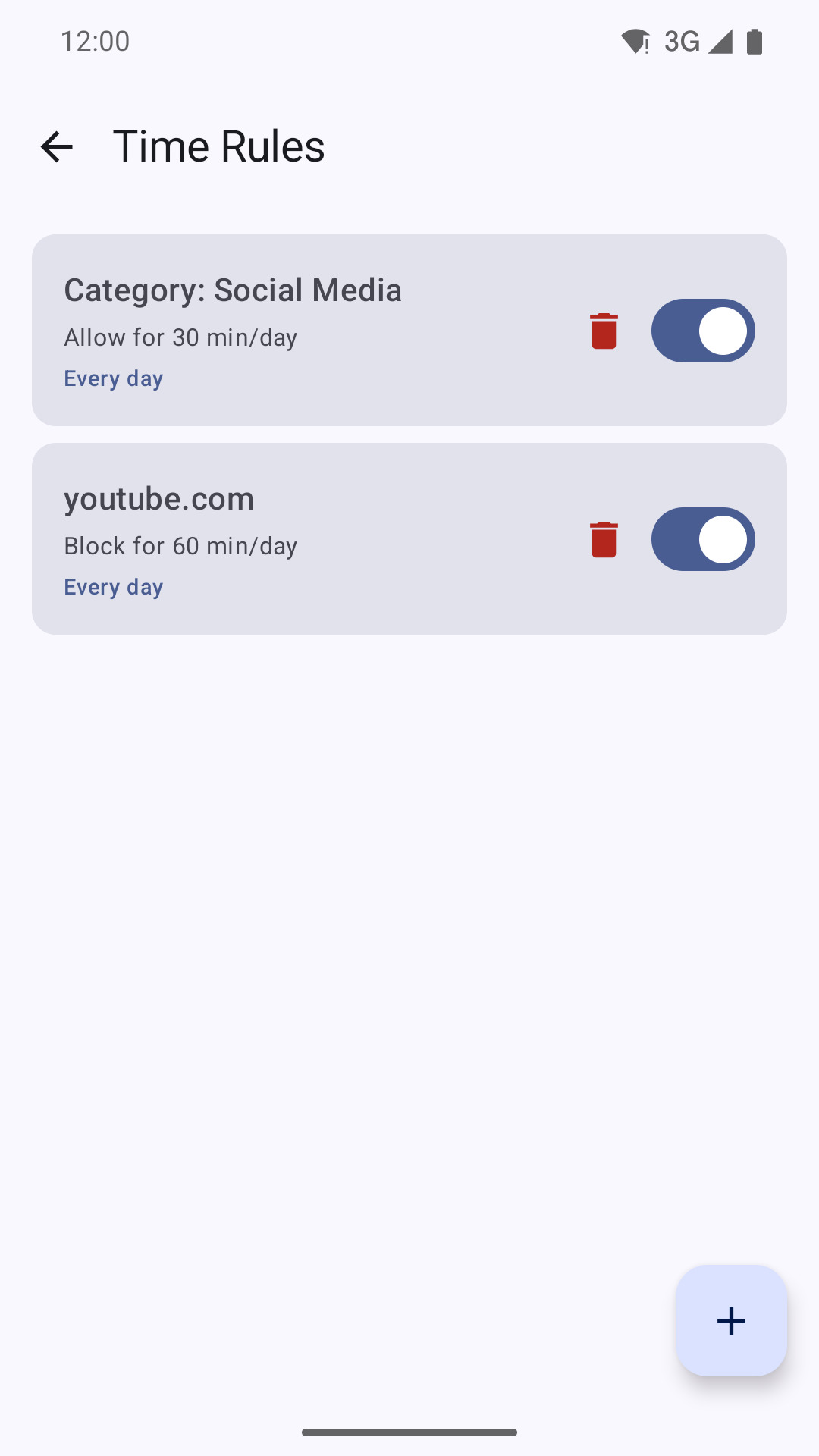
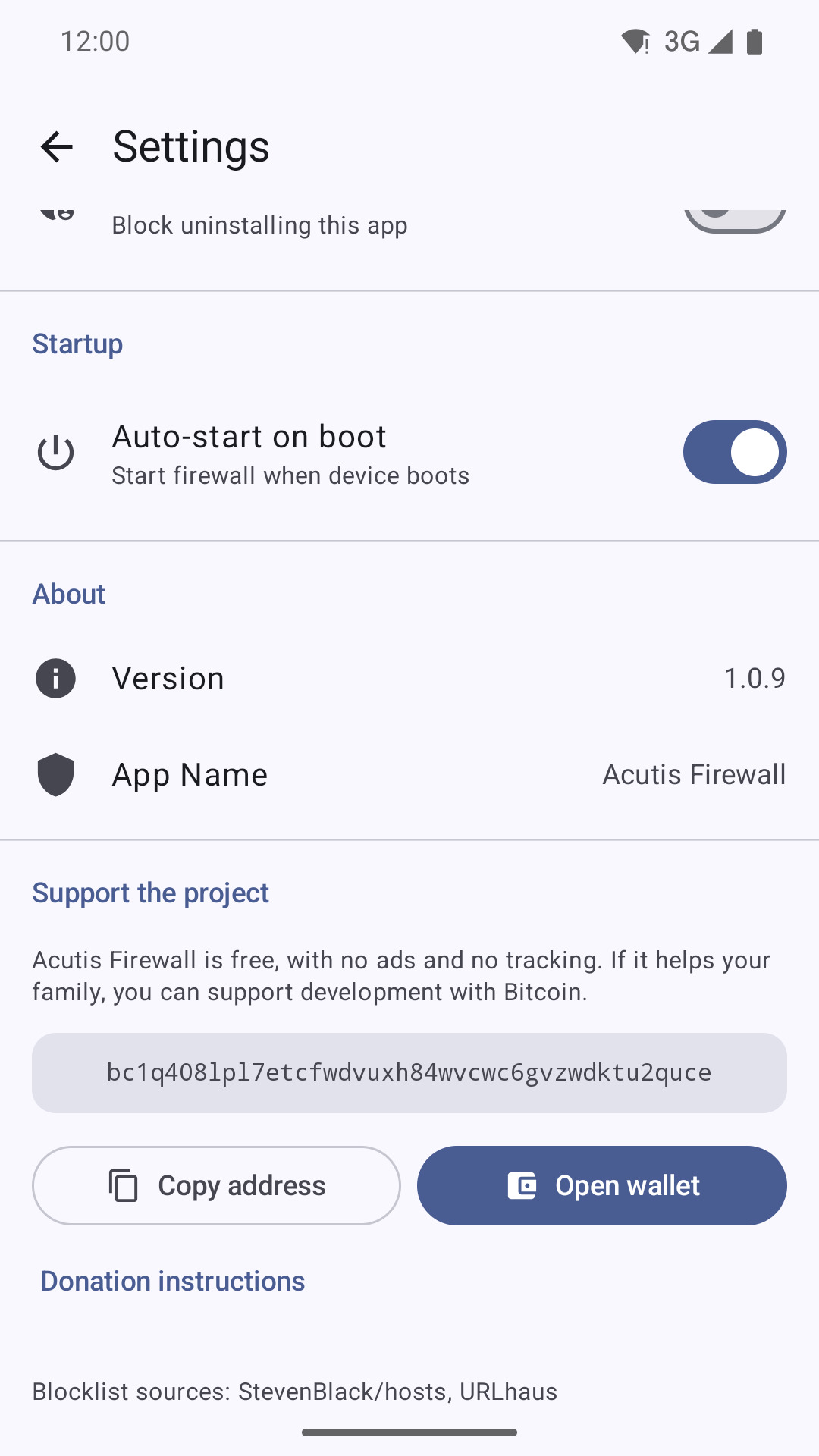
| Main Screen | Blocked Sites | Time Rules | Settings |
|---|---|---|---|
| Toggle protection on/off | Manage blocklist categories | Create time-based rules | Configure app settings |
Technical Details
Architecture
- Language: Kotlin
- Min SDK: 29 (Android 10)
- Target SDK: 36 (Android 16)
- UI: Jetpack Compose with Material 3
- Database: Room for blocklists and time rules
- Preferences: Encrypted DataStore for PIN storage
- DI: Hilt for dependency injection
- Background: Foreground Service for VPN
How It Works
- The app creates a local VPN tunnel using Android's
VpnService - All DNS queries are routed through the VPN
- Queries for blocked domains return NXDOMAIN (domain not found)
- Allowed queries are forwarded to upstream DNS: the active network's DNS server captured before the VPN starts, falling back to Cloudflare (1.1.1.1). Settings > Network > DNS server can override it with a fixed IPv4 or IPv6 address; leaving the field blank restores the automatic server
- Time rules are evaluated in real-time for dynamic blocking
Building
Prerequisites
- Android Studio Hedgehog or newer
- JDK 17
- Android SDK 35
Build Steps
# Clone the repository
git clone https://github.com/phasnox/acutis_firewall_android.git
cd acutis_firewall_android

# Build debug APK
./gradlew assembleDebug

# Run unit tests
./gradlew testDebugUnitTest

# Run lint checks
./gradlew lintDebug
Testing
# Run all unit tests
./gradlew testDebugUnitTest

# Run specific test class
./gradlew testDebugUnitTest --tests "com.acutis.firewall.viewmodel.HomeViewModelTest"
Permissions
<uses-permission android:name="android.permission.INTERNET" />
<uses-permission android:name="android.permission.FOREGROUND_SERVICE" />
<uses-permission android:name="android.permission.FOREGROUND_SERVICE_SPECIAL_USE" />
<uses-permission android:name="android.permission.RECEIVE_BOOT_COMPLETED" />
Privacy
- No data collection - All filtering happens locally on your device
- No external servers - DNS queries go directly to your network's DNS server, or to the custom resolver you configure, and never through us
- No analytics - The app does not track usage or behavior
- Encrypted PIN - PIN is stored using Android's EncryptedSharedPreferences
Support the project
Acutis Firewall is free, has no ads, no accounts and no analytics. Donations pay for test devices, blocklist hosting and the time spent keeping the app working on new Android releases. Every contribution is optional; the app stays complete without one.

Bitcoin (mainnet): bc1q408lpl7etcfwdvuxh84wvcwc6gvzwdktu2quce
- Scan the QR code with a phone wallet such as BlueWallet, or paste the address into a desktop wallet such as Electrum, Sparrow, Muun or Bitcoin Core.
- Send any amount. No account, email or name is needed.
- Confirm the address starts with
bc1qand ends withtu2qucebefore sending. - Check a donation arrived on mempool.space.
Step-by-step instructions, including fee and safety notes: acutis.castillo.sh/donate.
License
This project is licensed under the MIT License - see the LICENSE file for details.
관련 프로젝트 살펴보기
불러오는 중…