
openai/codex
openai/codex has 133,294 GitHub stars and 21,117 forks. GitHot measured +136 stars in 24 hours. Last checked 2026-11-05 13:23 UTC. Last push 2026-11-02.
터미널에서 실행되는 경량 코딩 에이전트
측정된 스타 증가
- in 24h
- +136
- in 7 days
- 기록 수집 중
- in 15 days
- 기록 수집 중
- in 1 month
- 기록 수집 중
서로 겹치는 기간의 순증가량이며 일별 합계가 아닙니다. 측정값이 없으면 비워 둡니다. 스타는 관심도를 나타내며 품질을 보장하지 않습니다.
README.md
OriginalCodex CLI is a coding agent from OpenAI that runs locally on your computer.
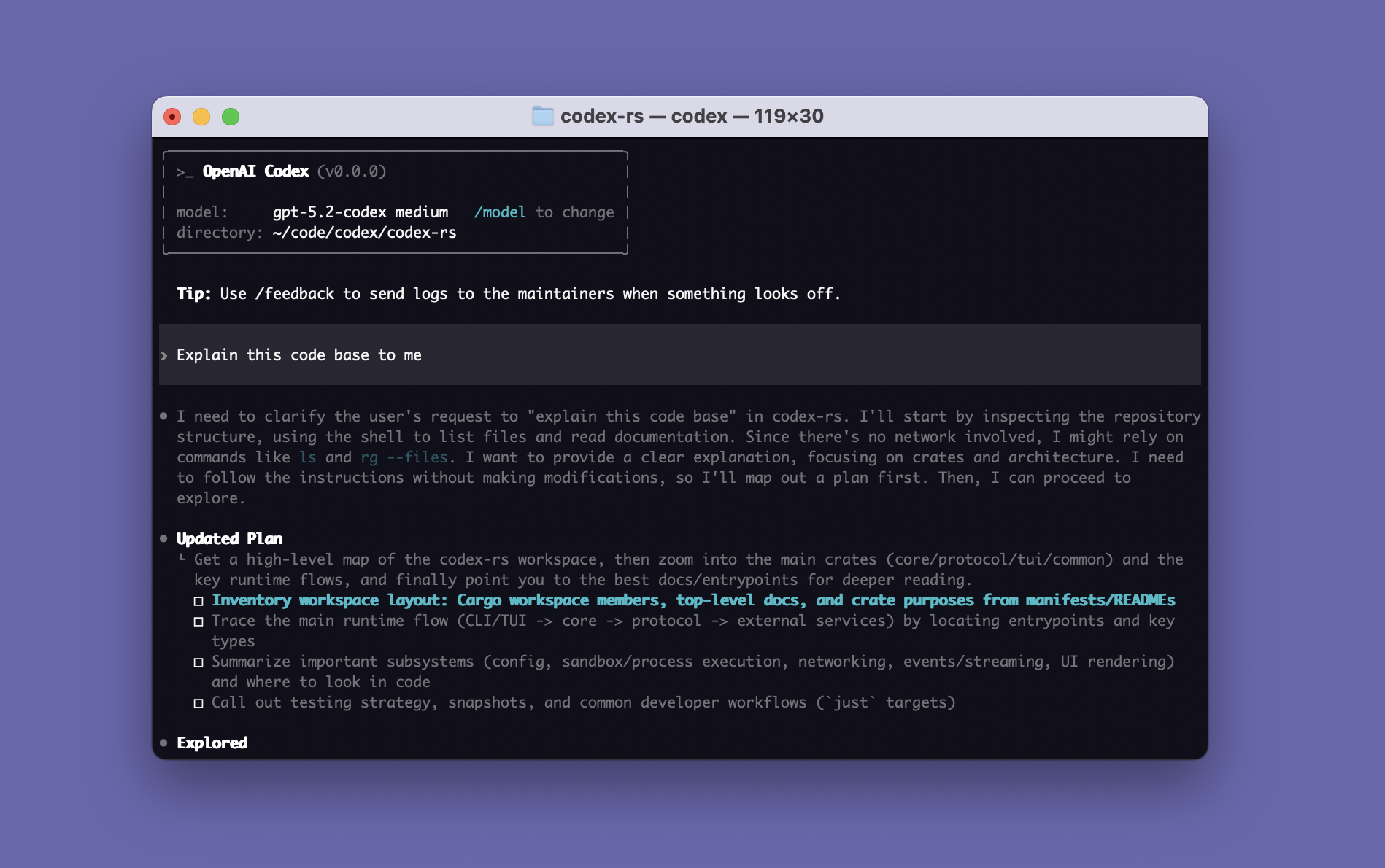
If you want Codex in your code editor (VS Code, Cursor, Windsurf), install in your IDE.
If you want the desktop app experience, run
codex app or visit the Codex App page.
If you are looking for the cloud-based agent from OpenAI, Codex Web, go to chatgpt.com/codex.
Quickstart
Installing and running Codex CLI
Run the following on Mac or Linux to install Codex CLI:
curl -fsSL https://chatgpt.com/codex/install.sh | sh
Run the following on Windows to install Codex CLI:
powershell -ExecutionPolicy ByPass -c "irm https://chatgpt.com/codex/install.ps1 | iex"
The standalone installers download from https://releases.openai.com/codex by default and fall back to GitHub Releases if a metadata or asset download is unavailable. To force GitHub Releases, set CODEX_INSTALLER_USE_RELEASES_OPENAI_COM to false (0 and no are also accepted):
curl -fsSL https://chatgpt.com/codex/install.sh | CODEX_INSTALLER_USE_RELEASES_OPENAI_COM=false sh
$env:CODEX_INSTALLER_USE_RELEASES_OPENAI_COM='false'; irm https://chatgpt.com/codex/install.ps1 | iex
Codex CLI can also be installed via the following package managers:
# Install using npm
npm install -g @openai/codex
# Install using Homebrew
brew install --cask codex
Then simply run codex to get started.
You can also go to the latest GitHub Release and download the appropriate binary for your platform.
Each GitHub Release contains many executables, but in practice, you likely want one of these:
- macOS
- Apple Silicon/arm64:
codex-aarch64-apple-darwin.tar.gz - x86_64 (older Mac hardware):
codex-x86_64-apple-darwin.tar.gz
- Apple Silicon/arm64:
- Linux
- x86_64:
codex-x86_64-unknown-linux-musl.tar.gz - arm64:
codex-aarch64-unknown-linux-musl.tar.gz
- x86_64:
Each archive contains a single entry with the platform baked into the name (e.g., codex-x86_64-unknown-linux-musl), so you likely want to rename it to codex after extracting it.
Using Codex with your ChatGPT plan
Run codex and select Sign in with ChatGPT. We recommend signing into your ChatGPT account to use Codex as part of your Plus, Pro, Business, Edu, or Enterprise plan. Learn more about what's included in your ChatGPT plan.
You can also use Codex with an API key, but this requires additional setup.
Docs
This repository is licensed under the Apache-2.0 License.