
oliverschwendener/ueli has 4,616 GitHub stars and 272 forks. GitHot measured +1 in 7 days. Last checked 2026-11-10 02:28 UTC. Last push 2026-10-23.
크로스 플랫폼 키 입력 런처
측정된 스타 증가
- in 24h
- 업데이트 지연
- in 7 days
- +1
- in 15 days
- 업데이트 지연
- in 1 month
- 업데이트 지연
서로 겹치는 기간의 순증가량이며 일별 합계가 아닙니다. 측정값이 없으면 비워 둡니다. 스타는 관심도를 나타내며 품질을 보장하지 않습니다.
README.md
OriginalUeli
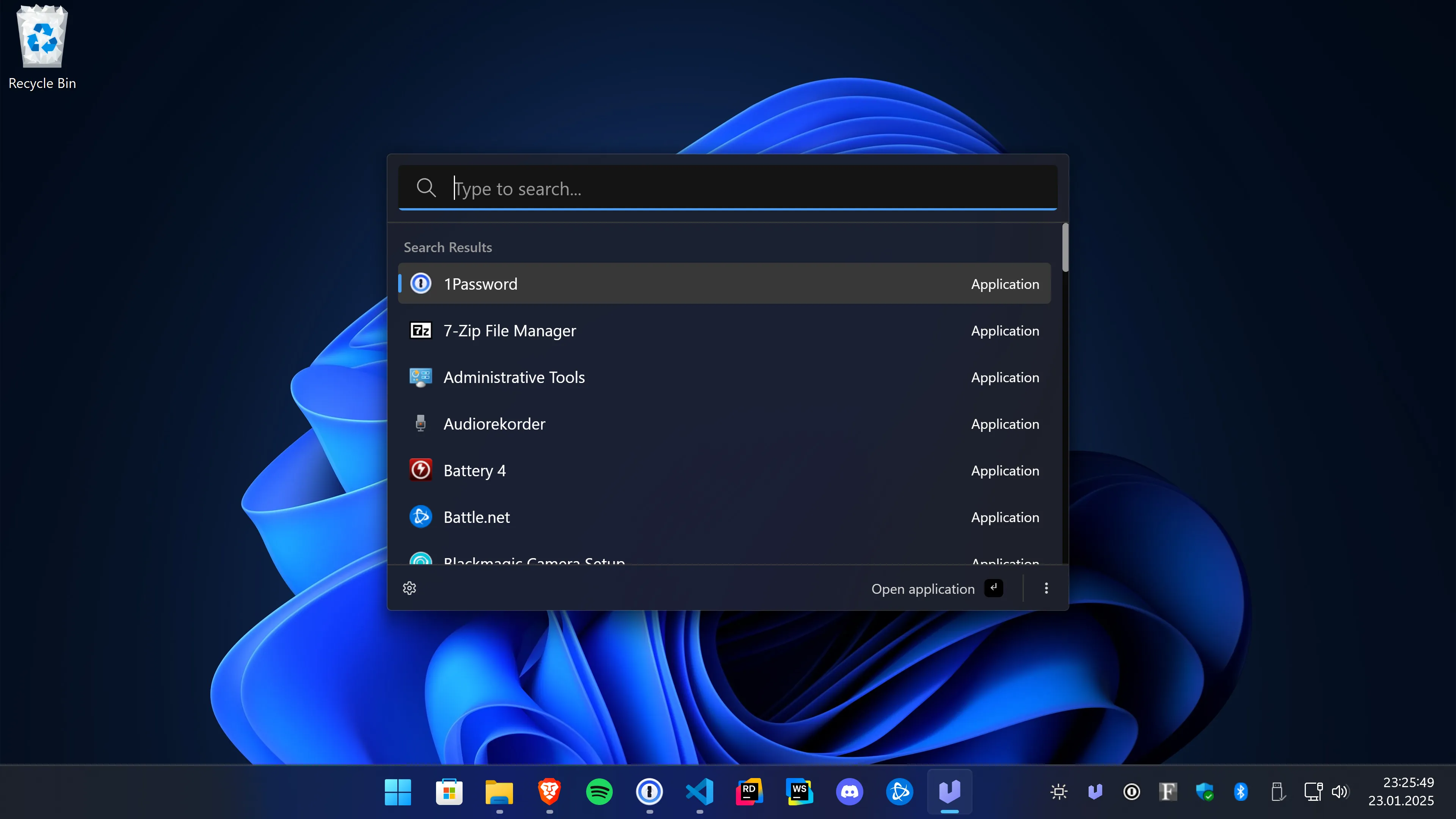
Ueli is a cross-platform keystroke launcher.
Installation
Please download Ueli only from the Microsoft Store, the Website https://ueli.app, or this repository.
Windows
Get the app from the Microsoft Store or install it with winget: winget install Ueli -s msstore.
Optionally, you can also manually download and install the app from here, but note that, due to cost reasons, these binaries are not signed. Windows will prevent you from installing / opening the app.
macOS
Download and install the app from here. Note that, due to cost reasons, these binaries are neither signed nor notarized.
Because Ueli is neither signed nor notarized, macOS will prevent you from installing or opening the app. When you try to launch the app for the first time macOS will block it from opening. You can open the "System Settings", go to "Privacy & Security" and click on "Open anyway", see screenshot.
Linux
Download and install the app from here.
First steps
- When you launch the app for the first time the main window will show up and you can start typing for what you're looking for.
- Use the hotkey "Alt+Space" to show/hide Ueli.
- Use the arrow keys to navigate up and down in the search result list.
- Press "Enter" to launch the selected item.
- Press "Cmd+K" (macOS) or "Ctrl+K" (Windows, Linux) to open the additional actions of the selected search result item and use the arrow keys to navigate up and down in the menu. Press "Enter" to invoke the selected action. Press "Escape" to close the additonal action menu.
- To add a frequently used item to your favorites open the additional actions menu and click on "Add to Favorites". Now this item will appear always first in the search result list. To remove an item from your favorites open the additional actions and click on "Remove from favorites". Alternatively, you can also open the settings and go to "Favorites" to see all favorites. Click on the "x" icon to remove an item from your favorites.
- Press "Cmd+," (macOS) or "Ctrl+," (Windows, Linux) or click on the "Settings" button to open the settings. Here you can configure Ueli to your liking.
- To browse the extensions click on "Extensions" in the left navigation. Toggle the switch to enable/disable an extension. As soon as an extension is enabled an additional item will appear in the left navigation where you will find the settings for that specific extension. You'll find more info about the extensions here.
Debugging
If something does not work as expected, go to "Settings" and click on "Debug".
Here you might find some logs that help find the issue.
Settings
⚠️ Under construction...
Extensions
- Appearance Switcher
- Application Search
- Base64 Conversion
- Browser Bookmarks
- Calculator
- Color Converter
- Currency Conversion
- Custom Web Search
- DeepL Translator
- File Search
- JetBrains Toolbox
- Password Generator
- Quick Formatter
- Rowland Text Editor
- Simple File Search
- System Commands
- System Settings
- Terminal Launcher
- Ueli Commands
- UUID / GUID Generator
- Visual Studio Code
- Web Search
- Windows Control Panel
Known issues
Linux
Global hotkeys may not work under Wayland sessions. As a workaround, bind a custom shortcut in your system settings to call ueli to show and focus the main window, or ueli --toggle to toggle the main window.
Development
Please read the contribution guidelines first.
Requirements
- Node.js 24: https://nodejs.org/en
- Make sure you have commit signing enabled
- Optional: if you're using Visual Studio Code we recommend installing the recommended extensions
Setup
Install dependencies
$ npm install
Running the app
Run app in dev mode
$ npm run dev
Debugging
If you're using Visual Studio Code, you can start the debugger for the main process, see screenshot:
Quality checks
Check formatting
$ npm run format:checkFormat the code
$ npm run format:writeLint files
$ npm run lintPerform typecheck
$ npm run typecheckRun tests
$ npm run test
Build and package the app
Build
$ npm run buildPackage
$ npm run package
관련 프로젝트 살펴보기
n8n-io/n8n
네이티브 AI 기능을 갖춘 Fair-code 워크플로 자동화 플랫폼입니다. 시각적 구성과 사용자 지정 코드를 결합할 수 있으며, 직접 호스팅하거나 클라우드에서 사용할 수 있고 400개 이상의 연동을 제공합니다.
210,102 스타langgenius/dify
하나의 협업 워크스페이스에서 에이전트 워크플로와 RAG 파이프라인을 구축하고, 풍부한 AI 모델과 도구를 지원합니다. 클라우드, VPC 또는 자체 호스팅으로 배포할 수 있어 팀은 스택을 다시 구축하지 않고 프로토타입에서 프로덕션으로 이동할 수 있습니다.
160,773 스타microsoft/PowerToys
Microsoft PowerToys는 Windows의 생산성과 사용자 지정 기능을 향상하는 유틸리티 모음입니다
140,833 스타stablyai/orca
Orca는 에이전트 집단(예: Grok Bot, Claude Code)과 함께 작업하는 곳입니다. 본인의 구독으로 어떤 코딩 에이전트든 실행할 수 있습니다. 데스크톱, 모바일, 원격 런타임에서 사용할 수 있습니다.
121,812 스타