
mikropsoft/StevenBlock
mikropsoft/StevenBlock has 313 GitHub stars and 5 forks. Star changes are not measured yet. Last checked 2026-11-13 17:21 UTC. Last push 2026-11-11.
측정된 스타 증가
- in 24h
- 기록 수집 중
- in 7 days
- 기록 수집 중
- in 15 days
- 기록 수집 중
- in 1 month
- 기록 수집 중
서로 겹치는 기간의 순증가량이며 일별 합계가 아닙니다. 측정값이 없으면 비워 둡니다. 스타는 관심도를 나타내며 품질을 보장하지 않습니다.
소개
🚫 Advanced Ad-Blocking Module for Android | Compatible with Magisk, KernelSU, and APatch 🔒
보안README.md
Original🛡️ StevenBlock: The Zero-Bloat Digital Guardian 🛡️
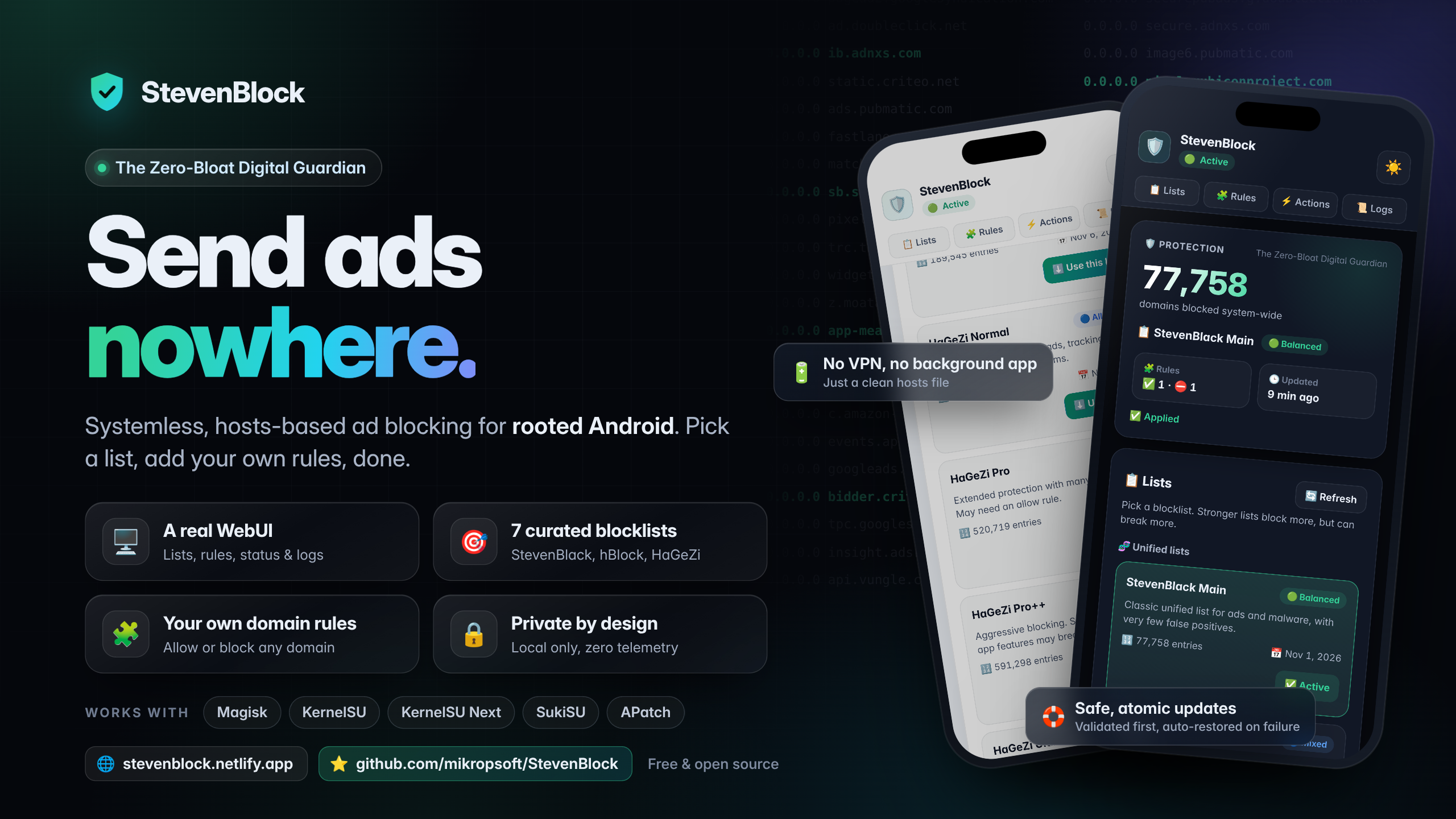





Welcome to StevenBlock v2.0 — the zero-bloat ad blocker for rooted Android, now smarter, lighter and reboot-free. 🚀
StevenBlock blocks ads, trackers and malware across your entire device with one carefully built /system/etc/hosts file. Your root manager mounts it systemlessly, so /system is never touched. There is no VPN to keep alive, no extra app to install and no background process unless you ask for one — just a clean hosts file and a polished WebUI to control it.
Pick one of 7 curated main lists, stack 14 optional add-ons or your own lists on top, write Allow / Block rules with wildcard support, and watch every step in real time. With ⚡ live apply, most changes are active the moment you tap — no reboot. Every change is downloaded, verified, optimized and installed with automatic backups, checksums and rollback, so a bad download can never leave you with a broken hosts file. 🛟
[!NOTE] New in v2.0: ⚡ live apply without rebooting, ➕ add-on lists, 🔗 custom lists, 🔄 optional auto-update, ✳️ wildcard allow rules, 🔍 domain lookup, 📥 rule import and export, 🩺 a health check with one-tap repair and a 🔏 Private DNS guard. Coming from v1.0? Your list, rules and settings are kept — read ⬆️ Upgrading.
📑 Table of Contents
- 🚀 Why StevenBlock
- ✨ What's New in v2.0
- ⚖️ How It Compares
- 🎯 Blocklists
- ➕ Add-ons
- 📱 Compatibility
- 🛠️ Installation
- 🖥️ WebUI Tour
- ⚡ Live Apply
- 🔄 Auto-update
- 🧩 Domain Rules Guide
- 🛟 Safety Net
- 🔒 Privacy & Security
- 💻 Command Line
- ⬆️ Upgrading
- 🗑️ Uninstall
- 🧠 FAQ
- 🩺 Troubleshooting
- 🙌 Credits
- 📄 License
- 💖 Support
- 💬 Community
- 🏆 Watch Us Grow
- ⭐ Star History
🚀 Why StevenBlock
- 🖥️ A real WebUI. Switch lists, toggle add-ons, manage domain rules, look up domains, check your setup's health and read logs from a fast, modern interface with dark and light themes. It opens right inside KernelSU, KernelSU Next, SukiSU and APatch, and from the Action button on Magisk.
- ⚡ Live apply. StevenBlock writes changes straight into the hosts file that is already mounted, then checks that Android really sees them. In most setups a new list or rule is active immediately. When that isn't possible, StevenBlock says so and asks for a reboot — it never pretends.
- 🔋 Zero-bloat by default. Blocking is a static hosts file. The local WebUI server only runs while you use it and shuts itself down after 10 minutes without activity. The only optional background process is the auto-update scheduler, and it is off until you turn it on.
- 🎯 7 curated main lists. From the gentle, battle-tested StevenBlack list to HaGeZi Ultimate, each with a clear strength level, live entry count and last-update date.
- ➕ 14 add-ons and your own lists. Stack content categories, security feeds and device tracker lists on top of your main list, or add any HTTPS hosts list by its address. Duplicates across lists are merged automatically.
- 🧩 Smart domain rules. Always allow a domain a list blocks by mistake, allow a whole domain with
*.example.com, or block one the lists miss. Paste a full URL and StevenBlock extracts the domain for you. - 🔍 Domain lookup. Ask whether a domain is blocked and by which list or rule, search your blocklist by keyword, and fix things with one tap.
- 🔄 Optional auto-update. Check your lists daily, every 3 days or weekly. Only lists that actually changed are downloaded, with compressed transfers that use about 75% less data.
- 🛟 Backed-up, verified updates. Every download is validated before it can touch your hosts file. Changes are staged, written, verified and checksummed. If anything fails, the previous state is restored automatically.
- 🩺 Health check and repair. One tap checks the hosts file, the mount, your lists, the downloader and the network — and one more tap rebuilds everything from the cache.
- 🔏 Private DNS guard. If you use Android's Private DNS with a provider hostname, StevenBlock never blocks that provider, even when a list contains it.
- 🔗 Works with or without a metamodule. At every boot StevenBlock checks that Android really uses its hosts file. If your root manager didn't mount it, StevenBlock mounts it itself.
- 🔒 Private by design. Local only, token-protected, zero telemetry, and the WebUI loads nothing from the internet — not even fonts.
- 🛡️ Safe by construction. Every entry from every list is rewritten to
0.0.0.0, so a list can only ever block a domain — it can never redirect you somewhere else.
✨ What's New in v2.0
| v1.0 | v2.0 | |
|---|---|---|
| Applying changes | 🔁 Reboot after every change | ⚡ Live apply, with an honest reboot fallback |
| Lists | 🎯 One of 7 lists | 🎯 One of 7 main lists ➕ 14 add-ons 🔗 up to 8 custom lists |
| Updates | 🔄 Manual | 🔄 Manual or scheduled, compressed, only what changed |
| Allow rules | ✅ Exact domains | ✅ Exact domains and *.example.com wildcards |
| Rule tools | — | 🔍 Lookup and keyword search, 📥 import, 📤 export, 🔎 filter |
| Diagnostics | 📊 Check Status | 📊 Check Status, 🩺 Health Check, 🛠️ Repair, 📋 copyable report |
| Integrity | ✅ Verified after writing | ✅ Verified after writing and by checksum at every boot |
| Backups | 🗂️ 3 full copies | 🗂️ 3 compressed copies, about 70% less storage in our measurements |
| Private DNS | — | 🔏 Your provider is never blocked |
| Automation | — | 💻 Documented command line with JSON output |
The full list of changes, fixes and measurements is in CHANGELOG.md.
⚖️ How It Compares
Every approach has trade-offs. Here is an honest look at how a systemless hosts file stacks up against the other common ways to block ads on Android:
| 🛡️ StevenBlock (hosts) | 🔐 VPN-based blockers | 🌐 Private DNS | 🧭 Browser extensions | |
|---|---|---|---|---|
| System-wide | ✅ Yes, for apps that use Android's resolver | ✅ Yes, for traffic routed through the VPN | ✅ Yes, for apps that use Android's resolver | ❌ Only inside that browser |
| VPN slot | ✅ Stays free | ❌ Occupied, so no other VPN at the same time | ✅ Stays free | ✅ Stays free |
| Battery | ✅ No background service for blocking | ⚠️ A service handles traffic all the time | ✅ Negligible | ✅ Minimal |
| Customization | ✅ 7 main lists, add-ons, custom lists, allow and block rules | ✅ Usually extensive | ⚠️ Depends on the provider | ✅ Extensive, including cosmetic filtering |
| Root required | ⚠️ Yes | ✅ No | ✅ No | ✅ No |
[!TIP] A hosts file blocks whole domains. It can't hide page elements (cosmetic filtering) or block ads served from the same domain as the content. A browser with a built-in or extension-based blocker is a great companion for that — it works alongside StevenBlock.
🎯 Blocklists
Your main list is the foundation. All lists are downloaded straight from their official sources. Pick one in 📋 Lists — the WebUI shows each list's live entry count and last-update date, read from the list's own header without downloading the whole file.
| # | List | Type | Level | Approx. entries* | Best for |
|---|---|---|---|---|---|
| 1 | StevenBlack Main | Unified list (default) | 🟢 Balanced | ~78K | Everyone. The safe, battle-tested default. |
| 2 | hBlock | Mixed list built from many sources | 🔵 Mixed | Varies | Broad coverage from many public lists in one file. |
| 3 | HaGeZi Light | Basic protection | 🟢 Basic | ~161K | Zero-hassle blocking that shouldn't break anything. |
| 4 | HaGeZi Normal | All-round protection | 🔵 All-round | ~427K | Stronger everyday protection, rarely breaks anything. |
| 5 | HaGeZi Pro | Extended protection | 🟡 Extended | ~497K | Power users who don't mind an occasional allow rule. |
| 6 | HaGeZi Pro++ | Aggressive | 🟠 Aggressive | ~561K | Experienced users. Some legitimate sites may break. |
| 7 | HaGeZi Ultimate | Most aggressive | 🔴 Maximum | ~614K | Maximum blocking. Can restrict app and site features. |
*As of November 2026. Lists update often, so the WebUI always shows the current numbers.
[!WARNING] 🟠 Pro++ and 🔴 Ultimate are strict on purpose. If something stops working, use 🔍 Check this domain to find the culprit, add it as an ✅ Allow rule, or step down to a lighter list.
➕ Add-ons
Add-ons are optional lists that are stacked on top of your main list. Flip the switches you want in 📋 Lists → ➕ Add-ons, tap ✅ Apply, and StevenBlock downloads, merges and de-duplicates everything in one go. Each add-on shows how many entries it has and how many of them are actually new on top of your main list.
| Group | Add-on | Source | Approx. entries* | What it blocks |
|---|---|---|---|---|
| 🎭 Content | 🗞️ Fake news | StevenBlack | ~2.2K | Sites known for publishing fabricated news stories. |
| 🎭 Content | 🎰 Gambling | StevenBlack | ~6.7K | Online casinos, betting and lottery sites. |
| 🎭 Content | 🔞 Adult content | StevenBlack | ~77K | Pornography and other adult sites. |
| 🎭 Content | 👥 Social networks | StevenBlack | ~3.8K | The social networks themselves, such as Facebook, Instagram and X. |
| 🔐 Security | 🔐 Encrypted DNS bypass | HaGeZi | ~4K | Public DNS-over-HTTPS servers, so apps can't sidestep your hosts file. |
| 🔐 Security | 🦠 Threat Intelligence | HaGeZi | ~1.1M | Malware, phishing and scam domains. |
| 📱 Trackers | 📱 Xiaomi | HaGeZi | ~470 | Telemetry built into Xiaomi, Redmi and POCO devices. |
| 📱 Trackers | 📱 Samsung | HaGeZi | ~270 | Telemetry built into Samsung devices. |
| 📱 Trackers | 📱 Huawei | HaGeZi | ~180 | Telemetry built into Huawei and Honor devices. |
| 📱 Trackers | 📱 OPPO & Realme | HaGeZi | ~590 | Telemetry built into OPPO, Realme and OnePlus devices. |
| 📱 Trackers | 📱 Vivo | HaGeZi | ~250 | Telemetry built into Vivo and iQOO devices. |
| 📱 Trackers | 📦 Amazon | HaGeZi | ~740 | Tracking built into Amazon devices and apps. |
| 📱 Trackers | 🎵 TikTok | HaGeZi | ~550 | Tracking and fingerprinting domains used by TikTok. |
| 📱 Trackers | 🪟 Microsoft | HaGeZi | ~730 | Telemetry from Windows, Office and other Microsoft apps. |
*As of November 2026.
- ✨ For your device. StevenBlock reads your device's brand and marks the matching tracker add-on with ✨ For your device.
- 🧮 No double counting. The device tracker add-ons are almost completely contained in HaGeZi Pro, Pro++ and Ultimate. They add the most on top of StevenBlack Main, hBlock, HaGeZi Light and HaGeZi Normal — the ➕ new number on each row tells you exactly how much.
- 🔐 Encrypted DNS bypass makes browsers and apps with their own secure DNS fall back to the system resolver, where your hosts file applies. Your Android Private DNS provider is kept reachable automatically — see 🔏 the Private DNS guard.
- 🐘 Threat Intelligence is very large. Some ROMs read the whole hosts file on every lookup, so more than a million extra entries can make name resolution slower. Turn it off again if your device feels sluggish.
- 👥 Social networks blocks the networks themselves. Their apps and websites stop working.
🔗 Your own lists
Tap ➕ Add a list and paste the HTTPS address of any hosts file. StevenBlock understands classic hosts files, plain domain lists (one domain per line) and simple ||domain^ lists. You can add up to 8 custom lists, each up to 64 MB.
[!IMPORTANT] A hosts file has no wildcards. When a list was written for wildcard-capable blockers — plain domain lists and
||domain^lists usually are — StevenBlock blocks exactly the domains that are listed, not their subdomains. Lists published in hosts format work best.
📱 Compatibility
| Root manager | WebUI | Action button | How to open the WebUI |
|---|---|---|---|
| Magisk v28+ | 🌐 In your browser | ✅ | Tap Action ▶️ on the StevenBlock card. The WebUI opens in your browser through a private local server. |
| KernelSU | ✅ Built in | ✅ | Tap WebUI on the StevenBlock card. |
| KernelSU Next | ✅ Built in | ✅ | Tap WebUI on the StevenBlock card. |
| SukiSU | ✅ Built in | ✅ | Tap WebUI on the StevenBlock card. |
| APatch | ✅ Built in | ✅ | Tap WebUI on the StevenBlock card. |
- 🌐 Magisk has no built-in module WebUI. The Action button (Magisk v28+) starts a private server on
127.0.0.1:9090and opens the WebUI in your browser. You can also open the WebUI natively with KsuWebUI, MMRL or WebUI X. Installing needs Magisk v20.4 or newer. - ▶️ On KernelSU, KernelSU Next, SukiSU and APatch the Action button works too: it opens the same WebUI in your browser.
- 🔗 Metamodules: recent KernelSU, SukiSU and APatch releases leave module mounting to a metamodule (such as meta-overlayfs). StevenBlock doesn't depend on one: right after the boot-time mount, and again when boot finishes, it checks that
/system/etc/hostsreally is its file and bind-mounts the file itself if not. - 🧰 StevenBlock uses the BusyBox that ships with your root manager for every task, including requests from the browser WebUI. It downloads with
curlwhen available, otherwise with BusyBoxwget. Without a root manager BusyBox it falls back to Android's own tools.
🛠️ Installation
- 📥 Download
StevenBlock.zipfrom the StevenBlock repository. - 📦 Install it from your root manager: Modules → Install from storage → select the zip.
- ☕ Sit back. The installer runs on its own:
- ✅ detects your root manager, BusyBox and downloader,
- 🧩 warns you about conflicting hosts blockers (installation continues),
- 🧹 moves v1.0 data to the new layout and removes leftovers from v5.0,
- 💾 keeps a copy of your original hosts file,
- ⬇️ downloads, verifies and installs StevenBlack Main — or rebuilds your existing setup without downloading anything.
- 🔁 Reboot. Installing or updating the module itself is the one thing that always needs a restart.
- 🖥️ Open the WebUI — see 📱 Compatibility for your root manager.
[!TIP] No internet during install? No problem. StevenBlock writes a clean localhost-only hosts file and finishes the installation anyway. After you reboot, it retries the download automatically as soon as you're online — at this boot and at every later one — and you can also tap ⬇️ Download now in the WebUI.
[!NOTE] Updating keeps your main list, add-ons, custom lists, domain rules, settings and your enabled or disabled state.
🖥️ WebUI Tour
🛡️ Header
The StevenBlock logo, the version and a live status badge: 🟢 Active, 🔴 Disabled, 🟡 Reboot required, ⚠️ Overridden or 🔴 Not active. The 🌙 / ☀️ button switches between the dark (default) and light themes and remembers your choice. Right below, quick links jump to every section.
🔁 Reboot banner
It only appears when saved changes really are waiting for a reboot, with a 🔁 Reboot now button that always asks for confirmation first. With live apply you will rarely see it.
📊 Protection overview
The number of blocked domains, the main list with its level, how many add-ons are stacked on top, your rule counts, when the lists were last updated and whether the hosts file is actually applied to the system. Small tags show whether ⚡ live apply and 🔄 auto-update are on and whether your 🔏 Private DNS provider is protected. The update time turns amber when your lists are more than a week old.
📋 Lists
Every main list as a card with its name, a short description, a level badge (🟢 / 🔵 / 🟡 / 🟠 / 🔴), the entry count and the last-update date. The active list is highlighted with a ✅ Active badge and a colored border.
- ⬇️ Use this list opens a confirmation with the list's details, then shows live progress: ⬇️ Download → 🔍 Verify → 🧹 Optimize → 📦 Install, with percentage, size and speed. Your add-ons and rules are kept.
- ✖️ Cancel stops a download safely — nothing is changed.
- 🔽 Hide tucks the progress into a small bar at the bottom while you keep exploring. Close the WebUI and come back later — a running task is still shown.
- 🔄 Refresh re-reads entry counts and dates. They are cached for 6 hours.
- If a count can't be fetched, the card says ❌ Couldn't fetch entry count with a 🔁 Retry button.
➕ Add-ons
Below the main lists: one row per add-on with a switch, grouped into 🎭 Content categories, 🔐 Security, 📱 Device & app trackers and 🔗 Your own lists. Flip as many switches as you like — a bar appears with ↩️ Reset and ✅ Apply, and the confirmation lists exactly what will be turned on and off, including any warnings. When several lists are downloaded, the progress shows which one is in flight, for example Downloading Gambling (2 of 3).
🧩 Domain Rules
Type a domain or paste a full URL, then tap ✅ Allow Domain or ⛔ Block Domain. 🔍 Check this domain tells you whether and why a domain is blocked. Your rules appear in two tabs with a 🗑️ button to remove each one, a filter box once the list gets long, and 📥 Import rules / 📤 Export rules at the bottom. See the 🧩 Domain Rules Guide.
⚡ Actions
- 🔄 Update Lists — checks your main list and every add-on, and only downloads what changed. Otherwise you'll see ✅ Already up to date.
- 📊 Check Status — the main list, add-ons, enabled state, total blocked domains, rule counts, last update, auto-update and live apply, whether a reboot is pending, how the hosts file is mounted, your Private DNS provider, the hosts file size, your root manager and the module version.
- ⏻ Disable / Enable Blocker — Disable swaps in a clean localhost-only hosts file but keeps your lists and rules. Enable rebuilds the hosts file from the cache instantly, without downloading again.
- 🩺 Health Check — verifies the hosts file line by line and by checksum, the mount, conflicting modules, the cache, list age, the scheduler, the downloader, the connection to the list server, BusyBox, free storage and your Private DNS provider. 📋 Report turns it all into text you can copy into a bug report.
- ⚙️ Settings — ⚡ Live apply on or off, and the 🔄 Auto-update interval.
- 🛠️ Repair — rebuilds the hosts file from your cached lists and rules, checks it again and mounts it if needed. Nothing is downloaded.
📜 Logs
Every operation is logged with a timestamp and a level — ℹ️ INFO, ⚠️ WARN or ❌ ERROR — color-coded and scrolled to the newest entry. Filter by ⚠️ Warnings or ❌ Errors, copy the log with 📋, or 🧹 Clear logs after a confirmation. The log keeps the latest 500 lines.
🙌 Credits
Links to the developer's GitHub and the Telegram group, plus the blocklist and font projects StevenBlock is built on. Links open in your browser.
⚡ Live Apply
In v1.0 every change needed a reboot. v2.0 removes that wait whenever your device allows it:
- ✍️ Write in place. The new hosts file is first built and checked next to the old one, then written into the very file that is already mounted over
/system/etc/hosts. Everything that reads the hosts file sees the new content right away. - 🔍 Check the result. StevenBlock compares the live
/system/etc/hostswith its own file. Only when they match does it report Active now. - 🔗 Mount directly if needed. If Android is using a stale copy — some metamodules mount a copy made at install time — and no other module provides a hosts file, StevenBlock bind-mounts its own file.
- 🔁 Fall back honestly. If none of that works, for example because another module owns the hosts file, you get the familiar 🟡 Reboot required banner. Your change is saved either way.
- 🧽 After a live change StevenBlock asks Android to flush its DNS cache where the system supports it. Apps that were already open can hold on to old answers for a little while — close and reopen them if a change doesn't seem to arrive.
- 🧱 Prefer the classic behaviour? Turn ⚡ Live apply off in ⚙️ Settings. StevenBlock then swaps the hosts file atomically and waits for a reboot, exactly like v1.0.
- 📦 Installing or updating the module itself always needs a reboot, because your root manager only activates new module files at boot.
🔄 Auto-update
Auto-update is off by default. Turn it on in ⚙️ Settings and choose Daily, 3 days or Weekly.
- 😴 One small sleeping process. While auto-update is on, a single shell process wakes up every 15 minutes, sees whether a check is due and goes back to sleep. Turn the setting off and the process ends.
- 🔎 Cheap checks. A check asks each list's server for the first 8 KB only and compares the list's version with the one you have. A list is downloaded only when it actually changed.
- 🗜️ Compressed downloads. With
curl, lists are transferred compressed — in our measurements about 75–79% less data than the plain file. HaGeZi Ultimate, for example, came down from about 21 MB to about 4.5 MB. - ⚡ No reboot. With live apply, an updated list is active as soon as it is installed.
- 🛑 Polite on failure. If an update fails, for example because you're offline, StevenBlock waits about an hour before trying again and logs it once.
- 📶 Some lists change several times a day. If you're on a metered connection, Weekly keeps data use low.
🧩 Domain Rules Guide
Domain rules sit on top of your lists, and they stay when you switch lists or change add-ons.
| You want to… | Rule | Example |
|---|---|---|
| Unblock a domain your lists block by mistake | ✅ Allow | links.newsletter-service.com |
| Unblock a domain together with all of its subdomains | ✅ Allow with a wildcard | *.example.com |
| Block a domain your lists don't cover | ⛔ Block | ads.annoying-site.net |
- 🔗 Paste anything.
https://Shop.Example.com/cart?id=42becomesshop.example.comautomatically. - 🔡 Lowercase is automatic, and international domain names are converted to their
xn--form. - ✳️ Wildcard allow rules.
*.example.comallowsexample.comand every subdomain your lists would block. Only allow rules can use a wildcard, and only at the very start. - 🚫 Not accepted: spaces, ports (
example.com:8080), IP addresses, wildcards in block rules and wildcards in the middle of a domain. - ⚖️ No contradictions. A domain can't be both allowed and blocked. That includes wildcards: you can't block
ads.example.comwhile*.example.comis allowed, and you can't allow*.example.comwhile one of its subdomains is in your Block list. StevenBlock tells you which rule is in the way. - 📦 Up to 1,000 allow rules and 1,000 block rules.
[!IMPORTANT] Hosts files have no wildcard support, so a Block rule matches exactly the domain you enter: blocking
ads.example.comdoes not blocktracker.ads.example.com. Wildcard allow rules work because StevenBlock removes the matching entries while it builds the hosts file.
🔍 Check a domain
Type a domain, a URL or just a keyword and tap 🔍 Check this domain:
- ⛔ Blocked — and by which list, add-on or rule. One tap on ✅ Allow it fixes a false positive.
- ✅ Allowed by one of your rules — including which lists would block it otherwise.
- ✅ Not blocked — with ⛔ Block it right there, and a count of blocked subdomains if there are any, plus ✅ Allow all subdomains.
- 🔎 A keyword such as
facebooklists the blocked domains that contain it. Tap one to check it.
📥 Import and 📤 export
📤 Export rules shows all of your rules as plain text to copy and keep. 📥 Import rules takes that text back — or any list of domains:
allow example.com
allow *.cdn.example.com
block ads.example.net
Lines without allow or block are imported as the type you choose. Lines from a hosts file (0.0.0.0 domain) are imported as block rules, +domain as allow and -domain as block. You decide whether the import is ➕ added to your current rules or ♻️ replaces them, and the WebUI shows how many entries are valid before anything is saved.
After any rule change, StevenBlock rebuilds the hosts file from its cached copy of your lists — no download needed.
🛟 Safety Net
Your hosts file is too important to gamble with, so StevenBlock checks everything twice:
- 🔒 One task at a time. A lock (with stale-lock detection) prevents two operations from colliding. Quick actions wait their turn for a moment; long downloads make the busy buttons unavailable.
- 💾 Free space check before every download.
- 🔍 Download validation. The server must answer HTTP 200, the file can't be empty or an HTML error page, it must contain enough valid entries (at least 1,000 for a main list), it can't be larger than 64 MB, and its size must match what the server announced. With
curl, lists must come over HTTPS all the way — a redirect to plain HTTP is refused. - 🧹 One-pass normalization with
awk: comments, blank lines and CRLF line endings are removed, every redirect becomes0.0.0.0, localhost and other system entries are skipped, invalid domains are dropped, and everything is lowercased and de-duplicated — within each list and across all of your lists. - 🧱 Staged changes. New lists are prepared on the side. Nothing — not the cache, not your settings — is replaced until the new hosts file has been written and verified. If one add-on can't be refreshed during an update, its previous version stays in use and you're told about it.
- 🗂️ Backups. Before every list change the current hosts file is backed up, compressed. The last 3 backups are kept, and if the newest one is unusable the older ones are tried.
- ✅ Verification. The new file must start with the
127.0.0.1 localhostand::1 localhost ip6-localhostlines and contain exactly the expected number of entries. If not, the backup is restored automatically. - 🧾 Checksum at every boot. StevenBlock records a checksum after each change and compares it at boot. A truncated, tampered or missing hosts file is rebuilt from the cache before it is mounted.
- 🔗 Mount check at every boot. If Android isn't using StevenBlock's file and no other module provides one, StevenBlock bind-mounts it directly —
/systemitself is never written. - 🔏 Private DNS guard. If Android's Private DNS is set to a provider hostname, that hostname is left out of the blocklist, so a list can never cut you off from your own DNS provider. Your own Block rule still wins if you add one.
- 🧽 DNS cache flush. StevenBlock tries the
ndc resolvermethods your Android version supports after a live change. - 📜 Nothing fails silently. Every error appears in the WebUI and in the log, and 🩺 Health Check re-verifies the whole setup whenever you ask.
🔒 Privacy & Security
- 🏠 Local only. When you open the WebUI with the Action button, its server listens on
127.0.0.1:9090only — never on your network — and only while you use it. The built-in WebUI of KernelSU, KernelSU Next, SukiSU and APatch needs no server at all. - 🔑 Token protected. Every server start creates a fresh random session token. It reaches your browser in the fragment of the link — the part browsers never send to a server — is removed from the address bar right away, and travels in the request body from then on. Requests without the right token, with a foreign
HostorReferer, or with an unexpected method are rejected, so other apps and websites can't control StevenBlock. - 🖼️ No framing. In a browser, the WebUI refuses to run inside another page.
- 🧱 Locked-down backend. The WebUI can only call a fixed list of commands. It never sends file paths or shell commands, and every input is validated again on the device. The only addresses it can pass along are the custom lists you add yourself: HTTPS only, a real domain name, a strict character set, and still nothing but
0.0.0.0entries can come out of them. - 📵 Zero telemetry. No analytics, no tracking, no accounts.
- 🔤 No external requests from the WebUI. Fonts, icons and code are all bundled in the module.
- 🌐 The only network traffic is downloading the lists you chose — and reading their first 8 KB for entry counts, dates and update checks — from their official sources.
- 🎯 Lists can only block. Every entry is rewritten to
0.0.0.0, so even a tampered list can't redirect a domain to another server. - 🔐 Transport.
curlverifies the server's certificate. BusyBoxwget, which is only used on devices withoutcurl, can't do that — which is exactly why lists can only block and never redirect. - 🗄️ Systemless. StevenBlock never writes to
/system. Its data lives in/data/adb/stevenblock/and is readable by root only.
💻 Command Line
Everything the WebUI does is available from a root shell — handy for Tasker, Termux or your own scripts:
su -c 'sh /data/adb/modules/stevenblock/sb.sh help'
Every command except help prints exactly one line of JSON — {"ok":…,"code":"…","message":"…","data":{…}} — and exits with 0 on success and 1 on failure.
| Command | What it does |
|---|---|
status |
Overall state: lists, counts, applied state, settings. |
lists |
The catalog of main lists and add-ons. |
apply <list> |
Switch the main list, for example apply hagezi-pro. |
update |
Check every active list and download what changed. |
addons <id,id,…> |
Set the active add-ons, for example addons sb-gambling,hz-doh. An empty value turns all of them off. |
source-add <https-url> [name] · source-del <id> |
Add or remove a custom list. |
progress · wait [seconds] · cancel |
Follow, wait for or cancel the running task. |
rules · rule-add <allow|block> <domain> · rule-del <allow|block> <domain> |
Manage domain rules. |
rules-import <allow,csv> <block,csv> [replace] |
Import rules in bulk. |
lookup <domain|keyword> |
Explain whether and why a domain is blocked. |
enable · disable |
Turn blocking on or off. |
settings · set live <0|1> · set autoupdate <0|1|3|7> |
Read and change settings. |
diag · repair |
Run the health check, rebuild the hosts file. |
logs · logs-clear · reboot |
Housekeeping. |
Downloads run in the background. A typical script looks like this:
SB='sh /data/adb/modules/stevenblock/sb.sh'
su -c "$SB update" && su -c "$SB wait 300"
⬆️ Upgrading
From v1.0
Install v2.0 over v1.0 and reboot. That's it.
- ♻️ Everything is kept: your main list, your domain rules and your enabled or disabled state. The cached list is moved to the new layout, so nothing is downloaded again.
- ⚡ New defaults: live apply is on, auto-update is off, and no add-ons are selected.
- 🧾 The hosts file has no comment header anymore. It now contains the two localhost lines and block entries only, which lets StevenBlock verify every single line.
- 🗂️ Backups are compressed and taken before list changes. Rule changes can always be undone by removing the rule, so they no longer create a backup.
- 🔁 The WebUI keeps working until you reboot, still on v1.0. After the reboot you're on v2.0.
From v5.0
StevenBlock v1.0 was a complete rewrite of v5.0, and v2.0 builds on it. Its version code (2000) is higher than v5.0's (500), so your root manager offers it as a normal update.
- 🧹 The v5.0 files
config.txt,hosts.bakandhosts.tmpin/data/adb/stevenblock/are removed automatically during installation. - 🎯 Energized lists are no longer offered, so every v5.0 user starts with StevenBlack Main. Switch to any other list from the WebUI.
- 🖥️ The terminal menu and the volume-key installer are gone. Everything is managed from the WebUI or the 💻 command line.
🗑️ Uninstall
- Open your root manager → Modules → StevenBlock → Remove.
- Reboot.
On removal StevenBlock stops its WebUI server and the auto-update scheduler, then deletes /data/adb/stevenblock/ with all of its lists, rules and temporary files. Because /system was never modified, your original hosts file is back after the reboot — no traces left. Want to keep your rules? Use 📤 Export rules first.
🧠 FAQ
❔ Can I use StevenBlock together with AdAway or Magisk's “Systemless hosts”?
Please don't. Only one module can provide /system/etc/hosts, so two hosts-based blockers fight over the same file. Turn off Systemless hosts in Magisk (it creates a module called “Systemless Hosts” — remove it in the Modules tab) and don't use AdAway's root (hosts) mode alongside StevenBlock. The installer, 📊 Check Status and 🩺 Health Check warn you when they spot a conflict.
❔ Do my changes still need a reboot?
Usually not. With ⚡ live apply, StevenBlock writes into the hosts file that is already mounted and then checks that Android really sees the new content. You only need a reboot when that check fails — typically because another module provides the hosts file — when you turned live apply off, or after installing or updating the module itself. The WebUI always tells you which case you're in. See ⚡ Live Apply.
❔ I use KernelSU, KernelSU Next, SukiSU or APatch and still see ads in Chrome. Why?
These managers can hide module changes from apps that aren't granted root — the umount modules option. If it's active for your browser, the browser sees the original hosts file instead of StevenBlock's.
Fix: open your root manager → Superuser → select Chrome (or Brave, Edge…) → Custom → uncheck “umount modules”. Then fully close and reopen the browser.
❔ Do browsers with “Secure DNS” bypass the hosts file?
They can. Chromium-based browsers (Chrome, Brave, Edge and others) have a built-in Secure DNS (DNS-over-HTTPS) option that can resolve domains on its own instead of through Android's resolver, which means your hosts file may be skipped.
Fix in Chrome: Settings → Privacy and security → Use secure DNS → turn it off. Or turn on the 🔐 Encrypted DNS bypass add-on, which blocks the public DNS-over-HTTPS servers these browsers use. Android's own Private DNS setting is different: it doesn't bypass the hosts file, so you can keep using it — and StevenBlock makes sure your provider is never blocked.
❔ Is a bigger list always better?
No. Stricter lists block more but also break more, and size has a cost of its own: some ROMs read the whole hosts file on every lookup, so a file with more than a million entries can make name resolution noticeably slower. Start with a list that fits your needs, add the add-ons you actually want, and use 🔍 Check this domain when something breaks. Processing a very large setup also takes longer: on our test machine a rule change took about a second with 600,000 entries and about five seconds with 1.6 million.
❔ Why does the official YouTube app still show video ads?
Those ads are served from the same servers as the videos themselves. A hosts file blocks whole domains, so blocking them would also block the videos. That's a limitation of every hosts-based blocker. For ad-free YouTube, use a client with built-in ad blocking such as ReVanced. StevenBlock keeps handling everything else on your device.
❔ A website or app broke. What now?
- 🔍 Type the site's domain into 🧩 Domain Rules and tap 🔍 Check this domain. If it or one of its subdomains is blocked, tap ✅ Allow it or ✅ Allow all subdomains.
- 🧪 Not sure which domain it is? ⏻ Disable Blocker for a moment and try again — with live apply that takes a second and no reboot. Enable it again afterwards.
- 🔎 The error message, a browser's network inspector or the app's support pages often name the blocked domain. A keyword search such as
paypalin 🔍 Check this domain helps too. - 🎚️ Using 🟠 Pro++ or 🔴 Ultimate? Step down to 🟡 Pro or 🔵 Normal — the stricter lists trade compatibility for blocking power.
❔ Do I need a metamodule on KernelSU, SukiSU or APatch?
No. Recent releases of these root managers only mount module files through a metamodule, and some metamodules mount a copy of the module that was made during installation — so later list changes would never reach the system. StevenBlock checks at every boot, and after every change, whether /system/etc/hosts is its current file. If it isn't, and no other module provides a hosts file, StevenBlock bind-mounts its own file directly. 📊 Check Status shows who mounted it under 🔗 Mounted by.
❔ Does StevenBlock slow down my phone or drain my battery?
No background service runs for blocking — it's a static file read by Android's resolver. Downloading and processing a list takes a few seconds and only happens when you switch or update. The WebUI server only runs while you use it. If you turn on auto-update, one sleeping shell process wakes up every 15 minutes for a moment; without it, nothing runs at all.
❔ How much storage does it use?
Roughly the size of your hosts file plus a cache of similar size and three compressed backups. In our measurement with HaGeZi Ultimate, v2.0 used about 17 MB of data where v1.0 used about 56 MB.
🩺 Troubleshooting
Start with 🩺 Health Check — it finds most problems on its own — and try 🛠️ Repair when it reports one.
| Symptom | Solution |
|---|---|
| 🟡 “Not applied yet — reboot required” | Reboot. This appears when live apply is off or when Android couldn't be switched to the new file right away. |
| ⚠️ “Overridden by another module” | Another module provides /system/etc/hosts (often Magisk's Systemless hosts or AdAway). Remove or disable it and reboot. 📊 Check Status lists the conflicting modules. |
| 🔴 “Not active” | Android isn't using StevenBlock's hosts file. Tap 🛠️ Repair, or reboot — StevenBlock mounts it at startup. If it stays, share the 📋 Report from 🩺 Health Check in the Telegram group. |
| 🧾 “The hosts file doesn't match what StevenBlock built” | Something else changed the file. Tap 🛠️ Repair. |
| 🔏 “Your Private DNS provider … is blocked right now” | Tap 🛠️ Repair. StevenBlock picks up the provider you set in Android and leaves it out of the blocklist. |
| 🔌 “WebUI server stopped” in the browser | The server stops after 10 minutes without activity. Tap Action ▶️ again. |
| 🔑 “Session expired” or “Secure session required” | Open the WebUI from the Action ▶️ button — each press creates a new secure link. |
| ❌ “Port 9090 is already in use by another app” | Another app is using port 9090. Close it (or reboot) and press Action ▶️ again. |
| ❌ “BusyBox httpd isn't available” | Your BusyBox lacks httpd. Open the WebUI with KsuWebUI, MMRL or WebUI X instead. |
| 🌐 “Couldn't reach the list server” | Check your connection and try again. Your previous hosts file stays in place. |
| 🧱 “The server sent a web page instead of a hosts list” | A captive portal or network filter answered instead of the list server. Sign in to the network or switch networks, then retry. |
| 🐘 “… is larger than 64 MB” | The list is too big for a hosts file. Pick a smaller edition of it. |
| 📉 “Only … valid entries were found” | The address doesn't point to a list StevenBlock can read. Use the list's hosts-format address. |
| ⏳ “Setup pending” after installing offline | Connect to the internet — StevenBlock retries automatically at boot — or tap ⬇️ Download now. |
| ❌ “Couldn't fetch entry count” on a card | Tap 🔁 Retry on the card or 🔄 Refresh at the top of the list section. |
| 🔄 Auto-update is on but “the scheduler isn't running” | It starts at boot. Open ⚙️ Settings and pick the interval again to start it right now. |
| 📺 Ads still show in a browser | See the FAQ entries on umount modules and Secure DNS. |
Still stuck? Open 🩺 Health Check → 📋 Report, copy it and ask in the Telegram group.
🙌 Credits
StevenBlock stands on the shoulders of these outstanding open-source projects:
- StevenBlack — the unified hosts list behind our default, StevenBlack Main, and the fake news, gambling, adult content and social network extensions.
- hBlock — merges many reputable blocklists into one hosts file.
- HaGeZi — the Light, Normal, Pro, Pro++ and Ultimate lists, the Encrypted DNS bypass and Threat Intelligence feeds and the native tracker lists.
- Inter by Rasmus Andersson — the typeface of the WebUI, bundled under the SIL Open Font License 1.1.
📄 License
StevenBlock is released under the GNU General Public License v2.0 — see LICENSE. The blocklists belong to their maintainers and are downloaded directly from their official sources. The Inter font is distributed under the SIL Open Font License 1.1; its license is included in webroot/fonts/LICENSE.txt.
💖 Support
StevenBlock is built and maintained in spare time. If it keeps your phone clean, fast and private, you can help:
- ⭐ Star the repository — it helps others find StevenBlock.
- 📣 Share it with friends who root their phones.
- 🐞 Report bugs with the 📋 Report from 🩺 Health Check — it contains everything that's needed and nothing personal.
💬 Community
Questions, ideas or just want to hang out with fellow performance purists? Join our Telegram group! 🎉
🏆 Watch Us Grow
⭐ Star History

관련 프로젝트 살펴보기
trimstray/the-book-of-secret-knowledge
영감을 주는 목록, 매뉴얼, 치트시트, 블로그, 팁, 원라이너, CLI/웹 도구 등을 모은 컬렉션.
258,211 스타Hack-with-Github/Awesome-Hacking
해커, 펜테스터, 보안 연구자를 위한 다양한 Awesome 목록 모음.
125,431 스타swisskyrepo/PayloadsAllTheThings
웹 애플리케이션 보안과 모의 침투 테스트/CTF에 유용한 페이로드 및 우회 방법 목록.
82,655 스타caddyserver/caddy
빠르고 확장 가능한 멀티플랫폼 HTTP/1-2-3 웹 서버이며, 자동 HTTPS를 지원합니다
79,021 스타