
mijowi/edamame
소개
A Terminal Markdown editor
개발 도구What you can do
- Hybrid rendered/raw editing — the document stays formatted; only the cursor's line shows its source
- Real table editing — tables render as a grid, you edit cell by cell, Tab between cells, drag with the mouse to reorder or resize
- Inline images, Mermaid diagrams, and LaTeX math on terminals that support them
- Search and replace, with smartcase navigation
측정된 스타 증가
- in 24h
- +2
- in 7 days
- +7
- in 15 days
- +20
- in 1 month
- 기록 수집 중
서로 겹치는 기간의 순증가량이며 일별 합계가 아닙니다. 측정값이 없으면 비워 둡니다. 스타는 관심도를 나타내며 품질을 보장하지 않습니다.
README.md
Originaledamame
A Terminal Markdown editor that stays rendered while you edit.




Jump to:
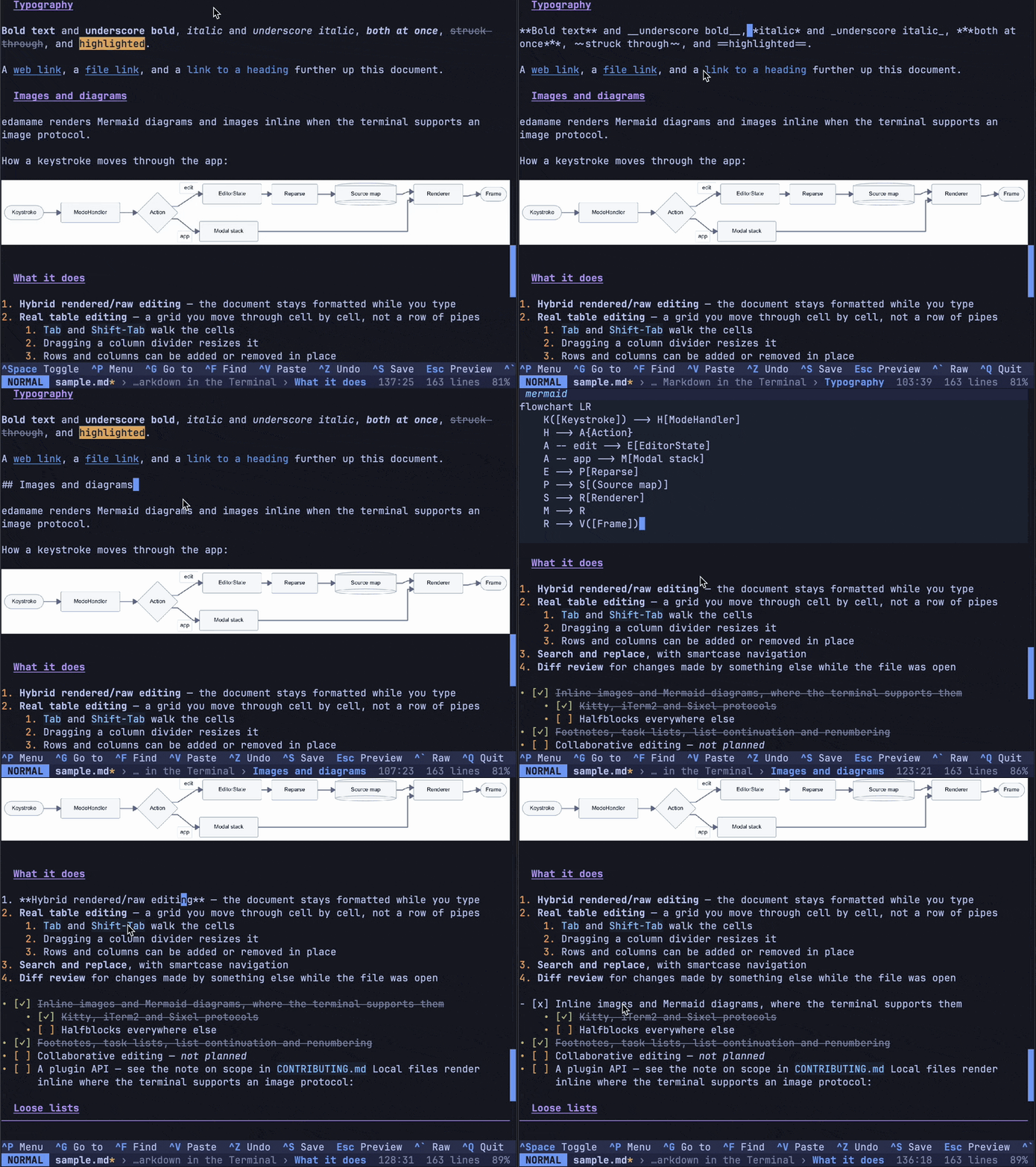
edamame shows your document rendered with headings, drawn table grids, inline images, and more — while you work on it. Only the line your cursor is on drops to raw Markdown, for easy editing.
Demo
https://github.com/user-attachments/assets/85e2a303-08d6-4122-9f1f-18975613a127
Features
- Hybrid rendered/raw editing — the document stays formatted; only the cursor's line shows its source
- Real table editing — tables render as a grid, you edit cell by cell,
Tabbetween cells, drag with the mouse to reorder or resize - Inline images, Mermaid diagrams, and LaTeX math on terminals that support them
- Search and replace, with smartcase navigation
- Diff review for external changes — when something else writes your file, accept or reject each change hunk by hunk instead of losing work
- Vim mode, optional — motions, operators, text objects,
:swith a live preview - 27 themes, and a documented format for writing your own
- HTML export, self-contained or linked
- Footnotes, task lists, list continuation and renumbering
- Mouse support, fuzzy command palette, jump-to-heading, navigation history
The hybrid view
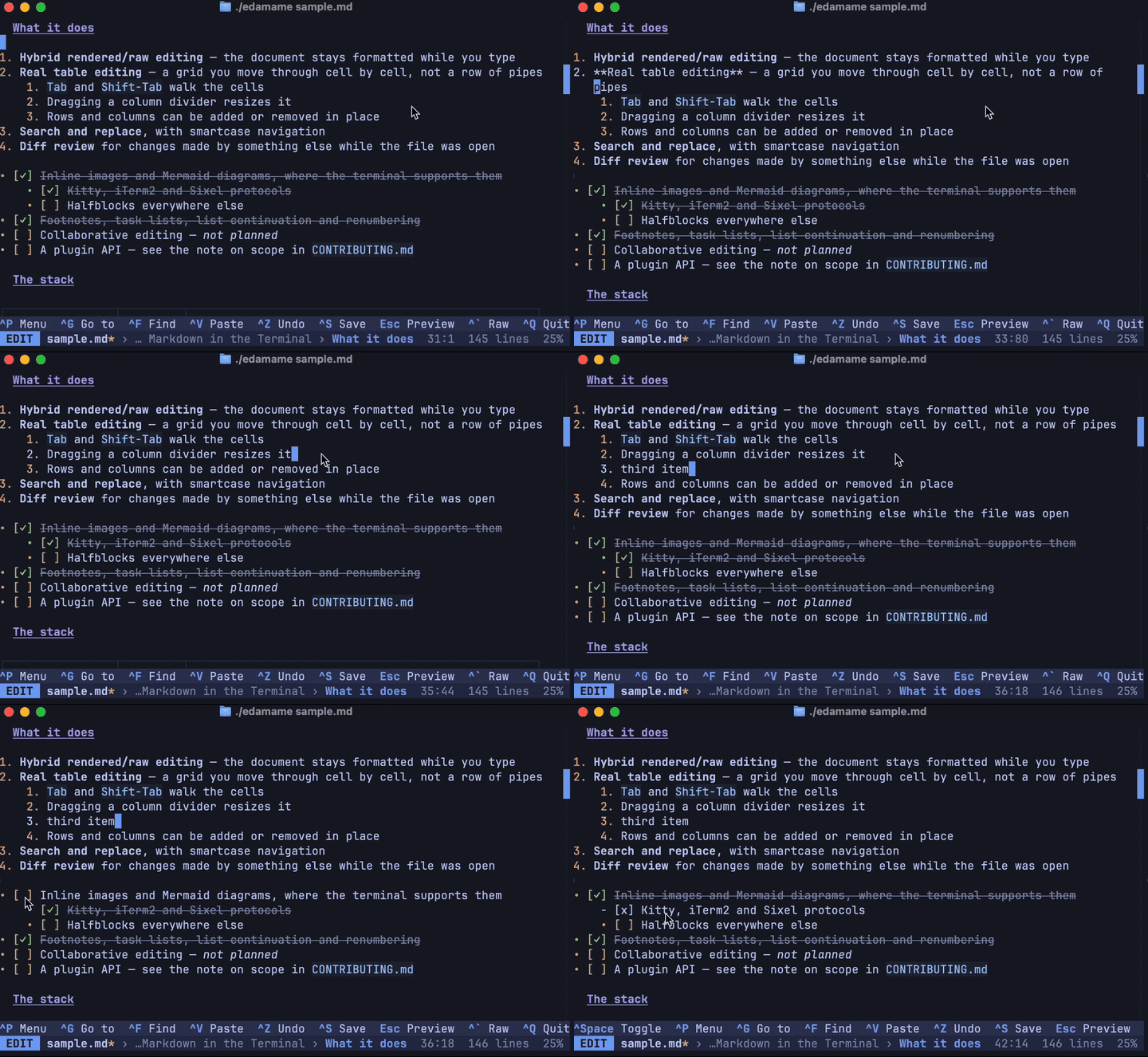
The document stays formatted while you work. The cursor's line shows its source, and renders again as soon as you leave it — so list markers, emphasis and links are editable in place without turning the page into syntax.
Tables as grids
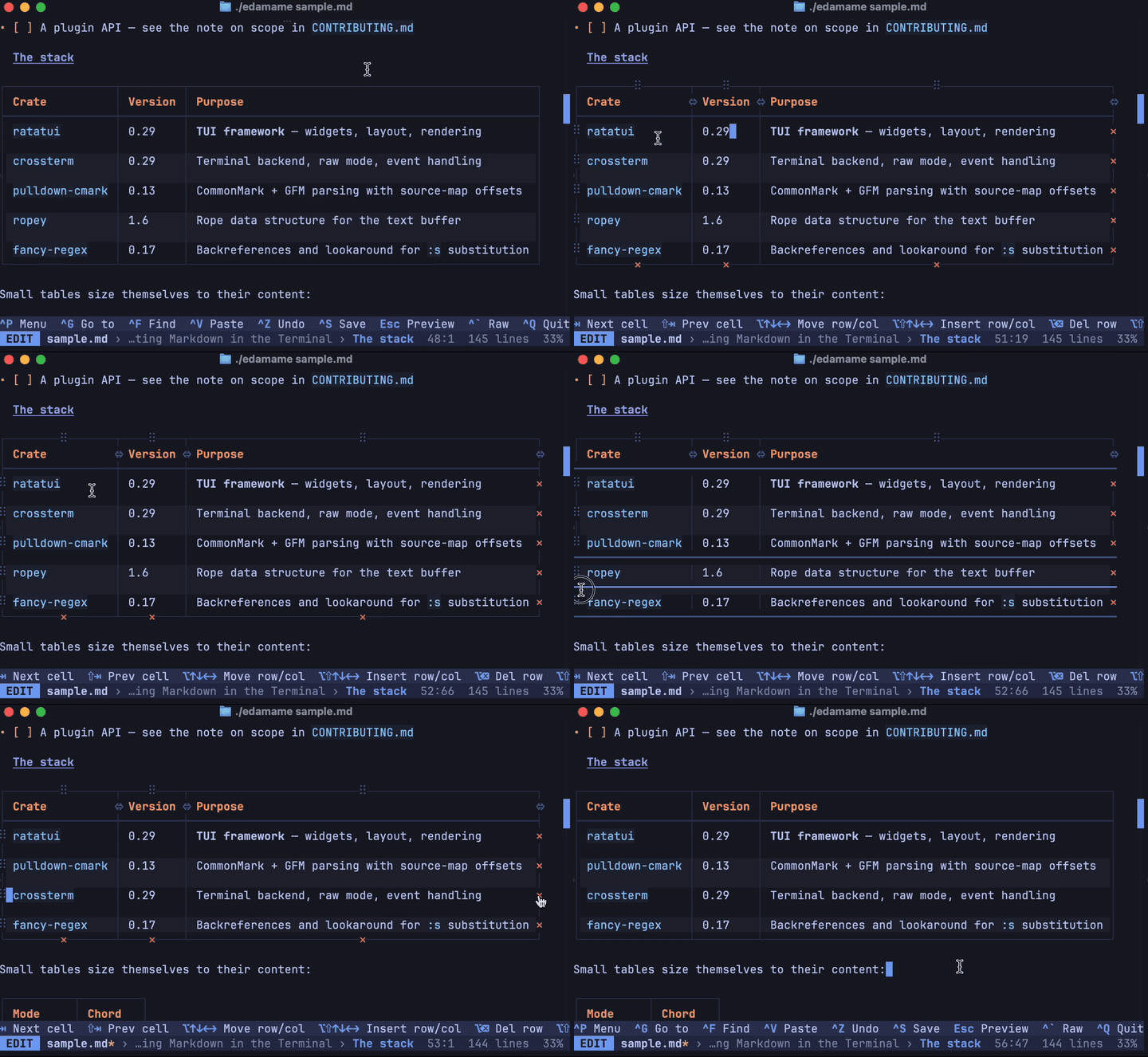
Tables are drawn, not printed as pipes. Tab walks the cells, rows and columns can be added or removed in place, and the mouse can drag a divider to resize or a handle to reorder.
Themes
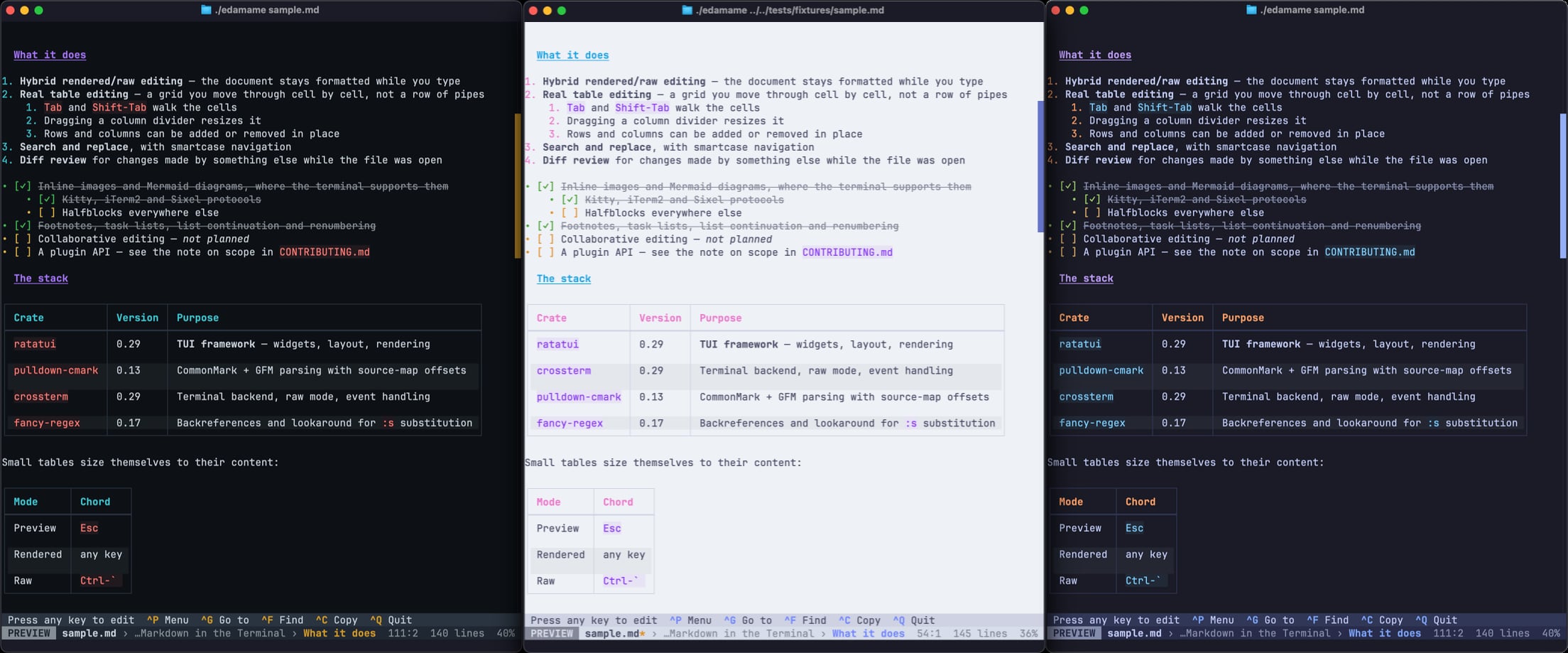
27 built in, and a documented TOML format for writing your own.
Documentation
- Getting started — first run, the three view modes, reading the status bar
- Editing — tables, lists, links, footnotes, search, diff review, images, export
- Keybindings — every default chord and how to change it
- Terminal compatibility — what depends on your terminal, and what to do about each gap
- Configuration — every setting
- Themes — switching, and writing your own
- Vim mode — what's supported and how it differs from Vim
- Security — what protects you when you open a document you didn't write
Installation
Homebrew
brew install mijowi/tap/edamame
Cargo
cargo install edamame
Requires Rust 1.90 or newer.
Shell installer
curl -LsSf https://github.com/mijowi/edamame/releases/latest/download/edamame-installer.sh | sh
Downloads the prebuilt binary for your platform, verifies its checksum, and places it in ~/.cargo/bin, adding that directory to your PATH if it isn't already there. Set EDAMAME_NO_MODIFY_PATH=1 to skip the PATH change. Linux (x86_64, aarch64, and a static musl build) and macOS (Intel and Apple Silicon) are supported.
Prebuilt binaries
Download for your platform from Releases. Windows (x86_64) gets a .zip archive with edamame.exe; no installer covers it.
From source
git clone https://github.com/mijowi/edamame
cd edamame
cargo build --release
# binary at target/release/edamame
Requires Rust 1.90 or newer.
Platforms
Linux and macOS are the supported platforms. Windows is best-effort: edamame passes its test suite there in CI, and each release has a prebuilt x86_64 Windows binary, but nobody smoke-tests the running program on Windows, so terminal behavior — images, the clipboard, opening links, the external editor — is unverified. Use Windows Terminal; the legacy console lacks the alternate screen and mouse support a TUI depends on. If you run it on Windows and something is off, an issue with the terminal name and version is the most useful thing you can send.
Upgrading
edamame checks for a new release once a day and tells you when one appears (see getting started). It does not update itself; use the same method you installed with:
| Installed with | Upgrade command |
|---|---|
| Homebrew | brew upgrade edamame |
| Shell installer | Re-run the installer one-liner above — it replaces the binary in place |
| Cargo | cargo install edamame (cargo update does not touch installed binaries) |
| Prebuilt binary | Download the new release and replace the file |
Uninstalling
Homebrew and Cargo remove their own binaries — brew uninstall edamame or cargo uninstall edamame — but neither removes the config and data directories edamame creates (~/.config/edamame and, on Linux, ~/.local/share/edamame; on macOS ~/Library/Application Support/edamame).
For the shell installer, a manual binary copy, or to clean up those directories, there's an uninstall script:
curl -LsSf https://raw.githubusercontent.com/mijowi/edamame/main/uninstall.sh | sh
It removes the binary (unless Homebrew or Cargo manages it, in which case it prints the right command instead) and then asks before touching your config and data — keeping them by default. Add --purge to remove everything without prompting, or --yes to remove only the binary.
The uninstall script does not run on Windows, so instead delete edamame.exe from wherever you unpacked it, and optionally the config folder %USERPROFILE%\.config\edamame and the data folder %APPDATA%\edamame.
Terminal support
edamame runs anywhere, but a few things depend on your terminal:
| Feature | Requires |
|---|---|
| Images, diagrams, math, most themes | 24-bit color (plus an image protocol for images) |
| Mouse selection and table handles | Mouse reporting |
Ctrl-` , Ctrl-Shift-T, Alt-Shift-* |
The kitty keyboard protocol |
Where support is missing, edamame adapts rather than breaking — it switches to a 256-color theme, keeps image placeholders, and tells you which chords won't arrive. Every command is reachable from the palette regardless.
Full support in kitty, Ghostty, WezTerm, and foot. Apple Terminal works, with the reduced feature set above. Run edamame --doctor to see what your terminal reports.
Security
edamame is built to open documents you didn't write. Image decoding is bounded against decompression bombs, remote image fetches are consent-gated and filtered against internal addresses, and HTML export strips scripts and unsafe link schemes. Details and the threat model are in docs/security.md.
To report a vulnerability, please use GitHub's private reporting on the Security tab rather than a public issue.
Contributing
Start with CONTRIBUTING.md. For anything non-trivial, please open an issue first — edamame keeps a deliberately narrow scope, so a feature can be well-built and still not fit.
Questions, ideas and anything you're not sure is a bug belong in Discussions.
AGENTS.md is the architecture guide — the module layout, the invariants that are easy to break, and the code style. docs/dev/ holds the design specs.
Please run the following before opening a PR:
cargo fmt
cargo clippy --all-targets --all-features -- -D warnings
cargo test --no-fail-fast
License
Apache-2.0. See LICENSE.
관련 프로젝트 살펴보기
불러오는 중…