
margelo/react-native-runtimes
margelo/react-native-runtimes has 563 GitHub stars and 15 forks. GitHot measured 0 stars in 24 hours and 0 in 7 days. Last checked 2026-11-22 15:48 UTC. Last push 2026-08-05.
측정된 스타 증가
- in 24h
- 0
- in 7 days
- 0
- in 15 days
- 기록 수집 중
- in 1 month
- 기록 수집 중
서로 겹치는 기간의 순증가량이며 일별 합계가 아닙니다. 측정값이 없으면 비워 둡니다. 스타는 관심도를 나타내며 품질을 보장하지 않습니다.
소개
Run heavy React Native components and business logic in isolated Hermes runtimes (without freezing your main JS thread)
웹 및 앱README.md
Original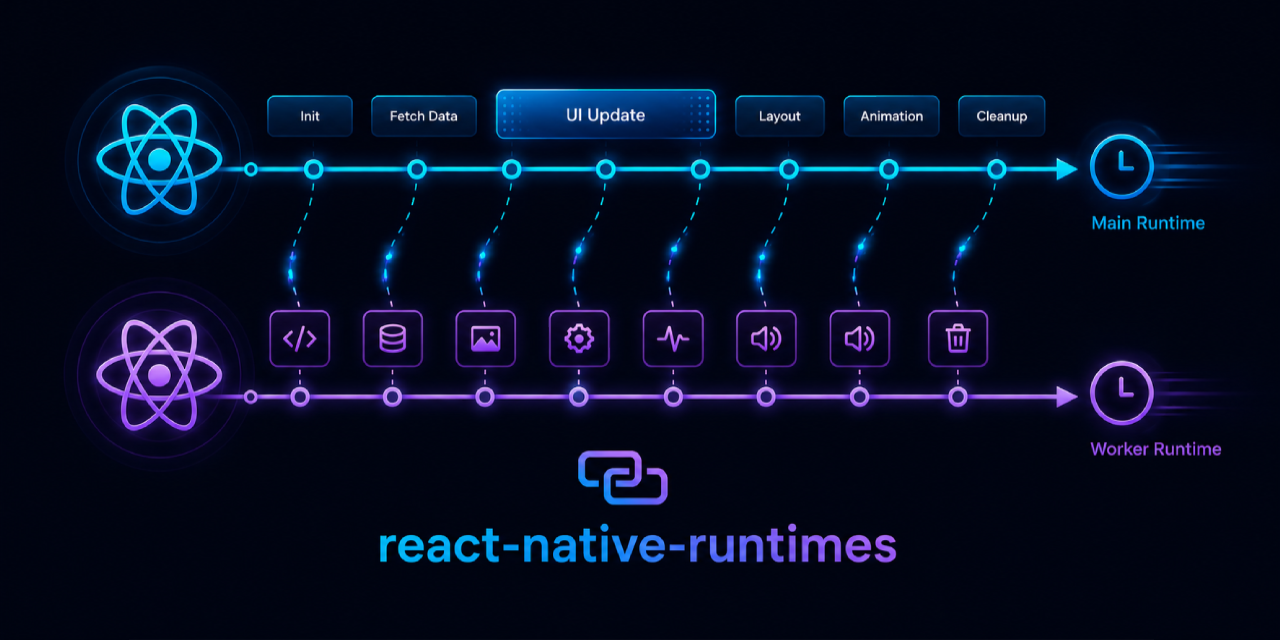
react-native-runtimes
Run heavy React Native UI and business logic in isolated Hermes runtimes — without freezing your main JS thread






📖 Docs · ⚡ Quick Start · 📦 Core · 🗂 State



react-native-runtimes is built in collaboration with our friends at Callstack
We love fast apps ⚡ and cars 🏎️
What is this?
React Native gives your product one main JavaScript runtime. When a feed, chat screen, editor, reducer, or hydration job monopolizes that runtime, input, animation, and navigation all start competing for the same VM.
react-native-runtimes adds a multi-runtime layer for React Native New Architecture apps:
- mount selected React components in named secondary Hermes runtimes
- run whole screens, headless tasks, and typed functions away from the main runtime
- share state across isolated JS heaps through a native C++ singleton
- prewarm runtimes before navigation so expensive surfaces are ready when users arrive
- wire it through Metro and, for Expo, a config plugin instead of hand-written runtime plumbing
// That's it. This component now renders in its own Hermes instance.
<OnRuntime name="chat-runtime">
  <MessageList conversationId={conversationId} />
</OnRuntime>
What it unlocks
| If your app has... | You can move... | Main runtime keeps... |
|---|---|---|
| A chat, feed, or inbox that janks on mount | The expensive list or route surface | Navigation, gestures, and input |
| Reducers or stores competing with animation | Business logic in a long-lived runtime | Frame-critical UI work |
| Slow first-open screens | A prewarmed runtime before the user taps | Predictable navigation latency |
| Background hydration or decoding | Headless tasks on a worker runtime | Responsive startup and render |
| State that must be visible everywhere | Native-backed shared stores | Synchronous reads without bridge round-trips |
When to reach for it
- You have one or two expensive features that repeatedly monopolize the main JS runtime.
- You want a chat, feed, editor, map sidebar, or media-heavy route to stay alive and warm.
- You need business logic or cache hydration to run without blocking interaction.
- You are already on React Native New Architecture with Hermes, or you are willing to move there.
When not to use it
- Your app is simple enough that memoization, virtualization, or moving work off render fixes the issue.
- You need legacy architecture or a non-Hermes JS engine.
- You want to pass large mutable objects or non-serializable props directly between runtimes. Pass ids/keys and read shared data from native-backed state instead.
Packages
| Package | Description |
|---|---|
@react-native-runtimes/core |
Mount React components in secondary runtimes. Metro transform, OnRuntime, ThreadedScreen, headless tasks, cross-runtime function calls. |
@react-native-runtimes/state |
Zustand-style shared store backed by a process-wide C++ singleton. Synchronous reads and commits from every runtime. |
Core capabilities
🧵 Zero-boilerplate threaded components
Wrap a component in OnRuntime — Metro rewrites the JSX to a registered threaded boundary at build time. No manual registration required.
import { OnRuntime } from '@react-native-runtimes/core';

<OnRuntime name="feed-runtime">
  <HeavyFeedList userId={userId} />
</OnRuntime>
📱 Full-screen threaded routes
For navigation flows that should live entirely on a secondary runtime:
import { ThreadedScreen, threadedComponent } from '@react-native-runtimes/core';

export const ConversationScreen = threadedComponent<Props>(
  'ConversationScreen',
  (props) => <ConversationRoute {...props} />,
);

// In your navigator:
<ThreadedScreen
  component={ConversationScreen}
  props={{ conversationId }}
  runtimeName={`chat-${conversationId}`}
/>
⚡ Runtime prewarming
Start the runtime before the user navigates so there is no cold-start lag:
import { ThreadedRuntime } from '@react-native-runtimes/core';

// e.g. when the inbox row becomes visible
await ThreadedRuntime.prewarm(`chat-${conversationId}`);
🏃 Headless tasks
Run JS on a named runtime without mounting a view — perfect for pre-hydrating stores, decoding data, or running reducers in a long-lived worker:
// Register on the threaded bundle side:
registerThreadedHeadlessTask('hydrateConversation', async ({ payload }) => {
  const messages = await loadMessages(payload.conversationId, payload.limit);
  await messagesStore.setSubtreeState(payload.conversationId, messages, true);
});

// Dispatch from anywhere:
await ThreadedRuntime.runHeadlessTask('hydrateConversation', {
  runtimeName: 'chat-worker-runtime',
  payload: { conversationId, limit: 50 },
});
🔀 Cross-runtime function calls
Call a typed function on a specific runtime and await the result — arguments and return values are JSON-serialized automatically:
import { call, runtimeFunction } from '@react-native-runtimes/core';

export const fibonacci = runtimeFunction((n: number) => ({
  input: n,
  result: fibonacciNumber(n),
  computedAt: new Date().toISOString(),
}));

// Call it on a named runtime from the main runtime:
const result = await call(fibonacci).on('fibonacci-worker-runtime')(38);
Or use a function directive for fixed-runtime helpers — Metro rewrites the call site automatically:
async function refreshCache(key: string) {
  'background'; // ← directive: this function always runs on 'background' runtime
  await cacheStore.hydrate();
  return cacheStore.get(key);
}

const value = await refreshCache('settings'); // cross-runtime, no extra API
🗂 Shared state — synchronous, cross-heap
A Zustand-style API backed by a native C++ process-wide singleton. Reads are synchronous. No bridge round-trip. Any runtime can write and every subscriber is notified.
import { createSharedStore } from '@react-native-runtimes/state';

export const chatStore = createSharedStore({
  name: 'chat',
  initialState: { messages: {}, settings: { theme: 'dark' } },
});

// Path handles for fine-grained subscriptions:
const roomMessages = chatStore.path<Message[]>(['messages', 'release-room']);

await roomMessages.update(items => [...(items ?? []), newMessage]);

// Subscribe with a selector — works in any runtime:
const count = roomMessages.use(items => items?.length ?? 0);
Add native persistence with a single option:
export const preferencesStore = createSharedStore({
  name: 'preferences',
  initialState: { counter: { count: 0 } },
  persist: { key: 'preferences', version: 1, subtrees: ['counter'] },
});
🏗 Business runtimes
For an app-lifetime runtime that sees the same native modules as the main runtime, use prewarmBusinessRuntime:
ThreadedRuntime.setMainReactPackagesProvider { PackageList(this).packages }
ThreadedRuntime.prewarmBusinessRuntime(applicationContext, "business-runtime")
if (global.__THREADED_RUNTIME_ENV__?.kind === 'business-runtime') {
  require('./src/businessRuntimeEntry');
}
🔌 Expo support
@react-native-runtimes/core ships a config plugin. No manual native edits needed:
// app.config.ts
export default {
  newArchEnabled: true,
  plugins: [
    ['@react-native-runtimes/core', {
      packages: ['@react-native-runtimes/state'],
    }],
  ],
};
Getting Started
1. Install
npm install @react-native-runtimes/core @react-native-runtimes/state react-native-nitro-modules
2. Configure Metro
// metro.config.js
const { getDefaultConfig, mergeConfig } = require('@react-native/metro-config');
const { withThreadedRuntime } = require('@react-native-runtimes/core/metro');

module.exports = withThreadedRuntime(
  mergeConfig(getDefaultConfig(__dirname), {}),
  { roots: ['App.tsx', 'src'], generatedDir: '.threaded-runtime' },
);
3. Load the generated entry
// index.js
if (global.__THREADED_RUNTIME_ENV__) {
  require('./.threaded-runtime/entry');
} else {
  require('./App');
}
4. Render
import { OnRuntime } from '@react-native-runtimes/core';

export default function App() {
  return (
    <OnRuntime name="my-runtime">
      <HeavyComponent />
    </OnRuntime>
  );
}
→ Full setup guide: packages/core/README.md
Requirements
| Requirement | Support |
|---|---|
| React Native | 0.76+ |
| Architecture | New Architecture required |
| JavaScript engine | Hermes |
| Platforms | Android and iOS |
| Expo | Config plugin included in @react-native-runtimes/core |
Documentation
- 📖 Hosted docs
- 📦 Core package — full API reference
- 🗂 State package — shared store API
- 🧪 Example app
- 🏗 Docusaurus source
- 🤝 Contributing guide
Authors
 Szymon Kapała @Turbo_Szymon |
 Szymon Chmal @ChmalSzymon |
 Alex Shumihin @pioner_dev |
 Ritesh Shukla @RiteshRk14 |
MIT License · Built with ❤️ for the React Native community
관련 프로젝트 살펴보기
불러오는 중…