
makccr/dot has 640 GitHub stars and 69 forks. GitHot measured 0 stars in 24 hours. Last checked 2026-11-10 20:10 UTC. Last push 2026-11-01.
A repository to contain any and all of my personal application configuration files.
측정된 스타 증가
- in 24h
- 0
- in 7 days
- 업데이트 지연
- in 15 days
- 업데이트 지연
- in 1 month
- 업데이트 지연
서로 겹치는 기간의 순증가량이며 일별 합계가 아닙니다. 측정값이 없으면 비워 둡니다. 스타는 관심도를 나타내며 품질을 보장하지 않습니다.
README.md
Original
Dotfiles
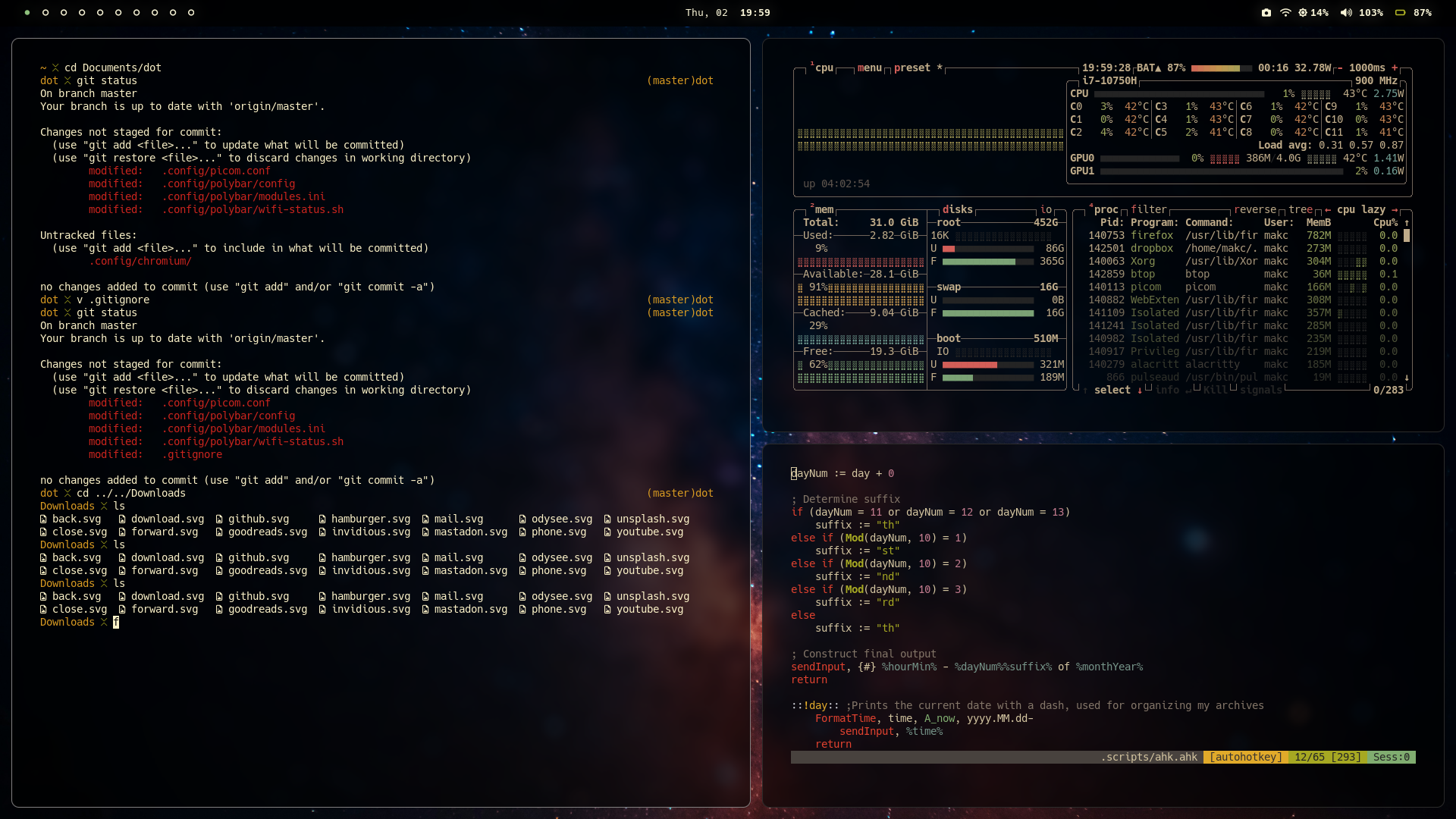
These are my dot files. I primarily use Arch, or, if I'm feeling lazy some flavor of Arch like Manjaro or Cachy OS(Cachy OS is pictured below). But I do also run Ubuntu LTS andior Fedora Workstation from time to time, so I also try to make sure my dotfiles work there as well. The same thing is also true of FreeBSD, which I also have been known to daily drive for brief periods, but in no way do I put a ton of effort into ensuring my configs work there as well. My primary use case is writing, some light web design and the general scripting and hacking that comes with using Window Managers and light-weight systems, so I do tend to keep things as minimal and performant as possible.
Note: There are some OSX and Windows specific configs here as as well, but I use something other than Linux or BSD about once a year when I absolutely have to. These configs, only get updated on the rare occasion that I happen to use them, and find an issue that needs to be fixed.
The main things here are:
- My Neovim configuration.
- My Zsh configuration.
- My window manager configuration, primarily Hyprland these days; but I have used BSPWM, DWM and Awesome WM extensively in the past, and those configurations are also contained here.
- My Alacritty configuration, as well as a few back up terminals.
- My status bar configuration. With the switch to Wayalnd, my status bar of choice has become Waybar, but I also have an extensive amount of Polybar configuration available in these files as well.

Usage
Typically I use a git clone to pull down my dot files into the ~/Documents folder, or some other convenient location and then use symbolic links to have things end up in the right place:
Step by step guide
- Change directory into a convenient location
cd ~/Documents
- Clone the repo
git clone --depth 1 https://codeberg.org/makccr/dot
- Move back into home directory
cd
- Set up symbolic links
ln -sf ~/Documents/dot/.config .
ln -sf ~/Documents/dot/.scripts .
ln -sf ~/Documents/dot/.gitconfig .
ln -sf ~/Documents/dot/.zshenv .
ln -sf ~/Documents/dot/.tmux.conf .
ln -sf ~/Documents/dot/.Xresources .
ln -sf ~/Documents/dot/.xbindkeysrc .
Note: I've also built a script to automate this process. setup.sh can be founnd in the .scripts folder & makes the symbolic link process take about 0.36 seconds:
./~/Documents/.scripts/setup.sh
관련 프로젝트 살펴보기
sindresorhus/awesome
😎 온갖 흥미로운 주제에 관한 Awesome 목록 [참고: 기존 풀 리퀘스트를 따라잡을 여유가 생길 때까지 풀 리퀘스트가 일시적으로 비활성화되어 있습니다]
535,155 스타EbookFoundation/free-programming-books
:books: 무료로 이용할 수 있는 프로그래밍 도서
401,433 스타nilbuild/developer-roadmap
개발자의 커리어 성장을 돕는 인터랙티브 로드맵, 가이드 및 기타 교육 콘텐츠.
371,811 스타vinta/awesome-python
“Python으로 X를 하고 싶은데, 어떤 도구를 써야 할까?”에 답하는 결정판 목록.
334,015 스타